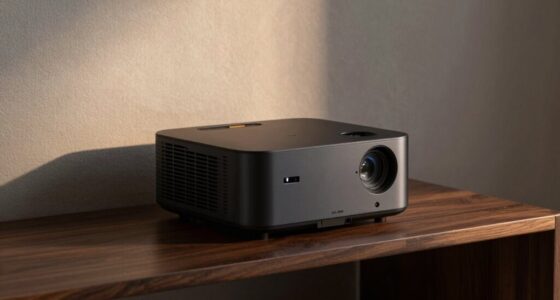

Advanced projection technology requires you to be proactive with maintenance. Brighter displays and versatile setups mean components wear out faster, so regular cleaning, inspections, and calibration are essential. Bulb lifespan decreases with frequent use, demanding planning for replacements. Upgrading cooling systems and addressing dust buildup prevent overheating. Staying on top of these tasks not only maintains image quality but also extends your system’s lifespan. More tips await if you keep exploring how to keep your projector in prime shape.

Get business pricing on your home office setup
- Business-only prices and quantity discounts
- Tax-exempt purchasing
- Multiple users, one account, clear invoices
Key Takeaways
- Advanced projection tech increases component wear, requiring more frequent cleaning and inspections.
- Brighter displays and larger setups accelerate bulb degradation and maintenance frequency.
- Modern systems demand specialized calibration skills to maintain image quality over time.
- Improved cooling systems reduce overheating but still need routine dust removal and upkeep.
- Technological advancements necessitate staying updated on maintenance practices to extend device lifespan.
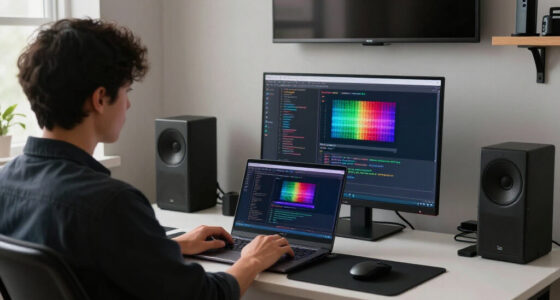
Projection technology has rapidly advanced, offering sharper images, brighter displays, and more versatile setups. These improvements mean you can enjoy stunning visuals with less effort, but they also come with specific maintenance expectations. One key factor is calibration accuracy. As projectors become more sophisticated, ensuring your device is properly calibrated is vital for optimal image quality. If calibration drifts over time, you might notice color inaccuracies, distortion, or reduced sharpness. Regular calibration checks become a necessary part of your maintenance routine to keep images crisp and true to original content. The more precise the calibration, the better your viewing experience, but it also means you need to stay attentive to calibration accuracy to avoid compromised visuals.
Maintaining calibration accuracy is essential for sharp, true-to-life images with modern projectors.
Another critical maintenance aspect involves the bulb lifespan. Modern projectors rely heavily on their bulbs, which illuminate the images you see. Over time, these bulbs degrade, resulting in dimmer displays and uneven brightness. You should expect to replace bulbs periodically, but the exact lifespan varies depending on usage and projector model. High-intensity use or frequent operation can shorten bulb life, leading to unexpected downtime and additional costs. Understanding the bulb lifespan helps you plan maintenance schedules and budget for replacements, ensuring your projector continues to perform at its best without interruption. Additionally, choosing projectors with advanced cooling systems can help extend the lifespan of bulbs and internal components.
The advances in projection technology also influence how you approach system upkeep. Brighter displays and more versatile setups mean your projector might be used in larger or more demanding environments. This increased use accelerates wear and tear, especially on components like filters, cooling fans, and internal electronics. Regular cleaning and inspections become essential to prevent overheating and mechanical failures. Additionally, newer projectors often feature advanced cooling systems, but these still require routine maintenance to prevent dust buildup, which can impair performance and reduce bulb lifespan. Staying updated on the components that require regular attention can help prevent unexpected failures and extend the overall lifespan of your system. Incorporating preventive maintenance practices can significantly improve your device’s longevity and performance.
Finally, with the higher quality and complexity of modern projection systems, you might find yourself needing specialized support or training to handle calibration and maintenance tasks effectively. Staying informed about your projector’s specific requirements ensures you can maintain calibration accuracy and extend bulb lifespan as long as possible. Proper system maintenance and understanding your device’s features can significantly prolong its usability. In the end, understanding these maintenance expectations helps you maximize your investment, keep your display in top condition, and enjoy the benefits of cutting-edge projection technology with minimal disruption.
As an affiliate, we earn on qualifying purchases.
Frequently Asked Questions
How Often Should Projector Bulbs Be Replaced?
You should replace your projector bulb approximately every 1,500 to 2,000 hours of use, depending on your model’s projection lifespan. Follow your device’s bulb replacement schedule to maintain peak performance. Keep an eye on brightness and image quality, and replace the bulb sooner if you notice dimming or color issues. Regular maintenance ensures your projector stays reliable, and sticking to the recommended schedule helps avoid unexpected outages.
What Are Common Projection Technology Malfunctions?
You might find that common projection technology malfunctions often stem from calibration issues or signal compatibility problems. It’s a myth that projectors rarely malfunction; in reality, misaligned calibration techniques cause blurry images or color distortion, while incompatible signals lead to flickering or no display at all. Regularly checking and adjusting calibration, and ensuring your device’s inputs match the projector’s specs, helps prevent these issues and keeps your projection running smoothly.
Does Maintenance Vary Between Different Projector Brands?
Yes, maintenance varies between different projector brands. You’ll find that brand consistency plays a role in how easy or complex repairs are, with some brands offering more reliable parts and support. Additionally, warranty coverage differs, impacting your maintenance expectations. Choosing a reputable brand with thorough warranty coverage can reduce downtime and ensure you get quality service, making maintenance more manageable and predictable over time.
Are There Environmental Factors Affecting Projector Longevity?
Environmental factors greatly impact projector longevity. For instance, dust and humidity can reduce a projector’s lifespan by up to 30%, according to industry studies. You should keep your projector in a clean, dry environment, and avoid extreme temperatures. Proper ventilation and regular cleaning help protect internal components from environmental damage. By managing these factors, you guarantee your projector remains reliable and functional for longer periods, saving you maintenance costs and replacement hassles.
How Can Users Troubleshoot Projector Image Issues?
To troubleshoot projector image issues, start by checking the color calibration settings; make sure they match your environment for accurate visuals. Next, examine the lens adjustment to confirm it’s properly aligned and clean. If the image is blurry or distorted, adjusting the focus and zoom can help. Regularly clean the lens and update your projector’s firmware to prevent issues. These steps guarantee peak performance and image clarity.
projection system calibration tool
As an affiliate, we earn on qualifying purchases.
As an affiliate, we earn on qualifying purchases.
Conclusion
Understanding projection technology helps you set realistic maintenance expectations. Did you know that over 60% of users report fewer issues with modern digital projectors compared to traditional models? This means you can enjoy clearer images and less downtime when you stay on top of regular maintenance. By keeping your equipment well-maintained, you’ll maximize its lifespan and performance. Embrace the advancements in projection tech, and you’ll find your maintenance efforts pay off in flawless presentations and fewer surprises.
As an affiliate, we earn on qualifying purchases.
projector maintenance cleaning kit
As an affiliate, we earn on qualifying purchases.
As an affiliate, we earn on qualifying purchases.
Fall Picks
fall essentials
As an affiliate, we earn on qualifying purchases.