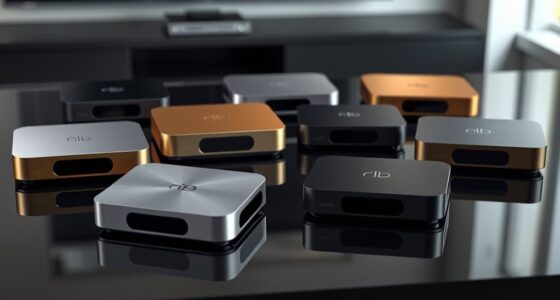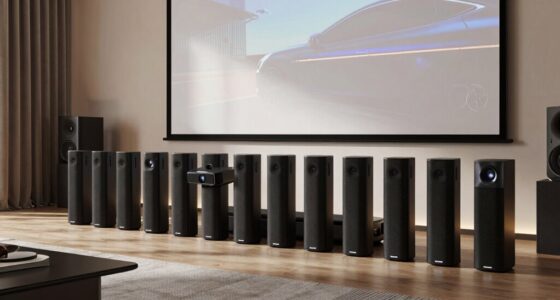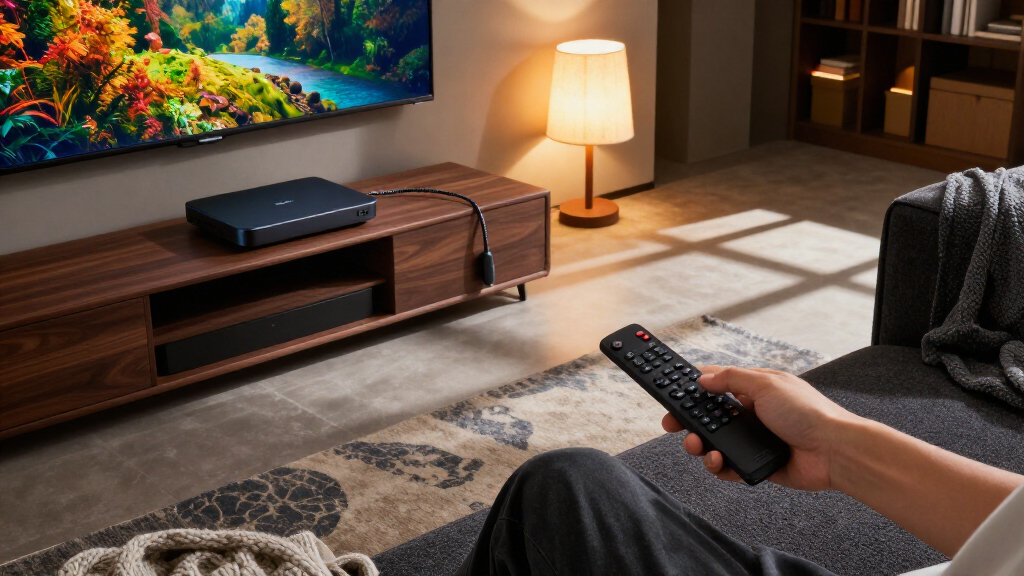

For most home theaters, I’d start with the Apple TV 4K (4th Generation) for its polished interface and broad support for high-quality video and audio; the Amazon Fire TV Stick 4K Max stands out for Fire TV households, while the Google TV Streamer offers a capable hub with more onboard storage. The right choice depends on more than 4K: app support, HDR and audio passthrough, Wi-Fi reliability, and how well the device fits your TV, receiver, and streaming habits all matter. A compact stick can keep a setup tidy, while a box may offer more ports or storage, but neither form guarantees better picture quality. Ecosystem preferences and interface design can matter as much as hardware. Read on for my full comparison and guidance on which tradeoffs fit your theater.

Get business pricing on your home office setup
- Business-only prices and quantity discounts
- Tax-exempt purchasing
- Multiple users, one account, clear invoices
Complete the kit



Key Takeaways
- Apple TV 4K leads for a polished theater setup: It is the strongest all-around pick for buyers who value a consistent interface and Apple integration, though it makes less sense for households that prefer Google TV or Fire TV.
- Fire TV models are a family, not one interchangeable pick: The 4K Max targets buyers wanting a more capable stick, while the 4K, 4K Plus, and 4K Select call for closer checks of their exact features and ecosystem fit.
- Google TV spans both compact and more expandable options: The Google TV Streamer and the onn. Google TV devices offer different approaches to apps, storage, and setup, so buyers should compare the specific model rather than relying on the shared platform name.
- Roku and TiVo favor different kinds of simplicity: Roku Streaming Stick 4K suits buyers who want a straightforward streaming interface, while TiVo Stream 4K is a distinct alternative for people drawn to its content-browsing approach.
- Home-theater compatibility matters more than the 4K label: Matching HDR formats, audio support, HDMI inputs, and network conditions to the TV and receiver can matter more than moving between similarly positioned streaming sticks.
| onn. 4K Streaming Device with Google TV |  | Best Compact Dolby Vision Pick | Resolution: 4K UHD (3840 pixels) | HDR: Dolby Vision | Platform: Google TV | VIEW LATEST PRICE | See Our Full Breakdown |
| TiVo Stream 4K Streaming Media Player |  | Best for Cross-App Discovery | Model: RA2400 | Resolution: 4K | HDR: Dolby Vision | VIEW LATEST PRICE | See Our Full Breakdown |
| onn Android TV 4K UHD Streaming Device with Voice Remote and HDMI Cable |  | Best Starter Kit | Resolution: 4K UHD (3840 × 2160 pixels) | Operating system: Android TV | Connectivity: HDMI, Wi-Fi | VIEW LATEST PRICE | See Our Full Breakdown |
| Google TV Streamer (4K), 32 GB, Porcelain |  | Best Premium Home-Theater Hub | Model: Google TV Streamer 4K (GRS6B) | Resolution: 4K (3840 × 2160) | HDR: Dolby Vision | VIEW LATEST PRICE | See Our Full Breakdown |
| onn. Google TV 4K Streaming Box |  | Best Simple Google TV Box | Model number: 110125667 | Streaming platform: Google TV | Video output: 3840 × 2160 (4K) | VIEW LATEST PRICE | See Our Full Breakdown |
| Amazon Fire TV Stick 4K Max (2nd Gen) with Alexa Voice Remote Enhanced |  | Best Overall for a Wi-Fi 6E Home Theater | Model: 2nd Gen | Processor: Quad-core 2.0 GHz | Storage: 16 GB | VIEW LATEST PRICE | See Our Full Breakdown |
| Amazon Fire TV Stick 4K with Alexa+ and Wi-Fi 6 |  | Best for Simple, Low-Clutter Setup | Resolution: 4K | HDR: HDR10+ | Wireless: Wi-Fi 6 | VIEW LATEST PRICE | See Our Full Breakdown |
| Apple TV 4K (4th Generation) |  | Best Premium Apple Home Theater Hub | Chip: A19 | Video formats: Dolby Vision and HDR10+ | Audio: Dolby Atmos and Enhance Dialogue | VIEW LATEST PRICE | See Our Full Breakdown |
| Ugoos AM6B Plus 4K Android TV Box, 4GB RAM, 32GB Storage |  | Best for Wired Connections and Local Media | Operating system: Android 9.0 | Processor: Amlogic S922X-J hexa-core | GPU: ARM Mali-G52 MP6 | VIEW LATEST PRICE | See Our Full Breakdown |
| Roku Streaming Stick 4K with Voice Remote |  | Best Compact Dolby Vision Pick | Model: 3820R2 | Resolution: Up to 2160p at 60 fps | HDR formats: Dolby Vision, HDR10, HDR10+ | VIEW LATEST PRICE | See Our Full Breakdown |
| onn 4K Plus Streaming Device with Google TV, 16GB Storage, 2GB RAM, and Voice Remote |  | Best for Google TV App Storage | Resolution: 4K Ultra HD | Operating system: Google TV | Storage: 16GB | VIEW LATEST PRICE | See Our Full Breakdown |
| Amazon Fire TV Stick 4K Select Streaming Device |  | Best Compact, Straightforward Fire TV Pick | Output resolution: Up to 2160p at 60 fps | HDR formats: HDR10, HDR10+, HLG | Processor: Quad-core 1.7 GHz | VIEW LATEST PRICE | See Our Full Breakdown |
| onn 4K Pro Streaming Device with Google TV and Gemini |  | Best for Dolby Vision and Atmos on Google TV | Streaming platform: Google TV with Gemini | Resolution: 4K Ultra HD | Video format: Dolby Vision | VIEW LATEST PRICE | See Our Full Breakdown |
| Amazon Fire TV Stick 4K Plus with Alexa+ and Wi-Fi 6 |  | Best Fire TV Pick for Dolby Home Theater | Maximum resolution: 2160p at up to 60 fps | Video formats: Dolby Vision, HDR10, HDR10+, HLG | Audio support: Dolby Atmos, 7.1 surround sound, stereo, and HDMI audio pass-through up to 5.1 | VIEW LATEST PRICE | See Our Full Breakdown |
| 4K streaming devices for home theater | Resolution | Connectivity | Storage | Dimensions |
|---|---|---|---|---|
| onn. 4K Streaming Device with | 4K UHD (3840 pixels) | HDMI; Wi-Fi 6 dual-band (2.4/5 GHz, 802.11ax) | 8 GB | — |
| TiVo Stream 4K Streaming Media | 4K | Wi-Fi, HDMI | — | 3.03 × 2.09 × 0.63 in |
| onn Android TV 4K UHD Streamin | 4K UHD (3840 × 2160 pixels) | HDMI, Wi-Fi | — | — |
| Google TV Streamer | 4K (3840 × 2160) | Ethernet, Wi-Fi | — | — |
| onn. Google TV 4K Streaming Bo | — | HDMI | — | 6.89 × 3.78 × 2.05 in |
| Amazon Fire TV Stick 4K Max | — | — | 16 GB | 99 × 30 × 14 mm housing |
| Amazon Fire TV Stick 4K with A | 4K | HDMI and Bluetooth | — | — |
| Apple TV 4K | — | — | — | 3.67 × 3.67 × 1.22 inches |
| Ugoos AM6B Plus 4K Android TV | — | Wi-Fi 6, Gigabit Ethernet, Bluetooth 5.0 | 32 GB | 4.61 × 4.61 × 0.79 inches |
| Roku Streaming Stick 4K with V | Up to 2160p at 60 fps | — | 16 GB | 3.7 × 0.8 × 0.45 inches |
| onn 4K Plus Streaming Device w | 4K Ultra HD | — | 16GB | 6 × 3.95 × 1.9 inches |
| Amazon Fire TV Stick 4K Select | — | — | 8GB | — |
| onn 4K Pro Streaming Device wi | 4K Ultra HD | Wi-Fi 6; optional Ethernet | 32GB | — |
| Amazon Fire TV Stick 4K Plus w | — | — | 8GB | — |
More Details on Our Top Picks
onn. 4K Streaming Device with Google TV
The onn. 4K Streaming Device is a small HDMI stick for a theater setup where you want 4K and Dolby Vision without adding a larger box to the cabinet. Google TV brings supported streaming apps together, and the voice remote can search with Google Assistant. Its Wi-Fi 6 connection is a useful fit for a compatible network, though it still depends on wireless coverage and does not offer the Ethernet option listed for the Google TV Streamer. With 8 GB of storage and 2 GB of RAM, it suits routine streaming better than a large app library. Compared with the included-HDMI-cable onn Android TV model, this one offers Dolby Vision and Wi-Fi 6, but no cable is listed in the supplied details.
Pros:- Outputs 4K UHD and supports Dolby Vision.
- Google TV gathers supported streaming apps in one interface.
- Wi-Fi 6 connectivity for compatible home networks.
- Compact TV-stick form factor with Google Assistant voice remote.
Cons:- 8 GB of storage leaves limited room for a large collection of apps.
- Requires both an HDMI port and a Wi-Fi connection.
- No Ethernet connection or included HDMI cable is specified.
Best for: Home-theater viewers who want a compact HDMI-connected device with Dolby Vision and use a reliable Wi-Fi 6 network.
Not ideal for: Viewers who need wired Ethernet, substantial room for installed apps, or a bundled HDMI cable.
- Resolution:4K UHD (3840 pixels)
- HDR:Dolby Vision
- Platform:Google TV
- Connectivity:HDMI; Wi-Fi 6 dual-band (2.4/5 GHz, 802.11ax)
- Storage:8 GB
- RAM:2 GB
- Video codecs:H.264, H.265/HEVC, VP9
- Form factor:TV stick
Our verdict“Choose this compact onn. stick if Dolby Vision and Google TV matter more than wired networking or extra storage.”
TiVo Stream 4K Streaming Media Player
The TiVo Stream 4K is the lineup’s discovery-focused stick: its cross-app search, watch lists, and recommendations aim to make finding something to watch less dependent on opening services one by one. That organization may suit a theater where several people use different apps. It also supports 4K, Dolby Vision, and Dolby Atmos, so its headline format support reaches both picture and sound. Compared with the Google TV Streamer, it has a compact stick design and the supplied specs list only 8 GB of storage and 2 GB of RAM, rather than the Google unit’s 32 GB and 4 GB. It also relies on Wi-Fi and HDMI, with no Ethernet listed, and its stated warranty is 90 days. Choose it for its viewing guide, not for expandability or wired networking.
Pros:- Cross-app search and watch lists help bring discovery into one place.
- Supports 4K video with Dolby Vision HDR.
- Dolby Atmos support for compatible audio equipment.
- Google Assistant voice control can search content and control smart-home devices.
Cons:- 8 GB of storage and 2 GB of RAM are modest beside the Google TV Streamer’s 32 GB and 4 GB.
- Wi-Fi and HDMI are the listed connections; Ethernet is not specified.
- The stated warranty is 90 days.
Best for: Households with several streaming subscriptions that want cross-app search and watch lists on a compact 4K device.
Not ideal for: Home-theater owners who need Ethernet, more app storage, or a longer stated warranty.
- Model:RA2400
- Resolution:4K
- HDR:Dolby Vision
- Audio:Dolby Atmos
- Connectivity:Wi-Fi, HDMI
- RAM and storage:2 GB RAM; 8 GB storage
- Video codec:VP9 Profile 2
- Dimensions:3.03 × 2.09 × 0.63 in
- Warranty:90 days
Our verdict“Pick the TiVo Stream 4K if cross-service browsing is your priority and its limited storage and Wi-Fi-only setup suit your theater.”
onn Android TV 4K UHD Streaming Device with Voice Remote and HDMI Cable
This onn. Android TV device is the most straightforward pick for a first 4K theater setup because an HDMI cable is included, removing one accessory decision. Android TV provides Google Play Store app access, while Chromecast built in lets viewers send content from Android and iOS devices. The voice remote adds Google Assistant search. Compared with the newer onn. 4K Streaming Device with Google TV, this model specifies Android TV rather than Google TV and does not list Dolby Vision or Wi-Fi 6; its advantage is the bundled cable and casting detail. Its 8 GB storage and 2 GB RAM are basic, and the US-only regional compatibility makes it a poor choice for overseas installations. For a simple domestic setup, it covers the essentials without claiming premium theater features.
Pros:- 4K UHD output for compatible televisions.
- Included HDMI cable simplifies connecting a new setup.
- Chromecast built in supports casting from Android and iOS devices.
- Google Assistant voice remote helps find and control content.
Cons:- Designed for use in the United States and incompatible with other regions.
- 8 GB storage and 2 GB RAM offer limited headroom for apps.
- Dolby Vision and Wi-Fi 6 are not listed, unlike the newer onn. Google TV stick.
Best for: US-based first-time streamers who want 4K, voice search, casting, and an HDMI cable in the box.
Not ideal for: International buyers or home-theater owners seeking specified Dolby Vision support or Wi-Fi 6.
- Resolution:4K UHD (3840 × 2160 pixels)
- Operating system:Android TV
- Connectivity:HDMI, Wi-Fi
- RAM and storage:2 GB RAM; 8 GB storage
- Voice control:Google Assistant
- Casting:Chromecast built in
- Video codecs:H.264, H.265/HEVC
- Included:Voice remote, HDMI cable
- Regional compatibility:United States only
Our verdict“Choose this onn. starter device for a US theater if the included cable and casting matter more than newer HDR and wireless features.”
Google TV Streamer (4K), 32 GB, Porcelain
The Google TV Streamer is the strongest fit here for a theater where storage, wired networking, and a more capable central device matter more than a stick-sized form. Its 32 GB of storage and 4 GB of RAM give it substantially more room and memory than the TiVo Stream 4K or the onn. models, which list 8 GB and 2 GB. Ethernet is also available alongside Wi-Fi, a practical choice when you want to connect a fixed theater setup by wire. It supports 4K HDR with Dolby Vision, and Dolby Atmos works with compatible speakers. The tradeoff is setup cost in effort: an HDMI 2.1 cable is required but sold separately. It is a more capable hub, but excessive if all you need is basic app streaming.
Pros:- 32 GB storage and 4 GB RAM exceed the listed capacity of the other devices here.
- Ethernet and Wi-Fi provide wired and wireless connection options.
- 4K HDR with Dolby Vision support.
- Voice control and Google TV recommendations organize supported content.
Cons:- HDMI 2.1 cable is required and sold separately.
- Dolby Atmos support depends on compatible speakers.
- Larger box-style form factor is less discreet than the lineup’s TV sticks.
Best for: Home-theater owners who want Ethernet, more app storage, and Dolby Vision in a fixed central setup.
Not ideal for: Buyers seeking the smallest stick, a complete HDMI-ready package, or only basic streaming functions.
- Model:Google TV Streamer 4K (GRS6B)
- Resolution:4K (3840 × 2160)
- HDR:Dolby Vision
- Audio:Dolby Atmos support with compatible speakers
- Storage and RAM:32 GB storage; 4 GB RAM
- Connectivity:Ethernet, Wi-Fi
- Connector:HDMI; HDMI 2.1 cable required and sold separately
- Video codec:H.265
- Dimensions and weight:6.4 × 3 × 1 in; 5.7 oz
Our verdict“Choose the Google TV Streamer for a fixed theater that benefits from Ethernet and extra storage, and plan to supply an HDMI 2.1 cable.”
onn. Google TV 4K Streaming Box
The onn. Google TV 4K Streaming Box suits buyers who want Google TV and Chromecast in a box-style device without needing the Google TV Streamer’s larger memory allotment. It outputs 4K up to 3840 × 2160 and lists H.264, H.265/HEVC, and VP9 support, giving it a broad codec set for typical streaming sources. Voice control and Chromecast add convenient search and casting options. Compared with the onn. 4K stick, this model is a box rather than a compact HDMI stick, and its data does not specify Dolby Vision or Wi-Fi 6. Compared with the Google TV Streamer, it lists only 8 GB of memory and HDMI connectivity, with no Ethernet stated. It makes most sense when you want basic Google TV functionality and do not need those higher-end theater connections.
Pros:- 4K output up to 3840 × 2160.
- Google TV provides a unified streaming platform.
- Chromecast and voice control support casting and voice search.
- Supports H.264, H.265/HEVC, and VP9 codecs.
Cons:- Only 8 GB of memory is listed, compared with 32 GB on the Google TV Streamer.
- Dolby Vision and Dolby Atmos are not specified.
- HDMI is the listed connection; Ethernet and Wi-Fi details are not provided.
Best for: Viewers who want a straightforward Google TV box with 4K playback, voice control, and Chromecast for a basic theater.
Not ideal for: Buyers who prioritize Dolby Vision, Ethernet, Wi-Fi 6, or expanded app storage.
- Model number:110125667
- Streaming platform:Google TV
- Video output:3840 × 2160 (4K)
- Connectivity:HDMI
- Memory:8 GB
- Video codecs:H.264, H.265/HEVC, VP9
- Special features:Chromecast, voice control
- Dimensions:6.89 × 3.78 × 2.05 in
- Weight:340 g
Our verdict“Choose this onn. box for basic 4K Google TV and Chromecast, but pick the Google TV Streamer if you need Ethernet or more storage.”
Amazon Fire TV Stick 4K Max (2nd Gen) with Alexa Voice Remote Enhanced
I rank the Fire TV Stick 4K Max first for home theaters that can take advantage of its combination of Dolby Vision, HDR10+, and Dolby Atmos. Its Wi-Fi 6E support and quad-core processor are a stronger fit for quick app launches and busy wireless homes than the Roku Streaming Stick 4K, which supports the same key HDR formats but doesn’t list Wi-Fi 6E. The 16 GB of storage also leaves room for more apps and games than a basic streaming setup may need. The tradeoff is that Wi-Fi 6E only helps with a compatible router, and this stick depends on a TV’s HDMI port and a reliable internet connection. Some services also require separate subscriptions, and their streams may not offer 4K or HDR. I’d choose it for a feature-rich Fire TV setup, not for buyers seeking the simplest interface.
Pros:- Supports Dolby Vision, HDR10+, and Dolby Atmos for compatible theater equipment.
- Wi-Fi 6E and a quad-core processor support responsive streaming and app navigation.
- 16 GB of storage accommodates apps, games, and downloads.
- Included Alexa remote can control compatible TVs, soundbars, and A/V receivers.
Cons:- Wi-Fi 6E requires a compatible router to deliver its full wireless benefit.
- Some streaming services require separate subscriptions, and not all content is available in 4K or HDR.
- Requires an HDMI-equipped TV, high-speed internet, and access to a power connection.
Best for: Home-theater owners with a Wi-Fi 6E router who want Dolby Vision, HDR10+, Atmos, and room for numerous apps.
Not ideal for: Viewers with older Wi-Fi equipment who won’t benefit from Wi-Fi 6E, or buyers who prefer Roku’s simpler streaming interface.
- Model:2nd Gen
- Processor:Quad-core 2.0 GHz
- Storage:16 GB
- Wi-Fi:Wi-Fi 6E tri-band (2.4, 5, and 6 GHz)
- Video formats:Dolby Vision, HDR10, HDR10+, HLG
- Audio support:Dolby Atmos; HDMI audio pass-through up to 5.1
- Output resolution:Up to 2160p at 60 fps
- Dimensions:99 × 30 × 14 mm housing
Our verdict“Choose the Fire TV Stick 4K Max for a well-equipped Fire TV theater that can use Wi-Fi 6E and premium HDR and audio formats.”
Amazon Fire TV Stick 4K with Alexa+ and Wi-Fi 6
The Fire TV Stick 4K with Alexa+ is the straightforward pick for a theater where the priority is getting 4K streaming running without adding a separate power adapter. Its direct TV power simplifies the cable setup, while the remote’s TV controls and Bluetooth headphone support cover useful everyday needs. It supports 4K and HDR10+, but its listed HDR support is narrower than the Fire TV Stick 4K Max’s Dolby Vision and HDR10+ combination, making the Max a better match for viewers with a Dolby Vision display. Wi-Fi 6 is a capable modern connection, though the Max adds Wi-Fi 6E for compatible networks. The supplied information doesn’t specify storage or audio formats, so I wouldn’t pick it on those grounds. Choose this model for a tidy, familiar Fire TV setup rather than the most fully specified home-theater feature set.
Pros:- Streams 4K video with HDR10+ support.
- Direct power from the TV can reduce setup clutter.
- Remote includes TV power, volume, and voice search controls.
- Bluetooth headphone support allows private listening.
Cons:- Listed HDR support is narrower than the Dolby Vision and HDR10+ support on the Fire TV Stick 4K Max and Roku Streaming Stick 4K.
- The supplied product details do not specify storage capacity or advanced audio formats.
- Requires a TV with an HDMI port and subscriptions may be needed for some services.
Best for: Fire TV users who want a compact 4K stick powered by the TV and a remote with TV controls and private-listening support.
Not ideal for: Dolby Vision-focused theater owners or buyers who need documented storage capacity and advanced audio-format support.
- Resolution:4K
- HDR:HDR10+
- Wireless:Wi-Fi 6
- Connectivity:HDMI and Bluetooth
- Voice assistant:Alexa+
- Power:Direct power from TV
- Remote:Voice search, TV power and volume controls, navigation ring, Shortcut Panel, Live TV button
Our verdict“Pick this Fire TV stick for an uncomplicated, low-clutter 4K setup, but choose the 4K Max if Dolby Vision and Wi-Fi 6E matter.”
Apple TV 4K (4th Generation)
I’d put the Apple TV 4K on the shortlist for a home theater that already relies on Apple devices and HomePod speakers. It pairs Dolby Vision and HDR10+ with Dolby Atmos and Enhance Dialogue, giving dialogue-focused viewers an audio feature absent from the Roku Streaming Stick 4K’s listed specs. Siri and the Find My-enabled remote add convenience, while smart-home hub functions extend its role beyond video. That connected-home advantage is most useful to buyers already set up with compatible accessories; it’s less compelling as a reason to choose Apple over the Fire TV Stick 4K Max for streaming alone. The supplied details also say theater surround sound requires four HomePod speakers, which is a substantial ecosystem commitment. Personal-context Siri features need an iPhone or iPad setup. I’d choose it for Apple-centered control, not as the simplest route to surround sound.
Pros:- Supports 4K video with Dolby Vision and HDR10+.
- Dolby Atmos and Enhance Dialogue add theater and speech-focused audio options.
- Find My and Precision Finding support can help locate the Siri Remote.
- Can act as a smart-home hub for remote accessory control.
Cons:- The supplied product information requires pairing four HomePod speakers for home-theater surround sound.
- Personal-context Siri features require setup with an iPhone or iPad.
- Its Apple smart-home strengths matter less to buyers who do not use compatible Apple devices or accessories.
Best for: Apple households that want a 4K theater streamer, smart-home hub features, and dialogue tools in one device.
Not ideal for: Buyers who want surround sound without building around multiple HomePod speakers, or viewers seeking a small HDMI stick.
- Chip:A19
- Video formats:Dolby Vision and HDR10+
- Audio:Dolby Atmos and Enhance Dialogue
- Dimensions:3.67 × 3.67 × 1.22 inches
- Weight:7.7 ounces
- Model number:MLFF4LL/A
- Manufacturer:Apple
Our verdict“Choose Apple TV 4K if Apple and HomePod integration matters as much as streaming; otherwise, the Fire TV Stick 4K Max is a more direct feature-rich stick option.”
Ugoos AM6B Plus 4K Android TV Box, 4GB RAM, 32GB Storage
The Ugoos AM6B Plus takes a different route from the Roku Streaming Stick 4K and Fire TV Stick 4K Max: it’s a full-size Android box with Gigabit Ethernet, USB 3.0, and 32 GB of storage. That setup suits a theater where a wired network connection or USB media access matters more than a hidden, plug-in stick. Its 4K playback and support for VP9, H.265, and H.264 cover common video formats, while the included antennas and HDMI cable make the box ready for a conventional shelf or cabinet installation. The main compromise is its Android 9.0 operating system, which is older than buyers may want in a new streaming device. The listing also doesn’t specify Dolby Vision, HDR10+, or Dolby Atmos support, so I wouldn’t choose it for a format-led premium theater. It’s a specialist option, not the easy default.
Pros:- Gigabit Ethernet provides a wired networking option for a fixed theater setup.
- 32 GB of storage and 4 GB of RAM give the box room for apps and local media.
- USB 3.0 supports external-device connectivity.
- Includes two dual-band antennas, a power adapter, and an HDMI cable.
Cons:- Runs Android 9.0, an older operating system for a current streaming setup.
- Product details do not list Dolby Vision, HDR10+, or Dolby Atmos support.
- The box, antennas, and separate power adapter take more installation space than a stick.
Best for: Home-theater owners who want a wired Gigabit Ethernet connection, USB media access, and a box with more listed storage.
Not ideal for: Buyers who prioritize a newer operating system, a compact HDMI stick, or confirmed Dolby Vision and Atmos support.
- Operating system:Android 9.0
- Processor:Amlogic S922X-J hexa-core
- GPU:ARM Mali-G52 MP6
- RAM:4 GB LPDDR4
- Storage:32 GB
- Video resolution:3840 × 2160 (4K)
- Connectivity:Wi-Fi 6, Gigabit Ethernet, Bluetooth 5.0
- Ports:USB 3.0 and HDMI
- Dimensions:4.61 × 4.61 × 0.79 inches
Our verdict“Choose the Ugoos AM6B Plus for wired networking and USB flexibility, but skip it if newer software or named premium theater formats are priorities.”
Roku Streaming Stick 4K with Voice Remote
For a theater where the streamer should disappear behind the display, the Roku Streaming Stick 4K makes a strong compact choice. Its tiny body is designed to stay out of sight without blocking nearby HDMI ports, and Dolby Vision, HDR10, and HDR10+ give it broad HDR coverage for compatible TVs. That makes it a closer fit for Dolby Vision displays than the Fire TV Stick 4K with Alexa+, whose listed HDR format is HDR10+; the Fire TV Stick 4K Max remains the stronger option if Wi-Fi 6E and Dolby Atmos support are priorities. Roku lists long-range Wi-Fi and a voice remote with TV controls, but not Wi-Fi 6E or advanced audio formats. I’d favor this stick for straightforward 4K picture quality and a tidy installation, while buyers building around audio features should compare the Max or Apple TV 4K.
Pros:- Supports 4K UHD with Dolby Vision, HDR10, and HDR10+.
- Compact design stays hidden and is designed not to block nearby HDMI ports.
- Long-range Wi-Fi receiver supports placement behind a TV.
- Voice remote includes TV controls.
Cons:- Product details do not list Wi-Fi 6E or Dolby Atmos support found on the Fire TV Stick 4K Max.
- Streaming features depend on an internet connection.
- Requires a compatible TV with an HDMI port.
Best for: Viewers who want a discreet HDMI stick with Dolby Vision support and a voice remote that controls the TV.
Not ideal for: Home-theater owners prioritizing Wi-Fi 6E or listed Dolby Atmos support, or anyone without reliable internet access.
- Model:3820R2
- Resolution:Up to 2160p at 60 fps
- HDR formats:Dolby Vision, HDR10, HDR10+
- Video codecs:H.264/AVC, H.265/HEVC, AV1, VP9
- Memory:1 GB RAM
- Storage:16 GB
- Remote:Voice control and TV control
- Dimensions:3.7 × 0.8 × 0.45 inches
- Weight:25.54 g
Our verdict“Choose the Roku Streaming Stick 4K for a discreet installation and broad HDR support, but look to the Fire TV Stick 4K Max for Wi-Fi 6E and listed Atmos support.”
onn 4K Plus Streaming Device with Google TV, 16GB Storage, 2GB RAM, and Voice Remote
The onn 4K Plus is a practical fit for a home theater where Google TV’s app selection and room for downloads matter more than premium audio formats. Its 16GB of storage is double the 8GB listed for both Amazon Fire TV sticks here, leaving more space for apps and games. Wi-Fi 6 can help on a compatible network, while the voice remote makes searching less dependent on typing. The tradeoff is that the supplied details don’t list Dolby Vision or Dolby Atmos support, so buyers building around those formats may prefer the onn 4K Pro or Fire TV Stick 4K Plus. Wired networking is possible only with a separate USB-C hub that has Ethernet, and the listing identifies this model as US Only.
Pros:- 4K Ultra HD output for compatible TVs
- 16GB storage provides more app capacity than the listed Fire TV sticks
- Wi-Fi 6 support
- Voice-control remote included
Cons:- Ethernet requires a separate USB-C hub
- Dolby Vision and Dolby Atmos support are not listed
- Product listing specifies US Only
Best for: Home theater owners who want Google TV and extra room for apps and games, and who mainly stream over Wi-Fi.
Not ideal for: Viewers who need built-in Ethernet or specifically want listed Dolby Vision and Dolby Atmos support.
- Resolution:4K Ultra HD
- Operating system:Google TV
- Storage:16GB
- RAM:2GB
- Wireless connectivity:Wi-Fi 6, 2.4GHz and 5GHz
- Wired connectivity:Ethernet supported through a USB-C hub
- Remote:Voice control
- Dimensions:6 × 3.95 × 1.9 inches
Our verdict“Choose the onn 4K Plus if you want Google TV with more app storage than the Fire TV sticks, but not if Dolby formats or direct Ethernet are priorities.”
Amazon Fire TV Stick 4K Select Streaming Device
The Fire TV Stick 4K Select suits a theater setup that needs a small HDMI-connected streamer for 4K and HDR10+ without requiring the newer Wi-Fi 6 connection listed for the Fire TV Stick 4K Plus. It supports HDR10+, HDR10, and HLG, and its included Alexa Voice Remote can simplify search and compatible device controls. At 1.5 ounces, it is easy to tuck behind a television, though the stick still needs Wi-Fi and a separate power outlet. Its 8GB of storage is less generous than the onn 4K Plus with 16GB, and Dolby Vision and Dolby Atmos are not listed here. Buyers also get micro-USB for power rather than a more flexible connection, so this is a lean streaming choice, not a feature-rich hub.
Pros:- Supports 4K output with HDR10+, HDR10, and HLG
- Compact 1.5-ounce HDMI stick
- Alexa Voice Remote included
- Supports AV1 video decoding and Bluetooth 5.0
Cons:- 8GB internal storage is less than the onn 4K Plus’s 16GB
- Dolby Vision and Dolby Atmos support are not listed
- Requires Wi-Fi, a separate power outlet, and an HDMI port
Best for: Viewers who want a compact Fire TV device with 4K and HDR10+ for a TV that has an open HDMI port and reliable Wi-Fi.
Not ideal for: Home theater owners building around Dolby Vision or Dolby Atmos, or those who want Wi-Fi 6 and more built-in storage.
- Output resolution:Up to 2160p at 60 fps
- HDR formats:HDR10, HDR10+, HLG
- Processor:Quad-core 1.7 GHz
- Storage:8GB
- Wi-Fi:Dual-band, dual-antenna MIMO; 802.11a/b/g/n/ac
- Bluetooth:Bluetooth 5.0 and Bluetooth Low Energy
- Ports:HDMI output; micro-USB for power
- Dimensions and weight:3.9 × 1.2 × 0.6 inches; 1.5 ounces
Our verdict“Pick the 4K Select for a compact Fire TV setup with HDR10+, but choose the 4K Plus if you need Wi-Fi 6 or Dolby Vision and Atmos support.”
onn 4K Pro Streaming Device with Google TV and Gemini
For a Google TV theater centered on premium picture and sound formats, the onn 4K Pro has the clearest case in this group: it lists Dolby Vision and Dolby Atmos, plus 32GB of storage and 3GB of RAM. That extra memory and storage give it more headroom for apps and multitasking than the onn 4K Plus, while its backlit remote and find-my-remote feature address common living-room hassles. The Fire TV Stick 4K Plus also lists Dolby Vision and Atmos, but the onn Pro pairs those formats with Google TV and substantially more listed storage. Its main drawbacks are practical: Ethernet is optional rather than included, and the supplied 10 × 4 × 4-inch dimensions look unusually bulky for a streaming device. Check the physical fit before choosing it.
Pros:- Lists both Dolby Vision video and Dolby Atmos audio
- 32GB storage and 3GB RAM
- Wi-Fi 6 support
- Backlit remote includes a find-my-remote feature
Cons:- Ethernet connection is optional
- Listed dimensions of 10 × 4 × 4 inches may make placement difficult
- Heavier and less compact than the Fire TV Stick 4K Plus
Best for: Google TV users with a Dolby Vision and Atmos theater who want substantial app storage, more RAM, and a backlit remote.
Not ideal for: Buyers with limited space behind or around the TV, or anyone who expects Ethernet to be included without an optional accessory.
- Streaming platform:Google TV with Gemini
- Resolution:4K Ultra HD
- Video format:Dolby Vision
- Audio format:Dolby Atmos
- Storage:32GB
- RAM:3GB
- Connectivity:Wi-Fi 6; optional Ethernet
- Remote:Backlit, with find-my-remote feature
Our verdict“Choose the onn 4K Pro for Google TV, Dolby formats, and generous storage, provided its listed size suits your setup.”
Amazon Fire TV Stick 4K Plus with Alexa+ and Wi-Fi 6
The Fire TV Stick 4K Plus is the strongest match here for a Fire TV household that wants Dolby Vision, Dolby Atmos, and a current wireless connection in a compact HDMI stick. Unlike the Fire TV Stick 4K Select, it lists both Dolby formats and Wi-Fi 6; compared with the onn 4K Pro, it takes up less space but offers only 8GB of storage. Alexa+ voice search and the included remote can control compatible TV and smart-home functions, while cloud gaming is available through supported services with a subscription and compatible controller. The tradeoffs are its modest app storage and dependence on a Wi-Fi 6 router to use that wireless capability. It also needs an HDMI input and power, and some content may not stream in 4K or HDR.
Pros:- Supports 4K, Dolby Vision, HDR10+, and Dolby Atmos
- Wi-Fi 6 support
- Alexa+ voice search and included voice remote
- Compact HDMI stick supports compatible TV and smart-home controls
Cons:- 8GB storage is considerably less than the onn 4K Pro’s 32GB
- Wi-Fi 6 requires a compatible router; Ethernet is not listed
- Cloud gaming requires a subscription and compatible controller
Best for: Fire TV households with a Dolby Vision and Atmos system, a Wi-Fi 6 router, and a preference for a compact streamer with voice controls.
Not ideal for: Buyers who need more than 8GB of storage, wired Ethernet, or Dolby support alongside Google TV rather than Fire TV.
- Maximum resolution:2160p at up to 60 fps
- Video formats:Dolby Vision, HDR10, HDR10+, HLG
- Audio support:Dolby Atmos, 7.1 surround sound, stereo, and HDMI audio pass-through up to 5.1
- Processor:Quad-core 1.7 GHz
- Storage:8GB
- Wi-Fi:Dual-band Wi-Fi 6, 2.4GHz and 5GHz
- Bluetooth:Bluetooth 5.2 and Bluetooth Low Energy
- Ports:HDMI 2.1 output with ARC input support; micro-USB
- Dimensions and weight:99 × 30 × 14 mm housing; 43.5 g
Our verdict“Choose the Fire TV Stick 4K Plus for compact Fire TV streaming with Dolby formats and Wi-Fi 6, but favor the onn 4K Pro if storage is a higher priority.”
How We Picked
I ranked these devices for home-theater usefulness, not for the longest feature list. I weighed supported video and audio formats, app availability, interface clarity, connection and placement needs, storage where specified, and how well each product’s ecosystem suits common household setups. I also separated compact sticks from larger boxes and treated the Ugoos AM6B Plus as a more specialized Android TV option rather than assuming its higher stated memory makes it the best fit for every viewer.
The order favors devices with a strong balance of theater compatibility, everyday usability, and clear reasons to choose them. A product can still be a good fit lower in the ranking if its platform matches your household or it meets a specific need, but an unfamiliar interface, narrow appeal, or less clear advantage over alternatives lowers its position. Since several listed products share a brand or platform, I would verify the exact model’s current format support and included accessories before buying; names alone are not enough to distinguish every configuration.
Factors to Consider When Choosing 4K Streaming Devices For Home Theaters
Before choosing a box or stick, I’d check how it fits the rest of the theater. These decisions often matter more than a small difference in device hardware, especially when the screen, receiver, and home network already set limits on what you can see or hear.
Match HDR and Audio Support Across the Entire Chain
A streaming device can only pass formats your TV and receiver or soundbar can handle. Check the specifications for the exact device, display, and audio equipment, then look for overlap in HDR formats and surround-sound support. A receiver that lacks a compatible passthrough format can block a signal even if the TV supports it directly. If you connect the streamer to the TV first and send sound back to a receiver, confirm the TV’s audio-return capabilities too. Avoid choosing based only on the words “4K” or “Dolby”; those labels do not describe every format or connection path. The safest choice is the one that fits your existing chain without requiring a costly upgrade elsewhere.
Choose a Platform Your Household Will Actually Use
Every platform organizes apps, recommendations, voice search, and account access differently. A device that works smoothly with your household’s existing services may save more time than one with a longer technical specification list. Check that the apps you rely on are available in your region and that all regular viewers can use the interface comfortably. Voice assistants can be convenient, but they may steer search and smart-home controls toward one ecosystem. Shared homes should also weigh profiles, parental controls, and how easily guests can find their own apps. Choosing for daily habits is often more useful than trying to make every platform feature count.
Decide Between a Stick and a Box by Placement, Not Prestige
A stick is easy to hide behind a display and can reduce visible cables, but a crowded HDMI area or a wall-mounted TV may make access awkward. A box takes more space on a shelf yet can be easier to reach when you need to check connections or manage cables. Check whether the device includes the HDMI cable or adapter your setup needs; the product names in this roundup show that included accessories can vary. Also confirm that the TV’s HDMI ports are reachable and that nearby ports will not be blocked. Neither shape automatically delivers better streaming quality. Let your installation and service access decide the form factor.
Treat Wi-Fi as Part of the Theater Setup
High-resolution streaming depends on a stable connection, and a capable device cannot repair a weak signal at the TV. Test network coverage in the room where the theater sits, not just near the router. A faster Wi-Fi standard helps only when your router and internet service can make use of it. If the device or your setup supports a wired connection, compare that option with improving router placement or adding a suitable access point. Household congestion can also affect playback during busy evenings. Before replacing a working streamer, identify whether buffering comes from the device, the network, or the streaming service.
Pay More for a Clear Benefit, Not a Longer Feature List
A premium device makes the most sense when its interface, ecosystem links, storage, or connection features solve a problem you actually have. If you mainly open a few streaming apps and your current device plays them reliably, a more capable model may not change the viewing experience much. Storage can matter for app-heavy households, but it should be weighed against the device’s full feature set rather than treated as a picture-quality upgrade. Specialized Android TV hardware may suit buyers who need a particular setup, while beginners often benefit more from a familiar, easy-to-manage platform. Compare the exact model names carefully, especially among similarly named Fire TV and onn. products. Spending extra should remove friction or enable a real use case.
Frequently Asked Questions
Will a 4K streaming device improve picture quality on a 4K TV?
It can improve access to 4K streams if the TV’s built-in apps are limited, slow, or missing services you use. It will not turn ordinary HD content into native 4K, and the streaming service, subscription, title, and connection all affect the signal. Picture quality also depends on matching HDR formats across the device and display. If your TV already runs your apps smoothly and supports the formats you watch, a new streamer may add convenience rather than a visible upgrade.
Should I connect the streamer to my receiver or directly to the TV?
Connect it to the receiver when that receiver supports the video formats your TV can display and the audio formats you want to hear. If the receiver is older or limits video passthrough, connecting the streamer to the TV may preserve more of the video signal, with audio sent back to the receiver through the TV’s audio-return connection. Check the manuals for all three devices before settling on a wiring plan. The best route depends on the weakest link in your setup, not on a universal rule.
Is a streaming box better than a stick for a home theater?
Not by default. A stick is often easier to conceal, while a box can be easier to access and may suit a shelf-based installation better. What matters is whether the device fits your HDMI layout, power access, network conditions, and preferred feature set. Compare the included cables and adapters as well, since an awkward port location can make a compact device less convenient. Choose by installation needs rather than assuming a larger device has better streaming quality.
Do I need Wi-Fi 6 for smooth 4K streaming?
No single Wi-Fi standard guarantees smooth playback; signal strength, router placement, household traffic, and internet service also matter. Wi-Fi 6 can help a compatible setup handle busy networks, but both the router and streamer need to support it to use that benefit. If the TV room has weak coverage, improving the network may help more than swapping devices. Check for a wired option if your setup allows one, and test the connection where the streamer will sit.
How should I choose between Apple TV, Fire TV, Google TV, and Roku?
Start with the apps and services your household uses, then compare how each interface handles search, recommendations, accounts, and voice control. Apple TV is a natural fit for households already invested in Apple services, while Fire TV and Google TV can suit buyers who prefer their respective ecosystems. Roku is a strong candidate for viewers who favor a straightforward streaming interface. Verify the exact model’s format support and app availability for your region, since brand names do not guarantee identical capabilities across devices. A familiar platform can be a better theater companion than a spec advantage you will rarely use.
Conclusion
For the best overall home-theater balance, I’d choose the Apple TV 4K (4th Generation), particularly for households already using Apple services. For a Fire TV household seeking a capable compact option, the Amazon Fire TV Stick 4K Max is the standout; buyers focused on value should compare the onn. Google TV models and Amazon’s more basic 4K sticks against the features they actually need. The Google TV Streamer suits viewers who want a box-style Google TV setup with more stated onboard storage, while Roku Streaming Stick 4K is a sensible pick for buyers who value a direct, familiar interface. Beginners should favor the platform they already know and confirm their key apps are available. For specialized Android TV needs, consider the Ugoos AM6B Plus, but only after checking its compatibility with your theater and services. Match the device to your display, audio chain, network, and household habits; that fit matters more than the 4K label alone.
Fall Picks

Arlo Essential Wireless Security Camera 2K (3rd Gen) – 3-Cam Kit with Yard Sign
As an affiliate, we earn on qualifying purchases.