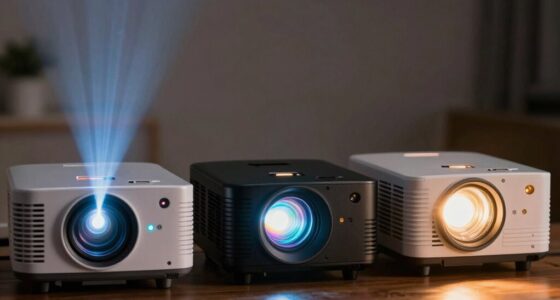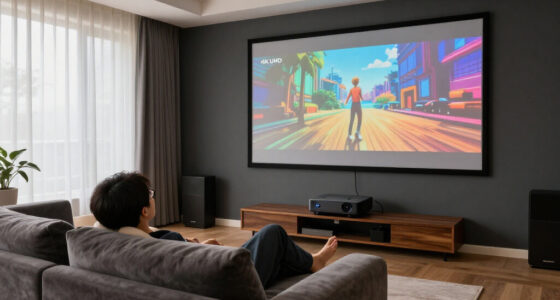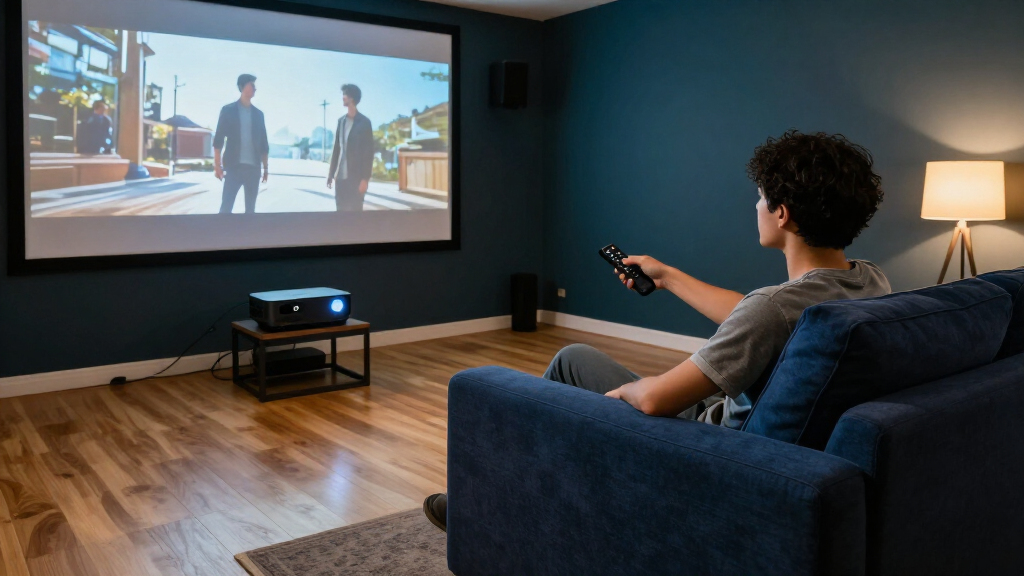
Choosing a 4K projector for a home theater is less about the resolution label than the room, viewing habits, and total cost over time. Laser and lamp-based models can both deliver a large, detailed image, but they handle brightness, upkeep, and purchase price differently. Laser suits viewers who want a low-maintenance setup for frequent use; lamp models suit buyers who want to keep the initial spend down or replace a lamp when brightness fades. Neither light source guarantees better contrast or color by itself, so those qualities still depend on the specific projector and room.

Get business pricing on your home office setup
- Business-only prices and quantity discounts
- Tax-exempt purchasing
- Multiple users, one account, clear invoices

Optoma UHZ36 4K UHD Laser HDR Home Theater Projector
- ✔ Resolution: 3840 × 2160
- ✔ Display technology: DLP
- ✔ Brightness: 3,500 lumens

Epson Home Cinema 3800 4K PRO-UHD 3LCD Projector with HDR
- ✔ Projection technology: 3-chip 3LCD with pixel shifting
- ✔ Resolution: 4K PRO-UHD presentation; listed 3840 × 2160
- ✔ Brightness: 3,000 lumens

Epson Home Cinema 5050UB 4K PRO-UHD 3-Chip 3LCD Projector
- ✔ Projection technology: 3-chip 3LCD with pixel shifting
- ✔ Resolution approach: 4K PRO-UHD processing; native resolution listed as 4096 × 2160
- ✔ Brightness: 2,600 lumens
The main tradeoff is upfront cost versus convenience over years of use. The comparison below focuses on shared decision criteria and explains when the laser premium earns its keep—and when a lamp projector is the smarter buy.
At a Glance
| Criteria | Laser 4K projectors | Lamp-based 4K projectors | Winner |
|---|---|---|---|
| Upfront cost | Usually higher | Usually lower | B |
| Brightness over time | Generally more consistent through its rated life | Lamp dims with use and eventually needs replacement | A |
| Maintenance | No routine lamp replacement | Replacement lamp is a foreseeable expense | A |
| Frequent-use value | Stronger when used often | Less attractive if used for many hours daily | A |
| Room flexibility | Model-dependent; many offer flexible placement | Model-dependent; check lens shift and throw range | Depends |
| Image quality potential | Can be excellent, but depends on the full design | Can be excellent, but depends on the full design | Tie |
| Long-term ownership | Convenience may justify the premium | Lower entry cost, with upkeep to budget for | Depends |
Optoma UHZ36 4K UHD Laser HDR Home Theater Projector
For a home theater that needs to do more than operate in a perfectly dark room, the Optoma UHZ36 is our most balanced recommendation. Its listed 3,500 lumens lead this group, giving buyers more headroom for a large image or some residual room light than either Epson offers on paper. The laser light source, rated for up to 30,000 hours, also avoids the lamp replacement routine associated with traditional lamps, while Filmmaker Mode is aimed at preserving a film’s original frame rate, color, and aspect ratio.Compared with the Epson Home Cinema 3800, the UHZ36 brings greater listed brightness and a laser source, but it does not offer the 3800’s lens shift or its 3LCD presentation. Compared with the 5050UB, it is the more versatile pick for brighter conditions, while the Epson’s higher stated contrast ratio may appeal more to a dark-room viewer seeking deep scene separation. The Optoma’s 1.5-million-to-one contrast figure is substantial, but figures from different designs should not be treated as a direct guarantee of perceived image quality.Installation is straightforward in broad terms: the projector supports tabletop or ceiling mounting, and its stated image range runs from 28 to 300 inches. Still, the 15 W built-in speaker is best treated as a convenience for setup or casual viewing, not the sound system for a serious theater. We also see a notable ownership caveat in the supplied warranty: the light source is covered for one year or 20,000 hours, whichever comes first, despite its longer rated life. Buyers planning long-term use should factor that limited coverage into the decision.
Pros:
- Highest listed brightness in this group at 3,500 lumens.
- Laser light source rated for up to 30,000 hours.
- Filmmaker Mode preserves original frame rate, color, and aspect ratio.
- Supports tabletop and ceiling mounting with images up to 300 inches.
Cons:
- The light-source warranty is limited to one year or 20,000 hours.
- The 15 W built-in speaker is modest for a dedicated home theater.
- Does not list the horizontal and vertical lens shift provided by the Epson 3800.
Best for: Home theater buyers who want high listed brightness, a laser light source, and flexible tabletop or ceiling placement.
Not ideal for: Viewers who prioritize lens-shift installation flexibility, or buyers who want a longer light-source warranty and stronger integrated audio.
Bottom line: We recommend the UHZ36 as the most versatile choice here when brightness and a long-life laser matter more than lens shift or integrated sound.
“We recommend the UHZ36 as the most versatile choice here when brightness and a long-life laser matter more than lens shift or integrated sound.”
Epson Home Cinema 3800 4K PRO-UHD 3LCD Projector with HDR
The Epson Home Cinema 3800 is the practical choice for buyers whose room makes projector placement a puzzle. Its vertical and horizontal lens shift lets us reposition the image without moving the projector itself, which can be valuable when a ceiling mount, shelf, or seating layout fixes where the unit can go. That flexibility gives it a clear advantage over the Optoma UHZ36, whose supplied specs list tabletop and ceiling mounting but do not list lens shift.The 3800 uses 3-chip 3LCD with pixel shifting to present 4K PRO-UHD content, rather than the Optoma’s listed 3840 × 2160 DLP resolution. Its 3,000-lumen brightness and 10-bit HDR support make it a credible option for a multipurpose room that also hosts gaming or sports. Epson’s 3LCD design displays the full RGB color signal for each frame and avoids rainbow effects, a potential benefit for viewers sensitive to that artifact. For buyers who want the contrast-focused experience of the 5050UB, however, the 3800’s stated contrast ratio is much lower.Convenience is another part of its appeal: dual 10 W stereo speakers and Bluetooth offer useful fallback audio and connectivity, while active 3D support adds a feature neither other listing emphasizes. These extras do not make the built-in speakers a substitute for a proper surround setup; the Optoma’s 15 W speaker is also better understood as convenient than theater-grade. One specification issue needs attention before installation: the supplied minimum throw distance exceeds the maximum, so we cannot responsibly use those figures to plan a screen distance. Confirm the correct throw range with Epson before choosing this model.
Pros:
- Horizontal and vertical lens shift help align the image when placement is constrained.
- 3-chip 3LCD avoids rainbow effects associated with some projection technologies.
- 3,000 lumens, HDR support, and 4K HDR at 60 Hz over HDMI 2.0.
- Built-in stereo speakers, Bluetooth, and active 3D support.
Cons:
- Its stated contrast ratio is lower than the Epson 5050UB’s.
- Dual 10 W speakers are limited for a dedicated theater sound experience.
- The supplied minimum and maximum throw-distance figures conflict and need verification.
Best for: Buyers fitting a projector into a room with constrained placement who value lens shift, 3LCD color, and broad entertainment use.
Not ideal for: Dedicated dark-room viewers seeking the highest stated contrast, or anyone making a throw-distance decision from the supplied inconsistent figures.
Bottom line: Choose the 3800 when room placement flexibility and 3LCD viewing matter more than the highest brightness or contrast specification.
“Choose the 3800 when room placement flexibility and 3LCD viewing matter more than the highest brightness or contrast specification.”
Epson Home Cinema 5050UB 4K PRO-UHD 3-Chip 3LCD Projector
When the room can be darkened and picture depth is the main priority, the Epson Home Cinema 5050UB is the specialist in this lineup. Its listed contrast ratio of up to 1,000,000:1 is higher than the 3800’s stated figure and gives it a clear role for film-focused viewing. It also supports full 10-bit HDR processing, while 3-chip 3LCD avoids rainbow effects and presents the full RGB color signal each frame. This is the pick for buyers who care more about a controlled cinema environment than maximizing brightness.That priority comes with a concrete tradeoff: the 5050UB is rated at 2,600 lumens, below the 3800’s 3,000 and the UHZ36’s 3,500. A darkened room helps make the most of its contrast-oriented profile; if the theater doubles as a bright family room, the Optoma is the more forgiving option on listed brightness. The 5050UB also uses pixel shifting and image processing to enhance resolution and detail, so its 4K PRO-UHD approach differs from the Optoma’s listed 3840 × 2160 resolution.Its stated 50-inch minimum image size and 300-inch maximum make it suitable for a range of screen sizes, and it can be mounted front, rear, or overhead. The product information says HDR performance requires compatible third-party devices, so buyers should check their source equipment as part of system planning. Full DCI-P3 and Rec.709 color spaces are available only in Digital Cinema Mode, which narrows when those color capabilities apply. Compared with the 3800’s lens shift and built-in audio extras, the supplied 5050UB details give less emphasis to convenience features; its case rests on dark-room image priorities.
Pros:
- Highest stated contrast ratio in this comparison at up to 1,000,000:1.
- 3-chip 3LCD avoids rainbowing and displays full RGB color each frame.
- Supports full 10-bit HDR processing.
- Supports image sizes from 50 to 300 inches and front, rear, or ceiling mounting.
Cons:
- Lowest listed brightness among these models at 2,600 lumens.
- HDR performance requires compatible third-party devices.
- Full DCI-P3 and Rec.709 color spaces are available only in Digital Cinema Mode.
Best for: Movie-focused buyers with a light-controlled room who place stated contrast and 10-bit HDR processing ahead of maximum brightness.
Not ideal for: Multipurpose room owners who need the brightest image, or buyers seeking a projector with clearly specified built-in audio and broad connectivity.
Bottom line: The 5050UB is the contrast-led choice for a dark home theater, provided its lower brightness and mode-dependent color capabilities suit the room and sources.
“The 5050UB is the contrast-led choice for a dark home theater, provided its lower brightness and mode-dependent color capabilities suit the room and sources.”
As an Amazon Associate we earn from qualifying purchases.
Key Differences
The clearest distinction is ownership pattern. A laser model asks for more money at purchase, then avoids routine lamp changes and tends to maintain brightness more consistently over its rated life. A lamp model costs less to enter, but its lamp gradually loses brightness and eventually needs replacement. For a theater used nightly, convenience and avoided replacement costs carry more weight; for occasional movie nights, the lower initial price can matter more.
Neither technology automatically produces a better-looking picture. Contrast, black level, color accuracy, tone mapping, and lens quality vary by model, while room light and screen choice shape the result. A bright room may call for a brighter model or a screen suited to ambient light, but a projector still performs best when light is controlled. Buyers should compare measured or independently reviewed picture performance, installation flexibility, and warranty alongside the light source.
Value follows usage. Frequent viewers with a fixed theater and a long ownership horizon have a stronger case for laser. Budget-conscious buyers, occasional users, and people comfortable replacing a lamp can get better value from a lamp model, particularly if the savings leave room for a quality screen or sound system.
Detailed Comparison
Upfront cost (Lamp-based 4K projectors wins — moderate)
Lamp-based projectors win by a moderate margin: they are commonly positioned at lower prices, making a large-screen theater more accessible. The saving matters most when the projector will see limited use or when the budget is shared with a screen, seating, and audio. Laser costs more at the outset, so buyers should not pay that premium simply for the word “laser” without checking the model’s picture and installation features.
Brightness over time (Laser 4K projectors wins — moderate)
Laser wins by a moderate margin: laser light sources generally keep output more consistent through their rated life, while lamp output declines with use. The practical difference is less frequent need to compensate for dimming or replace a light source. Actual brightness, viewing mode, and lifespan vary by model, so compare manufacturer specifications and credible reviews rather than assuming every laser projector is brighter.
Maintenance (Laser 4K projectors wins — moderate)
Laser wins by a moderate margin: it avoids routine lamp replacement, which simplifies ownership for people who use the theater often or do not want to track operating hours. Lamp models require planning for a replacement as the lamp ages, and the replacement cost should be included in the budget. Both types may still need ordinary care, such as keeping vents clear and managing dust according to the manual.
Value for frequent use (Laser 4K projectors wins — moderate)
Laser usually wins, with a moderate gap: the more hours a projector runs, the more valuable reduced maintenance and steadier brightness become. That does not guarantee the price difference will be fully recovered, since lamp and laser prices, replacement costs, and usage vary. Estimate your annual viewing hours and check the exact replacement lamp price before deciding. Occasional users may never get enough use from laser’s convenience to justify its premium.
Room and installation flexibility (moderate difference)
There is no category-wide winner: throw distance, lens shift, zoom, keystone correction, and placement options depend on the individual projector. A well-equipped lamp model may fit a difficult room better than a basic laser model, and the reverse can also be true. Measure the intended screen size and projector position before buying. Lens shift and optical zoom are especially useful for a fixed theater because they help position the image without relying on digital correction.
Picture quality (major difference)
This is a model-level decision, so the category comparison is a tie. Both types can produce sharp 4K images with convincing color. Resolution alone does not settle contrast, black levels, HDR handling, motion, or color accuracy. Compare reviews that describe the projector’s performance in a dark room, and check what “4K” means for that model’s imaging system. A cheaper lamp projector with better contrast may be a better theater choice than a pricier laser model with weaker black levels.
Long-term ownership cost (moderate difference)
The winner depends on use and local pricing: laser avoids routine lamp purchases, but its higher purchase price can outweigh those savings for a lightly used projector. A lamp model starts cheaper, then adds replacement costs as the lamp wears. Compare purchase price plus expected lamps over your planned ownership period. Include usage hours and the cost of compatible replacements; do not assume a laser model will be cheaper overall without doing that calculation.
Laser 4K projectors: Pros and Cons
Pros:
- No routine lamp changes
- Generally steadier brightness through rated life
- Convenient for frequent viewing
Cons:
- Higher upfront price
- The premium may not pay off for occasional use
- Picture quality still varies substantially by model
Lamp-based 4K projectors: Pros and Cons
Pros:
- Lower initial purchase cost
- Replaceable lamps can restore brightness as they age
- Can deliver excellent theater performance at a lower entry price
Cons:
- Lamp dims with use
- Replacement lamps add future cost
- Frequent use makes maintenance more noticeable
Who Should Choose What
Choose Laser 4K projectors if:
- You watch movies or television on the projector most days and value low-maintenance ownership.
- You expect to keep the projector for years and have checked that the laser model’s picture quality suits your room.
- You prefer steadier brightness and do not want to plan around lamp replacement.
Choose Lamp-based 4K projectors if:
- Your theater is used occasionally and keeping the purchase price down matters most.
- You are comfortable replacing a lamp and have checked the cost and availability of the correct replacement.
- You find a lamp model with better contrast, placement features, or overall performance for your budget.
Skip both if: Neither category fits if the room has substantial uncontrolled light and you expect a cinema-like picture without adjusting the room or choosing a suitable screen; address the light conditions and screen setup before selecting a projector.
Value for Money
Paying more for laser is worth it mainly for frequent viewers who place real value on reduced upkeep and more consistent brightness. It is not automatically a cost-saving choice: compare the price premium with the number and cost of lamps you might need over your ownership period. For a few movie nights each month, a lamp projector often offers better value because its lower initial price can outweigh future maintenance. For nightly use, laser’s convenience may be worth paying for even if the total financial savings are modest. In either case, avoid spending extra on the light source at the expense of a better screen, room light control, or a projector with stronger image performance.
Final Verdict
Choose a laser 4K projector if the theater is part of your regular routine and you want to reduce maintenance while keeping brightness steadier over time. Choose a lamp-based model if your viewing is occasional, the lower purchase price matters, and you are willing to budget for a replacement lamp later. For most buyers, the deciding factor is how often the projector will run—not the 4K label or light source alone. Compare specific models for contrast, HDR handling, throw distance, and total ownership cost before choosing.
Frequently Asked Questions
Does a laser projector always look brighter than a lamp projector?
No. Brightness varies by model, settings, and screen size. Compare the stated output and credible reviews for the exact projectors, and remember that room light can reduce perceived contrast for either type.
Is a lamp-based 4K projector still a good choice for a home theater?
Yes. A lamp model can make sense when its purchase price is lower and the theater is used occasionally. Check the lamp’s expected life and replacement cost, then compare the model’s contrast and installation options with similarly priced alternatives.
Does laser or lamp determine picture quality?
No. The light source affects brightness behavior and maintenance, but image quality also depends on contrast, optics, color, HDR processing, and room conditions. Judge the individual model rather than its light source alone.
When does the laser price premium make sense?
It makes the most sense for frequent viewing, long ownership, and buyers who value avoiding lamp changes. Estimate your viewing hours and compare the premium with likely replacement lamp costs; occasional use often favors the cheaper lamp model.