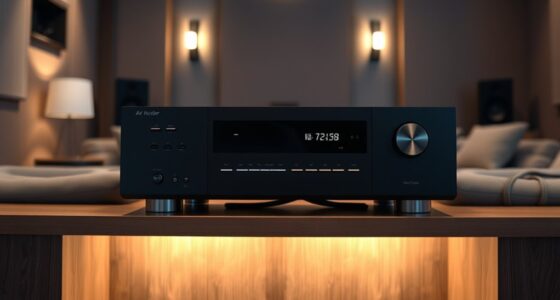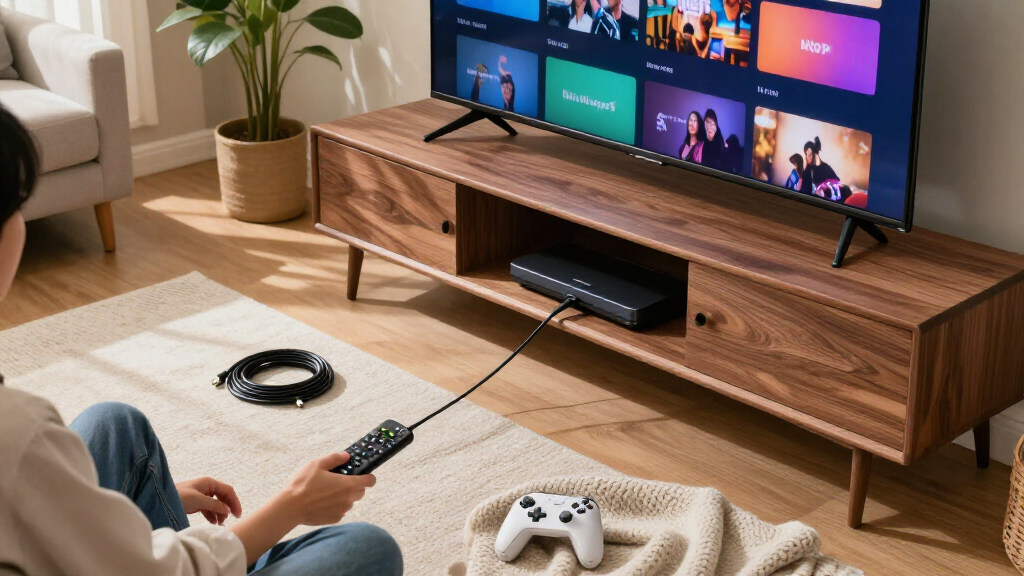
The best home theater streaming devices combine easy access to streaming apps with picture and sound features that suit your setup. I rank the Apple TV 4K best overall for its polished interface and broad integration, while the Google TV Streamer 4K stands out for its smart-home features and the WiiM Amp for pairing streaming with passive speakers. The main tradeoffs are 4K support versus lower-cost HD viewing, a simple stick versus a more capable box, and a streaming device versus an amplifier that also needs speakers. Your TV, sound system, and preferred platform should shape the choice as much as the feature list. Read on for the full breakdown and a guide to matching each pick to your home theater.

Get business pricing on your home office setup
- Business-only prices and quantity discounts
- Tax-exempt purchasing
- Multiple users, one account, clear invoices
Complete the kit


Key Takeaways
- Apple TV 4K leads for a premium streaming experience, while its Apple-centered strengths make it less compelling for buyers who do not use that ecosystem.
- Google TV Streamer 4K offers a feature-rich box format; it is a better fit for buyers who want smart-home controls than for viewers who only need basic playback.
- WiiM Amp is the lineup’s audio-first outlier: it can drive passive speakers through HDMI ARC, but it is not a simple substitute for a standalone streaming stick.
- Roku’s two sticks serve different TV needs: the Streaming Stick Plus adds 4K and HDR10+, while the Streaming Stick HD suits an HD-only screen.
- The onn. Google TV 4K Streaming Box makes the strongest case for straightforward 4K access, though buyers should weigh its simpler positioning against the more capable feature sets above it.
| Roku Streaming Stick Plus with Voice Remote, 4K and HDR10+ |  | Best Compact Streaming Stick | Model: 3830R | Resolution: 4K | HDR: HDR10/HDR10+ | VIEW LATEST PRICE | See Our Full Breakdown |
| Apple TV 4K (4th Generation) |  | Best Premium Apple Ecosystem Pick | Model number: MLFF4LL/A | Video resolution: 4K | HDR formats: Dolby Vision, HDR10+ | VIEW LATEST PRICE | See Our Full Breakdown |
| WiiM Amp Streaming Amplifier for Passive Speakers with HDMI ARC – Space Gray |  | Best for Passive-Speaker Home Theater Audio | Power output: 60 W per channel at 8 Ω; 120 W per channel at 4 Ω | Channels: 2 | TV connection: HDMI ARC | VIEW LATEST PRICE | See Our Full Breakdown |
| Google TV Streamer 4K with Voice Remote, 32 GB Storage, Porcelain |  | Best Overall for a Connected 4K TV Setup | Resolution: 4K (3840 × 2160) | Video support: 4K HDR with Dolby Vision | Connectivity: Ethernet, Wi-Fi | VIEW LATEST PRICE | See Our Full Breakdown |
| onn. Google TV 4K Streaming Box |  | Best Simple Google TV Starter | Model: 110125667 | Resolution: 4K (3840 × 2160) | Connectivity: HDMI | VIEW LATEST PRICE | See Our Full Breakdown |
| Roku Streaming Stick HD with Voice Remote |  | Best Compact 1080p Pick | Resolution: 1080p (1920 × 1080) | Connection: Wi-Fi and Bluetooth | Connector: HDMI | VIEW LATEST PRICE | See Our Full Breakdown |
| home theater streaming device | Resolution | Dimensions | Weight | Connectivity |
|---|---|---|---|---|
| Roku Streaming Stick Plus with | 4K | 3.7 × 0.8 × 0.5 in | 80 g | Bluetooth, Wi-Fi |
| Apple TV 4K | — | 3.67 × 3.67 × 1.22 in | 7.7 oz | — |
| WiiM Amp Streaming Amplifier f | — | — | 4.1 lb | — |
| Google TV Streamer 4K with Voi | 4K (3840 × 2160) | 6.4 × 3 × 1 in | — | Ethernet, Wi-Fi |
| onn. Google TV 4K Streaming Bo | 4K (3840 × 2160) | 6.89 × 3.78 × 2.05 in | — | HDMI |
| Roku Streaming Stick HD with V | 1080p (1920 × 1080) | — | 60 g | — |
More Details on Our Top Picks
Roku Streaming Stick Plus with Voice Remote, 4K and HDR10+
Roku’s compact design is the main reason to choose this stick: it plugs into HDMI, draws power from the TV, and keeps a larger box off the cabinet. It supports 4K and HDR10+, plus popular services including Netflix, Apple TV+, and Prime Video. Compared with the Google TV Streamer 4K, Roku takes up less space and is easier to pack for travel, while Google adds Ethernet and more listed storage. The Roku voice remote also handles TV power and volume, and Bluetooth Headphone Mode offers a private-listening option. The tradeoff is that it relies on the TV’s power and Wi-Fi rather than offering Ethernet, and 4K output requires a compatible television. I’d pick it for a tidy, portable setup, not for buyers seeking a wired home theater hub.
Pros:- Compact HDMI stick leaves room around neighboring ports
- Supports 4K and HDR10+ on compatible TVs
- Powered directly by the TV, avoiding a separate wall outlet
- Voice remote controls streaming, TV power, and volume
Cons:- No Ethernet connection is listed, so streaming depends on Wi-Fi
- 4K playback requires a 4K-compatible television
- Streaming and live TV require an internet connection
Best for: Viewers who want a small, travel-friendly 4K streamer that powers from the TV and controls basic TV functions with one remote
Not ideal for: Home theater owners who need Ethernet, a separate streaming box, or advanced audio connectivity
- Model:3830R
- Resolution:4K
- HDR:HDR10/HDR10+
- Connectivity:Bluetooth, Wi-Fi
- Connector:HDMI
- Power:Powered by TV
- Dimensions:3.7 × 0.8 × 0.5 in
- Weight:80 g
Our verdict“Choose the Roku Streaming Stick Plus for a compact, portable 4K setup; choose the Google TV Streamer 4K if you want a box with Ethernet.”
Apple TV 4K (4th Generation)
Apple TV 4K is the premium choice here for viewers building around Apple devices and a capable home theater. Its listed support for Dolby Vision, HDR10+, and Dolby Atmos targets both high-dynamic-range video and immersive audio, while the Siri remote provides voice control. Compared with the Roku Streaming Stick Plus, this is a dedicated box rather than a compact, TV-powered stick; it also brings HomeKit hub functions and optional HomePod surround integration. That broader role comes with two clear limits: the strongest Apple integration depends on an iPhone or iPad, and Atmos or surround playback needs compatible speakers rather than arriving from the box alone. The supplied product information lists few technical details beyond dimensions, weight, and model number, so buyers wanting a documented range of ports should check compatibility before choosing it.
Pros:- Supports 4K HDR with Dolby Vision and HDR10+
- Dolby Atmos support can complement compatible home theater speakers
- Siri voice control and a remote that can be located via Find My
- Can act as a HomeKit smart home hub
Cons:- Full Atmos or surround sound requires additional compatible speakers
- Initial setup and Apple service integration work best with an iPhone or iPad
- The supplied specifications do not detail connectivity ports or video codecs
Best for: Apple households with an iPhone or iPad, a Dolby Vision television, and compatible speakers for Atmos or HomePod surround
Not ideal for: Viewers seeking a low-complexity, platform-neutral stick or a home theater setup without Apple devices and compatible audio gear
- Model number:MLFF4LL/A
- Video resolution:4K
- HDR formats:Dolby Vision, HDR10+
- Audio:Dolby Atmos
- Processor:A19 chip
- Dimensions:3.67 × 3.67 × 1.22 in
- Weight:7.7 oz
- Remote battery:1 A battery required
Our verdict“Pick Apple TV 4K if your home already uses Apple devices and you can take advantage of its HDR, Atmos, and smart home features.”
WiiM Amp Streaming Amplifier for Passive Speakers with HDMI ARC – Space Gray
The WiiM Amp serves a different job from the Roku and Google streamers: it is an amplifier and music streamer with HDMI ARC for TV audio, not a 4K video streaming box. Its 60 watts per channel at 8 ohms can drive passive speakers, and a subwoofer output allows a stereo system to grow into 2.1 playback. RoomFit correction and EQ give owners ways to tailor sound to their space. Compared with the Google TV Streamer 4K, WiiM is the more useful choice when the priority is powering existing speakers and adding music services; Google is the more direct pick for apps and video on the TV. The tradeoff is that WiiM needs passive speakers and AC power, and its listed role does not replace a standalone video streamer. I’d pair it with a streaming device rather than buy it as the only source for a theater.
Pros:- HDMI ARC connects TV audio to a stereo speaker system
- Amplifies passive speakers at up to 60 W per channel at 8 ohms
- Subwoofer output supports a 2.1 setup
- RoomFit correction and EQ allow sound adjustments for the room
Cons:- Requires passive speakers and AC power to serve its core purpose
- Does not replace a dedicated video streaming device
- AirPlay works as a receiver, not as a way to transmit streams to other speakers
Best for: Listeners who own passive bookshelf or floor-standing speakers and want TV audio, music streaming, and optional subwoofer support in one amplifier
Not ideal for: Buyers who need a standalone device for 4K video apps or want a simple, portable HDMI stick
- Power output:60 W per channel at 8 Ω; 120 W per channel at 4 Ω
- Channels:2
- TV connection:HDMI ARC
- Other connectivity:Ethernet, Wi-Fi, Bluetooth, RCA line in, optical in, USB, sub out
- Audio output modes:Stereo or dual mono
- Streaming support:AirPlay 2, Google Cast, Spotify Connect, TIDAL Connect, Amazon Music Casting, and 20+ services via WiiM app
- Power input:100–240 V AC
- Weight:4.1 lb
Our verdict“Choose the WiiM Amp to build TV and music playback around passive speakers, and add a separate Roku or Google streamer for video apps.”
Google TV Streamer 4K with Voice Remote, 32 GB Storage, Porcelain
Google TV Streamer 4K earns the broadest home theater role in this lineup: it combines 4K video, Dolby Vision, Ethernet, and a voice remote in a dedicated box. The wired network option is useful when Wi-Fi is unreliable, while 4 GB RAM and 32 GB storage support its responsive navigation and app library. Dolby Atmos-compatible speakers can extend the audio setup, though the device itself is still a streaming source rather than a speaker system. Compared with the Roku Streaming Stick Plus, Google takes more space and needs a separately purchased HDMI 2.1 cable, but adds Ethernet and listed Dolby Vision support. Its 32 GB storage may constrain buyers who install many apps, and the stated codec listing covers H.265. I’d choose it as a versatile living-room hub; travelers or viewers who want a minimal stick should favor Roku.
Pros:- 4K output with Dolby Vision support
- Ethernet offers a wired alternative to Wi-Fi
- Voice remote supports search and smart home control
- 32 GB storage and 4 GB RAM are listed
Cons:- HDMI 2.1 cable is required and sold separately
- 32 GB storage may limit buyers who install many apps
- Larger box is less portable than the Roku Streaming Stick Plus
Best for: Viewers who want a dedicated 4K Google TV box, wired Ethernet, voice search, and Dolby Vision support
Not ideal for: Frequent travelers or buyers who want a stick that fits behind the TV and requires no separate HDMI cable purchase
- Resolution:4K (3840 × 2160)
- Video support:4K HDR with Dolby Vision
- Connectivity:Ethernet, Wi-Fi
- Connector:HDMI
- RAM:4 GB
- Storage:32 GB
- Video codec:H.265
- Dimensions:6.4 × 3 × 1 in
Our verdict“Choose Google TV Streamer 4K for a wired, feature-rich living-room streamer; choose the Roku stick for a smaller, travel-ready device.”
onn. Google TV 4K Streaming Box
onn. Google TV 4K Streaming Box is a straightforward entry point for viewers who want Google TV, 4K output, voice control, and Chromecast in one HDMI-connected device. Its listed support for H.264, H.265/HEVC, and VP9 covers several common video codecs, while Chromecast makes casting from compatible devices part of the setup. Compared with the more fully specified Google TV Streamer 4K, this model lists just 8 GB of memory and does not list Ethernet, Dolby Vision, or Dolby Atmos. That makes it a simpler fit for basic app streaming, not the strongest choice for a network-sensitive or audio-focused theater. The supplied data also does not identify the box’s power arrangement or detailed port selection, so buyers with specific installation needs should verify those before buying. I’d choose it for core 4K streaming rather than a feature-rich theater hub.
Pros:- Supports 4K output up to 3840 × 2160
- Chromecast support enables casting from compatible devices
- Voice control is supported
- Lists H.264, H.265/HEVC, and VP9 video codecs
Cons:- Only 8 GB of memory is listed
- Ethernet and Dolby Vision support are not listed
- Requires an HDMI connection to a television
Best for: Viewers who want basic 4K Google TV streaming and Chromecast casting on a television with an HDMI input
Not ideal for: Home theater owners who need Ethernet, documented Dolby Vision or Atmos support, or more listed storage
- Model:110125667
- Resolution:4K (3840 × 2160)
- Connectivity:HDMI
- Internet service:Google TV
- Special feature:Chromecast
- Memory:8 GB
- Video codecs:H.264, H.265/HEVC, VP9
- Dimensions:6.89 × 3.78 × 2.05 in
Our verdict“Choose the onn. box for basic 4K Google TV and Chromecast; step up to the Google TV Streamer 4K for Ethernet and more listed memory.”
Roku Streaming Stick HD with Voice Remote
The Roku Streaming Stick HD is a straightforward choice for a secondary TV or a 1080p screen: it plugs into HDMI, draws power from the television, and keeps the setup free of a separate power adapter. Its small body is less likely to obstruct a neighboring port than a larger streaming box. The voice remote and Bluetooth headphone mode add convenient control and private listening, while support for Alexa, Google Home, and Apple AirPlay offers flexibility across common home setups.
The main limit is its 1080p ceiling. Compared with the Roku Streaming Stick Plus, it gives up 4K and HDR10+, so buyers with a 4K theater display should choose that model or another 4K option instead. There is also no Ethernet port for wired networking, and the remote needs replacement batteries over time. I’d pick this Roku when compact size and simple streaming matter more than higher-resolution playback.
Pros:- Compact HDMI stick draws power from the TV, avoiding a separate wall outlet and power cord.
- 1080p output suits Full HD televisions without paying for unused 4K capability.
- Voice remote supports hands-free control, and Bluetooth headphone mode enables private listening.
- Works with Alexa, Google Home, and Apple AirPlay, with access to popular streaming services.
Cons:- Limited to 1080p, so it cannot take advantage of 4K TVs or HDR content.
- No Ethernet port, leaving Wi-Fi as the available network connection.
- Remote batteries require periodic replacement.
Best for: Viewers adding streaming to a bedroom, guest-room, or older 1080p television who want a compact stick and voice control.
Not ideal for: Home theater owners with a 4K display, viewers who want HDR playback, or anyone who needs a wired Ethernet connection.
- Resolution:1080p (1920 × 1080)
- Connection:Wi-Fi and Bluetooth
- Connector:HDMI
- Form factor:TV stick
- Voice control:Voice remote
- Smart home compatibility:Alexa, Google Home, Apple AirPlay and HomeKit, Roku Smart Home
- Supported services:Apple TV+, Disney+, Hulu, Netflix, Prime Video
- Weight:60 g
Our verdict“Choose this stick for a compact, easy-to-set-up 1080p TV, but opt for the Roku Streaming Stick Plus or another 4K model for a main home theater screen.”
How We Picked
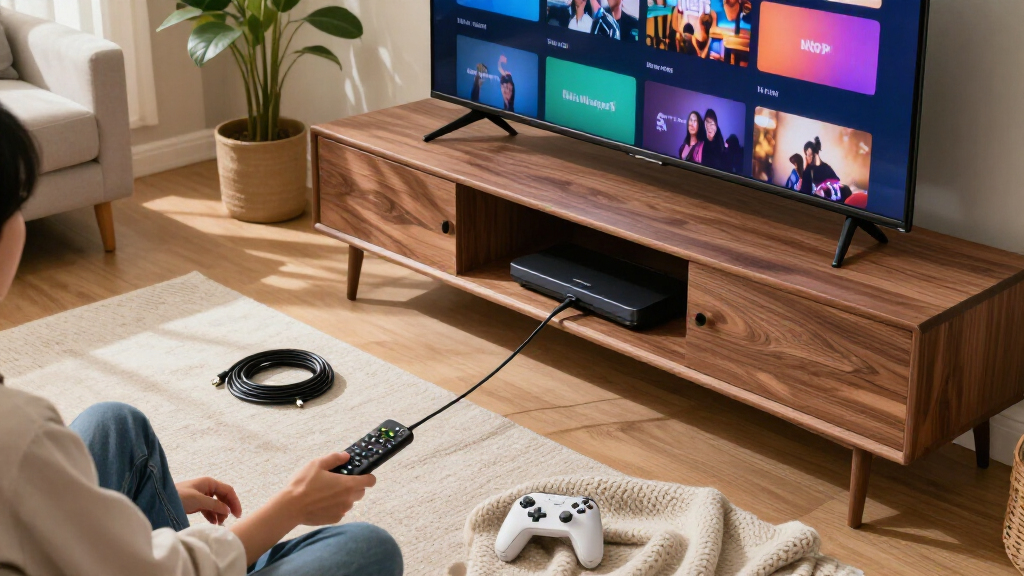
I compared these six devices as parts of a home theater setup, not as interchangeable app players. The ranking weighs supported video formats, ease of finding and controlling content, connection to TVs and audio gear, device form factor, and how well each product fits its intended buyer. I also looked at the practical distinction between 4K and HD models: paying for 4K makes little sense when the display cannot show it, while an HD stick can be a sensible match for a secondary television.
Versatility and fit explain the order. Apple TV 4K ranks first as the strongest all-around choice for buyers seeking a refined premium experience; Google TV Streamer 4K follows for its broader smart-home role. The WiiM Amp ranks for a different job—streaming plus speaker amplification—rather than as a direct rival to compact players. Roku and onn. options fill simpler or more focused roles, with the HD Roku last for buyers whose screens can use 4K. No single feature wins by itself: the best pick depends on the TV, audio system, and platform the household already prefers.
| home theater streaming device | Connectivity |
|---|---|
| Roku Streaming Stick Plus with | Bluetooth, Wi-Fi |
| Apple TV 4K | — |
| WiiM Amp Streaming Amplifier f | — |
| Google TV Streamer 4K with Voi | Ethernet, Wi-Fi |
| onn. Google TV 4K Streaming Bo | HDMI |
| Roku Streaming Stick HD with V | — |
Factors to Consider When Choosing Home Theater Streaming Devices
Before choosing a device, I would match it to the whole viewing chain: streaming source, television, sound system, and the people who will use the remote. A feature only helps when the rest of the setup can use it, and a box with extra capabilities may be unnecessary for a spare TV.
Match resolution and HDR to the television
Start by checking the TV’s resolution and supported HDR formats rather than assuming every screen benefits from a 4K streamer. A 4K device can still work with an HD television, but it will not make that screen display more detail than it supports. HDR compatibility also varies, so check the TV’s format support before choosing based on a format listed by a streamer. For a main 4K display, a 4K model such as the Roku Streaming Stick Plus, Apple TV 4K, or Google TV Streamer 4K is the more natural match. An HD-only television may be better served by the Roku Streaming Stick HD, leaving unused 4K capability out of the purchase. The common mistake is paying attention to the device’s maximum output while overlooking the limits of the display.
Choose a form factor that fits your installation
Streaming sticks and boxes solve slightly different setup problems. A stick keeps the player tucked behind the television and can suit a wall-mounted screen or a compact media area, while a box is easier to reach and can offer room for a fuller set of connections or features. Check the available HDMI ports, the space around them, and whether the TV’s location makes access awkward. A stick can be less visible, but its position may be constrained by ports and nearby equipment. A box takes up shelf space yet can be easier to handle when changing connections. Avoid choosing by appearance alone: cable access, port layout, and ventilation matter once the device is installed.
Decide whether streaming or speaker control is the priority
Most buyers need a player that sends video to the TV and audio to an existing sound system; some need a device that also drives passive speakers. The WiiM Amp belongs in that second group, so it makes the most sense when you want streaming and amplification in one component and already have compatible speakers. A standard streaming stick or box is the simpler route when the TV or receiver already handles audio. HDMI ARC can connect a compatible TV and amplifier, but it does not remove the need to plan speaker wiring and placement. Do not buy an amplifier-style product expecting it to behave like a pocket-sized player with no extra system requirements. First decide whether your upgrade is about access to streaming apps or improving how your speakers are powered.
Factor in household platform preferences
The interface and voice controls can affect daily use more than a small difference in hardware specifications. Households already using Apple devices may value how Apple TV 4K fits that environment, while Google TV options may feel more at home for viewers who prefer Google’s content discovery and smart-home approach. Roku devices offer a distinct platform choice, so they may suit people who want a familiar streaming-focused interface rather than another connected-home hub. Think about who uses the remote and whether different household members can find their apps and shows without help. Platform preference can also matter when deciding whether to replace one device or standardize several TVs. Pick the system that fits the household’s habits, not only the one with the longest feature list.
Pay for capabilities your setup can use
Extra storage, smart-home functions, premium integration, and amplification can all be worthwhile, but only for buyers who will use them. A more capable box may suit a main room where it is used every day, while a basic 4K player can be enough for a straightforward TV setup. Likewise, a premium streamer’s advantages matter less if the household mainly watches a small set of apps and does not use its ecosystem features. For secondary screens, simple operation and a form factor that fits the installation may matter more than advanced controls. The mistake is treating every added feature as an improvement for every buyer. Make a short list of the capabilities your home theater actually needs, then choose the least complicated device that meets it.
Frequently Asked Questions
Should I choose a 4K streamer if my television is only HD?
An HD TV cannot display 4K detail, so a 4K streamer will not improve its resolution. A 4K model can still be useful if you expect to move the device to a 4K television later or want to standardize devices across rooms. If this is a secondary HD screen with no planned upgrade, the Roku Streaming Stick HD is the more direct match in this lineup. Check HDR support separately, since resolution and HDR compatibility are different capabilities. Choose based on the screen you have and the likely life of the setup, not just the highest specification.
Can the WiiM Amp replace a regular streaming box?
The WiiM Amp can serve as part of a streaming setup, but it is built around audio amplification as well as streaming. Its strongest fit is a system with passive speakers that need an amplifier and a TV connection through HDMI ARC. If your sound already comes from TV speakers, a soundbar, or a receiver, a standalone player such as a Roku stick or Google TV box may be simpler. Check your speaker type and the connections in your system before treating the Amp as an all-purpose replacement. It is best viewed as an audio-system choice, not merely another compact video streamer.
Is a streaming box better than a stick for a home theater?
Neither form factor is automatically better; the right choice depends on the installation and the features you need. A stick keeps the player out of sight and works well when a minimal setup matters. A box can be easier to access and may make more sense when you want a broader set of capabilities, as with the Google TV Streamer 4K. Check the TV’s HDMI access and the placement of other equipment before choosing. For a basic bedroom or guest-room screen, a stick is often enough; for a feature-rich main room, a box may fit better.
Will a streaming device improve my TV’s sound?
A streaming device mainly supplies content and sends audio to the rest of the system; it does not automatically improve the TV’s speakers. Better sound usually depends on a soundbar, receiver, or speaker setup, plus compatible connections and settings. The WiiM Amp is the lineup’s distinct option for driving passive speakers, but it requires speakers and a suitable system plan. For other picks, confirm how the device will connect to the TV and how the TV routes audio to your existing equipment. If sound quality is the main goal, prioritize the audio chain rather than replacing a streamer that already plays your apps.
Which device makes sense for a TV that will be replaced soon?
If the replacement TV will support 4K, choosing a 4K streamer now can avoid replacing the player soon after the display upgrade. The Roku Streaming Stick Plus, Apple TV 4K, Google TV Streamer 4K, and onn. Google TV 4K Streaming Box all target 4K viewing, though their platform and feature differences still matter. If the new screen is uncertain or the current TV will remain in use for years, the HD Roku may be enough for an HD-only setup. Consider whether you want the same platform on multiple TVs as well. A likely near-term upgrade is a good reason to plan ahead, but not to pay for features you will not use.
Conclusion
For most buyers, Apple TV 4K is my best overall pick for a premium, polished streaming setup, especially in an Apple-centered home. Choose the onn. Google TV 4K Streaming Box as the value-focused 4K option when your main need is straightforward access to 4K streaming, or the Roku Streaming Stick Plus if you prefer a compact stick with 4K and HDR10+. The Roku Streaming Stick HD is the easiest fit for beginners setting up an HD television or a secondary screen. For a smart-home-oriented box, look at the Google TV Streamer 4K; for passive-speaker systems that need amplification, choose the WiiM Amp. My final check would be the TV’s resolution, the sound system’s connections, and the platform your household wants to use every day.