To measure input lag on gaming projectors, you typically use high-speed cameras or specialized test devices that record both the controller input and the on-screen response simultaneously. These devices capture precise moments when you press a button and when the action appears on the screen. Analyzing the recordings frame by frame helps determine the exact delay in milliseconds. If you’re curious about how this process works and what affects the results, keep exploring to get the full picture.

Get business pricing on your home office setup
- Business-only prices and quantity discounts
- Tax-exempt purchasing
- Multiple users, one account, clear invoices
Key Takeaways
- Specialized equipment like high-speed cameras or test devices record input and display response times simultaneously.
- Tests involve capturing the moment of controller input and the corresponding visual response frame by frame.
- Multiple repetitions ensure measurement accuracy and account for variability in results.
- Direct connection of measurement devices to the projector guarantees reliable data collection.
- Results are analyzed to determine the delay in milliseconds, with ideal gaming projectors aiming for under 20ms.
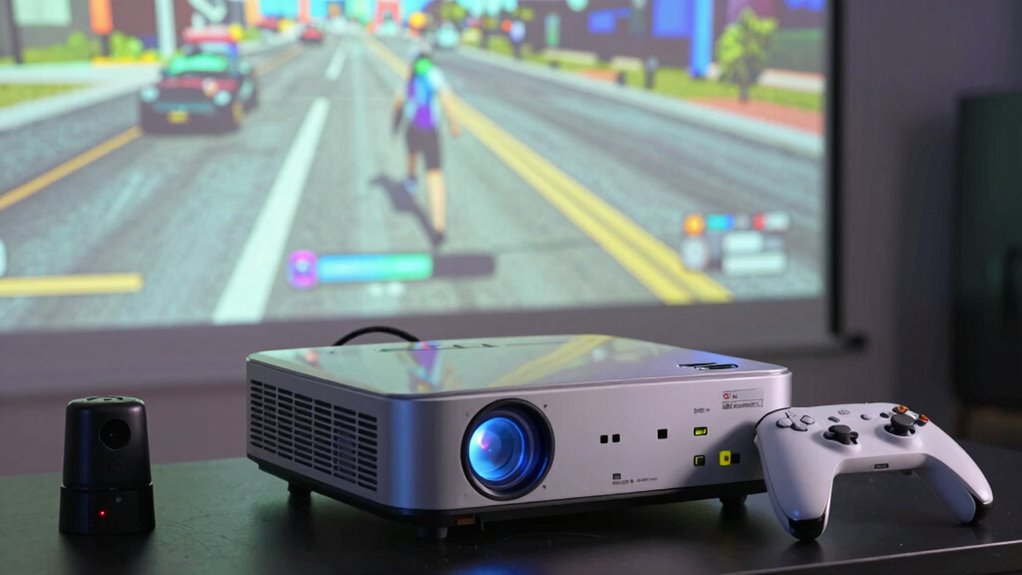
When it comes to gaming projectors, understanding input lag is essential for a smooth and responsive experience. Input lag measures the delay between your controller input and what appears on the screen. To evaluate this, manufacturers and testers often use specialized equipment that captures the time from a command to its visual response. You might think of it as a stopwatch that records milliseconds, helping you gauge how quickly the projector processes and displays your actions. A lower input lag means your gameplay feels more immediate, which is especially crucial in fast-paced games where split-second decisions can determine victory or defeat.
Lower input lag enhances responsiveness, crucial for fast-paced, competitive gaming experiences.
Measuring input lag involves connecting a high-speed camera or a dedicated test device directly to the projector. When you press a button, the device records the exact moment the input occurs, then captures the subsequent frame where the action is visible on the screen. By analyzing these recordings frame by frame, testers can determine the precise delay. This process is often repeated multiple times to ensure accuracy and account for any variations. While the core measurement focuses on latency, it’s equally important to consider how the projector’s color accuracy and brightness levels can influence your perception of responsiveness. For example, if a projector has poor color accuracy, it might distort fast-moving visuals, making delays seem worse than they are. Conversely, high brightness levels can help you see details more clearly during quick action, even if the input lag isn’t the lowest possible. Additionally, understanding how measurement techniques are applied in testing can help you interpret the results more effectively.
Some advanced testing setups also measure how different settings, like picture mode, affect input lag. Adjusting brightness levels or color profiles might impact processing time, so understanding these factors helps you optimize your gaming experience. When evaluating a projector, look for models that specify their input lag in milliseconds, ideally under 20ms for competitive gaming. Keep in mind that even a slight difference in measurement can influence gameplay, especially in genres like first-person shooters or racing games. The importance of accurate measurement techniques becomes evident because precise data helps consumers make informed decisions. Utilizing standardized testing procedures ensures consistency across different devices and testing environments, which is vital for reliable comparisons. Conducting comprehensive performance assessments can further improve your understanding of how various factors influence input lag and overall responsiveness.
Ultimately, knowing how input lag is measured on gaming projectors allows you to make informed choices. By considering not only latency but also how the device handles color accuracy and brightness levels, you can select a projector that offers both visual quality and responsiveness. This balance ensures your gaming experience feels natural, immersive, and competitive, giving you the edge you need to succeed in your favorite titles.
gaming projector with low input lag
As an affiliate, we earn on qualifying purchases.
As an affiliate, we earn on qualifying purchases.
Frequently Asked Questions
What Is Considered an Acceptable Input Lag for Competitive Gaming?
For competitive gaming, an acceptable input lag is generally under 20 milliseconds, ensuring smooth, responsive gameplay. Don’t fall for input lag myths that suggest higher delays are okay; every millisecond counts. Pair your gaming projector with high-quality gaming peripherals, like a responsive mouse and keyboard, to minimize overall latency. Staying within this range helps you stay competitive, avoiding lag-induced disadvantages and ensuring you react swiftly to in-game action.
How Does Ambient Lighting Affect Input Lag Measurements?
Ambient light influences input lag measurements by potentially skewing the results, as increased ambient light can reduce contrast and cause reflections, making it harder to accurately gauge lag. When measuring input lag, you need to control ambient light to guarantee measurement accuracy. Too much ambient light can introduce variability, leading to inconsistent readings. To get precise measurements, minimize ambient light during testing, creating a controlled environment that reflects actual gaming conditions without external interference.
Can Firmware Updates Impact a Projector’s Input Lag Performance?
Firmware updates can greatly impact a projector’s input lag performance. When manufacturers release firmware improvements, they often include software optimization that reduces processing delays, leading to lower input lag. By keeping your projector’s firmware up to date, you guarantee it benefits from these enhancements, resulting in smoother gameplay. Regular updates help optimize performance, providing a better gaming experience with minimal delay between your input and the on-screen response.
Are There Specific Settings to Reduce Input Lag on Gaming Projectors?
You can reduce input lag on gaming projectors by adjusting calibration settings and optimizing screen resolution. Turn on low-latency or gaming modes, which often disable image processing features that cause delays. Set your screen resolution to match your gaming device’s native resolution for smoother performance. Also, disable any unnecessary enhancements like motion smoothing or noise reduction, as these can add delays and increase input lag during gameplay.
How Does Input Lag Vary Between Different Projector Brands and Models?
Like a painter choosing brushes, you’ll find that projection technology and brand influence input lag. Higher-end models often prioritize low latency, especially in gaming projectors, while budget options might sacrifice some responsiveness. Brands like Epson or BenQ tend to excel in color accuracy and lower input lag, but variations exist. Always check specs for input lag measurements, because these differences can dramatically impact your gaming experience, much like a vivid painting impacts its viewer.
high-speed camera for input lag measurement
As an affiliate, we earn on qualifying purchases.
As an affiliate, we earn on qualifying purchases.
Conclusion
In the domain of gaming projectors, understanding input lag is like tuning a finely crafted instrument—you need precision to hit the perfect note. By measuring and minimizing delay, you align your senses with the action, transforming gameplay into a seamless dance of pixels and reflexes. When you master this delicate balance, every shot and move feels as natural as breathing, turning your gaming setup into a symphony of responsiveness where victory is just a heartbeat away.
As an affiliate, we earn on qualifying purchases.
projector with under 20ms input lag
As an affiliate, we earn on qualifying purchases.
As an affiliate, we earn on qualifying purchases.
Halloween Picks
halloween
As an affiliate, we earn on qualifying purchases.