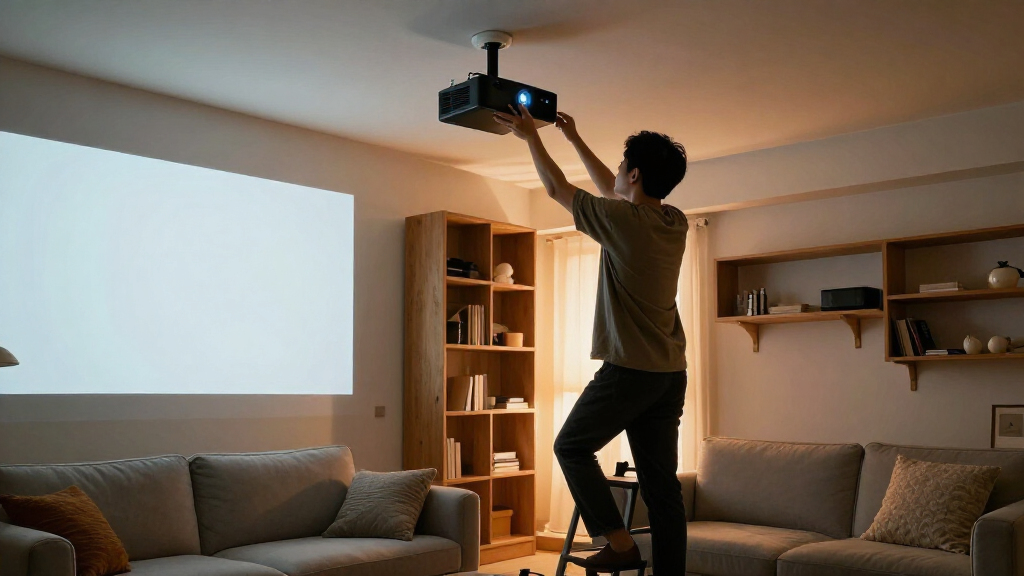
For most fixed ceiling installations, I’d start with the VIVO Black Adjustable Ceiling Projector Mount, MOUNT-VP01B, which offers a straightforward adjustable design, while the Mount-It! PRO Heavy-Duty is the standout for buyers prioritizing a more robust mount. If your projector is a compact model, the Suptek Extended Mini Projector Mount is a more targeted fit, and the electric retractable mount suits rooms where the projector needs to disappear between uses. The main tradeoffs are projector compatibility, adjustment range, ceiling structure, and whether you need a fixed, shelf-style, or motorized setup. I compare all 15 options by those practical differences below, so you can match the mount to your room rather than choosing by appearance alone.

Get business pricing on your home office setup
- Business-only prices and quantity discounts
- Tax-exempt purchasing
- Multiple users, one account, clear invoices
Complete the kit


Key Takeaways
- The VIVO MOUNT-VP01B is the strongest general-purpose starting point for a conventional fixed installation; the white VIVO model offers a visual alternative, while the extending VP02B is aimed at rooms that need more drop.
- Heavy-duty and full-motion designs solve different problems: Mount-It! PRO emphasizes a more robust setup, while DYNAVISTA’s full-motion format favors positioning flexibility.
- Mini-projector mounts need a separate compatibility check. Suptek, YiePhiot, and Aurzen target compact projectors, but thread fit and device shape still matter.
- A shelf mount is not interchangeable with an arm mount. PUTORSEN’s shelf-style option can suit projectors without a suitable mounting socket, but it uses more ceiling or wall space.
- Special installation types carry specific compromises: the electric model adds remote-controlled travel, the VIVO drop-ceiling mount is tailored to grid ceilings, and wall/ceiling models offer placement flexibility at the cost of a more varied installation plan.
| VIVO Black Adjustable Ceiling Projector Mount, MOUNT-VP01B |  | Best Overall for Standard Projectors | Mounting type: Ceiling mount | Compatible devices: Most projectors | Maximum weight capacity: 30 pounds | VIEW LATEST PRICE | See Our Full Breakdown |
| Aurzen Ceiling Projector Mount, Adjustable Rotation, Tilt & Length |  | Best for 1/4-Inch Threaded Projectors | Compatibility: Projectors with a centered 1/4-inch thread | Maximum ceiling capacity: 5.5 pounds | Maximum wall capacity: 1 kg | VIEW LATEST PRICE | See Our Full Breakdown |
| Mount-It! PRO Heavy-Duty Projector Ceiling Mount |  | Best for Heavy Commercial Projectors | Model: MI-20147 | Maximum load capacity: 77 pounds | Tilt: ±20° | VIEW LATEST PRICE | See Our Full Breakdown |
| VIVO Adjustable White Ceiling Projector Mount |  | Best Low-Profile White Mount | Model: MOUNT-VP01W | Mounting type: Ceiling mount | Material: Alloy steel | VIEW LATEST PRICE | See Our Full Breakdown |
| WALI Universal Projector Ceiling Wall Mount with Hidden Cable Management |  | Best for Ceiling or Wall Placement | Compatible devices: Projectors | Maximum load: 22 pounds | Mounting type: Wall, ceiling, or floor | VIEW LATEST PRICE | See Our Full Breakdown |
| PUTORSEN Adjustable Projector Ceiling and Wall Mount Shelf, Black |  | Best for Shelf-Style Flexibility | Mounting type: Ceiling and wall | Weight capacity: 22 lbs | Tray dimensions: 13.77 x 8.66 inches | VIEW LATEST PRICE | See Our Full Breakdown |
| Suptek Extended Mini Projector Ceiling Mount with Adjustable Wall Mount and Thread Adapters |  | Best for Adjustable Mini Projector Placement | Weight capacity: 30 pounds | Height range: 13.38–21.25 inches | Tilt: 90° | VIEW LATEST PRICE | See Our Full Breakdown |
| YiePhiot Mini Projector Ceiling and Wall Mount, 175 mm, Black |  | Best Compact Mini Projector Mount | Mounting type: Ceiling mount | Arm length: 17.5 cm | Maximum weight capacity: 5 kg | VIEW LATEST PRICE | See Our Full Breakdown |
| DYNAVISTA Full Motion Universal Ceiling Projector Mount, Extendable, Black |  | Best for Long-Drop Installations | Mounting type: Ceiling mount | Maximum weight capacity: 30 lbs (13.6 kg) | Maximum extension: 43.6 inches | VIEW LATEST PRICE | See Our Full Breakdown |
| Universal Projector Ceiling Mount with Retractable Arms and Multiple Adjustment Functions |  | Best Low-Profile Universal Mount | Weight capacity: Maximum 30 pounds | Mounting-hole spacing: 2.83–11.42 inches | Ceiling clearance: 5 inches | VIEW LATEST PRICE | See Our Full Breakdown |
| Salange 3-in-1 Adjustable Projector Mount with Cable Management |  | Best for Multi-Device Tray Mounting | Model: PCM20B | Material: Steel | Mounting types: Ceiling, recessed, and wall | VIEW LATEST PRICE | See Our Full Breakdown |
| VIVO Black Extending Adjustable Ceiling Projector Mount, MOUNT-VP02B |  | Best Conventional Adjustable Ceiling Mount | Model: MOUNT-VP02B | Material: Metal | Weight capacity: 30 lbs | VIEW LATEST PRICE | See Our Full Breakdown |
| Electric Projector Ceiling Mount with Remote Control, Retractable, Universal Fit, 39-inch Travel, 22 lbs Max Load |  | Best for Concealed, Remote-Controlled Setups | Mounting type: Ceiling mount | Maximum travel distance: 39 inches | Maximum load capacity: 22 lbs | VIEW LATEST PRICE | See Our Full Breakdown |
| VIVO Adjustable Drop Ceiling Projector Mount, 2 × 2 ft |  | Best for 2 × 2 Drop Ceilings | Model: MOUNT-VP07DP | Compatible ceiling tile: 2 × 2 ft | Material: Alloy steel | VIEW LATEST PRICE | See Our Full Breakdown |
| Tonalee Adjustable Projector Wall and Ceiling Mount |  | Best for High-Capacity Wall or Ceiling Placement | Model: 4365 | Material: Alloy steel | Installation: Ceiling or wall mount | VIEW LATEST PRICE | See Our Full Breakdown |
| projector ceiling mount | Material |
|---|---|
| VIVO Black Adjustable Ceiling | Alloy steel |
| Aurzen Ceiling Projector Mount | Metal |
| Mount-It! PRO Heavy-Duty Proje | Alloy steel |
| VIVO Adjustable White Ceiling | Alloy steel |
| WALI Universal Projector Ceili | Not specified |
| PUTORSEN Adjustable Projector | Metal |
| Suptek Extended Mini Projector | Cold rolled steel and aluminum alloy |
| YiePhiot Mini Projector Ceilin | Metal |
| DYNAVISTA Full Motion Universa | Alloy steel |
| Universal Projector Ceiling Mo | Cold-rolled steel |
| Salange 3-in-1 Adjustable Proj | Steel |
| VIVO Black Extending Adjustabl | Metal |
| Electric Projector Ceiling Mou | — |
| VIVO Adjustable Drop Ceiling P | Alloy steel |
| Tonalee Adjustable Projector W | Alloy steel |
More Details on Our Top Picks
VIVO Black Adjustable Ceiling Projector Mount, MOUNT-VP01B
I’d choose the VIVO MOUNT-VP01B as the most balanced fit for a typical home or office projector: its all-steel construction supports up to 30 pounds, while tilt, swivel, and full rotation help align the image without relying on a long drop pole. Its mounting range of 5.1 to 31.8 cm gives more placement flexibility than the fixed low-clearance feel of the VIVO Adjustable White Ceiling Projector Mount, though both share a 30-pound limit and similar adjustment angles. The black finish and compact form suit darker ceilings or discreet installations. The tradeoff is that the extension arms need to come off for mini projectors, and this mount lacks the longer reach or heavier capacity of the Mount-It! PRO. I’d pick it for a conventional projector, not an unusually heavy or compact model.
Pros:- Supports projectors up to 30 pounds with an all-steel build.
- Tilt, swivel, and 360-degree rotation allow image alignment after installation.
- Adjustable mounting range accommodates varied ceiling clearances.
- Includes installation hardware and keeps the setup relatively low profile.
Cons:- Extension arms must be removed for mini projectors.
- The 30-pound capacity rules out heavier commercial projectors.
- No stated water resistance for damp or exposed locations.
Best for: Home-theater and office buyers with a standard projector weighing no more than 30 pounds who want adjustable positioning without a long ceiling drop.
Not ideal for: Owners of mini projectors that need a compact direct attachment, or buyers with projectors above 30 pounds or installations requiring a long extension.
- Mounting type:Ceiling mount
- Compatible devices:Most projectors
- Maximum weight capacity:30 pounds
- Material:Alloy steel
- Tilt range:+15° to -15°
- Swivel range:+15° to -15°
- Rotation:360°
- Mounting range:5.1 to 31.8 cm
- Color:Black
Our verdict“Choose the MOUNT-VP01B for a sturdy, adaptable ceiling mount for a standard-size projector, but look to the Mount-It! PRO for substantially more load capacity.”
Aurzen Ceiling Projector Mount, Adjustable Rotation, Tilt & Length
The Aurzen Ceiling Projector Mount is a better match for a lightweight projector with a centered 1/4-inch thread than for the standard multi-arm mounting pattern served by the VIVO MOUNT-VP01B. Its telescoping pole adjusts from 9 to 15 inches, and the broad 90-degree tilt range can help when the projector must point sharply toward a screen. Full rotation adds further alignment options. That flexibility comes with a firm compatibility and weight boundary: it supports only 5.5 pounds on the ceiling, far below the VIVO mounts’ 30-pound limits, and the threaded attachment may not suit a projector without a centered socket. I’d favor this for a small, light unit where angle and drop length matter more than heavy-duty support; buyers with larger projectors should choose a stronger mount.
Pros:- Telescoping length adjusts from 9 to 15 inches.
- 90-degree tilt offers more angle range than the ±15-degree VIVO mounts.
- 360-degree rotation supports flexible image orientation.
- Mounting hardware is included.
Cons:- Ceiling load limit is only 5.5 pounds.
- Compatibility depends on a centered 1/4-inch thread.
- Wall installation has a lower stated capacity of 1 kg.
Best for: Owners of lightweight projectors with a centered 1/4-inch threaded socket who need an adjustable ceiling drop and a wide tilt range.
Not ideal for: Buyers with full-size or heavier projectors, or anyone whose projector lacks a centered 1/4-inch mounting thread.
- Compatibility:Projectors with a centered 1/4-inch thread
- Maximum ceiling capacity:5.5 pounds
- Maximum wall capacity:1 kg
- Rotation:360°
- Tilt:90°
- Adjustable length:9 to 15 inches
- Material:Metal
- Dimensions:15.75 × 5.98 × 5.98 inches
Our verdict“Pick Aurzen for a light, threaded projector that needs a flexible drop and steep tilt, not for a full-size projector that needs a higher-capacity bracket.”
Mount-It! PRO Heavy-Duty Projector Ceiling Mount
When projector weight and service access take priority, the Mount-It! PRO is the clear heavy-duty choice here. Its 77-pound capacity is well above the 30-pound ceiling of either VIVO mount, making it more appropriate for full-size commercial LCD and DLP projectors. The long 29.3-to-45.1-inch extension also suits installations where the projector must hang well below the ceiling; that is a different use case from the low-profile VIVO MOUNT-VP01B. A quick-release head and integrated cable management make maintenance and cable routing more manageable once installed. The cost of that capacity is fit: Mount-It! states that this model is not designed for mini projectors, and its long arm is excessive where a short, unobtrusive mount is wanted. I’d reserve it for substantial equipment and high ceilings.
Pros:- Supports projectors weighing up to 77 pounds.
- Long extension range suits installations with substantial ceiling-to-projector distance.
- Quick-release head simplifies projector removal for service.
- Integrated cable management helps keep wiring organized.
Cons:- Not designed for mini projectors.
- Its 29.3-to-45.1-inch extension is unsuitable for low-clearance installations.
- Adjustment ranges are narrower for swivel and rotation than the full rotation offered by the VIVO mounts.
Best for: Commercial AV installers and owners of full-size LCD or DLP projectors who need high load capacity, a long drop, and easier projector servicing.
Not ideal for: Mini-projector owners or home users who want a short, low-profile mount rather than an extended articulating arm.
- Model:MI-20147
- Maximum load capacity:77 pounds
- Tilt:±20°
- Swivel:±8°
- Rotation:±180°
- Extension:29.3 to 45.1 inches
- Material:Alloy steel
- Included components:Mounting hardware and projector mounting bracket
- Warranty:Lifetime
Our verdict“Choose the Mount-It! PRO for a heavy full-size projector and a long drop; skip it if a compact, low-profile ceiling mount is the priority.”
VIVO Adjustable White Ceiling Projector Mount
The VIVO Adjustable White Ceiling Projector Mount brings the same 30-pound capacity and core tilt, swivel, and rotation adjustments as the black MOUNT-VP01B, but its white finish is the more discreet choice against a light ceiling. At 6 inches of ceiling clearance, it keeps the projector relatively close overhead, while quick-release hooks can make detaching it less involved than on a basic fixed bracket. Compared with the Aurzen, this VIVO is intended for broader projector mounting patterns and supports far more weight, though it lacks the Aurzen’s 90-degree tilt and telescoping pole. Compatibility is not universal: the product data identifies several Epson, Mitsubishi, and LG models as incompatible, and mini projectors require removing the extension arms. I’d check the hole pattern and model fit before buying.
Pros:- White finish blends more readily with light-colored ceilings.
- Supports projectors up to 30 pounds.
- Offers ±15-degree tilt and swivel plus 360-degree rotation.
- Quick-release hooks and included hardware support installation and removal.
Cons:- Not compatible with several listed Epson, Mitsubishi, and LG models.
- Mini projectors require removal of the extension arms.
- Its 6-inch clearance is less suitable for buyers seeking a longer ceiling drop.
Best for: Buyers with a compatible projector weighing up to 30 pounds who want a white, relatively close-to-ceiling installation and quick-release hooks.
Not ideal for: Owners of listed incompatible Epson, Mitsubishi, or LG models, or mini-projector owners who need to keep the extension arms attached.
- Model:MOUNT-VP01W
- Mounting type:Ceiling mount
- Material:Alloy steel
- Color:White
- Weight capacity:30 pounds
- Ceiling clearance:6 inches
- Mounting hole range:5.25–12.5 inches with arms; 1.5 × 1.5 inches without arms
- Adjustability:±15° tilt, ±15° swivel, 360° rotation
- Warranty:3 years
Our verdict“Choose this VIVO over the black MOUNT-VP01B when a white finish and close ceiling placement matter, after confirming your projector is compatible.”
WALI Universal Projector Ceiling Wall Mount with Hidden Cable Management
The WALI stands apart from the two VIVO ceiling-only picks by supporting ceiling or wall installation, which gives buyers more options when a ceiling joist or preferred projector position is unavailable. Its adjustable reach spans 14.17 to 22.44 inches for ceiling mounting and 22.05 to 31.5 inches for wall mounting, while the built-in cable management helps keep wiring less visible. The 22-pound load limit sits below the VIVO mounts’ 30 pounds and well below the Mount-It! PRO’s 77, so this is not the right answer for heavy commercial gear. It is also heavier than the compact VIVO options, and its adjustments may take manual effort. I’d choose WALI when mounting location and hidden cables matter more than maximum load capacity or a minimal bracket.
Pros:- Supports both wall and ceiling mounting.
- Separate adjustable length ranges accommodate different mounting positions.
- Built-in cable management helps create a tidier installation.
- Rated as water resistant in the product data.
Cons:- The 22-pound limit is lower than the VIVO mounts’ 30-pound capacity.
- Manual adjustment may take effort when changing projector position.
- The design may not fit larger or unconventional projector shapes.
Best for: Home-theater or office buyers with a projector under 22 pounds who need the option to mount from a wall or ceiling and want concealed cable routing.
Not ideal for: Owners of projectors over 22 pounds, unusually large models, or installations where a lightweight, simple ceiling-only bracket is preferred.
- Compatible devices:Projectors
- Maximum load:22 pounds
- Mounting type:Wall, ceiling, or floor
- Ceiling adjustable length:14.17–22.44 inches
- Wall adjustable length:22.05–31.5 inches
- Cable management:Built-in hidden cable management
- Water resistance:Water resistant
- Material:Not specified
- Color:Black
Our verdict“Pick WALI when wall-versus-ceiling flexibility and cable concealment are more useful than the higher load capacity of the VIVO or Mount-It! mounts.”
PUTORSEN Adjustable Projector Ceiling and Wall Mount Shelf, Black
The PUTORSEN takes a different approach from the DYNAVISTA Full Motion Universal Ceiling Projector Mount: instead of attaching directly to a projector’s mounting holes, it gives you a 13.77-by-8.66-inch metal tray for placing compatible equipment. Its arm adjusts from 14.17 to 21.65 inches, and the mount can attach to either a ceiling or wall, which helps when the room layout rules out a standard overhead position. A 22-pound capacity covers many projectors, while the integrated cord hider helps keep wiring tidier. The tradeoff is that a tray can take up more visual space and may be less secure than a fixed bracket for a projector designed for screw-mounted installation. Despite the title’s no-hole implication, the supplied description says to screw the mount into the ceiling or wall.
Pros:- Mounts to either a ceiling or wall for more placement options
- Tray supports devices weighing up to 22 pounds
- Adjustable arm extends from 14.17 to 21.65 inches
- Integrated cord hider helps organize cables
Cons:- The supplied instructions call for screws into the ceiling or wall, despite the no-hole implication in the title
- A tray may be less secure or less streamlined than a bracket attached to projector mounting holes
- Not water resistant
Best for: Buyers with a projector or other device that can sit securely on a tray, who need both wall- and ceiling-mount options and cable tidying.
Not ideal for: Anyone seeking a no-drill installation or a compact, direct-to-projector bracket; the mount requires screws and its tray is bulkier than a small arm mount.
- Mounting type:Ceiling and wall
- Weight capacity:22 lbs
- Tray dimensions:13.77 x 8.66 inches
- Arm extension:14.17–21.65 inches
- Material:Metal
- Cable management:Integrated cord hider
- Item weight:2.8 kg
- Color:Black
Our verdict“Choose the PUTORSEN if you need a cable-managing tray that can mount on a wall or ceiling, but skip it for a no-drill setup or direct-mount profile.”
Suptek Extended Mini Projector Ceiling Mount with Adjustable Wall Mount and Thread Adapters
The Suptek is a better fit than the YiePhiot Mini Projector Ceiling and Wall Mount for buyers who want a broader range of positioning: it offers 90-degree tilt, 360-degree swivel, and a height range from 13.38 to 21.25 inches. That flexibility helps when aiming a projector at a screen from an angled ceiling or a wall position, while its listed thread compatibility covers 1/4-inch, M4, and M6 connections. The cold-rolled steel and aluminum alloy construction is suited to a fixed installation, and the stated capacity reaches 30 pounds. Its key limitation is fit: it supports single-hole installations, not projectors with three- or four-hole mounting patterns. Compared with the simpler YiePhiot, this mount offers more adjustment, but its extra flexibility does not help if your projector’s mounting layout is incompatible.
Pros:- 90-degree tilt and 360-degree swivel allow flexible aiming
- Height adjusts from 13.38 to 21.25 inches
- Supports ceiling, sloped-ceiling, and wall installation scenarios
- Thread compatibility includes 1/4-inch, M4, and M6
Cons:- Not suitable for three- or four-hole projector mounts
- Limited to projectors weighing under 30 pounds
- Single-hole compatibility makes checking the projector mount pattern necessary
Best for: Mini-projector owners with a compatible single-hole mount who need adjustable height and aiming for a flat or sloped ceiling or wall installation.
Not ideal for: Owners of projectors with three- or four-hole mounting patterns, or anyone whose projector exceeds the stated 30-pound capacity.
- Weight capacity:30 pounds
- Height range:13.38–21.25 inches
- Tilt:90°
- Swivel:360°
- Compatible threads:1/4 inch, M4, or M6
- Material:Cold rolled steel and aluminum alloy
- Installation types:Ceiling, sloped ceiling, and wall
- Color:White
Our verdict“Pick the Suptek over the simpler YiePhiot when you need more height and angle adjustment and have a compatible single-hole projector.”
YiePhiot Mini Projector Ceiling and Wall Mount, 175 mm, Black
The YiePhiot keeps the setup simple: its 17.5 cm metal arm gives compatible mini projectors a short ceiling or wall mounting point without the long reach of the DYNAVISTA Full Motion Universal Ceiling Projector Mount. That compact format suits rooms where the projector can sit close to its intended position and a larger adjustable assembly would be unnecessary. The stated 5 kg capacity is generous relative to the mount’s mini-projector focus, though buyers still need to confirm their device’s mounting compatibility. Compared with the more adjustable Suptek, the YiePhiot gives less specified range for changing height and aim, so it is better for straightforward placement than frequent repositioning. It is also not water resistant, and the listed compatibility excludes phones, making it a narrow-purpose choice rather than a general device shelf.
Pros:- Compact 17.5 cm arm suits short-reach installations
- Mounts to a ceiling or wall
- Metal construction
- Stated maximum capacity of 5 kg
Cons:- Offers less specified adjustment range than the Suptek mount
- Not water resistant
- Phone models are listed as incompatible
Best for: Owners of compatible mini projectors who want a short, lightweight metal arm for a simple ceiling or wall installation.
Not ideal for: Buyers who need extensive height or aiming adjustments, want to mount a phone, or need an installation exposed to moisture.
- Mounting type:Ceiling mount
- Arm length:17.5 cm
- Maximum weight capacity:5 kg
- Material:Metal
- Item weight:2.56 ounces
- Dimensions:6.89 x 3.35 x 0.01 inches
- Color:Black
- Water resistance:Not water resistant
Our verdict“Choose the YiePhiot for a straightforward, compact mini-projector mount, not for broad adjustability or mounting other small devices.”
DYNAVISTA Full Motion Universal Ceiling Projector Mount, Extendable, Black
The DYNAVISTA is the strongest choice here when the projector needs to hang well below the ceiling: its arm extends to 43.6 inches and retracts to 23 inches. That reach gives it a clear advantage over the Universal Projector Ceiling Mount with Retractable Arms, which keeps the projector only five inches from the ceiling. The steel mount supports up to 30 pounds and combines 25-degree up-and-down tilt, 90-degree side-to-side swivel, and 360-degree rotation to help aim the image. Its broad projector-hole compatibility, up to 12.1 inches apart, makes it more adaptable than the Suptek’s single-hole design. The tradeoffs are a longer, more conspicuous ceiling drop and a flat-ceiling limitation; the supplied guidance also calls for tightening screws to reduce shaking.
Pros:- Extends to 43.6 inches and collapses to 23 inches
- Supports projectors weighing up to 30 pounds
- Combines tilt, swivel, and 360-degree rotation
- Fits projectors with mounting holes up to 12.1 inches apart
Cons:- Designed for flat ceilings rather than sloped ceilings
- Long extension creates a more visible installation than the five-inch Universal mount
- Screws need tightening to reduce shaking
Best for: Home theater owners with high ceilings or a projector placement that needs a long drop, plus a projector with mounting holes within the stated spacing.
Not ideal for: Buyers with sloped ceilings or those seeking a low-profile mount; its long arm is designed for flat ceilings and needs careful tightening to limit shake.
- Mounting type:Ceiling mount
- Maximum weight capacity:30 lbs (13.6 kg)
- Maximum extension:43.6 inches
- Collapsed arm length:23 inches
- Tilt:25° up and down
- Swivel:90° left to right
- Rotation:360°
- Compatibility:Projector mounting holes up to 12.1 inches apart
- Material:Alloy steel
Our verdict“Choose the DYNAVISTA when a long ceiling drop and broad aiming adjustment matter more than a discreet, low-profile installation.”
Universal Projector Ceiling Mount with Retractable Arms and Multiple Adjustment Functions
This Universal mount is the discreet alternative to the DYNAVISTA: it holds a compatible projector just 5 inches from the ceiling, rather than extending up to 43.6 inches below it. Its retractable arms cover mounting-hole distances from 2.83 to 11.42 inches, and the steel construction is rated for projectors under 30 pounds. Tilt, swivel, and 360-degree rotation provide useful image-aiming adjustments without adding a long drop. That makes it a practical fit for a standard ceiling where the projector can sit close to the surface. The tradeoff is that buyers must measure the projector’s hole spacing before ordering; the DYNAVISTA’s stated spacing reaches slightly farther. Its 30-pound limit also rules it out for heavier projectors, and the listed specifications do not offer a long extension for high-ceiling setups.
Pros:- Keeps the projector just 5 inches from the ceiling
- Retractable arms fit mounting-hole distances from 2.83 to 11.42 inches
- Tilt, swivel, and 360-degree rotation support image adjustment
- Cold-rolled steel construction
Cons:- Requires measuring projector mounting-hole spacing before purchase
- Limited to projectors under 30 pounds
- Does not provide the long extension available on the DYNAVISTA
Best for: Buyers with a sub-30-pound projector whose mounting holes fit the stated range and who want a neat, close-to-ceiling installation.
Not ideal for: Owners of heavier projectors, projectors outside the 2.83–11.42-inch hole-spacing range, or rooms that need a long ceiling drop like the DYNAVISTA provides.
- Weight capacity:Maximum 30 pounds
- Mounting-hole spacing:2.83–11.42 inches
- Ceiling clearance:5 inches
- Tilt:±15°
- Swivel:±20°
- Rotation:360°
- Material:Cold-rolled steel
- Color:White
Our verdict“Choose this mount for a clean, low-profile fit when your projector’s weight and mounting-hole spacing fall within its stated limits.”
Salange 3-in-1 Adjustable Projector Mount with Cable Management
The Salange is a flexible choice when the ceiling mount needs to hold more than a projector: its broad tray also suits listed devices such as DVD players and Xbox consoles. Compared with the VIVO MOUNT-VP02B, which attaches to a projector’s mounting points, this tray design can accommodate equipment without the same mounting-hole fit requirement. Its ceiling, recessed, and wall installation options, 360-degree rotation, and 0–90-degree tilt give it a wider range of placements than a conventional ceiling-only bracket. Cable management and side guards help keep the setup tidy and devices in place. The tradeoff is a less certain load limit: the product data gives both 30 lbs and 22 lbs. I would verify the supported capacity before mounting valuable or heavy equipment.
Pros:- Tray supports projectors and other listed AV devices
- Offers ceiling, recessed, and wall installation
- Combines 360-degree rotation with 0–90-degree tilt
- Concealed cable management and side guards help organize and secure equipment
Cons:- Product information conflicts on maximum capacity, listing both 22 lbs and 30 lbs
- Tray-style installation takes more space than a compact projector-only bracket
Best for: Buyers who want one tray-style mount for a projector plus compatible AV equipment, and need ceiling, recessed, or wall placement.
Not ideal for: Anyone mounting equipment near the stated weight limit who cannot confirm whether the 22 lb or 30 lb capacity applies.
- Model:PCM20B
- Material:Steel
- Mounting types:Ceiling, recessed, and wall
- Height adjustment:11.8–21.1 inches
- Tray dimensions:13.78 × 11.5 × 7.2 inches
- Rotation and tilt:360° rotation; 0°–90° tilt
- Listed weight capacity:22 lbs in product information; 30 lbs in description
- Warranty:2 years
Our verdict“Choose the Salange if you need a versatile AV tray and can confirm its actual load limit before installation.”
VIVO Black Extending Adjustable Ceiling Projector Mount, MOUNT-VP02B
For a standard projector with compatible mounting points, the VIVO MOUNT-VP02B offers a useful mix of positioning range and familiar bracket-style installation. Its 15–23-inch telescoping height, 360-degree rotation, and 15-degree tilt and swivel adjustments help align the image without resorting to a tray. Compared with the Salange 3-in-1, it is more purpose-built for mounting a projector rather than carrying extra AV equipment; the Salange, however, offers broader installation types and a much steeper stated tilt range. Quick-release hooks can make attaching or removing a compatible projector less cumbersome. The limits are fit and load: this mount supports projectors up to 30 lbs, and the listing excludes certain models, including the Epson LS1100 and LG HU915QE. Check the mounting pattern before buying.
Pros:- Telescoping height adjusts from 15 to 23 inches
- Offers 360-degree rotation plus tilt and swivel adjustment
- High-grade steel construction
- Quick-release hooks support easier projector attachment and removal
Cons:- Does not fit every projector; listed exclusions include Epson LS1100 and LG HU915QE
- Limited to projectors weighing up to 30 lbs
- Ceiling-only design does not provide the Salange’s tray or wall-installation options
Best for: Home theater and office buyers with a compatible projector weighing no more than 30 lbs who want a telescoping ceiling bracket with angle adjustment.
Not ideal for: Owners of excluded projector models, projectors over 30 lbs, or anyone who needs a tray or wall-mount configuration.
- Model:MOUNT-VP02B
- Material:Metal
- Weight capacity:30 lbs
- Height adjustment:15–23 inches
- Mounting range:5.25–12.5 inches
- Tilt and swivel:15° tilt; 15° swivel
- Rotation:360°
- Warranty:3 years
Our verdict“Pick this VIVO for a compatible, projector-only setup that needs adjustable ceiling positioning rather than a tray or multi-device mount.”
Electric Projector Ceiling Mount with Remote Control, Retractable, Universal Fit, 39-inch Travel, 22 lbs Max Load
This electric mount addresses a different problem from fixed brackets: it can lower a projector for use and retract it out of sight afterward. The 39-inch travel and remote control make it a fit for rooms where a permanently visible projector would disrupt the look or use of the space. Compared with the VIVO MOUNT-VP02B, it prioritizes concealment and powered movement over a straightforward telescoping bracket; the VIVO offers a stated 30 lb capacity, while this model is limited to 22 lbs. Its metal enclosure and low-noise motor support a more discreet installation, but the mechanism needs suitable ceiling space and a secure mounting plan. I would check both projector weight and the available travel against the room layout before choosing it.
Pros:- Remote-controlled raising and lowering hides the projector when it is not in use
- Provides up to 39 inches of travel
- Low-noise motor supports quieter operation
- Metal enclosure gives the installation a concealed, finished appearance
Cons:- Maximum load is 22 lbs, below the VIVO MOUNT-VP02B’s stated 30 lb capacity
- Requires ceiling space and a properly secured installation
- Travel may not suit rooms that need a greater drop
Best for: Home theater or conference-room owners who want to hide a lightweight projector between uses and can provide ceiling space and power.
Not ideal for: Buyers with projectors over 22 lbs, limited ceiling cavity or mounting space, or setups that need more than 39 inches of travel.
- Mounting type:Ceiling mount
- Maximum travel distance:39 inches
- Maximum load capacity:22 lbs
- Enclosure material:Metal
- Power supply:110V
- Control:Remote control
- Motor:Low-noise
- Additional adjustment:Adjustable height
Our verdict“Choose this electric mount when concealment and remote operation matter more than a higher load limit or simpler fixed mounting.”
VIVO Adjustable Drop Ceiling Projector Mount, 2 × 2 ft
The VIVO MOUNT-VP07DP is the specialized pick for rooms with a 2 × 2 ft drop ceiling: it replaces a standard tile rather than relying on a typical ceiling plate and exposed extension pole. That can create a cleaner integrated look, with built-in cable management helping keep wiring organized. Compared with the VIVO MOUNT-VP02B, this model is tailored to a suspended-tile grid and supports a slightly lower listed maximum weight, but it also provides tilt, swivel, and 360-degree rotation. The mounting-hole diagonal limit of 12.5 inches gives buyers a concrete fit check before installation. Its main drawback is its narrow ceiling application: at 16.5 lbs, it is also a substantial assembly, so it is not the right choice for ordinary drywall or a buyer seeking a lightweight bracket.
Pros:- Replaces a standard 2 × 2 ft ceiling tile and requires no drilling into the tile
- Supports projectors up to 29.7 lbs
- Provides tilt, swivel, and 360-degree rotation
- Built-in cable management and quick-release hooks support a tidy installation
Cons:- Designed specifically for 2 × 2 ft drop-ceiling grids
- The 16.5 lb assembly is heavier than a basic projector bracket
- Projector mounting-hole diagonal must not exceed 12.5 inches
Best for: Office, classroom, or media-room buyers with a compatible 2 × 2 ft suspended ceiling tile who want the mount integrated into the grid.
Not ideal for: People with drywall, a different ceiling-tile size, or a projector whose mounting-hole diagonal exceeds 12.5 inches.
- Model:MOUNT-VP07DP
- Compatible ceiling tile:2 × 2 ft
- Material:Alloy steel
- Maximum supported weight:29.7 lbs
- Maximum mounting-hole diagonal:12.5 inches
- Tilt and swivel:−15° to +15° for each
- Rotation:360°
- Dimensions and item weight:23.8 × 23.8 × 6 inches; 16.5 lbs
Our verdict“Choose the MOUNT-VP07DP if you have a 2 × 2 drop ceiling and a compatible projector; skip it for standard drywall ceilings.”
Tonalee Adjustable Projector Wall and Ceiling Mount
The Tonalee stands out for combining wall and ceiling installation with a 40 lb ceiling capacity, the highest stated ceiling load among these five options. Its extension range gives buyers more placement flexibility than a compact fixed bracket, while ±30-degree tilt and swivel help aim the projector. Compared with the VIVO MOUNT-VP02B, Tonalee allows wall mounting and lists a higher ceiling capacity, but its wall-mounted limit drops to 20 lbs; the VIVO instead offers quick-release hooks and a stated 30 lb limit in its conventional ceiling configuration. Fit depends on the projector having three or four suitable mounting holes, and the installation surface matters: it requires a solid wall and is not suitable for regular drywall or vaulted ceilings. Mini projectors are also excluded.
Pros:- Supports ceiling or wall installation
- Lists a ceiling capacity of up to 40 lbs
- Adjustable extension, tilt, and swivel aid image positioning
- Steel construction and included installation hardware
Cons:- Wall-mounted capacity is limited to 20 lbs
- Requires a solid mounting surface and is not suitable for regular drywall or vaulted ceilings
- Not compatible with mini projectors and requires suitable projector mounting holes
Best for: Buyers with a standard projector and a secure mounting surface who need either wall or ceiling placement, longer extension, or a higher stated ceiling load.
Not ideal for: Mini-projector owners, anyone mounting to regular drywall or a vaulted ceiling, and buyers whose wall-mounted projector exceeds 20 lbs.
- Model:4365
- Material:Alloy steel
- Installation:Ceiling or wall mount
- Maximum capacity:40 lbs ceiling-mounted; 20 lbs wall-mounted
- Tilt and swivel:±30° for each
- Ceiling extension:16.9–25.6 inches
- Wall extension:13.8–22.5 inches
- Compatibility:Most projectors with 3–4 mounting holes measuring 3–4 mm; not compatible with mini projectors
Our verdict“Choose Tonalee for a heavier standard projector and a solid wall or ceiling, but confirm the installation surface and mounting-hole fit first.”
How We Picked
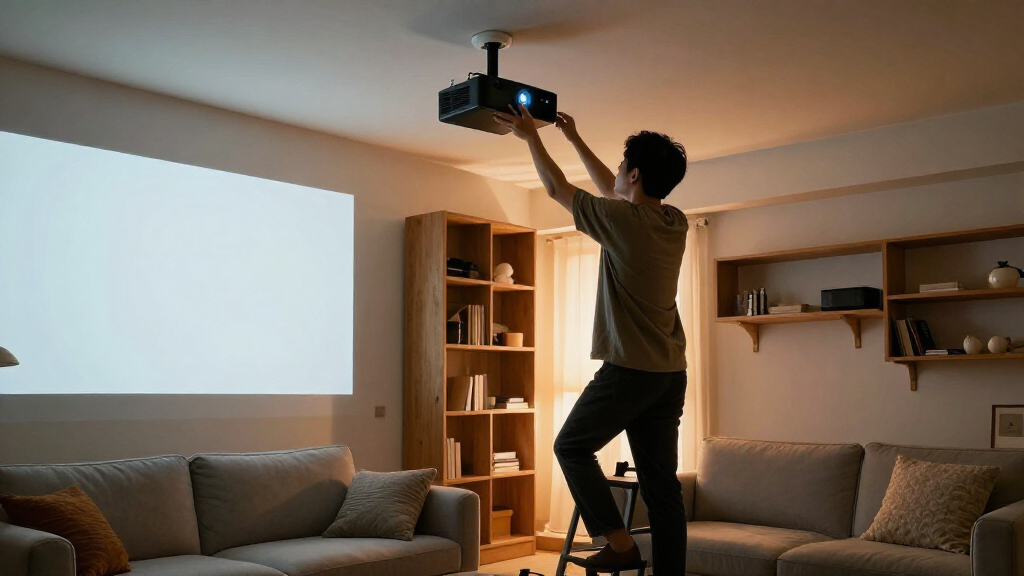
I ranked these projector ceiling mounts by how well their designs solve common installation needs, not by treating every mount as interchangeable. I focused on projector compatibility, adjustment and extension options, mounting style, cable handling, and whether the product appears suited to a fixed ceiling, wall, drop ceiling, mini projector, or shelf installation. A mount with a useful format for a specific setup can rank well for that need without being the best fit for every room.
The higher placements go to options with a broadly useful design and a clear role, while specialized products rank according to the narrower situations they address. I also weighed the tradeoffs buyers need to check before installation: projector weight and screw pattern, ceiling construction, available clearance, and how much adjustment the room requires. Product names alone do not establish exact compatibility, so I treat fit as something buyers should confirm against the manufacturer’s specifications before purchase.
| projector ceiling mount | Material |
|---|---|
| VIVO Black Adjustable Ceiling | Alloy steel |
| Aurzen Ceiling Projector Mount | Metal |
| Mount-It! PRO Heavy-Duty Proje | Alloy steel |
| VIVO Adjustable White Ceiling | Alloy steel |
| WALI Universal Projector Ceili | Not specified |
| PUTORSEN Adjustable Projector | Metal |
| Suptek Extended Mini Projector | Cold rolled steel and aluminum alloy |
| YiePhiot Mini Projector Ceilin | Metal |
| DYNAVISTA Full Motion Universa | Alloy steel |
| Universal Projector Ceiling Mo | Cold-rolled steel |
| Salange 3-in-1 Adjustable Proj | Steel |
| VIVO Black Extending Adjustabl | Metal |
| Electric Projector Ceiling Mou | — |
| VIVO Adjustable Drop Ceiling P | Alloy steel |
| Tonalee Adjustable Projector W | Alloy steel |
Factors to Consider When Choosing Projector Ceiling Mounts
Before choosing among these mounts, I’d work backward from the projector and room rather than starting with a preferred style. The right format depends on how the projector attaches, where the image needs to land, and what the ceiling can support.
Match the Mount to the Projector’s Attachment Points
Start by checking whether your projector has threaded mounting holes, their spacing, and the required screw type. A universal mount is only useful if its arms or plate can reach those holes without blocking vents or controls. Compact projectors can be especially varied: some accept a standard bracket, while others are better supported by a shelf or a model-specific adapter. Do not assume that a product labeled “universal” fits every device. Compare the projector’s manual with the mount’s compatibility details before drilling. If the fit is uncertain, a returnable option is safer than modifying the projector or forcing a screw.
Plan for Ceiling Structure and Load
A mount’s stated load capacity does not mean any ceiling surface can hold that load. The connection needs to reach suitable framing or an approved structural support, and the fasteners must match the ceiling material. Drop ceilings call for a mount designed for that grid system; attaching an ordinary bracket to a ceiling tile can lead to sagging or failure. Include the projector’s weight and any added accessories when checking capacity. A heavier-duty mount may provide a sturdier bracket, but it cannot compensate for weak or incorrectly installed anchors. When the ceiling construction is unclear, get qualified installation advice before mounting overhead equipment.
Choose Fixed, Extended, Full-Motion, or Motorized Placement
Mount style affects both image alignment and daily use. A fixed arm is a sensible choice when the projector can stay in one position, while an extending design can help clear a ceiling feature or place the lens at a needed height. Full-motion adjustment helps when the image must be aimed around room constraints, but extra joints can add setup steps and points to tighten. A motorized drop offers a cleaner room when the projector should retract, though it introduces electrical planning, moving parts, and a larger installation commitment. Avoid buying more adjustment than the room needs; the simplest stable mount often makes alignment easier to maintain. Measure the intended lens position and screen geometry before deciding.
Measure Clearance, Throw Distance, and Service Access
Mount length is only one part of placement: the lens must also sit at the right distance and height for the screen. Check the projector’s throw ratio and lens-shift range, then map the lens position rather than measuring from the mount plate alone. Account for ceiling fans, lights, beams, doors, and the projector’s exhaust path. Leave enough access to reach focus, ports, filters, and power connections after installation. A long drop can solve a height problem but may make the projector more visible or easier to bump. Mark the proposed position and verify the image geometry before making permanent holes.
Decide How You’ll Handle Cables and Power
Plan the signal and power route before mounting, since a tidy cable path is harder to add after the bracket is installed. Built-in cable management can reduce visible slack, but it does not replace the need for the right cable length or a safe route to an outlet. Avoid tight bends, dangling loops, and placing cables where they can pull on the projector’s connectors. If the mount moves or retracts, check that the cable path can travel without snagging. For concealed wiring, follow local electrical rules and use suitable in-wall-rated cabling where required. A clean finish should not come at the expense of access or safe power routing.
Know When a Shelf or Wall Mount Is the Better Fit
A ceiling arm is not always the best answer, especially when a compact projector lacks standard mounting holes or the ceiling has no practical attachment point. A shelf-style mount can support the device from below, but it needs enough surface area and a secure location that will not be bumped. A wall-and-ceiling model gives more placement choices, though the chosen surface still needs proper support and a clear path to the screen. Consider whether the projector’s intake and exhaust vents will stay unobstructed on a shelf. Also account for the extra visual footprint and cable visibility. Choose these formats to solve a real fit or room-layout issue, not merely because they appear more flexible.
Frequently Asked Questions
How do I tell whether a universal projector mount will fit my projector?
Check the projector manual for mounting-hole locations, thread size, and any weight limits, then compare those details with the mount’s arm range and included hardware. Look for a clear diagram rather than relying only on the word “universal.” Confirm that the bracket will not cover vents, buttons, or important ports once attached. Mini projectors may use uncommon threads or lack mounting points, so an adapter or shelf can be a better match. If the product information does not specify the needed measurements, contact the seller or manufacturer before installing.
Can I attach a projector mount directly to a ceiling tile?
A standard ceiling tile is generally not a suitable support point for a projector and mount. The load should be carried by the building structure or by a mount specifically designed for a suspended ceiling system. The VIVO drop-ceiling model is intended for that type of installation, but you still need to follow its installation instructions and confirm the grid and support arrangement. Do not treat a tile’s apparent rigidity as proof that it can hold overhead equipment. If you are uncertain about the ceiling system, ask a qualified installer to inspect it.
Should I choose a fixed mount or one with full-motion adjustment?
A fixed or simply adjustable mount is usually easier to set up when the projector can sit directly above the intended image position. Full-motion adjustment can help when beams, room layout, or screen placement make exact alignment harder. The tradeoff is that more joints may require extra tightening and can add complexity during alignment. Before choosing, check whether your projector has lens shift or keystone correction, since those features may reduce how much mechanical adjustment you need. Choose motion for a real positioning constraint rather than as a substitute for measuring the installation.
Is a shelf-style mount a good choice for a mini projector?
It can be a practical choice when the mini projector lacks mounting holes or its screw pattern does not match a bracket. A shelf avoids forcing an incompatible attachment, but it needs a secure surface with enough room for the projector and its cables. Check that the device’s vents remain open and that the shelf position meets the projector’s throw and focus requirements. A bracket such as the Suptek or YiePhiot mini-projector options may take up less surface area if the projector supports their attachment method. The right choice depends on fit and ventilation, not just the projector’s small size.
What should I check before buying a motorized retractable mount?
Confirm that the mount’s load limit and attachment pattern suit your projector, then measure the full travel needed to reach the correct lens position. Check how the unit is powered and whether the ceiling can accommodate its housing, wiring, and movement. Leave room for cables to move without catching as the projector rises or lowers. A retractable mount can keep a room visually clear, but it adds electrical and mechanical parts compared with a fixed bracket. If you do not need the projector to disappear between uses, a simpler mount may be easier to install and maintain.
Conclusion
For the broadest range of conventional fixed installations, I’d choose the VIVO MOUNT-VP01B as my best overall pick. Buyers seeking a more robust bracket should compare it with the Mount-It! PRO, while the extending VIVO VP02B is a better direction when extra drop is the main need. For value, I’d start with the straightforward VIVO or WALI options and select based on the actual fit and cable-management needs rather than paying for movement I will not use. Beginners should favor a simple adjustable mount with clear compatibility details and verify ceiling support before drilling. For specific setups, I’d look to Suptek or YiePhiot for mini projectors, PUTORSEN for shelf placement, VIVO’s drop-ceiling model for grid ceilings, and the electric mount when retracting the projector is a genuine room requirement.
Halloween Picks
halloween
As an affiliate, we earn on qualifying purchases.