
To set up a soundbar with your projector, place the soundbar directly in front of your seating or beneath the screen for balanced sound. Use HDMI ARC/eARC or optical connections for best audio quality, and consider wireless options like Bluetooth or Wi-Fi for clutter-free setup. Guarantee your wireless network is stable if streaming, and keep devices within range. Proper placement and connection choices make a noticeable difference—stay tuned to learn more tips and tricks for ideal setup.

Get business pricing on your home office setup
- Business-only prices and quantity discounts
- Tax-exempt purchasing
- Multiple users, one account, clear invoices
Key Takeaways
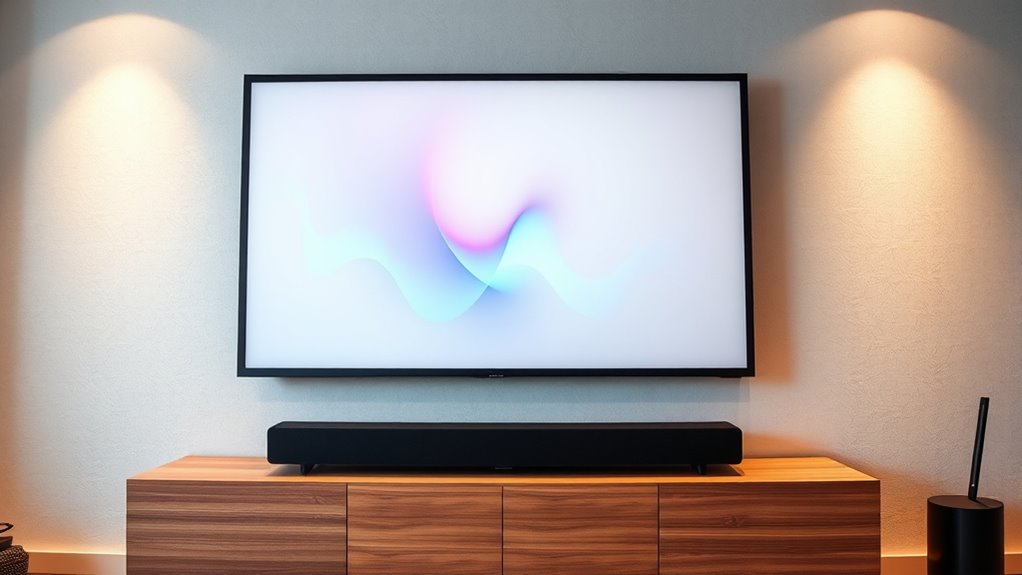
- Position the soundbar directly in front of the seating area and aligned with the projector screen for optimal sound and immersive experience.
- Use HDMI ARC/eARC or wireless connections like Bluetooth or Wi-Fi for easy setup and high-quality audio streaming.
- Mount or place the soundbar at ear level, centered beneath or above the screen, avoiding obstructions for balanced sound.
- Ensure all devices support compatible wireless protocols and keep firmware updated for the best performance.
- Consider adding surround speakers for enhanced surround sound and regularly check connections and placement for optimal audio quality.

Setting up a soundbar with a projector can considerably enhance your home entertainment experience, but proper placement and connections are key to getting the best performance. One of the first considerations is how your soundbar connects to your projector and other devices. Wireless connectivity options, such as Bluetooth or Wi-Fi, make setup easier by eliminating messy cables. If your soundbar supports wireless streaming, you can connect it to your home network or pair it directly with your projector if it has Bluetooth capabilities. This not only reduces clutter but also allows for a cleaner, more flexible setup. Just guarantee your devices are within range, and you’re using the latest firmware updates for peak performance.
Speaker placement plays a vital role in delivering immersive sound. Ideally, you want your soundbar positioned directly in front of your seating area, aligned with the screen, to create a balanced audio experience. Mounting it on the wall beneath or above the projector screen can help achieve this, but if you’re placing it on a shelf or stand, make sure it’s centered and at ear level when seated. Avoid positioning the soundbar behind furniture or in corners, as this can muffle sound and reduce clarity. If your space allows, consider adding speakers or surrounds to create a surround sound effect, but for most setups, a single well-placed soundbar provides a significant upgrade over built-in projector speakers.
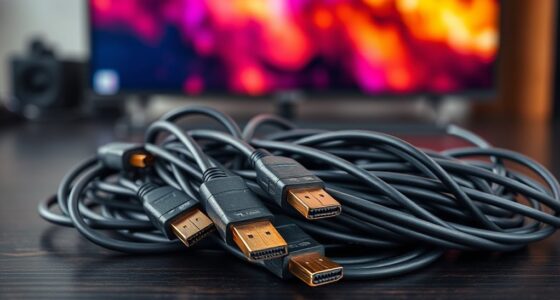
In terms of wireless connectivity, some soundbars offer multi-platform support, allowing you to switch seamlessly between devices like your TV, smartphone, or tablet. This flexibility lets you stream music or other content without reconnecting cables every time. When setting up wirelessly, ensure your Wi-Fi network is stable and has sufficient bandwidth to support high-quality audio streaming. For Bluetooth connections, keep your device within the recommended range to prevent dropouts or lag. Many modern soundbars also support connecting via HDMI ARC or eARC, which can deliver higher-quality audio and easier control through your projector or TV remote. Additionally, choosing a soundbar with a sound quality optimized for dialogue and music can greatly improve your overall viewing experience.
As an affiliate, we earn on qualifying purchases.
Frequently Asked Questions
Can I Connect Multiple Soundbars to a Single Projector?
You can connect multiple soundbars to a single projector, but it requires specific setup to guarantee multi soundbars work seamlessly. To achieve this, you’ll need a receiver or an audio splitter that supports multiple audio outputs for proper audio synchronization. Keep in mind, not all projectors or soundbars support multi soundbars easily, so check compatibility and consider using a dedicated AV receiver to optimize performance and maintain synchronized sound across all devices.
What Is the Best Placement for a Soundbar in a Home Theater Setup?
For ideal sound, place your soundbar directly beneath or just above your projector screen, aligning it with your main listening area. This speaker placement ensures acoustic enhancement, providing clear, balanced audio that matches your visuals. Keep it centered and unobstructed to prevent sound distortion. By positioning your soundbar thoughtfully, you create an immersive home theater experience where sound complements the stunning visuals seamlessly.
How Do I Troubleshoot Audio Delay Issues Between Projector and Soundbar?
To troubleshoot audio delay issues, first check your projector and soundbar settings for audio sync options. Use the delay adjustment feature on your soundbar or projector to fine-tune the audio sync. If delay persists, try disconnecting and reconnecting your devices, or update their firmware. Make certain your HDMI or audio cables are high-quality and securely connected, as poor connections can cause audio lag.
Are Wireless Soundbars Compatible With All Projectors?
Wireless soundbars aren’t compatible with all projector models due to varying wireless compatibility. Before purchasing, check your projector’s specifications for supported wireless standards like Bluetooth or Wi-Fi. Some projectors have built-in wireless features, while others may require an external transmitter or adapter. Verify the soundbar’s compatibility with these standards to guarantee seamless connectivity. Always consult your projector’s manual and the soundbar’s specifications for the best wireless setup.
What Additional Equipment Is Needed for Seamless Audio Setup?
You’ll need audio cables like HDMI or optical cables to connect your soundbar to the projector or receiver for seamless audio. Check your soundbar’s mounting options to verify it fits your space and setup preferences, whether wall-mounted or placed on a stand. Sometimes, an external Bluetooth transmitter is necessary if your projector lacks Bluetooth, ensuring wireless audio transmission. With the right equipment, your audio experience will be smooth and immersive.
As an affiliate, we earn on qualifying purchases.
Conclusion
Now that you’ve mastered the setup, imagine the immersive experience awaiting you—the perfect blend of visuals and sound. But don’t stop here; there’s more to discover that could elevate your home theater even further. Are you ready to unleash the full potential of your projector and soundbar combo? The best part is just around the corner. Stay tuned, because what’s next could completely transform your viewing experience—if you dare to explore beyond the basics.
As an affiliate, we earn on qualifying purchases.
As an affiliate, we earn on qualifying purchases.
Halloween Picks
halloween
As an affiliate, we earn on qualifying purchases.