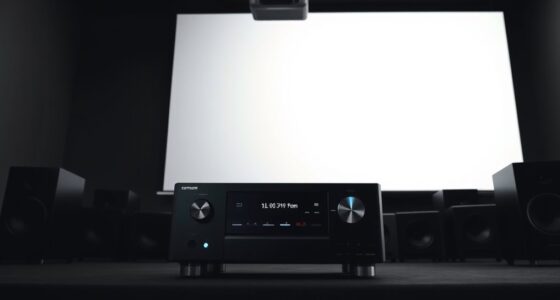
To connect your projector to a soundbar, use HDMI ARC or eARC if both devices support it, for simple, high-quality audio and video. Alternatively, you can use an optical cable for clearer sound over shorter distances. Wireless options like Bluetooth or Wi-Fi are also available, offering freedom of placement but might introduce latency. For detailed tips and best practices, keep exploring the most effective methods to optimize your setup.

Get business pricing on your home office setup
- Business-only prices and quantity discounts
- Tax-exempt purchasing
- Multiple users, one account, clear invoices
Key Takeaways
- Use HDMI ARC/eARC for seamless, high-quality audio transfer between projector and soundbar.
- Connect via Bluetooth or Wi-Fi for wireless setup, ensuring stable, high-quality streaming.
- Employ optical cables for direct, high-fidelity audio if HDMI options are unavailable.
- Verify device compatibility and supported inputs/outputs before establishing connections.
- Use high-speed HDMI cables and configure settings correctly for optimal sound and picture quality.
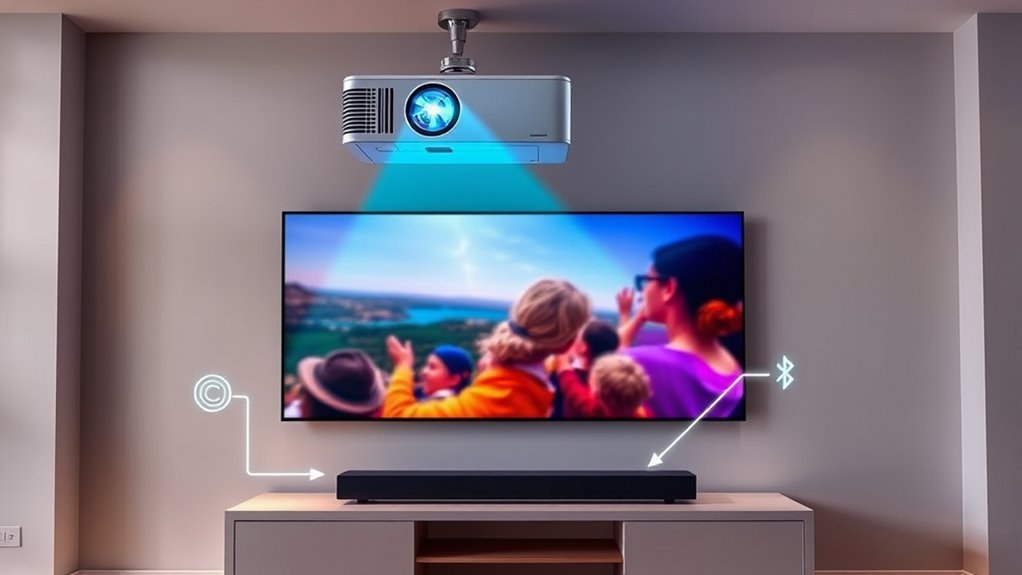
Connecting your projector and soundbar enhances your viewing experience by delivering clear visuals and rich audio. When setting up this connection, understanding your options for wireless streaming and HDMI compatibility can make a significant difference. Wireless streaming offers a convenient way to transmit audio and video signals without cluttering your space with cables. Many modern soundbars support Bluetooth or Wi-Fi, allowing you to connect directly to your projector or an intermediary device like a smart TV or streaming box. This method not only reduces cable clutter but also enables more flexibility in placement. However, keep in mind that wireless streaming can sometimes introduce latency or signal disruptions, especially if your Wi-Fi network isn’t robust. To minimize lag, ensure your devices support high-quality wireless standards and are within a good range of your router.
HDMI compatibility remains the most reliable and widely used method for connecting a projector to a soundbar. HDMI cables transmit high-definition audio and video signals with minimal latency, providing a seamless viewing experience. Check whether your projector and soundbar have HDMI ports, preferably HDMI ARC (Audio Return Channel) or eARC, which simplifies the connection process and enhances audio quality. With HDMI, you can connect your projector directly to the soundbar using a high-speed HDMI cable, ensuring that both audio and video signals are transmitted without degradation. If your devices support HDMI ARC or eARC, you’ll just need to connect them with an HDMI cable to a compatible port, and your audio will automatically route through the soundbar. This setup often requires just a single cable, making it both clean and straightforward.
Alternatively, if your projector and soundbar lack compatible HDMI ports, you might consider using an optical audio cable, which can transmit high-quality sound over a shorter distance. However, optical connections don’t carry video signals, so you’ll need a separate method for your video source. When choosing your connection method, always verify the supported inputs and outputs on both devices to ensure compatibility. Properly configuring your device settings is essential—select the correct input source on your projector and soundbar, and enable features like HDMI ARC if available. This ensures the audio is correctly routed and synchronized with your video.
Additionally, understanding the importance of HDMI compatibility can help you select the best connection method for your setup.
As an affiliate, we earn on qualifying purchases.
Frequently Asked Questions
Can I Connect a Bluetooth Soundbar to a Projector Without Audio Lag?
Yes, you can connect a Bluetooth soundbar to a projector with minimal audio lag, but it depends on Bluetooth latency. To improve audio synchronization, choose a soundbar with low-latency Bluetooth or support for aptX Low Latency. Using a wired connection like an HDMI ARC or optical cable is even better, as it eliminates Bluetooth latency issues altogether. This way, your audio stays synchronized with the on-screen action.
What Is the Best Way to Connect Multiple Soundbars to a Projector?
To connect multiple soundbars to a projector effectively, you want a seamless multi-speaker setup that guarantees perfect audio synchronization. Use an audio splitter or a compatible AV receiver to distribute the sound signal evenly, avoiding lag and echo. Connect the soundbars via wired connections for reliability, or opt for synchronized Bluetooth or Wi-Fi links if wireless. This setup creates a rich, immersive audio experience, filling your space with balanced sound from every direction.
Are There Compatibility Issues Between Specific Projectors and Soundbars?
Yes, compatibility issues can arise between specific projectors and soundbars, especially if they use different connection standards or formats. To avoid problems, check your devices’ specifications and verify they support the same audio formats. Firmware updates often fix compatibility issues, so keep both your projector and soundbar up to date. This ensures smoother communication and better overall performance, reducing potential connection problems.
How Do I Improve Audio Quality When Connecting a Projector to a Soundbar?
To boost your audio, begin by balancing soundbars with precise speaker placement. Perform thorough audio calibration to fine-tune frequencies and volume levels, ensuring clarity and consistency. Position speakers away from walls and obstructions for maximum output. Clear, correct connections also prevent poor sound quality. Keep these key steps in mind, and you’ll enjoy crisp, compelling audio that perfectly complements your projector’s visuals, creating a mesmerizing cinematic experience.
What Are the Cost Differences Between Wired and Wireless Connection Options?
Wired connections usually cost less upfront, with affordable options like HDMI or optical cables, making them ideal if you’re on a tight budget. Wireless setups, such as Bluetooth or Wi-Fi, tend to be more expensive due to the need for compatible devices and potential signal extenders. Consider your budget and setup flexibility when choosing; wired is cheaper initially, but wireless offers more convenience if you’re willing to invest more.
wireless Bluetooth soundbar for projector
As an affiliate, we earn on qualifying purchases.
As an affiliate, we earn on qualifying purchases.
Conclusion
By exploring various connection methods, you’ll find the perfect setup that seamlessly pairs your projector with your soundbar. It’s almost like the universe aligns to enhance your viewing experience, making every movie night feel just right. When you connect them correctly, you’ll notice richer sound and sharper images, turning your space into a true home theater. So, experiment with these methods—you might just discover the ideal combination that makes everything feel perfectly in sync.
optical audio cable for soundbar
As an affiliate, we earn on qualifying purchases.
As an affiliate, we earn on qualifying purchases.
projector soundbar connection kit
As an affiliate, we earn on qualifying purchases.
As an affiliate, we earn on qualifying purchases.
Halloween Picks
halloween
As an affiliate, we earn on qualifying purchases.