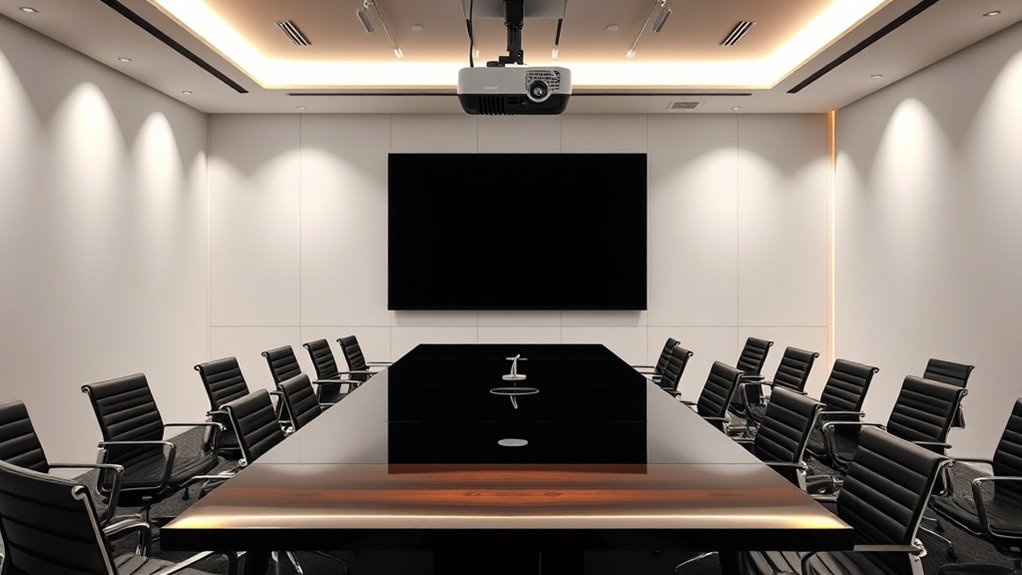

For most conference rooms, I’d start with the Kayle 120-inch motorized screen: its large 16:9 surface and remote operation suit rooms where presentations happen often and screen deployment should be simple. The VIVOHOME 84-inch motorized screen is a more restrained choice for smaller meeting spaces, while the LIHONG 100-inch floor-rising screen avoids permanent ceiling or wall installation. The main tradeoffs are screen size versus viewing distance, fixed installation versus portability, and widescreen framing versus a 1:1 surface for mixed content. Read on for how all 10 options compare and which setup fits your room.

Get business pricing on your home office setup
- Business-only prices and quantity discounts
- Tax-exempt purchasing
- Multiple users, one account, clear invoices
Complete the kit


Key Takeaways
- The Kayle 120-inch motorized model stands out for rooms that need a large widescreen image and remote-controlled deployment; its size is less suitable for tight spaces or close seating.
- Motorized screens are represented by several options, but screen size and aspect ratio separate them: the Kayle is 120 inches in 16:9, while the VIVOHOME 84-inch model is a smaller widescreen alternative.
- Portable screens with stands, including the Pyle 40-inch and 60-inch models, favor quick relocation over the large image area needed for many full-room presentations.
- The VIVOHOME 120-inch 1:1 pull-down screen differs from the lineup’s 16:9 models; its square format may suit varied document layouts but can leave widescreen content with unused screen area.
- The 84-inch manual pull-down and stand-mounted options show the installation tradeoff clearly: wall or ceiling placement saves floor space, while a stand can move between rooms.


| projector screens for conference room | Screen size | Aspect ratio | Operation | Viewing angle |
|---|---|---|---|---|
| Pyle 40-Inch Portable Projecto | 40 inches | 4:3 | — | — |
| Kayle 120 Inch Motorized Proje | 120 inches | 16:9 | Automatic, wireless remote | 160 degrees |
| Projector Screen with Stand 10 | 100 inches | 16:9 | Manual | 160 degrees |
| Motorized Projector Screen wit | 92 inches diagonal | 16:9 | Automatic, remote control | 160 degrees |
| Pyle 60 Inch Portable Projecto | 60 inches | 16:9 | Manual | — |
| VIVOHOME 84 Inch 16:9 Motorize | 84 inches | 16:9 | Motorized with remote control | — |
| VIVOHOME 120 Inch 1:1 Pull Dow | 120 inches | 1:1 | Manual pull with locking mechanism | 160 degrees |
| Pyle 84-Inch Pull Down Project | 84 inches | — | Manual roll-down with auto-locking height adjustment | 160 degrees |
| Projector Screen with Stand 84 | 84 inches | 16:9 | Manual | 160 degrees |
| LIHONG 100-Inch Floor Rising P | 100 inches | 16:9 | Manual floor-rising | 178 degrees |
More Details on Our Top Picks
Pyle 40-Inch Portable Projector Screen with Tripod Stand
The 40-inch size and fold-out tripod make this the easiest pick here to carry between small meeting spaces, though its image area suits a handful of viewers better than a full conference table. Its 20-to-46-inch height range gives some placement flexibility, but the low maximum height can leave people farther back struggling to see. Compared with the Pyle 60 Inch Portable Projector Screen, this model takes up less room and uses a similar quick-setup approach, but sacrifices both screen area and widescreen compatibility: its 4:3 format is a less natural fit for modern laptop presentations. Choose it for brief, close-up presentations where portability matters more than audience reach; skip it for boardrooms or widescreen-heavy slide decks.
Pros:- Lightweight design and fold-out tripod make transport and setup straightforward.
- Adjustable height from 20 to 46 inches accommodates different small-room layouts.
- Matte fabric surface is suited to indoor or outdoor projection.
Cons:- 40-inch screen area is too limited for many conference rooms.
- 4:3 aspect ratio is less suitable for widescreen laptop content.
- 46-inch maximum height can restrict sightlines for seated audiences.
Best for: Presenters who need a lightweight screen for small huddle rooms, one-on-one demos, or occasional travel.
Not ideal for: Teams presenting to a large conference-room audience or using mostly widescreen slides, since the screen is small, low, and 4:3.
- Screen size:40 inches
- Aspect ratio:4:3
- Height range:20 to 46 inches
- Screen material:Matte fabric
- Frame:Steel tripod
- Color:White
Our verdict“Choose this compact Pyle for small meetings where easy transport matters more than a large, widescreen image.”
Kayle 120 Inch Motorized Projector Screen with Wireless Remote, White, 16:9
For a room that needs a large image without manual pull-down, the Kayle pairs a 120-inch, 16:9 screen with motorized operation and a wireless remote. That makes it a stronger fit for scheduled presentations and larger audiences than the portable Projector Screen with Stand 100 inch 16:9, which is easier to relocate but requires a tripod and manual setup. The Kayle’s 1.2-gain surface and stated 160-degree viewing angle suit presentations where attendees sit across a broad area, while its black-backed, textured construction is designed to limit light passing through the screen. The tradeoff is a more permanent installation: at 26.5 pounds, it needs suitable wall or ceiling support, and the listed warranty is one year. Pick it when room coverage matters more than portability.
Pros:- 120-inch 16:9 viewing area gives larger rooms more image coverage than the portable screens in this group.
- Motorized operation and wireless remote reduce setup steps during meetings.
- Black-backed, textured surface is specified to support 4K Ultra HD and 3D projection.
- Listed 160-degree viewing angle accommodates attendees spread across the room.
Cons:- Wall or ceiling mounting makes it less adaptable than tripod screens.
- At 26.5 pounds, installation requires an adequately supported mounting point.
- The listed one-year warranty is limited.
Best for: Conference-room managers outfitting a fixed presentation space that needs a large widescreen image and remote-controlled operation.
Not ideal for: Teams that move their screen between rooms or cannot mount a 26.5-pound unit to a wall or ceiling.
- Screen size:120 inches
- Aspect ratio:16:9
- Surface:Three-layer black-backed textured surface
- Gain:1.2
- Operation:Automatic, wireless remote
- Viewing angle:160 degrees
- Mounting:Wall or ceiling mount
- Dimensions:116.53 inches W x 86.81 inches H
- Weight:26.5 pounds
Our verdict“Choose the Kayle for a fixed conference room where a large motorized widescreen is more useful than a portable setup.”
Projector Screen with Stand 100 inch 16:9 for Movies & Presentations
This 100-inch screen balances a widescreen format with a tripod setup, making it a practical middle ground for teams that cannot dedicate a wall to projection. Compared with the Kayle 120 Inch Motorized Projector Screen, it gives up 20 inches of diagonal size and remote operation, but is easier to position across different rooms and does not depend on fixed mounting. Its adjustable-height tripod and stated 160-degree viewing angle can help accommodate varied seating, while the PVC surface offers a generous image for presentations and events. Portability has limits: the screen weighs 17.6 pounds, and manual operation plus assembly add work before a meeting. Choose it when room flexibility outweighs one-touch convenience; skip it if the screen will stay installed permanently.
Pros:- 100-inch 16:9 screen is a substantial step up from compact portable options.
- Tripod support and adjustable height allow placement in rooms without a suitable mounting point.
- Stated 160-degree viewing angle supports seating spread across the room.
- Designed for indoor and outdoor use.
Cons:- At 17.6 pounds, it is less convenient to carry than smaller portable screens.
- Manual operation and assembly take more time than the Kayle’s motorized setup.
- The 100-inch size may not cover the needs of larger conference rooms.
Best for: Teams that share presentation equipment across rooms and need a sizable 16:9 screen without permanent installation.
Not ideal for: Facilities managers seeking a fixed, remotely operated screen or staff who need a very lightweight setup.
- Screen size:100 inches
- Aspect ratio:16:9
- Material:Polyvinyl chloride (PVC)
- Operation:Manual
- Viewing angle:160 degrees
- Weight:17.6 pounds
- Setup:Tripod stand; assembly required
Our verdict“Choose this tripod model when you need a large widescreen image that can move between rooms, and accept manual setup in return.”
Motorized Projector Screen with Remote Control, No Wrinkles, Without Dents, HD Screen, for Home Theater Office Classroom TV Usage (92inch 16:9)
The Kshioe’s 92-inch motorized screen targets rooms that need a fixed, remote-operated display but do not have space for the Kayle’s 120-inch surface. Its listed 80-by-45-inch viewing area gives buyers a clearer sense of the projected image area than the diagonal alone, and the 16:9 format suits contemporary laptop presentations. A stated 1.3 gain and 160-degree viewing angle are intended to support contrast and off-center seating, while wall or ceiling installation keeps a tripod out of the meeting area. Compared with the Projector Screen with Stand 100 inch 16:9, this is less flexible to relocate but easier to operate once installed. The supplied details do not list weight, warranty, or remote range, so installation planning has less supporting information.
Pros:- Motorized operation and wireless remote simplify opening and closing the screen.
- 80-by-45-inch viewing area is specified for clearer planning of room coverage.
- 16:9 format suits widescreen presentation content.
- Wall and ceiling installation options avoid tripod legs in the meeting space.
Cons:- Fixed mounting makes it less adaptable than the 100-inch tripod screen.
- 92-inch diagonal is smaller than the Kayle’s 120-inch option.
- Product details provided do not specify weight, warranty, or remote range.
Best for: Small-to-mid-size conference rooms that have a suitable wall or ceiling mount and want remote-controlled operation.
Not ideal for: Organizations that need a portable screen, a larger image for a broad audience, or detailed published installation and warranty information.
- Screen size:92 inches diagonal
- Aspect ratio:16:9
- Viewing area:80 x 45 inches
- Gain:1.3
- Viewing angle:160 degrees
- Operation:Automatic, remote control
- Mounting:Wall or ceiling mount
- Enclosure material:Steel, PVC, and fabric
Our verdict“Choose the Kshioe for a fixed mid-size room that benefits from motorized operation without needing a 120-inch screen.”
Pyle 60 Inch Portable Projector Screen with Tripod Stand, Fold-Out Roll-Up, HD 16:9 Aspect Ratio, Matte Surface for Indoor and Outdoor Use
The Pyle 60-inch model is a better match for modern presentation decks than the Pyle 40-Inch Portable Projector Screen: its 16:9 aspect ratio fits widescreen content, and the larger image is easier to share around a small meeting table. The matte fabric with black backing is intended to limit light penetration, while the adjustable tripod can extend from 50 to 83.46 inches for flexible placement. Its roll-up, manual design keeps setup independent of wall or ceiling mounts, unlike the motorized Kayle and Kshioe screens. The compromise is audience reach: 60 inches remains small for a conference room with multiple rows, and at 10.9 pounds it is portable rather than effortless to carry. It makes most sense for huddles and small breakout rooms.
Pros:- 16:9 aspect ratio fits widescreen presentation content better than the 40-inch Pyle’s 4:3 format.
- Tripod adjusts from 50 to 83.46 inches for different room and seating layouts.
- Matte fabric with black backing is designed to reduce light penetration.
- Can be set up without wall or ceiling installation.
Cons:- 60-inch screen area is limited for larger conference audiences.
- Manual roll-up operation is less convenient than the motorized Kayle or Kshioe.
- At 10.9 pounds, it is heavier to transport than a very compact screen.
Best for: Small-team presenters who need a portable 16:9 screen for huddle rooms, breakout spaces, or occasional off-site meetings.
Not ideal for: Teams presenting to large rooms or audiences across multiple rows, where a 100- or 120-inch screen is more suitable.
- Screen size:60 inches
- Aspect ratio:16:9
- Surface:Matte fabric with black backing
- Dimensions:28.3 inches W x 51.2 inches H
- Weight:10.9 pounds
- Mounting:Tripod, floor, inside/outside mount
- Operation:Manual
- Enclosure material:Alloy steel
Our verdict“Choose this Pyle for small meeting rooms that need a portable widescreen, but move up to a 100-inch or larger option for broad audience visibility.”
VIVOHOME 84 Inch 16:9 Motorized Projector Screen, Black
For a conference room with a regular presentation schedule, this 84-inch motorized screen makes setup simple: lower it by remote instead of asking a presenter to reach for a pull-down screen. Its 16:9 format suits widescreen slides and video, while wall or ceiling mounting lets you keep floor space clear. Compared with the manual Pyle 84-Inch Pull Down, the VIVOHOME adds remote operation but gives up that model’s auto-locking manual height adjustment. The tradeoff is a permanent installation and a need to leave enough clearance for the casing and screen to descend. The water-resistant PVC surface and stated support for 3D, 1080P, and 4K add flexibility, though those formats do not replace checking projector brightness and room lighting.
Pros:- Remote-controlled operation reduces setup effort for recurring meetings.
- 16:9 viewing area fits widescreen presentations and video.
- Wall or ceiling mounting keeps the floor and presentation area open.
- Water-resistant PVC fabric suits routine office use.
Cons:- Requires installation space for the casing and descending screen.
- Remote uses 12V batteries that are not included.
- Fabric may have an initial odor that needs airing out.
Best for: Teams presenting regularly in a dedicated room that want a wall- or ceiling-mounted screen operated from across the room.
Not ideal for: Shared or frequently rearranged rooms where a fixed casing and installation space are impractical, or teams that prefer a simple manual pull-down.
- Screen size:84 inches
- Aspect ratio:16:9
- Viewing area:73.2 × 41.1 inches
- Overall size:82.1 × 50.4 inches
- Material:Waterproof PVC fabric with 8 mm metal casing
- Mounting:Ceiling or wall
- Operation:Motorized with remote control
- Weight:15.4 pounds
Our verdict“Choose this for a dedicated conference room where remote operation matters more than portability or a manual screen’s simpler installation.”
VIVOHOME 120 Inch 1:1 Pull Down Projector Screen, Black
This screen’s defining choice is its 120-inch, 1:1 square format, which can suit rooms that regularly display square-format material or need a generous surface for varied content. Its manual pull-and-lock mechanism avoids motor and remote requirements, unlike the VIVOHOME 84 Inch Motorized, but presenters must lower and raise it by hand. The 83.9-inch square viewing area also takes substantial wall or ceiling space, so it is less adaptable to a compact conference room than the 84-inch widescreen options. The stated 160-degree viewing angle can help people spread across a room see the image, but the square shape may leave unused screen area with common widescreen slides. I’d choose it for a room with a clear reason to favor square content, not as a default meeting-room screen.
Pros:- Large square viewing area accommodates content that does not fit a widescreen format.
- Manual pull-and-lock operation avoids dependence on a motor or remote.
- Wall or ceiling mounting supports permanent room placement.
- 160-degree viewing angle suits audiences spread across the room.
Cons:- The 1:1 format may leave unused screen area with widescreen presentations.
- Manual operation takes more effort than the motorized VIVOHOME 84-inch model.
- Mounting hardware is not included, and the large screen needs substantial clearance.
Best for: Organizations presenting square-format documents or mixed content in a large room with enough wall or ceiling space for a square screen.
Not ideal for: Teams whose meetings mostly use widescreen slides and video, or rooms where a 120-inch screen would dominate the wall.
- Screen size:120 inches
- Aspect ratio:1:1
- Screen dimensions:83.9 × 83.9 inches
- Item dimensions:89.8 × 92.1 inches
- Material:Alloy steel, fabric, and PVC
- Mounting:Ceiling or wall
- Operation:Manual pull with locking mechanism
- Viewing angle:160 degrees
- Weight:14.6 pounds
Our verdict“Pick this when square-format content and a large audience matter more than widescreen compatibility or effortless operation.”
Pyle 84-Inch Pull Down Projector Screen with Manual Roll-Down Matte White Surface
The 84-inch matte white surface and auto-locking pull-down action make this Pyle a practical choice for a room that needs a straightforward, fixed screen without motorized controls. Compared with the VIVOHOME 84 Inch Motorized, it calls for more hands-on setup, but avoids remote operation and offers adjustable stopping height through its locking mechanism. Its listed dimensions are 67.3 × 50.3 inches, so check the available wall area against the actual screen shape before choosing it for widescreen slides. Wall, ceiling, or surface mounting provides useful placement options, while the metal and PVC enclosure is suited to regular indoor use. I would favor it for routine meetings where simplicity matters; teams that need a screen they can move between rooms should look at the tripod-supported option instead.
Pros:- Auto-locking adjustment lets presenters set a useful screen height.
- Matte white surface is designed for bright, vivid projected images.
- Wall, ceiling, and surface mounting support different room layouts.
- Metal and PVC construction is suited to repeated indoor use.
Cons:- Manual pull-down operation requires more effort than the motorized VIVOHOME 84-inch screen.
- The listed 67.3 × 50.3-inch dimensions call for a fit check before installation.
- Not intended for uncovered outdoor use.
Best for: Office managers outfitting a regular presentation room who want a manually operated screen with flexible wall, ceiling, or surface mounting.
Not ideal for: Teams that need remote-controlled deployment, frequent room-to-room portability, or a screen sized specifically for a compact space.
- Screen size:84 inches
- Screen dimensions:67.3 × 50.3 inches
- Surface:Matte white
- Mounting:Ceiling, surface, or wall
- Viewing angle:160 degrees
- Enclosure material:Metal and PVC
- Operation:Manual roll-down with auto-locking height adjustment
- Warranty:1 year
Our verdict“Choose this for a regularly used room that needs a simple mounted screen and can do without motorized operation.”
Projector Screen with Stand 84 inch 16:9 for Movies & Presentations
When a conference room cannot keep a screen mounted, this 84-inch 16:9 tripod screen offers a flexible alternative: set it up for a meeting, adjust its height, then pack it away. The widescreen format suits common presentations, and the carrying bag and tripod make it easier to move between rooms than the fixed Pyle or VIVOHOME pull-down models. That convenience brings a different compromise: the stand occupies floor space, and the listed 80.7-inch width needs room to open out. Manual setup also takes longer than lowering the motorized VIVOHOME 84-inch screen. The 160-degree viewing angle and indoor/outdoor brackets extend its use beyond one meeting room, but the product data cautions against harsh outdoor conditions. It fits teams that share equipment, not rooms that need a permanently ready display.
Pros:- Tripod stand and carrying bag support moving the screen between locations.
- 16:9 format suits typical widescreen presentation content.
- Adjustable height helps fit different venues and audience layouts.
- Indoor and outdoor brackets expand placement options.
Cons:- Tripod setup uses floor space and takes more effort than a fixed pull-down screen.
- Manual operation lacks the remote convenience of the VIVOHOME motorized model.
- The screen may not hold up well in harsh outdoor conditions.
Best for: Teams that share presentation equipment across meeting rooms or need a screen they can set up for occasional indoor and outdoor events.
Not ideal for: Dedicated rooms where a clean, always-ready mounted screen is preferred, or compact rooms without floor space for a tripod.
- Screen size:84 inches
- Aspect ratio:16:9
- Material:PVC
- Operation:Manual
- Viewing angle:160 degrees
- Dimensions:80.7 × 4 inches
- Weight:15 pounds
- Mounting:Tripod stand and indoor/outdoor brackets
Our verdict“Choose this for a team that needs an easy-to-store widescreen display across several rooms, rather than a permanent conference-room installation.”
LIHONG 100-Inch Floor Rising Projector Screen 16:9, Manual Pull Up, Matte White
The LIHONG combines a 100-inch 16:9 surface with a floor-rising design, giving a conference room a large image without requiring a wall or ceiling mount. That makes it a more room-flexible choice than the fixed Pyle 84-Inch Pull Down, and its wider image offers more viewing area than the 84-inch tripod screen. The 178-degree viewing angle is suited to audiences seated across a broad area, while the retractable aluminum case helps with storage between meetings. The tradeoff is heft: at 28.7 pounds, it is considerably less convenient to move than the 15-pound tripod model. It also needs a clear floor position, works only with standard-throw projectors, and must be raised manually. I’d shortlist it when screen size and avoiding permanent mounting outweigh quick repositioning.
Pros:- 100-inch 16:9 image provides more viewing area than the 84-inch options.
- Floor-rising design avoids permanent wall or ceiling mounting.
- 178-degree viewing angle accommodates attendees spread across the room.
- Retractable aluminum case supports storage when the screen is not in use.
Cons:- At 28.7 pounds, it is less convenient to carry than the 84-inch tripod screen.
- Manual raising and lowering takes more effort than remote-controlled deployment.
- Specified for standard-throw projectors, limiting compatibility.
Best for: Meeting spaces that need a large widescreen image without wall or ceiling installation and can store a heavier floor-rising unit.
Not ideal for: Teams moving a screen between rooms often, users with short-throw projectors, or rooms where floor space is tightly constrained.
- Screen size:100 inches
- Aspect ratio:16:9
- View size:87 × 48.82 inches
- Overall size:92 × 82.6 inches
- Material:Nano white fiberglass
- Operation:Manual floor-rising
- Viewing angle:178 degrees
- Enclosure:Aluminum
- Weight:28.7 pounds
Our verdict“Choose this for a room needing a large, unmounted widescreen surface, provided floor space and standard-throw projector compatibility are available.”

How We Picked
I ranked these screens for real conference-room constraints: how well their stated size and format suit group viewing, how easily staff can deploy and store them, and whether the installation style matches a dedicated or shared room. I also weighed the practical differences between motorized, manual pull-down, tripod, and floor-rising designs, since convenience matters when meetings start on a schedule.
The ranking gives more weight to adaptable presentation use than to size alone. Widescreen 16:9 models rise when they pair a useful image area with a room-friendly setup; portable models remain relevant for shared spaces but rank lower when their smaller sizes limit visibility. The 1:1 screen earns a distinct place for content that benefits from a square surface, while its format makes it less versatile for standard widescreen slides and video.
| projector screens for conference room | Mounting | Material |
|---|---|---|
| Pyle 40-Inch Portable Projecto | — | — |
| Kayle 120 Inch Motorized Proje | Wall or ceiling mount | — |
| Projector Screen with Stand 10 | — | Polyvinyl chloride (PVC) |
| Motorized Projector Screen wit | Wall or ceiling mount | — |
| Pyle 60 Inch Portable Projecto | Tripod, floor, inside/outside mount | — |
| VIVOHOME 84 Inch 16:9 Motorize | Ceiling or wall | Waterproof PVC fabric with 8 mm metal casing |
| VIVOHOME 120 Inch 1:1 Pull Dow | Ceiling or wall | Alloy steel, fabric, and PVC |
| Pyle 84-Inch Pull Down Project | Ceiling, surface, or wall | — |
| Projector Screen with Stand 84 | Tripod stand and indoor/outdoor brackets | PVC |
| LIHONG 100-Inch Floor Rising P | — | Nano white fiberglass |
Factors to Consider When Choosing Projector Screens For Conference Rooms
Before choosing a screen, I’d match it to the room’s viewing conditions and meeting habits, not just the projector’s advertised image size. These factors help prevent a screen that is awkward to place, difficult to operate, or poorly matched to the material shown.
Choose Screen Size From the Back Row
Start with the farthest seat where attendees need to read slide text, then check whether the screen’s stated diagonal leaves enough visible area from that distance. A larger screen can help in a wide room, but it may overwhelm a small meeting space or force viewers near the front to look around the image. Measure the available wall or floor area, including space needed for a frame, stand, or casing. Do not assume a projector can fill every screen size at the room’s throw distance; confirm its placement range before ordering. When the room layout changes often, a moderate screen that can be positioned flexibly may be more useful than the largest available option.
Match the Aspect Ratio to Meeting Content
Most presentation slides and modern video are widescreen, so a 16:9 screen is a straightforward fit for rooms that use both. A 1:1 screen can be useful when teams display varied formats or want a less format-specific surface, but widescreen images may occupy only part of it. Check the projector’s native aspect ratio and the formats employees actually present before deciding. A mismatch can produce unused borders or encourage users to adjust image settings before meetings. If attendees regularly share older documents or specialized visual material, verify how those sources will appear rather than choosing by screen dimensions alone.
Pick an Installation Style That Matches Room Use
A motorized or manual pull-down screen suits a dedicated meeting room where the screen can stay mounted and the floor should remain clear. Motorization reduces the effort of lowering a screen, but it adds reliance on powered operation and a remote that staff must keep accessible. Tripod and floor-rising styles avoid permanent mounting, making them more practical for rooms that serve several purposes. Their stands need storage space and can compete with chairs, cables, or walkways during a meeting. Before buying, decide who will set up the screen and whether that task happens occasionally or several times a day.
Account for Ambient Light and Projector Placement
Conference rooms often have windows, ceiling lights, and illuminated displays that cannot be switched off during a presentation. A basic matte surface cannot compensate for a projector that lacks enough brightness for the room, so plan the lighting and projector together. Look for a placement that avoids strong direct light on the screen and keeps the projector out of traffic paths. Check whether the screen can be positioned at a usable height without blocking a whiteboard, display, or sightline. When presentations must remain visible with the lights on, test the room setup before committing to a large purchase.
Plan for Setup, Storage, and Shared Use
A screen that moves between rooms needs a realistic storage location, not just a promise of portability. Check the folded or rolled dimensions, how the frame is carried, and whether one person can set it up without disrupting the room. In shared offices, simple controls and a clearly assigned storage spot reduce the chance of missing parts or delays. Mounted screens avoid repeated setup but may require approval, suitable fixing points, and a decision about cable routing. Choose based on the routine your team can maintain, since an inconvenient screen is less likely to be used consistently.
Consider Maintenance and Long-Term Room Changes
Dust, fingerprints, and rough handling can affect the viewing surface, so plan where the screen will be stored and how staff will clean it. Avoid folding or pressing on a screen surface unless the manufacturer’s instructions allow it; surface damage can be difficult to correct. A fixed installation may be sensible for a stable room, while a portable design gives you more options if seating or room assignments change. For motorized models, think about access to power and the control method as part of the installation, not after it. A modestly sized screen that fits the room’s likely future use can be a better long-term choice than one that only suits today’s layout.
Frequently Asked Questions
How large should a projector screen be for a conference room?
Choose a size based on the farthest seats and the smallest information attendees must read, not on the room’s wall width alone. Measure the distance from the proposed screen position to the back row, then compare that with the projector’s available image size at its planned location. A screen that is too small can make charts and labels hard to follow, while an oversized image may be uncomfortable for front-row viewers. If the room has movable seating, prioritize a size that works for the usual layout and can still be positioned for alternate setups.
Is a motorized screen worth choosing for a meeting room?
A motorized screen can be worthwhile when the room is used frequently and staff need to deploy it quickly without reaching a pull handle. It is less compelling for an occasional-use room where a manual screen is easy to access and operate. Check that the installation has suitable power and that the remote or control method will be available to meeting hosts. If the room is shared, a clear operating routine matters as much as the motor: users need to know how to lower and retract the screen without delaying a presentation.
Should I choose a 16:9 screen or a 1:1 screen for presentations?
For standard widescreen slides and video, 16:9 usually makes the image area easier to use without extra unused space. A 1:1 screen can make sense when a room displays a wider mix of content formats or when flexibility matters more than filling the surface with widescreen material. Check what the projector outputs and what teams actually share, including older presentations and document-based content. If most meetings rely on modern slides, a 16:9 model is the simpler match; choose square only when the content mix supports it.
Can a portable projector screen work as the main screen in a conference room?
It can, particularly in a small room, a flexible workspace, or a venue that cannot support permanent mounting. The main tradeoff is that a stand needs floor space and may need to be set up and stored before each meeting. Smaller portable screens can also be hard to see from the back of a larger room. Before making one the primary screen, check its image size against seating distance and confirm there is a stable location that will not obstruct walkways or presentation equipment.
What should I check before buying a screen for a bright conference room?
First consider whether the room’s lights and window coverings can be adjusted during presentations; a screen alone cannot remove the effects of strong ambient light. Check projector brightness and placement alongside the screen, and avoid aiming the image into direct light when the room layout allows another position. A larger image may help with visibility, but it does not automatically solve low contrast in a bright room. If lighting cannot change, arrange a test with the intended projector and screen position before buying, especially for slide details and charts.
Conclusion
For a dedicated room that needs a large widescreen image with convenient operation, I’d choose the Kayle 120-inch motorized screen as the best overall. The Pyle 60-inch tripod screen is my best value-style pick for teams that need a movable setup and can work with a smaller image, while the Kayle’s motorized format is the premium fit for frequent presentations where remote deployment matters. For beginners, the Pyle 84-inch manual pull-down screen offers a simple mounted approach without motor controls. If permanent installation is not practical, choose the LIHONG 100-inch floor-rising screen; for rooms built around square-format content, the VIVOHOME 120-inch 1:1 screen is the more specialized match. Match the final choice to your seating distance, content format, and setup routine.