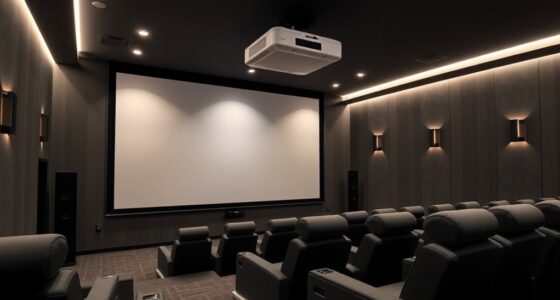
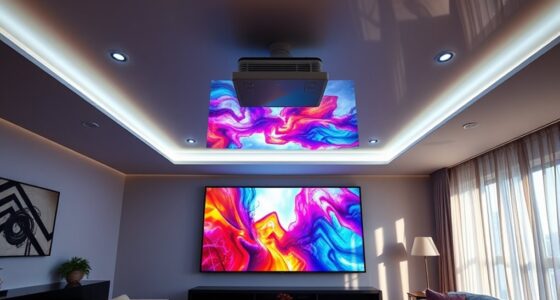
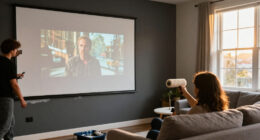
For most home theaters, I’d start with the Tossbiss Adjustable Projector Stand: its wheels and two shelves suit a setup that needs room for a projector and accessories. The PUTORSEN Heavy-Duty Adjustable Projector Stand is a stronger fit when stability matters more than easy relocation, while the JUSMO LS09 Aluminum Floor Stand appeals to buyers who want a more compact, lightweight option. The main tradeoff is between a stable, room-filling stand and a smaller, easier-to-move design; added shelves and wheels can help with setup but take up floor space. I compare all 12 options by their fit for home theater layouts, adjustability, support, and practical use. Read on for the full breakdown and help choosing the right stand for your room.

Get business pricing on your home office setup
- Business-only prices and quantity discounts
- Tax-exempt purchasing
- Multiple users, one account, clear invoices
Complete the kit


Key Takeaways
- Rolling shelves offer the most setup flexibility: Tossbiss and Facilife’s two-shelf stand can hold more than the projector, but need more floor space than tripod or single-platform designs.
- Heavy-duty support and portability pull in opposite directions: PUTORSEN’s heavy-duty stand favors a settled installation, while the aluminum JUSMO LS09 is better suited to buyers who move or store their stand.
- Height range affects placement more than a long feature list: POLESTO’s stated 20–50-inch range is useful for matching a floor setup to a seated viewing position, but buyers should still check lens height against their screen.
- Tripod designs fit simpler rooms: CAHAYA and Facilife’s 22–47-inch tripod stand suit compact setups, though their footprint and platform support may be less convenient for a projector plus accessories.
- Swivel features help with aiming, not image correction: XINLEI and PUTORSEN’s 360-degree rotation can make repositioning easier, but it cannot replace proper screen alignment or the projector’s keystone and lens-shift controls.
| Tossbiss Adjustable Projector Stand with Wheels, Two Shelves, and Phone Holder |  | Best for a Mobile, Multi-Device Setup | Brand: Tossbiss | Model: Rack-1 | Tray count: 2 | VIEW LATEST PRICE | See Our Full Breakdown |
| POLESTO Adjustable Floor Projector Stand, 20–50 in, 360° Rotating |  | Best for a Compact, Screw-Mount Setup | Brand: POLESTO | Model: YS-125 | Mounting type: Floor mount | VIEW LATEST PRICE | See Our Full Breakdown |
| XINLEI Adjustable Projector Stand with 360° Swivel Mount |  | Best for Precise Angled Positioning | Brand: XINLEI | Model: PR002FP | Mounting interface: 1/4-inch screw | VIEW LATEST PRICE | See Our Full Breakdown |
| CAHAYA Adjustable Tripod Projector Stand |  | Best Overall for a Tray-Based Home Theater | Brand: CAHAYA | Model: CPS0331 | Type: Floor-standing tripod | VIEW LATEST PRICE | See Our Full Breakdown |
| REHOSEUP Adjustable Projector and Equipment Stand, Black |  | Best for Heavy Equipment | Brand: REHOSEUP | Model: S6 | Material: Metal | VIEW LATEST PRICE | See Our Full Breakdown |
| PUTORSEN Heavy-Duty Adjustable Projector Stand |  | Best for a Stable, No-Drill Setup | Material: Steel | Height range: 27.6–47.2 inches | Load capacity: 13.2 lb (6 kg) | VIEW LATEST PRICE | See Our Full Breakdown |
| DECOSIS Adjustable Projector and Laptop Tripod Stand with Gooseneck Phone Holder |  | Best for Flexible Angles and Portability | Material: Aluminum metal | Height range: 23.5–46.5 inches | Tray dimensions: 15 × 11 inches | VIEW LATEST PRICE | See Our Full Breakdown |
| Facilife Adjustable Rolling Projector Stand with Two Shelves |  | Best for Multi-Device Rolling Setups | Height range: 45–64 inches | Tray count: 2 | Tray adjustment: 180° rotation | VIEW LATEST PRICE | See Our Full Breakdown |
| JUSMO LS09 Adjustable Aluminum Projector Floor Stand |  | Best for Compact, Screw-Mount Devices | Material: Aluminum | Height range: 16.5–34.6 inches | Mounting screw: 1/4 inch | VIEW LATEST PRICE | See Our Full Breakdown |
| Bloazzup Adjustable Projector Stand with Wheels |  | Best for Mobile, Tilting Placement | Material: Iron | Height range: 26.6–47.2 inches | Tray dimensions: 15 × 11 inches | VIEW LATEST PRICE | See Our Full Breakdown |
| Facilife Adjustable Projector Tripod Stand, 22–47 Inches |  | Best for Flexible Tray Positioning | Height range: 22–47 inches | Tray dimensions: 14.9 × 11.2 inches | Maximum load capacity: 22 pounds | VIEW LATEST PRICE | See Our Full Breakdown |
| PUTORSEN Adjustable Projector Stand with 360° Rotation |  | Best for Screw-Mount Projectors | Height range: 36.6–48.75 inches | Rotation: 360 degrees horizontally | Tilt: 90 degrees | VIEW LATEST PRICE | See Our Full Breakdown |
| projector stands for home theater | Height range | Load capacity | Material |
|---|---|---|---|
| Tossbiss Adjustable Projector | 25.9–51.8 inches | 11.1 pounds | — |
| POLESTO Adjustable Floor Proje | 20–50 inches | — | Carbon steel |
| XINLEI Adjustable Projector St | 35.04–47.24 inches | — | — |
| CAHAYA Adjustable Tripod Proje | 26–51.5 inches | — | — |
| REHOSEUP Adjustable Projector | 22–55 inches | 33 pounds | Metal |
| PUTORSEN Heavy-Duty Adjustable | 27.6–47.2 inches | 13.2 lb (6 kg) | Steel |
| DECOSIS Adjustable Projector a | 23.5–46.5 inches | 22 lb | Aluminum metal |
| Facilife Adjustable Rolling Pr | 45–64 inches | Not specified | — |
| JUSMO LS09 Adjustable Aluminum | 16.5–34.6 inches | 12 kg | Aluminum |
| Bloazzup Adjustable Projector | 26.6–47.2 inches | 22 lb | Iron |
| Facilife Adjustable Projector | 22–47 inches | — | Metal alloy |
| PUTORSEN Adjustable Projector | 36.6–48.75 inches | 11 pounds | Carbon steel with stainless coating |
More Details on Our Top Picks
Tossbiss Adjustable Projector Stand with Wheels, Two Shelves, and Phone Holder
The Tossbiss Rack-1 suits a home theater that doubles as a flexible media or presentation space. Its two trays let you keep a projector and laptop together, while the phone holder adds a handy place for a remote or reference screen. Unlike the single-platform REHOSEUP S6, this stand gives separate devices their own surfaces; its locking wheels also make room-to-room repositioning easier than with a fixed floor stand such as the POLESTO YS-125.
The tradeoff is its 11.1-pound capacity, which leaves less headroom for heavier equipment than the CAHAYA or REHOSEUP. The three wheels are detachable, so confirm they are fitted before moving it, and use the brakes once the image is aligned. This is a practical choice for lighter gear, not a heavy projector rig.
Pros:- Two shelves separate a projector from a laptop or other source device.
- Adjustable height and a top tray that tilts up to 180 degrees support varied placement.
- Three swivel wheels make it easier to reposition between rooms.
- Individual wheel brakes, padded surfaces, raised edges, and straps help secure equipment.
Cons:- The 11.1-pound capacity is lower than the CAHAYA and REHOSEUP stands.
- The wheels detach and may need to be reattached before rolling.
- Its multi-device layout takes more setup than a simple single-device floor stand.
Best for: Home theater owners who move a lightweight projector and laptop between rooms or want both devices on one stand.
Not ideal for: Buyers with heavier projectors or a permanent setup that does not need wheels, since its capacity is limited to 11.1 pounds.
- Brand:Tossbiss
- Model:Rack-1
- Tray count:2
- Height range:25.9–51.8 inches
- Top tray tilt:Up to 180 degrees
- Load capacity:11.1 pounds
- Base:Reinforced steel tripod
- Wheels:3 detachable swivel wheels with individual brakes
- Included features:Projector tray, laptop tray, flexible phone holder
Our verdict“Choose the Tossbiss if you want a mobile two-device station for lightweight home theater equipment.”
POLESTO Adjustable Floor Projector Stand, 20–50 in, 360° Rotating
The POLESTO YS-125 is a compact alternative for projectors that attach through a standard 1/4-inch screw hole. Its oval base takes up less floor area than the tripod footprints of the CAHAYA CPS0331 and REHOSEUP S6, which can help in a crowded seating area or a narrow room. The adjustable height and 360-degree ball head offer flexible aiming, and the same mount can serve compatible cameras or webcams when the theater is not in use.
This design is less universal than a broad tray: a projector without the threaded connection will not attach directly. At 11 pounds maximum, it also offers less capacity than CAHAYA or REHOSEUP. Tighten the ball head firmly to limit movement, and skip it if you need a shelf for a laptop or accessories.
Pros:- Oval base uses less floor space than a conventional tripod.
- Height adjusts from 20 to 50 inches, with a 360-degree rotating ball head.
- Works with compatible projectors, cameras, and webcams.
- Anti-slip EVA base pad helps protect flooring and reduce slipping.
Cons:- Devices must have a 1/4-inch screw hole for direct attachment.
- The ball head must be tightened carefully to limit shaking.
- The 11-pound capacity is below the CAHAYA and REHOSEUP limits.
Best for: Owners of a lightweight projector with a 1/4-inch threaded mount who need a small-footprint stand for a compact theater room.
Not ideal for: Buyers whose projector lacks a 1/4-inch screw hole, or who need a broad tray, multiple shelves, or higher load capacity.
- Brand:POLESTO
- Model:YS-125
- Mounting type:Floor mount
- Height range:20–50 inches
- Rotation:360 degrees
- Maximum weight capacity:11 pounds (5 kg)
- Device connection:1/4-inch screw hole
- Material:Carbon steel
- Base:Oval metal base with anti-slip EVA pad
Our verdict“Pick the POLESTO for a compatible, lightweight projector when conserving floor space matters more than having a tray.”
XINLEI Adjustable Projector Stand with 360° Swivel Mount
The XINLEI PR002FP is aimed at buyers who need more control over projector direction than a basic tray stand provides. Its ball head rotates 360 degrees and tilts 90 degrees, so it can help aim a compatible projector around room constraints without changing the stand’s position. The dual-hole base and 6.3-inch extension bar add placement options that the simpler POLESTO YS-125 does not list, while its metal construction and 11-pound limit suit lighter equipment.
That flexibility depends on the device having a 1/4-inch screw mount; it is not a universal shelf for projectors with flat bottoms. Its 35.04–47.24-inch range is also narrower than the CAHAYA and REHOSEUP ranges, so it offers less freedom to set viewing height. Choose it for aiming control, not a wide adjustment range or accessory storage.
Pros:- 360-degree rotation and 90-degree tilt allow detailed aiming.
- Dual-hole base and extension bar provide extra placement options.
- Metal construction supports devices up to 11 pounds.
- EVA pads help reduce slipping and floor scratches.
Cons:- Requires a compatible 1/4-inch screw connection.
- Height range is narrower than the CAHAYA and REHOSEUP stands.
- No broad equipment tray for a laptop or projector without a threaded mount.
Best for: Home theater owners with a 1/4-inch-mount projector who need to angle it around furniture, room layout, or an off-center position.
Not ideal for: Buyers with non-threaded projectors, heavier equipment, or a need for the broad height adjustment and tray space offered by CAHAYA or REHOSEUP.
- Brand:XINLEI
- Model:PR002FP
- Mounting interface:1/4-inch screw
- Height range:35.04–47.24 inches
- Rotation:360 degrees
- Tilt:90 degrees
- Weight capacity:11 pounds
- Extension bar:6.3 inches
- Base features:Dual-hole base with EVA non-slip pads
Our verdict“Choose the XINLEI when precise angle adjustment matters more than tray space or a wide height range.”
CAHAYA Adjustable Tripod Projector Stand
The CAHAYA CPS0331 is my strongest all-around pick here for a home theater built around a tray-style projector setup. Its 30-pound capacity gives it much more room for heavier equipment than the 11-pound POLESTO and XINLEI, while the 16 × 11-inch tilting tray accommodates a range of devices. Height adjustment from 26 to 51.5 inches helps match the screen and seating arrangement, and the foldable, tool-free design makes it easier to store than a permanent floor stand.
Compared with the REHOSEUP S6, CAHAYA carries slightly less weight, but its specified anti-sliding lock, sponge pads, and spring straps add clear equipment-retention features. The tray dimensions still constrain unusually large devices, and tripod legs need floor space and care on uneven surfaces. For most buyers wanting a secure, adaptable platform rather than a screw-mount pole, it strikes the best balance in this group.
Pros:- 30-pound capacity exceeds the 11-pound limits of the POLESTO and XINLEI.
- Height adjusts from 26 to 51.5 inches and the tray tilts up to 180 degrees.
- Folding frame and tool-free assembly support storage and relocation.
- Sponge pads, spring straps, and an anti-sliding lock help secure equipment.
Cons:- The 16 × 11-inch tray may not fit larger devices.
- Tripod legs take floor space and may need adjustment on uneven surfaces.
- Its capacity is lower than the REHOSEUP S6’s 33-pound limit.
Best for: Home theater owners who want a folding, height-adjustable tray stand for a projector and need more capacity than screw-mount floor poles provide.
Not ideal for: Buyers with equipment wider than the 16 × 11-inch tray or rooms where tripod legs would obstruct seating or walkways.
- Brand:CAHAYA
- Model:CPS0331
- Type:Floor-standing tripod
- Height range:26–51.5 inches
- Tray dimensions:16 × 11 inches
- Tray tilt:Up to 180 degrees
- Weight capacity:30 pounds
- Item weight:2.58 kg
- Assembly:Tool-free; stand folds for storage
Our verdict“Choose the CAHAYA for a versatile, foldable tray stand with stronger capacity and equipment-retention features than the screw-mount options.”
REHOSEUP Adjustable Projector and Equipment Stand, Black
The REHOSEUP S6 makes the most sense when a home theater projector or attached equipment is too heavy for lighter stands. Its 33-pound capacity is the highest among these five picks, edging past the CAHAYA and giving it a wider load margin than the 11-pound Tossbiss, POLESTO, and XINLEI. Height adjusts from 22 to 55 inches, a broader span than CAHAYA’s, and the tray rotates 360 degrees to help orient equipment around the room.
That extra capacity comes with a single-level platform, unlike the two-shelf Tossbiss, so it is less suited to keeping a laptop and projector separated. The top bracket hole may also shift during transport and need realignment. Its broad adjustment range and folding tripod design favor flexible equipment placement, but buyers seeking a compact, dedicated 1/4-inch mount may prefer the POLESTO or XINLEI.
Pros:- 33-pound capacity is the highest among these five products.
- 22–55-inch height range offers more vertical adjustment than CAHAYA.
- 360-degree tray adjustment supports flexible equipment orientation.
- Folding panels and tripod legs support transport and storage.
Cons:- Single-level tray provides no separate platform for a laptop or accessories.
- Top bracket hole may shift during transport and need realignment.
- The tripod footprint takes floor space compared with the oval-base POLESTO.
Best for: Home theater owners with a heavier projector or equipment setup who want broad height adjustment and a rotating tray.
Not ideal for: Buyers who need separate shelves for a projector and laptop, or a compact screw-mount stand for a lightweight device.
- Brand:REHOSEUP
- Model:S6
- Material:Metal
- Height range:22–55 inches
- Tray adjustment:360 degrees
- Load capacity:33 pounds
- Item weight:2.53 kg
- Base type:Tripod legs
- Number of levels:1
Our verdict“Pick the REHOSEUP if load capacity and a broad height range matter more than multiple shelves or a compact base.”
PUTORSEN Heavy-Duty Adjustable Projector Stand
For a home theater that needs a straightforward freestanding platform, this PUTORSEN pairs a steel frame and reinforced base with stepless height adjustment from 27.6 to 47.2 inches. Its locking knob lets you set the projector height without committing to a fixed mount, while the shelf and cable clips help keep accessories and loose wiring together. Compared with the Bloazzup Adjustable Projector Stand with Wheels, this model gives up a tilting tray and mobility but offers a simpler stationary setup with storage. The tradeoff is its 11.8-inch square tray and single-level design: larger projectors or a separate device may not fit comfortably on top. I’d choose it for a compact projector and a location where the stand can stay put.
Pros:- Steel construction and reinforced base support a stationary setup.
- Stepless height adjustment with a locking knob allows precise positioning.
- Storage shelf and cable clips help organize accessories and wiring.
- Freestanding design needs no drilling.
Cons:- Single-level layout provides no second platform for a media device.
- The 11.8 × 11.8-inch tray may be too small for larger equipment.
- No wheels or stated tray tilt for repositioning or angle changes.
Best for: Home theater owners who want a sturdy, no-drill stand with cable organization for a compact projector.
Not ideal for: Buyers with a wide projector or multiple components that need separate trays, since the stand has one 11.8-inch square tray.
- Material:Steel
- Height range:27.6–47.2 inches
- Load capacity:13.2 lb (6 kg)
- Tray dimensions:11.8 × 11.8 inches
- Item weight:5.5 kg
- Levels:1
- Height adjustment:Stepless
Our verdict“Choose this PUTORSEN for a compact projector that needs a stable, organized stand rather than a mobile or multi-tray setup.”
DECOSIS Adjustable Projector and Laptop Tripod Stand with Gooseneck Phone Holder
The DECOSIS is the adaptable choice when a home theater setup sometimes moves between rooms. Its foldable aluminum tripod, adjustable height, and included carrying bag make it easier to store or transport than the stationary PUTORSEN Heavy-Duty Adjustable Projector Stand. The 15 × 11-inch tray also tilts up to 180 degrees, giving more scope to change the equipment angle, while the safety latch, sponge pads, and elastic belts help keep a device in place. That flexibility comes with setup work: connections need assembly and tightening, so it is less convenient as a stand you reposition casually without checking. Its 22-pound capacity is stated, but the tripod footprint and tilting platform may not suit every permanent theater layout. I’d favor it for a room that serves more than one purpose.
Pros:- Foldable aluminum frame and carrying bag support storage and transport.
- Tray tilts up to 180 degrees for flexible device positioning.
- 15 × 11-inch tray accommodates projectors and other equipment.
- Safety latch, sponge pads, and elastic belts help secure devices.
Cons:- Assembly and connection tightening are required before use.
- A tripod base may take up floor space in a compact theater.
- The one-level tray offers no separate platform for accessories.
Best for: People who move a projector between rooms or need a stand that can fold away after movie night.
Not ideal for: Buyers seeking a permanently installed-feeling platform that needs little setup or angle adjustment.
- Material:Aluminum metal
- Height range:23.5–46.5 inches
- Tray dimensions:15 × 11 inches
- Tray tilt:Up to 180°
- Load capacity:22 lb
- Levels:1
- Included accessory:Detachable gooseneck phone holder
- Portability:Foldable design with carrying bag
Our verdict“Pick the DECOSIS if portability and a tilting tray matter more than a fixed, low-fuss home theater position.”
Facilife Adjustable Rolling Projector Stand with Two Shelves
The Facilife suits a home theater where the projector and a second device need to move together. Its two adjustable trays provide separate surfaces, and four swivel casters lock when the stand is in position. That arrangement is more useful for a projector plus laptop or accessory than the single-tray Bloazzup Adjustable Projector Stand with Wheels, though the Bloazzup gives clearer information about tray size and load capacity. Facilife’s trays rotate 180 degrees, and straps plus a foam pad help hold and protect equipment during repositioning. The stand reaches 64 inches, but that may not be high enough for every elevated placement, and the product data does not specify tray dimensions or weight capacity. I’d choose it when multiple platforms and rolling movement matter more than knowing exact equipment limits in advance.
Pros:- Two adjustable trays provide separate space for a projector and another device.
- Four lockable swivel casters make repositioning easier and hold the stand in place.
- Trays rotate 180 degrees for changing equipment orientation.
- Elastic straps and a foam pad help secure and protect devices.
Cons:- Product data does not state tray dimensions or weight capacity.
- Maximum height is 64 inches, which may not suit higher placement needs.
- Rolling base needs floor space and a clear path for movement.
Best for: Home theater users who roll a projector and a second device between viewing or presentation positions.
Not ideal for: Owners of heavy or oversized equipment who need confirmed tray measurements and a stated load limit before buying.
- Height range:45–64 inches
- Tray count:2
- Tray adjustment:180° rotation
- Casters:4 swivel casters, all lockable
- Compatible devices:Laptops and projectors
- Materials:Metal, plastic, and wood
- Dimensions:15.35 × 11.4 × 64 inches
- Load capacity:Not specified
Our verdict“Choose the Facilife when two rolling equipment surfaces are more useful than precise published size and load specifications.”
JUSMO LS09 Adjustable Aluminum Projector Floor Stand
Unlike the broad trays on the DECOSIS and PUTORSEN stands, the JUSMO LS09 is built around a 1/4-inch mounting screw and a rotating ball head. That makes it a better fit for compatible compact projectors and camera-style devices than for equipment that simply rests on a platform. Its 16.5–34.6-inch telescopic range is lower than the other floor stands here, a useful distinction when you want a low placement but a limitation for aiming from above seating. The rubber-padded 1.2 kg base adds grip without turning this into a bulky tray stand, and the supplied phone clip and GoPro adapter broaden its uses. The key tradeoff is compatibility: a projector without the required threaded hole will not mount directly. I’d pick it for a compatible small device and skip it for a conventional wide projector.
Pros:- Telescopic height adjustment covers 16.5–34.6 inches.
- Ball head supports angle changes and 360-degree rotation.
- Rubber-padded base helps limit slipping and surface scratches.
- Phone clip and GoPro adapter extend compatibility beyond projectors.
Cons:- Requires a device with a 1/4-inch screw hole.
- Lower maximum height than the DECOSIS and other taller tray stands.
- Freestanding base occupies floor space despite its compact format.
Best for: Owners of compact projectors or camera-style devices with a 1/4-inch screw mount who want a small floor stand.
Not ideal for: Buyers with a projector that lacks a 1/4-inch threaded mounting hole or needs a broad support tray.
- Material:Aluminum
- Height range:16.5–34.6 inches
- Mounting screw:1/4 inch
- Base weight:1.2 kg
- Load capacity:12 kg
- Item weight:2 kg
- Included accessories:Phone clip, GoPro adapter, panoramic ball head
- Warranty:12 months
Our verdict“Choose the JUSMO LS09 for a screw-mount compact projector that benefits from low placement and ball-head aiming.”
Bloazzup Adjustable Projector Stand with Wheels
The Bloazzup balances repositioning and a conventional support tray: its three lockable swivel wheels let you move the stand between viewing positions, while the 15 × 11-inch padded tray tilts to adjust the projector’s angle. Compared with the PUTORSEN Heavy-Duty Adjustable Projector Stand, it is less focused on a fixed, organized setup and more suited to a room where the equipment changes position. Raised edges and two elastic straps help limit shifting, and its stated 22-pound capacity gives buyers a clearer equipment boundary than the Facilife rolling stand. The tradeoff is that it has one tray, so it cannot separate a projector from a second device the way the Facilife can. Its tray dimensions may also rule out larger equipment. I’d choose it for one projector that needs frequent repositioning.
Pros:- Height adjusts from 26.6 to 47.2 inches for varied placement.
- Tilt-adjustable, padded tray supports angle changes and helps protect equipment.
- Three lockable swivel wheels make the stand easier to move and secure.
- Raised edges and two elastic straps help keep devices in place.
Cons:- Single tray provides no separate platform for a laptop or accessories.
- The 15 × 11-inch tray may not fit larger projectors.
- Maximum load is limited to 22 pounds.
Best for: Home theater owners who move one projector between seating or screen positions and want a tilt-adjustable tray.
Not ideal for: Buyers with oversized equipment or a need to keep a projector and another component on separate shelves.
- Material:Iron
- Height range:26.6–47.2 inches
- Tray dimensions:15 × 11 inches
- Load capacity:22 lb
- Wheels:3 swivel wheels with locks
- Tray features:Padded surface, raised edges, and two elastic straps
- Warranty:1 year
Our verdict“Pick the Bloazzup for a single projector that needs a mobile, tilt-adjustable platform within the stated size and load limits.”
Facilife Adjustable Projector Tripod Stand, 22–47 Inches
The Facilife Adjustable Projector Tripod Stand suits home theaters where the projector needs a broad, tilting surface rather than a dedicated screw mount. Its 14.9 × 11.2-inch tray tilts through 180 degrees, making it easier to angle a compatible device toward the screen from a seat or side position. At 22–47 inches tall, it can work beside a sofa or behind a low table, while straps and a foam pad help keep gear from sliding or getting scratched. Compared with the PUTORSEN Adjustable Projector Stand with 360° Rotation, this model accepts devices without a centered 1/4-inch screw hole and offers a larger platform, but its tripod tray takes up more room and may not suit compact setups. The 22-pound capacity is generous, though the tray dimensions can rule out wider equipment.
Pros:- Tray tilts up to 180 degrees for flexible aiming
- 22-pound capacity accommodates heavier compatible equipment
- Elastic straps and foam padding help secure and protect devices
- Height adjusts from 22 to 47 inches
Cons:- Tray dimensions may not fit larger projectors or accessories
- Tripod legs and tray need more floor space than a narrow L-shaped stand
- Listed item weight is 0.11 kg, but the data does not clarify whether that refers to the complete stand
Best for: Home theater owners with a projector or other device that needs a tray, adjustable tilt, and flexible placement beside seating
Not ideal for: Buyers with wide equipment that exceeds the 14.9 × 11.2-inch tray, or anyone seeking a compact stand with a fixed screw mount
- Height range:22–47 inches
- Tray dimensions:14.9 × 11.2 inches
- Maximum load capacity:22 pounds
- Tray tilt range:180 degrees
- Material:Metal alloy
- Security features:Elastic straps, foam pad, and rubber feet
- Base type:Leg
Our verdict“Choose the Facilife if you want a tilting tray that can support heavier gear; skip it if your device is too wide or floor space is tight.”
PUTORSEN Adjustable Projector Stand with 360° Rotation
The PUTORSEN Adjustable Projector Stand is the more space-conscious choice for a home theater that can use a centered 1/4-inch mounting screw. Its L-shaped design can tuck behind furniture, and the ball head gives the projector 360-degree horizontal rotation plus 90 degrees of tilt for directing the image without turning the whole stand. The 36.6–48.75-inch height range places it higher than the Facilife tripod’s 22-inch minimum, which can help when a low surface would obstruct the beam. The tradeoff is compatibility: devices without the centered screw hole cannot attach, and its 11-pound limit is half the Facilife’s stated capacity. Compared with that tray-based alternative, PUTORSEN takes up less space but offers no broad platform for loose equipment or devices that lack a threaded mount.
Pros:- L-shaped design can fit behind furniture
- Ball head rotates 360 degrees horizontally and tilts 90 degrees
- Height adjusts from 36.6 to 48.75 inches
- Carbon steel construction with stainless coating
Cons:- Mounting is limited to devices with a centered 1/4-inch bottom screw hole
- 11-pound capacity is lower than the Facilife stand’s 22-pound limit
- Single-level design has no extra tiers for accessories
Best for: Home theater owners with a compatible projector or camera that has a centered 1/4-inch bottom screw hole and needs a narrow placement behind furniture
Not ideal for: Buyers whose projector lacks a centered 1/4-inch screw hole, weighs over 11 pounds, or needs a tray for accessories
- Height range:36.6–48.75 inches
- Rotation:360 degrees horizontally
- Tilt:90 degrees
- Load capacity:11 pounds
- Mounting screw:1/4 inch, centered
- Material:Carbon steel with stainless coating
- Design:L-shaped
- Item weight:2.56 kg
Our verdict“Choose PUTORSEN for a compatible screw-mount projector and a tucked-away installation; pick the Facilife instead if you need a tray or higher load capacity.”
How We Picked
I ranked these projector stands for home theaters by how well their design supports a predictable, comfortable viewing setup. I weighed height and angle adjustment, platform support, stability, and whether the stand’s footprint makes sense near seating or a screen. Mobility and storage also mattered: wheels can help reposition a stand, while shelves can reduce accessory clutter, but both can add bulk. I treated rotation as an aiming aid rather than a substitute for correct projector placement.
The order reflects the balance of those needs, not a claim that one style suits every room. Stands with a useful combination of placement flexibility and home-theater practicality rank ahead of designs that serve a narrower setup. I also weighed the tradeoffs: a tripod may be easier to store but less useful for equipment, and a heavy-duty or rolling stand can be less convenient in a small room. Product details provided here do not establish specific load limits or materials beyond the named product descriptions, so buyers should confirm compatibility with their projector before choosing.
Factors to Consider When Choosing Projector Stands For Home Theaters
Choosing a stand is really a placement decision: the right design puts the lens where your screen and seating demand it without making the room harder to use. I’d settle the projector’s position first, then choose a stand style around the room, the projector’s mounting needs, and how often the setup moves.
Match Stand Height to the Projector’s Lens Position
Measure from the floor to the projector lens position you need, rather than judging height by the top of the stand. The lens may sit above or below the platform depending on how the projector is oriented, and that difference can change where the image lands. Compare that measurement with the stand’s usable height range and leave room for small placement adjustments. A stand that reaches the right height only at its maximum may feel less secure or leave little room to fine-tune. Avoid using keystone correction as a fix for a stand that puts the projector far off-axis; image correction can affect picture quality and may not solve every placement issue.
Check Platform Fit and Mounting Compatibility
Before choosing a stand, compare the projector’s base dimensions and mounting requirements with the platform or attachment. A broad shelf can suit equipment without a conventional mounting point, while a mount-based design may offer a tidier hold for compatible projectors. Check for retaining lips, straps, screw patterns, and any stated load limit rather than assuming that a large-looking platform is suitable. Account for cables and ventilation too: a tight fit can block ports or restrict airflow. A stand that supports the projector securely is more useful than one with extra accessories that do not fit your device.
Choose Stability for Your Room and Viewing Habits
Stand stability matters most when the projector sits near a walkway, children, pets, or a frequently used seating area. A wider or heavier base can resist casual bumps, while a compact tripod may be easier to place but more exposed to knocks. Look at how the legs or base spread across the floor, and check whether the stand has a locking mechanism for height or rotation. Do not assume wheels are a stability feature; they are convenient for repositioning, but locking casters matter if the stand will stay in use. If the projector will be moved only rarely, a steadier fixed position may be worth more than easy rolling.
Decide Whether Wheels and Shelves Help or Get in the Way
Rolling stands and multi-shelf designs make sense when you need to move a projector between rooms or keep playback devices and accessories close by. Their tradeoff is a larger footprint, which can crowd a small theater or interfere with sightlines. Shelves also add cable-management decisions: plan where power and signal cables will run before placing the stand beside a seat or wall. If the projector stays in one location and connects to equipment elsewhere, extra shelves may add bulk without reducing clutter. For a permanent setup, a simpler stand can be easier to position and keep out of the way.
Treat Rotation and Tilt as Fine-Tuning Tools
Swivel and tilt features can help point a projector toward the screen, especially when the stand cannot sit directly in front of it. They do not change the lens’s optical placement, and they cannot correct every offset caused by a poorly chosen location. Check which directions the mount adjusts and whether those joints can be locked firmly after aiming. Repeatedly rotating a stand can also pull cables or shift its base, so allow slack and test the final position. For the cleanest image, first place the projector as square to the screen as the room allows, then use adjustment features for modest corrections.
Plan for Storage, Cables, and Everyday Use
A stand that works for movie night should also fit the room when the projector is off. Consider whether it can fold, roll into storage, or remain unobtrusive beside a sofa, and check how much floor area it occupies when fully opened. Cable reach is easy to overlook: measure the path to a power outlet and source device, including the route around furniture. Keep cables from becoming trip hazards, and avoid placing them where a moving stand can snag them. If setup is temporary, portability may matter more than shelves; if the stand stays assembled, a stable base and tidy cable route deserve greater priority.
Frequently Asked Questions
Can I use a projector stand if my projector has no tripod socket?
Yes, provided the stand uses a platform that can support the projector securely rather than relying on a screw mount. Check the platform dimensions against the projector’s base and look for a lip or other retention feature that helps prevent slipping. A flat shelf is not automatically secure if the projector can shift when someone bumps the stand. Confirm the stand’s stated weight capacity and leave its ventilation openings unobstructed. If the projector must be tilted, make sure it remains stable at that angle.
Are rolling projector stands a good choice for a small home theater?
They can be useful when the projector needs to move out of the way between viewing sessions, but wheels and shelves generally take more room than a simple tripod. Measure the stand’s full footprint and the path it must travel, including space around seating and walkways. Check whether the casters lock before using it as a fixed installation. If the stand will rarely move, a smaller, stationary design may keep the room clearer. A rolling stand is most useful when mobility solves a real layout problem rather than adding convenience you will seldom use.
Will a 360-degree swivel stand let me place the projector anywhere in the room?
No. Swivel lets you rotate the projector or mount, but it does not remove limits set by throw distance, lens offset, screen size, or the projector’s own adjustment range. Start by checking the projector’s placement guidance and measuring the distance to the screen. Then see whether the stand can point the lens toward the screen without an awkward or unstable angle. Rotation is useful for modest aiming changes; it is not a replacement for planning the image geometry.
Is a tripod stand stable enough for a projector in a living room?
It may be, especially in a quiet corner where people are unlikely to brush against its legs. Stability depends on the stand’s base width, construction, locking joints, projector weight, and how high the stand is extended. A tall tripod near a walkway can be more vulnerable to a bump than a lower, broader stand. Check the manufacturer’s load guidance and test that the platform stays level after adjustment. For a busy room, a heavier or wider-base option may be a safer fit.
Should I choose a shelf stand or a mount-style stand for my projector?
Choose based on how the projector is designed to be supported and what else you need beside it. A shelf-style stand can work with a wider range of bases and may provide space for accessories, but it can take up more room. A mount-style stand can hold a compatible projector in a more compact arrangement, though its attachment pattern and adjustment range must match the device. In either case, verify the fit, weight capacity, and access to ports before buying. Do not choose a mount solely for a cleaner appearance if the projector cannot attach securely.
Conclusion
For the strongest all-around home theater setup, I’d choose the Tossbiss Adjustable Projector Stand if its rolling base and shelves fit the room. Buyers seeking a more fixed, support-focused option should look to the PUTORSEN Heavy-Duty Adjustable Projector Stand, while the JUSMO LS09 is the better premium-style pick for those prioritizing a lightweight aluminum floor stand. For beginners with a straightforward temporary setup, the CAHAYA Adjustable Tripod keeps the design simple; for a height range explicitly listed between 20 and 50 inches, consider the POLESTO. Choose Facilife’s two-shelf rolling stand when accessory storage matters, or a swivel model such as XINLEI when aiming flexibility is your specific need. Before deciding, confirm projector fit, load capacity, lens height, and floor clearance; those checks matter more than extra features that do not suit your room.