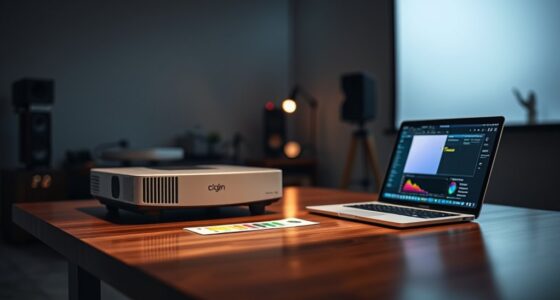
If you want the best possible picture quality from your home projector, a color meter can be a valuable tool. It helps you achieve professional-level calibration by accurately measuring and adjusting colors, ensuring vibrant, true-to-life images. While it’s not essential for casual viewers, enthusiasts or those seeking perfection will find it worth the investment. If you’re curious about how a color meter can improve your viewing experience, you’ll find some useful insights ahead.
Key Takeaways
- A color meter ensures accurate and vibrant colors, improving overall picture quality for critical viewing.
- Professional calibration benefits from a color meter, but casual viewers may not need one.
- Budget-friendly options make color meters accessible for enthusiasts seeking better image precision.
- Understanding color accuracy helps maintain consistent display performance over time.
- Calibration tools, including a color meter, support long-term color consistency and optimal viewing experiences.
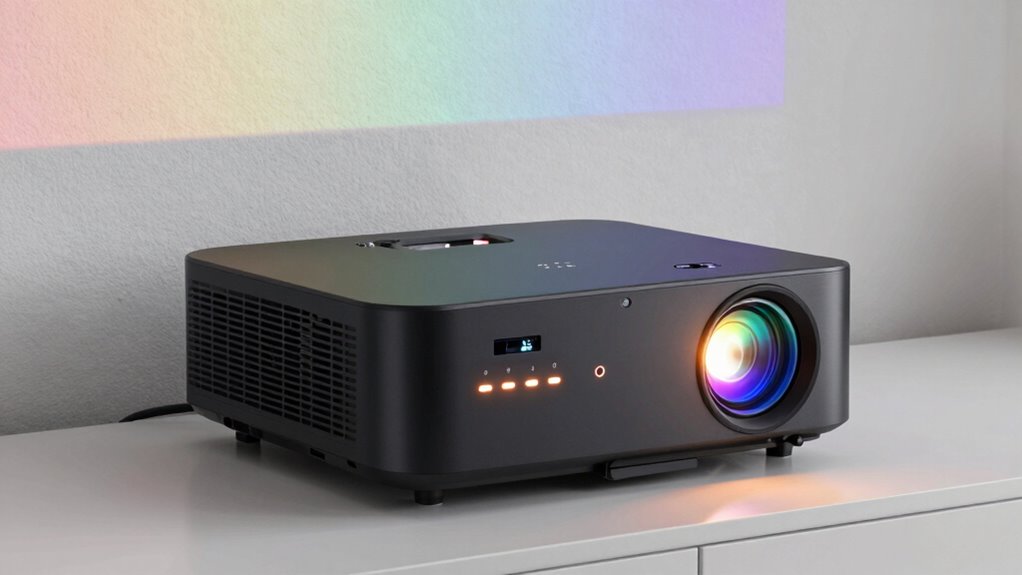
If you’re serious about achieving the perfect picture quality from your home projector, a color meter can be an invaluable tool. This device helps you measure and adjust color accuracy, guaranteeing your images are vibrant, true to life, and consistent. Whether you’re a casual viewer or an enthusiast, investing in a color meter can greatly improve your viewing experience by giving you precise control over your projector’s color calibration.
Many people wonder if they really need a color meter or if they can get by with built-in calibration tools or basic adjustments. The answer depends on your level of perfectionism and how much you value image accuracy. If you’re aiming for professional calibration, a color meter becomes almost indispensable. Professional calibration involves fine-tuning color settings to match industry standards, which can be complex without the right tools. Using a color meter in this scenario allows you to achieve the best possible color balance, contrast, and brightness, making your projector perform at its best. Additionally, understanding color accuracy can help you appreciate the importance of precise calibration for a truly immersive viewing experience.
However, not everyone needs to go full professional. For most home users, there are budget-friendly options that still deliver impressive results. Many affordable color meters or calibration tools are designed for enthusiasts who want to improve their picture quality without spending a fortune. These options often come with user-friendly interfaces and guided calibration processes, making it easier for you to fine-tune your projector. While they might not match the precision of high-end professional equipment, they still greatly enhance your viewing experience and ensure colors are more accurate than default settings. Understanding color accuracy is crucial for appreciating how these tools contribute to optimal display performance.
Furthermore, calibration techniques supported by a reliable color meter can help you achieve consistent color performance over time, especially as your projector ages or ambient conditions change.

Handheld Colorimeter WR10QC Digital Color Difference Meter Portable Precise Color Analyzer Tester with 4mm Aperture for Industrial Color Measurement
- High Precision & Stability: 0.01 display accuracy, 0.07 repeatability
- Dual Language & Auto Calibration: Chinese/English options, automatic calibration
- Low Power & Long Battery Life: High-capacity lithium battery, extended outdoor use
As an affiliate, we earn on qualifying purchases.
As an affiliate, we earn on qualifying purchases.
Frequently Asked Questions
Can I Use a Smartphone App Instead of a Dedicated Color Meter?
You can use a smartphone app for calibration instead of a dedicated color meter, but keep in mind, app accuracy varies. Smartphone calibration apps are convenient and accessible, allowing you to make basic adjustments. However, they might not deliver the precise results a professional color meter provides. For casual viewing and general calibration, apps work fine, but for peak color accuracy, investing in a dedicated color meter is recommended.
How Often Should I Calibrate My Home Projector’s Color Settings?
Think of your projector’s color accuracy as a delicate garden needing regular tending. You should calibrate your home projector’s color settings every 3 to 6 months to keep the visuals vibrant and true to life. Frequent calibration ensures consistent image quality, especially if you notice colors look off or the picture dims. Regularly checking and adjusting helps maintain ideal performance, preventing your viewing experience from falling into shadow.
Does Ambient Lighting Affect the Need for a Color Meter?
Ambient light markedly affects your need for a color meter because it impacts color accuracy. If your room has a lot of ambient light, your projector’s colors may appear washed out or inaccurate, making calibration more essential. Using a color meter helps you fine-tune your projector’s settings under different lighting conditions, ensuring consistent color accuracy regardless of ambient light. So, in bright environments, a color meter becomes even more valuable.
Are Color Meters Necessary for 4K or HDR Projectors?
Think of your 4K or HDR projector as a finely tuned instrument; a color meter becomes crucial to hit the perfect note. While some advanced calibration tools exist, a dedicated color meter ensures precise color accuracy, especially for high-definition content. If you seek ideal picture quality and true-to-life visuals, investing in a color meter helps you calibrate your projector accurately, making every scene vivid and authentic.
What Is the Cost Range of Professional Color Meters?
You’ll find professional color meters typically cost between $1,000 and $10,000, depending on their features and accuracy. These calibration tools are essential for ensuring color accuracy in your projector, especially for high-end setups. If you need precise color calibration for vibrant, true-to-life images, investing in a quality color meter is worthwhile. Cheaper options exist but may not provide the level of precision you require for professional or serious home theater calibration.

datacolor SpyderPro Monitor Calibration Tool: Ensures Accurate Color When Viewing and Editing Photos & Videos
- Achieve True Color: Accurate color display for editing and viewing
- Wide Compatibility: Calibrates LED, OLED, Mini LED screens
- Improve Workflow: Includes projector calibration and screen analysis
As an affiliate, we earn on qualifying purchases.
As an affiliate, we earn on qualifying purchases.
Conclusion
In the end, investing in a color meter for your home projector isn’t just a good idea—it’s like giving your viewing experience a turbo boost to a cinematic universe! While not strictly necessary, a color meter guarantees your projector delivers stunning, vibrant colors every time, transforming your space into an immersive theater. Don’t settle for dull, washed-out images—equip yourself with a color meter and turn your home into the most vibrant, jaw-dropping theater imaginable!
Handheld Colorimeter WR10QC Digital Color Difference Meter Portable Precise Color Analyzer Tester with 4mm Aperture for Industrial Color Measurement
- High Precision & Stability: 0.01 display accuracy, 0.07 repeatability
- Dual Language & Auto Calibration: Chinese/English options, automatic calibration
- Low Power & Long Battery Life: High-capacity lithium battery, extended outdoor use
As an affiliate, we earn on qualifying purchases.
As an affiliate, we earn on qualifying purchases.

TMY 1080P Mini Projector, Built in Netflix app, 2-way Bluetooth, WiFi6
- Pre-installed Streaming Apps: Netflix, Prime Video, YouTube ready to use
- Fast WiFi 6 Connectivity: Smooth streaming and quick screen mirroring
- Bluetooth 5.2 Dual Functionality: Connect to external speakers or use as a speaker
As an affiliate, we earn on qualifying purchases.
As an affiliate, we earn on qualifying purchases.