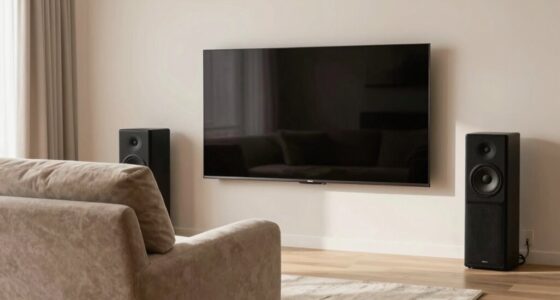
When turning a projector room into an office, you’ll need to adjust the lighting to be bright enough for work but also controllable for entertainment. You’ll need sound treatments to reduce echoes and noise from equipment, and layout tweaks to keep desks away from projection areas. Managing cables and equipment placement is essential for safety and simplicity. These changes create a space that’s flexible for both work and leisure—if you want to discover how, keep exploring.

Get business pricing on your home office setup
- Business-only prices and quantity discounts
- Tax-exempt purchasing
- Multiple users, one account, clear invoices
Key Takeaways
- Lighting must be adjustable to support both presentation visibility and comfortable workspace illumination.
- Acoustic treatments should reduce projector noise and ambient distractions for focused work.
- Room layout requires flexible furniture arrangements to switch seamlessly between work and entertainment modes.
- Equipment setup must prioritize cable management and device placement to prevent glare and clutter.
- Soundproofing and acoustic optimization are essential to maintain a quiet environment for concentration and meetings.

Combining a projector room with an office creates a versatile space that boosts productivity and entertainment in one seamless environment. When you’re designing this dual-purpose area, the way you approach lighting design becomes essential. You need lighting that’s adaptable: bright enough for work tasks but also easily dimmed or adjusted for movie nights or presentations. Installing layered lighting—such as task lights over your desk, ambient lights for general illumination, and dimmable fixtures—allows you to switch effortlessly between work mode and leisure mode. Avoid harsh, direct lighting that can cause glare on screens or projectors; instead, opt for softer, indirect lighting solutions that create a comfortable yet functional atmosphere.
A versatile space combining adaptable lighting for productivity and entertainment in perfect harmony.
Acoustic treatment also plays a critical role in this hybrid setup. When your space serves as both an office and a projector room, sound quality must be carefully managed. You don’t want noise from your work calls or keyboard clicks to interfere with movie audio, nor do you want the projector’s noise to distract you during work hours. To achieve this balance, consider adding sound-absorbing panels or acoustic wall treatments that dampen echoes and reduce sound transmission. Plush carpets, heavy curtains, or acoustic ceiling tiles can further help absorb sound and prevent disturbances. This way, you establish a quiet environment suitable for concentration and a sound profile that complements your entertainment needs. Incorporating soundproofing methods can significantly enhance the room’s acoustic performance and contribute to overall room acoustics optimization.
The physical layout also demands attention. You’ll want to position your desk and office equipment away from the projection area to minimize glare and distractions. Using furniture and partitions strategically can help define zones within the room, making it easier to switch between work and entertainment without feeling cramped or cluttered. Proper cable management becomes essential, especially when connecting multiple devices like projectors, computers, and sound systems. Keeping cords organized not only improves safety and aesthetics but also makes it easier to switch between activities. Additionally, considering lighting control systems can enhance the ease of adjusting the environment to suit different uses. Integrating flexible furniture arrangements can further optimize space utilization and comfort across both functions.
Products Worth Considering

Philips Hue Smart Light Starter Kit with Bridge and 4 White and Color A19 Bulbs

Philips Hue Starter Kit with Bridge Pro and 4 Retrofit LED Recessed Downlights

Philips Hue Essential Starter Kit with Bridge and 4 E26 Smart Bulbs
As an affiliate, we earn on qualifying purchases.
Frequently Asked Questions
How Do You Ensure Privacy in a Combined Projector Room and Office?
To guarantee privacy in a combined projector room and office, address privacy concerns by installing soundproofing and frosted glass to block visual access. Implement security measures like lockable cabinets and restricted access to sensitive areas. Use privacy screens for screens and designate specific zones for confidential discussions. Regularly update security protocols and educate users on privacy best practices. These steps help protect sensitive information while maintaining functionality.
What Are the Best Lighting Solutions for Dual-Purpose Spaces?
Your space is a canvas waiting to be transformed into a perfect workspace. For dual-purpose rooms, you need versatile lighting solutions like adjustable ambient lighting that can brighten or soften with ease. Opt for calming color schemes that enhance focus and reduce glare, ensuring both projector clarity and productive work. Layering different lighting types creates flexibility, making your room adaptable for presentations or focused tasks without sacrificing comfort.
How Do Acoustics Impact Both Presentations and Office Work?
Acoustics greatly impact both presentations and office work by influencing sound clarity and privacy. You should use soundproofing techniques like acoustic panels to reduce noise distractions and contain sound within the space. Properly installed acoustic panels absorb echoes and dampen external noise, creating a quiet environment. This guarantees presentations remain clear and your office work isn’t disrupted by unwanted sound, making the space functional and comfortable for both activities.
What Furniture Is Ideal for a Multifunctional Projector-Office Area?
For a multifunctional projector-office, you want furniture that’s functional and flexible. Opt for ergonomic seating to keep comfort high during long work sessions and presentations. Incorporate decorative accessories that add personality and style without cluttering the space. Multi-use desks or foldable tables maximize space and functionality, while storage solutions keep things tidy. This blend of practical and pretty furniture guarantees your room adapts seamlessly from presentation hub to productive workspace.
How Can Technology Be Integrated for Seamless Transitions?
You can achieve seamless changes by leveraging smart integration and digital connectivity. Install wireless devices that allow quick switching between projector and office modes, such as smart switches or remote-controlled tech. Use cloud-based systems to access files instantly from any device, and guarantee your Wi-Fi network supports high-speed, stable connections. This way, switching from presentation mode to work mode becomes effortless, saving you time and maintaining productivity.
Conclusion
Blending a projector room with an office might seem like a tall order, but with some clever planning, you can make it work seamlessly. Remember, when you wear multiple hats, flexibility is your best friend. Keep your space organized, prioritize comfort, and use smart storage solutions to maximize your efficiency. It’s a balancing act, but if you play your cards right, you’ll find the perfect harmony—turning a challenge into a home run.