Ambient light can considerably affect your projector’s color performance by causing reflections, glare, and reducing contrast. When the surrounding environment is bright, it washes out colors, dulls vibrancy, and makes images less sharp. Reflections off surfaces can distort hues and lowering overall image quality. By controlling ambient light through room setup, screen choice, and calibration, you can maintain accurate and vibrant colors. Keep going to discover more effective tips for optimizing your projector’s color in different lighting conditions.
Key Takeaways
- Ambient light causes reflections and bounce, leading to color distortions and reduced image fidelity.
- Increased ambient light diminishes perceived brightness and contrast, washing out vibrant colors.
- High ambient light complicates projector calibration, affecting color accuracy and consistency.
- Reflections from walls or surfaces interfere with true color display and saturation.
- Proper room lighting control and screen choices help mitigate ambient light effects on color performance.

100 inch Projection Screen 16:9 Ambient Light Rejecting Portable Projector Movies Screens for Home Theater Outdoor Indoor Support Front Projection
4K ultra HD projector screen: The Anti Light projection screen brings you vivid image and impeccable viewing experience…
As an affiliate, we earn on qualifying purchases.
As an affiliate, we earn on qualifying purchases.
The Role of Ambient Light in Visual Perception
Ambient light profoundly influences how you perceive colors and images on a screen. Your perception thresholds determine how well you distinguish detail under different lighting conditions. When ambient light has a high color temperature, it emits a bluish hue, which can make warm colors appear dull or washed out. Conversely, lower color temperatures, with more yellow or reddish tones, enhance contrast and make colors pop. These variations directly affect your perception of accuracy and vibrancy. Even subtle shifts in ambient light can cause your eyes to adjust, impacting how you interpret projected images. Understanding the role of color temperature helps you anticipate how ambient lighting influences what you see, ensuring you optimize your environment for the clearest, most accurate visual experience. Properly managing ambient light can also help maintain the visual quality of projected images, allowing for a more immersive viewing experience.

Calibrite ColorChecker Studio Spectrophotometer for Complete Color Management for Display, Projector, Printer and Scanner Profiling Software, w/ColorChecker Classic Mini for Custom Camera Profiling
SPECIFICATIONS: All in one spectrophotometer for camera to print color control, supports monitor display and projector profiling plus…
As an affiliate, we earn on qualifying purchases.
As an affiliate, we earn on qualifying purchases.
How Light Levels Affect Color Accuracy on Projection Screens
When ambient light increases, your projector’s brightness may struggle to keep images clear, affecting visibility. This change also impacts color contrast, making colors appear duller or less accurate. Understanding how different light levels interfere with projection helps you optimize color fidelity and overall image quality. Additionally, managing light levels effectively can enhance the durability of your display and maintain consistent color performance.
Brightness vs. Visibility
Light levels markedly influence how well you can see colors on a projection screen. When ambient light is high, your projector’s brightness must be sufficient to guarantee visibility without washing out colors. If your projector isn’t bright enough, colors appear faded, making accurate color calibration difficult. To maximize visibility, measure ambient light levels regularly, adjusting your projector’s brightness accordingly. This balance ensures you maintain the true vibrancy of colors while keeping the image clear. Understanding this relationship helps you select the right projector and screen setup for your environment. Ultimately, managing light levels enhances your viewing experience by preserving color integrity, even in well-lit rooms. Proper ambient light measurement and adjusting brightness accordingly are key to achieving excellent color performance.
Color Contrast Variations
As ambient light fluctuates, it directly impacts how accurately colors appear on your projection screen. Variations in light levels can cause shifts in color saturation, making vivid hues look dull or washed out. This inconsistency affects hue stability, leading to inconsistent color contrast across different scenes. To illustrate, consider the following:
| Light Level | Effect on Color Saturation | Impact on Hue Consistency |
|---|---|---|
| Low | Enhances saturation | Maintains hue accuracy |
| Moderate | Slight saturation loss | Slight hue shifts |
| Bright | Dulls colors | Distorts hue fidelity |
| Very Bright | Major saturation drop | Significant hue shifts |
Understanding these variations helps you optimize your viewing environment for consistent, vibrant color performance. Additionally, selecting appropriate projection settings can help mitigate some effects of ambient light fluctuations.
Ambient Light Interference
Ambient light interference directly influences how accurately colors appear on your projection screen, often causing distortions that diminish image quality. When ambient light levels are high, your projector struggles to maintain true color representation, making sensor calibration more challenging. Proper projector placement can minimize light exposure, reducing glare and washout that impair color accuracy. Positioning the projector away from windows or bright light sources helps preserve color fidelity. Additionally, adjusting sensor calibration ensures your projector correctly interprets its input signals under varying light conditions. Controlling ambient light is essential for maintaining optimal image quality, as it helps prevent color distortions caused by external lighting. By managing ambient light effectively through strategic placement and calibration, you enhance color performance and overall image clarity, ensuring your projections remain vibrant and true to life regardless of external lighting.

Mdbebbron 120 inch Projector Screen 16:9 Foldable Anti-Crease Portable Projector Movies Screens for Home Theater Outdoor Indoor Support Double Sided Projection
CONVENIENT TO STORAGE AND CARRY : Compact one-piece,lightweight and folding design. You can fold the projector screen in…
As an affiliate, we earn on qualifying purchases.
As an affiliate, we earn on qualifying purchases.
Differences Between Controlled and Uncontrolled Lighting Environments
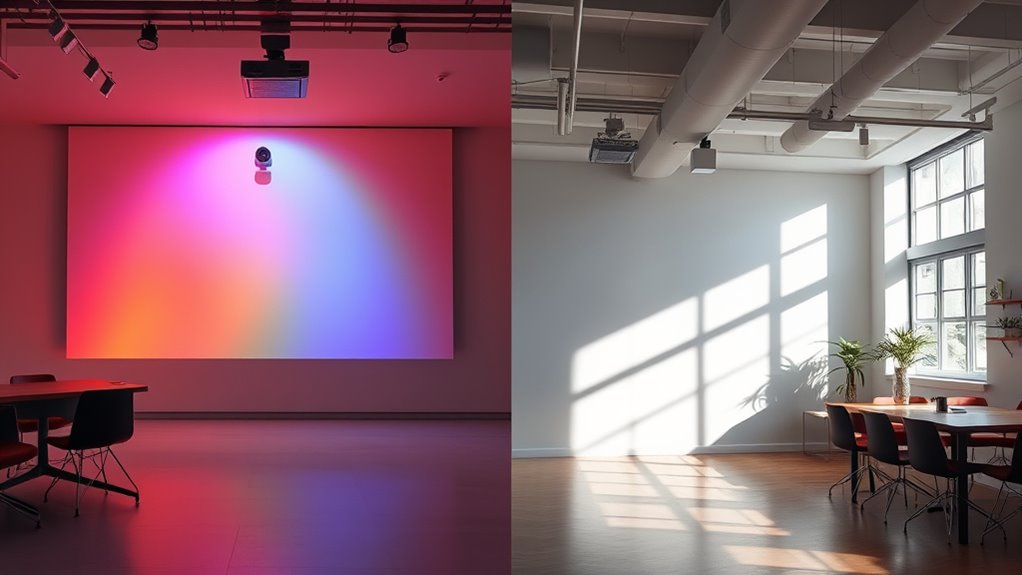
Understanding the differences between controlled and uncontrolled lighting environments is essential for maximizing projector performance. In controlled settings, you can adjust lighting conditions to match the projector’s ideal color temperature, ensuring accurate and vibrant colors. These environments typically feature minimal ambient noise, allowing you to focus on image quality without distractions. Conversely, uncontrolled environments are unpredictable, with variable lighting and noise levels that can distort colors and reduce clarity. Bright ambient light can wash out images, while high ambient noise may interfere with audio and your viewing experience. Recognizing these differences helps you adapt your setup, whether by adding light control measures or choosing a projector suited for challenging lighting conditions, ultimately enhancing color performance and viewer engagement. Additionally, understanding how lighting conditions affect image quality can guide you in making informed decisions about placement and environmental adjustments.
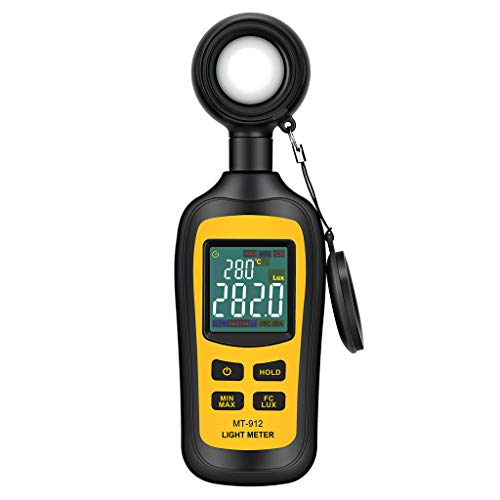
Light Meter Digital Illuminance Meter Handheld Ambient Temperature Measurer, Range up to 200,000 Lux, Luxmeter with 4 Digit Color LCD Screen
Measures luminosity from 0 to 200,000 Lux and ambient temperature
As an affiliate, we earn on qualifying purchases.
As an affiliate, we earn on qualifying purchases.
The Impact of Glare and Reflections on Color Vibrancy
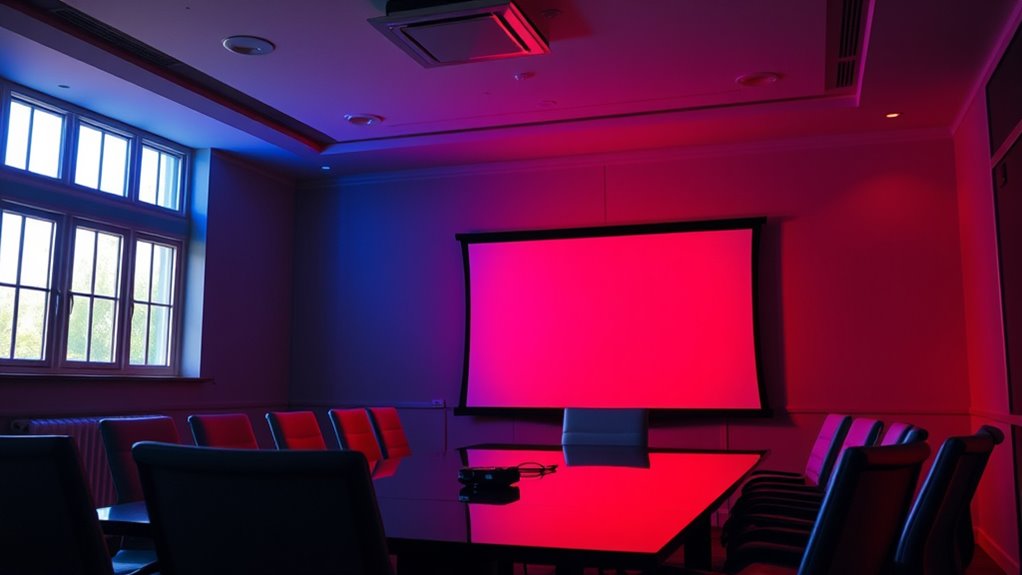
Glare can wash out your image, making it harder to see details clearly. Reflections often distort colors, reducing their accuracy and vibrancy on the screen. When ambient light is present, it further dims the colors, diminishing the overall impact of your projector display. Additionally, father-daughter bond plays a significant role in creating memorable shared experiences that can be reflected in the ambiance of your viewing environment.
Glare Reduces Brightness Clarity
When glare and reflections hit your projector screen, they can markedly diminish the image’s brightness and clarity. This glare impact creates brightness challenges, making it harder to see details clearly. As ambient light interferes, your projector’s output appears washed out, reducing color vibrancy and overall sharpness. To understand this better, consider the following:
| Glare Impact | Brightness Challenges | Solutions |
|---|---|---|
| Diminished contrast | Loss of image detail | Use anti-glare screens |
| Washed-out colors | Reduced color depth | Adjust screen placement |
| Increased eye strain | Lower visibility | Control ambient lighting |
Additionally, research in sound healing science suggests that managing environmental factors like light can significantly influence perception and comfort during viewing.
Reflections Distort Color Accuracy
Reflections and glare on your projector screen don’t just reduce brightness; they also distort the accuracy of colors displayed. Reflection interference can wash out or alter color saturation, making reds appear duller or blues less vibrant. These unwanted reflections create color shifts that compromise image fidelity, preventing you from seeing true hues. When light bounces off nearby surfaces or objects, it interferes with the projector’s intended color output, leading to color inaccuracies. This distortion can be especially problematic during presentations or movie viewing, where precise color representation matters. To maintain best color accuracy, minimize reflective surfaces around your screen and use anti-reflective coatings or glare-reducing screen materials. Additionally, understanding cybersecurity vulnerabilities related to digital display systems can help protect your equipment from unauthorized access or tampering. Reducing reflection interference preserves the integrity of your projected colors and enhances overall viewing quality.
Ambient Light Diminishes Vibrancy
Ambient light can profoundly reduce the vibrancy of projected colors, making images appear washed out and dull. When excess light diffuses across your projection surface, it diminishes color saturation, causing bright hues to fade and dark shades to lose depth. This reduced saturation means your visuals lack the vividness and contrast they should have, ultimately affecting the viewer’s experience. Glare and reflections further exacerbate this issue by scattering light unevenly, which weakens color intensity. To combat this, you need to control ambient light sources and improve light diffusion management. Proper room lighting, such as blackout curtains or ambient light filters, helps preserve the projector’s color vibrancy. By minimizing unwanted light, you ensure your projected images maintain their full saturation and visual impact.
Choosing the Right Room for Optimal Projector Performance

Choosing the right room is essential to getting the best performance from your projector. A suitable space enhances image quality and guarantees accurate color calibration. Consider these key factors:
Selecting the right room ensures optimal projector performance and perfect color accuracy.
- Lighting Control: Pick a room with minimal ambient light, or add blackout curtains, to prevent glare and maintain vivid colors.
- Room Acoustics: Opt for a space with good sound properties, avoiding echo and noise, to complement visual clarity with clear audio.
- Size and Surface: Use a room with a flat, neutral-colored wall for better color accuracy and projection quality. Avoid overly bright or textured walls that can distort images.
- Understanding Narcissistic Traits: Recognizing how environmental factors like light and wall color can influence visual perception can help optimize your viewing experience.
Techniques to Minimize Ambient Light Interference

To get the best picture quality, you need to reduce ambient light as much as possible. You can do this by using dark room settings or adding light-blocking accessories like curtains and blinds. Additionally, employing brightness-boosting techniques can help your projector stand out even in brighter environments. Incorporating ambient sound control can also enhance the viewing experience by minimizing external distractions and creating a more immersive environment.
Use Dark Room Settings
Reducing ambient light is essential for achieving vibrant, accurate projector images. A dark room setting helps you better see the true colors, making color calibration more effective. It also minimizes ambient noise, allowing you to focus on detail and contrast without distractions. To optimize your environment, consider these techniques:
- Close curtains or blinds to block outside light sources.
- Turn off or dim nearby lights to reduce glare and reflections.
- Use blackout curtains or dark-colored walls to contain light and improve contrast.
Employ Brightness Boosting Techniques
Ever wondered how to make your projector images brighter and more visible even when ambient light is unavoidable? One effective way is to employ brightness boosting techniques. Start by guaranteeing proper projector placement; position it in a way that minimizes ambient light interference, such as away from windows or direct light sources. Adjust your projector’s brightness settings to optimize image visibility without sacrificing color accuracy—this involves careful color calibration to maintain true hues. Using a high-lumen projector can also help counteract ambient light, but remember that calibration is key to prevent washed-out colors. Combining strategic placement with calibrated brightness ensures your images stay vibrant and clear, even in bright environments. These techniques allow you to enhance visibility without compromising the overall color performance of your projector.
Install Light-Blocking Accessories
Are ambient light issues making it hard to see your projector images clearly? Installing light-blocking accessories can substantially improve your viewing experience. These accessories help minimize ambient light interference, making color calibration easier and more precise. To get the best results, consider these steps:
- Use blackout curtains or shades around your projector setup to reduce natural light.
- Install projector screens with optical coatings that reflect ambient light away, enhancing contrast.
- Adjust projector placement to avoid direct light sources and position it in a darker corner for ideal color performance.
The Effect of Wall Colors and Surroundings on Projected Colors
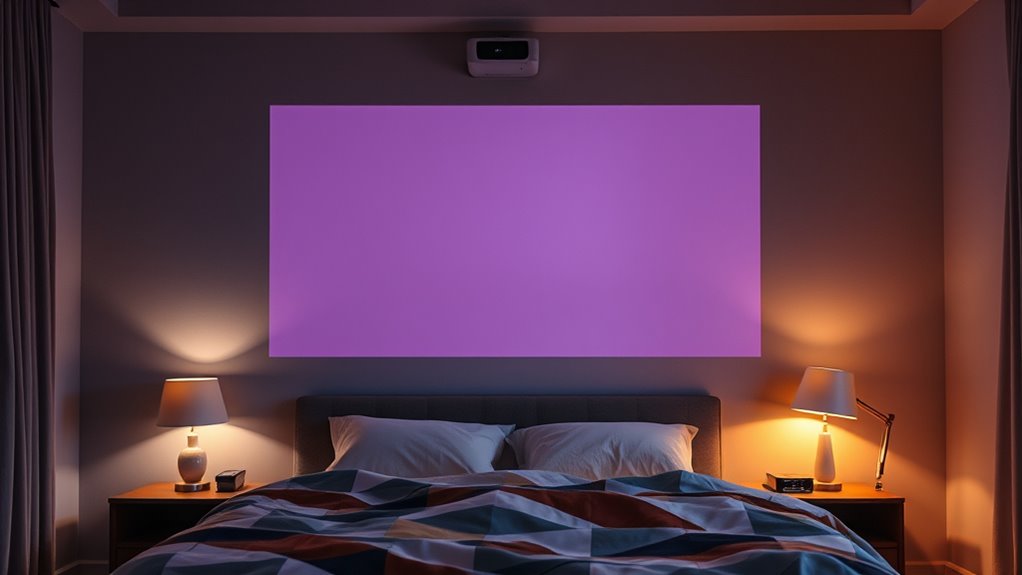
Wall colors and surrounding environments considerably influence how projected images appear. If your wall paint is bright or reflective, it can wash out colors or cause glare, reducing contrast. Neutral tones like gray or beige help maintain true colors and minimize color shifts. Room decor, including furniture and accessories, also affects how light interacts with surfaces, impacting color perception. To visualize this:
| Wall Color | Surroundings | Effect on Projection |
|---|---|---|
| Bright/Reflective | Cluttered room | Color distortion, glare |
| Dark/Matte | Minimal decor | Enhanced contrast, true colors |
| Neutral | Balanced decor | Accurate color reproduction |
Choosing wall paint and room decor that complement your projector setup ensures better color accuracy and viewing experience.
Best Practices for Adjusting Projector Settings in Varying Light Conditions
Adjusting your projector settings according to the ambient light in your room can considerably improve image quality. To optimize performance, consider these best practices:
Adjust your projector settings based on room lighting to enhance image quality and viewing experience.
- Adjust Brightness and Contrast: Increase brightness in bright rooms to counteract ambient noise and dim in darker settings for richer colors.
- Optimize Projector Mounting: Mount the projector at the right height and angle to minimize light interference and reflections, ensuring consistent image quality.
- Control External Light Sources: Reduce ambient noise from external lights or cover windows with blackout curtains to maintain color accuracy.
These steps help your projector adapt to changing light conditions, ensuring vibrant, clear visuals regardless of ambient noise or lighting variations. Proper adjustments lead to a seamless viewing experience.
Using Screen Materials to Enhance Color Fidelity in Bright Rooms
When projecting in bright rooms, selecting the right screen material can make a significant difference in color fidelity. High-quality screens with optimized reflectivity help enhance image brightness and contrast, making colors appear more accurate. Look for materials designed to maximize screen reflectivity without introducing glare, which can wash out colors. These screens improve color calibration by ensuring light reflects evenly, reducing color distortions caused by ambient light. Matte or ambient light-rejecting screens are especially effective, as they absorb excess light and prevent reflections that diminish color accuracy. Choosing the right material allows your projector’s colors to stay vibrant and true, even in challenging lighting conditions, giving you a clearer, more consistent viewing experience.
Long-term Strategies for Maintaining Color Quality in Different Lighting Scenarios
To maintain consistent color quality across various lighting conditions, you need to implement long-term strategies that adapt to changing environments. Managing ambient lighting is key to preserving accurate colors, so regularly adjusting your projector’s settings is essential.
Consistently maintain color quality by adapting to changing lighting with regular calibration and ambient light management.
Here are three strategies to help:
- Schedule periodic color calibration to account for ambient light shifts.
- Use adjustable ambient lighting to reduce glare and improve color accuracy.
- Invest in a color calibration tool to streamline adjustments and ensure consistent performance.
Frequently Asked Questions
How Does Ambient Light Influence Projector Color Calibration Over Time?
Ambient light can cause your projector’s color calibration to drift over time, making colors appear less accurate. When there’s more ambient light, your projector works harder to maintain true colors, which can lead to calibration issues if not regularly adjusted. To keep your colors consistent, you should monitor ambient light levels and recalibrate your projector periodically, ensuring it adapts to changing lighting conditions for ideal color performance.
Can Specific Wall Colors Improve Color Accuracy in Bright Environments?
Think of your wall as a blank canvas that can reflect or absorb light. Choosing a matte, darker wall color reduces ambient reflection, helping your projector’s colors stay true even in bright environments. Light-colored or glossy walls bounce light around, washing out colors and causing inaccuracies. So, opt for neutral, matte wall shades to improve color accuracy and keep your projected images crisp and vibrant despite ambient light.
What Types of Screen Materials Best Combat Ambient Light Interference?
You should choose screens with high contrast and light filtering properties to combat ambient light interference. These screens reflect less ambient light, maintaining vibrant colors and sharp images even in bright environments. Look for materials specifically designed for high contrast, such as matte or gray screens, which absorb excess light and reduce glare. This guarantees your projector’s colors stay accurate and vivid, no matter how much ambient light surrounds you.
How Do Different Projector Lamp Types Respond to Changing Ambient Light?
Think of your projector lamps as race cars on different tracks—they react uniquely to ambient light changes. LED lamps, known for their durability, maintain consistent color temperature even in bright rooms, ensuring vibrant images. Meanwhile, traditional halogen lamps might struggle, flickering and losing color accuracy as light conditions shift. Your choice affects not just lamp durability but also how well your projector adapts to changing ambient light, delivering steady, true colors.
Are There Portable Solutions to Optimize Color Performance in Various Rooms?
Yes, you can use portable calibration tools and ambient light filters to optimize color performance across different rooms. Portable calibration devices help you quickly adjust your projector’s settings for consistent colors, while ambient light filters reduce glare and brighten the viewing environment. These solutions are easy to carry and set up, ensuring you get the best picture quality no matter where you project.
Conclusion
Understanding how ambient light affects your projector’s color performance is vital for peak visuals. Did you know that even a small increase in ambient light can reduce color accuracy by up to 50%? By controlling your environment, choosing the right screen, and adjusting settings accordingly, you can maintain vibrant, true-to-life colors. Keeping these strategies in mind guarantees your projection remains stunning, no matter the lighting conditions.


![[Invitation] Galaxy Unpacked July 2026: A New Shape Unfolds](https://4kprojectorguide.com/wp-content/uploads/2026/07/invitation-galaxy-unpacked-july-2026-a-new-shape-unfolds-featured-260x140.jpg)