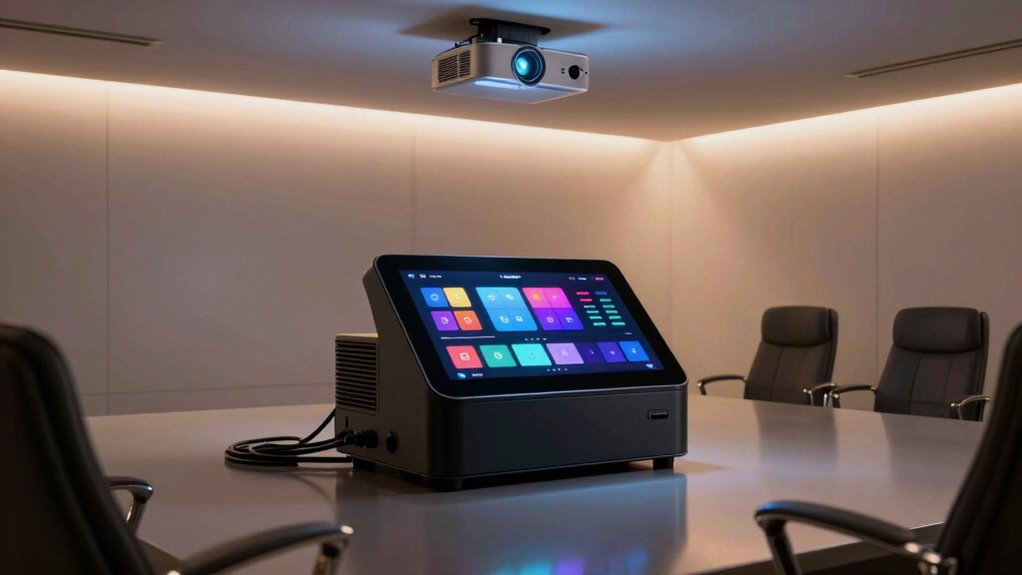
Choosing a universal control hub for a projector room can significantly simplify your entertainment setup, but the options vary widely in features and compatibility. The SofaBaton X2 Universal Remote with Touch Screen stands out as the best overall, offering a versatile touch interface and extensive customization. For easier setup with fewer features, the Universal Projector Remote Control provides basic but reliable control. The main challenge is balancing comprehensive control with ease of use and budget. Continue reading for a detailed breakdown of these options and how to pick the best hub for your needs.

Get business pricing on your home office setup
- Business-only prices and quantity discounts
- Tax-exempt purchasing
- Multiple users, one account, clear invoices
Complete the kit


Key Takeaways
- The top picks balance advanced customization with user-friendly interfaces, making setup and daily use easier.
- Compatibility with various devices, including smart assistants and IR controlled projectors, was a key differentiator.
- Build quality and ease of integration into existing setups often outweigh raw feature count in choosing the best hub.
- Most high-end options include app control and smart home integration, but they come at a higher price point.
- Affordable models focus on core remote functions, but may lack advanced automation and customization features.
| SofaBaton X2 Universal Remote with Touch Screen, Hub, App, Charging Dock, and Custom Activities |  | Best Overall Control Hub for Versatility and Customization | Compatibility: IR, Bluetooth, Wi-Fi, RF | Device Support: Over 500,000 devices from 6,000+ brands | Display: 2.4-inch HD touchscreen | VIEW ON AMAZON | See Our Full Breakdown |
| SofaBaton X2 Universal Remote with Hub, Charging Dock, and R1 Infrared Repeater |  | Best for Extended Room and Device Coverage | Supported Protocols: IR, Bluetooth, RF, Wi-Fi | Device Compatibility: Over 500,000 devices from 6,000+ brands | Screen Size: 2.4-inch HD touchscreen | VIEW ON AMAZON | See Our Full Breakdown |
| SofaBaton X1S Universal Remote with Hub & Customize App |  | Best for Long-Range, Personalized Control | Maximum Number of Supported Devices: 60 | Connectivity Technology: APP, Bluetooth, Infrared, Wi-Fi | Maximum Range: 40 feet | VIEW ON AMAZON | See Our Full Breakdown |
| SofaBaton X1S Universal Remote with Hub and App, Smart IR/Bluetooth/WiFi Control |  | Best for Smart Device Integration and All-in-One Control | Device Compatibility: IR, Bluetooth, Wi-Fi | Supported Devices: TVs, streaming boxes, smart lights, soundbars | Hub Features: 360-degree IR control, 2 IR blasters | VIEW ON AMAZON | See Our Full Breakdown |
| SofaBaton X1S Smart Universal Remote Control with Hub |  | Best for User-Friendly, Customizable Entertainment Control | Compatibility: Over 6,000 brands, 500,000 devices | Connectivity: IR, Wi-Fi, app control | Range: 40 feet | VIEW ON AMAZON | See Our Full Breakdown |
| Universal Projector Remote Control |  | Best Budget-Friendly Universal Remote for Basic Control | Compatibility: Most Epson, Optoma, Samsung, Panasonic, Viewsonic, Infocus, Benq, Sanyo, Nec, Toshiba, Sony, Hitachi, Mitsubishi projectors | Battery: 2 x AAA alkaline batteries | Setup Required: Yes | VIEW ON AMAZON | See Our Full Breakdown |
| SofaBaton X2 Universal Remote Control with Touch Screen and Hub |  | Best for Smart Home Integration and Wide Device Support | Compatibility: IR, Bluetooth, Wi-Fi, RF | Supported Devices: 6,000+ brands, 500,000+ devices | Smart Home Integration: Yes, with Hub and Home Assistant | VIEW ON AMAZON | See Our Full Breakdown |
| SofaBaton X1S Universal Remote with Hub, App, and Customize Activities |  | Best for Customization and Advanced Device Management | Compatibility: Over 6,000 brands, 500,000 device models | Hub Features: 360-degree control, 2 IR blasters | Voice Control: Alexa, Google Assistant | VIEW ON AMAZON | See Our Full Breakdown |
| Anderic RR3720 Universal Projector Remote |  | Best for Easy, Reliable Basic Projector Control | Compatibility: Most major projector brands | Includes: Full instructions | Brand: Anderic | VIEW ON AMAZON | See Our Full Breakdown |
| Universal Remote Control for BENQ Projectors W1070 W1080ST TH682ST TH681 TH535 TH530 MS524 MS527 MW529 MH530 |  | Best Plug-and-Play Remote for BENQ Projectors | Compatibility: All listed BENQ projectors (e.g., W1070, W1080ST, TH682ST, etc.) | Batteries: 2 AAA (not included) | Transmission Range: Over 10 meters / 33 feet | VIEW ON AMAZON | See Our Full Breakdown |
| SofaBaton X2 Universal Remote Control with R1 Repeater, Hub, Touch Screen & Charging Dock |  | Best Overall for Versatile and Customizable Control | Compatibility: IR, Bluetooth, Wi-Fi, RF | Device Support: 6,000+ brands, 500,000+ devices | Features: Touchscreen, backlit buttons, raise-to-wake, macros | VIEW ON AMAZON | See Our Full Breakdown |
| universal control hubs for projector room | Compatibility |
|---|---|
| SofaBaton X2 Universal Remote | IR, Bluetooth, Wi-Fi, RF |
| SofaBaton X2 Universal Remote | — |
| SofaBaton X1S Universal Remote | — |
| SofaBaton X1S Universal Remote | — |
| SofaBaton X1S Smart Universal | Over 6,000 brands, 500,000 devices |
| Universal Projector Remote Con | Most Epson, Optoma, Samsung, Panasonic, Viewsonic, Infocus, Benq, Sanyo, Nec, Toshiba, Sony, Hitachi, Mitsubishi projectors |
| SofaBaton X2 Universal Remote | IR, Bluetooth, Wi-Fi, RF |
| SofaBaton X1S Universal Remote | Over 6,000 brands, 500,000 device models |
| Anderic RR3720 Universal Proje | Most major projector brands |
| Universal Remote Control for B | All listed BENQ projectors (e.g., W1070, W1080ST, TH682ST, etc.) |
| SofaBaton X2 Universal Remote | IR, Bluetooth, Wi-Fi, RF |
More Details on Our Top Picks
SofaBaton X2 Universal Remote with Touch Screen, Hub, App, Charging Dock, and Custom Activities
The SofaBaton X2 stands out for its ability to unify control across IR, Bluetooth, Wi-Fi, and RF devices, making it ideal for complex projector setups that include multiple smart devices. Its 2.4-inch HD touchscreen provides an intuitive interface, surpassing the simpler controls of the SofaBaton X1S, which relies more heavily on app customization. While the X2’s extensive compatibility is appealing, its setup process can be daunting, especially for users unfamiliar with multi-protocol configurations. The inclusion of a charging dock adds convenience, but the need for additional IR emitters can increase costs. Compared to dedicated remotes like the Anderic RR3720, the X2 offers broader device support, though at a higher price point and increased complexity.
Pros:- Controls a wide range of devices across multiple protocols
- Intuitive touchscreen interface with customizable layouts
- Includes a charging dock for easy power management
- Supports voice commands with Alexa and Google Assistant
Cons:- Setup and configuration via app can be complex for some users
- Additional IR emitters may be needed for comprehensive coverage
- High cost compared to basic remotes
Best for: Tech-savvy homeowners who want a fully customizable, all-in-one hub for their projector and smart entertainment setup
Not ideal for: Casual users seeking a simple remote with minimal setup or those on a tight budget
- Compatibility:IR, Bluetooth, Wi-Fi, RF
- Device Support:Over 500,000 devices from 6,000+ brands
- Display:2.4-inch HD touchscreen
- Charging:Type-C charging dock
- Voice Control:Alexa and Google Assistant
- Additional Features:Home Assistant integration, MQTT support, remote finder, backlit, raise to wake
Our verdict“This remote is perfect for users who need extensive device control and are comfortable with detailed setup procedures.”
SofaBaton X2 Universal Remote with Hub, Charging Dock, and R1 Infrared Repeater
The SofaBaton X2 with R1 IR Repeater enhances control over multiple devices and rooms, making it ideal for larger or multi-zone projector setups. Its support for IR, Bluetooth, RF, and Wi-Fi ensures compatibility with over 500,000 devices, and the included IR repeater extends control beyond the immediate line of sight, surpassing models like the SofaBaton X1S which lacks this feature. However, the setup process can be intricate, especially when configuring the IR repeater and app customization. While the device offers broad compatibility, the price may be higher for what some users need, and the complexity might be overwhelming for beginners. Compared to simpler remotes, this model trades ease of use for extensive control capabilities.
Pros:- Supports a wide range of devices and protocols
- Includes an IR repeater for extended control in larger spaces
- Customizable via app and macros
- Voice control compatible with Alexa and Google Assistant
Cons:- Complex setup process, especially for IR repeater configuration
- Higher price point may not suit budget-conscious buyers
- Requires app for full functionality
Best for: Home theater enthusiasts managing multiple zones or devices that require IR signal extension
Not ideal for: Casual viewers or users with limited technical skills who prefer plug-and-play solutions
- Supported Protocols:IR, Bluetooth, RF, Wi-Fi
- Device Compatibility:Over 500,000 devices from 6,000+ brands
- Screen Size:2.4-inch HD touchscreen
- Charging:Type-C charging dock
- Additional Features:Infrared repeater, app customization, voice control
Our verdict“This remote excels in controlling multiple zones and devices, ideal for advanced home theater systems with room expansion needs.”
SofaBaton X1S Universal Remote with Hub & Customize App
The SofaBaton X1S offers a focused solution for those who prioritize a long-range remote with extensive device support. Its hub supports devices up to 40 feet away, which is a significant advantage over models like the SofaBaton X2, limited mainly by line-of-sight IR. The X1S’s customizable buttons and macro functions enable tailored control experiences, but its support for only 60 devices can be restrictive for very large setups. The setup process involves app configuration, which may be complex for some users. This remote is better suited for users who need reliable, long-distance control without the added complexity of multiple protocols like Bluetooth or Wi-Fi.
Pros:- Supports over 500,000 devices with extensive compatibility
- Long-range hub with 40-foot control distance
- Customizable buttons and macro functions
- Supports voice control via Alexa and Google Assistant
Cons:- Limited to 60 supported devices, less scalable for very large setups
- Requires app setup and customization
- No support for Bluetooth or Wi-Fi device control
Best for: Users with medium-sized projector rooms or home theaters needing dependable long-range IR control
Not ideal for: Large-scale systems requiring support for hundreds of devices or multi-protocol control
- Maximum Number of Supported Devices:60
- Connectivity Technology:APP, Bluetooth, Infrared, Wi-Fi
- Maximum Range:40 feet
- Button Quantity:2
- Battery Type:Lithium-Ion
- Color:Black
Our verdict“This remote is a strong choice for those needing reliable long-range IR control in medium-sized spaces.”
SofaBaton X1S Universal Remote with Hub and App, Smart IR/Bluetooth/WiFi Control
The SofaBaton X1S with Hub emphasizes compatibility with a broad range of smart devices, making it ideal for projector rooms integrated with streaming and smart home tech. Its support for IR, Bluetooth, and Wi-Fi ensures control over TVs, streaming devices, and smart lights, surpassing basic IR remotes like the Anderic RR3720. The hub’s IR blasters provide robust signal coverage, and the customizable activities streamline complex setups. However, setup complexity can challenge less tech-savvy users, and some features depend on Wi-Fi stability. While the device shines in smart home integration, it may be more than needed for users with simple setups or only basic device needs.
Pros:- Supports a wide array of devices and protocols
- Includes IR blasters for strong signal coverage
- Customizable macros and activities for simplified control
- Works seamlessly with Alexa and Google Assistant
Cons:- Setup may be complex for non-technical users
- Full functionality relies on stable Wi-Fi connection
- Price and features might be overkill for basic needs
Best for: Smart home enthusiasts looking for an integrated remote controlling multiple device types in a projector room
Not ideal for: Users who prefer a straightforward, minimal-effort remote without extensive app setup
- Device Compatibility:IR, Bluetooth, Wi-Fi
- Supported Devices:TVs, streaming boxes, smart lights, soundbars
- Hub Features:360-degree IR control, 2 IR blasters
- Voice Control:Alexa and Google Assistant
- Remote Features:Backlit, raise-to-wake, find remote
Our verdict“This remote is ideal for users who want comprehensive smart device integration and are comfortable with initial setup complexity.”
SofaBaton X1S Smart Universal Remote Control with Hub
The SofaBaton X1S Smart Remote combines wide compatibility with ease of use, making it suitable for average home theater users who want to control multiple devices with minimal fuss. Its support for over 6,000 brands and 500,000 devices is impressive, yet the device’s reliance on smartphone app customization can be a hurdle for less tech-savvy individuals. The rechargeable Type-C battery and automatic wake-up feature add convenience, but some features depend on Wi-Fi stability, which can limit consistent control. Compared to more complex options like the SofaBaton X2, this model offers a simpler interface at a slightly lower price point, though it sacrifices some advanced multi-protocol capabilities.
Pros:- Supports over 6,000 brands and 500,000 devices
- Rechargeable battery with auto wake-up
- Supports macros and customizable scenes
- Compatible with Alexa and Google Assistant
Cons:- Requires smartphone app for full customization
- Limited to basic control features without advanced multi-protocol support
- Some features depend on Wi-Fi connectivity
Best for: Average users seeking an easy-to-use, wide-ranging remote for multiple device control without advanced multi-protocol needs
Not ideal for: Power users requiring extensive IR, Bluetooth, and Wi-Fi device management in large or complex setups
- Compatibility:Over 6,000 brands, 500,000 devices
- Connectivity:IR, Wi-Fi, app control
- Range:40 feet
- Power:Type-C rechargeable
- Features:One-touch scenes, voice control, find remote
Our verdict“This remote suits users who prioritize ease of use and broad compatibility over deep multi-protocol integration.”
Universal Projector Remote Control
This remote stands out for its broad compatibility with most major projector brands like Epson, Sony, and Benq, making it a practical choice for those seeking a simple, affordable replacement. Compared with more advanced options like the SofaBaton X2, it offers fewer smart features but covers essential functions reliably. Its setup process is straightforward with guidelines, though it requires proper battery installation and has a limited control range of 0-30 degrees. The simplicity and low cost make it ideal for users who want basic control without extra complexity, but it’s not suited for those needing extensive smart home integration or advanced customization. Tradeoffs include limited control range and dependence on correct setup.
Pros:- Universal compatibility with many projector brands
- Affordable replacement option
- Easy to set up with provided guidelines
Cons:- Limited control range of 0-30 degrees
- Requires setup and correct battery installation
Best for: Homeowners needing a straightforward, budget-friendly remote compatible with multiple projector brands
Not ideal for: Tech enthusiasts seeking advanced smart features or seamless integration with home automation systems
- Compatibility:Most Epson, Optoma, Samsung, Panasonic, Viewsonic, Infocus, Benq, Sanyo, Nec, Toshiba, Sony, Hitachi, Mitsubishi projectors
- Battery:2 x AAA alkaline batteries
- Setup Required:Yes
- Control Range:0-30 degrees in front of the projector
Our verdict“This remote is a solid choice for users seeking reliable, basic projector control at an affordable price.”
SofaBaton X2 Universal Remote Control with Touch Screen and Hub
The SofaBaton X2 excels at managing a diverse array of devices with its IR, Bluetooth, Wi-Fi, and RF support, making it ideal for those with complex home entertainment setups. Unlike the simpler Universal Projector Remote, it offers a responsive touchscreen, quick-access buttons, and voice control with Alexa and Google Assistant, plus extensive IR coverage for whole-home control. However, its setup can be more involved, especially when pairing with smart home systems, and some additional IR blasters are sold separately, increasing overall cost. This remote is best suited for tech-savvy users who want detailed control over a variety of devices, but it might overwhelm those seeking straightforward projector management. Tradeoffs include complexity and higher price due to extra accessories.
Pros:- Supports IR, Bluetooth, Wi-Fi, and RF devices
- Large, responsive touchscreen and quick-access buttons
- Seamless voice control with Alexa and Google Assistant
- Supports extensive smart home integration
Cons:- Setup and pairing can be complex
- Additional IR blasters are sold separately
Best for: Owners with multiple smart devices and a desire for integrated voice and automation control
Not ideal for: Users who prioritize simplicity and quick setup over extensive features
- Compatibility:IR, Bluetooth, Wi-Fi, RF
- Supported Devices:6,000+ brands, 500,000+ devices
- Smart Home Integration:Yes, with Hub and Home Assistant
- Display:Touchscreen
- Battery:Rechargeable
- IR Coverage:Whole-home with additional IR blasters
Our verdict“Ideal for users seeking a versatile, integrated remote with smart home capabilities, willing to handle some complexity.”
SofaBaton X1S Universal Remote with Hub, App, and Customize Activities
The SofaBaton X1S offers extensive control options through its customizable activities, making it suitable for users who want tailored routines for their entertainment setup. Its hub includes 2 IR blasters, supporting over 6,000 brands and 500,000 device models, comparable to the SofaBaton X2 but with a focus on user programming. The companion app allows for advanced setup, and the remote’s backlit buttons and raise-to-wake feature enhance usability in low-light settings. However, its setup can be complex for those unfamiliar with remote programming, and it supports fewer Wi-Fi-only devices than some competitors. This remote is best for tech-savvy users who want detailed control, but beginners may find it intimidating. Tradeoffs involve initial setup complexity and limited Wi-Fi device support.
Pros:- Supports over 6,000 brands and 500,000 devices
- Customizable activities for simplified control
- Voice control with Alexa and Google Assistant
- App-based advanced programming
Cons:- Setup can be complex and time-consuming
- Limited Wi-Fi device support (only specific brands)
Best for: Advanced users who want highly customizable control over multiple devices with a focus on routines
Not ideal for: Casual users seeking simple, plug-and-play remote control
- Compatibility:Over 6,000 brands, 500,000 device models
- Hub Features:360-degree control, 2 IR blasters
- Voice Control:Alexa, Google Assistant
- Backlight:Yes
- Size:Moderate
- API Support:Yes
Our verdict“Perfect for tech enthusiasts aiming for personalized control and automation, despite a steeper learning curve.”
Anderic RR3720 Universal Projector Remote
The Anderic RR3720 offers straightforward compatibility with major projector brands like Epson and Sony, making it an excellent choice for users who want reliable remote control without extra features. Compared with the more complex SofaBaton models, it prioritizes ease of use and quick setup, supported by full instructions. Its limited scope means it lacks smart home or multi-device support, but it’s highly dependable for controlling projectors specifically. This remote is ideal for those who want a no-fuss, proven solution that works with many projector models, though it won’t manage other home devices or offer advanced automation. Tradeoffs involve limited functionality outside basic projector control.
Pros:- Universal compatibility with major projector brands
- Easy to program with full instructions
- Trusted brand quality
Cons:- Limited to projector control functions
- Requires programming setup for some models
Best for: Users seeking a simple, reliable projector remote without the need for smart features
Not ideal for: Homeowners with multi-device setups or automation needs
- Compatibility:Most major projector brands
- Includes:Full instructions
- Brand:Anderic
Our verdict“Ideal for users who need a dependable, easy-to-use remote exclusively for projectors, without extra bells and whistles.”
Universal Remote Control for BENQ Projectors W1070 W1080ST TH682ST TH681 TH535 TH530 MS524 MS527 MW529 MH530
This remote targets BENQ projector owners who want quick, reliable operation without setup fuss. Its plug-and-play design with no configuration needed offers immediate control, unlike the more feature-rich SofaBaton X2 or X1S, which involve setup and pairing. The transmission range exceeds 10 meters, making it suitable for larger rooms, and response time under 0.2 seconds ensures fast operation. However, its focus on BENQ models means it’s incompatible with other brands and lacks smart features or advanced customization. This remote is a prime pick for users who prioritize simple, fast control for specific projector models, but it’s not suitable for users with diverse device ecosystems. Tradeoffs include limited compatibility and no smart features.
Pros:- Plug-and-play design with no setup required
- Long infrared transmission range over 10 meters
- Fast response time under 0.2 seconds
- Supports over 150,000 clicks
Cons:- Batteries not included
- Limited to compatible BENQ models
Best for: BenQ projector owners seeking a straightforward, reliable remote with no setup hassle
Not ideal for: Users with multiple brands or those wanting smart home integration
- Compatibility:All listed BENQ projectors (e.g., W1070, W1080ST, TH682ST, etc.)
- Batteries:2 AAA (not included)
- Transmission Range:Over 10 meters / 33 feet
- Response Time:Under 0.2 seconds
- Durability:Supports over 150,000 clicks
- Warranty:360 days
Our verdict“Best suited for BenQ users who want quick, hassle-free control without extra features or complexity.”
SofaBaton X2 Universal Remote Control with R1 Repeater, Hub, Touch Screen & Charging Dock
The SofaBaton X2 stands out as the most comprehensive option for those seeking a universal control hub that handles a wide array of devices with ease. Compared to the SofaBaton X1S, which offers core features but lacks the touchscreen and extensive home integration, the X2 provides a more intuitive user experience through its responsive touchscreen and customizable macros. Its support for over 6,000 brands and 500,000 devices, including IR, Bluetooth, Wi-Fi, and RF, makes it ideal for complex setups. However, the setup process can be intricate, especially for users unfamiliar with smart home integrations, and premium features combined with accessories can increase the total cost. The inclusion of IR extenders and the R1 repeater ensures broad coverage across a projector room and surrounding areas, making it perfect for advanced users needing extensive device control.
Pros:- Supports over 6,000 brands and 500,000 devices, ensuring broad compatibility
- Responsive touchscreen and customizable macros enhance control flexibility
- Voice control integration with Alexa and Google Assistant simplifies operation
- Includes IR extenders, R1 repeater, and charging dock for comprehensive coverage
Cons:- Setup process can be challenging for beginners, requiring time and patience
- Dependence on cloud-based database updates may limit offline functionality
- Premium accessories and features increase overall expense
Best for: Tech-savvy homeowners with diverse device ecosystems who want a customizable, all-in-one remote solution.
Not ideal for: Users seeking a straightforward, plug-and-play remote with minimal setup or those on a tight budget, given the complexity and potential extra costs.
- Compatibility:IR, Bluetooth, Wi-Fi, RF
- Device Support:6,000+ brands, 500,000+ devices
- Features:Touchscreen, backlit buttons, raise-to-wake, macros
- Home Integration:Home Assistant, MQTT, Alexa, Google Assistant
- Additional Components:R1 Repeater, hub, charging dock
- Connectivity:IR, Bluetooth, Wi-Fi, RF
- Power:Rechargeable via charging dock
- Display:Touchscreen
Our verdict“This remote is ideal for users who need a highly customizable, broad-spectrum control hub willing to invest time and money for a tailored experience.”

How We Picked
Products were evaluated based on their compatibility with a wide range of projector and home theater devices, ease of use, build quality, and customization options. We prioritized hubs that offer seamless integration with smart assistants and mobile apps, as these features enhance overall usability. Price was also a consideration, ensuring options suit different budgets without sacrificing essential functionality. The ranking reflects a balance between versatility, reliability, and user experience, helping both casual users and tech enthusiasts find the best fit.| universal control hubs for projector room | Compatibility |
|---|---|
| SofaBaton X2 Universal Remote | IR, Bluetooth, Wi-Fi, RF |
| SofaBaton X2 Universal Remote | — |
| SofaBaton X1S Universal Remote | — |
| SofaBaton X1S Universal Remote | — |
| SofaBaton X1S Smart Universal | Over 6,000 brands, 500,000 devices |
| Universal Projector Remote Con | Most Epson, Optoma, Samsung, Panasonic, Viewsonic, Infocus, Benq, Sanyo, Nec, Toshiba, Sony, Hitachi, Mitsubishi projectors |
| SofaBaton X2 Universal Remote | IR, Bluetooth, Wi-Fi, RF |
| SofaBaton X1S Universal Remote | Over 6,000 brands, 500,000 device models |
| Anderic RR3720 Universal Proje | Most major projector brands |
| Universal Remote Control for B | All listed BENQ projectors (e.g., W1070, W1080ST, TH682ST, etc.) |
| SofaBaton X2 Universal Remote | IR, Bluetooth, Wi-Fi, RF |
Factors to Consider When Choosing Universal Control Hubs For Projector Rooms
When selecting a universal control hub for your projector room, it’s important to consider several factors beyond just features. Compatibility with your existing devices and smart home systems often determines how smoothly your setup will operate. Ease of setup and daily control should also influence your choice; a complicated interface can diminish the benefits of automation. Additionally, investing in a well-built, durable device ensures longevity, especially if it will be used frequently. Price versus feature set is another key tradeoff—more advanced models tend to cost more but offer greater convenience and customization. Finally, consider the level of technical support and updates provided to ensure your hub remains functional over time.Compatibility and Device Support
A universal control hub should support all your devices, from projectors and sound systems to smart assistants. Pay attention to compatibility with IR, Bluetooth, Wi-Fi, and smart home protocols. Some hubs excel with specific brands or device types, so verifying compatibility before purchase can prevent frustration later. Remember, a hub that only works with certain models might require additional accessories, increasing overall cost and complexity.Ease of Setup and Use
A good control hub should be straightforward to install and configure, even for users without technical expertise. Touch screens and app-based controls tend to be more intuitive, but some models still rely on complex programming. Consider whether the remote or hub offers pre-programmed activities or customizable macros that can automate multiple devices at once. An overly complicated setup process can discourage regular use and diminish the hub’s value.Build Quality and Durability
Since a control hub is often a central part of your entertainment setup, durability matters. Look for models with sturdy construction, quality buttons, and a responsive interface. Cheap plastic components or poorly designed remotes may break or malfunction over time, leading to additional costs. Well-built hubs can withstand daily use and accidental drops, ensuring long-term reliability.Smart Home Integration and Automation
Many users want their projector control to work seamlessly with smart home systems like Alexa, Google Assistant, or Apple HomeKit. This integration allows voice control and automation routines, enhancing convenience. However, not all hubs support the same protocols or offer robust automation features. Weigh the importance of these capabilities against price, as premium models tend to offer deeper smart home integration.Price and Value
While premium hubs offer extensive features and customization, they come at a higher cost. Budget options focus on core remote functions, which may suit casual users but lack advanced automation. Consider how much you’re willing to spend relative to the features you need. Sometimes, paying more upfront can reduce frustration and upgrade costs later by providing a more reliable, feature-rich experience.Frequently Asked Questions
Will a universal control hub work with all types of projectors?
Most universal control hubs are designed to support a wide range of projector brands and models, especially those that use infrared or smart controls. However, compatibility can vary depending on the specific protocols and device features. It’s important to check the product specifications for compatibility with your projector model before purchasing. For more obscure or older projectors, some hubs may require additional adapters or may not support them fully.Can I program a universal remote to control multiple devices simultaneously?
Yes, many universal control hubs allow you to create custom activities or macros that operate multiple devices with a single button press. This feature simplifies your setup by automating sequences like turning on the projector, adjusting the volume, and switching inputs. The ease of programming varies among models, with some offering intuitive app-based interfaces and others requiring more technical setup. Choosing a hub with customizable macros can significantly streamline your viewing experience.Are smart home integrations necessary for a control hub in a projector room?
While smart home integrations are not strictly necessary, they add significant convenience by enabling voice commands and automation routines. If you already use smart assistants like Alexa or Google Assistant, selecting a hub that supports these systems can make controlling your projector and other devices more seamless. For users who prefer simple remote control, these features may be less critical, but they can enhance overall usability and future-proof your setup.How difficult is it to set up a universal control hub for a non-technical person?
Setup difficulty varies widely depending on the model. Many modern hubs feature user-friendly interfaces, including touch screens and mobile apps that guide you step-by-step through configuration. However, some models require more technical knowledge, such as programming IR codes or integrating with smart home systems. For those less comfortable with technology, choosing a model with intuitive controls and robust support can make the setup process much smoother.Is it worth investing in a premium control hub for a projector room?
Investing in a premium hub often provides better compatibility, more advanced automation, and a more durable build, which can justify the higher cost if your setup demands these features. For heavy users or those with complex setups, a premium model can reduce frustration and improve overall experience. However, for casual users with basic needs, a mid-range or budget option may be sufficient, saving money without sacrificing essential functionality.Conclusion
For those seeking the best overall experience, the SofaBaton X2 Universal Remote with Touch Screen offers a versatile interface and extensive customization. Budget-conscious buyers will find the Universal Projector Remote Control provides reliable basic control at a lower price. Tech enthusiasts and smart home users should consider models with robust smart assistant integration, like the SofaBaton X1S with App and Smart IR Control. Beginners or those with straightforward needs may prefer simpler, more intuitive remotes, while advanced users should prioritize compatibility and automation capabilities to maximize their setup’s potential.