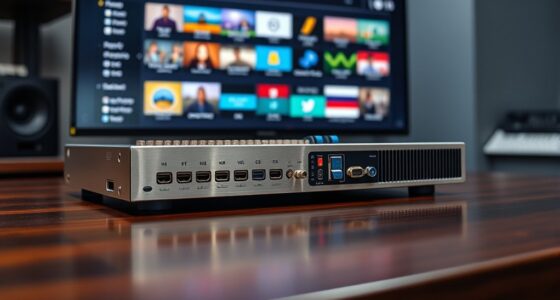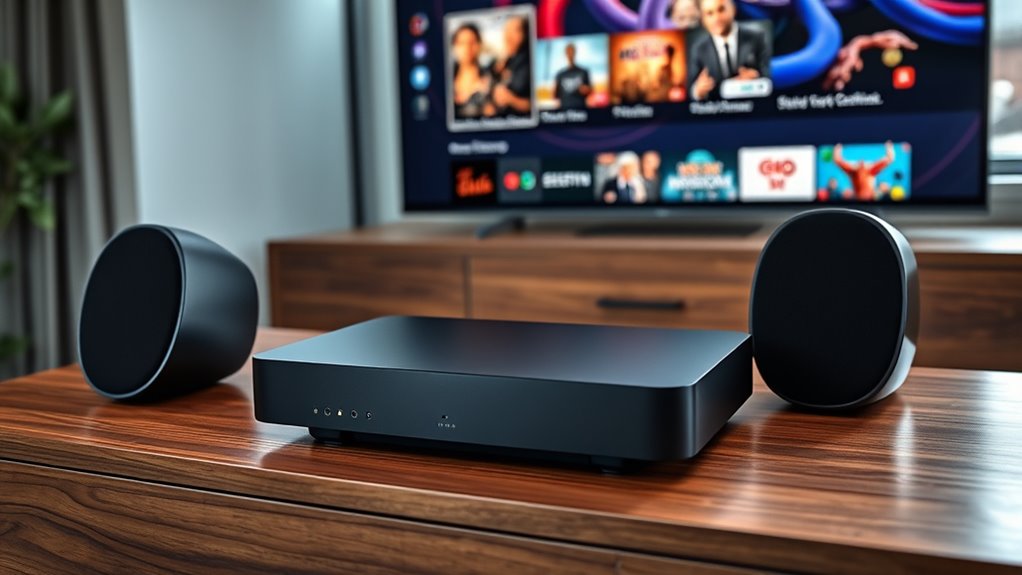

When choosing a premium wireless media streaming hub, you want a device that offers exceptional quality, versatile compatibility, and reliable performance. The Roku Ultra Streaming Media Player stands out as the best overall, thanks to its robust 4K support, HDR options, and user-friendly interface. For those seeking high-resolution audio, the Bluesound Node Nano delivers impressive sound quality, while the Google TV Streamer provides seamless smart home integration. The main tradeoffs involve balancing features like audio fidelity, ease of use, and price. Keep reading for a detailed breakdown of each option to find your perfect match.

Get business pricing on your home office setup
- Business-only prices and quantity discounts
- Tax-exempt purchasing
- Multiple users, one account, clear invoices
Complete the kit



Key Takeaways
- Top picks balance advanced video and audio capabilities with ease of use and build quality.
- The best overall hubs combine broad compatibility with strong performance, like the Roku Ultra.
- Premium audio-focused options, such as the Bluesound Node Nano, excel in sound but may lack extensive smart home features.
- Price varies significantly, with some high-end models offering more features but at a premium cost.
- Compatibility with existing systems and preferences for smart home integration heavily influence the best choice for each user.
| Roku Ultra Streaming Media Player 4K/HD/HDR |  | Best Overall for Versatile High-Quality Streaming | Includes: 6-foot high-speed 4K HDMI cable | Resolution: 4K/HD/HDR | Processor: Quad-core | VIEW ON AMAZON | See Our Full Breakdown |
| Roku 3920RW-SW Premiere 4K HDR Streaming Media Player with HDMI Cable and Remote |  | Best Value for Easy 4K/HDR Streaming Experience | Model: 3920RW-SW | Resolution: 4K, HDR, HD | Includes: Premium High Speed HDMI Cable, USB Extension Cord, Standard Remote | VIEW ON AMAZON | See Our Full Breakdown |
| Roku Streaming Stick 4K with Voice Remote – HDR10+ & Dolby Vision |  | Best for Portability and Seamless TV Integration | Connectivity Technology: Wi-Fi | Connector Type: HDMI | Supported Resolutions: 4K | VIEW ON AMAZON | See Our Full Breakdown |
| Roku Ultra Streaming Player – 4K, HDR10+, Dolby Vision, Dolby Atmos |  | Best for Immersive Audio and Picture Quality | Resolution: 4K, HDR10+, Dolby Vision | Audio: Dolby Atmos | Remote: Rechargeable Roku Voice Remote Pro | VIEW ON AMAZON | See Our Full Breakdown |
| Google TV Streamer 4K with Voice Search Remote |  | Best for Personalized and Smart Content Integration | Storage: 32 GB | HDR: Yes | Dolby Vision: Yes | VIEW ON AMAZON | See Our Full Breakdown |
| Sonos Port – Streaming Component for Stereo or Receiver |  | Best for Existing Stereo System Integration | Connectivity: Line-in for external devices | Control: Sonos app, Apple AirPlay 2 | Compatibility: Stereo, receiver, Sonos speakers | VIEW ON AMAZON | See Our Full Breakdown |
| Bluesound Node Nano Wireless High-Resolution Multi-Room Music Streamer |  | Best for Audiophile-Grade Streaming | Processor: QUAD-CORE 1.8GHz ARM Cortex A53 | DAC: ESS ES9039Q2M SABRE | Resolution: up to 24-bit/192 kHz | VIEW ON AMAZON | See Our Full Breakdown |
| premium wireless media streaming hub | Resolution | Connectivity |
|---|---|---|
| Roku Ultra Streaming Media Pla | 4K/HD/HDR | — |
| Roku 3920RW-SW Premiere 4K HDR | 4K, HDR, HD | Wi-Fi |
| Roku Streaming Stick 4K with V | — | — |
| Roku Ultra Streaming Player | 4K, HDR10+, Dolby Vision | Wi-Fi 6, Ethernet |
| Google TV Streamer 4K with Voi | — | — |
| Sonos Port | — | Line-in for external devices |
| Bluesound Node Nano Wireless H | up to 24-bit/192 kHz | Dual-band WiFi, Gigabit Ethernet, Bluetooth aptX Adaptive, IR remote learning |
More Details on Our Top Picks
Roku Ultra Streaming Media Player 4K/HD/HDR
The Roku Ultra stands out for its extensive content library and advanced features like voice control and private listening, making it a versatile choice for those who want a comprehensive streaming hub. Compared to the Roku Streaming Stick 4K, the Ultra offers a physical remote with more shortcuts and better control options, but it comes at a higher price and larger size. Its support for 4K, HDR, and HDR10+ ensures vibrant visuals, while the inclusion of a high-speed HDMI cable simplifies setup. However, its setup can be complex for less tech-savvy users, and it depends heavily on a stable internet connection. This pick is best suited for users seeking a feature-rich device with a broad content selection and multiple control options, willing to invest a bit more for added convenience.
Pros:- Supports 4K, HDR, and HDR10+ for high-quality visuals
- Access to over 500,000 movies and TV shows
- Voice remote with private listening and smart shortcuts
Cons:- Requires a stable internet connection for streaming
- Setup can be complex for non-technical users
Best for: Home entertainment enthusiasts who want a powerful, all-in-one streaming device with extensive content access.
Not ideal for: Casual viewers or those with limited space who prefer a more compact or budget-friendly option.
- Includes:6-foot high-speed 4K HDMI cable
- Resolution:4K/HD/HDR
- Processor:Quad-core
- Wireless:Enhanced Wi-Fi
- Ports:USB, micro SD
- Remote Features:Voice control, private listening, lost remote finder
Our verdict“This device is ideal for those who want a premium, feature-packed streaming hub without major space constraints.”
Roku 3920RW-SW Premiere 4K HDR Streaming Media Player with HDMI Cable and Remote
The Roku Premiere offers a straightforward, affordable entry into 4K and HDR streaming, making it perfect for viewers who want quality without complexity. Unlike the Roku Ultra, it lacks advanced controls and a premium remote, relying instead on a standard remote or mobile app, but it includes an HDMI cable and offers easy setup. Its support for 4K, HDR, and HD ensures vibrant picture quality, and compatibility with voice assistants and Apple AirPlay broadens control options. The main tradeoff is fewer remote features and a more basic user interface, which may overwhelm newcomers. This device makes the most sense for budget-conscious users seeking reliable 4K/HDR streaming with minimal fuss.
Pros:- Supports 4K, HDR, and HD for high-quality visuals
- Includes HDMI cable for quick setup
- Compatible with voice assistants and Apple AirPlay
Cons:- Limited remote features may require app control for advanced use
- Less customizable interface compared to higher-end models
Best for: Budget-conscious households wanting quality 4K/HDR streaming with simple setup.
Not ideal for: Power users seeking advanced remote controls or integrated smart home features.
- Model:3920RW-SW
- Resolution:4K, HDR, HD
- Includes:Premium High Speed HDMI Cable, USB Extension Cord, Standard Remote
- Connectivity:Wi-Fi
- Control:Standard remote, Roku mobile app, voice control
Our verdict“This model suits those who need reliable 4K/HDR streaming at an accessible price point with minimal setup fuss.”
Roku Streaming Stick 4K with Voice Remote – HDR10+ & Dolby Vision
The Roku Streaming Stick 4K excels in delivering stunning visuals with Dolby Vision and HDR10+ support, all packed into a compact design that leaves most HDMI ports free. Its long-range Wi-Fi allows reliable streaming across rooms, making it ideal for on-the-go use or secondary TVs. Compared to the Roku Ultra, it sacrifices some control options and processing power but compensates with portability and ease of installation. The limited RAM of 1 GB is a downside, potentially hindering multitasking or firmware updates. This device makes sense for viewers who prioritize a sleek, portable streaming solution that doesn’t block HDMI ports but still offers high-quality visuals.
Pros:- Supports Dolby Vision and HDR10+ for vibrant visuals
- Compact, portable design fits behind any TV
- Long-range Wi-Fi for consistent streaming
Cons:- Limited RAM may affect multitasking
- Requires a stable Wi-Fi connection for best performance
Best for: Travelers or secondary TV users looking for a portable, high-quality streaming device.
Not ideal for: Power users who want extensive controls or dedicated remote features for daily use.
- Connectivity Technology:Wi-Fi
- Connector Type:HDMI
- Supported Resolutions:4K
- Special Features:Dolby Vision, TV Control
- RAM Memory:1 GB
Our verdict“Ideal for users who need a portable 4K streaming device that offers premium picture quality without occupying much space.”
Roku Ultra Streaming Player – 4K, HDR10+, Dolby Vision, Dolby Atmos
The Roku Ultra elevates home theater with support for Dolby Vision, HDR10+, and immersive Dolby Atmos sound, coupled with Wi-Fi 6 for faster, more reliable streaming. Its rechargeable Voice Remote Pro with backlit buttons and hands-free control adds convenience, especially for late-night use or dim rooms. Compared with the Google TV Streamer, it offers more comprehensive remote features and better integration with existing home audio setups, but it is more expensive and requires remote charging. The high-speed Wi-Fi and wide content compatibility make it a strong choice for dedicated home theater enthusiasts. The main tradeoff is the cost of remote replacement if lost and the need to keep the remote charged. This device suits users wanting premium audiovisual experiences with advanced remote options.
Pros:- Supports Dolby Vision, HDR10+, and Dolby Atmos for immersive entertainment
- Fast Wi-Fi 6 connectivity for smooth streaming
- Remote with backlit buttons and voice control
Cons:- Remote may be costly to replace if lost
- Requires charging for remote operation
Best for: Home theater enthusiasts seeking top-tier picture and immersive sound in their primary streaming device.
Not ideal for: Casual viewers or those with limited space who don’t prioritize high-end audio-visual features.
- Resolution:4K, HDR10+, Dolby Vision
- Audio:Dolby Atmos
- Remote:Rechargeable Roku Voice Remote Pro
- Connectivity:Wi-Fi 6, Ethernet
- Remote Features:USB-C charging, lost remote finder
Our verdict“This pick is perfect for users who want a premium, immersive media experience at home with advanced remote controls.”
Google TV Streamer 4K with Voice Search Remote
The Google TV Streamer excels in delivering personalized recommendations and access to a broad range of free channels, making it well-suited for viewers who want tailored content. Supporting Dolby Vision, Dolby Atmos, and 4K HDR, it rivals the Roku Ultra in visual quality but distinguishes itself through its smart interface and voice search capabilities. Its limited 32 GB storage is a drawback for users wanting to install many apps, and the HDMI 2.1 cable is sold separately, adding to the initial cost. This device is ideal for those who prioritize smart features, personalized content, and integration with Google ecosystem devices, though it may fall short for users seeking extensive local storage or premium remote features.
Pros:- Supports 4K HDR with Dolby Vision and Atmos
- Personalized content recommendations and smart interface
- Access to over 800 free channels
Cons:- HDMI 2.1 cable sold separately
- Limited storage space of 32 GB
Best for: Smart home users invested in Google ecosystem who value personalized content recommendations.
Not ideal for: Users who prefer a more traditional remote experience or need extensive local storage for apps.
- Storage:32 GB
- HDR:Yes
- Dolby Vision:Yes
- Dolby Atmos:Yes
- HDMI:HDMI 2.1 (cable sold separately)
Our verdict“This device is best for consumers seeking a smart, personalized viewing experience with seamless Google ecosystem integration.”
Sonos Port – Streaming Component for Stereo or Receiver
The Sonos Port stands out for its simplicity in adding streaming capabilities to traditional stereo setups. Unlike the Bluesound Node Nano, which offers high-resolution audio and multiple outputs, the Sonos Port focuses on seamless multi-room control and compatibility with existing equipment. Its straightforward design makes it ideal for users who want to upgrade without complex setup, but it’s limited to streaming and control; it doesn’t include built-in speakers or high-res audio support. While it excels at multi-room expansion with Sonos systems and supports Apple AirPlay 2, it requires a compatible stereo or receiver, making it less suitable for those seeking standalone high-res audio. Its strengths lie in easy integration, multi-room flexibility, and Apple ecosystem compatibility, but it trades off high-end audio features and built-in speakers. This pick is perfect for those with existing audio gear seeking a simple streaming upgrade without sacrificing multi-room control.
Pros:- Easy to integrate with existing stereo systems
- Supports multi-room expansion through Sonos ecosystem
- Compatible with Apple AirPlay 2 and Siri
Cons:- Requires a traditional stereo or receiver; no standalone speaker
- Limited to streaming and control features, no built-in audio
Best for: Homeowners with traditional stereo setups looking for a straightforward streaming upgrade.
Not ideal for: Audiophiles seeking high-resolution audio or those preferring standalone, all-in-one streaming speakers.
- Connectivity:Line-in for external devices
- Control:Sonos app, Apple AirPlay 2
- Compatibility:Stereo, receiver, Sonos speakers
- Streaming:Music, podcasts, audiobooks, internet radio
Our verdict“This is ideal for users who want a simple, multi-room streaming solution tied to their existing stereo setup.”
Bluesound Node Nano Wireless High-Resolution Multi-Room Music Streamer
The Bluesound Node Nano offers a compelling upgrade path for those prioritizing high-resolution audio and versatile connectivity. Its advanced DAC, the ESS ES9039Q2M SABRE, supports up to 24-bit/192 kHz, making it ideal for audiophiles who want premium sound quality. Compared with the Sonos Port, which is more about easy multi-room control, the Node Nano emphasizes pure audio fidelity and features multiple outputs, including optical, coaxial, and USB. Its broad connectivity options—WiFi, Ethernet, Bluetooth aptX Adaptive—make setup flexible in complex systems, but some features like DSD playback require future firmware updates, and its setup process can be more involved. Its support for services like Tidal, Qobuz, and local server mode further appeals to dedicated music enthusiasts, though the price and potential need for firmware updates may be drawbacks. This streamer is best suited for those who value high-resolution sound and are willing to handle a more detailed setup process.
Pros:- Supports high-resolution audio up to 24-bit/192 kHz
- Multiple outputs including optical, coaxial, and USB
- Supports popular streaming services and local server mode
Cons:- Requires additional setup for features like DSD playback
- Limited information on price and future firmware updates
Best for: Audiophiles seeking high-resolution, multi-formats streaming and versatile connectivity.
Not ideal for: Casual listeners or those with limited technical know-how who prefer plug-and-play simplicity.
- Processor:QUAD-CORE 1.8GHz ARM Cortex A53
- DAC:ESS ES9039Q2M SABRE
- Resolution:up to 24-bit/192 kHz
- Outputs:Stereo RCA, optical, coaxial, USB
- Connectivity:Dual-band WiFi, Gigabit Ethernet, Bluetooth aptX Adaptive, IR remote learning
- Features:MQA support, DSD playback (via future update), AirPlay 2, Spotify Connect, Tidal Connect, local server mode
Our verdict“This streamer caters best to dedicated audiophiles who prioritize premium audio quality and flexible connectivity options.”

How We Picked
The products in this roundup were evaluated based on performance, build quality, ease of setup, feature set, and value for the price. We prioritized devices that support the latest streaming standards, such as 4K, HDR, and Dolby Vision, to ensure future-proofing. Compatibility with major streaming services and smart home ecosystems was also a key factor. We ranked devices by overall versatility, user experience, and audio-visual performance, aiming to highlight options suited for different user needs and budgets.| premium wireless media streaming hub | Connectivity |
|---|---|
| Roku Ultra Streaming Media Pla | — |
| Roku 3920RW-SW Premiere 4K HDR | Wi-Fi |
| Roku Streaming Stick 4K with V | — |
| Roku Ultra Streaming Player | Wi-Fi 6, Ethernet |
| Google TV Streamer 4K with Voi | — |
| Sonos Port | Line-in for external devices |
| Bluesound Node Nano Wireless H | Dual-band WiFi, Gigabit Ethernet, Bluetooth aptX Adaptive, IR remote learning |
Factors to Consider When Choosing Premium Wireless Media Streaming Hubs
Choosing a premium wireless media streaming hub involves more than just looking at specs. You should consider your existing setup, desired features, and how much you’re willing to spend. A good hub should deliver smooth streaming, reliable connectivity, and compatibility with your preferred services. Understanding these factors helps prevent overpaying for unnecessary features or ending up with a device that doesn’t fit your needs.Performance and Video Quality
High-quality video output, including 4K resolution, HDR, and Dolby Vision, significantly enhances viewing experience. Look for devices that support the latest standards to ensure compatibility with future content. Performance also encompasses how smoothly the device streams without lag or buffering, which depends on processor speed and Wi-Fi stability. Avoid devices with outdated video support if you want the best picture quality.
Audio Capabilities
For audiophiles or those with high-end sound systems, audio support like Dolby Atmos and high-resolution streaming is essential. Some hubs integrate seamlessly with surround sound setups, while others focus primarily on video. Be aware that a device with excellent audio features might come at a higher cost, but it can elevate your overall media experience significantly.
Smart Home and Ecosystem Compatibility
The ability to integrate with your existing smart home devices can streamline your entertainment setup. Devices like the Google TV Streamer excel here, offering voice control and compatibility with Google Assistant. Conversely, some hubs work better within specific ecosystems, so aligning your choice with your smart home platform (Alexa, Google, Apple) is wise to avoid frustration later.
Ease of Use and Setup
Intuitive interfaces and straightforward setup processes save time and reduce frustration. Devices that come with comprehensive remote controls or support voice commands tend to be more user-friendly. Keep in mind that some premium hubs may require more advanced configuration, which could be a drawback for less tech-savvy users.
Price and Value
While premium devices often come with a higher price tag, it’s important to weigh features against cost. Sometimes, spending more upfront yields longer-term benefits like better build quality and future-proofing. Conversely, some budget-friendly options offer excellent performance for their class, making them ideal for users who want quality without overspending.
Frequently Asked Questions
Can I use a premium wireless media streaming hub with my existing sound system?
Absolutely. Many premium hubs, such as the Bluesound Node Nano, are designed to connect to high-end audio systems via optical or HDMI outputs. They support high-resolution audio formats like Dolby Atmos or DTS:X, making them suitable for audiophiles. Always check the specific audio outputs and supported formats to ensure compatibility with your setup.
Is it worth paying extra for 4K and HDR support in a streaming hub?
Yes, if you have a 4K HDR-compatible TV, investing in a device that supports these standards enhances your viewing experience with sharper images and vibrant colors. However, if your TV is only HD, the additional cost might not justify the upgrade. Consider your current hardware and future plans when deciding whether to prioritize these features.
How important is smart home integration when choosing a streaming hub?
Smart home integration can be very valuable if you want a seamless control experience. Devices like Google TV or those with Alexa support allow voice commands and automation, making your setup more intuitive. If you already use a specific ecosystem, choosing a compatible hub will reduce setup hassle and improve overall usability.
Will a more expensive hub last longer or perform better over time?
Typically, higher-priced models offer better build quality, more advanced features, and longer software support, which can translate into a longer effective lifespan. However, some mid-range devices can perform just as well for years if they get regular updates. Balance your budget with the anticipated longevity and your specific feature needs.
Should I prioritize audio or video capabilities in my premium hub?
This depends on your primary entertainment focus. If you prioritize immersive sound, opt for a hub with high-resolution audio support like Dolby Atmos. For stunning visuals, choose a device with 4K, HDR, and Dolby Vision. Many premium options now support both, so consider your setup and preferences to find the best fit.