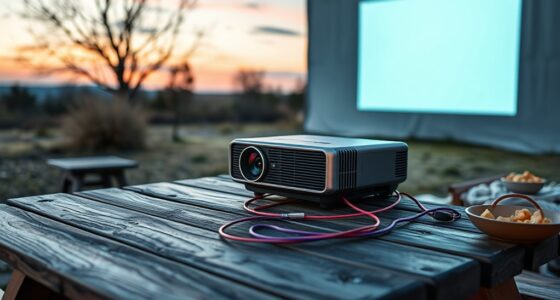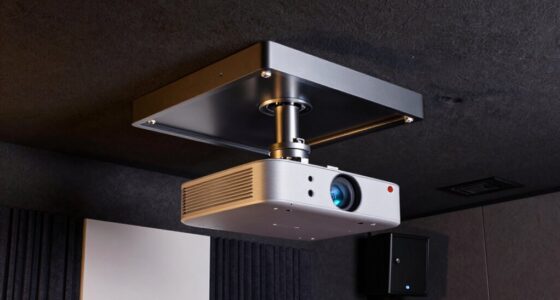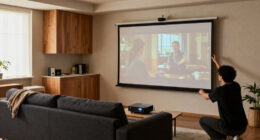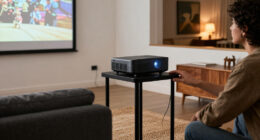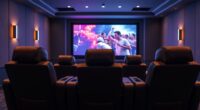
Choosing the right projector for your golf simulator depends on your space, lighting conditions, and budget. The BenQ LU710 stands out for its high brightness and color accuracy, making it ideal for well-lit rooms, though it comes with a higher price tag. The 4K Projector for Golf Simulator offers cinematic clarity and smart features, perfect for those who want an immersive experience with streaming capabilities, but it requires more space. Balancing brightness, resolution, and ease of setup is key—these top picks represent the best options across different needs and budgets.

Get business pricing on your home office setup
- Business-only prices and quantity discounts
- Tax-exempt purchasing
- Multiple users, one account, clear invoices
Complete the kit


Key Takeaways
- High-brightness laser projectors excel in well-lit environments but tend to be pricier.
- 4K HDR projectors deliver vivid visuals and smart features, suitable for multi-purpose use.
- Short-throw models save space but may have limited resolution options.
- Long-lasting laser light sources reduce maintenance but often come at a higher initial cost.
- Compatibility and installation flexibility are vital for creating an optimal golf simulation experience.
| BenQ LU710 Golf Simulator Projector, White, 4000 Lumen WUXGA Laser |  | Best Overall for Brightness and Color Accuracy | Brightness: 4000 lumens | Resolution: 1920×1200 WUXGA | Throw Ratio: 1.13-1.46 | VIEW ON AMAZON | See Our Full Breakdown |
| 4K Projector for Golf Simulator, Home Theater & Gaming, 2200 ANSI Lumens |  | Best for Vivid Visuals and Smart Features | Brightness: 2200 ANSI lumens | Resolution: 4K HDR10 | Color Technology: 6-color LED | VIEW ON AMAZON | See Our Full Breakdown |
| Optoma GT2400HDR Full HD 1080p Short Throw Laser Projector |  | Best for Compact Spaces and High Brightness | Resolution: Full HD 1080p | Brightness: 4,200 lumens | Light Source: Laser | VIEW ON AMAZON | See Our Full Breakdown |
| AH500ST Full HD HDR Short-Throw Laser DLP Golf Simulation Projector |  | Best for Vivid Visuals and Flexible Setup | Resolution: Full HD 1080p | Contrast Ratio: 3,000,000:1 | Input Lag: 16.7 ms | VIEW ON AMAZON | See Our Full Breakdown |
| BenQ LW600ST 2800-Lumen WXGA Short Throw DLP Projector |  | Best Budget Short-Throw for Entry-Level Setups | Brightness: 2800 lumens | Resolution: WXGA | Contrast Ratio: 20,000:1 | VIEW ON AMAZON | See Our Full Breakdown |
| golf simulator projector | Resolution | Brightness |
|---|---|---|
| BenQ LU710 Golf Simulator Proj | 1920×1200 WUXGA | 4000 lumens |
| 4K Projector for Golf Simulato | 4K HDR10 | 2200 ANSI lumens |
| Optoma GT2400HDR Full HD 1080p | Full HD 1080p | 4,200 lumens |
| AH500ST Full HD HDR Short-Thro | Full HD 1080p | — |
| BenQ LW600ST 2800-Lumen WXGA S | WXGA | 2800 lumens |
More Details on Our Top Picks
BenQ LU710 Golf Simulator Projector, White, 4000 Lumen WUXGA Laser
The BenQ LU710 stands out for its impressive 4000 lumens brightness, making it suitable for rooms with ambient light and ensuring vivid, clear images during your swing. Its WUXGA resolution provides sharp detail, and the color reproduction covers 92% of Rec.709, offering a lifelike experience. The projector’s flexible installation options, including keystone correction and Corner Fit, make setup easier, especially in irregular spaces. Its sealed laser engine guarantees over 20,000 hours of maintenance-free operation, which is a major advantage for dedicated golf simulators. Compared with other models, it’s more expensive but delivers professional-level visuals and durability, making it ideal for serious enthusiasts or commercial setups. Its main tradeoff is that casual users or those with limited space may find it less accessible due to cost and size.
Pros:- High brightness suitable for well-lit rooms
- Accurate color reproduction
- Flexible installation options
- Long laser lifespan
Cons:- Higher price point
- Requires ample space for setup
- Primarily designed for golf, less versatile for other uses
Best for: Dedicated golf simulators in permanent setups, or users seeking professional-grade visuals.
Not ideal for: Casual players or those with limited space and budget constraints.
- Brightness:4000 lumens
- Resolution:1920×1200 WUXGA
- Throw Ratio:1.13-1.46
- Color Coverage:92% Rec.709
- Laser Life:20,000+ hours
- Dustproof Rating:IP5X
Our verdict“A top choice for high-performance golf simulators demanding brightness, color accuracy, and durability.”
4K Projector for Golf Simulator, Home Theater & Gaming, 2200 ANSI Lumens
This 4K HDR projector excels in providing cinematic quality visuals, with 2200 ANSI lumens brightness and 4K HDR10 support. Its ability to produce vibrant colors and sharp details makes it perfect for immersive golf simulation, movies, or gaming. The auto-focus and keystone correction simplify setup, while its built-in smart TV features via Google TV add streaming flexibility. The low latency and MEMC technology ensure smooth motion, critical for realistic golf swings and fast-paced gameplay. Compared to laser models, it may require more space for projection and might not match the longevity of laser light sources, but it offers a compelling balance of image quality and smart functionality. However, its higher price and the need for a dedicated space are potential drawbacks for budget-conscious or space-limited users.
Pros:- Vivid 4K HDR images
- Smart TV features for streaming
- Auto-focus and keystone correction
- Low latency for gaming and golf simulation
Cons:- Requires more space for optimal projection
- More expensive than standard models
- Built-in speakers may need upgrading
Best for: Home users wanting cinematic visuals and streaming capabilities for multi-purpose entertainment.
Not ideal for: Limited space environments or users seeking ultra-bright setups for bright rooms.
- Brightness:2200 ANSI lumens
- Resolution:4K HDR10
- Color Technology:6-color LED
- Projection Size:100 inches from 9.25 ft
- Connectivity:HDMI 2.1, Wi-Fi 6, Bluetooth 5.4
- Audio:40W Dolby Audio
Our verdict“An excellent choice for those seeking high-quality visuals combined with smart features for versatile home entertainment.”
Optoma GT2400HDR Full HD 1080p Short Throw Laser Projector
The Optoma GT2400HDR offers a reliable full HD 1080p picture with 4,200 lumens brightness and a laser light source with a lifespan of 30,000 hours. Its dust-protected design ensures durability, making it well-suited for continuous use in golf simulation. The short-throw design allows for placement closer to the screen, which is ideal for smaller rooms, but the resolution’s 1080p might fall short for those seeking ultra-sharp images at larger screen sizes. Its limited connectivity details could be a concern for some users, and the price is on the higher side, reflecting its laser technology and brightness. This model appeals most to those needing a space-efficient solution that still delivers bright, clear images for golf and gaming.
Pros:- Bright 4200 lumens for well-lit rooms
- Long laser lifespan of 30,000 hours
- Dust protection enhances durability
Cons:- Limited resolution (Full HD only)
- Potentially high cost
- Connectivity options not extensively detailed
Best for: Smaller rooms or setups where space is limited but high brightness is needed.
Not ideal for: Users requiring 4K resolution or extensive connectivity options.
- Resolution:Full HD 1080p
- Brightness:4,200 lumens
- Light Source:Laser
- Lifespan:30,000 hours
- Dust Protection:IP6X
Our verdict“A strong choice for space-constrained golf simulators needing reliable, bright visuals without requiring 4K resolution.”
AH500ST Full HD HDR Short-Throw Laser DLP Golf Simulation Projector
The AH500ST provides stunning Full HD HDR visuals with a high contrast ratio of 3,000,000:1, making it excellent for vibrant golf simulation. Its short-throw design allows placement close to the screen, saving space, but it requires precise setup to achieve optimal image quality. The broad device support, from VGA to 4K UHD, and low input lag of 16.7 ms make it a versatile choice for gaming and golf, especially in smaller rooms. Its laser light source offers up to 38,000 hours in ECO mode, reducing maintenance costs. Compared with larger, more expensive laser projectors, this model offers a compelling combination of performance and flexibility, but its short-throw nature may limit placement options and resolution for some users.
Pros:- Vivid HDR visuals with high contrast
- Low input lag for gaming
- Broad device compatibility
- Long laser lifespan
Cons:- No specific price info available
- Requires precise placement due to short-throw design
- Limited to Full HD resolution
Best for: Players wanting vivid visuals in compact spaces with low latency for gaming.
Not ideal for: Those needing ultra-high resolution beyond Full HD or less precise installation environments.
- Resolution:Full HD 1080p
- Contrast Ratio:3,000,000:1
- Input Lag:16.7 ms
- Light Source Life:38,000 hours (ECO)
- Throw Ratio:0.499
Our verdict“Ideal for gamers and golf enthusiasts in smaller rooms seeking high contrast, low latency, and long-term durability.”
BenQ LW600ST 2800-Lumen WXGA Short Throw DLP Projector
The BenQ LW600ST offers a practical entry point for golf simulators with 2800 lumens brightness and WXGA resolution. Its short-throw capability allows placement close to the screen, making it suitable for smaller rooms or limited spaces. The projector supports multiple device types with dual HDMI ports and offers various color modes, including Presentation and Spreadsheet, for different environments. Its SmartEco Mode reduces power consumption, extending lamp life and decreasing operational costs. However, its WXGA resolution falls short of Full HD, which could impact visual sharpness at larger screen sizes. Its lack of built-in speakers means you’ll need external audio, adding to setup complexity. This model works best for casual players or those new to golf simulation who want a budget-friendly, space-efficient option.
Pros:- Bright image suitable for various lighting conditions
- Compact, easy to install
- Energy-efficient SmartEco Mode
- Multiple color modes
Cons:- Limited resolution (WXGA only)
- No built-in speakers
- Short throw may require precise placement
Best for: Beginners or budget-conscious users setting up in small spaces.
Not ideal for: Those seeking high-definition visuals or advanced connectivity features.
- Brightness:2800 lumens
- Resolution:WXGA
- Contrast Ratio:20,000:1
- Connectivity:Dual HDMI
- Features:Vertical keystone, Corner Fit, SmartEco Mode
Our verdict“A solid, affordable option for entry-level golf simulators or casual gaming in small rooms.”

How We Picked
Our selection process focused on projectors specifically suited for golf simulation, emphasizing brightness, resolution, and durability. We prioritized models with laser light sources for longevity, flexibility in installation, and color accuracy to ensure realistic visuals. Cost considerations were balanced against features, and we included options for different room sizes and budgets. The lineup showcases a mix of professional-grade and consumer-friendly models, helping buyers identify the best fit for their space and needs.
Factors to Consider When Choosing Golf Simulator Projectors
Finding the right golf simulator projector hinges on understanding your room size, ambient lighting, and what features matter most—like resolution, brightness, and ease of installation. Whether you prioritize ultra-sharp visuals, long-lasting durability, or space efficiency, this guide will help clarify what to look for and how to match a projector to your specific setup.
Brightness and Ambient Light
For golf simulation, high brightness levels are crucial if your room isn’t perfectly dark. Models with 3000+ lumens, especially laser projectors, perform well in illuminated spaces. If your room can be kept dark, lower lumen models may suffice, often at a lower cost.
Resolution and Image Clarity
High resolution enhances realism, especially at larger screen sizes. While Full HD (1080p) is adequate for most setups, 4K HDR models provide sharper images and better color, but often come with higher prices and more demanding space requirements.
Laser vs Lamp Light Sources
Laser projectors typically offer longer lifespan and less maintenance but tend to be more expensive initially. Lamp-based models may be cheaper upfront but require lamp replacements over time, which adds to total ownership costs.
Installation and Space
Short-throw models save space by allowing placement close to the screen, ideal for smaller rooms. Conversely, standard throw projectors need more distance but can support larger images at higher resolution. Consider your space and flexibility when choosing.
Smart Features and Connectivity
If streaming or gaming is part of your setup, look for projectors with smart TV apps, Wi-Fi, and multiple HDMI ports. These features add convenience and expand your entertainment options beyond golf simulation.
Frequently Asked Questions
What is the ideal brightness level for a golf simulator projector?
The ideal brightness depends on your room lighting. For rooms with ambient light or windows, a projector with 3000 lumens or more, especially laser models, is recommended to maintain clear visuals. In darker rooms, lower lumen models can still produce vibrant images while saving energy and cost.
Is 4K resolution necessary for golf simulation?
While 4K resolution offers sharper images and more detailed visuals, many high-quality Full HD projectors can deliver an excellent golf experience, especially in smaller setups. If you want the most realistic visuals and have space for larger screens, investing in 4K HDR is worthwhile, but it isn’t a strict requirement for enjoyment.
How important is a laser light source in a golf projector?
A laser light source provides longer lifespan, better color consistency, and less maintenance compared to traditional lamps. For dedicated golf simulators, especially those used frequently, laser projectors reduce downtime and operational costs, making them a preferred choice despite their higher upfront cost.
Can I use a regular home theater projector for golf simulation?
While some home theater projectors can work for golf simulation if they meet brightness and resolution needs, they may lack the durability and specific features like keystone correction or short-throw capabilities that optimize a dedicated golf setup. For best results, choose a projector tailored to interactive or sports applications.
What factors affect the ease of installation for a golf projector?
Key factors include throw ratio, weight, and adjustability features like keystone correction and lens shift. Short-throw projectors are easier to install in small rooms, while flexible mounts and auto-focus features simplify alignment. Consider your space constraints and technical comfort level when selecting a model.
Conclusion
For dedicated golf enthusiasts with ample space and budget, the BenQ LU710 offers unmatched brightness and color accuracy. Casual players or those with limited room may prefer the BenQ LW600ST for its affordability and space-saving design. Home users seeking multi-purpose entertainment will benefit from the 4K Projector for its cinematic quality and smart features. Space-conscious setups and gamers should consider the Optoma GT2400HDR or AH500ST for their high contrast and low latency. Ultimately, choosing the best projector depends on your specific needs, room size, and budget—this lineup aims to match those variables with suitable options.