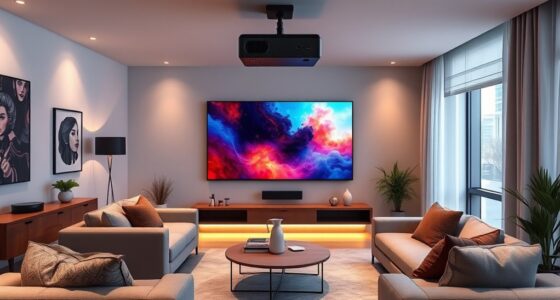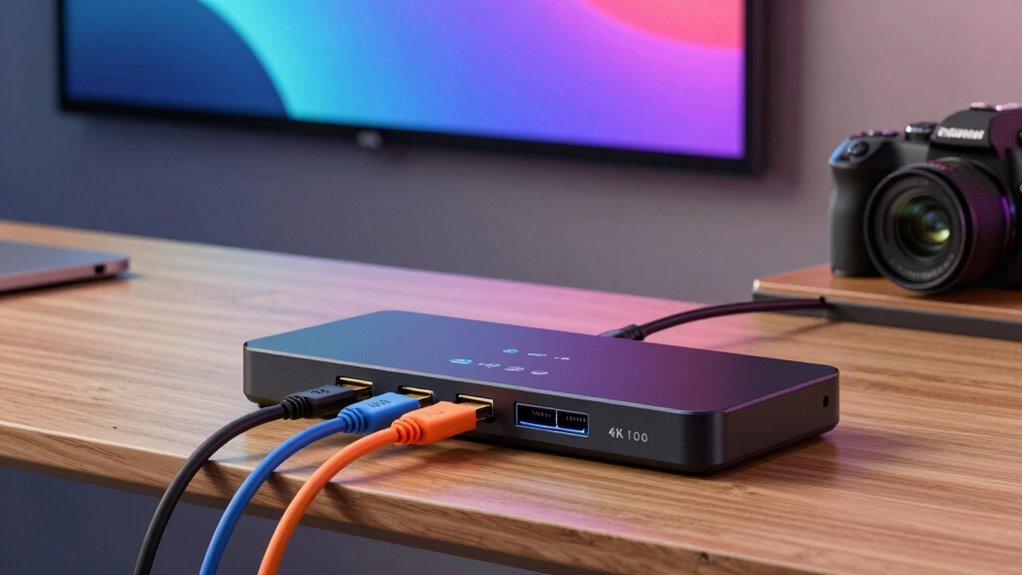
When setting up a projector, having a reliable HDMI switch can streamline your connections and improve your viewing experience. The best HDMI switches for projector setups should support high resolutions like 4K or 8K, handle multiple input sources, and be easy to operate. The UGREEN HDMI Switch 5 in 1 stands out as the overall top choice for its versatility and remote control, while the Anker HDMI Switch 2 in 1 offers simplicity at a budget-friendly price. A key tradeoff in this category is balancing features like resolution support and number of ports against ease of use and build quality. Keep reading for a detailed breakdown to help you pick the perfect HDMI switch for your projector setup.

Get business pricing on your home office setup
- Business-only prices and quantity discounts
- Tax-exempt purchasing
- Multiple users, one account, clear invoices
Complete the kit


Key Takeaways
- Supports high resolutions like 8K and 4K at 60Hz for future-proofing in projector setups.
- More ports provide greater flexibility but often increase complexity and cost.
- Remote control capability simplifies switching between devices, especially for setups behind a projector or TV.
- Bi-directional switches and automatic switching add convenience but may introduce compatibility issues.
- Build quality and cable management features impact long-term reliability and ease of installation.


| hdmi switches for projector setup | Resolution Support |
|---|---|
| UGREEN HDMI Switch 5 in 1 Out | 4K@60Hz, HDR |
| Anker HDMI Switch | — |
| 10K 8K HDMI Switch | 8K@60Hz, 4K@240Hz |
| Acer 5-in-1 HDMI Switch with R | 4K@60Hz |
| Anker 4K HDMI Switch | — |
| HDMI Switch 3 in 1 Out | 4K@60Hz, 1080P, 3D |
| GANA 4K HDMI Switch 3 in 1 Out | 4K@30Hz |
| HDMI 2.1 Switch 4 in 1 Out 8K | 8K@60Hz, 4K@120Hz |
| OREI 4×2 HDMI Matrix Switch 4K | 4K@60Hz (4:4:4) |
| HDMI Switch 3 in 1 Out | up to 4K@60Hz |
| HDMI Switcher 4 in 1 Out | — |
| NEWCARE 4K@60Hz HDMI Switch 4 | 4K@60Hz, 1080p@120Hz |
| HDMI Switch 2 in 1 Out 4K@60Hz | 4K@60Hz, 2K/1080p |
| HDMI Switch 4k@60Hz Splitter | 4K@60Hz, 2K/1080p |
| OREI 8K 3-Port HDMI 2.1 Switch | 8K@60Hz, 4K@120Hz |
More Details on Our Top Picks
UGREEN HDMI Switch 5 in 1 Out 4K@60Hz with Remote, HDMI Splitter Compatible with PS5, Xbox, Switch, Roku, Fire Stick
This UGREEN HDMI switch stands out for its ability to handle five devices simultaneously, making it ideal for complex setups with multiple gaming consoles and streaming devices. Unlike the Anker 4K HDMI Switch, which supports fewer inputs, this model offers greater flexibility at the cost of requiring USB power for stable operation. Its support for 4K@60Hz with HDR ensures crisp visuals, but it lacks automatic switching, meaning users must manually select inputs—less convenient for quick device changes. The remote control extends convenience, especially in larger entertainment centers. Compared to the 10K 8K HDMI Switch, it offers more ports but doesn’t support ultra-high resolutions like 8K. This makes it suitable for users who prioritize multiple inputs over the highest possible resolution.
Pros:- Supports 4K@60Hz with HDR for vibrant, detailed visuals
- Allows connection of up to five devices for extensive setups
- Includes remote control for easy device switching
Cons:- Does not support automatic switching—manual control needed
- Requires USB power for optimal performance
- Cable length for 4K@60Hz limited to 3 meters
Best for: Home theater enthusiasts with multiple gaming and streaming devices seeking reliable, high-quality switching
Not ideal for: Minimalist setups or users who prefer automatic switching and 8K resolution support
- Number of Ports:5 in 1 out
- Resolution Support:4K@60Hz, HDR
- HDMI Version:HDMI 2.0/1.4
- Bandwidth:18Gbps
- Power Supply:USB powered
- Remote Control Range:33 ft
Our verdict“This switch is best suited for users needing multiple device connections and manual control, accepting some setup complexity for versatility.”
Anker HDMI Switch, 4K@60Hz HDMI Switcher, 2 in 1 Out
The Anker 2-in-1 HDMI switch provides straightforward switching with a single press, making it perfect for users with limited space or simple setups. Unlike the UGREEN model, which offers more ports, this switch is designed for only two inputs, which might limit future expansion but simplifies operation. Its support for 4K@60Hz with HDR ensures high-quality visuals, yet the absence of automatic detection means users must manually select inputs, potentially slowing down transitions. Short HDMI cables are recommended for optimal performance, which could be inconvenient for larger rooms. It excels in small setups where ease of use outweighs the need for additional inputs, but it isn’t suitable for complex multi-device environments.
Pros:- Supports 4K@60Hz with HDR for crisp, vivid images
- Single-button manual switching simplifies operation
- Compatible with gaming consoles, laptops, and streaming devices
Cons:- Limited to two input sources—less scalable
- No automatic signal detection, manual switching required
- Cable length restrictions for maintaining 4K quality
Best for: Users with a small number of devices who want quick, manual switching without complicated features
Not ideal for: Multidevice setups or those needing automatic switching and 8K support
- Resolution:4K@60Hz
- Input Ports:2
- Output Ports:1
- Supports HDR:Yes
- Supports 3D:Yes
- Cable Length for 4K60:<3.3 ft per cable
Our verdict“This switch is ideal for small, straightforward setups where simplicity and manual control matter most.”
10K 8K HDMI Switch – 2 in 1 Out, Bi-Directional HDMI Switcher
The 10K 8K HDMI switch excels in supporting resolutions up to 8K@60Hz and 4K@240Hz, making it an excellent choice for future-proofing high-end home theaters or gaming rigs. Its bi-directional feature adds flexibility, allowing sources and displays to swap roles without additional hardware—something the UGREEN or Anker switches can’t match. The plug-and-play operation requires no external power, which simplifies setup, but the absence of included HDMI cables means additional purchases are necessary. While limited to two sources, this model’s support for HDR10+ and VRR sets it apart for enthusiasts wanting cutting-edge visuals. Still, the need for optional micro USB power for low-power sources adds a small layer of complexity.
Pros:- Supports resolutions up to 8K@60Hz and 4K@240Hz
- Bi-directional design allows flexible source/destination roles
- No external power required for most use cases
Cons:- HDMI cables are not included, requiring extra purchases
- Limited to two input sources, not ideal for larger setups
- Optional Micro USB power needed for low-power sources
Best for: High-end users aiming for 8K compatibility and flexible source-destination switching
Not ideal for: Basic setups or users with only HD content, since the high resolution support exceeds their needs
- Resolution Support:8K@60Hz, 4K@240Hz
- Bi-Directional:Yes
- HDCP:2.3
- HDR:HDR10+
- Power:Optional Micro USB
- Compatibility:PS5, Xbox Series X, Blu-ray players
Our verdict“This switch is designed for users seeking the highest resolution support and versatile switching without external power constraints.”
Acer 5-in-1 HDMI Switch with Remote, 4K@60Hz, HDMI 2.0, HDCP 2.3, HDR
The Acer 5-in-1 HDMI switch offers a substantial expansion of a single HDMI output, supporting five inputs with easy remote and button switching. Compared with the Anker 4-in-1, it provides an extra input, making it better suited for users with multiple devices like gaming consoles, laptops, and streaming players. Its support for 4K@60Hz with HDR and Dolby Atmos/DTS audio promises immersive visuals and sound. However, it doesn’t support automatic switching, requiring manual control, and excludes power supply and cables, which could add to the setup complexity. The gold-plated ports ensure better signal quality over long-term use. This model is perfect for dedicated home theater setups where multiple devices are common, but not for users wanting automatic switching or higher resolutions like 8K.
Pros:- Supports 4K@60Hz with HDR and immersive audio formats
- Multiple inputs for diverse device connections
- Remote control and physical buttons for flexible operation
Cons:- Manual switching only—no auto-detection
- Power adapter, remote batteries, and HDMI cables not included
- Limited to 10ft cable length for optimal 4K performance
Best for: Home theater fans and gamers with multiple high-definition devices needing reliable switching
Not ideal for: Minimalist or single-device users who don’t need five input options or automatic switching
- Input Ports:5 HDMI
- Output Ports:1 HDMI
- Resolution Support:4K@60Hz
- HDMI Version:2.0
- HDCP Version:2.3
- Audio Support:HDR, Dolby Atmos, DTS
Our verdict“This switch is ideal for users seeking reliable, high-quality multi-device support with manual operation in dedicated home theater setups.”
Anker 4K HDMI Switch, 4-in-1 Out, Supports HDR/3D/Dolby/DTS, Compatible with Laptops, Xbox, PS5, Projectors
The Anker 4K HDMI switch provides four inputs to a single output, supporting HDR, 3D, Dolby, and DTS, making it a flexible choice for users with multiple sources like laptops, gaming consoles, and projectors. Its remote control simplifies switching, but unlike the 10K 8K switch, it doesn’t support 8K resolutions, limiting future-proofing. The absence of HDMI cables and remote batteries is a minor inconvenience, and it lacks CEC support for automatic device control. The compact design and support for multiple audio formats make it well-suited for smaller setups where space and ease of switching are priorities, though it doesn’t cater to high-end ultra-high-definition needs.
Pros:- Supports 4K@60Hz with HDR and advanced audio formats
- Remote control for simple device switching
- Compatible with a broad range of devices, including projectors and gaming consoles
Cons:- Does not support 8K resolutions
- No HDMI CEC for automatic device control
- Remote batteries and HDMI cables not included
Best for: Users with multiple HDMI sources who want straightforward, high-quality switching in a small space
Not ideal for: Enthusiasts seeking 8K support or automatic switching features
- Number of Ports:4-in-1 out
- Supports:HDR, 3D, Dolby, DTS
- Resolution:4K@60Hz
- Compatible Devices:Laptops, projectors, gaming consoles
- Remote Control:Yes
- HDMI Cables Included:No
Our verdict“This switch offers reliable 4K support and easy control for users with multiple HD sources in compact setups, without the need for high-end future features.”
HDMI Switch 3 in 1 Out, 4K@60Hz HDMI 2.0 Splitter with 2.6ft HDMI Cable, Supports 4K 30Hz, 3-Port Selector for PS5, Xbox, DVD Player, Fire Stick, PC
This HDMI switch excels by supporting 4K at 60Hz, matching higher-tier models like the HDMI 2.1 Switch 4 in 1 Out in resolution but at a more accessible price point. Its push-button switching provides reliable manual control, unlike auto-switchers that can unpredictably change inputs. The included 2.6ft cable simplifies setup, though the limited length constrains placement options. The absence of auto-switching is a minor tradeoff for users who prefer deliberate control. It’s ideal for users who want a straightforward, high-quality solution without complex features.
Pros:- Supports 4K resolution at 60Hz for crisp, detailed video
- Simple push-button operation ensures reliable manual switching
- Includes a 2.6ft HDMI cable for quick setup
- High-performance with corrosion-resistant gold-plated connectors
Cons:- Does not support auto-switching, requiring manual input selection
- Limited input/output cable length restricts flexible placement
- Requires stable power supply for optimal performance
Best for: Home entertainment enthusiasts and gamers needing dependable 4K@60Hz switching with easy manual control
Not ideal for: Users desiring auto-switching or longer input cables for elaborate multi-device setups
- Input Ports:3 HDMI
- Output Ports:1 HDMI
- Resolution Support:4K@60Hz, 1080P, 3D
- Cable Length:2.6ft
- HDMI Version:2.0
- Support:HDCP2.2, Deep Color, RGB 8:8:8
Our verdict“This switch is perfect for users who prioritize straightforward, high-quality 4K switching without automation features.”
GANA 4K HDMI Switch 3 in 1 Out, 3-Port HDMI Selector with Pigtail Cable
This switch provides a straightforward way to toggle between three HDMI sources at 4K@30Hz, ideal for users who don’t need higher refresh rates. Its manual button makes it simple to operate, but it’s limited to 30Hz, unlike the HDMI 2.1 Switch 4 in 1 Out that supports 4K at 120Hz. The included pigtail cable speeds setup, yet the device’s limited refresh rate makes it unsuitable for fast-paced gaming or high-frame-rate applications. It’s an excellent choice for basic media playback and casual use where simplicity is key.
Pros:- Supports 4K resolution at 30Hz, suitable for most streaming needs
- Easy manual switching with a dedicated button
- Plug-and-play with included HDMI pigtail cable
- Compact and lightweight design
Cons:- Limited to 30Hz at 4K, not suitable for fast-moving content
- Requires constant power via USB-C for optimal operation
- Cannot display multiple monitors simultaneously
Best for: Casual viewers and users with standard HD devices needing reliable 4K@30Hz switching
Not ideal for: Gamers or high-refresh-rate content creators requiring 4K at 60Hz or higher
- Connector Type:HDMI
- Compatible Devices:DVD, Blu-ray, Camera, Gaming Console, Laptop
- Number of Ports:3
- Resolution Support:4K@30Hz
- Cable Type:HDMI
- Dimensions:0.78″D x 5.8″W x 8.18″H
Our verdict“This switch fits users who need basic 4K switching without the need for high refresh rates or automation.”
HDMI 2.1 Switch 4 in 1 Out 8K 60Hz 4K 120Hz for PS5 Xbox Apple TV
This HDMI 2.1 switch stands out by supporting ultra high resolutions—up to 8K@60Hz and 4K@120Hz—making it ideal for cutting-edge gaming consoles and future-proof setups. Its 48Gbps bandwidth ensures lag-free, stable signals across multiple devices, unlike lower-bandwidth switches that risk signal degradation at high resolutions. The inclusion of remote control and auto-switching enhances usability, but the need for HDMI 2.1 cables and limited 2-meter maximum length for 8K signals can increase setup costs and complexity. This pick is perfect for gamers and AV enthusiasts seeking top-tier visual fidelity, though it’s less suited for casual or budget setups.
Pros:- Supports up to 8K@60Hz and 4K@120Hz for ultra-crisp visuals
- High-speed 48Gbps bandwidth ensures lag-free, stable signals
- Includes remote control and auto-switching for effortless operation
- Compatible with multiple high-end devices like PS5, Xbox Series X, and Apple TV
Cons:- Requires HDMI 2.1 cables, which are more expensive and less common
- Maximum cable length for 8K signals is limited to 2 meters for optimal performance
- Remote batteries are not included, adding additional cost
Best for: High-end gamers and AV aficionados with 8K/4K120Hz setups requiring seamless switching and high bandwidth
Not ideal for: Users on a tight budget or with shorter cable runs who don’t need 8K support
- Input Ports:4 HDMI
- Output Ports:1 HDMI
- Resolution Support:8K@60Hz, 4K@120Hz
- Bandwidth:48Gbps
- Audio Support:DTS5.1/7.1, Dolby Digital
- Remote Range:8 meters
Our verdict“This switch is tailored for users who demand the highest resolutions and refresh rates, with a willingness to invest in compatible cables and advanced features.”
OREI 4×2 HDMI Matrix Switch 4K with Audio Extraction, ARC, EDID, Downscale
The OREI 4×2 matrix switch offers a flexible solution for multi-room setups, supporting 4K@60Hz with HDR and Dolby Vision. Its independent switching for four inputs to two outputs, along with audio extraction and EDID management, surpasses simpler switches like the HDMI Switch 3 in 1 Out. It’s especially suitable for home theaters or professional AV environments where precise control over multiple sources and displays is needed. However, its complexity can be overwhelming for casual users unfamiliar with AV matrices, and IR remote control coverage may be limited by line of sight. If you need multiple independent outputs and audio features, this switch provides extensive customization at the cost of ease of use.
Pros:- Supports 4K@60Hz with HDR and Dolby Vision for high-quality video
- Independent switching allows flexible routing of sources and displays
- Includes audio extraction with ARC support for enhanced audio options
- Flexible EDID management ensures compatibility with various devices
Cons:- Requires line of sight for optimal IR remote control operation
- Complex interface may be daunting for beginners
- Setup and configuration are more involved than simpler switches
Best for: AV professionals or home theater enthusiasts managing multiple sources and displays with advanced audio needs
Not ideal for: Casual users seeking a straightforward, plug-and-play switch without complex features
- Resolution Support:4K@60Hz (4:4:4)
- Bandwidth:18Gbps
- Inputs:4 HDMI
- Outputs:2 HDMI
- HDCP Support:HDCP 2.2/1.4
- Audio Output:Optical SPDIF and Analog L/R
Our verdict“This matrix switch is best suited for users with sophisticated AV setups needing independent source and display management.”
HDMI Switch 3 in 1 Out, 4K@60Hz HDMI Splitter, 3-Way HDMI Switcher for Multiple Devices
This switch offers a straightforward way to connect three HDMI sources to one display with 4K at 60Hz support, making it suitable for budget-conscious users. Its simple plug-and-play design requires no external power, which is a significant convenience for quick setups. However, the lack of audio support on the output port and the inability to handle high-refresh-rate gaming limits its appeal for more demanding applications. Compared with more advanced switches like the HDMI 2.1 Switch 4 in 1 Out, it sacrifices higher resolutions and features for affordability and simplicity. It’s best for users who want basic switching without extra bells and whistles.
Pros:- Supports 4K resolution at 60Hz for crisp video
- No external power needed, simple to operate
- Compatible with a wide range of HDMI devices and older standards
- Compact design fits easily into any setup
Cons:- Cannot display multiple monitors simultaneously
- Output port does not support audio, limiting usefulness for sound systems
- Requires resolution adjustments for certain high-refresh-rate devices
Best for: Casual users with standard HD needs and limited budgets who prioritize ease of use
Not ideal for: Enthusiasts needing 4K at 120Hz or integrated audio features
- Input Ports:3 HDMI
- Output Ports:1 HDMI
- Resolution Support:up to 4K@60Hz
- Backward Compatibility:HDMI 1.3/1.2/1.1/1.0
- HDCP Support:HDCP 2.2, 1.4
- Cable Length:up to 10 meters recommended
Our verdict“This switch is suitable for basic, cost-effective HDMI switching in non-demanding environments where simplicity is prioritized.”
HDMI Switcher 4 in 1 Out – 8K@60Hz, 4K@240Hz/144Hz/120Hz HDMI Splitter with Remote Support for Gaming Consoles and Streaming Devices
This switch stands out for supporting up to 8K@60Hz and 4K at high refresh rates, making it a top choice for enthusiasts with demanding visual needs. Unlike the NEWCARE switch, which maxes out at 4K@60Hz, this model caters to future-proof setups with resolutions up to 8K and features like Dolby Vision and HDR. The inclusion of remote control and manual switching offers flexible device management, but the need for an external power supply and potential setup complexity could pose hurdles for casual users. It’s ideal for those prioritizing ultra-high-definition output, especially in gaming or cinematic environments where every pixel counts.
Pros:- Supports ultra-high-definition 8K and 4K video at high refresh rates
- Remote control and manual switching for flexible device management
- Compatible with a wide range of devices including gaming consoles and streaming gear
- Supports advanced features like HDR, Dolby Vision, and HDCP 2.3
Cons:- Requires constant external power for stable operation
- Setup instructions can be complex for non-technical users
- Long-distance HDMI transmission may need premium cables
Best for: Owners of high-end gaming rigs or home theaters demanding 8K compatibility and immersive visuals.
Not ideal for: Casual users or those with limited space, as it requires an external power supply and may be more complex to set up.
- Input Ports:4 HDMI
- Output Ports:1 HDMI
- Supported Resolutions:8K@60Hz, 4K@240Hz, 4K@144Hz, 4K@120Hz, 1080P@240Hz
- HDMI Version:HDMI 2.1
- Bandwidth:48Gbps
- Power Supply:External DC 5V adapter
Our verdict“This switch is best suited for users who need the highest resolution and advanced features, accepting some setup complexity and power requirements.”
NEWCARE 4K@60Hz HDMI Switch 4 in 1 Out with Remote, Aluminum 4-Port HDMI Switcher Splitter Supports HDR10 Dolby Vision HDCP 2.2 18Gbps 3D for TV PS5 Xbox Laptop Projector Fire Stick
This model excels in delivering reliable 4K@60Hz performance with support for HDR10 and Dolby Vision, making it an excellent choice for mainstream home setups. Compared with the GANA 4K Switch, which offers a manual-only operation, the NEWCARE switch adds remote and automatic switching options, enhancing convenience. Its durable aluminum housing provides good heat dissipation, but the bandwidth is limited to 18Gbps, restricting future 8K or higher refresh rate support. This makes it ideal for users seeking a balance between affordability and high-quality video, especially for streaming or gaming on current-generation consoles.
Pros:- Supports 4K@60Hz with HDR10 and Dolby Vision for vivid visuals
- Durable aluminum housing enhances longevity and heat dissipation
- Multiple control options including remote, manual, and automatic switching
- Affordable price point for quality 4K switching
Cons:- Bandwidth limited to 18Gbps, not supporting 8K or higher refresh rates
- Remote requires 2 AAA batteries (not included)
- Optimal performance needs HDMI cables under 16ft
Best for: Home users with standard 4K TVs and streaming devices who want a durable, easy-to-use switch.
Not ideal for: Gamers or professionals seeking 8K support or high-refresh-rate gaming, as the bandwidth and resolution limitations may restrict future-proofing.
- Input Ports:4 HDMI
- Output Ports:1 HDMI
- Resolution Support:4K@60Hz, 1080p@120Hz
- HDR Support:HDR10, Dolby Vision
- HDCP:2.2
- Material:Aluminum
Our verdict“This switch offers a practical, cost-effective solution for 4K setups, especially where high resolution is sufficient and advanced features are a bonus.”
HDMI Switch 2 in 1 Out 4K@60Hz with 3.3ft Braided HDMI Cable, Aluminum Case, Bidirectional, Compatible with PS5/4, Xbox, Roku, FireStick
This switch’s bidirectional design offers flexibility by allowing either two sources to one display or one source to two displays, which is rare among similar products. Its built-in 3.3ft braided HDMI cable simplifies connections, especially for tight spaces. Compared with the GANA 2-in-1 switch, which lacks bidirectional capability, this model provides more versatility but limits operation to just two devices at a time. Its aluminum case improves durability and heat management, but the absence of extra features like remote control or automatic switching makes it better suited for straightforward use cases where minimal fuss is desired.
Pros:- Bidirectional support allows flexible device connection options
- Compact design with built-in 3.3ft braided HDMI cable simplifies setup
- Aluminum case enhances durability and heat dissipation
- Supports 4K@60Hz, HDR, and 3D for good video quality
Cons:- Limited to one display at a time in display mode
- No remote control or automatic switching features
- Cable length fixed at 3.3ft, which may not fit all setups
Best for: Small home setups or offices needing a compact, straightforward switch for two devices and one display.
Not ideal for: Users with multiple devices or seeking remote control, as the switch is manual-only and limited to two sources or displays at a time.
- HDMI Ports:3
- Resolution Support:4K@60Hz, 2K/1080p
- Input Devices:Various HDMI sources
- Output Devices:HDMI display
- Material:Aluminum
- Cable Length:3.3ft
Our verdict“Ideal for limited-space environments needing a simple, durable bidirectional switch without extra features.”
HDMI Switch 4k@60Hz Splitter, GANA Aluminum Bidirectional HDMI Switcher 2 in 1 Out, Manual HDMI Hub for Xbox PS5/4/3 Blu-Ray Fire Stick Roku
This model provides a straightforward solution for switching between two HDMI sources or displays at 4K@60Hz, emphasizing simplicity and affordability. Its bidirectional design makes it flexible for small setups, but the lack of remote control or automatic switching means it’s best for users comfortable with manual operation. Compared to the more feature-rich options like the NEWCARE switch, it’s a no-frills device that handles basic tasks well, though its manual-only operation could be inconvenient in multi-device scenarios. Its aluminum casing ensures durability, making it suitable for basic home or dorm setups.
Pros:- Supports 4K@60Hz with HDR for decent visual quality
- Bidirectional support adds flexibility in device connections
- No external power required, plug-and-play operation
- Durable aluminum casing
Cons:- Manual operation only, no remote or auto switching
- Limited to two devices in either input or output mode
- No support for features beyond basic 4K video
Best for: Budget-conscious users who need a simple, durable switch for occasional use with two devices.
Not ideal for: Users seeking remote control, automatic switching, or support for more than two devices, as its features are very limited.
- HDMI Ports:3
- Resolution Support:4K@60Hz, 2K/1080p
- Input Devices:HDMI sources
- Output Devices:HDMI display
- Material:Aluminum
- Power:None (plug-and-play)
Our verdict“Best suited for minimal setups where budget and simplicity outweigh advanced features and automation.”
OREI 8K 3-Port HDMI 2.1 Switch, 3-in 1-Out, 8K@60Hz, Manual & Auto Switch with Remote, Compatible with PS5/Xbox
This switch supports 8K@60Hz and 4K@120Hz, making it a compelling choice for those with next-generation gaming consoles and high-resolution projectors. It surpasses the other models by offering both manual and auto switching modes, catering to different user preferences. The high bandwidth of 48Gbps and HDMI 2.1 support ensure compatibility with the latest devices and formats, contrasting with the 18Gbps bandwidth of the NEWCARE switch. However, it requires an external power supply and may be more complex to set up. It’s best for gamers and AV enthusiasts planning for future upgrades and needing robust performance across multiple high-end devices.
Pros:- Supports resolutions up to 8K@60Hz and 4K@120Hz for future-proofing
- Includes manual and auto switching modes for convenience
- High bandwidth (48Gbps) supports all latest audio/video formats
- Compatible with major gaming consoles and high-end projectors
Cons:- Requires external power supply, adding setup complexity
- Setup instructions can be complex for some users
- Limited to three input ports, which may restrict device expansion
Best for: Serious gamers or AV enthusiasts seeking high resolutions, auto features, and broad compatibility for next-gen devices.
Not ideal for: Casual viewers or users with limited space, as the device’s complexity and power needs may be overkill for basic setups.
- Bandwidth:48Gbps
- Resolution Support:8K@60Hz, 4K@120Hz
- HDMI Version:2.1
- HDCP Version:2.3
- Inputs/Outputs:3-in, 1-out
- Power Supply:Included
Our verdict“Designed for high-end users who need maximum resolution support, auto switching, and future readiness despite added setup requirements.”
How We Picked
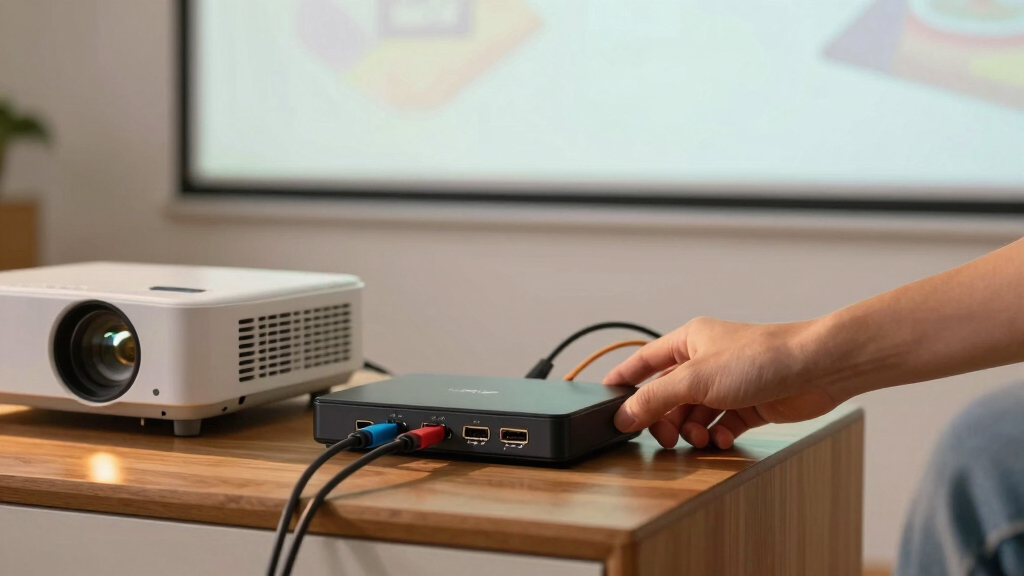
I evaluated these HDMI switches based on key factors that matter for projector setups: performance at high resolutions, ease of switching, build quality, and compatibility with different devices. Port selection was critical, with a preference for models offering at least 3-4 inputs to accommodate multiple sources like gaming consoles, streaming devices, and laptops. I also considered user-friendly features such as remote controls and auto-switching, which reduce setup hassle. Durability and support for the latest HDMI standards (2.0, 2.1) were also prioritized, ensuring the switches can handle high-bandwidth content. The ranking reflects a balance of performance, value, and ease of use tailored to home theater environments.Factors to Consider When Choosing Hdmi Switches For Projector Setups
Choosing the right HDMI switch for a projector setup involves understanding several key factors. The right model should support the resolution and refresh rate your projector can handle, offer enough ports for your devices, and be simple to operate without frequent troubleshooting. It’s also important to consider build quality to ensure longevity, especially if you plan to keep it in your setup long-term. Understanding the difference between manual and automatic switches can help you select one that fits your usage style. Finally, compatibility with your specific devices and future-proofing features can save you from needing upgrades soon.Resolution and Bandwidth Support
For projector setups, supporting the highest resolution possible is essential to maximize image quality. Look for switches supporting 4K@60Hz or 8K@60Hz, depending on your projector’s capabilities. Higher bandwidth models, such as HDMI 2.1 switches, can handle gaming and high-framerate content, providing smoother visuals. Choosing a switch with outdated standards may limit your display quality or cause compatibility issues, especially as your devices evolve. Always match the switch’s capabilities with your projector and source device specs to avoid bottlenecks.
Number of Ports and Flexibility
The number of HDMI inputs you need depends on how many devices you plan to connect simultaneously, such as gaming consoles, streaming devices, or laptops. More ports offer flexibility, but they can also complicate operation and increase cost. For most home projector setups, a 3-4 port switch strikes a good balance, allowing multiple sources without overwhelming your space. If you have a large array of devices, consider a multi-input matrix switch, but be aware of the added complexity and expense involved.
Ease of Use and Switching Method
Ease of switching is vital, especially if your projector setup is behind a screen or cabinet. Remote controls are a common feature that simplifies changing sources without reaching behind your projector. Auto-switching models detect active signals automatically, offering hands-free operation but sometimes causing accidental switching. Manual switches, usually operated via a button or switch, are straightforward but less convenient for frequent changes. Consider your comfort with technology and how often you switch sources when choosing between these options.
Build Quality and Reliability
A sturdy, well-made switch ensures long-term performance, especially if your setup involves frequent use or cable movement. Metal cases often provide better durability and heat dissipation compared to plastic ones. Good cable management features, like built-in clips or pigtails, help keep your setup tidy and prevent accidental disconnections. Reliability also depends on supporting current HDMI standards and providing consistent signal quality, so invest in brands with positive reviews and proven longevity.
Future-Proofing and Compatibility
As technology advances, having a switch compatible with the latest standards like HDMI 2.1 can save money in the long run. Future-proof switches support higher resolutions, higher refresh rates, and features like eARC and VRR, which enhance gaming and audio quality. Compatibility with various devices, including gaming consoles, laptops, and streaming boxes, ensures you won’t need a new switch when upgrading your sources. Consider your long-term plans and select a model that can adapt to upcoming device upgrades.
Frequently Asked Questions
Can I connect my projector directly to multiple devices without a switch?
Connecting multiple devices directly to a projector without a switch often requires unplugging and plugging in different HDMI cables, which can be inconvenient and risk damage over time. A dedicated HDMI switch allows you to toggle between sources smoothly, maintaining a cleaner setup. For frequent device switching, a switch offers a more reliable and user-friendly solution, especially if your projector only has one HDMI port or limited inputs.
Will an HDMI switch affect the picture quality on my projector?
Most high-quality HDMI switches do not affect picture quality when they support the same resolution and bandwidth as your devices. However, cheaper or outdated switches may introduce signal degradation, resulting in lower resolution, flickering, or lag. Always choose a switch that supports the resolution and refresh rate of your projector, and look for models with good reviews on signal stability to ensure a consistent viewing experience.
Is it better to use an automatic or manual HDMI switch for projector setups?
Automatic switches detect active signals and switch automatically, which is convenient if your setup involves frequent source changes. Manual switches require pressing a button or using a remote to select the input, offering predictable control. For a fixed setup where you rarely change sources, a manual switch might be simpler and more reliable. If you often switch between devices, an automatic switch can save time, but be aware that it might occasionally select the wrong input if multiple signals are active.
Do I need an HDMI switch with a remote for my projector setup?
A remote control adds significant convenience, especially if your projector is mounted or placed behind furniture. It allows you to switch sources easily without reaching behind your setup or getting up. However, some users find remotes unnecessary if they only switch sources occasionally or prefer manual control. Consider your setup’s accessibility and how often you plan to change sources when deciding whether a remote is worth the extra investment.
What should I consider regarding the size and design of an HDMI switch?
The physical size and design of an HDMI switch matter if space is limited or aesthetics are important. Compact, slim models are easier to mount or hide behind a projector or TV, while larger units might offer more ports and features but could be less discreet. Aluminum or metal enclosures tend to be more durable, especially in high-use environments. Make sure the design complements your setup and that the ports are accessible and compatible with your cables.
Conclusion
For most users seeking a reliable, all-around solution, the UGREEN HDMI Switch 5 in 1 offers the best balance of features, performance, and ease of use. If you want the best value, the Anker HDMI Switch 2 in 1 provides solid basic functionality at an affordable price. Those looking for premium features and future-proofing should consider models like the OREI 8K 3-Port HDMI 2.1 Switch or the HDMI Switch 4 in 1 Out with 8K support. Beginners or casual viewers will benefit from straightforward manual switches, while avid gamers or tech enthusiasts should prioritize models with high bandwidth and auto-switching capabilities. Tailor your choice to your device count, resolution needs, and how often you switch sources for the best experience.
As an affiliate, we earn on qualifying purchases.Fall Picks
fall essentials