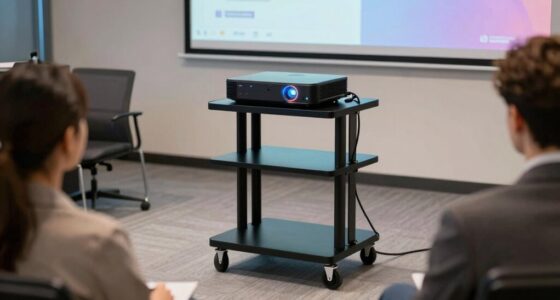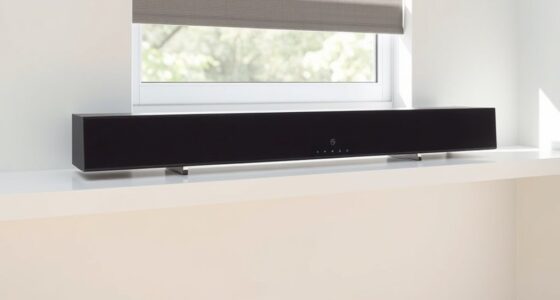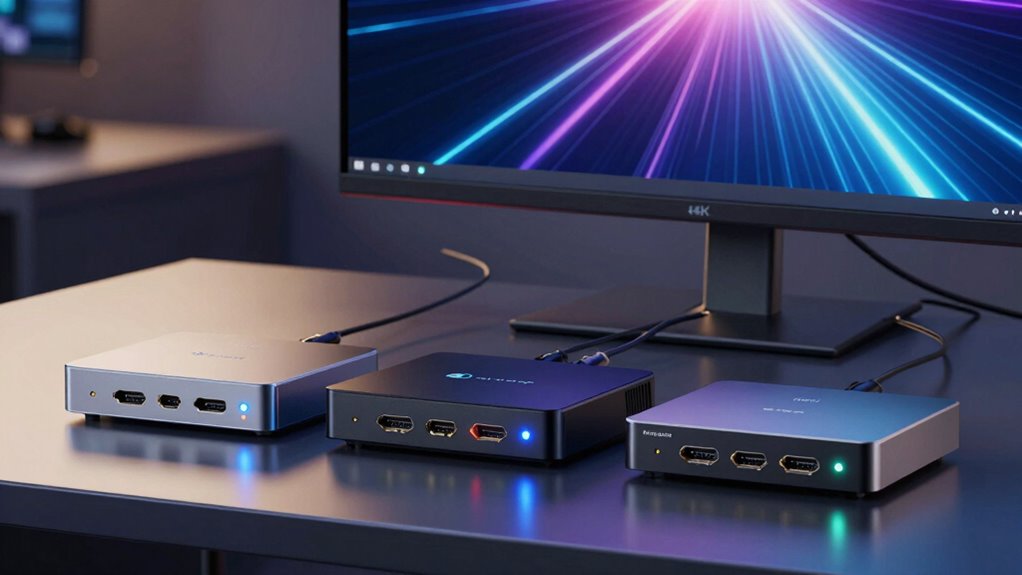
Choosing the right HDMI repeater for 4K 120Hz can be challenging, especially with options that range from simple extenders to advanced splitters. The J-Tech Digital 4K 120Hz HDMI Ethernet Extender stands out for long-distance runs up to 120ft, ideal for dedicated setups. For those needing ultra-high resolutions and future-proofing, the J-Tech Digital 8K HDMI 2.1 Repeater offers support for 8K at 60Hz and 4K at 120Hz, but requires external power and high-quality cables. Meanwhile, the HDMI 2.1 Splitter suits users who want to duplicate signals across multiple displays with advanced features like Dolby Vision and HDR10, but it cannot extend signals. Each option involves tradeoffs between distance, resolution, complexity, and intended use, which I’ll clarify below.

Get business pricing on your home office setup
- Business-only prices and quantity discounts
- Tax-exempt purchasing
- Multiple users, one account, clear invoices
Complete the kit


Key Takeaways
- Long-distance transmission favors models like the J-Tech Digital Ethernet Extender, supporting over 100ft at 4K 120Hz.
- For future-proof setups, an HDMI 2.1 repeater provides support for 8K and high-bandwidth features, with some power and cable quality considerations.
- Splitters are ideal for duplicating high-res signals but do not extend reach or support multi-directional switching.
- Compatibility with specific cables and devices is critical; high-quality HDMI 2.1 cables are a must for best performance.
- Professional-grade extenders like the OREI HDBaseT offer ultra-long-range transmission but are more complex to set up.
| J-Tech Digital 4K 120Hz HDMI Ethernet Extender Over Single Cat6A/7 Cable |  | Best for Long-Distance HDMI Extension at 4K 120Hz | Resolution: 4K@120Hz 4:4:4 | Maximum Distance: 120ft | HDMI Version: HDMI 2.0 | VIEW ON AMAZON | See Our Full Breakdown |
| J-Tech Digital 8K HDMI 2.1 Repeater, 48Gbps Signal Booster Extender |  | Best for Future-Proof 8K and 4K Gaming/Media | Data Transfer Rate: 48 Gbps | Range: 49ft at 8K@60Hz, 66ft at 4K@60Hz | Connector Type: HDMI, USB Type-C | VIEW ON AMAZON | See Our Full Breakdown |
| 4K 120Hz HDMI 2.1 Audio Extractor Switch 2 in 1 Out |  | Best for Multi-Source Gaming and Home Theater | Video Resolution: up to 8K@60Hz, 4K@120Hz | Audio Formats: HDMI Audio, 7.1CH, SPDIF Optical, 3.5mm stereo | Input Ports: 2 HDMI | VIEW ON AMAZON | See Our Full Breakdown |
| HDMI 2.1 Splitter 4K 120Hz 8K 60Hz 1 In 2 Out |  | Best for Duplicating High-Res Signals Across Multiple Displays | Input ports: 1 HDMI | Output ports: 2 HDMI | Resolution support: 8K@60Hz, 4K@120Hz | VIEW ON AMAZON | See Our Full Breakdown |
| OREI 8K@30Hz HDMI Extender Balun HDBaseT 300ft |  | Best for Ultra-Long-Range Professional Installations | Resolution Support: 8K@30Hz, 4K@120Hz | Transmission Distance: up to 400ft at 4K | Features: HDR, CEC, IR, RS-232, PoC | VIEW ON AMAZON | See Our Full Breakdown |
More Details on Our Top Picks
J-Tech Digital 4K 120Hz HDMI Ethernet Extender Over Single Cat6A/7 Cable
This extender excels for users needing to run 4K@120Hz signals over substantial distances—up to 120ft—using a single Cat6A/7 cable. Its support for HDR, HDCP 2.3, and bi-directional IR control makes it versatile for home theaters or professional AV setups. Compared to other options, it’s the clear choice for those who prioritize signal integrity over shorter cable runs. However, it’s less suitable if your setup involves monitors like the Acer XV282K, which isn’t compatible. The requirement for specific cables might add complexity, but the extended reach and high-quality audio support make it compelling for dedicated installations.
Pros:- Supports 4K@120Hz for smooth, high-quality visuals
- Long transmission distance up to 120ft over a single cable
- Includes bi-directional IR control and EDID toggle for flexible device management
Cons:- Requires specific Cat6A/7 cables for optimal performance
- Not compatible with certain monitors like Acer XV282K
- Limited to fixed cable length and setup
Best for: Long-distance HDMI extension in home theaters or professional AV setups
Not ideal for: Short-range or casual gaming setups, or monitors incompatible with its HDMI standards
- Resolution:4K@120Hz 4:4:4
- Maximum Distance:120ft
- HDMI Version:HDMI 2.0
- HDCP Version:2.3
- Supports HDR:Yes
- Bi-Directional IR:Yes
Our verdict“Best suited for users needing reliable, long-distance 4K 120Hz transmission with flexible control options.”
J-Tech Digital 8K HDMI 2.1 Repeater, 48Gbps Signal Booster Extender
This unit shines for users who want to support both 8K@60Hz and 4K@120Hz resolutions over long cable runs, making it ideal for high-end gaming, future-proof media setups, and demanding professional environments. Its high bandwidth of 48Gbps ensures high-quality audio and video signals, and being USB-C powered adds convenience. Compared to the Ethernet extender, it offers greater compatibility with a wider range of modern devices, but the need for external power and high-quality cables can complicate setup. It’s perfect for those who prioritize cutting-edge resolutions and are willing to invest in quality cables and power sources.
Pros:- Supports 8K@60Hz and 4K@120Hz resolutions
- Long-distance support up to 66ft at 4K@60Hz
- Compatible with HDR10, HDCP, and 7.1 audio formats
Cons:- Requires external USB-C power supply
- Limited cable length at maximum resolution
- Higher cost and complexity compared to simpler extenders
Best for: High-end home theater or gaming setups requiring 8K/4K support over long distances
Not ideal for: Casual users or setups where external power is problematic
- Data Transfer Rate:48 Gbps
- Range:49ft at 8K@60Hz, 66ft at 4K@60Hz
- Connector Type:HDMI, USB Type-C
- Supported Resolutions:8K@60Hz, 4K@120Hz
Our verdict“Ideal for advanced users seeking high resolution and future-proofing with a robust signal booster.”
4K 120Hz HDMI 2.1 Audio Extractor Switch 2 in 1 Out
This device is tailored for users who need to switch between two HDMI sources while outputting to a single display, supporting high resolutions up to 8K@60Hz and 4K@120Hz. It excels in gaming or home theater setups where multiple input sources—like consoles or streaming devices—are common. Its ability to extract audio via HDMI, SPDIF, or stereo makes it versatile. However, its limitation to two input sources and the requirement for high-quality HDMI 2.1 cables means it’s not suited for more complex multi-monitor setups. Its plug-and-play nature simplifies installation for casual or semi-professional users.
Pros:- Supports up to 8K@60Hz and 4K@120Hz
- Multiple audio output options including HDMI, SPDIF, and stereo
- Plug and play with simple installation
Cons:- Limited to two input sources, no multi-input expansion
- Requires high-quality HDMI 2.1 cables for best results
- No bi-directional switching or extending capabilities
Best for: Gaming or AV setups with multiple HDMI sources needing quick switching
Not ideal for: Long-distance extension or multi-display configurations beyond two sources
- Video Resolution:up to 8K@60Hz, 4K@120Hz
- Audio Formats:HDMI Audio, 7.1CH, SPDIF Optical, 3.5mm stereo
- Input Ports:2 HDMI
- Output Ports:1 HDMI, SPDIF Optical, 3.5mm stereo
- Power Supply:Type-C
- Compatibility:Nvidia Shield, Xbox Series X, PS5, Apple TV
Our verdict“Best for users needing quick source switching and high-resolution support in gaming or media centers.”
HDMI 2.1 Splitter 4K 120Hz 8K 60Hz 1 In 2 Out
This splitter is ideal for those looking to mirror a high-res signal to two displays simultaneously, supporting up to 8K@60Hz and 4K@120Hz. It includes advanced features like VRR, HDR10, Dolby Vision, and Dolby Atmos, making it perfect for multi-display gaming or home theaters with compatible devices. Unlike extenders, it doesn’t extend distance but ensures consistent signal duplication. The limited support for 8K at 60Hz with 4:4:4 chroma and the need for certified HDMI 2.1 cables mean it’s best for short-range, high-fidelity duplication rather than long-distance transmission.
Pros:- Supports up to 8K@60Hz and 4K@120Hz
- Features advanced HDR and audio formats like Dolby Atmos
- Supports VRR, ALLM, and other gaming features
Cons:- Limited to mirror/copy functions, no extension
- Requires high-quality cables for optimal performance
- Not suitable for long-distance setup
Best for: Multi-display setups requiring high-quality mirror output
Not ideal for: Long-distance or multi-input switching scenarios
- Input ports:1 HDMI
- Output ports:2 HDMI
- Resolution support:8K@60Hz, 4K@120Hz
- Features:VRR, HDR10, Dolby Vision, Dolby Atmos
Our verdict“Excellent for high-quality, multi-display mirroring but not for extending signals over long distances.”
OREI 8K@30Hz HDMI Extender Balun HDBaseT 300ft
This HDBaseT extender provides support for 8K@30Hz and 4K@120Hz over distances up to 300-400ft, making it ideal for professional AV installations or large home theaters. Its support for advanced features like HDR, CEC, IR, and RS-232 allows integrated control and high-quality audio-video transmission with minimal latency. While complex to set up and requiring matching transmitter and receiver units, its ability to transmit at high resolutions over great distances makes it a go-to for serious AV professionals or installations where cable runs are extensive. It’s less suited for casual users due to its complexity and cost.
Pros:- Supports 8K@30Hz and 4K@120Hz over hundreds of feet
- Includes IR, RS-232, and PoC for seamless integration
- Zero latency, high bandwidth transmission
Cons:- Requires matching transmitter and receiver units
- Complex setup and higher cost
- Not compatible with other brands’ HDBaseT devices
Best for: High-end professional AV installations with long cable runs
Not ideal for: Simple home setups or short-distance gaming
- Resolution Support:8K@30Hz, 4K@120Hz
- Transmission Distance:up to 400ft at 4K
- Features:HDR, CEC, IR, RS-232, PoC
Our verdict“Best for professional environments demanding high resolution over long distances with integrated control features.”

How We Picked
My approach centered on evaluating each repeater’s maximum resolution, distance support, ease of use, and feature set. I prioritized models that explicitly support 4K at 120Hz, considering their bandwidth capabilities and compatibility with modern HDMI standards like 2.0 and 2.1. Long-distance performance was a key factor, especially for dedicated home theater or professional AV applications. I also examined additional features such as IR control, audio support, and whether the device requires external power. Tradeoffs like complexity, cable requirements, and device compatibility further shaped the rankings, ensuring options suitable for different needs—from casual gaming setups to professional installations.
Factors to Consider When Choosing Hdmi Repeaters For 4k 120hz
When selecting an HDMI repeater for 4K 120Hz, it’s important to consider your specific needs—distance, resolution, device compatibility, and setup complexity all matter. Whether you need a long-range extender, a high-bandwidth booster, or a simple switch, understanding the tradeoffs can help you choose the best fit for your environment.
Distance and Resolution
If your goal is to transmit 4K 120Hz signals over long distances, look for extenders like the J-Tech Digital Ethernet Extender or OREI HDBaseT, which support hundreds of feet without signal degradation. For shorter runs, most HDMI 2.1 repeaters and splitters will suffice, but always verify cable quality and maximum supported length.
Compatibility and Bandwidth
Supporting 8K resolutions or advanced features like HDR10, Dolby Vision, and Dolby Atmos requires devices compliant with HDMI 2.1 or higher. High bandwidth (at least 48Gbps) is essential for maintaining image quality at 4K 120Hz. External power sources and certified cables often influence performance, especially with high-end models.
Type of Device: Extender, Repeater, or Splitter
Extenders like the Ethernet or HDBaseT models are suited for extending signals over great distances. Repeaters boost and regenerate signals, often supporting high resolutions and bandwidth. Splitters duplicate signals for multiple displays but don’t support extension, which limits their use in long-distance setups. Match your device choice with your goals—extension, duplication, or switching.
Additional Features
Consider IR control, audio extraction, or multi-source switching based on your setup. External power supplies may be a drawback in some environments, so look for models with PoC or easy power options. For professional environments, features like RS-232 integration can simplify control.
Frequently Asked Questions
Can I use a standard HDMI cable for 4K 120Hz at long distances?
While some high-quality HDMI cables claim support for 4K 120Hz, most standard HDMI cables are not designed for the bandwidth required over long distances. For extended runs—especially over 50 feet—using a dedicated HDMI extender or an active HDMI cable with signal boosting is recommended to prevent signal degradation and ensure smooth playback.
Are HDMI 2.1 repeaters necessary for 8K content?
Yes, HDMI 2.1 repeaters or extenders are essential for reliably transmitting 8K signals, due to the high bandwidth demands of 8K@60Hz or even 4K@120Hz. Devices designed with HDMI 2.1 support ensure enough bandwidth and feature support like VRR and HDR, which are critical for high-quality 8K content.
What should I consider when choosing between an extender and a splitter?
Extenders are ideal for transmitting signals over long distances, while splitters are suited for duplicating signals to multiple displays in a short-range setup. Your decision depends on whether you need to extend the signal or simply duplicate it. Also, consider if your setup requires additional features like IR control or audio extraction, which some devices support more readily than others.
Do I need special cables for HDMI 2.1 repeaters?
Yes, using certified HDMI 2.1 cables is highly recommended to achieve the full bandwidth and feature support at 4K 120Hz or higher resolutions. These cables are built to handle the increased data transfer rates and minimize signal loss, especially over longer distances.
Can I connect multiple devices with these repeaters?
Most repeaters are designed for point-to-point connections or specific functions like switching between sources or splitting signals. If you need to connect multiple devices simultaneously, look for models with multi-input support or consider a more complex AV matrix switch. Always verify compatibility and intended use before purchasing.
Conclusion
If you need to extend 4K 120Hz signals over long distances, the OREI HDBaseT or the Ethernet extender from J-Tech Digital will serve you best, especially in professional or large home theater environments. For gaming or media setups that require high bandwidth but shorter runs, the HDMI 2.1 repeater or splitter offers excellent performance, with the splitter being ideal for multi-display scenarios. Casual users or those on a budget should focus on simpler, high-quality HDMI 2.1 cables and basic extenders, while enthusiasts seeking maximum future-proofing and features may prefer the high-end HDMI 2.1 repeater or professional HDBaseT options.
Halloween Picks
halloween
As an affiliate, we earn on qualifying purchases.