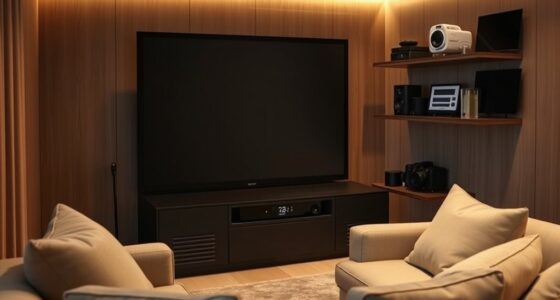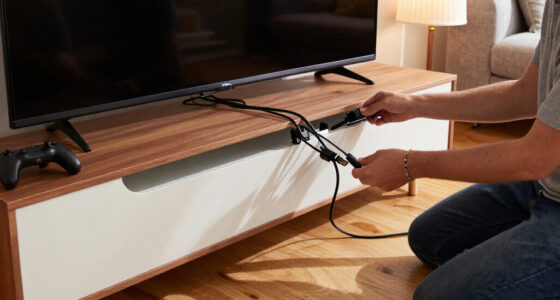
For most home theaters, I’d start with the OREI 4×2 8K Matrix with eARC: it combines newer video support with audio-routing features for a practical two-display setup. The OREI 8×8 HDMI 2.1 stands out when several sources need to feed multiple rooms, while the OREI 4×2 4K 60Hz is a simpler fit for systems that do not need 8K-class bandwidth. The main tradeoffs are how many sources and displays you need, whether your audio setup relies on ARC or eARC, and whether you need downscaling for mixed-resolution screens. Read on for how the six options differ and which one fits your equipment.

Get business pricing on your home office setup
- Business-only prices and quantity discounts
- Tax-exempt purchasing
- Multiple users, one account, clear invoices
Complete the kit


Key Takeaways
- The 8×8 HDMI 2.1 model is the lineup’s multi-room choice; its eight inputs and eight outputs solve a different problem from the four-input, two-output models.
- Among the 4×2 options, the 8K eARC model is the strongest feature-led pick for newer home theater systems that need audio return support and mixed-display flexibility.
- The 4K models remain relevant when the TV and projector setup tops out at 4K and buyers prefer not to pay for capabilities their equipment cannot use.
- Downscaling matters when displays have different limits; it can help avoid compatibility headaches, but buyers should confirm the specific output behavior they need.
- ARC and eARC are not interchangeable planning details; choose based on the audio-return support of the display and receiver or sound system in your chain.
| OREI 4×2 HDMI Matrix Switch – 4K@60Hz, Audio Extraction, EDID, IR, HDCP 2.2 |  | Best for Mixed-Resolution Displays | Inputs / outputs: 4 HDMI inputs, 2 HDMI outputs | HDMI version: HDMI 2.0 | Bandwidth: 18Gbps | VIEW ON AMAZON | See Our Full Breakdown |
| 8K 4×2 HDMI Matrix Switch with HDMI 2.1, Audio Extractor, EDID, ARC, Dolby Atmos |  | Best for 4K/120Hz Gaming | Inputs / outputs: 4 HDMI inputs, 2 HDMI outputs | HDMI version: HDMI 2.1 | Transmission rate: 40Gbps | VIEW ON AMAZON | See Our Full Breakdown |
| OREI 4×2 HDMI Matrix Switch 4K with Audio Extraction, ARC, EDID, Downscale |  | Best for Legacy 4K/60Hz Systems | Inputs / outputs: 4 HDMI inputs, 2 HDMI outputs | Maximum resolution: Up to 4K@60Hz (4:4:4) | Bandwidth: 18Gbps | VIEW ON AMAZON | See Our Full Breakdown |
| OREI 4×2 HDMI Matrix Switch 8K with Audio Extraction eARC, EDID, Downscale |  | Best for eARC-Centered Theaters | Inputs / outputs: 4 HDMI inputs, 2 HDMI outputs | HDMI version: HDMI 2.1 | Bandwidth: 40Gbps | VIEW ON AMAZON | See Our Full Breakdown |
| OREI 8×8 HDMI Matrix Switch – 8K HDMI 2.1 with Audio Extraction, EDID, IR |  | Best for Multiroom Home Theater | Model: BK-808 | Inputs / outputs: 8 HDMI inputs, 8 HDMI outputs | HDMI version: HDMI 2.1 | VIEW ON AMAZON | See Our Full Breakdown |
| OREI 4×4 HDMI Matrix Switch 4K Downscale, ARC, Audio Extraction, HDCP 2.2 |  | Best for Four-Zone 4K Home Theaters | HDMI inputs: 4 | HDMI outputs: 4 | Maximum resolution: 4K at 60Hz | VIEW ON AMAZON | See Our Full Breakdown |
| hdmi 21 matrix switchers for home theater | Inputs / outputs | HDMI version | Bandwidth | Dimensions |
|---|---|---|---|---|
| OREI 4×2 HDMI Matrix Switch | 4 HDMI inputs, 2 HDMI outputs | HDMI 2.0 | 18Gbps | 2.75 × 6.75 × 0.8 inches |
| 8K 4×2 HDMI Matrix Switch with | 4 HDMI inputs, 2 HDMI outputs | HDMI 2.1 | — | — |
| OREI 4×2 HDMI Matrix Switch 4K | 4 HDMI inputs, 2 HDMI outputs | — | 18Gbps | — |
| OREI 4×2 HDMI Matrix Switch 8K | 4 HDMI inputs, 2 HDMI outputs | HDMI 2.1 | 40Gbps | 8 × 3.5 × 1 inches |
| OREI 8×8 HDMI Matrix Switch | 8 HDMI inputs, 8 HDMI outputs | HDMI 2.1 | — | 8.25 × 17.5 × 2 inches |
| OREI 4×4 HDMI Matrix Switch 4K | — | — | 18Gbps | — |
More Details on Our Top Picks
OREI 4×2 HDMI Matrix Switch – 4K@60Hz, Audio Extraction, EDID, IR, HDCP 2.2
This 4×2 matrix suits a home theater where a 4K source needs to feed both a newer TV and an older 1080p display. Its automatic 4K-to-1080p downscaling helps avoid forcing both screens to use the same resolution, while ARC and optical or 3.5mm audio outputs give you options for connecting sound equipment. Compared with the newer OREI 8K 4×2, this model stops at 4K/60Hz and HDMI 2.0, so it is not the pick for 4K/120Hz gaming or an 8K display. It makes more sense for a settled setup built around 4K/60Hz sources, especially when legacy gear still matters. The tradeoff is capacity: it feeds only two displays, and its EDID and audio choices may take some setup work.
Pros:- Downscales 4K input to 1080p for mixed-resolution displays.
- Supports 4K/60Hz HDR and deep color.
- ARC plus optical and 3.5mm audio outputs provide flexible audio connections.
- Can be controlled from the front panel or remote.
Cons:- HDMI 2.0 and 18Gbps bandwidth do not support 4K/120Hz.
- Routes to only two displays at a time.
- Requires external power and may take configuration to match connected devices.
Best for: Home theater owners routing several 4K/60Hz sources to one 4K screen and one 1080p TV or projector.
Not ideal for: Gamers with 4K/120Hz consoles or anyone needing to distribute sources to more than two displays.
- Inputs / outputs:4 HDMI inputs, 2 HDMI outputs
- HDMI version:HDMI 2.0
- Bandwidth:18Gbps
- Video support:Up to 4K@60Hz HDR
- Downscaling:4K to 1080p
- Audio:ARC, Dolby TrueHD, DTS-HD Master Audio, optical and 3.5mm outputs
- HDCP:HDCP 2.2
- Dimensions:2.75 × 6.75 × 0.8 inches
Our verdict“Choose this OREI when 4K/60Hz and reliable downscaling matter more than HDMI 2.1 gaming features.”
8K 4×2 HDMI Matrix Switch with HDMI 2.1, Audio Extractor, EDID, ARC, Dolby Atmos
For a two-display theater that doubles as a console setup, the defining advantage here is 4K/120Hz support alongside four source inputs. That gives compatible gaming gear a higher-refresh route than the 4K/60Hz OREI models in this roundup, while the stated 8K/60Hz support leaves room for newer displays. EDID management, a remote, and plug-and-play operation are aimed at simplifying source and display matching; RCA and SPDIF outputs add options for sending audio to separate equipment. Compared with the OREI 8K 4×2, the supplied specifications list a wider set of resolution modes, including 1080p/240Hz, but provide less detail about supported audio formats and eARC. The limits are a four-input, two-output layout and an external power supply, so this is not a whole-home distribution hub.
Pros:- Supports 4K/120Hz and 8K/60Hz video modes.
- 40Gbps transmission rate is specified for higher-bandwidth HDMI 2.1 sources.
- EDID management and remote control aid source switching and display matching.
- RCA and SPDIF audio outputs offer separate audio connection options.
Cons:- Limited to four inputs and two outputs.
- Requires an external 6–12V power supply.
- The listed audio details do not specify support for every home theater format or eARC.
Best for: Console players and home theater owners with a 4K/120Hz display who want to switch four sources between two screens.
Not ideal for: Buyers building a larger multiroom system or those who need detailed, confirmed support for specific lossless audio formats and eARC.
- Inputs / outputs:4 HDMI inputs, 2 HDMI outputs
- HDMI version:HDMI 2.1
- Transmission rate:40Gbps
- Resolution modes:8K@60Hz, 4K@120Hz, 1080p@240Hz
- Audio outputs:RCA and SPDIF
- Audio formats:LPCM 2.0/5.1, DTS, Dolby Digital
- Power supply:6–12V
- Cooling:Built-in cooling system
Our verdict“Pick this matrix for a compact two-screen setup where 4K/120Hz gaming is a higher priority than expanding display count.”
OREI 4×2 HDMI Matrix Switch 4K with Audio Extraction, ARC, EDID, Downscale
This OREI is a strong fit for a theater that needs independent routing and audio extraction but does not need HDMI 2.1. Its four inputs can feed two displays separately, and the 4K-to-1080p downscaler helps pair a UHD television with an older projector or secondary screen. The listed HDR formats include Dolby Vision, HDR10+, and HLG, while optical and analog L/R outputs support external audio gear. Compared with the similarly positioned OREI 4×2 HDMI Matrix Switch – 4K@60Hz, it spells out its EDID modes and HDR format support; both remain 18Gbps, 4K/60Hz-class choices rather than options for 4K/120Hz gaming. Its real limitation is the same generational ceiling: no VRR or ALLM. Longer cable runs also call for suitable HDMI cables.
Pros:- Independently routes four HDMI sources to two displays.
- Supports Dolby Vision, HDR10+, and HLG at up to 4K/60Hz.
- Downscaling helps serve both 4K and 1080p displays.
- Optical SPDIF and analog L/R audio extraction are included.
Cons:- Does not support 4K/120Hz, VRR, or ALLM.
- 18Gbps bandwidth limits its usefulness with newer high-refresh sources.
- Longer connections may require high-quality HDMI cables.
Best for: Owners of mixed-age home theaters who want four-source routing, HDR at 4K/60Hz, and separate optical or analog audio.
Not ideal for: Buyers with 4K/120Hz gaming displays, or anyone seeking VRR and ALLM support.
- Inputs / outputs:4 HDMI inputs, 2 HDMI outputs
- Maximum resolution:Up to 4K@60Hz (4:4:4)
- Bandwidth:18Gbps
- HDR formats:Dolby Vision, HDR10+, HLG
- Audio extraction:Optical SPDIF and analog L/R
- EDID modes:AUTO, COPY, STD
- Downscaling:4K to 1080p
- Power:AC adapter
Our verdict“Choose this OREI for flexible 4K/60Hz routing and audio extraction in a theater that does not need HDMI 2.1 gaming features.”
OREI 4×2 HDMI Matrix Switch 8K with Audio Extraction eARC, EDID, Downscale
This model earns its place for buyers who want HDMI 2.1 video and eARC in the same two-display matrix. It supports 8K/60Hz and 4K/120Hz, so it is a more capable match for current gaming sources than either 4K/60Hz OREI switch in this lineup. Its eARC and audio extraction, paired with listed support for formats including Dolby Atmos, TrueHD, and DTS-HD Master Audio, make it especially relevant when a soundbar or receiver is central to the setup. Compared with the other 8K 4×2 option, this OREI provides explicit eARC and a detailed audio-format list, while the other model specifies 1080p/240Hz and RCA/SPDIF outputs. The tradeoff is a two-display ceiling and more compatibility dependencies: eARC features rely on the connected TV and audio gear supporting eARC.
Pros:- Supports 8K/60Hz and 4K/120Hz video.
- eARC and audio extraction serve soundbar and receiver setups.
- Lists support for Dolby Atmos, Dolby TrueHD, DTS-HD Master Audio, and DSD.
- Routes four sources independently to two displays.
Cons:- Only two HDMI outputs are available.
- Full eARC functionality depends on compatible connected TVs and audio equipment.
- Advanced audio and display settings may take configuration.
Best for: Home theater owners connecting HDMI 2.1 sources to two displays while routing audio through an eARC-capable TV, soundbar, or receiver.
Not ideal for: Installations with more than two displays or audio equipment that lacks eARC when eARC-specific functions are required.
- Inputs / outputs:4 HDMI inputs, 2 HDMI outputs
- HDMI version:HDMI 2.1
- Bandwidth:40Gbps
- Resolution support:8K@60Hz, 4K@120Hz
- eARC:Supported
- Audio formats:LPCM, Dolby Digital/Plus/TrueHD/Atmos, DTS, DTS-HD Master Audio, DSD
- Dimensions:8 × 3.5 × 1 inches
- Weight:1.1 pounds
- Warranty:1 year
Our verdict“Pick this OREI if eARC and high-refresh HDMI 2.1 video matter more than having additional display outputs.”
OREI 8×8 HDMI Matrix Switch – 8K HDMI 2.1 with Audio Extraction, EDID, IR
When a theater system has several sources and several displays, the 8×8 routing capacity is the main reason to choose this OREI. It can serve a large installation more naturally than the 4×2 switches here, which are limited to two display outputs. The feature set also includes HDMI 2.1 formats such as 8K, HDR10+, Dolby Vision, VRR, QFT, QMS, and SBTM, plus audio extraction, EDID management, and web GUI control. That mix is aimed at installations where sources and displays need flexible assignment rather than a simple living-room switch. The tradeoff is scale: at 17.5 inches wide and 7 pounds, it needs rack or cabinet space, and setup calls for more planning than a compact 4×2 unit. The supplied details do not specify bandwidth or exact supported refresh rates, so buyers should confirm their particular signal requirements.
Pros:- Eight-by-eight routing supports substantially more sources and displays than the 4×2 models.
- Lists HDMI 2.1 features including VRR, QFT, QMS, and SBTM.
- Supports HDR10+ and Dolby Vision.
- Web GUI control, EDID management, and audio extraction support more involved installations.
Cons:- Large and heavy at 17.5 inches wide and 7 pounds.
- Configuration is more involved than with a two-output matrix.
- The supplied specifications do not state bandwidth or supported refresh rates.
Best for: Home theater integrators and multiroom households routing multiple HDMI 2.1 sources among as many as eight displays.
Not ideal for: Buyers with a simple one- or two-display setup, limited cabinet space, or a need for confirmed bandwidth and refresh-rate specifications before purchase.
- Model:BK-808
- Inputs / outputs:8 HDMI inputs, 8 HDMI outputs
- HDMI version:HDMI 2.1
- Resolution support:Up to 8K
- HDR formats:HDR10+, Dolby Vision
- Gaming and HDMI features:VRR, QFT, QMS, SBTM
- Control and setup:Web GUI, EDID management, IR
- Dimensions:8.25 × 17.5 × 2 inches
- Weight:7 pounds
Our verdict“Choose this OREI for a multiroom system that needs eight-source-to-eight-display routing, not for a basic living-room theater.”
OREI 4×4 HDMI Matrix Switch 4K Downscale, ARC, Audio Extraction, HDCP 2.2
For a home theater that needs to send several sources to several rooms or displays, this OREI’s four inputs and four outputs offer more routing flexibility than the 4×2 options in this roundup. It supports 4K at 60Hz, HDR, and 18Gbps bandwidth, making it a fit for 4K systems that don’t require HDMI 2.1’s higher-bandwidth features. Audio extraction over optical or 3.5mm, plus ARC support, gives you ways to connect audio gear without relying solely on a display’s speakers. Compared with the OREI 8×8 HDMI Matrix Switch, this model serves fewer zones but takes a simpler capacity approach for a four-display setup. The tradeoff is that its HDMI 2.0-class 18Gbps ceiling rules out 4K at 120Hz, and four-by-four routing can take more setup effort than a basic switch. It also needs its own power adapter.
Pros:- Routes four HDMI sources to four displays for flexible multi-room viewing.
- Supports 4K at 60Hz and HDR for compatible 4K home theater systems.
- Optical and 3.5mm audio extraction provide alternatives for connecting audio equipment.
- Metal enclosure is suited to a fixed AV installation.
Cons:- 18Gbps bandwidth does not support HDMI 2.1-class 4K at 120Hz.
- Four-by-four routing may require more setup and configuration than a simpler switch.
- Requires an external power adapter and supports only four sources and four displays.
Best for: Home theater owners routing up to four 4K sources among four displays, such as a main room and several secondary screens.
Not ideal for: Gamers or home theater owners seeking HDMI 2.1 features such as 4K at 120Hz, or buyers who only need to connect one source to one display.
- HDMI inputs:4
- HDMI outputs:4
- Maximum resolution:4K at 60Hz
- Bandwidth:18Gbps
- HDCP:2.2
- HDR support:Yes
- Audio outputs:Optical (S/PDIF), 3.5mm analog
- Audio formats:LPCM, DTS, Dolby Digital, DTS-HD Master Audio, Dolby TrueHD
- Enclosure and included accessories:Metal; remote control, power adapter, user manual
Our verdict“Choose this OREI for four-display 4K routing with audio extraction, but skip it if your setup needs HDMI 2.1 bandwidth or 4K at 120Hz.”
How We Picked
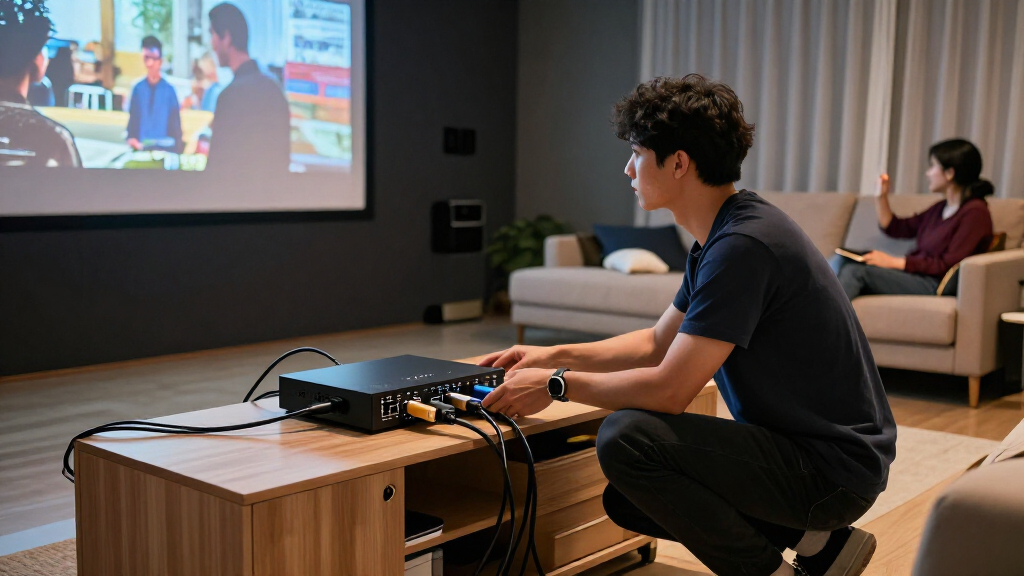
I ranked these matrix switchers by how well their stated capabilities match common home theater layouts: source count, display count, video support, audio extraction or return features, and tools such as EDID management and downscaling. A feature only improves a pick when it solves a likely setup problem. For example, more outputs matter for multi-room distribution, while eARC support is more relevant to newer audio systems than a basic two-display installation.
The ranking favors useful capability without asking every buyer to adopt the largest or most feature-heavy unit. That puts the 4×2 8K eARC model ahead for many modern two-display theaters, while the 8×8 unit earns its place for larger installations rather than as a default choice. The 4K models rank for simpler, potentially more economical systems, with distinctions based on output count and audio or downscaling features. Product names and listed specifications guide this comparison; buyers should confirm exact supported formats and connection behavior against their own devices before purchase.
| hdmi 21 matrix switchers for home theater | HDMI version | Audio formats |
|---|---|---|
| OREI 4×2 HDMI Matrix Switch | HDMI 2.0 | — |
| 8K 4×2 HDMI Matrix Switch with | HDMI 2.1 | LPCM 2.0/5.1, DTS, Dolby Digital |
| OREI 4×2 HDMI Matrix Switch 4K | — | — |
| OREI 4×2 HDMI Matrix Switch 8K | HDMI 2.1 | LPCM, Dolby Digital/Plus/TrueHD/Atmos, DTS, DTS-HD Master Audio, DSD |
| OREI 8×8 HDMI Matrix Switch | HDMI 2.1 | — |
| OREI 4×4 HDMI Matrix Switch 4K | — | LPCM, DTS, Dolby Digital, DTS-HD Master Audio, Dolby TrueHD |
Factors to Consider When Choosing Hdmi 21 Matrix Switchers For Home Theater
Before choosing a matrix, map the signal path from every source to every display and audio device. The number of ports is only the starting point: video formats, audio return, and how different screens handle resolution can determine whether a setup works as expected.
Count Routes, Not Just Devices
Write down each source, each display, and which sources must be available on which screens at the same time. A 4×2 matrix can serve several sources and two displays, but it does not mean every room can select an independent source unless the unit’s routing supports that use. The 8×8 model makes sense when a theater, living room, and other zones need flexible shared sources. It may be unnecessary bulk and complexity for one TV and one projector. Leave room for a future console or streaming device, but avoid buying extra outputs just because they sound versatile.
Match the Entire Video Chain
A matrix cannot deliver a format that is blocked by another device in the chain. Check the source, switch, receiver or soundbar, cable run, and display for the resolution and refresh rate you plan to use. The HDMI 2.1 label alone does not confirm support for every feature or format a console or PC may offer. Long cable runs can also behave differently from short connections, especially at higher data rates. Confirm the exact model’s supported specifications and use cables suited to the full path rather than relying on one headline number.
Choose ARC or eARC Around Your Audio Setup
ARC and eARC send audio from a display back to an audio system, but your devices need compatible ports and features for the intended signal path. If a receiver handles switching and audio already, audio return through the matrix may not be central to your setup. If a TV app sends sound to a receiver, return-channel support can be much more relevant. Do not assume an ARC-labeled matrix will provide the same behavior as an eARC model. Check which device will manage audio and confirm compatibility across the TV, matrix, and receiver or soundbar.
Plan for Displays With Different Resolutions
A TV and projector often have different maximum resolutions or format support. When both must show the same source, a system may need to negotiate a signal that both displays accept, which can limit what the higher-capability display receives. Downscaling features may help maintain a usable picture on a lower-resolution screen, but the exact behavior can vary by output and operating mode. Read the manual for how the matrix handles simultaneous outputs and EDID settings. If you want independent resolution choices on each screen, verify that the product supports that specific arrangement.
Use EDID Features to Solve a Defined Problem
EDID tells a source what a connected display can accept, and mismatches can cause missing audio, blank screens, or an unexpectedly limited signal. EDID controls can help when a receiver, TV, and projector report different capabilities. They are not a substitute for checking format compatibility, and manual settings can create new issues if the selected profile does not match the connected equipment. Buyers with a straightforward single-display chain may rarely need to adjust EDID. For a mixed-display theater, look for clear setup instructions and a way to restore a known-good configuration.
Pay for Capacity You Can Use
A larger matrix is worth the added setup effort when it replaces several separate switching steps or serves multiple zones. For a compact theater, a 4×2 unit may cover the sources and displays with fewer routing choices to manage. A 4×4 model can be a useful middle ground if four displays are genuinely part of the plan, even when the installation does not need an 8×8 system. Also account for physical placement, power, remote access, and cable organization. Choose the smallest configuration that supports your real routes and planned near-term additions.
Frequently Asked Questions
Do I need an HDMI 2.1 matrix if my home theater is currently 4K?
Not automatically. If every source and display uses formats supported by a 4K matrix, a model such as the OREI 4×2 4K option may be a better match than buying for an upgrade that is not planned. HDMI 2.1-class support becomes more useful when your sources and displays need newer bandwidth or features. Check the full device chain, since one older receiver or cable can limit the signal regardless of the matrix. Choose based on the formats you will use now and the upgrades you realistically expect.
Can one matrix send different sources to a TV and projector at the same time?
That depends on the matrix’s routing design, not just the number of outputs. A 4×2 unit typically offers two outputs, but buyers should confirm whether those outputs can select sources independently. Also check whether each display can receive its own resolution and audio handling when showing different content. Some installations send one source to both screens, while others need separate source selection. Verify the operating modes in the product documentation before planning the wiring.
Will a 4K matrix work with an 8K television?
It may pass a signal the television can display, but the matrix can limit the source to its own supported maximum. That means connecting an 8K TV does not make a 4K matrix an 8K signal path. Check the resolution and refresh-rate requirements of every source you intend to use, along with any receiver in the chain. If you do not need 8K output today, a 4K matrix can still suit a 4K system. Buy for the actual source-to-display formats rather than the TV’s maximum capability alone.
Should I choose the 8×8 model for a home with several TVs?
Choose it when you need many sources to be routed flexibly among several displays or zones. The OREI 8×8 is the lineup’s clearest fit for that larger distribution job, but its capacity can be wasted in a theater with only two screens. Count how many displays must work at once and whether each needs independent source selection. Also plan for the extra cabling and configuration a larger installation brings. If your layout is limited to a TV and projector, a 4×2 model is likely the more direct fit.
When is eARC worth prioritizing over ARC or audio extraction?
Prioritize eARC when your TV and audio system both support it and your setup depends on sending audio from the display back to the receiver or soundbar. ARC may suit simpler compatible systems, while audio extraction can serve a different routing need by separating audio from the HDMI signal. These functions are not identical, so identify which device is responsible for audio switching before choosing. The OREI 4×2 8K eARC model is the most clearly aligned option in this lineup for an eARC-centered two-display setup. Confirm support for your intended audio formats across all connected devices.
Conclusion
For a modern two-display theater, I’d choose the OREI 4×2 8K Matrix with eARC as the best overall option because it pairs newer video support with useful audio-return and downscaling features. The OREI 4×2 4K 60Hz is my best-value-style fit for a straightforward 4K system that does not need 8K capability, while the OREI 8×8 HDMI 2.1 is the best premium choice for multi-room routing and many connected sources. Beginners with a simple two-screen setup should favor a 4×2 model and avoid paying for unused ports; the 4K ARC or 4K 60Hz options are easier fits when their specifications match the equipment. For mixed-resolution screens, compare the OREI 4×2 8K eARC and OREI 4×4 4K Downscale models against the exact routing you need, and check each model’s documentation before buying.