For a straightforward choice, I’d put the UGREEN HDMI 2.1 Switch 3 in 1 Out with Remote forward as the best overall balance of three inputs, remote control, VRR, and high-refresh support. The Monoprice 2×1 is a strong fit for a two-device setup where named format and HDCP support matter, while the 5-in-1 HDMI 2.1 switch with remote suits a crowded console-and-media-player setup. The main tradeoffs are port count versus simplicity, automatic versus remote or manual switching, and whether a model’s listed refresh-rate support matches your display and sources. Product listings vary in how clearly they state VRR and ALLM support, so check the exact model’s specifications before buying. Continue reading for the full comparison and guidance on choosing a switch that fits your setup.

Get business pricing on your home office setup
- Business-only prices and quantity discounts
- Tax-exempt purchasing
- Multiple users, one account, clear invoices
Complete the kit


Key Takeaways
- The lineup spans two-input switches through five-input models, so counting devices first can prevent paying for unused ports—or running short after adding a console or streaming box.
- Several listings state VRR directly, but ALLM is not consistently named across the product details provided; I would verify ALLM support for the exact model rather than assume it.
- The UGREEN 3-in-1 model pairs a useful middle-ground port count with a remote and stated VRR support, while smaller two-input options make more sense for minimal setups.
- Higher listed refresh rates, such as 4K at 240Hz, are not automatically useful: the source, display, cable, and signal path all need to support the chosen mode.
- Remote control, automatic switching, and bidirectional operation solve different problems; choosing the wrong switching style can be more frustrating than choosing a lower port count.
| 8K HDMI 2.1 Switch, 4 in 1 Out HDMI Switcher Supports 8K@60Hz, 4K@120Hz, 1080P@240Hz, HDR, VRR, ALLM, Dolby Atmos |  | Best for Larger Gaming Setups | HDMI version: HDMI 2.1 | Inputs and output: 4 HDMI inputs, 1 HDMI output | Resolution support: 8K@60Hz, 4K@120Hz, 1080p@240Hz | VIEW ON AMAZON | See Our Full Breakdown |
| UGREEN HDMI 2.1 Switch 2 in 1 Out 8K@60Hz, HDR10+, VRR, 4K@240Hz |  | Best for High-Refresh Gaming | HDMI version: HDMI 2.1 | Inputs and output: 2 HDMI inputs, 1 HDMI output | Resolution support: 8K@60Hz, 4K@240Hz, 4K@120Hz, 1080p@240Hz | VIEW ON AMAZON | See Our Full Breakdown |
| OREI 8K 3-Port HDMI 2.1 Switch, 3-in 1-Out, 8K@60Hz, Manual & Auto Switch |  | Best for Automatic Source Selection | HDMI version: HDMI 2.1 | Inputs and output: 3 HDMI inputs, 1 HDMI output | Bandwidth: 48Gbps | VIEW ON AMAZON | See Our Full Breakdown |
| HDMI 2.1 Switch 3 in 1 Out, 4K@120Hz 8K@60Hz, 48Gbps with 8K HDMI Cable |  | Best for a Simple Cable-Included Setup | HDMI version: HDMI 2.1 | Inputs and output: 3 HDMI inputs, 1 HDMI output | Resolution support: 8K@60Hz, 4K@120Hz | VIEW ON AMAZON | See Our Full Breakdown |
| UGREEN 8K@60Hz HDMI 2.1 Switch 3 in 1 Out with Remote, VRR, 4K@240Hz |  | Best for Remote-Controlled Three-Source Gaming | HDMI version: HDMI 2.1 | Inputs and output: 3 HDMI inputs, 1 HDMI output | Resolution support: 8K@60Hz, 4K@240Hz/144Hz/120Hz, 1080p@240Hz | VIEW ON AMAZON | See Our Full Breakdown |
| OREI 8K 2-Port HDMI 2.1 Switch, 8K@60Hz, 4K@120Hz, Auto and Manual Switch |  | Best for Flexible Switching | Inputs / outputs: 2 in, 1 out | HDMI version: HDMI 2.1 | Bandwidth: 48Gbps | VIEW ON AMAZON | See Our Full Breakdown |
| HDMI 2.1 Switch 2 in 1 Out, 4K@120Hz 8K@60Hz Bi-Directional with HDMI Cable |  | Best for Bi-Directional Setups | Connection modes: 2 sources to 1 display or 1 source to 2 displays | Supported resolutions: 8K@60Hz, 4K@120Hz | Bandwidth: 48Gbps | VIEW ON AMAZON | See Our Full Breakdown |
| OREI 8K 3-Port HDMI 2.1 Switch with Remote |  | Best for Remote-Controlled Three-Source Setups | Inputs / outputs: 3 in, 1 out | HDMI version: HDMI 2.1 | Bandwidth: 48Gbps | VIEW ON AMAZON | See Our Full Breakdown |
| Monoprice 2×1 HDMI Switch, 8K@60Hz, 4K@120Hz, HDMI 2.1, HDCP 2.3, HDR10+, Dolby Vision, Low Latency Support |  | Best for Clearly Specified Gaming Features | Inputs / outputs: 2 in, 1 out | HDMI version: 2.1 | Bandwidth: 48Gbps | VIEW ON AMAZON | See Our Full Breakdown |
| OREI 8K 4-Port HDMI 2.1 Switch, 8K@60Hz, 4K@120Hz, Auto Switch |  | Best for Four-Device Capacity | Inputs: 4 | Model number: 4×1 | Bandwidth: 48Gbps | VIEW ON AMAZON | See Our Full Breakdown |
| HDMI 2.1 Switch 5 in 1 Out 8K 60Hz 4K 120Hz with Remote |  | Best for Five-Device Gaming Setups | Inputs and outputs: 5 inputs, 1 output | Maximum stated resolutions: 8K@60Hz, 4K@120Hz | Bandwidth: 48Gbps | VIEW ON AMAZON | See Our Full Breakdown |
| UGREEN HDMI Switch 5 in 1 Out, 4K@60Hz, with Remote, HDR, VRR, 3D, Black |  | Best for 4K 60Hz Mixed Media | Inputs: 5 | Resolution: 4K@60Hz | HDMI version: HDMI 2.0/1.4 | VIEW ON AMAZON | See Our Full Breakdown |
| HDMI 2.1 Switch, 4 in 1 Out, 8K@60Hz, 4K@240Hz HDMI Switcher with Remote Support |  | Best for 4K 240Hz Displays | Inputs and outputs: 4 HDMI inputs, 1 HDMI output | Maximum stated resolutions: 8K@60Hz, 4K@240Hz | HDMI version: HDMI 2.1 | VIEW ON AMAZON | See Our Full Breakdown |
| UGREEN 8K@60Hz HDMI Switch 5 in 1 Out, Aluminum, HDR10+, Remote |  | Best for a Five-Source 8K Setup | Inputs and outputs: 5 inputs, 1 output | Resolution support: 8K@60Hz, 4K@60Hz, 1080p@240Hz | HDMI version: HDMI 2.1 | VIEW ON AMAZON | See Our Full Breakdown |
| hdmi 21 switches with vrr and allm support | Bandwidth | HDMI version | Resolution support | Power |
|---|---|---|---|---|
| 8K HDMI 2.1 Switch | — | HDMI 2.1 | 8K@60Hz, 4K@120Hz, 1080p@240Hz | 5V/1A USB |
| UGREEN HDMI 2.1 Switch 2 in 1 | 48Gbps | HDMI 2.1 | 8K@60Hz, 4K@240Hz, 4K@120Hz, 1080p@240Hz | External power required |
| OREI 8K 3-Port HDMI 2.1 Switch | 48Gbps | HDMI 2.1 | 8K@60Hz, 4K@120Hz, 2K@60Hz, 1080p@240Hz | — |
| HDMI 2.1 Switch 3 in 1 Out | 48Gbps | HDMI 2.1 | 8K@60Hz, 4K@120Hz | — |
| UGREEN 8K@60Hz HDMI 2.1 Switch | 40Gbps | HDMI 2.1 | 8K@60Hz, 4K@240Hz/144Hz/120Hz, 1080p@240Hz | 5V/1A USB power cable included; power adapter not included |
| OREI 8K 2-Port HDMI 2.1 Switch | 48Gbps | HDMI 2.1 | 8K@60Hz, 4K@120Hz, 1080p@240Hz | USB |
| HDMI 2.1 Switch 2 in 1 Out | 48Gbps | — | — | USB-C power cable |
| OREI 8K 3-Port HDMI 2.1 Switch | 48Gbps | HDMI 2.1 | 8K@60Hz, 4K@120Hz | — |
| Monoprice 2×1 HDMI Switch | 48Gbps | 2.1 | 8K@60Hz, 4K@120Hz | — |
| OREI 8K 4-Port HDMI 2.1 Switch | 48Gbps | — | 8K@60Hz, 4K@120Hz | External power adapter |
| HDMI 2.1 Switch 5 in 1 Out 8K | 48Gbps | — | — | Power supply included |
| UGREEN HDMI Switch 5 in 1 Out | 18Gbps | HDMI 2.0/1.4 | — | USB powered; adapter not included |
| HDMI 2.1 Switch | 48Gbps | HDMI 2.1 | — | 5V USB via Type-C |
| UGREEN 8K@60Hz HDMI Switch 5 i | 40Gbps | HDMI 2.1 | 8K@60Hz, 4K@60Hz, 1080p@240Hz | — |
More Details on Our Top Picks
8K HDMI 2.1 Switch, 4 in 1 Out HDMI Switcher Supports 8K@60Hz, 4K@120Hz, 1080P@240Hz, HDR, VRR, ALLM, Dolby Atmos
This is the strongest fit here when four sources need one display and gaming features matter across the setup. Its listed support for VRR and ALLM targets smoother variable-refresh gameplay and automatic low-latency behavior, while 4K at 120Hz suits current high-refresh console play. Compared with the two-input UGREEN HDMI 2.1 Switch, it saves a port swap when a console, PC, and other devices share the screen. The tradeoff is that four inputs still may not cover a broad media center, and the UGREEN lists 4K at 240Hz while this model tops out at 4K at 120Hz. I’d also plan around its USB power requirement and use short, capable HDMI cables for its stated 8K performance.
Pros:- Four HDMI inputs reduce the need to unplug and reconnect devices.
- Lists VRR and ALLM alongside 4K at 120Hz support for gaming setups.
- Includes both a button and remote for source selection.
- Aluminum-alloy construction and listed support for Dolby Atmos.
Cons:- Requires a separate 5V/1A USB power connection.
- Its stated 4K refresh ceiling is 120Hz, below the UGREEN 2-in-1 model’s listed 240Hz.
- The listing recommends high-quality HDMI 2.1 cables and limits 8K cable runs to up to 3 meters.
Best for: Console and PC gamers who need to keep up to four HDMI sources connected to one VRR- and ALLM-capable display.
Not ideal for: Buyers prioritizing 4K at 240Hz, automatic source switching, or a setup with more than four sources.
- HDMI version:HDMI 2.1
- Inputs and output:4 HDMI inputs, 1 HDMI output
- Resolution support:8K@60Hz, 4K@120Hz, 1080p@240Hz
- Gaming features:VRR, ALLM, QFT
- HDR and audio:HDR, Dolby Atmos
- HDCP:2.3
- Power:5V/1A USB
- Construction:Aluminum alloy
- Listed 8K cable length:Up to 3 meters
Our verdict“Choose this four-input switch if keeping several gaming sources connected matters more than 4K at 240Hz or automatic switching.”
UGREEN HDMI 2.1 Switch 2 in 1 Out 8K@60Hz, HDR10+, VRR, 4K@240Hz
Among these five, this UGREEN is the clearest choice for a two-source gaming setup where high refresh rates take priority. Its listed support for 4K@240Hz, VRR, and G-Sync/FreeSync gives compatible PC displays more headroom than the four-input model, which lists 4K@120Hz. HDR10+ adds support for compatible video sources, while LED indicators make it easier to see which of the two connected devices is selected. The compact port count is also its main limitation: unlike the four-input switch, it cannot keep as many devices attached. It requires external power, offers no automatic source switching, and does not support ARC/eARC. I’d pick it for a focused PC-and-console setup, not a living room system that depends on audio return over HDMI.
Pros:- Lists 4K@240Hz support, the highest stated 4K refresh rate among these five products.
- Supports VRR and G-Sync/FreeSync for compatible gaming displays.
- LED indicators show which input is selected.
- Includes an HDMI cable and lists 48Gbps bandwidth.
Cons:- Only two HDMI inputs are available.
- External power is required.
- No automatic switching or ARC/eARC support is listed.
Best for: PC gamers with a compatible 4K high-refresh display who switch between two sources and want VRR support.
Not ideal for: Buyers needing three or more connected sources, automatic switching, or ARC/eARC audio return.
- HDMI version:HDMI 2.1
- Inputs and output:2 HDMI inputs, 1 HDMI output
- Resolution support:8K@60Hz, 4K@240Hz, 4K@120Hz, 1080p@240Hz
- Bandwidth:48Gbps
- HDR:HDR10+
- Gaming features:VRR, G-Sync, FreeSync
- Power:External power required
- Cable:Cable included
- Audio return:ARC/eARC not supported
Our verdict“Pick this UGREEN for a two-source setup built around high-refresh 4K gaming, but skip it if you need more inputs or eARC.”
OREI 8K 3-Port HDMI 2.1 Switch, 3-in 1-Out, 8K@60Hz, Manual & Auto Switch
The OREI stands out for offering both manual and automatic switching, a useful distinction for a three-source setup where convenience matters as much as port count. It lists 48Gbps bandwidth, 4K@120Hz, and support for HDR10+ and Dolby Vision, making it a flexible match for compatible gaming and video gear. Compared with the three-input UGREEN switch, it lists auto switching, while the UGREEN emphasizes a remote and higher stated 4K refresh support. One important gap for this roundup: the supplied OREI specifications do not list VRR or ALLM. I would not assume either feature works just because the product is HDMI 2.1. Its three inputs and required external power also make it less suited to larger setups or buyers seeking a clearly specified gaming-feature match.
Pros:- Offers both automatic and manual source switching.
- Lists 48Gbps bandwidth and 4K@120Hz support.
- Supports HDR10+ and Dolby Vision.
- Includes a remote control.
Cons:- The supplied specifications do not confirm VRR or ALLM support.
- Limited to three HDMI inputs.
- Requires an external power adapter.
Best for: Buyers with up to three sources who value auto/manual switching and HDR format support more than confirmed VRR and ALLM.
Not ideal for: Gamers who need explicitly documented VRR and ALLM support, or setups with four or more sources.
- HDMI version:HDMI 2.1
- Inputs and output:3 HDMI inputs, 1 HDMI output
- Bandwidth:48Gbps
- Resolution support:8K@60Hz, 4K@120Hz, 2K@60Hz, 1080p@240Hz
- HDCP:2.3
- HDR formats:HDR10+, Dolby Vision
- Switching:Manual and automatic
- Audio formats:LPCM, Dolby TrueHD, DTS-HD Master Audio, Dolby AC-3, DTS 7.1
- Warranty:1 year
Our verdict“Choose the OREI for three-source convenience and HDR format support, but choose a model with documented VRR and ALLM if those are must-haves.”
HDMI 2.1 Switch 3 in 1 Out, 4K@120Hz 8K@60Hz, 48Gbps with 8K HDMI Cable
This three-input switch is a straightforward pick for someone who wants VRR and ALLM listed without adding a separate HDMI cable to the initial setup. It supports 48Gbps bandwidth, 8K@60Hz, and 4K@120Hz, with one-button manual selection rather than a remote or auto-switching. That makes it simpler than the OREI 3-port model if you prefer a single physical control, but less convenient when the switch is tucked away. The included 2.6-foot HDMI cable can help with a nearby connection; it does not remove the need to check cable quality and length across the rest of the chain. The listing also flags possible signal loss when only one device is powered on, a notable limitation for sources that are not kept active.
Pros:- Lists both VRR and ALLM support.
- Supports 48Gbps bandwidth and 4K@120Hz.
- Includes a 2.6-foot HDMI cable.
- One-button manual switching keeps source selection simple.
Cons:- Only three HDMI inputs, fewer than the four-input model in this roundup.
- The listing warns of possible signal loss when only one device is powered on.
- Longer HDMI runs may affect 8K@60Hz performance, and no remote or auto switching is listed.
Best for: Buyers connecting three nearby sources who want listed VRR/ALLM support, a supplied HDMI cable, and simple button control.
Not ideal for: People who need remote or automatic switching, rely on one powered-on source at a time, or run longer 8K cable paths.
- HDMI version:HDMI 2.1
- Inputs and output:3 HDMI inputs, 1 HDMI output
- Resolution support:8K@60Hz, 4K@120Hz
- Bandwidth:48Gbps
- HDCP:2.3
- Gaming features:VRR, ALLM
- HDR and audio:HDR10+, 3D surround sound
- Included cable:2.6-foot HDMI cable
- Switching:One-button manual switching
Our verdict“Choose this model for a simple three-source installation with a supplied short cable, but skip it if remote control or automatic switching is a priority.”
UGREEN 8K@60Hz HDMI 2.1 Switch 3 in 1 Out with Remote, VRR, 4K@240Hz
For three connected sources, this UGREEN combines remote selection with a broad set of gaming display features: VRR, G-Sync, and FreeSync. Its listed 4K@240Hz support is a step above the 4-input switch’s 4K@120Hz ceiling, making it the stronger spec-sheet fit for a compatible high-refresh PC display. Compared with the two-input UGREEN, it keeps one more source connected and adds three LED indicators, though its stated bandwidth is 40Gbps rather than 48Gbps. The listing does not include HDMI cables or a power adapter, and switching is manual rather than automatic. I’d favor it when remote convenience and three sources matter, while buyers who need four inputs or documented ALLM should look at a different option.
Pros:- Remote control makes source changes easier when the switch is out of reach.
- Lists 4K@240Hz, VRR, G-Sync, and FreeSync support.
- Three LED indicators help identify the selected input.
- Supports HDR10+ and HDCP 2.3.
Cons:- 40Gbps listed bandwidth is lower than the 48Gbps figures on several alternatives here.
- HDMI cables and a power adapter are not included.
- No automatic switching or ALLM support is listed.
Best for: Gamers with up to three sources who want remote input selection, VRR compatibility, and listed 4K@240Hz support.
Not ideal for: Buyers who need four or more inputs, automatic switching, included HDMI cables, or explicitly listed ALLM support.
- HDMI version:HDMI 2.1
- Inputs and output:3 HDMI inputs, 1 HDMI output
- Resolution support:8K@60Hz, 4K@240Hz/144Hz/120Hz, 1080p@240Hz
- Bandwidth:40Gbps
- Gaming features:VRR, G-Sync, FreeSync
- HDR and HDCP:HDR10+, HDCP 2.3
- Power:5V/1A USB power cable included; power adapter not included
- Remote and indicators:Remote control; 3 LED indicators
- Compatibility:PS5, Xbox Series X, Switch, PC, Blu-ray, Roku, Fire TV Stick
Our verdict“Pick this UGREEN for three-source gaming where remote control and VRR matter, but not if you require documented ALLM or a full set of included accessories.”
OREI 8K 2-Port HDMI 2.1 Switch, 8K@60Hz, 4K@120Hz, Auto and Manual Switch
The OREI 2-port is a good fit when you want both automatic and manual source selection without adding more inputs than your setup needs. Its listed support for VRR, 4K at 120Hz, and 48Gbps lines up with high-refresh gaming, while its broad audio-format support makes it a reasonable match for a home theater chain. Compared with the Monoprice Blackbird 2×1, this OREI adds auto switching, but Monoprice lists VRR, FVA, and ALLM explicitly; the OREI description mentions VRR but does not confirm ALLM, so I would verify ALLM compatibility before buying specifically for that feature. Two inputs also mean less room to grow, and occasional switching delays are reported. Its cable-length guidance is another practical limit: longer runs may require fiber-optic HDMI cables.
Pros:- Lists VRR and high-refresh support up to 4K at 120Hz
- Offers both auto and manual switching
- Supports a wide range of audio formats, including Dolby Atmos and Dolby TrueHD
- Compact, lightweight design
Cons:- Only two source inputs
- ALLM is not explicitly listed in the supplied product specifications
- Longer cable runs may require fiber-optic HDMI cables, and switching delays have been reported
Best for: Buyers connecting one gaming console and one media player who want automatic or manual source selection and can confirm their display chain supports the gaming features they need.
Not ideal for: People with three or more HDMI sources, long cable runs, or buyers who require clearly specified ALLM support.
- Inputs / outputs:2 in, 1 out
- HDMI version:HDMI 2.1
- Bandwidth:48Gbps
- Resolution support:8K@60Hz, 4K@120Hz, 1080p@240Hz
- Gaming feature listed:VRR; ALLM not specified
- HDCP support:HDCP 2.3, 2.2, 1.4
- Power:USB
- Audio formats:Dolby Atmos, DTS-HD Master Audio, LPCM, Dolby TrueHD
- Weight:2.8 ounces
Our verdict“Choose this OREI if two sources and flexible switching suit your setup, but confirm ALLM support before making it your VRR-and-ALLM gaming switch.”
HDMI 2.1 Switch 2 in 1 Out, 4K@120Hz 8K@60Hz Bi-Directional with HDMI Cable
This is the lineup’s most flexible choice for someone who may use the hardware in either direction: two sources to one display, or one source to two displays. It explicitly lists VRR and ALLM, alongside 48Gbps bandwidth and support for 4K at 120Hz, so its gaming credentials are clearer than those of the OREI 2-port, whose supplied details do not name ALLM. The included short HDMI cable and USB-C power cable give you useful essentials, though the switch still needs USB-C power and is limited to one active direction at a time. Unlike the OREI 3-port with remote, this model lists neither remote nor automatic switching, so expect to select sources at the unit rather than rely on hands-off control.
Pros:- Explicitly lists both VRR and ALLM
- Bi-directional operation supports two different connection arrangements
- Supports 8K@60Hz, 4K@120Hz, and 48Gbps bandwidth
- Includes a 2.6-foot HDMI cable and USB-C power cable
Cons:- Only handles two connected devices, with one direction usable at a time
- Requires USB-C power
- No remote or auto-switching feature is listed
Best for: Console owners or AV hobbyists who need explicit VRR and ALLM support and want the option to switch between two sources or two displays.
Not ideal for: People who need three or more sources, automatic source detection, remote control, or a setup without convenient USB-C power.
- Connection modes:2 sources to 1 display or 1 source to 2 displays
- Supported resolutions:8K@60Hz, 4K@120Hz
- Bandwidth:48Gbps
- VRR:Yes
- ALLM:Yes
- HDR formats:HDR10+, Dolby Vision, Dynamic HDR
- HDCP:2.3
- Power:USB-C power cable
- Included cables:2.6-foot HDMI cable and USB-C power cable
Our verdict“Pick this model for explicit VRR and ALLM plus two-way routing flexibility, provided manual switching and USB-C power fit your setup.”
OREI 8K 3-Port HDMI 2.1 Switch with Remote
The OREI 3-port makes sense when a console, streaming device, and PC all need to share one screen: it gives you one more input than the two-port switches and includes a remote for changing sources from your seat. Its 48Gbps bandwidth and 4K@120Hz and 8K@60Hz support suit high-resolution equipment, but the supplied data does not explicitly confirm VRR or ALLM. That makes it a less certain pick for a roundup centered on both gaming features than the Monoprice Blackbird, which lists VRR and ALLM, or the bi-directional two-port switch, which explicitly lists both. The OREI’s advantage is convenience and capacity, not a fully documented gaming-feature set. I would choose it for remote access only after checking feature compatibility with the seller or product documentation.
Pros:- Three HDMI inputs accommodate more devices than the two-port models
- Includes a remote for source changes from across the room
- Lists 48Gbps bandwidth and support up to 4K@120Hz
- Supports several high-quality multichannel audio formats
Cons:- VRR and ALLM are not specified in the supplied product data
- Limited to three inputs and one output
- No Ethernet or audio-extraction feature is listed
Best for: A household with three HDMI sources sharing one display that values remote source selection and can verify its VRR and ALLM requirements.
Not ideal for: Buyers who need confirmed VRR and ALLM specifications, or anyone who expects more than three sources to connect.
- Inputs / outputs:3 in, 1 out
- HDMI version:HDMI 2.1
- Bandwidth:48Gbps
- Resolution support:8K@60Hz, 4K@120Hz
- HDCP:2.3
- Remote control:Yes
- Audio formats:LPCM, Dolby TrueHD, DTS-HD Master Audio, Dolby-AC3, DTS 7.1
- Dimensions:2 in D × 2.75 in W × 0.75 in H
- Weight:2.81 ounces
Our verdict“Choose this OREI for remote-controlled switching among three sources, but verify VRR and ALLM support before relying on it for gaming.”
Monoprice 2×1 HDMI Switch, 8K@60Hz, 4K@120Hz, HDMI 2.1, HDCP 2.3, HDR10+, Dolby Vision, Low Latency Support
For a buyer focused on gaming compatibility, the Monoprice stands out because its supplied specifications explicitly name VRR and ALLM, as well as FVA. It combines those low-latency features with 48Gbps bandwidth, 4K@120Hz support, and HDR10+ and Dolby Vision, making its feature list more directly useful than the OREI 2-port’s, which does not specify ALLM. This is still a simple 2-in, 1-out switch, not a capacity upgrade: the OREI 3-port with remote gives you another source and easier seated control. Monoprice lists no remote, and its two inputs can feel restrictive if a console, PC, and streaming box all need to stay connected. I’d favor it for documented gaming features over convenience or device capacity.
Pros:- Explicitly lists VRR, FVA, and ALLM
- Supports 48Gbps bandwidth and 4K@120Hz
- Lists HDR10+ and Dolby Vision
- Supports multichannel LPCM and lossless audio formats
Cons:- Only two HDMI inputs
- No remote control is listed
- Automatic switching is not specified
Best for: Gamers with two HDMI sources who want VRR and ALLM explicitly listed alongside high-refresh 4K support.
Not ideal for: People with three or more devices to connect, or buyers who want a remote or automatic source selection.
- Inputs / outputs:2 in, 1 out
- HDMI version:2.1
- Bandwidth:48Gbps
- Resolution support:8K@60Hz, 4K@120Hz
- Low-latency features:VRR, FVA, ALLM
- HDCP:2.3
- Video features:HDR10+, Dolby Vision
- Audio support:LPCM 7.1CH, Dolby TrueHD, DTS HD Master Audio
- Weight:13.61 g
Our verdict“Choose the Monoprice if clearly listed VRR and ALLM matter more to you than extra inputs or remote control.”
OREI 8K 4-Port HDMI 2.1 Switch, 8K@60Hz, 4K@120Hz, Auto Switch
This OREI is the capacity pick: its four inputs let a TV serve a console, streaming stick, Blu-ray player, and PC without constantly swapping cables. It lists 48Gbps bandwidth and 4K@120Hz and 8K@60Hz support, and its auto and manual switching gives you more control than the Monoprice Blackbird 2×1, which is limited to two sources and lists no remote. The tradeoff is that the supplied information does not explicitly confirm VRR or ALLM, despite the HDMI 2.1 positioning. I would not assume either feature from resolution and bandwidth figures alone. External power is also required, and auto-switching may introduce delays. Compared with the OREI 3-port remote model, this one adds an input and auto-switching, but the supplied specs do not confirm a remote.
Pros:- Four inputs support more connected devices than the other reviewed switches
- Lists 48Gbps bandwidth and support up to 4K@120Hz
- Offers auto and manual switching
- HDR10+ and Dolby Vision are listed
Cons:- VRR and ALLM are not specified in the supplied product data
- Requires an external power adapter
- Auto-switching delays may affect source changes
Best for: People with four HDMI devices sharing one display who prioritize reducing cable swaps and can confirm gaming-feature support for their equipment.
Not ideal for: Buyers who require confirmed VRR and ALLM, need more than four inputs, or want a clearly specified remote control.
- Inputs:4
- Model number:4×1
- Bandwidth:48Gbps
- Resolution support:8K@60Hz, 4K@120Hz
- Switching modes:Auto and manual
- HDR formats:HDR10+, Dolby Vision
- Power:External power adapter
- Compatible devices:PS5, Xbox, Roku, Fire TV, Apple TV, Blu-ray players, PCs, projectors, monitors
- Color:Black
Our verdict“Pick this OREI to keep four devices connected to one display, but verify VRR and ALLM support if gaming performance is your priority.”
HDMI 2.1 Switch 5 in 1 Out 8K 60Hz 4K 120Hz with Remote
For a TV with limited HDMI 2.1 inputs, this switch gives you five source connections while retaining support for 4K at 120Hz, VRR, and ALLM. That makes it a better match for a console-heavy setup than the UGREEN 5-in-1 option listed here, which is limited to 4K at 60Hz and HDMI 2.0/1.4. The included remote and auto/manual modes also give you more ways to change sources without reaching behind the TV. The tradeoff is capacity at the top end: it lists 48Gbps and 8K at 60Hz, but the stated high-refresh 4K ceiling is 120Hz, not the 240Hz listed for the four-input HDMI 2.1 model in this group. You’ll also need suitable HDMI 2.1 cables, and the remote batteries are not included.
Pros:- Five inputs accommodate multiple consoles, a PC, and media players.
- Lists 4K@120Hz, VRR, and ALLM for compatible gaming displays and sources.
- Auto and manual switching provide more flexibility than manual-only models.
- Included remote has a stated range of 8 meters.
Cons:- Does not list 4K@240Hz support, unlike the four-input HDMI 2.1 switch in this roundup.
- Remote batteries are not included.
- Optimal 8K performance depends on using HDMI 2.1 cables.
Best for: Console and PC players who need to connect up to five sources to one display and want 4K 120Hz, VRR, and ALLM support.
Not ideal for: Buyers who need 4K 240Hz support, or who want a complete remote setup without supplying batteries.
- Inputs and outputs:5 inputs, 1 output
- Maximum stated resolutions:8K@60Hz, 4K@120Hz
- Bandwidth:48Gbps
- Gaming features:VRR, ALLM, QFT
- HDR and content protection:HDR10+, HDCP 2.3
- Switching:Auto and manual
- Remote range:8 meters
- Power:Power supply included
Our verdict“Choose this if you need five inputs and 4K 120Hz gaming features; skip it if 4K 240Hz is a priority.”
UGREEN HDMI Switch 5 in 1 Out, 4K@60Hz, with Remote, HDR, VRR, 3D, Black
This UGREEN is the five-input choice for 4K 60Hz systems, not a full-bandwidth HDMI 2.1 switch for high-refresh gaming. It lists VRR, HDR, and 3D support, but its 18Gbps bandwidth and HDMI 2.0/1.4 specification set it apart from the 48Gbps options here. Compared with the other five-input model in this batch, it trades 4K 120Hz and ALLM for a more modest 4K 60Hz use case. That can suit a TV connected to streaming boxes, a Blu-ray player, and older consoles, while keeping several devices on one input. Switching is remote or manual; there is no automatic source switching. USB power is required, and the supplied information calls for HDMI cables within 3 meters for 4K 60Hz performance.
Pros:- Five inputs consolidate several media sources into one TV connection.
- Supports 4K@60Hz with HDR and lists VRR and 3D support.
- Remote and manual switching offer two ways to select a source.
- USB power suits setups where a suitable USB power connection is available.
Cons:- 18Gbps and HDMI 2.0/1.4 make it a poor fit for 4K 120Hz HDMI 2.1 gaming.
- Does not support automatic source switching.
- No power adapter is included, and the stated 4K 60Hz cable limit is within 3 meters.
Best for: Households connecting several streaming devices, Blu-ray players, or 60Hz consoles to a 4K TV that does not need 4K 120Hz gaming.
Not ideal for: PS5, Xbox Series X, or PC players seeking 4K 120Hz, ALLM, or the bandwidth of an HDMI 2.1 switch.
- Inputs:5
- Resolution:4K@60Hz
- HDMI version:HDMI 2.0/1.4
- Bandwidth:18Gbps
- Video features:HDR, VRR, 3D
- Switching:Remote and manual; automatic switching not supported
- Power:USB powered; adapter not included
- Cable guidance:Within 3 meters (9 feet) for 4K@60Hz
Our verdict“Pick this for a multi-device 4K 60Hz media setup, but choose a listed 48Gbps HDMI 2.1 model for high-refresh gaming.”
HDMI 2.1 Switch, 4 in 1 Out, 8K@60Hz, 4K@240Hz HDMI Switcher with Remote Support
Among these four, this is the standout for a display that can take advantage of 4K at 240Hz. It pairs that stated refresh rate with 48Gbps bandwidth, VRR, and ALLM, giving PC gamers a more relevant high-refresh specification than the five-input, 4K 120Hz switch. The capacity is smaller, though: four sources rather than five, so the first product in this batch is a better fit if you have a larger console and media-player collection. This model also lists CEC, HDR, Dolby Vision, and Dolby Atmos, which may help it fit a mixed gaming and home-theater system. Power comes from an external 5V USB-C connection, and the product data cautions that 8K cables should be no longer than 3 meters for best performance. It is a switch, not a splitter.
Pros:- Lists 4K@240Hz and 8K@60Hz resolution support.
- 48Gbps bandwidth with VRR and ALLM for compatible gaming equipment.
- Adds CEC, HDR, Dolby Vision, and Dolby Atmos support.
- Remote operation and manual switching with LED indicators.
Cons:- Four inputs provide less capacity than the five-input switch in this batch.
- Requires an external 5V USB-C power supply.
- Does not split one source to multiple displays; 8K cable guidance is 3 meters or shorter.
Best for: PC gamers with a compatible 4K 240Hz display who need to switch among up to four HDMI sources.
Not ideal for: Buyers with five or more sources, or anyone expecting one source to feed multiple displays.
- Inputs and outputs:4 HDMI inputs, 1 HDMI output
- Maximum stated resolutions:8K@60Hz, 4K@240Hz
- HDMI version:HDMI 2.1
- Bandwidth:48Gbps
- Gaming features:VRR, ALLM
- Additional features:CEC, HDR, Dolby Vision, Dolby Atmos
- Power:5V USB via Type-C
- Compatibility:PS5, PS4, Xbox, Nintendo Switch, Fire Stick, Blu-ray, DVD, PC
Our verdict“Choose this for a compatible 4K 240Hz gaming display and up to four sources, not for a larger setup or multi-display output.”
UGREEN 8K@60Hz HDMI Switch 5 in 1 Out, Aluminum, HDR10+, Remote
UGREEN’s five-input switch suits a setup where source capacity and an aluminum enclosure matter alongside high-resolution support. It lists 8K@60Hz, 40Gbps bandwidth, VRR, and HDR10+, plus a remote with a stated 33-foot range. Compared with the 48Gbps, 4K 120Hz switch elsewhere in this batch, its supplied specs do not state 4K 120Hz or ALLM; I would not choose it on the assumption that either is supported. Its listed 1080p@240Hz mode may suit a high-refresh lower-resolution display, but it is not the same as 4K 240Hz on the four-input alternative. Manual selection is required because automatic switching is not supported, and the unit needs a continuous power connection.
Pros:- Five inputs connect multiple consoles and media devices to one display.
- Lists 8K@60Hz, VRR, HDR10+, and HDCP 2.3.
- Aluminum construction and included power supply.
- Remote range is listed at 33 feet, with LED indicators for source selection.
Cons:- The supplied specifications do not list ALLM or 4K 120Hz support.
- Does not switch automatically between active sources.
- Requires a constant power connection, with cable-length limits for high-refresh performance.
Best for: Users with up to five sources who want a remote-operated 8K-capable switch and can verify that its listed features match their display and console needs.
Not ideal for: Buyers specifically seeking documented ALLM or 4K 120Hz support, or those who need automatic source selection.
- Inputs and outputs:5 inputs, 1 output
- Resolution support:8K@60Hz, 4K@60Hz, 1080p@240Hz
- HDMI version:HDMI 2.1
- Bandwidth:40Gbps
- Gaming and HDR features:VRR, HDR10+
- Other listed features:CEC, HDCP 2.3
- Construction:Aluminum
- Power and remote:Power supply included; remote range 33 feet
Our verdict“Consider this for a five-source 8K-capable setup if VRR is enough; choose a model that explicitly lists ALLM and 4K 120Hz if those are requirements.”
How We Picked
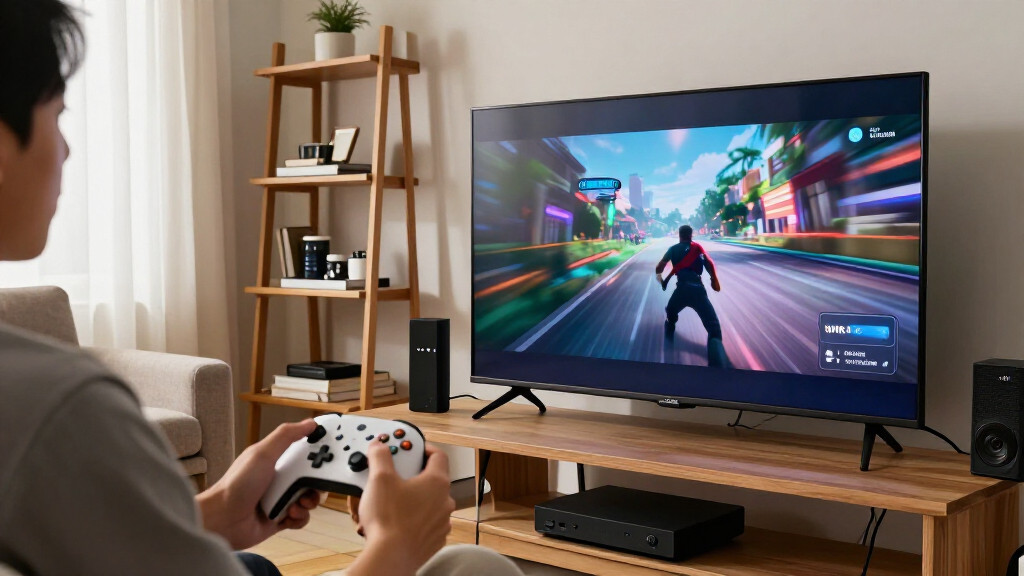
I compared these 14 switches by how well their stated capabilities address the specific needs behind HDMI 2.1, VRR, and ALLM: supported resolutions and refresh rates, explicit gaming-feature claims, input count, switching method, and format details such as HDR or HDCP. I gave more weight to listings that name VRR and describe a useful combination of ports and control, rather than relying on an 8K label alone. A model’s stated bandwidth or refresh rate is only useful when the connected source, display, and cables can all carry that signal.
The ranking reflects fit and clarity, not a claim that every product has been independently verified. The UGREEN 3-in-1 with remote leads as a practical balance; the Monoprice 2×1 stands out for a compact setup with more specific format details; and five-input options rank higher for buyers who need several devices connected at once. Products with less explicit gaming-feature information or a more specialized switching format are better matches for narrower needs. I would confirm VRR and ALLM compatibility with the manufacturer’s specifications before purchase, especially where the supplied listing does not state both features clearly.
Factors to Consider When Choosing Hdmi 21 Switches With Vrr And Allm Support
Choosing a switch for gaming is about keeping the whole signal chain compatible, not simply finding the biggest resolution number. I’d work through these factors before choosing a model.
Check VRR and ALLM on the exact model
VRR reduces visible tearing by letting a compatible display adjust its refresh rate to the game’s output, while ALLM lets compatible devices request a low-latency display mode. They are related gaming benefits, but one does not prove the other is supported. Some listings in this roundup name VRR without clearly naming ALLM, so I would check the manufacturer’s product page or ask support about the exact model number. Also check whether the feature works across every input and output mode, rather than only under a narrower resolution or refresh-rate setting. If ALLM matters to your setup, do not treat a generic “gaming” or “low latency” description as a substitute for an explicit ALLM claim.
Match the full signal chain to your target resolution
A switch cannot add capabilities missing from a console, PC, television, monitor, or cable. For 4K at 120Hz, confirm that the source and display support that mode and that the switch lists it clearly; higher figures such as 4K at 240Hz only help with compatible equipment. Cable quality and length can also affect whether a high-bandwidth signal remains stable, so use cables rated for the mode you intend to run. Check the display’s specific HDMI input as well, since some TVs provide their highest-bandwidth features on only certain ports. This avoids buying around a headline specification that the rest of the setup cannot use.
Choose port count for the setup you expect to keep
Count every HDMI source you want connected, including consoles, a PC, and a streaming player, then leave room for a likely addition. A two-input switch is neat for a console and one other source, but it can become limiting when a second console arrives. Three inputs often cover a practical living-room setup without adding the footprint of a larger unit. Five inputs reduce the need to unplug devices, though they can mean more cables and more switching choices. Extra ports have little value if they create clutter, so I would match capacity to actual devices rather than choose the largest number by default.
Pick the switching method that fits how you play
Automatic switching can be convenient when only one source is active, but it may select an unexpected device if multiple sources remain powered or send a signal while idle. A remote gives direct control from the couch, while a physical button can be simpler for a desk or a switch mounted within reach. Some models offer both automatic and manual operation, which gives flexibility but adds another behavior to understand. Bidirectional switches are a different case: they may route one source to one of two displays or two sources to one display, depending on the design, rather than behaving like a conventional multi-input switch. Read the routing description carefully before buying to avoid expecting more simultaneous outputs than the device provides.
Check format support and compatibility beyond resolution
HDR, Dolby Vision, HDR10+, HDCP, audio formats, and refresh-rate support can all affect whether a complete setup works as expected. A switch that lists 8K or 4K at a high refresh rate may still leave a question about a specific HDR format or copy-protection version. Match the formats used by your console, media player, and display, especially if you watch protected streaming content through the switch. For audio, confirm whether sound passes through to your TV or receiver in the format you need. Clear, model-specific specifications are more useful than a long feature list that does not explain which modes work together.
Pay for convenience or build only when it solves a real problem
A remote is useful when the switch is near the TV but out of reach, while a compact manual unit may be better on a desk. A metal enclosure can suit a setup where a sturdier case matters, but it does not by itself prove better VRR or ALLM performance. Included cables can help with setup, yet their rating and length still need to suit your target signal. Consider power requirements, indicator lights, device placement, and whether the switch will be easy to reach after installation. I would pay extra for features that remove a daily annoyance, not for a premium-sounding build or a headline number unrelated to my equipment.
Frequently Asked Questions
Can I assume a switch supports ALLM if its listing says it supports VRR?
No. VRR and ALLM are separate features, and a listing that names one does not confirm the other. In this roundup, the supplied product details do not explicitly name ALLM for every model, so I would check the manufacturer’s specifications for the exact version before ordering. Look for ALLM stated alongside the supported resolution and refresh-rate modes, not just a general gaming or low-latency claim. If the information is unclear, ask the seller or manufacturer rather than relying on the HDMI 2.1 label alone.
Will a 4K 120Hz HDMI switch work with my console and TV?
It can, provided the console, switch, cable, and the specific TV input all support 4K at 120Hz. Check the TV manual for which HDMI ports handle its highest refresh rate, as capabilities can differ between inputs. Use a cable rated for the signal and confirm that the switch states support for the same resolution and refresh rate you plan to use. If any part of the chain has a lower limit, the system may fall back to that limit rather than passing the desired mode. This check is more useful than relying on an 8K label by itself.
Should I choose a five-input switch if I only have three devices now?
Choose five inputs if you expect to add devices soon or want to avoid reconnecting cables as your setup changes. If your three sources are likely to remain the only ones, a three-input model can keep the setup simpler and reduce unused capacity. Also account for how the switch will sit among your cables and whether you want a remote or automatic selection. More ports do not necessarily mean better gaming compatibility, so compare the stated VRR, ALLM, and signal modes separately. I would base the choice on both your current equipment and realistic near-term additions.
Is automatic switching better than using a remote?
Automatic switching is convenient when you usually power on one source at a time, but it can make the wrong selection if more than one device is active. A remote provides deliberate control and is helpful when the switch is out of reach, though it can be misplaced or require a clear path to the receiver. Manual buttons suit setups where the switch is easy to access. Some models combine automatic and manual control, which can offer a fallback if automatic selection behaves unpredictably. The best method depends on how you power and use your devices, not just the number of inputs.
Can a bidirectional HDMI switch connect two sources to two TVs at the same time?
Usually, a bidirectional switch describes two alternative routing modes: two sources into one display, or one source into one of two displays. It does not generally mean that two sources can play on two displays simultaneously. Check the product’s routing diagram and instructions, since the direction may need to be selected manually. If you need to send one source to multiple displays at once, look for a splitter that explicitly supports simultaneous output and the required gaming features. Do not buy a bidirectional model unless its listed operation matches your intended layout.
Conclusion
For most gaming setups with several sources, I’d choose the UGREEN 3-in-1 HDMI 2.1 switch with remote as the best overall balance of port count, control, and stated VRR support. The best value depends on how many devices you connect: a straightforward two-input model can be a sensible fit for a simple setup, while a five-input switch avoids cable swapping for a larger one. For a more premium-oriented pick, the aluminum UGREEN 5-in-1 adds a sturdier enclosure and remote, though its listing should be checked carefully for the gaming features you need. Beginners may prefer a model with clear manual or remote selection and enough inputs for current devices, rather than relying on automatic switching alone. For specific needs, the Monoprice 2×1 suits buyers prioritizing clearly stated format details, and the bidirectional model fits a deliberately simple alternate-routing setup. Before choosing any of them, verify explicit VRR and ALLM support for the exact model and confirm compatibility across your sources, cables, and display.
Evergreen bestsellers Picks
bestsellers
As an affiliate, we earn on qualifying purchases.