When your projector’s calibration goes wrong, resetting it to factory default settings can quickly fix the issues. Use the menu or control panel to find the calibration or display options, then select “Reset to Default” or “Factory Reset” and confirm. This clears all custom adjustments, giving you a clean slate to refine your image. If you keep exploring, you’ll discover how to fine-tune your projector for sharpness, color, and clarity.
Key Takeaways
- Resetting projector calibration restores factory settings to fix issues like image distortion or color inaccuracies.
- Access the menu or control panel, locate calibration settings, and select “Reset to Default” or “Factory Reset.”
- Reset clears all custom adjustments, providing a clean slate for re-calibration to improve image quality.
- After reset, perform new calibration using test patterns and adjust parameters for optimal display.
- Proper reset and re-calibration resolve issues caused by misadjustments or recent projector movement.
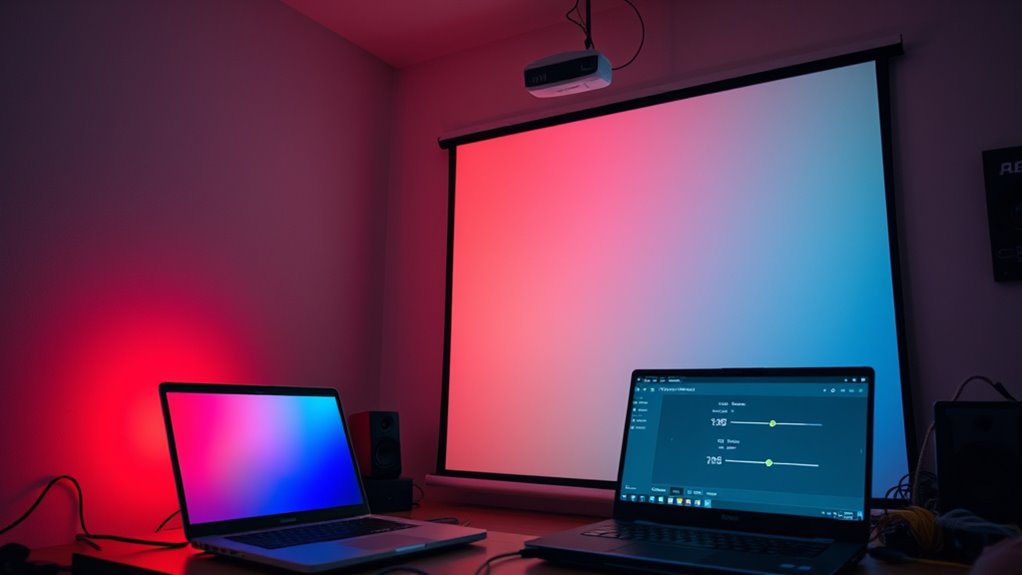
If your projector’s image quality has noticeably declined or the picture appears misaligned, performing a calibration reset can often resolve these issues. Over time, small adjustments made during calibration can drift or become inaccurate, leading to blurry images, color inaccuracies, or distorted displays. Resetting the calibration settings restores the projector to its default configuration, giving you a clean slate to start fresh. This process is especially helpful if you’ve experimented with various display adjustments or if the projector has been moved or jostled recently.
To begin, locate the menu or settings button on your projector’s remote or control panel. Most projectors have a dedicated option within their menu system for calibration or display settings. Once there, look for a “Reset to Default” or “Factory Reset” option. Confirm your choice, and the device will revert all calibration parameters back to their original factory settings. This step is vital because it clears any custom adjustments that might be causing issues or inconsistencies in image quality.
However, keep in mind that simply resetting the settings doesn’t mean you’re done. After the reset, you’ll need to perform display adjustments to maximize the image. Use calibration tools like test patterns or color charts to fine-tune the projector’s output. Adjust the contrast, brightness, sharpness, and color settings to match your viewing environment. Proper display adjustments ensure that your images are sharp, colors accurate, and the overall picture is visually appealing. If your projector supports advanced calibration tools, like auto-calibration features or software, consider utilizing those for more precise results.
Additionally, understanding the importance of emotional support can be helpful if you’re feeling frustrated during this process, as patience and a calm approach can make a significant difference in achieving the best calibration results.
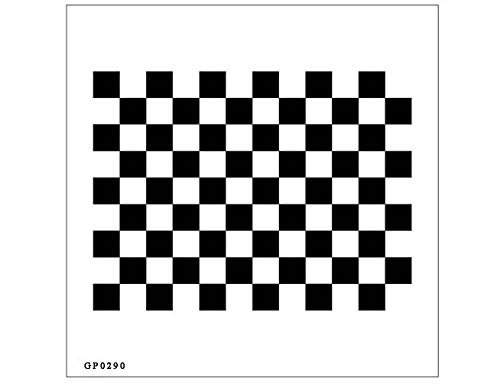
Lens Focus Calibration Chart Film Pattern Calibrating PET Or Aluminium Oxide Chess Board (12×9(200×200), PET)
Optical calibrator for film, lens, slide, projector etc.
As an affiliate, we earn on qualifying purchases.
As an affiliate, we earn on qualifying purchases.
Frequently Asked Questions
Can Resetting Calibration Fix All Projector Image Issues?
Resetting calibration can fix some image quality issues caused by calibration errors, but it might not resolve everything. If the problem stems from hardware issues or deeper settings, a reset may only provide a temporary fix. You should also check for firmware updates, adjust other settings, or seek professional help if resetting doesn’t improve the image quality. This way, you ensure your projector displays the best possible picture.
Will Resetting Calibration Delete Custom Settings?
Yes, performing a software reset to factory settings will delete your custom calibration settings. When you reset your projector to default, it restores all settings to their original state, erasing any adjustments you’ve made. This process helps resolve image issues caused by incorrect calibration, but it also means you’ll need to reconfigure your personalized settings afterward. Always back up important configurations before doing a factory reset to avoid losing them permanently.
Is Resetting Calibration Reversible?
Resetting calibration isn’t always reversible, but you can safeguard your settings by creating a calibration backup before performing factory reset procedures. If you’ve saved a backup, you can restore your custom calibration later. Without this step, returning to your previous calibration becomes difficult. Always follow factory reset procedures carefully, and remember, backing up your calibration guarantees you won’t lose your preferences if you need to reset your projector.
How Often Should I Recalibrate My Projector?
You should recalibrate your projector every 3 to 6 months to maintain ideal image quality. Regular calibration is an essential part of projector maintenance, especially if you notice color shifts, blurry images, or uneven brightness. Frequent calibration ensures your projector stays in top shape, providing clear visuals. Keep an eye on performance and schedule recalibration as needed, especially after moving the projector or making significant changes to its environment.
Does Resetting Calibration Affect Projector Lifespan?
Resetting your projector’s calibration won’t drastically impact its longevity, but imagine it’s like giving it a quick tune-up—minor tweaks, not a full overhaul. Calibration impact on projector longevity is minimal; it mainly guarantees ideal image quality. Resetting settings might temporarily stress components, but it won’t cause long-term damage. Keep up with regular maintenance, and your projector should stay in top shape, providing sharp images for years to come.

datacolor Spyder – Monitor Calibrator for Graphic Designers, Photographers, and Content Creators, Shows You True Colors, Works on OLED Monitors & LED Screens, Easy-to-Use Color Calibration Tool
Color “Surprises” Are a Thing of the Past: Datacolor’s exclusive DevicePreview TM Beta feature simulates what your photos…
As an affiliate, we earn on qualifying purchases.
As an affiliate, we earn on qualifying purchases.
Conclusion
Now that you’ve reset your projector to default settings, you’re back to square one—like hitting a reset button on your entire setup. Don’t worry; this quick fix can save your project from turning into a total disaster. Just remember, recalibrating might seem tedious, but it’s worth it to avoid a picture so blurry it could drive anyone crazy. With patience, you’ll have your perfect display again—faster than you can say “calibration chaos.”

Original Replacement Remote Control for HY320/300Pro Projector & Gimbal 3/5 – Universal Compatible with Magcubic/Xgody/Aubor/Maypug/HIPPUS/Mentech/LYNCAST Projectors, Infrared IR Remote with Buttons
✪【Precise Compatibility】 "Designed EXCLUSIVELY for HY300Pro Projector & Gimbal 3/5 models, 100% signal sync with Magcubic/Xgody/Aubor/Maypug/HIPPUS/Mentech/LYNCAST systems. ★Avoid…
As an affiliate, we earn on qualifying purchases.
As an affiliate, we earn on qualifying purchases.
![WavePad Audio Editing Software - Professional Audio and Music Editor for Anyone [Download]](https://m.media-amazon.com/images/I/B1fcLEGCs6S._SL500_.png)
WavePad Audio Editing Software – Professional Audio and Music Editor for Anyone [Download]
Full-featured professional audio and music editor that lets you record and edit music, voice and other audio recordings
As an affiliate, we earn on qualifying purchases.
As an affiliate, we earn on qualifying purchases.