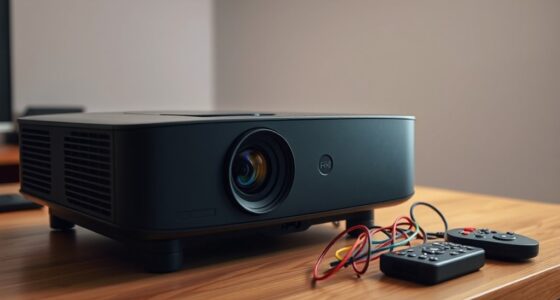
If your projector won’t turn on and shows no power, start by checking the power cord and outlet, making sure they’re secure and working properly. Look at the indicator lights for any signs of internal problems or errors. If the lights are fine, inspect the internal hardware, fuse, and power supply—consider replacing the lamp if it’s at the end of its life. For a thorough fix, following these steps will help you understand what’s causing the issue and how to fix it.
Listen free for 30 days with Audible
Thousands of audiobooks and originals — cancel anytime.
As an affiliate, we earn on qualifying purchases.
Key Takeaways
- Check that the power cord is securely plugged in and the outlet supplies power correctly.
- Inspect indicator lights for error signals or warning codes to diagnose internal issues.
- Verify the internal power supply and replace blown fuses or faulty components if needed.
- Determine if the lamp has reached end-of-life; replace it to restore power.
- Seek professional assistance if internal hardware problems persist despite basic troubleshooting.

Have you ever faced a dead projector right before an important presentation? It’s frustrating, especially when you’re counting on it to deliver your message. The first thing to check is the power source. Ensure that the power cord is securely plugged into both the projector and the wall outlet. Sometimes, a loose connection is all that’s causing the problem. If the cord looks damaged or frayed, it’s best to replace it with a new one designed for your projector model. Using the correct power cord guarantees proper voltage and safety, preventing further issues.
Once you’ve confirmed the cord is in good condition and properly connected, try plugging the projector into a different outlet. Sometimes, the outlet itself might be faulty or have a tripped circuit breaker. If the outlet is fine, but the projector still won’t turn on, look for any indicator lights. These lights can provide clues about what’s wrong. For example, a blinking or solid light might suggest an internal issue or a need for maintenance.
If the projector’s power button isn’t responding, it’s worth checking whether the internal power supply is functioning properly. Many projectors have an internal fuse or a power board that can fail over time. If you suspect a hardware failure, you might need to open the projector carefully or consult a professional technician. But before jumping to that, consider the lamp itself. A common cause of projector failure is the lamp reaching the end of its lifespan. While a blown lamp typically results in the projector turning on and then shutting off, sometimes a lamp replacement is necessary to restore power or prevent further issues.
For lamp replacement, ensure you follow the manufacturer’s instructions carefully. Handling the lamp with gloves and avoiding touching the new bulb with bare fingers can prolong its life. Sometimes, the lamp’s failure can cause the entire unit to seem dead, so replacing it might solve your problem. If you’ve replaced the lamp and the projector still won’t turn on, double-check all connections inside the device if you’re comfortable doing so, or seek professional help. Additionally, understanding lifestyle factors such as regular maintenance and proper handling can extend the lifespan of your projector and prevent unexpected failures.
projector power cord replacement
As an affiliate, we earn on qualifying purchases.
As an affiliate, we earn on qualifying purchases.
Frequently Asked Questions
Can a Faulty HDMI Cable Cause My Projector Not to Turn On?
A faulty HDMI cable can’t directly prevent your projector from turning on since power issues are usually hardware or power supply related. However, poor cable quality or HDMI compatibility problems might cause the projector to not display images or even refuse to activate properly. Make sure you use a high-quality, compatible HDMI cable, and check the connections. If the projector still doesn’t turn on, focus on power supply and internal components.
How Do I Reset a Projector That Won’T Power Up?
Think of your projector as a sleeping giant that needs gentle awakening. To reset it, unplug the power cord and wait 10-15 minutes—this is part of power cycle troubleshooting. Then, press and hold the power button for about 10 seconds before plugging it back in. Power it on to see if the projector reset resolves the issue. This simple step often refreshes the device and restores its functionality.
Is It Safe to Open My Projector to Check Internal Components?
You shouldn’t open your projector to check internal components unless you’re confident in handling electronics. For safety precautions, unplug it and wait for capacitors to discharge. If you proceed with an internal inspection, wear insulated gloves and avoid touching circuit parts directly. Remember, opening the projector can void warranties and risk electric shock. If unsure, it’s best to consult a professional technician for safe troubleshooting.
Could a Power Surge Have Damaged My Projector?
Oh, a power surge, the uninvited guest that wreaks havoc on your beloved projector! Yes, it can cause electrical damage, frying internal components and rendering it useless. If your projector suddenly refused to turn on after a storm or power fluctuation, a power surge likely did the damage. To protect future devices, consider installing surge protectors—your electronic devices’ knight in shining armor.
What Are the Signs of a Failing Projector Power Supply?
You might notice power supply issues if your projector shows flickering lights, inconsistent startup behavior, or fails to power on despite being plugged in. These signs suggest internal component failure, which often stems from power supply problems. If you see burnt smells or hear buzzing sounds, it indicates a failing power supply. Addressing these issues promptly can prevent further damage and help you determine if repairs or replacements are necessary.
As an affiliate, we earn on qualifying purchases.
Conclusion
When your projector refuses to turn on, it can feel like hitting a brick wall. But don’t give up just yet—many issues are simple to fix, from power cords to internal fuses. Think of your projector as a loyal pet; with a little patience and troubleshooting, it’ll be back to shining bright. Remember, most power problems are just a small bump in the road, so stay persistent—you’ll have your projector up and running in no time.
As an affiliate, we earn on qualifying purchases.
As an affiliate, we earn on qualifying purchases.
NFL season / tailgating Picks
team gear
As an affiliate, we earn on qualifying purchases.