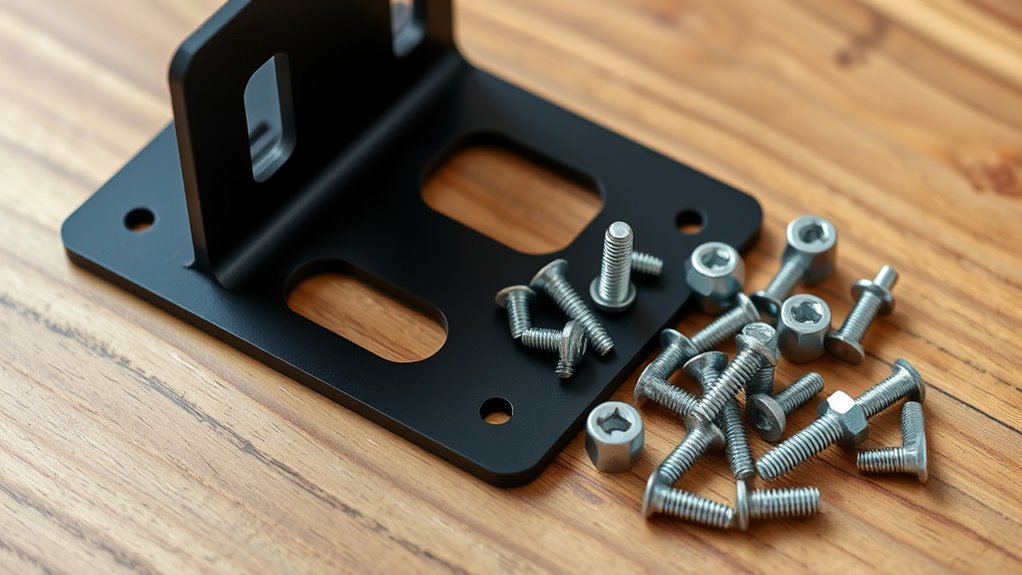
When choosing projector mounting hardware, you need brackets that are strong enough to support your projector’s weight and adjustable to get the perfect alignment. Confirm the brackets are made from durable materials like steel or aluminum, and verify they are compatible with your projector’s size and mounting holes. Use appropriate screws and anchors for your ceiling type, whether drywall, concrete, or wood. To guarantee safety and ideal setup, follow proper installation steps—more tips await to help you get it just right.
Open a free Amazon Business account
Business pricing, bulk buying and tax-exempt orders.
As an affiliate, we earn on qualifying purchases.
Key Takeaways
- Ensure brackets are compatible with your projector’s size, weight, and mounting hole pattern.
- Choose durable materials like steel or heavy-duty aluminum to support the projector securely.
- Verify that screws and anchors match your ceiling type—drywall, concrete, or wood—for stable installation.
- Use adjustable brackets for precise positioning, tilt, and swivel to optimize image alignment.
- Follow safety guidelines by measuring accurately and double-checking all connections before finalizing installation.
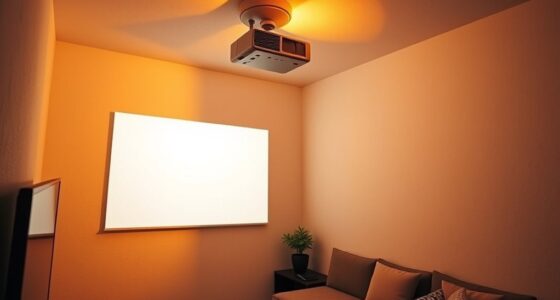
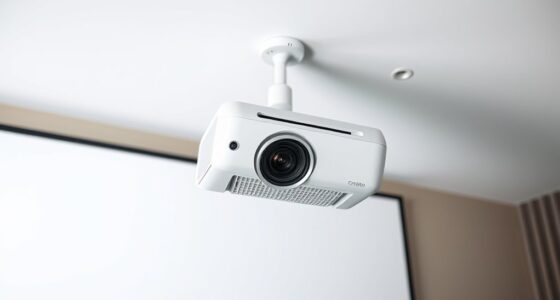
Finding the right projector mounting hardware is essential for achieving a secure and professional setup. When it comes to mounting your projector, one of the most popular options is a ceiling mount. Ceiling mounts are ideal because they save space, keep the projector out of the way, and provide a clean, streamlined look. But not all ceiling mounts are created equal, and selecting the right hardware can make all the difference in ensuring your projector stays securely in place and performs effectively.
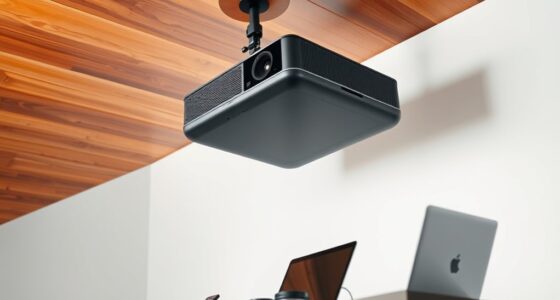
Adjustable brackets are a key component of many ceiling mounts. These brackets give you the flexibility to fine-tune the projector’s position, allowing you to adjust the tilt, swivel, and height easily. This flexibility is critical because it ensures you can achieve the perfect image alignment without needing to re-drill or reposition the entire mount. When choosing adjustable brackets, look for ones made from durable materials like steel or heavy-duty aluminum. These materials provide the strength needed to support the weight of your projector over time, preventing sagging or accidental drops.
Adjustable brackets ensure secure, flexible projector positioning with durable materials like steel or aluminum.
Your choice of ceiling mount and adjustable brackets should also consider compatibility with your projector’s size and weight. Check the specifications carefully to ensure the mount can handle the load capacity. Many mounts specify the maximum weight they can support, so don’t exceed those recommendations. Additionally, verify that the mount comes with the appropriate hardware, such as screws and anchors, designed to attach securely to your ceiling type—whether it’s drywall, concrete, or wood. Using the right screws and anchors is essential for safety and stability.
Installation is another critical factor. Ceiling mounts with adjustable brackets often require precise measurements to ensure proper alignment. Take your time to measure the distance between mounting holes on your projector and compare it with the mount’s specifications. Properly securing the brackets to the ceiling is equally important. Use a level to ensure the projector will hang straight, and double-check all connections before letting go. Remember that understanding mounting hardware and following safety guidelines can help prevent accidents and ensure a long-lasting installation.
As an affiliate, we earn on qualifying purchases.
Frequently Asked Questions
Can I Mount My Projector on a Plaster Ceiling?
Yes, you can mount your projector on a plaster ceiling, but you need to take into account the ceiling material and mounting height. Use appropriate brackets and screws designed for plaster to guarantee stability. It’s important to locate ceiling joists or use anchors if needed. Measure your desired mounting height carefully to attain ideal projection. Proper hardware and installation techniques will keep your projector secure and functioning perfectly.
What Weight Capacity Should My Projector Mount Support?
You should choose a projector mount with a weight capacity that exceeds your projector’s weight for safety and durability. Check the manufacturer’s specifications to find the exact weight, and select a mount that supports at least 20-25% more. Always adhere to safety standards to prevent accidents or damage, especially if your ceiling or mounting surface has limitations. Proper weight capacity guarantees your projector remains secure over time.
Are Universal Brackets Suitable for All Projector Models?
Universal brackets offer great versatility, making them a tempting choice for many setups. While they provide universal compatibility, they might not be perfect for all projector models. You could envision a tailored fit that guarantees ideal support and stability. For the best results, check your projector’s specifications and compare them to the bracket’s compatibility. This way, you avoid any unforeseen issues and enjoy a secure, seamless mounting experience.
How Do I Hide Cables When Mounting My Projector?
You can hide cables when mounting your projector by using cable management solutions like raceways, conduit, or cable clips, which keep cords organized and out of sight. Concealment options include running cables along the ceiling, behind walls, or through dedicated channels to create a clean look. Be sure to select flexible, high-quality cables to avoid damage and ensure easy access for maintenance or adjustments.
Is Specialized Mounting Hardware Needed for Outdoor Use?
Yes, you need specialized mounting hardware for outdoor use. Look for outdoor weatherproofing and corrosion resistance features to guarantee your projector stays protected against the elements. These brackets are designed to withstand rain, wind, and sun exposure, preventing rust and damage. Using the right hardware guarantees durability and safety, so don’t skip on weatherproofed mounts that are made for outdoor environments.
adjustable projector mount with screws
As an affiliate, we earn on qualifying purchases.
As an affiliate, we earn on qualifying purchases.
Conclusion
Now that you know the basics of choosing the right projector brackets and screws, you’ll be able to set up your projector securely and confidently. Remember, the right hardware guarantees peak performance and safety. Are you ready to take your home theater or office setup to the next level with the perfect mounting solution? With the right knowledge, you can enjoy a seamless viewing experience without any worries. Happy mounting!
heavy-duty projector mounting hardware
As an affiliate, we earn on qualifying purchases.
As an affiliate, we earn on qualifying purchases.
projector mounting hardware for drywall concrete wood
As an affiliate, we earn on qualifying purchases.
As an affiliate, we earn on qualifying purchases.
NFL season / tailgating Picks
team gear
As an affiliate, we earn on qualifying purchases.

![LG Says We're Fake News [Video]](https://4kprojectorguide.com/wp-content/uploads/2026/09/lg-says-we-re-fake-news-video-featured-260x140.jpg)