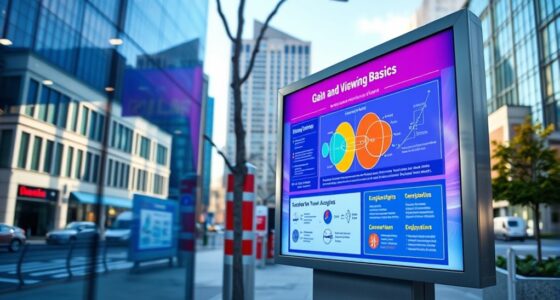

To find the sweet spot between screen gain and viewing angle, consider your environment and how you’ll use the display. High gain screens deliver brighter images but tend to narrow the viewing angle, causing color shifts when viewed off-center. Lower gain options offer wider angles and better uniformity but might be less bright. Balancing these factors helps you achieve consistent, vivid images across various positions. Keep exploring, and you’ll discover how to optimize your display setup effectively.
Key Takeaways
- Higher screen gain increases brightness but narrows viewing angles, causing color shifts off-center.
- Lower gain screens offer wider viewing angles but produce less intense, softer images.
- Finding the sweet spot involves balancing gain for sufficient brightness and acceptable viewing angles.
- Environmental lighting influences optimal gain selection to prevent glare and improve clarity.
- Moderate gain screens typically provide the best compromise for diverse viewing positions and uniformity.
Have you ever wondered why some screens look brighter or clearer from certain angles while others lose image quality? It all comes down to how the screen handles brightness uniformity and how ambient light impacts what you see. Brightness uniformity refers to how evenly the light is distributed across the display. When a screen has good uniformity, the image remains consistent, no matter where you view it from. But if the brightness varies—darker at the edges or corners—you’ll notice a dip in quality when you tilt or shift your position. This inconsistency can be frustrating, especially during critical tasks like professional editing or presentations, where color and brightness accuracy matter.
Good screen brightness uniformity ensures consistent image quality from every viewing angle.
Viewing angle is another key factor. The wider the angle, the more you can move around without experiencing a significant loss in image clarity or color accuracy. However, many screens, especially those with higher gain, tend to have limited viewing angles. This is because they are designed to focus light directly towards you, which brings us to the concept of screen gain. Screen gain measures how much light a display emits in a particular direction. A high-gain screen directs more light forward, offering a brighter picture at the center but often at the cost of reduced brightness uniformity and narrower viewing angles. When you sit off-center, the image may appear dimmer or distorted, and colors can shift, which is a direct consequence of the display’s gain characteristics.
Ambient light impact is another essential aspect to think about. In brightly lit rooms, screens with higher gain might seem more vivid because they reflect and emit more light. But this increased brightness often leads to glare and reflections, diminishing image quality and making it harder to see details. Conversely, in darker environments, lower gain screens tend to offer more consistent images, with better brightness uniformity and less susceptibility to ambient light interference. The goal is to find a balance where the screen’s gain matches your environment, ensuring that brightness remains uniform and the image stays sharp from various angles. Additionally, understanding how contrast ratio affects image depth can help you select a screen that balances brightness and shadow detail effectively.
Ultimately, selecting the right screen involves understanding how brightness uniformity, ambient light impact, and viewing angle interact. High-gain screens can be perfect for environments with controlled lighting, providing a bright, punchy image. But if you need versatility across different lighting conditions and viewing positions, a screen with moderate gain and wide viewing angles will serve you better. The key is to find that sweet spot, where your display delivers ideal brightness, consistent image quality, and minimal impact from ambient light, regardless of where you sit or stand.
high gain computer monitor
As an affiliate, we earn on qualifying purchases.
As an affiliate, we earn on qualifying purchases.
Frequently Asked Questions
How Does Ambient Lighting Affect Screen Gain and Viewing Angle?
Ambient lighting considerably influences your screen gain and viewing angle experience. Bright ambient light can cause glare, making it harder to see details and reducing perceived screen gain. To improve clarity, you should use glare reduction techniques, like matte screens or controlled lighting. Adjust your viewing angle to minimize reflections, ensuring you get the best image quality regardless of ambient light conditions. Proper management enhances your viewing comfort and image clarity.
Can Screen Gain Influence Color Accuracy Across Different Viewing Angles?
Color consistency can be compromised by screen gain, causing color shift across different viewing angles. Higher gain screens tend to reflect more light, which can lead to visual distortion and inaccurate color reproduction when viewed from the side. You might notice hues changing or colors appearing washed out, especially at steep angles. To guarantee vibrant, true-to-life visuals, choose a screen with an appropriate gain that minimizes color shift and maintains color accuracy from various perspectives.
What Are the Best Settings for Optimal Viewing in Large Rooms?
To get the best viewing in large rooms, set your screen brightness to a comfortable level that prevents glare without washing out images. Adjust your projector or TV’s settings for ideal clarity. Consider room acoustics by adding sound panels or speakers to improve audio quality, making the experience more immersive. Proper positioning and minimal light interference also enhance visibility, ensuring you enjoy clear visuals from anywhere in the room.
How Do Different Projector Types Impact Gain and Angle Considerations?
Imagine you’re in a sci-fi movie—different projector types, like LCD, DLP, and LCoS, impact gain and angle considerations. You’ll find that projection technology with higher gain produces brighter images but narrows the viewing angle, while lens variation affects how wide or focused your image appears. You need to balance these factors to achieve *best* image quality, especially in large rooms, ensuring everyone gets a clear view without glare or dimness.
Is There a Way to Customize or Improve Viewing Angles on High-Gain Screens?
Yes, you can improve your viewing angles on high-gain screens by choosing adjustable screen technology that allows tilt or movement. Additionally, anti-glare coatings help reduce reflections and enhance clarity from different angles. These features work together to customize your viewing experience, making it more comfortable and consistent regardless of your seating position. Look for screens with these options to optimize your setup and enjoy better image quality from various perspectives.
wide viewing angle TV
As an affiliate, we earn on qualifying purchases.
As an affiliate, we earn on qualifying purchases.
Conclusion
Now that you understand screen gain and viewing angles, you can find that perfect balance. Think of it as tuning a finely crafted instrument—you want the right pitch without overwhelming noise. By choosing the ideal screen gain and angle, you’ll enjoy visuals so vivid, they practically leap off the screen. Don’t settle for mediocrity—aim for a viewing experience so immersive, it’s like stepping into a whole new world. Your perfect setup is just a tweak away!
brightness uniformity screen protector
As an affiliate, we earn on qualifying purchases.
As an affiliate, we earn on qualifying purchases.
anti-glare monitor for bright rooms
As an affiliate, we earn on qualifying purchases.
As an affiliate, we earn on qualifying purchases.