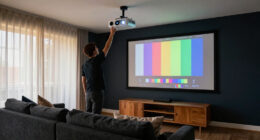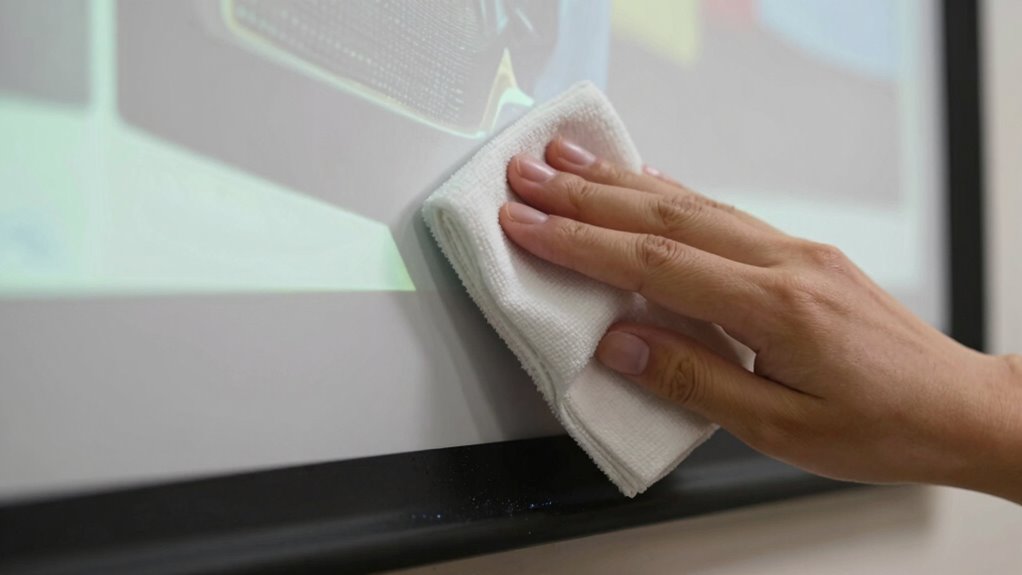

To clean your projector screen without damage, start by turning off the projector and letting the screen cool. Use a soft, lint-free microfiber cloth lightly dampened with distilled water or a screen-specific cleaner—never spray directly on the screen. Gently wipe in circles with light pressure, avoiding abrasive materials or harsh chemicals like alcohol or ammonia. Keep moisture away from edges and seams. For more tips on proper care, keep exploring the right cleaning techniques to preserve your screen’s clarity.

Get business pricing on your home office setup
- Business-only prices and quantity discounts
- Tax-exempt purchasing
- Multiple users, one account, clear invoices
Key Takeaways
- Turn off and cool down the projector before cleaning to prevent streaks caused by heat or moisture.
- Use a soft, lint-free microfiber cloth lightly dampened with distilled water or screen-specific cleaner.
- Wipe gently in a circular motion with light pressure, avoiding scrubbing or pressing hard.
- Spray cleaner onto the cloth, not directly onto the screen, to prevent moisture from seeping into edges.
- Regularly dust and store cleaning cloths properly, and avoid harsh chemicals or abrasive materials.
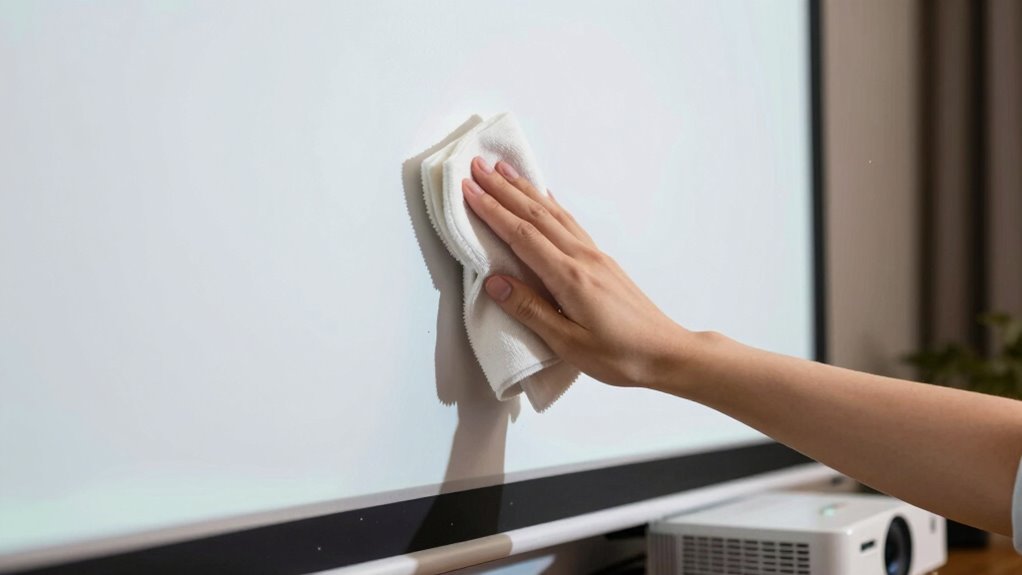
Over time, dust, dirt, and fingerprints can accumulate on your projector screen, affecting the picture quality. Regular screen cleaning is essential to keep your viewing experience sharp and vibrant. When it comes to cleaning, you want to avoid damaging the surface, so gentle methods are best. Using improper cleaning techniques or harsh chemicals can lead to discoloration, scratches, or warping. That’s why understanding proper maintenance tips is key to preserving your projector screen’s longevity.
Start by turning off your projector and allowing the screen to cool down. This prevents streaks caused by moisture or heat. Next, use a soft, lint-free microfiber cloth to remove loose dust and dirt. Lightly dampen the cloth with distilled water or a gentle cleaning solution made specifically for screens. Avoid using paper towels, abrasive cloths, or any chemical cleaners that contain alcohol, ammonia, or solvents, as these can degrade the screen’s surface. When applying the cleaning solution, spray it onto the cloth, not directly onto the screen, to prevent excess moisture from seeping into the edges or seams.
Turn off your projector, let it cool, then gently clean with a microfiber cloth dampened with distilled water or screen-specific cleaner.
Gently wipe the screen in a circular motion, applying only light pressure. Don’t scrub or press hard, as this can cause damage. For stubborn spots like fingerprints or smudges, repeat the process with a slightly dampened cloth, making sure not to oversaturate the fabric. If your screen has a fabric or matte finish, be especially careful to avoid streaks or distortions by maintaining a consistent, gentle touch. Additionally, choosing a screen with high contrast ratio can assist in maintaining optimal image quality over time, even with regular cleaning. Proper screen maintenance can also help prevent the buildup of dirt and dust, reducing the need for frequent deep cleaning. Regularly inspecting your screen for damage or signs of wear can help catch issues early and prevent costly repairs.
In addition to regular screen cleaning, incorporating maintenance tips can prolong the lifespan of your projector screen. Keep the environment dust-free by regularly vacuuming the surrounding area and keeping pets away. Avoid exposing the screen to direct sunlight or extreme humidity, as these conditions can warp or discolor the surface over time. Store your cleaning cloths in a clean, dry place to prevent dirt buildup, and always use new or freshly washed cloths to avoid transferring debris onto the screen. Proper environmental conditions are crucial for maintaining the integrity and clarity of your projector screen over time. Maintaining a dust-free environment can also prevent buildup, which ensures your screen stays clear and vibrant longer. Additionally, understanding the effects of humidity and temperature on screen materials can help you better protect your investment.
Products Worth Considering

Arlo Ultra 4K HDR Wireless Security Camera (3rd Gen), 3-Camera Kit with SmartHub

Arlo Pro Wireless Security Camera, 2K HDR, 6th Gen, 4-Camera Kit

Philips Hue Starter Kit with Bridge Pro and 4 Retrofit LED Recessed Downlights
As an affiliate, we earn on qualifying purchases.
Frequently Asked Questions
Can I Use Regular Glass Cleaner on My Projector Screen?
You shouldn’t use regular glass cleaner on your projector screen. These cleaning products often contain chemicals that can damage the screen’s surface. Instead, follow proper screen cleaning techniques with gentle, recommended cleaning product recommendations like a mixture of water and a tiny amount of mild dish soap or use a specialized screen cleaner. Always spray the cleaner onto a soft cloth, not directly on the screen, to avoid damage.
How Often Should I Clean My Projector Screen?
Did you know that dust and smudges can reduce your projector’s brightness by up to 50%? You should clean your projector screen at least once a month to maintain the best picture quality. Follow screen cleaning tips like using a soft cloth and gentle cleaners, and incorporate regular projector maintenance into your routine. This way, you’ll keep your screen clear, vibrant, and in top condition for every viewing experience.
Is It Safe to Use a Vacuum on the Screen?
Using a vacuum on your projector screen can be safe if you consider vacuum safety and screen material. Opt for a vacuum with a gentle brush attachment to prevent damage. Always test on a small, inconspicuous area first. Be gentle and avoid pressing too hard, especially if your screen is delicate or made of sensitive materials. This method helps remove dust without risking tears or scratches, keeping your screen in top condition.
What Should I Do if the Screen Has Stubborn Stains?
Ever wonder how to handle stubborn stains? For stain removal, gently dab the area with a soft, damp cloth using mild cleaning solutions like a mix of water and a few drops of dish soap. Avoid harsh chemicals that could damage the screen. If stains persist, try a specialized screen cleaner, but always test on a small area first. Patience and gentle cleaning protect your screen’s surface.
Can Cleaning Damage the Screen’s Surface or Coating?
Cleaning can damage the screen’s surface or coating if you’re not careful. You might scratch the screen material or strip away the coating preservation if you use harsh chemicals or abrasive cloths. To prevent this, always use gentle, approved cleaning solutions and soft microfiber cloths. Follow the manufacturer’s instructions carefully, and avoid excessive rubbing. Proper cleaning techniques help maintain the screen’s quality and guarantee it lasts longer.
Conclusion
Cleaning your projector screen regularly keeps your visuals sharp, but don’t worry about damaging it if you follow the right steps. Some might think cleaning risks scratches or streaks, but using gentle tools and proper techniques prevents that. Remember, a clean screen enhances your viewing experience, so take a few moments to maintain it properly. With care, your projector screen stays pristine without harm, ensuring clear, vibrant images for years to come.