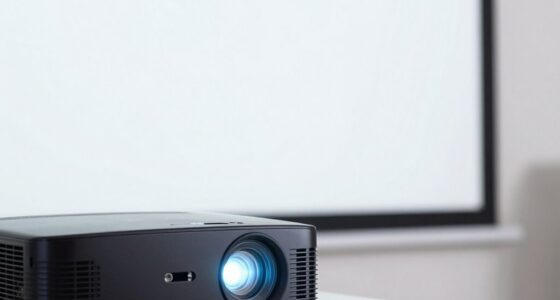
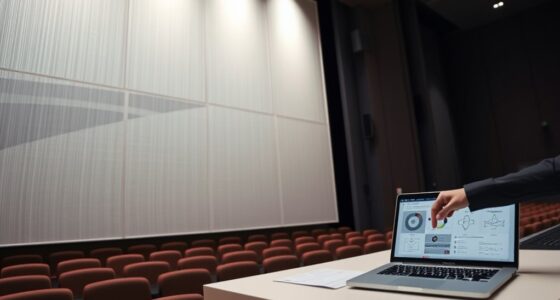
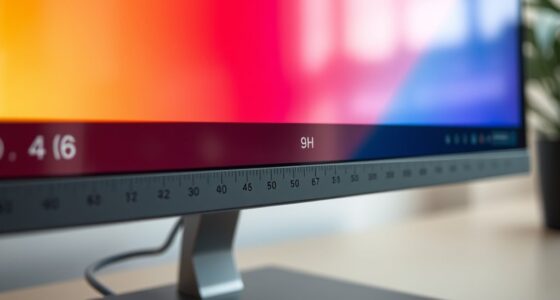
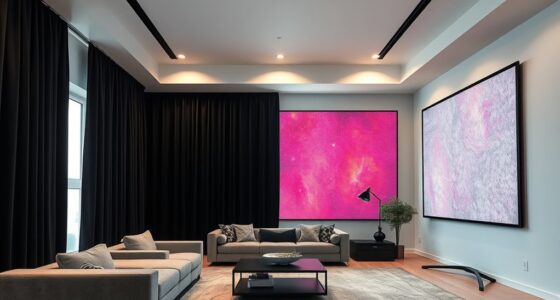
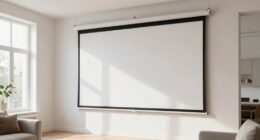
To select the right screen size for your room and projector, start by measuring your typical viewing distance, which should be about 1.5 to 2.5 times the screen’s diagonal. Consider your aspect ratio preferences and room layout to make sure the screen fits comfortably without causing eye strain. Keep in mind that larger screens require higher resolution for clarity, and your space influences the best size and setup. Continue exploring for expert tips to perfect your setup.
Key Takeaways
- Measure your typical viewing distance and select a screen size that is 1.5 to 2.5 times the diagonal for optimal comfort.
- Consider your room’s dimensions and furniture layout to ensure the screen fits comfortably without overcrowding.
- Match your projector’s native resolution with the screen size to prevent pixelation and maintain image clarity.
- Choose an aspect ratio suitable for your content, such as 16:9 for general use or 2.35:1 for cinematic viewing.
- Balance screen size with room space and personal preferences to create an immersive viewing experience without causing eye strain.

Selecting the right screen size is essential to guarantee your device fits your needs and enhances your viewing experience. When choosing a screen, one of the most important factors to consider is the aspect ratio, which determines the shape and proportions of the display. Whether you prefer a widescreen format for movies or a more traditional aspect ratio for presentations, selecting the right aspect ratio ensures your content appears natural and avoids distortion. Equally important is understanding your viewing distance—the space between your seating area and the screen. Your viewing distance influences the ideal screen size because sitting too close to a large screen can cause eye strain, while sitting too far away may diminish details and immersion.
Choosing the right screen size depends on aspect ratio and viewing distance for optimal experience.
To find the perfect balance, start by measuring your typical viewing distance. A good rule of thumb is that your viewing distance should be roughly 1.5 to 2.5 times the diagonal size of your screen. For example, if you sit about 8 feet from the display, a screen size between 80 and 133 inches could provide an optimal experience. However, this range can vary depending on the aspect ratio of the display and your personal preferences. For instance, a wider aspect ratio might be more suitable if you’re aiming for cinematic viewing, making the image more immersive without requiring a very large screen.
Keep in mind that the aspect ratio also affects how much of the room the screen will occupy and how you’ll perceive the image. A 16:9 aspect ratio is standard for most modern content, offering a balanced width and height that works well for a variety of uses. If you’re planning a home theater, you might prefer a 2.35:1 aspect ratio for a more cinematic experience, but this will impact your viewing distance choices.
When selecting a screen size, consider not only the room dimensions but also the resolution of your projector or display. A larger screen with a lower resolution might look pixelated or blurry, so ensure that your projector’s native resolution can handle the chosen size. Additionally, think about the layout of your room and furniture placement, as this will influence your viewing distance and, consequently, the optimal screen size. Understanding aspect ratios can also help you choose the most suitable display for your content preferences and room configuration.

Mdbebbron 120 inch Projector Screen 16:9 Foldable Anti-Crease Portable Projector Movies Screens for Home Theater Outdoor Indoor Support Double Sided Projection
CONVENIENT TO STORAGE AND CARRY : Compact one-piece,lightweight and folding design. You can fold the projector screen in…
As an affiliate, we earn on qualifying purchases.
As an affiliate, we earn on qualifying purchases.
Frequently Asked Questions
How Does Ambient Light Affect Screen Size Choices?
Ambient light considerably influences your screen size choice because higher ambient light reduces screen brightness and image clarity. If your room has lots of ambient light, opt for a larger screen to maintain visibility and vibrant colors, ensuring the image remains sharp. A smaller screen might struggle with brightness and contrast, making viewing uncomfortable. Adjust your screen size based on ambient light levels so your viewing experience stays clear and enjoyable.
What Are the Best Screen Sizes for Small Rooms?
Think of your small room as a cozy nest where a 100-inch screen might feel overwhelming. For ideal experience, go for a 100-120 inch screen, considering your screen material and viewing angle. A smaller size ensures you won’t strain your eyes or lose picture clarity. Make certain your projector’s placement aligns with your room’s dimensions, so the image remains sharp and immersive without feeling cramped.
Can a Larger Screen Cause Eye Strain?
Yes, a larger screen can cause eye strain if it overwhelms your visual comfort. When the screen is too big, you may strain your eyes trying to focus or scan across it, leading to eye fatigue. To prevent this, make certain the screen size matches your room size and seating distance, allowing your eyes to comfortably view the entire display without excessive effort. Proper positioning helps maintain eye comfort during prolonged viewing.
How Do Projection Distance and Screen Size Relate?
Projection distance and screen size are closely linked through the throw ratio, which determines how far your projector must be from the screen for a specific size. A larger screen requires a longer projection distance, affecting the projection angle. To get the best image, make sure your projector’s throw ratio matches your room’s dimensions, so you can optimize both projection distance and screen size without distortion or strain.
What Is the Optimal Screen Size for 4K Projectors?
For 4K projectors, the ideal screen size balances resolution clarity and color accuracy, typically between 100 to 150 inches diagonally. This size allows you to enjoy sharp details and vibrant colors without pixelation or distortion. You’ll experience immersive viewing, perfect for home theaters or large spaces. Keep in mind, larger screens may require higher brightness and proper projector placement to maintain image quality and avoid loss of detail.

VIVOHOME 100 Inch 16:9 Pull Down Projector Screen, HD 4K Retractable Movie Screen for Indoor Home Theater and Office, Manual Projection Screen with Auto Locking (87W x 49H Inch Display Area)
IMPORTANT: The VIVOHOME manual projector screen provides a 100-inch diagonal display area (87W×49H in, 16:9) for the best…
As an affiliate, we earn on qualifying purchases.
As an affiliate, we earn on qualifying purchases.
Conclusion
Remember, selecting the perfect screen size transforms your space into a cinematic haven. Did you know that a screen size of about 1.5 times the diagonal distance from your viewing seat provides ideal viewing comfort? So, measure your room carefully and aim for that ideal size. When you choose wisely, every movie night feels like a trip to the theater. Trust your space and enjoy a truly immersive experience every time.

Projector Screen with Stand, Paris RHÔNE 100-inch Outdoor Indoor Projector Screen 16:9 4K HD PVC, 1.5 Gain Portable Wrinkle-Free Movie Screen for Home Backyard Theater with Carry Bag, Ground Nails
Premium PVC Projector Screen: Made with cinema-grade 1.5 gain PVC material and multi-layer coating for clear, bright, and…
As an affiliate, we earn on qualifying purchases.
As an affiliate, we earn on qualifying purchases.

4K Projector Built-in Google TV: 2500 ANSI/Auto Lens Cap & 4D Keystone/Auto Focus & AI Voice Control, Sovboi Smart Portable Projector with WiFi6 & Bluetooth, Outdoor Movie Proyector for Streaming Apps
【Smart Google TV Projector: Unlimited Apps, Zero Restrictions】Elevate your home theater with the Sovboi E30Max. Ditch the external…
As an affiliate, we earn on qualifying purchases.
As an affiliate, we earn on qualifying purchases.