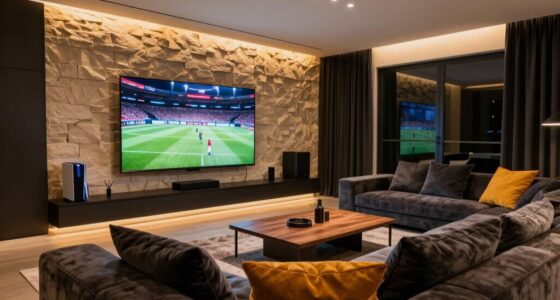
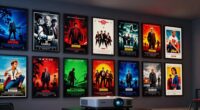
Choosing the right screen features for a laser projector can dramatically impact image quality and overall viewing experience. The best options balance factors like ambient light handling, image clarity, and ease of use, but tradeoffs often exist between price, complexity, and performance. The 120-Inch PureVision Motorized Screen stands out as the top overall pick for its adjustable drop and speckle reduction, offering versatile performance. For dedicated home theaters, the AWOL Valerion Fixed Frame Screen provides stable image quality, while the AWOL VISION ALR Floor Rising Screen excels in ambient light environments. Keep reading for a detailed breakdown of these options and what matters most when selecting screen features for your laser projector.

Get business pricing on your home office setup
- Business-only prices and quantity discounts
- Tax-exempt purchasing
- Multiple users, one account, clear invoices
Complete the kit


Key Takeaways
- The adjustable drop feature in motorized screens enhances versatility for different room setups.
- Ambient light rejection (ALR) screens significantly improve picture quality in bright spaces.
- Speckle reduction technologies are crucial for laser projectors to prevent distracting visual artifacts.
- Fixed frame screens tend to deliver more stable images, ideal for home theaters, but less flexible.
- Larger screens like 150-inch models can overwhelm smaller rooms, affecting image clarity and usability.


| screen features for laser projector | Size | Material | Aspect Ratio | Gain |
|---|---|---|---|---|
| 120-Inch PureVision Motorized | 120 inches | — | 16:9 | — |
| AWOL Valerion 120" PureVision | 120 inches | PET matte | — | 1.0 |
| Tensioned Motorized Projector | 120 inches | White screen material | 16:9 | — |
| Elite Screens Spectrum RC1 Rem | 125-inch diagonal | MaxWhite 2, 1.1 Gain | 16:9 | — |
| AWOL VISION 120" Motorized ALR | — | HBSI ALR | 16:9 | 0.8 |
| IN&VI 150" CLR ALR Motorized P | 150 inches | CBSP ALR Prism Structure | — | 0.6 |
More Details on Our Top Picks
120-Inch PureVision Motorized Projector Screen with Laser Speckle Reduction and Adjustable Drop
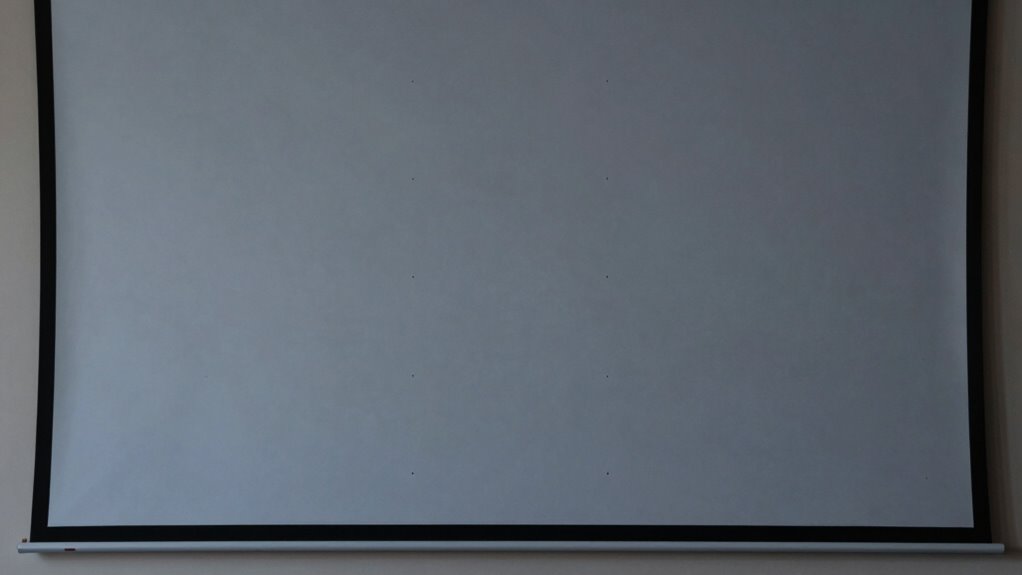
This motorized screen stands out for its laser speckle reduction, which significantly improves image clarity compared to standard screens. Its adjustable 20-inch drop allows for precise positioning, making it ideal for customized setups. Compared with fixed frames like the AWOL Valerion, this model offers greater flexibility but sacrifices the permanence of a fixed installation. Its quiet operation under 40dB minimizes noise distractions. However, its reliance on long-throw projectors limits versatility for ultra-short-throw setups. The design is tailored for users who want easy motorized control and tailored height adjustments, though it isn’t suitable for those with space constraints or short-throw projectors.
Pros:- Reduces laser speckle for clearer, more vivid images
- Adjustable drop for customizable viewing height
- Quiet motor operation under 40dB
- Supports versatile mounting options
Cons:- Designed only for long-throw projectors, not ultra-short-throw
- Limited to 120-inch size, no smaller options available
Best for: Home theater enthusiasts with long-throw projectors seeking adjustable height for optimal viewing
Not ideal for: Users with ultra-short-throw projectors or limited ceiling space, since it is designed specifically for long-throw setups
- Size:120 inches
- Aspect Ratio:16:9
- Motor Noise Level:Under 40dB
- Laser Speckle Reduction:Yes
- Adjustable Drop:20 inches
- Compatibility:Long-throw projectors
Our verdict“This pick is perfect for long-throw projector users who want a motorized screen with customizable height and clear images.”
AWOL Valerion 120″ PureVision Fixed Frame Projector Screen with Laser Speckle Reduction
This fixed frame screen excels at delivering a high-quality, immersive viewing experience with its PET matte surface and wide 170° viewing angle. Its support for up to 8K resolution ensures sharp, detailed images, outperforming many standard screens with lower resolution support like the SilverMagic tensioned model. The elegant slim bezel and sturdy aluminum frame make it ideal for dedicated home theaters. The fixed design, however, makes it less flexible for repositioning or temporary setups, and its premium price may be a barrier for budget-conscious buyers. This screen is best suited for those who prioritize image quality and permanence over adjustability or portability.
Pros:- Reduces laser speckle for clearer images
- Supports up to 8K resolution for detailed visuals
- Wide 170° viewing angle for immersive experience
- Elegant fixed frame with slim bezel
Cons:- Requires dedicated space for setup
- Fixed frame design reduces flexibility
- Higher cost compared to portable alternatives
Best for: Home theater owners seeking a sleek, high-resolution screen with minimal speckle for a permanent installation
Not ideal for: Renters or those who need a portable or adjustable screen, as the fixed frame limits repositioning
- Size:120 inches
- Material:PET matte
- Gain:1.0
- Resolution Support:Up to 8K
- Viewing Angle:170°
- Frame:Aluminum fixed frame
Our verdict“Ideal for those prioritizing ultra-high resolution and a sleek, permanent setup for home theaters.”
Tensioned Motorized Projector Screen for RGB Laser Projectors by SilverMagic – 120 Inch 16:9, Speckle Reducing, White Floating Screen for Home Theater, Office, Patio, Classroom
This motorized screen offers a tensioned, flat surface optimized for RGB laser projectors, making it a strong choice for environments demanding high image quality. The speckle reduction feature enhances clarity, especially compared to non-treated surfaces. Its modern, sleek design complements various settings, and the 3-year warranty adds peace of mind. Unlike fixed screens like the AWOL Valerion, this model’s motorized operation allows for easy setup and concealment when not in use. However, its performance depends on high-brightness projectors for best results, and the electrical setup may be complex for some users. This makes it suitable for users seeking a durable, high-quality, motorized solution for laser projection.
Pros:- Speckle reduction improves laser image clarity
- Flat, tensioned surface ensures smooth viewing
- Durable construction and sleek modern design
- 3-year warranty with US support
Cons:- Requires high-lumen projectors for optimal performance
- Electrical setup may be complex for some users
Best for: Home, classroom, or office users with RGB laser projectors and a need for a tensioned, flat surface
Not ideal for: Consumers with low-brightness projectors or limited electrical setup options, since it requires compatible high-lumen projectors and electrical wiring
- Size:120 inches
- Aspect Ratio:16:9
- Material:White screen material
- Projection Compatibility:RGB Laser, DLP 1000+ lumens
- Features:Speckle reduction, tensioned system
- Warranty:3 years
Our verdict“Suitable for high-brightness laser projector users who want a durable, tensioned, motorized screen with speckle reduction.”
Elite Screens Spectrum RC1 Remote 125-Inch Diagonal Motorized Projection Screen
This 125-inch motorized screen is a versatile choice for home theaters, offering a large 16:9 aspect ratio compatible with 4K UHD and 3D content. Its MaxWhite 2 surface with 1.1 gain provides bright, sharp images, especially when compared to lower-gain surfaces like the SilverMagic model. Remote operation via IR and RF simplifies use, and the fully assembled design makes installation straightforward. Unlike fixed screens, this model offers the flexibility of motorized deployment, but it isn’t suitable for ultra-short-throw projectors or tight spaces. It’s best for users who want a sizable, easy-to-use screen for a dedicated home theater setup rather than a flexible, multi-use environment.
Pros:- Large 125-inch screen ideal for home theaters
- Supports 4K Ultra HD and 3D projection
- Includes remote control and easy installation
- Durable MaxWhite 2 surface with good brightness
Cons:- Not compatible with ultra-short-throw projectors
- Requires wall or ceiling mounting, limiting flexibility
- Limited to standard UHD/HD projectors
Best for: Home users who want a large, easy-to-operate motorized screen for UHD and 3D content in a dedicated space
Not ideal for: Users with space limitations or those needing a portable or fixed installation, as it requires mounting and dedicated space
- Size:125-inch diagonal
- Aspect Ratio:16:9
- View Size:61.3″ H x 109.0″ W
- Overall Size:72.7″ H x 122.2″ W
- Material:MaxWhite 2, 1.1 Gain
- Projection Compatibility:4K UHD, 3D
Our verdict“A strong choice for home theater enthusiasts wanting a big, motorized, user-friendly screen for UHD and 3D content.”
AWOL VISION 120″ Motorized ALR Floor Rising Projector Screen for Ultra Short Throw Projector, 4K/8K Ultra HD, Ambient Light Reduction
This floor-rising, motorized ALR screen offers a significant advantage in ambient light environments, thanks to its 0.8 gain HBSI ALR material, which reduces light pollution and enhances 4K/8K clarity. Its space-saving, electric rise design makes it easy to store when not in use, ideal for rooms with variable lighting conditions. Compared to fixed screens like the AWOL Valerion, this model provides flexibility with its motorized operation and ambient light rejection, but it involves electrical setup and calibration. Its 120-inch size is fixed, limiting options for smaller or larger setups. This pick suits those who want high-quality visuals in bright rooms with ultra-short-throw projectors, especially when space is limited.
Pros:- High-quality ALR screen with excellent ambient light reduction
- Motorized floor-rising design for easy storage
- Smart control with USB synchronization
- Supports vibrant 4K/8K visuals
Cons:- Requires electrical power and initial calibration
- Limited to 120-inch size, no size adjustments
- Higher price point for advanced features
Best for: Home theater or classroom users with ultra-short-throw projectors seeking ambient light rejection and space-saving design
Not ideal for: Users with low ambient light or those needing adjustable sizes, as the screen size is fixed and requires electrical setup
- Screen Size:120 inches
- Aspect Ratio:16:9
- Gain:0.8
- Viewing Angle:170°
- Material:HBSI ALR
- Projection Compatibility:4K/8K Ultra HD
Our verdict“Best suited for bright environments with ultra-short-throw projectors needing a space-efficient, ambient light-rejecting screen.”
IN&VI 150″ CLR ALR Motorized Projector Screen for Ultra Short Throw Projectors
This 150-inch ALR motorized screen stands out for its ability to reject ambient light, making it ideal for rooms with less control over lighting. Unlike the 120-inch PureVision model, which offers laser speckle reduction but less ambient light handling, the IN&VI screen provides a more consistent picture in bright environments thanks to its CBSP ALR Prism Structure material. Its motorized floor-rising design allows for quick setup without wall mounting, though it requires sufficient floor space, which could be a drawback in smaller rooms. The wide 170° viewing angle ensures viewers experience uniform brightness and color, even off-angle. The support for 4K and 8K content guarantees future-proof clarity, but the higher cost and reliance on remote or voice control might limit ease of use for some. Compared to fixed screens like the AWOL Valerion, this model offers greater versatility for multi-use spaces. Overall, it’s best suited for those needing high contrast in bright environments with easy installation.
Pros:- High ambient light rejection for bright rooms
- Motorized floor rising for easy setup without wall damage
- Wide 170° viewing angle ensures consistent picture quality
Cons:- Requires ample floor space for setup
- Potentially higher cost due to advanced ALR technology
- Dependent on remote or voice commands for operation
Best for: Home theater enthusiasts with bright or multi-purpose rooms who prioritize ambient light rejection and motorized convenience.
Not ideal for: Users with limited floor space or those seeking a simple, fixed installation for a dedicated dark room.
- Size:150 inches
- Material:CBSP ALR Prism Structure
- Gain:0.6
- Viewing Angle:170°
- Compatibility:4K & 8K UHD, 3D
- Motorized:Yes
- Installation:Floor rising, no wall drilling
Our verdict“This screen makes the most sense for viewers needing bright-room performance and motorized convenience, despite its higher price and space requirements.”

How We Picked
These screens were evaluated based on performance in laser projector setups, focusing on image clarity, contrast, and light handling. Usability factors such as motorized versus fixed installation, ease of adjustment, and maintenance were also considered. Value was assessed by balancing features against price, ensuring options cater to different budgets. Our ranking emphasizes versatility, image quality, and user experience, aiming to help buyers find the best fit for both casual and dedicated viewing environments.| screen features for laser projector | Material |
|---|---|
| 120-Inch PureVision Motorized | — |
| AWOL Valerion 120" PureVision | PET matte |
| Tensioned Motorized Projector | White screen material |
| Elite Screens Spectrum RC1 Rem | MaxWhite 2, 1.1 Gain |
| AWOL VISION 120" Motorized ALR | HBSI ALR |
| IN&VI 150" CLR ALR Motorized P | CBSP ALR Prism Structure |
Factors to Consider When Choosing Screen Features For Laser Projector
When selecting screen features for laser projectors, it’s important to consider how each factor impacts your viewing experience. Not all screens are created equal, and tradeoffs like cost versus performance, or flexibility versus stability, can influence your decision. Understanding these factors can help you choose a screen that complements your projector and room conditions for the best results.Ambient Light Rejection (ALR) and Brightness Handling
For rooms with ambient light, selecting an ALR screen can make a significant difference by reducing light scatter and enhancing contrast. These screens are designed to reflect projected light directly back to the viewer while absorbing ambient light, which boosts image clarity in bright environments. However, ALR screens tend to be more expensive and may reduce some brightness, so balancing cost and performance is key.
Motorized vs. Fixed Screens
Motorized screens offer the convenience of remote operation and adjustable configurations, making them ideal for multi-purpose rooms or setups where space flexibility matters. Fixed screens, on the other hand, provide a more stable, tensioned surface that can deliver crisper images but lack mobility. Your room size, usage frequency, and budget will influence which type suits you best.
Screen Size and Aspect Ratio
Choosing the right size depends heavily on your room dimensions and projector throw ratio. Larger screens increase immersion but can overwhelm small rooms, leading to distorted images or a cramped feeling. Aspect ratio compatibility is equally important; most laser projectors are optimized for 16:9 or 16:10 formats, so selecting a screen with matching proportions ensures optimal image quality without black bars or cropping.
Speckle Reduction and Image Clarity
Laser projectors are prone to speckle artifacts, which can degrade image quality. Screens with built-in speckle reduction or anti-reflective coatings can significantly improve clarity, especially for detailed or brightly colored content. Investing in a screen with these features reduces eye strain and enhances the overall viewing experience, but such screens may come at a premium price.
Material and Surface Finish
The material and surface finish determine how well a screen reflects projected light. Matte surfaces minimize glare and hot spots, providing even image distribution, while high-gain surfaces increase brightness but can introduce hotspots. Consider your projector’s brightness level and ambient lighting conditions when selecting the material to ensure a balanced, high-quality image without unwanted reflections.
Frequently Asked Questions
How do I choose between a fixed frame and a motorized screen?
A fixed frame screen offers stability and superior image flatness, making it ideal for dedicated home theaters where the setup remains stationary. Motorized screens provide flexibility, allowing you to hide the screen when not in use or adjust the drop height, which is useful in multi-purpose rooms. Your room layout, usage habits, and budget will influence which type best suits your needs.
Are ALR screens necessary for laser projectors in bright rooms?
ALR screens are highly recommended if your viewing space has significant ambient light, as they improve contrast and color vibrancy by rejecting external light sources. Without an ALR surface, laser images can appear washed out or less vibrant in bright conditions. However, ALR screens tend to be more expensive, so weighing the cost against your room’s lighting environment is essential.
What is speckle reduction, and why does it matter?
Speckle is a granular noise that appears on laser projected images, often distracting viewers and reducing perceived image quality. Screens with speckle reduction features or coatings can mitigate this effect, leading to clearer, more detailed visuals. For laser projectors, investing in a screen with this feature can substantially enhance the viewing experience, especially for high-resolution content.
How large should my projector screen be for my room?
The ideal screen size depends on your room dimensions and seating distance. A common guideline is that the viewing distance should be about 1.5 to 2.5 times the diagonal size of the screen. Larger screens create a more immersive experience but can compromise image sharpness if your projector isn’t bright enough or your room is small. Measure your space carefully before selecting a size.
Does the surface material affect image quality significantly?
Yes, the surface material impacts how well the projected light reflects and how evenly the image appears. Matte surfaces reduce glare and hot spots, resulting in uniform images across the screen. High-gain surfaces can boost brightness but may introduce hotspots or uneven reflections, particularly in larger screens. Matching the material to your projector’s brightness and room lighting conditions is essential for optimal image quality.
Conclusion
For those seeking a reliable, all-around performer, the 120-Inch PureVision Motorized Screen offers excellent versatility with its adjustable drop and speckle reduction. If you prioritize stable, high-contrast images in a dedicated home theater, the AWOL Valerion Fixed Frame Screen is a strong choice. For environments with ambient light, the AWOL VISION ALR Floor Rising Screen provides superior light rejection. Beginners or casual users should focus on motorized options with easy setup, while advanced users may consider premium screens with specialized surfaces. Your decision should align with your room conditions, usage habits, and budget to get the most satisfying laser projection experience.
Fall Picks
fall essentials
As an affiliate, we earn on qualifying purchases.