TL;DR

Get business pricing on your home office setup
- Business-only prices and quantity discounts
- Tax-exempt purchasing
- Multiple users, one account, clear invoices
Home theater projectors can turn any room into a cinematic escape, but their performance hinges on room lighting, screen size, and tech features. Knowing what to look for helps you pick the right model for your space and needs.
Imagine a wall that transforms into a giant movie screen, filling your living room with vibrant colors and deep blacks. That’s the promise of a home theater projector. But picking the right one isn’t as simple as it looks. With so many options, specs, and room considerations, how do you know what to prioritize?
In this guide, you’ll learn what really affects a projector’s picture quality—beyond the pixel count. We’ll cover essential features, common pitfalls, and practical tips to help you create your perfect cinematic setup, whether it’s for cozy family nights or serious home theater ambitions.
Room conditions dictate brightness and screen choice—control the light for best contrast and black levels.
Contrast ratio and black level performance matter more for picture depth than resolution alone.
Native 4K is better for focus and detail, but pixel-shifting models can look very sharp and are more affordable.
Laser light sources offer longer lifespan and consistent brightness, reducing maintenance compared to lamps.
Proper placement and screen selection maximize your projector’s potential—plan throw distance, lens shift, and environment in advance.
How Room Conditions Shape Your Projector’s Performance
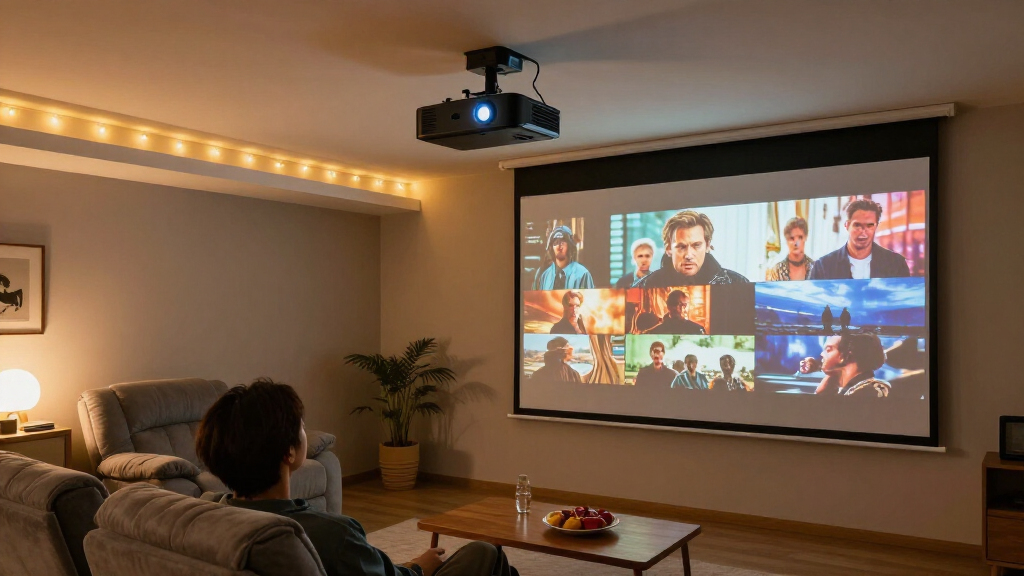
Your room is your projector’s stage. A dark, light-controlled theater makes it easier to achieve deep blacks and high contrast. Bright rooms with white walls? Not so much. They demand higher brightness and better screen choices.
Take the example of a family room with big windows and white walls. Here, a projector with at least 2,500 lumens helps combat ambient light, but even then, a specialized ambient-light-rejecting screen makes a huge difference. Conversely, a dedicated basement theater with blackout curtains allows you to enjoy cinematic contrast and HDR effects at much lower brightness levels.
Why does this matter so much? Because a projector works by reflecting light off a surface—any stray light in the room competes with that image. Ambient light lifts the black floor, turning deep shadows into milky gray and flattening the sense of depth that makes movies feel immersive. White walls and ceilings compound the problem by reflecting the projector’s own light back onto the screen, creating a hazy wash that no setting can fully fix. Dark paint and heavy curtains are the cheapest image upgrades you’ll ever buy.
Think about your space. Do you control the light? Are the walls reflective? The more you can darken and control ambient light, the better your projector will perform. Otherwise, you’re fighting an uphill battle for picture depth and black levels.
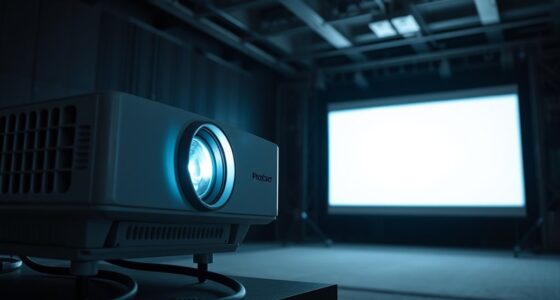
home theater projector with high contrast ratio
As an affiliate, we earn on qualifying purchases.
As an affiliate, we earn on qualifying purchases.
Brightness Matters: How Much Lumens Do You Really Need?
Brightness is often the first spec people fixate on, but it can be misleading. Projector brightness is measured in ANSI lumens, yet manufacturers sometimes exaggerate or use different testing methods. So, what’s enough?
In a dark room, roughly 1,500 to 2,500 lumens is enough for a 100- to 120-inch screen. But push that into a living room with some ambient light, and you’ll want closer to 2,500 to 4,000 lumens. Larger screens or rooms with windows demand even more.
The reason is simple physics: a projector spreads its light across your screen, so a bigger image means fewer lumens per square inch. Double the screen area and you halve the brightness hitting each part of it. That’s why screen size and ambient light are the two variables that should drive your lumen decision—not the biggest number on the box.
For example, a project in a bright family room aiming for a 120-inch image needs at least 3,000 lumens—preferably calibrated to avoid washed-out colors. Max brightness modes may seem tempting, but they often reduce color accuracy or produce noise. Calibrated, stable brightness is king. A projector that measures bright but can’t hold accurate color at that output is really a 2,000-lumen projector wearing a marketing badge.
ambient light rejecting projector screen
As an affiliate, we earn on qualifying purchases.
As an affiliate, we earn on qualifying purchases.
Contrast and Black Levels: The Secret to Depth and Drama
Contrast is the magic ingredient that makes nighttime scenes pop with depth. Without it, your dark scenes look gray, flat, and dull. The catch? Published contrast ratios are often inflated by automatic features like laser dimming or iris adjustments.
In real life, a projector with native contrast—like many LCoS models—delivers the richest blacks. DLP models can be sharp and bright but sometimes struggle with black levels. LCDs vary widely based on price and quality.
Why is this the spec that matters most? Because your eye judges an image by its range from darkest to brightest, not by its pixel count. A 1080p projector with deep blacks can look more cinematic than a 4K projector with gray shadows—resolution adds detail, but contrast creates the illusion of depth and dimension. Black level is also where projector technology genuinely differs from TVs; even the best projectors can’t reach OLED-black, so every improvement in native contrast has an outsized impact on how film-like the image feels.
The tradeoff is real, though: high native contrast usually means a higher price and sometimes lower peak brightness, which can hurt in rooms with ambient light. That’s why contrast-first shopping makes sense for dark, dedicated theaters, while bright multi-use rooms may need to compromise toward brightness instead.
Imagine watching a thriller. Deep black shadows and subtle gradations make scenes feel immersive. If you’re serious about picture quality, prioritize contrast performance. It’s the difference between a flat image and one that pulls you into the story.
As an affiliate, we earn on qualifying purchases.
Native 4K vs. Pixel Shifting: What’s the Real Difference?
When a projector claims to be 4K, it might be true native 4K or just pixel-shifting technology. Native 4K panels have 8.3 million actual pixels. Pixel-shifting uses fast image processing to simulate 4K, often at a lower cost.
For example, a popular mid-range projector might use pixel shifting to produce a sharp picture at normal viewing distances. It looks very detailed, but some subtle textures or fine lines might still reveal the trick. Native 4K models tend to have better focus uniformity and less processing artifacts.
What does this mean in practice? Your eyes resolve detail based on viewing distance as much as pixel count. Beyond roughly 1.5 screen-widths away, most viewers can’t distinguish native 4K from good pixel-shifting—which is exactly why manufacturers invest in shifting tech rather than massive panels. The real decision hinges on how close you sit and how picky you are. A native 4K panel also costs significantly more, so paying that premium only makes sense if your seating distance and screen size actually let you see the difference.
Consider your room size and viewing distance. If you sit close—say, 1.5 times the screen width—native 4K can offer sharper detail. For larger screens or casual viewing, pixel-shifting models often look indistinguishable from true 4K.
projector with lens shift and long throw distance
As an affiliate, we earn on qualifying purchases.
As an affiliate, we earn on qualifying purchases.
Light Sources: Lamp, Laser, LED—Which Last and Shine Brightest?
The heart of a projector is its light source, and each type has pros and cons. Lamps are common, affordable, but need replacing after 2,000-4,000 hours. Laser projectors start instantly, last 20,000+ hours, and maintain brightness better over time.
Take a family that upgraded from a lamp-based projector to a laser one. The laser’s steady brightness and near-instant startup made movie nights smoother. LED models are compact and long-lasting but often less bright, suitable for smaller screens or rooms with controlled lighting.
The hidden story here is brightness decay. Lamps don’t fail suddenly—they fade, losing a noticeable chunk of their output in the first thousand hours. That means your carefully calibrated image drifts over time, and colors shift as the lamp ages. Laser holds its output far longer, which is why it costs more upfront: you’re paying for stability, not just lifespan. Run the math and the gap narrows—a $200 lamp replaced twice over five years closes much of the price difference with a laser model.
Imagine a projector in a dedicated home theater. A laser source provides consistent brightness for years, while a lamp might need a $200 replacement after 3,000 hours. Your choice depends on budget, maintenance willingness, and desired image stability.
Placement and Throw Distance: How to Get the Size and Clarity You Want
Your projector’s placement determines your image size and quality. Throw ratio tells you how far back it needs to sit from the screen. For example, a standard-throw projector might sit 10–15 feet away for a 120-inch image. Short-throw models sit closer, about 3–6 feet, while ultra-short-throw projectors sit just inches from the wall.
Picture a living room with a 120-inch screen. A standard-throw projector needs about 12 feet of space, but a short-throw can fit into a corner, saving room. Lens shift makes installation easier, moving the image without losing resolution, while keystone correction can introduce artifacts if overused.
The distinction between lens shift and keystone matters more than most buyers realize. Lens shift physically moves the optics, keeping every pixel sharp and rectangular. Keystone correction digitally reshapes the image by scaling parts of it—which throws away resolution and can soften edges or create jagged lines. A projector with generous lens shift gives you flexible ceiling or shelf mounting with zero image penalty; relying on heavy keystone is a silent quality tax you pay every viewing session.
Placement also affects your experience beyond the image: a projector mounted behind or above seating keeps fan noise and light spill out of your eyes, while table placement in the middle of the room invites shadows, cables, and interruptions.
Plan your room and seating. If you want a giant image without clutter, short- or ultra-short-throw options are tempting. But they require precise setup and a flat, smooth surface for best results—ultra-short-throw models magnify every wall imperfection because of their extreme projection angle.
Picking the Right Screen or Wall for the Best Image
The screen or wall you project onto impacts brightness, contrast, and color. Matte white is versatile in dark rooms. Gray screens boost perceived black levels in brighter spaces. Special ambient-light-rejecting screens are game-changers in rooms with windows or lights on.
For example, a bright living room with large windows benefits from an ALR (ambient-light rejecting) screen, which reflects ambient light away and keeps colors vivid. A dedicated theater with blackout curtains might get away with a simple matte-white screen or even a painted wall.
Here’s the part people miss: a screen doesn’t add light—it redistributes it. A gain screen can focus light back toward viewers for a brighter image, but at the cost of narrower viewing angles and potential hotspots. Gray screens deepen perceived blacks by absorbing some light, but they also dim the whole image, so they pair best with brighter projectors. Every screen choice is a tradeoff between brightness, contrast, and viewing angle, and the right balance depends entirely on your room. A cheap screen with the wrong surface can hold back a $3,000 projector, while a modest projector on the right screen can punch above its price.
Think about your environment. Will you need to fight light? Do you want a fixed screen or a portable one? The right choice maximizes your projector’s potential and creates a uniform, vivid image.
HDR and Color: Making Bright Scenes Pop Without Overdoing It
HDR enhances contrast and color, but projectors can’t match bright TV highlights. Effective tone mapping is key. A projector with good HDR support can produce rich, detailed bright scenes—if the settings are right and the screen is appropriate.
The reason is a fundamental difference in how projectors and TVs produce light. An HDR TV can hit 1,000+ nits on small highlights; a projector reflecting light off a screen might manage 100 or less. That means a projector can’t simply replay HDR content as mastered—it has to compress those highlights down, and how it compresses them is what separates good HDR from bad. Poor tone mapping clips bright details into white blobs or dims everything into murk; good tone mapping preserves highlight detail while keeping midtones natural.
Imagine watching a fiery sunset or a glowing cityscape. Proper tone mapping ensures those highlights aren’t dull or blown out. Support for formats like HDR10+ or Dolby Vision adds extra realism through dynamic, scene-by-scene metadata, but implementation varies by model—and dynamic formats only help if the projector’s processing is actually good.
Color accuracy and gamut coverage matter too. Wide-gamut projectors can reproduce more saturated colors, making HDR content more lifelike. Just remember: HDR quality depends on both the projector and how well you set it up. In practice, a well-calibrated SDR image often looks better than a poorly handled HDR one—don’t assume the HDR badge alone means a better picture.
How to Pick a Projector That Matches Your Gaming and Streaming Needs
Gaming and streaming have different demands. For gamers, low input lag—ideally below 20 ms—is vital. Support for 4K at 120 Hz and HDMI 2.1 features like VRR (Variable Refresh Rate) makes a big difference.
Why is lag the dealbreaker? Input lag is the delay between your controller input and what appears on screen. On a 120-inch image, even 50 ms feels sluggish—your aim trails your reflexes. Many projectors prioritize image processing over response time, so a “cinema” mode can add 100 ms or more while a game mode cuts that dramatically, often at the cost of some picture processing. Knowing a projector’s measured lag in game mode, not just its marketing claim, is essential for competitive play.
Imagine a family that loves fast-paced shooters. They choose a projector with 1080p or 4K support at 120 Hz, low latency, and auto low latency mode—which switches the projector into game mode automatically when a console signals it. For streaming, app support, Wi-Fi, and smart features matter. Many projectors now include built-in apps or streaming platforms, but there’s a tradeoff: built-in smart platforms on projectors are often underpowered and stop receiving app updates sooner than a $50 streaming stick. External devices usually offer broader compatibility and longer support.
Balance your needs: high refresh rates for gaming, bright images for daytime use, and good connectivity for streaming. Prioritize these features based on how you plan to use the projector most.
Noise, Heat, and Maintenance: Keeping Your Theater Quiet and Fresh
Fan noise can ruin the cinematic experience, especially if your projector sits near your seating. Bright modes generate more heat and louder fans. Regular maintenance—like filter cleaning and lamp replacement—is also part of the game.
Why is noise such a projector-specific problem? Unlike a TV, a projector works by generating intense light, which creates serious heat that must be actively cooled. And because projectors are often mounted just above or behind viewers—in a quiet, darkened room—that fan hum lands right where you’re trying to hear whispered dialogue. A projector rated at 30 dB sounds dramatically louder in a silent theater than the same rating in a busy living room. Check independent measurements in eco mode versus full power, because manufacturers often quote the quieter number.
Picture a projector that’s whisper-quiet in normal mode but becomes a loud hum in high-brightness mode. Choosing models with good fan design and filters can keep noise down. Laser and LED models tend to produce less heat and require less upkeep than traditional lamps—partly because they’re more efficient, converting more electricity into light rather than waste heat.
Maintenance is the hidden cost of ownership. Dust buildup on filters and optics degrades brightness and can even cause shutdowns, so factor in how easily you can access and clean the unit—especially important for ceiling mounts. Think about your room comfort. A quieter, cooler projector means less distraction and longer-lasting performance.
Connectivity and Audio: Making Sure Everything Fits
Modern projectors support a range of connections—HDMI, USB, Ethernet, Wi-Fi, and audio outputs—so you can connect your streaming sticks, gaming consoles, and sound systems easily. Many include built-in speakers, but quality varies.
Imagine a projector with HDMI eARC, optical audio, and Bluetooth. It simplifies connecting your soundbar or wireless speakers. For high-quality sound, external audio systems are often best, but some projectors pack surprisingly decent speakers for casual use.
It’s worth thinking ahead about HDMI versions, because they quietly determine your future. HDMI 2.1 bandwidth is what enables 4K at 120 Hz for next-gen consoles; a projector with only older HDMI ports will bottleneck even a powerful console to 4K60. Similarly, eARC matters if you route everything through the projector—without it, you can’t pass lossless surround sound from the projector back out to your receiver or soundbar. Planning inputs now saves you from adapters, workarounds, or an early upgrade later.
Audio deserves realistic expectations: even the best built-in projector speakers can’t fill a dedicated theater, because the speakers are small, close together, and pointed in the wrong direction. Treat built-in audio as a convenience for casual use and budget for a soundbar or receiver system for real movie nights.
Check your setup. If you want a clean, cable-free look, look for models with wireless streaming and app support. If you’re serious about audio fidelity, plan for a good sound system with proper inputs.
Frequently Asked Questions
Is a projector better than a television?
For truly large images and cinematic feel, a projector often beats a TV. But for bright daylight viewing, ease of use, and sharp black levels, a high-quality TV might be more practical.
How many lumens do I need for my room?
Dark rooms need around 1,500–2,500 lumens, while brighter living spaces require 2,500–4,000 lumens or more, especially for larger screens or ambient light. Consider your environment and screen size when choosing.
Can I watch TV shows and movies during the day?
Yes, but your image will look better if you control the ambient light. Use a high-brightness projector and an ambient-light-rejecting screen, or darken the room for the best contrast and colors.
Do I need a special screen or wall?
A proper projector screen improves uniformity, color, and contrast. Matte white works in dark rooms; gray or ALR screens help in brighter spaces. Walls can work temporarily but won’t match a dedicated screen’s performance.
How close can I sit to a 4K projector?
Sitting about 1 to 1.5 times the screen width is ideal for 4K content. Comfort is key—adjust your seating based on room size, screen size, and personal preference to enjoy maximum detail without strain.
Conclusion
Choosing a home theater projector isn’t just about pixels and specs. It’s about understanding your space, your viewing habits, and how to match the technology to your room. When you get it right, you’ll turn any wall into a window to another world.
Picture yourself sinking into your couch, the room dark, the screen alive with color and contrast—cinema quality made simple. The real secret is knowing what matters most for your space and priorities. Now, go pick your perfect projector and start dreaming big.
Halloween Picks
halloween
As an affiliate, we earn on qualifying purchases.