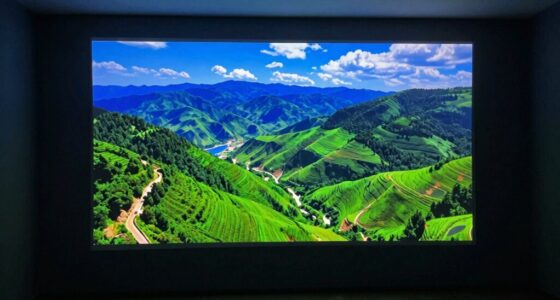

Projectors handle non-4K content by using sophisticated image scaling techniques that optimize sharpness and clarity. They rely on smart interpolation algorithms to fill in gaps as images get enlarged, preventing blurriness and pixelation. Maintaining the correct aspect ratio is vital, so projectors adjust or crop images to avoid distortion. Better processing capabilities mean more accurate scaling and detailed results. If you keep exploring, you’ll discover how these tricks keep your images crisp and vibrant, no matter the source resolution.

Get business pricing on your home office setup
- Business-only prices and quantity discounts
- Tax-exempt purchasing
- Multiple users, one account, clear invoices
Key Takeaways
- Projectors use advanced interpolation algorithms to generate extra pixels, filling gaps when scaling non-4K content for sharper images.
- High processing power enables better handling of scaling, preserving detail and minimizing blurriness in lower-resolution media.
- Proper aspect ratio management, through cropping or letterboxing, ensures images remain proportionate without distortion during scaling.
- Modern projectors adapt internal scaling techniques based on source resolution and content type to optimize image clarity.
- Over- interpolation or poor processing can introduce artifacts; thus, sophisticated algorithms aim to balance clarity and detail preservation.
Have you ever wondered how to make your images look crisp and clear when resizing? When it comes to projectors handling non-4K content, understanding pixel interpolation and aspect ratio plays a *fundamental* role in achieving that sharp, high-quality display. Pixel interpolation is the process your projector uses to fill in the gaps when enlarging lower-resolution images. Imagine you’re projecting a 1080p video onto a 4K screen; the projector must generate additional pixels to match the larger display size. It does this by estimating pixel data based on neighboring pixels, creating new ones that blend seamlessly with existing image information. This technique helps minimize blurriness and pixelation, but it’s not perfect—overdoing it can introduce artifacts or a soft appearance. That’s why many projectors incorporate advanced interpolation algorithms to optimize clarity and detail preservation. Additionally, the quality of interpolation can be influenced by the projector’s processing capabilities, which determine how effectively it handles scaling tasks.
Aspect ratio, on the other hand, determines the proportional relationship between the width and height of your image. Maintaining the correct aspect ratio is *imperative* to avoid distorted images—stretching or squishing your content undesirably. When a projector scales an image, it considers the aspect ratio to ensure the picture retains its intended shape. If your source material has a 16:9 aspect ratio, the projector needs to match that ratio during resizing; otherwise, you risk losing parts of the image or creating black bars. Sophisticated projectors analyze the original aspect ratio and adjust the scaling process accordingly, either by cropping or letterboxing, to deliver a visually accurate picture.
When resizing non-4K content, projectors often default to internal scaling algorithms, which rely heavily on pixel interpolation. The quality of this process varies between models—some upscale with minimal loss of detail, while others may produce softer images. Modern projectors incorporate smart scaling techniques that adapt based on content type, resolution, and aspect ratio, ensuring the best possible image quality. They aim to preserve sharpness and detail without introducing distracting artifacts. Understanding how pixel interpolation works alongside aspect ratio management helps you choose a projector that handles non-4K content gracefully, giving you crisp, well-proportioned images regardless of source resolution. Ultimately, mastering these concepts *guarantees* your viewing experience remains sharp, clear, and true to the original content, even when the source isn’t native 4K.
4K projector with advanced image scaling
As an affiliate, we earn on qualifying purchases.
As an affiliate, we earn on qualifying purchases.
Frequently Asked Questions
How Do Projectors Improve Image Clarity With Non-4k Content?
You can improve image clarity with non-4K content by utilizing pixel interpolation and image enhancement techniques. Pixel interpolation smartly adds extra pixels, smoothing out jagged edges and making the picture appear sharper. Meanwhile, image enhancement adjusts contrast, brightness, and color vibrancy, improving overall clarity. These methods work together to deliver a more detailed, vibrant viewing experience, even when your content isn’t originally in 4K.
What Are the Differences Between Digital and Optical Image Scaling?
Think of digital and optical image scaling like upgrading from a blurry photo to a crisp one. Digital scaling uses resolution enhancement and image interpolation to enlarge images electronically, which can introduce artifacts. Optical scaling, on the other hand, relies on lens adjustments for sharper images without quality loss. Optical scaling preserves detail better, making it ideal for high-quality projections, while digital scaling offers flexibility but can compromise clarity.
Can Software Updates Enhance a Projector’s Scaling Capabilities?
Yes, software updates can enhance your projector’s scaling capabilities through software optimization, improving image clarity and performance. Additionally, hardware upgrades, like better processors or improved scaling chips, can considerably boost scaling quality. Keep your projector’s firmware up-to-date to benefit from the latest improvements. Combining software optimization with hardware upgrades ensures you get the best possible image quality, even when displaying non-4K content.
How Does Screen Size Affect Image Scaling Quality?
You should know that larger screens can amplify resolution limitations, making image scaling more noticeable. When you increase screen size, the projector must stretch the image, which can reduce clarity, especially if the aspect ratio isn’t maintained properly. A bigger screen demands higher quality scaling to preserve sharpness. So, as your screen grows, expect more challenges in maintaining image quality, and consider choosing projectors with advanced scaling features for better results.
Are There Specific Projector Models Best for Non-4k Content?
You should look for projector models that prioritize compatibility with non-4K content and have a solid brand reputation. Brands like Epson, BenQ, and Optoma are known for their reliable performance and good image scaling capabilities. Choose models with adjustable settings for non-4K sources, ensuring smooth scaling and minimal quality loss. Doing your research on model compatibility and brand reputation helps you find a projector that delivers clear, vibrant images even without 4K input.
projector with pixel interpolation technology
As an affiliate, we earn on qualifying purchases.
As an affiliate, we earn on qualifying purchases.
Conclusion
Now that you understand how projectors handle non-4K content through clever scaling, you might wonder what tricks lie beneath the surface. Could there be hidden techniques that enhance image quality even further? The world of image scaling is full of surprises, and as technology evolves, so will the methods used to deliver stunning visuals. Stay curious—what’s next might just change how you experience every projection in ways you never expected.
best projectors for non-4K content
As an affiliate, we earn on qualifying purchases.
As an affiliate, we earn on qualifying purchases.
projector aspect ratio correction
As an affiliate, we earn on qualifying purchases.
As an affiliate, we earn on qualifying purchases.
Fall Picks
fall essentials
As an affiliate, we earn on qualifying purchases.