
When choosing a projector, understanding color gamuts helps you get vibrant, accurate images. Rec.709 covers a standard color range used in HD and guarantees natural, familiar colors. DCI-P3 offers a wider spectrum, providing richer and more immersive visuals, perfect for cinematic content. If you want the best brightness and color fidelity, knowing these standards helps you pick the right device. Keep going to learn how these standards compare and which suits your needs best.

Get business pricing on your home office setup
- Business-only prices and quantity discounts
- Tax-exempt purchasing
- Multiple users, one account, clear invoices
Key Takeaways
- Rec.709 is standard for HDTV, offering a smaller, more natural color range suitable for most consumer projectors.
- DCI-P3 provides a wider color gamut, delivering more saturated and vibrant colors ideal for cinematic and high-end projectors.
- Projectors supporting DCI-P3 can display richer visuals but may require calibration for color accuracy.
- Rec.709 ensures consistent, predictable color reproduction aligned with traditional HD content standards.
- Choosing between Rec.709 and DCI-P3 depends on desired vibrancy, content type, and projector capabilities.

Understanding color gamut is essential if you want to grasp how displays and devices reproduce colors. When you’re working with projectors or screens, knowing about color gamut helps you evaluate how vibrant, true-to-life images will appear. Color accuracy plays a significant role here because it determines how faithfully a display can reproduce the intended colors. Different display standards set the benchmark for what a projector or screen can achieve, defining the range of colors it can display. These standards, such as Rec.709 and DCI-P3, establish the foundation for consistent color reproduction across devices, making it easier for you to predict how your content will look on different screens.
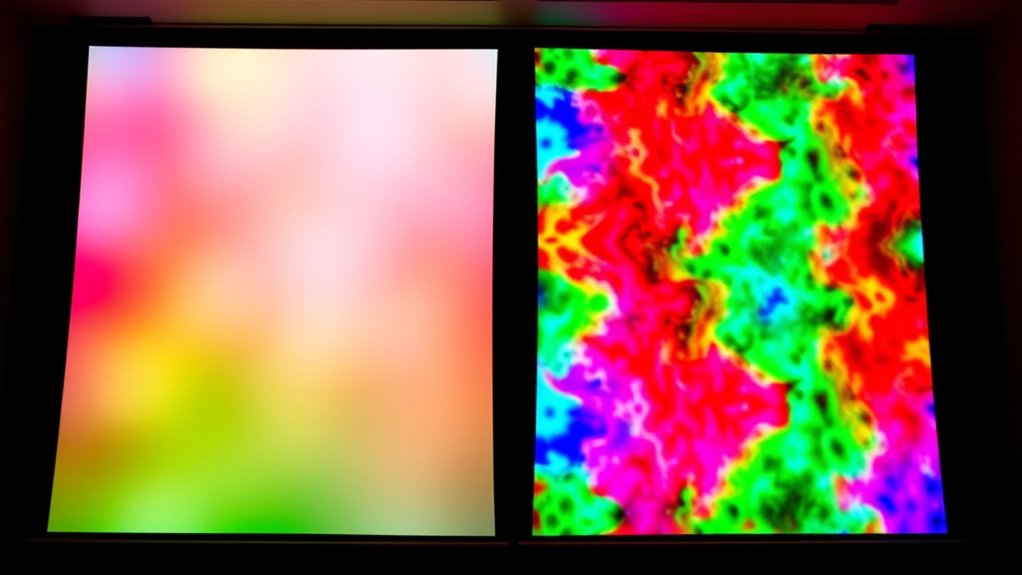
Rec.709 is a widely adopted display standard primarily used in HDTV broadcasting and consumer-grade monitors. It’s designed to match the color capabilities of traditional HD displays, covering a relatively smaller color gamut compared to other standards. If your project involves standard broadcast content or consumer screens, understanding Rec.709 helps guarantee that you’re maintaining color accuracy within those limits. Its color space is calibrated to produce natural, familiar images, but it doesn’t offer the broad spectrum of colors that more advanced standards provide. When you compare it to DCI-P3, Rec.709’s narrower color range means less vibrancy and depth in the images, which can impact the overall visual experience.
DCI-P3, on the other hand, is a newer standard developed for digital cinema projection and high-end consumer devices. It encompasses a much wider color gamut, allowing projectors and displays to reproduce more saturated and vivid colors. If you’re aiming for a cinematic look or working with high-quality digital content, understanding DCI-P3 is vital. It provides a richer, more immersive viewing experience by capturing a broader spectrum of colors. This means that projectors supporting DCI-P3 can display more lifelike and vibrant scenes, but it also requires you to consider display calibration and color management to guarantee color accuracy. When comparing Rec.709 and DCI-P3, the latter’s larger color space offers more flexibility in achieving visually stunning images, especially in dark or highly colorful scenes.
projector with DCI-P3 color gamut
As an affiliate, we earn on qualifying purchases.
As an affiliate, we earn on qualifying purchases.
Frequently Asked Questions
How Do Color Gamuts Impact Projector Price?
Color gamuts profoundly impact projector prices because broader gamuts like DCI-P3 require advanced technology, higher color depth, and precise calibration techniques. You’ll find that projectors with wider color ranges tend to cost more due to these factors. Better calibration ensures accurate color reproduction, which also adds to the cost. So, if you want vibrant, true-to-life colors, expect to pay a premium for projectors with higher color gamut capabilities.
Can a Projector Switch Between Rec.709 and DCI-P3?
You can often switch between Rec.709 and DCI-P3 on a projector, depending on its features. Many projectors include color calibration and gamut switching options, allowing you to adjust the color settings for different content. Check your projector’s menu or specs to confirm if it supports these modes. If it does, you’ll enjoy better color accuracy and vibrant visuals tailored to your viewing needs.
Are There Specific Content Types Better Suited for Each Gamut?
You’ll find that Rec.709 content, like standard TV shows and movies, suits most viewers’ preferences with its natural, consistent colors. DCI-P3 is better for vibrant, cinematic content such as blockbuster films or high-end digital art, offering richer, more immersive visuals. Content suitability depends on viewer preference; if you prioritize accurate, familiar colors, Rec.709 works well. For a more striking, vivid experience, DCI-P3 enhances your viewing with its wider color range.
How Does Ambient Lighting Affect Color Accuracy?
Ambient lighting considerably impacts your color perception and accuracy. When there’s too much light, it washes out the colors on your projector, making images look dull and less vibrant. To get the best color accuracy, keep ambient lighting low or controlled. Dimming lights or using blackout curtains helps maintain true colors, ensuring your content looks as intended and your viewing experience remains immersive and vivid.
What Are the Future Trends in Color Gamut Technology?
You’ll see future trends in color gamut technology focus on enhancing color accuracy and expanding display standards. Expect more wide-gamut displays that cover DCI-P3 and BT.2020 standards, providing richer, more vibrant images. Advances in quantum dot and OLED tech will improve color precision and consistency, even in varying lighting conditions. These innovations aim to deliver immersive visual experiences, making future projectors and screens more true-to-life and aligned with professional color standards.
Rec.709 projector for HD content
As an affiliate, we earn on qualifying purchases.
As an affiliate, we earn on qualifying purchases.
Conclusion
Understanding color gamuts is like opening a painter’s palette—you gain access to a richer, more vibrant world. Rec.709 and DCI-P3 are your brushes, each with its unique spectrum of hues, shaping how your images come alive. By choosing the right gamut, you’re not just displaying colors; you’re orchestrating an emotional symphony. So, step into this vibrant domain with confidence, and let your projectors paint stories that truly resonate.
As an affiliate, we earn on qualifying purchases.
color calibration tools for projectors
As an affiliate, we earn on qualifying purchases.
As an affiliate, we earn on qualifying purchases.
Columbus Day / Indigenous Peoples' Day Picks
long weekend sales
As an affiliate, we earn on qualifying purchases.