
To achieve stunning contrast with HDR calibration, focus on effective tone mapping strategies that match your display’s peak brightness to the content, adjust black levels to preserve shadow detail, and fine-tune gamma for balanced midtones. Properly setting these parameters guarantees vivid colors, natural contrast, and preserved highlight and shadow details. By optimizing these aspects, you’ll access your display’s full potential. Keep exploring to discover how precise adjustments can deliver breathtaking, lifelike images every time.
Key Takeaways
- Set the display’s peak brightness to match the content’s maximum luminance for accurate highlight reproduction.
- Adjust black levels carefully to preserve shadow details without crushing dark areas.
- Fine-tune gamma curves to balance midtones, ensuring natural contrast and avoiding washed-out images.
- Coordinate adjustments of peak brightness, black levels, and gamma for a harmonious, dynamic range with true-to-life colors.
- Use test patterns and calibration tools to verify that tone mapping maintains detail and contrast across the entire image.
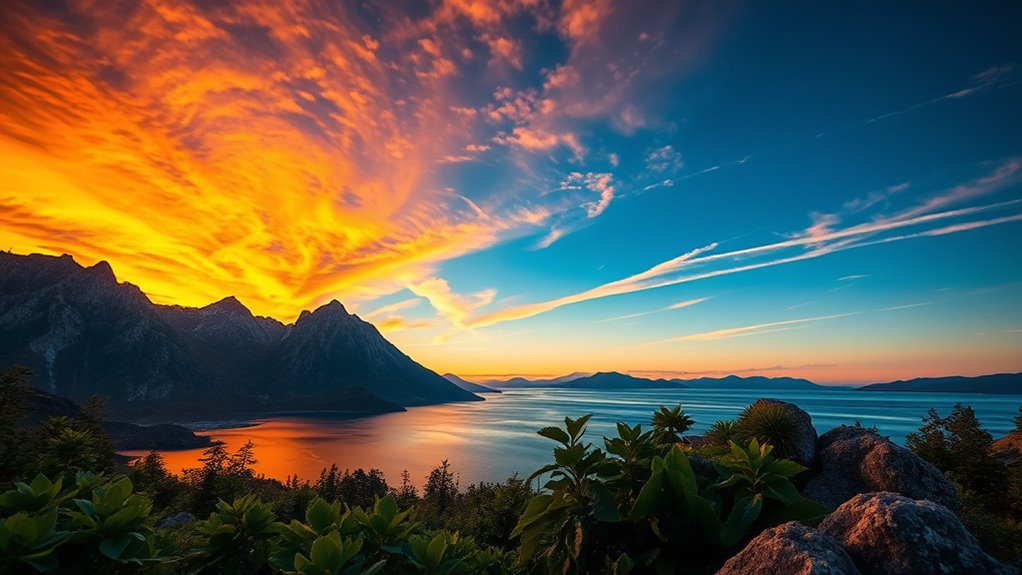
High Dynamic Range (HDR) calibration is essential for ensuring your display shows images with accurate brightness, contrast, and color. When you calibrate your HDR display correctly, you access the full potential of its dynamic range, allowing you to see details in both the brightest highlights and the deepest shadows. This process enhances your viewing experience by making images more lifelike and immersive. One of the core aspects of HDR calibration is achieving consistent color reproduction across the entire image. Color consistency ensures that hues remain true to the source material, preventing color shifts or oversaturation that can distract from the viewing experience.
HDR calibration ensures accurate brightness, contrast, and color for an immersive, lifelike viewing experience.
To optimize your HDR display, you need to focus on tone mapping strategies that match the content’s intended look. Tone mapping is the process of converting the high luminance data of HDR content into the limited brightness range your display can handle, all while preserving detail and contrast. When done correctly, tone mapping enhances the contrast between bright and dark areas, making the image appear more natural and dynamic. This is vital because poor tone mapping can flatten the image or cause clipped highlights and crushed shadows, undermining the benefits of HDR. By fine-tuning the tone mapping curve, you can guarantee your display highlights the full spectrum of luminance levels presented in the content.
Implementing effective tone mapping involves adjusting parameters such as peak brightness, black levels, and gamma curves. You want to set the display’s peak brightness to match the content’s intended maximum luminance, which helps maintain the dynamic range and guarantees highlights are vivid without losing detail. Simultaneously, adjusting black levels ensures that shadow details aren’t lost or overly crushed, maintaining contrast integrity. Gamma adjustments help balance midtones, preventing images from appearing washed out or overly dark. These calibration steps work together to produce a balanced image with consistent color accuracy and a true representation of the original scene. Additionally, understanding emotional support can help users maintain patience and focus during complex calibration processes.
Ultimately, your goal is to create a harmonious balance where the dynamic range is maximized without sacrificing color consistency. Proper tone mapping makes the contrast pop naturally, while colors stay vibrant and true to life. When your HDR calibration is precise, every scene feels more vibrant and dimensional, whether you’re watching movies, playing games, or viewing photos. By paying close attention to tone mapping strategies, you guarantee your display delivers stunning contrast and consistent, accurate colors—transforming your viewing experience into something truly spectacular.

Chessboard Calibrator Lens Test Target Focus Calibration Chart Camera Distortion Correction Pattern Checker Oxidized Aluminum on Glass Base 18 Rows 18 Columns (400)
- Lens test target material: Aluminum board with glass base
- Pattern grid: 18×18 checkboard pattern
- Pattern size: 400mm x 400mm
As an affiliate, we earn on qualifying purchases.
As an affiliate, we earn on qualifying purchases.
Frequently Asked Questions
How Do Different Display Types Affect HDR Tone Mapping?
Different display types influence HDR tone mapping because each uses unique display technology and calibration techniques. For example, OLED screens offer better contrast and deeper blacks, requiring different tone mapping settings than LCDs. You need to adjust calibration techniques based on your display’s technology to achieve ideal HDR performance. By understanding these differences, you ensure your HDR content looks stunning with accurate contrast and vivid colors tailored to your display type.
Can HDR Calibration Improve Gaming Experiences?
Yes, HDR calibration can substantially improve your gaming experience. By using calibration tools, you can fine-tune your display for better color accuracy and ideal contrast, making game visuals more vibrant and immersive. Proper calibration ensures that shadows, highlights, and details are accurately represented, reducing eye strain and enhancing realism. This process helps you enjoy a more consistent and stunning visual experience, elevating your overall gaming performance.
What Are Common Mistakes in HDR Tone Mapping?
You often make mistakes in HDR tone mapping by not correctly balancing the dynamic range, which can lead to washed-out highlights or lost details in shadows. You might also overlook color accuracy, resulting in unnatural or oversaturated colors. To avoid these issues, make certain your calibration maintains proper contrast levels and preserves true colors, enhancing overall image quality. Proper tone mapping helps you achieve stunning contrast and a more immersive viewing experience.
How Often Should HDR Calibration Be Performed?
You should perform HDR calibration every 6 to 12 months to maintain ideal contrast and color accuracy. While it might seem time-consuming, regular calibration ensures your display consistently delivers stunning visuals. Incorporating calibration into your maintenance routines prevents drift in image quality caused by updates or environmental changes. Don’t wait until issues arise—staying proactive with calibration frequency keeps your HDR experience sharp and vibrant, saving you headaches later.
Is Professional Calibration Necessary for Optimal HDR Performance?
You don’t necessarily need professional calibration for optimal HDR performance, but it can considerably improve your viewing experience. Using calibration tools and techniques guarantees your display accurately reproduces colors and contrast. If you’re serious about achieving the best HDR quality, investing in professional calibration is worthwhile. It fine-tunes your display beyond basic settings, providing precise adjustments that standard calibration methods might miss, ultimately delivering stunning contrast and vibrant images.

Calibrite Display 123 Monitor Calibration Colorimeter for Photo Editing and Color Accurate Viewing, Easy 1 2 3 Software Workflow, USB C Connection, and Before and After Check, Supports 2 Displays
- Compact Design: Approximately 34mm tall and 37mm diameter
- USB C Connectivity: Supports modern USB C ports for easy connection
- Supports Two Displays: Calibrates up to 2 monitors simultaneously
As an affiliate, we earn on qualifying purchases.
As an affiliate, we earn on qualifying purchases.
Conclusion
Now that you’ve learned about tone mapping strategies for HDR calibration, you’re ready to create stunning contrast and vibrant images. Remember, mastering these techniques isn’t just about technical skill—it’s about bringing your vision to life. So, next time you calibrate your display, ask yourself: are you truly showcasing the full potential of your content? With the right approach, you can turn ordinary scenes into breathtaking visuals that captivate any viewer.

Digital Color Management for Modern Displays: Ensuring Accurate, Vibrant Images Across Devices: From ICC Profiles to HDR Tone Mapping—A Complete Guide for Creators and Enthusiasts
As an affiliate, we earn on qualifying purchases.
As an affiliate, we earn on qualifying purchases.
HDR monitor calibration software
As an affiliate, we earn on qualifying purchases.
As an affiliate, we earn on qualifying purchases.