VRR (Variable Refresh Rate) on gaming projectors means your display adapts its refresh rate to match your device’s frame rate, resulting in smoother, tear-free visuals. It eliminates distracting artifacts and reduces motion blur during fast scenes, giving you more natural and immersive gameplay. VRR also works silently, maintaining low input lag essential for competitive play. To get the most out of your projector’s VRR, understanding how it syncs with your hardware is key—there’s more to discover if you keep exploring.
Listen free for 30 days with Audible
Thousands of audiobooks and originals — cancel anytime.
As an affiliate, we earn on qualifying purchases.
Key Takeaways
- VRR synchronizes the projector’s refresh rate with the gaming device’s frame rate to prevent screen tearing.
- It ensures smooth, fluid visuals during fast-paced gameplay, reducing motion blur and artifacts.
- VRR maintains low input lag, preserving quick responsiveness essential for competitive gaming.
- Proper calibration of VRR maximizes visual quality and performance benefits on gaming projectors.
- Widespread adoption of VRR enhances immersive gaming experiences by delivering seamless, artifact-free images.
Variable Refresh Rate (VRR) technology has become a game-changer for gamers, especially when paired with dedicated gaming projectors. It fundamentally alters how your games look and feel by syncing the projector’s refresh rate with your device’s frame rate. This synchronization helps eliminate annoying visual issues like screen tearing, which occurs when the display’s refresh rate and the graphics card’s frame rate are out of sync. Screen tearing can be distracting, breaking the immersion and making fast-paced scenes feel choppy. VRR smooths out these inconsistencies, providing a more seamless and fluid visual experience.
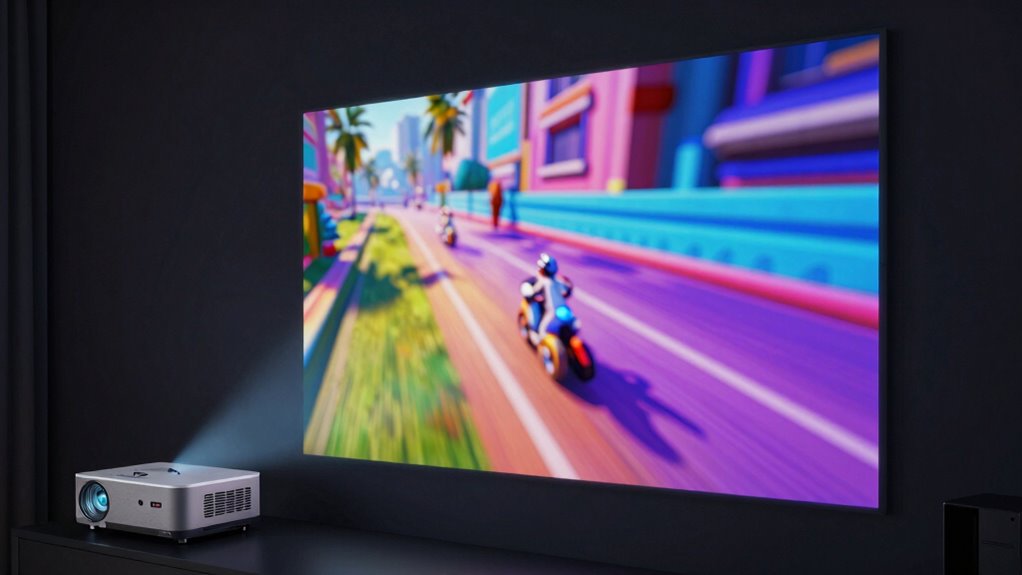
When VRR is enabled, you’ll notice a difference right away during gameplay. Your games will appear more natural, with fewer distracting artifacts. Without VRR, rapid movement or sudden changes in scene complexity can cause motion smoothing issues—where the image appears to stutter or blur, making it hard to follow fast action. VRR addresses this by dynamically adjusting the projector’s refresh rate on the fly, ensuring each frame is displayed at exactly the right moment. This means your gameplay remains sharp and fluid, even during intense sequences. The result is a significant reduction in motion blur, allowing you to react faster and enjoy more precise aiming or timing.
Another benefit of VRR for gaming projectors is that it minimizes input lag. Unlike some image processing features that introduce delays, VRR works silently in the background, syncing the display with your GPU without adding noticeable latency. This is essential for competitive gaming, where even milliseconds matter. Plus, VRR makes your overall gaming experience more consistent, regardless of the game’s graphics complexity or the hardware’s frame output. Whether you’re playing a fast-paced shooter or an open-world adventure, VRR ensures smooth visuals that keep up with your actions. Understanding refresh rate synchronization is crucial for appreciating how VRR enhances gaming performance on projectors.
Additionally, understanding the impact on motion clarity is important for recognizing how VRR improves visual fidelity during rapid movements. Moreover, compatibility with various devices is vital for ensuring that your gaming setup leverages VRR effectively across different hardware configurations. As technology advances, the adoption of VRR in more devices continues to grow, making it an increasingly accessible feature for gamers seeking optimal performance. Incorporating VRR technology also involves understanding the importance of proper calibration, which helps maximize the benefits of VRR and ensures the best possible visual experience.
In essence, VRR transforms how you experience gaming on a projector. It reduces screen tearing and motion smoothing issues, creating a much more immersive and visually pleasing environment. You get to enjoy fast, fluid motion with minimal artifacts, which makes every scene more engaging. As more gaming projectors adopt this technology, you’ll find that your games look sharper, feel smoother, and respond more accurately to your commands—all thanks to the intelligent synchronization that VRR provides.
As an affiliate, we earn on qualifying purchases.
Frequently Asked Questions
Can VRR Improve Gaming Performance on All Projector Types?
VRR can improve gaming performance on most projector types, but its effectiveness varies. It helps reduce screen tearing and stuttering, making gameplay smoother. However, to get the best experience, look for projectors with high color accuracy and consistent brightness levels. While VRR benefits many projectors, those with better color and brightness control will deliver a more immersive and visually appealing gaming experience, especially during fast-paced scenes.
How Does VRR Impact Input Lag During Fast-Paced Games?
Imagine a race where every second counts—you’ll find VRR markedly reduces input lag during fast-paced games. It minimizes motion smoothing and flicker reduction, making gameplay more responsive and fluid. You won’t notice delays or ghosting, giving you a competitive edge. VRR aligns the refresh rate perfectly with your GPU’s frame output, ensuring you respond swiftly to in-game actions without sacrificing image quality.
Is VRR Compatible With Existing Gaming Consoles and PCS?
VRR compatibility varies depending on your device. Many modern gaming consoles, like the Xbox Series X and PlayStation 5, support VRR, ensuring smooth gameplay. PCs with compatible graphics cards also benefit from VRR, but you need to check if your GPU and monitor support it. Overall, most new gaming consoles offer solid gaming console support for VRR, making it easier for you to enjoy tear-free, fluid gaming experiences.
What Are the Cost Implications of Upgrading to a Vrr-Enabled Projector?
Upgrading to a VRR-enabled projector is like hitting a jackpot, but it comes with costs. You’ll need a cost analysis to weigh the benefits against the price tag, which varies based on brand and features. Expect upgrade challenges, including compatibility checks and potential additional accessories. While the investment can be significant, the smoother gaming experience may justify the expense, making it a worthwhile gamble for serious gamers.
Does VRR Require Specific HDMI or Displayport Versions?
VRR requires specific HDMI or DisplayPort versions to work effectively. You need at least HDMI 2.1 or DisplayPort 1.4 to support the higher refresh rates and bandwidth requirements essential for VRR. These newer standards allow your projector to sync its refresh rate with your gaming device, reducing lag and tearing. Make sure your device and cables are compatible with these versions to enjoy smooth, responsive gameplay.
As an affiliate, we earn on qualifying purchases.
Conclusion
Understanding VRR on gaming projectors can truly elevate your gaming experience, reducing lag and screen tearing for smoother gameplay. Did you know that gamers using VRR report up to 30% fewer visual disruptions? That’s a game-changer, making every match more immersive and enjoyable. So, if you’re serious about your gaming, investing in a projector with VRR isn’t just a bonus — it’s a must. Get ready for visuals that keep up with your skills!
projector for competitive gaming
As an affiliate, we earn on qualifying purchases.
As an affiliate, we earn on qualifying purchases.
As an affiliate, we earn on qualifying purchases.
Flea & tick season Picks
flea and tick prevention
As an affiliate, we earn on qualifying purchases.