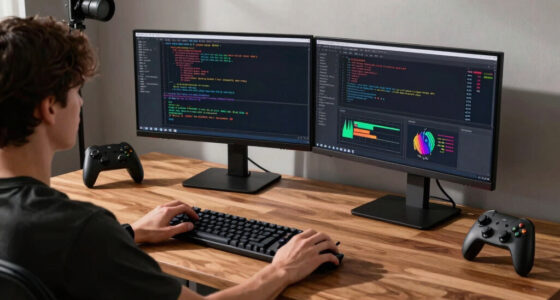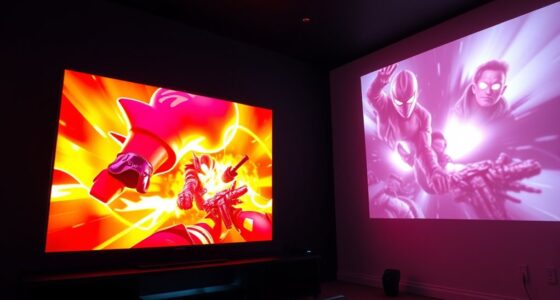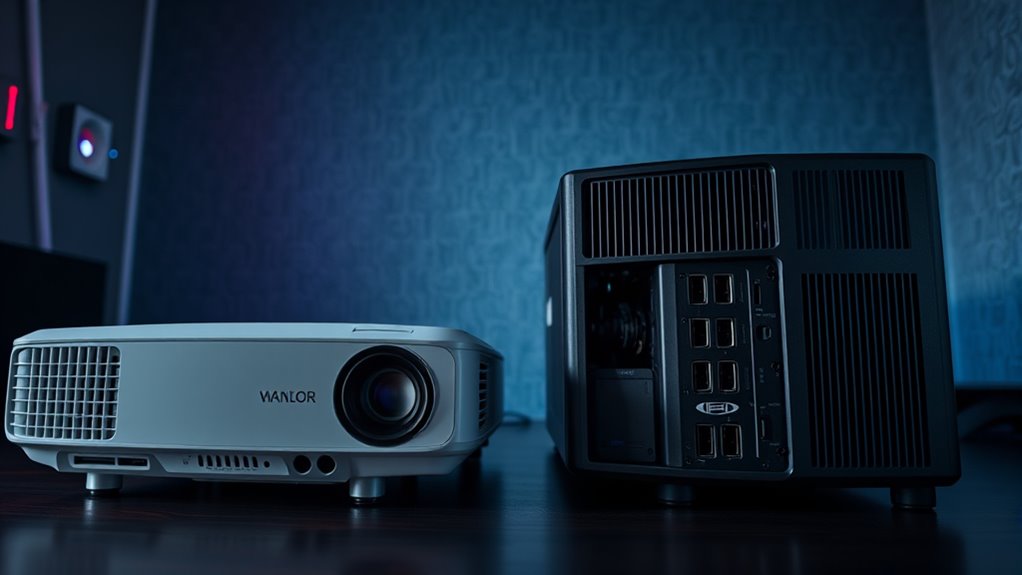
When choosing a projector for console versus PC gaming, you should focus on latency, sound options, and connectivity. Console gamers need low input lag and easy integration with sound systems, while PC users benefit from higher resolutions, faster refresh rates, and flexible ports. Both setups require HDMI inputs, but your priorities differ—responsive gameplay or stunning visuals. Keep exploring to discover how these considerations can help you find the perfect projector for your gaming style.

Get business pricing on your home office setup
- Business-only prices and quantity discounts
- Tax-exempt purchasing
- Multiple users, one account, clear invoices
Key Takeaways
- Console gamers prioritize low input lag and compatibility with gaming modes; PC gamers focus on high refresh rates and resolution options.
- Sound integration differs, with consoles needing built-in or external speakers, while PC setups often use Bluetooth or optical audio connections.
- HDMI port quantity and input flexibility are crucial for both, but PC users may also require versatile multimedia inputs.
- PC gamers prefer 4K resolution and higher refresh rates for competitive and immersive gaming; consoles often prioritize low latency over resolution.
- Overall setup should align with platform-specific needs: responsiveness and sound for consoles, customization and high-quality visuals for PCs.

When choosing a projector for gaming, the decision often boils down to whether you’re aiming to use it with a console or a PC. Each setup has unique considerations that can profoundly impact your gaming experience. For console gamers, gaming latency is often a primary concern. Consoles tend to have more standardized hardware, so the projector you pick should support low input lag to keep gameplay smooth and responsive. Look for projectors specifically designed for gaming or labeled with low latency specs—ideally under 20 milliseconds—to avoid frustrating delays during fast-paced titles. Sound integration is equally important, especially if you’re setting up a minimalist gaming space. Many projectors lack built-in speakers or have underwhelming sound quality, so you’ll want a model that either offers decent built-in audio or easily connects to external sound systems. For console gaming, HDMI ports are essential, as they carry both video and audio signals. Ensuring your projector has multiple HDMI inputs allows you to switch between devices easily without unplugging and re-plugging cables. Additionally, compatible accessories like gaming-specific remote controls or mount options can enhance your setup and usability.
On the other hand, PC gaming often demands a different set of priorities. Gaming latency remains vital, but PCs usually support higher refresh rates and more customizable settings. Look for projectors with a high refresh rate and low input lag to match your gaming needs, especially if you play fast shooters or competitive titles. Additionally, sound integration becomes more complex with PC setups because many players prefer a surround sound system or high-quality headphones. Check if the projector has audio output options, such as optical or 3.5mm jacks, to connect to external audio devices. Some projectors even come with Bluetooth support, allowing wireless sound integration, which can simplify your setup. PC gamers also benefit from projectors with better color accuracy and higher resolution options—like 4K—since they often use their projectors for more than just gaming, such as streaming or multimedia consumption.
In essence, your choice hinges on your gaming environment and preferences. For console setups, focus on low latency and easy sound integration to keep things simple and responsive. For PC gaming, prioritize higher refresh rates, flexible sound options, and superior image quality to get the most out of your gaming and entertainment experience. Understanding these differences helps you select a projector that enhances your gameplay, minimizes lag, and delivers immersive sound, regardless of your platform of choice.
As an affiliate, we earn on qualifying purchases.
Frequently Asked Questions
Do Projector Types Affect Gaming Latency Differently for Consoles and PCS?
Yes, projector types can affect gaming latency differently for consoles and PCs. DLP projectors often offer lower latency, making them better for fast-paced gaming, while LCD projectors may introduce slight delays. You should also consider controller compatibility and audio integration, ensuring the projector supports your setup. Choosing the right type helps minimize lag, providing a seamless gaming experience whether you’re on a console or PC.
Are There Specific Projector Features Optimized for Console Gaming?
Yes, some projectors are optimized for console gaming by offering features like high refresh rates and HDR support. A higher refresh rate reduces motion blur, providing smoother gameplay, while HDR enhances color and contrast for a more immersive experience. Look for projectors that specifically mention gaming modes or low input lag, ensuring you get the best performance without delays, especially essential for fast-paced console games.
How Does Projector Resolution Impact PC Versus Console Gaming Experiences?
Higher projector resolution enhances your PC gaming experience by providing sharp, detailed images on large screens. It guarantees that your chosen screen size maintains clarity and color accuracy, making gameplay more immersive. For console gaming, a resolution that matches your display capabilities offers smoother visuals and vibrant colors. Ultimately, a projector with better resolution boosts both PC and console gaming by delivering crisper visuals and consistent color accuracy across different screen sizes.
What Are the Maintenance Differences Between Projectors Used for Consoles and PCS?
You’ll find that projectors used for consoles and PCs have similar maintenance needs, primarily involving cleaning requirements and bulb replacement. Regularly dust off filters and vents to prevent overheating, and clean the lens for clear images. When the bulb dims or burns out, replacing it is essential to maintain brightness. Both setups require timely bulb replacements, but consoles may demand more frequent cleaning due to longer gaming sessions or ambient dust.
Can Projector Placement Vary Depending on Whether It’s Used for Console or PC Gaming?
Yes, your projector placement can vary depending on whether you’re gaming on a console or PC. For ideal screen size and image clarity, position it based on your room’s ambient lighting and viewing distance. If your room has bright lighting, place the projector closer to minimize washed-out images. For darker rooms, you can place it farther back for a larger screen size. Adjust placement accordingly to enhance your gaming experience.
As an affiliate, we earn on qualifying purchases.
Conclusion
Choosing the right projector depends on your gaming setup, whether for console or PC. Did you know that over 60% of gamers prefer projectors for their immersive experience? By understanding the unique considerations for each, you can pick the perfect one to elevate your gaming sessions. Remember, a good projector enhances your gameplay, making every session more exciting. So, weigh your options carefully and get ready to enjoy your games like never before!
projector with Bluetooth audio for gaming
As an affiliate, we earn on qualifying purchases.
As an affiliate, we earn on qualifying purchases.
gaming projector with multiple HDMI ports
As an affiliate, we earn on qualifying purchases.
As an affiliate, we earn on qualifying purchases.
Fall Picks
fall essentials
As an affiliate, we earn on qualifying purchases.