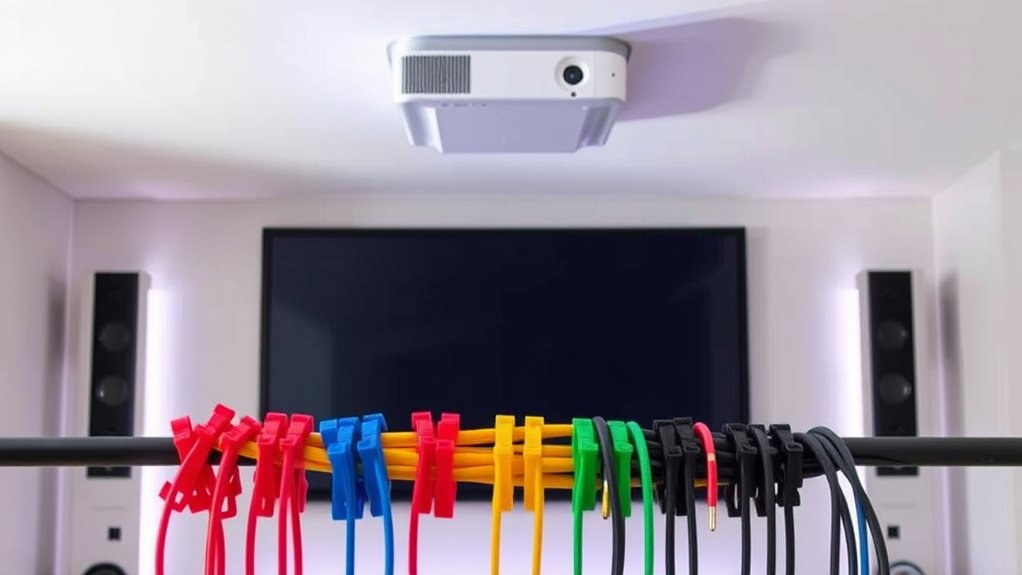
The best projector cable organizers in this roundup depend on whether you need to guide a few loose leads, conceal a cable bundle, or store several cords near your equipment. My best overall pick is the AGPTEK Cable Management Sleeve for bundling long runs, while the Delamu Under Desk Organizer suits a fixed installation and the 100-piece adhesive clip set offers flexible routing at multiple points. These options differ in how much cable they hide, how permanent their installation feels, and how well they suit a wall- or ceiling-mounted projector. Match the organizer to your route and cable count before choosing based on appearance alone. Read on for the full comparison and a guide to selecting the right setup.

Get business pricing on your home office setup
- Business-only prices and quantity discounts
- Tax-exempt purchasing
- Multiple users, one account, clear invoices
Complete the kit


Key Takeaways
- AGPTEK is the strongest choice for a long, bundled run: its two sleeves cover more cable length than the short clips or under-desk channel, though a sleeve does not attach the bundle to a wall by itself.
- Delamu is better for a fixed endpoint: its 15.7-inch under-desk organizer gathers cables beneath furniture, but it is not a full-room solution for a ceiling-mounted projector.
- The 100-piece clip set prioritizes routing flexibility: multiple adhesive clips let you guide cables along a route, while BEADNOVA and TviewSmart offer smaller, more contained clip sets.
- The 11-slot wall rack is for organizing separate leads: its slots make cable separation the focus; it does not conceal a cable run like a sleeve or channel.
- Visibility and attachment matter as much as capacity: INCHOR‘s clear clips are less conspicuous, while adhesive options call for a clean, compatible surface and careful placement.
| 100 Pcs Cable Clips, Adhesive Cable Organizer Cord Holder Wire Clip for Office and Home (Black) |  | Best for Routing Many Small Cables | Quantity: 100 pieces | Color: Black | Material: Plastic | VIEW ON AMAZON | See Our Full Breakdown |
| BEADNOVA Cord Organizer Cable Clips for Desk Management, 4 pcs |  | Best for a Simple Desk Setup | Quantity: 4 pieces | Dimensions: 2.6 x 1.06 inches (66 x 27 mm) | Height: 0.39 inches (15 mm) | VIEW ON AMAZON | See Our Full Breakdown |
| TviewSmart Cord Organizer for Desk, 5 Pack Cord Holders, Cable Clips, Black |  | Best for Mixed Cable Access | Quantity: 5 holders | Slot configuration: One 7-slot, one 5-slot, one 3-slot, and two 1-slot holders | Maximum cable diameter: 6 mm | VIEW ON AMAZON | See Our Full Breakdown |
| Wall Mount Cable Hanger Cable Rack Organizer Holder 11 Slots |  | Best for a Fixed Wall-Mounted Setup | Dimensions: 8.8 x 3.4 x 1.26 inches | Number of slots: 11 | Slot width: 5.5 mm | VIEW ON AMAZON | See Our Full Breakdown |
| INCHOR Cord Organizer, Clear Cable Clips Cable Management, 2 Pack |  | Best for a Low-Visibility Desk Setup | Number of pieces: 2 | Dimensions: 6.9 x 3.8 inches | Maximum suitable cable diameter: 6 mm (listed as 0.26 inch) | VIEW ON AMAZON | See Our Full Breakdown |
| AGPTEK Cable Management Sleeve, 2 Pack 5ft – 1.2 inch Cord Hider, Black |  | Best for Long Projector Cable Runs | Brand: AGPTEK | Pieces: 2 | Length: 5 ft each | VIEW ON AMAZON | See Our Full Breakdown |
| Delamu 2 Pack Cable Management Solution – Under Desk Cord Organizer, Flame-Retardant PVC, 15.7in |  | Best Short Adhesive Raceway | Pieces: 2 | Total listed unit length: 2.63 ft | Length per raceway: 15.7 in | VIEW ON AMAZON | See Our Full Breakdown |
| projector cable organizer | Material | Installation | Color |
|---|---|---|---|
| 100 Pcs Cable Clips | Plastic | Self-adhesive | Black |
| BEADNOVA Cord Organizer Cable | Plastic with adhesive | Adhesive backing | Black |
| TviewSmart Cord Organizer for | Silicone | Self-adhesive | Black |
| Wall Mount Cable Hanger Cable | Cold rolled steel | Wall-mounted with screws | Black |
| INCHOR Cord Organizer | Silicone | Self-adhesive | — |
| AGPTEK Cable Management Sleeve | Polyethylene terephthalate | Self-closing | Black |
| Delamu 2 Pack Cable Management | PVC | Pre-attached adhesive | — |
More Details on Our Top Picks
100 Pcs Cable Clips, Adhesive Cable Organizer Cord Holder Wire Clip for Office and Home (Black)
For a projector setup with many thin leads to guide along a desk, cabinet, or nearby wall, the 100-piece count gives this set more routing points than any other pick here. I’d choose it for separating USB, network, and other slim cables across several areas rather than keeping a single cluster together. Compared with the BEADNOVA Cord Organizer, these clips are more suited to distributed cable routing; BEADNOVA offers fewer, more centralized holders for cords you want within reach. The tradeoff is that each clip handles only cables up to 0.26 inch, and the adhesive may weaken on textured surfaces or with time. It also lacks the steel rack’s more durable, screw-mounted hold, so I’d reserve it for lighter cables and smooth indoor surfaces.
Pros:- 100 clips provide many anchor points for separating cable runs
- Peel-and-stick installation needs no tools
- Suitable for several cable types, including network, computer, USB, and TV cables
- Compact clips can fit into tight routing paths
Cons:- Maximum stated cable diameter of 0.26 inch excludes thicker leads
- Adhesive may weaken over time or on textured surfaces
- No warranty is specified
Best for: Projector owners routing several thin cables along smooth indoor surfaces across a desk or entertainment area
Not ideal for: Installers managing thick HDMI or power cables, or anyone attaching clips to rough surfaces where adhesive may not hold reliably
- Quantity:100 pieces
- Color:Black
- Material:Plastic
- Application:Indoor
- Maximum cable diameter:0.26 inch
- Installation:Self-adhesive
Our verdict“Choose this set when you need many low-profile anchors for thin projector-related cables on smooth indoor surfaces.”
BEADNOVA Cord Organizer Cable Clips for Desk Management, 4 pcs
The BEADNOVA four-clip set suits a compact projector station where the main goal is keeping a few frequently used cords from slipping behind a desk. Its low-profile plastic holders are a simpler desk-focused option than the 100 Pcs Cable Clips, which provide far more pieces for routing cables over a wider area. The stated size, 2.6 x 1.06 inches, gives each holder a defined footprint, while the adhesive backing avoids drilling into furniture. That convenience comes with limits: the description targets small cords, and it gives no cable-diameter maximum, so I wouldn’t assume it can retain a thick projector power lead or HDMI cable. Like the adhesive options elsewhere in this roundup, it needs a clean, dry surface and may lose grip on rough surfaces or over time.
Pros:- Four holders provide a straightforward setup for a small number of cords
- Adhesive installation avoids drilling or tools
- Designed to keep workspace cables accessible
- Compact stated dimensions suit desk and workspace placement
Cons:- Description limits its fit to small cables and cords
- No maximum cable diameter is provided
- Adhesive may weaken on rough surfaces or over time
Best for: Home-office users who want to keep a few slim projector, USB, or charging cords accessible at a desk
Not ideal for: Buyers routing thick projector cables, organizing many cable runs, or mounting holders on rough or dusty surfaces
- Quantity:4 pieces
- Dimensions:2.6 x 1.06 inches (66 x 27 mm)
- Height:0.39 inches (15 mm)
- Color:Black
- Material:Plastic with adhesive
- Installation:Adhesive backing
Our verdict“Pick BEADNOVA for a few slim, easy-to-reach cords at a desk, not for a larger or thicker projector cable bundle.”
TviewSmart Cord Organizer for Desk, 5 Pack Cord Holders, Cable Clips, Black
The TviewSmart five-piece set is the most flexible choice here for arranging several small projector-related cords by how often you use them. Its mix of 7-, 5-, 3-, and 1-slot holders can keep frequently handled leads accessible while separating others nearby. That’s more adaptable than the four identical-style clips in the BEADNOVA Cord Organizer, while the silicone construction is designed to hold cables without pinching them. Its limit is fit: cables must be up to 6 mm in diameter, so thicker HDMI or power leads may not suit the slots. Installation also asks for a clean, smooth surface and a 24-hour wait before inserting cables. Compared with the screw-mounted steel rack, this peel-and-stick set is easier to place but less suited to a permanent, heavy-duty cable station.
Pros:- Five holders with four slot configurations suit different cable groupings
- Flexible silicone is intended to hold cords without pinching
- Fits cables up to 6 mm, including USB, audio, and HDMI wires within that limit
- Peel-and-stick installation requires no tools
Cons:- Cable fit is limited to 6 mm in diameter
- Adhesive requires a clean, smooth surface and a 24-hour set period
- Less suited to a heavy-duty permanent installation than the steel wall rack
Best for: Projector owners with several slim leads who want different slot counts for a desk, charging station, or nearby entertainment surface
Not ideal for: Anyone organizing thick projector power or HDMI cables, or needing a screw-mounted holder for a permanent cable station
- Quantity:5 holders
- Slot configuration:One 7-slot, one 5-slot, one 3-slot, and two 1-slot holders
- Maximum cable diameter:6 mm
- Material:Silicone
- Color:Black
- Installation:Self-adhesive
- Recommended surface:Clean, smooth wood, glass, metal, or marble
- Set time before use:24 hours
Our verdict“Choose TviewSmart when varied slot counts and easy access matter more than holding thick cables or making a screw-mounted installation.”
Wall Mount Cable Hanger Cable Rack Organizer Holder 11 Slots
For a projector installed near a wall or equipment area, this 11-slot steel rack offers the most fixed, hardware-mounted organization in the group. Its curved slots help keep cables from falling out, and the powder-coated cold rolled steel construction gives it a sturdier role than the adhesive plastic and silicone holders. Unlike the TviewSmart Cord Organizer, it is mounted with screws rather than stuck to a desk, making it a better fit for a dedicated cable station. The constraint is cable size: the slots are listed at 5.5 mm wide and are intended for cables up to 0.205 inch in diameter. That rules out many thicker projector leads. I’d also skip it when a wall cannot be drilled or when cables need concealed coverage rather than open, visible storage.
Pros:- Eleven slots organize multiple cables in one fixed location
- Cold rolled steel and powder coating suit a more durable installation
- Curved slot design helps keep cables from falling out
- Included screws provide a mounting option beyond adhesive
Cons:- Cable capacity is limited to diameters up to 0.205 inch
- Requires screw installation rather than tool-free placement
- Open rack organizes cables but does not conceal them
Best for: Projector owners building a permanent wall-side cable station for multiple slim leads and able to use screws
Not ideal for: Renters who cannot drill, or anyone who needs to hang thick HDMI and power cables or hide cables from view
- Dimensions:8.8 x 3.4 x 1.26 inches
- Number of slots:11
- Slot width:5.5 mm
- Slot depth:3.0 mm
- Maximum cable diameter:0.205 inch
- Material:Cold rolled steel
- Finish:Powder-coated
- Color:Black
- Installation:Wall-mounted with screws
Our verdict“Choose this rack for a drilled, permanent station of slim projector cables, but not for thick leads or concealed routing.”
INCHOR Cord Organizer, Clear Cable Clips Cable Management, 2 Pack
The clear silicone finish makes INCHOR a discreet option when visible black clips would stand out on a light desk or wall near a projector. Its two holders are intended to keep cables separated and reduce tangling, with flexible material for inserting and removing cords. Compared with the TviewSmart Cord Organizer, INCHOR offers fewer pieces and no stated range of slot counts, so it is better for a small, simple grouping than a busy charging or equipment station. The stated fit is up to 6 mm (also listed as 0.26 inch), which still limits its use with thicker projector leads. Adhesive mounting is convenient on clean, smooth surfaces, but it lacks the screw-mounted security of the steel rack and may lose strength over time.
Pros:- Clear silicone can blend into light-colored surfaces
- Flexible clips make cables easier to insert and remove
- Self-adhesive installation requires no drilling
- Suitable for cables up to the stated 6 mm diameter
Cons:- Two-piece set offers less capacity than the TviewSmart five-holder set
- Maximum stated cable diameter may exclude thicker projector leads
- Adhesive needs a clean, smooth surface and may weaken over time
Best for: Projector owners organizing a small number of slim cables on a light-colored desk or smooth surface where clear holders are less visible
Not ideal for: Buyers with thick cables, larger cable groups, rough mounting surfaces, or a need for a screw-secured holder
- Number of pieces:2
- Dimensions:6.9 x 3.8 inches
- Maximum suitable cable diameter:6 mm (listed as 0.26 inch)
- Material:Silicone
- Installation:Self-adhesive
- Suitable surfaces:Clean, smooth surfaces
- Suggested placement:Desks, cars, and walls
Our verdict“Pick INCHOR for a discreet, small-scale cable grouping on a smooth surface, not for thick leads or a larger installation.”
AGPTEK Cable Management Sleeve, 2 Pack 5ft – 1.2 inch Cord Hider, Black
For a projector setup with several cables running along a wall or behind furniture, the AGPTEK sleeve’s two 5-foot lengths cover more distance than Delamu’s two short adhesive raceways. Its self-closing design keeps bundled cords together while making it easier to add or remove wires than a fixed channel. The sleeve can also be cut to fit corners or shorter runs, though that customization means keeping scissors handy and finishing the cut neatly. Its listed pet-safe, flame-retardant material adds reassurance in family spaces, but the product is marked for indoor use only. Unlike the small adhesive clips elsewhere in this roundup, it conceals a group of cables along a longer route; the tradeoff is a flexible sleeve rather than a rigid, wall-mounted track.
Pros:- Two 5-foot sleeves suit longer projector cable runs.
- Self-closing construction keeps bundled cords contained while allowing access.
- Can be cut to fit shorter lengths and corners.
- Listed as pet-safe and flame-retardant, with a stated heat range of -50°C to +150°C.
Cons:- Requires scissors and careful trimming for custom lengths.
- Indoor use only.
- Available only in black.
Best for: Projector owners routing multiple cables along a long indoor run who want a flexible, cut-to-fit bundle cover.
Not ideal for: Anyone needing outdoor cable protection, a rigid raceway, or a color that blends with surfaces other than black.
- Brand:AGPTEK
- Pieces:2
- Length:5 ft each
- Width:1.2 in
- Material:Polyethylene terephthalate
- Installation:Self-closing
- Color:Black
- Use:Indoor
Our verdict“Choose the AGPTEK sleeves for long, flexible indoor runs with several projector cables; pick Delamu instead if you need a short adhesive raceway.”
Delamu 2 Pack Cable Management Solution – Under Desk Cord Organizer, Flame-Retardant PVC, 15.7in
The Delamu kit suits a short, tidy projector cable route under a desk, along furniture, or around a corner. Its two 15.7-inch PVC raceways stick in place with pre-attached adhesive, giving cables a more defined path than the flexible AGPTEK sleeve. The outward-facing opening makes inserting or removing wires straightforward, and included cable ties help keep the bundle orderly. That access is useful when changing connections, though the short pieces cover far less distance than AGPTEK’s 5-foot sleeves. Adhesion is another limitation: the product may not hold well on powdery or uneven surfaces, and the instructions call for a 24-hour wait before adding cables. Compared with small clips such as the 100 Pcs Cable Clips, Delamu conceals a short section more fully, but offers less flexibility in placement and route length.
Pros:- Pre-attached adhesive makes installation straightforward on suitable surfaces.
- Outward-facing opening allows easier cable insertion and removal.
- Flame-retardant PVC forms a defined protective channel.
- Includes cable ties to help bundle wires inside the raceway.
Cons:- Each raceway is only 15.7 inches long, limiting coverage.
- Adhesive may not hold on powdery or uneven surfaces.
- Requires a 24-hour wait before placing wires.
Best for: Projector owners who need to conceal a short cable section under a smooth, clean desk or along a nearby surface.
Not ideal for: People routing cables over long distances or attaching organizers to textured, powdery, or uneven surfaces.
- Pieces:2
- Total listed unit length:2.63 ft
- Length per raceway:15.7 in
- Material:PVC
- Installation:Pre-attached adhesive
- Opening:Outward-facing
- Flame-retardant:Yes
- Included accessory:Cable ties
Our verdict“Choose Delamu for a neat, short projector cable route on a smooth surface, but use AGPTEK for longer runs or flexible placement.”

How We Picked
I compared these projector cable organizers by the job they do in a real cable route: guiding a single lead, bundling several cords, collecting slack, or keeping multiple cables separated. I also weighed usable length and capacity, installation style, visual impact, and how easy the arrangement would be to adjust or remove. A projector setup may run along a wall, across furniture, or up toward a ceiling mount, so an organizer that suits one route may be poorly matched to another.
The ranking favors versatility for common projector runs first, then rewards products that serve a clear use case without pretending to replace a different organizer type. The AGPTEK sleeve leads for handling longer bundles; Delamu follows for tidy under-desk routing, while the 100-piece clips rank well for distributed cable guidance. Smaller clip packs, the wall rack, and the compact under-desk channel remain useful for narrower needs, but their formats limit where they fit best.
| projector cable organizer | Material | Installation |
|---|---|---|
| 100 Pcs Cable Clips | Plastic | Self-adhesive |
| BEADNOVA Cord Organizer Cable | Plastic with adhesive | Adhesive backing |
| TviewSmart Cord Organizer for | Silicone | Self-adhesive |
| Wall Mount Cable Hanger Cable | Cold rolled steel | Wall-mounted with screws |
| INCHOR Cord Organizer | Silicone | Self-adhesive |
| AGPTEK Cable Management Sleeve | Polyethylene terephthalate | Self-closing |
| Delamu 2 Pack Cable Management | PVC | Pre-attached adhesive |
Factors to Consider When Choosing Projector Cable Organizers
Before choosing among clips, sleeves, racks, and channels, map the projector cable path from source to projector. The right format depends on where cables travel, whether they share a route, and whether you may need to change the setup later.
Map the Whole Route, Not Just the Visible Clutter
Start at the media device and trace every cable to the projector, including the sections behind furniture and near the power outlet. A neat-looking spot at the desk will not fix a loose run across a wall or a dangling section near a ceiling mount. Measure the route with slack for bends and connection access rather than estimating from room dimensions. For a long exposed run, a sleeve can gather cables, but you may still need clips or another attachment method to keep the bundle in place. Planning the full route helps prevent buying several small organizers that leave the hardest section unmanaged.
Separate Bundling From Concealment
Organizers do different jobs: clips guide individual cables, sleeves group them, and channels or racks hold cables at a fixed location. A bundle may look neater without being hidden, while a channel can conceal a short section but may not work for a long, changing route. Decide whether the main goal is reducing visual clutter, preventing cables from slipping, or keeping connectors easy to reach. Combining formats can work well, such as using clips to guide a sleeve along a wall. Avoid expecting one product to route, conceal, and store every cable in the setup.
Check Cable Count, Thickness, and Connector Needs
Count the cables you plan to manage and note whether they include thick power leads, HDMI cables, or other bulky connections. A product’s stated opening or slot count does not automatically mean every cable will fit comfortably together. Leave room for cable bends and avoid pulling a tight bundle around corners, where strain can affect connections. Keep plugs and adapters accessible instead of forcing them into a sleeve or channel. If your equipment changes often, choose an arrangement that lets you add or remove a lead without undoing the whole route.
Match the Mount to the Surface and Setup
Adhesive clips and organizers are convenient on suitable, clean surfaces, but performance can vary with texture, dust, heat, and paint condition. Plan placement before sticking anything down, and check the product instructions for surface compatibility. A projector cable path may pass near ceilings or behind furniture, so consider whether the mounting points can support the cable bundle without tension. For rented rooms or delicate finishes, favor a less intrusive layout and test a discreet area where appropriate. Permanent-looking placement is harder to revise once a long route has been installed.
Choose Visibility and Service Access Deliberately
A black sleeve or channel can blend into dark furniture, while clear clips may draw less attention on some light or glossy surfaces. The best color depends on the wall, desk, and cable finish rather than the organizer alone. Also decide how often you expect to swap devices or unplug the projector: a tidy route should not make routine access awkward. Leave a small service loop near equipment so connectors are not pulled tight when devices move. For a room used by children or pets, route cables away from walkways and reachable edges, not just out of sight.
Frequently Asked Questions
Should I use a sleeve or adhesive clips for a projector cable run?
Choose a sleeve when several cables travel together and the main goal is to make them read as one bundle. Use clips when the cables need to follow a particular path or be held at intervals, especially around furniture edges. A sleeve by itself may still hang or shift, so a long route can benefit from clips or another suitable support. For just one cable, clips may be simpler and less bulky. Match the format to the route rather than assuming one can do both jobs equally well.
Can adhesive cable clips hold cables on a painted wall or ceiling?
They may work on a clean, compatible surface, but paint texture, dust, age, and temperature can affect how well adhesive stays attached. Check the product’s surface guidance before installation, particularly for a ceiling route where a falling cable could cause trouble. Test a small area if the finish is delicate, and avoid placing clips where cable weight or tension pulls directly against them. Adhesive clips are easiest to reposition before installation, not after they have been pressed into place. For heavier bundles or uncertain surfaces, consider a mounting approach suited to the wall and cable load.
Will a cable organizer hide the projector’s power and HDMI cables completely?
Not every organizer conceals cables: clips and open racks mostly guide or separate them, while sleeves and channels cover more of the run. Even a covering product leaves entry and exit points visible, and plugs or bulky adapters may not fit inside. Measure the longest exposed section and check the organizer’s usable length and capacity before buying. You may need more than one format to cover a route from a media cabinet to a wall- or ceiling-mounted projector. Keep connectors reachable so troubleshooting does not require dismantling the whole setup.
How do I choose between a small clip pack and a large set?
A small pack can suit a short, simple route with only a few control points, while a larger set gives more flexibility for longer runs or multiple devices. The useful quantity depends on the distance between mounting points and how closely you want to guide the cable, not just the number of cables. Buying many clips will not solve a need to cover or bundle an entire run. If the layout may change, start with a few planned attachment points and add more only where the cable sags or shifts. Compare the clip opening with your cable thickness before relying on the pack count.
What should I do if my projector setup includes several thick cables and adapters?
Check the organizer’s capacity against the thickest cable and the widest section of the bundle, including any adapters that need to travel with it. Avoid forcing plugs into a sleeve or channel, since that can make connection changes difficult and put strain on cable bends. Keep adapters outside the managed section when practical, with enough slack to reach the projector or source device. A larger bundle may call for a sleeve along the run and a separate holder near the equipment. If cables have different destinations, route them separately where that makes maintenance easier.
Conclusion
For most setups, I recommend the AGPTEK Cable Management Sleeve as best overall when several projector cables share a long run. The 100-piece adhesive clip set is the best value-style choice for flexible routing across multiple points, while Delamu is the better pick for a tidy under-desk endpoint. Beginners with a simple route can start with a small clip set such as BEADNOVA or TviewSmart; choose INCHOR when less-visible clear clips suit the surface, or the 11-slot wall rack when separating several leads is the main need. For a more complete fixed installation, the best premium-style approach is to pair a sleeve or channel with suitable route supports rather than expecting one item to handle every section.
Fall Picks
fall essentials
As an affiliate, we earn on qualifying purchases.