
As a competitive player, your reaction time and responsiveness matter more than sharp visuals. Processing time directly affects how quickly your input is registered and how smoothly frames are rendered, giving you an edge in matches. High resolution can strain your hardware, increasing lag and reducing reaction speed. Focusing on reducing processing delays allows for faster reactions and better control. Want to discover how optimizing hardware can give you an even bigger advantage? Keep exploring.
Key Takeaways
- Processing time directly affects reaction speed and input responsiveness, crucial for competitive advantage.
- Delays in data processing cause lag, disrupting timing and gameplay precision.
- High-resolution visuals increase processing demands, potentially slowing system response.
- Prioritizing low processing time ensures faster control inputs and smoother gameplay.
- Hardware optimization minimizes delays, allowing players to focus on strategy rather than technical issues.
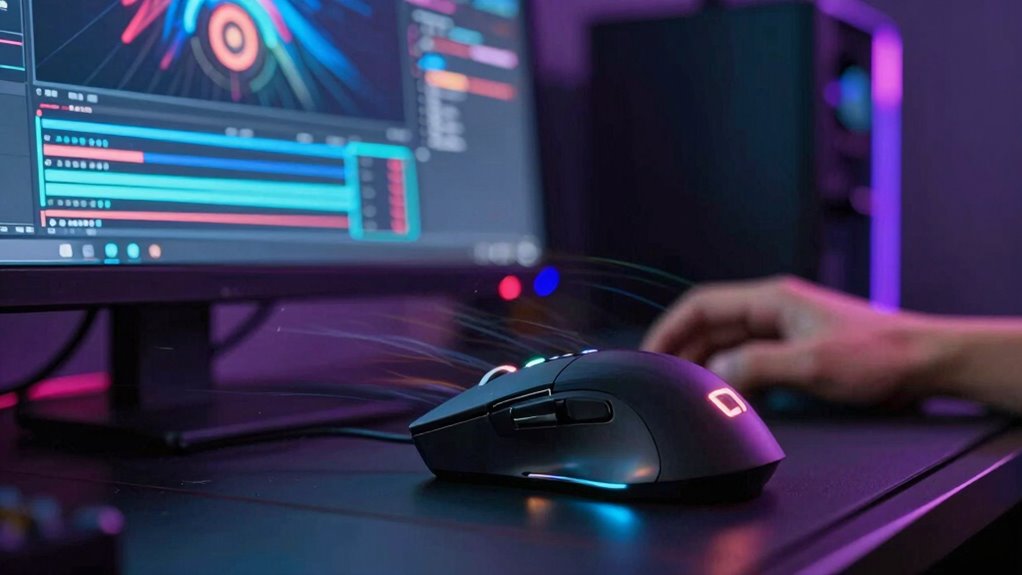
In competitive gaming, every millisecond counts, and processing time can be the difference between winning and losing. When you’re in the heat of a match, it’s not just about having sharp reflexes—it’s also about how quickly your hardware can process your inputs and deliver real-time feedback. Hardware optimization becomes crucial because your system needs to handle data swiftly and efficiently, ensuring minimal lag and smooth gameplay. You might have a high-resolution monitor, but if your system struggles to keep up with processing demands, that clarity won’t matter much. Instead, your focus should be on reducing delays in input response and frame rendering, which directly impact your performance.
Optimizing hardware for minimal lag enhances responsiveness and gives gamers the edge in competitive play.
Your user experience hinges on how seamlessly your computer translates your actions into in-game movements. When processing delays occur, it creates a disconnect that can throw off your timing, making it harder to react accurately. Competitive players prioritize hardware that’s finely tuned for speed, not just visual fidelity. Fast CPUs, low-latency RAM, and high-refresh-rate graphics cards are essential because they work together to minimize lag. When your hardware is optimized, you get a more reliable and consistent user experience, where your inputs are registered and displayed almost instantaneously. This kind of responsiveness is what separates top players from the rest.
Focusing on processing time over resolution isn’t about ignoring graphics; it’s about understanding what truly impacts your gameplay. Sharp visuals can be impressive, but if they come at the cost of higher processing demands, they can hinder your ability to react quickly. Competitive players often dial down resolution settings to prioritize frame rates and reduce load on the system. This approach ensures your hardware can deliver a steady stream of high-quality frames, which is vital for maintaining the quick reflexes needed in high-stakes matches. The goal is to create an environment where your hardware works efficiently, so your user experience remains fluid and predictable. Additionally, choosing appropriate display technology can help minimize input lag, further enhancing your responsiveness.
Ultimately, the importance of processing time over resolution boils down to control and consistency. When your system is optimized for speed, you can focus on strategy and execution rather than battling lag or graphical hiccups. You’ll find that every input feels more precise, and your reaction times improve. For competitive players, hardware optimization isn’t just about having the latest tech; it’s about fine-tuning your setup to ensure that processing time stays minimal, giving you the edge you need to perform your best every game. Hardware optimization can significantly impact your overall performance. Moreover, understanding the role of flywheels and engine upgrades in other performance areas highlights how hardware modifications can influence system responsiveness in various contexts.
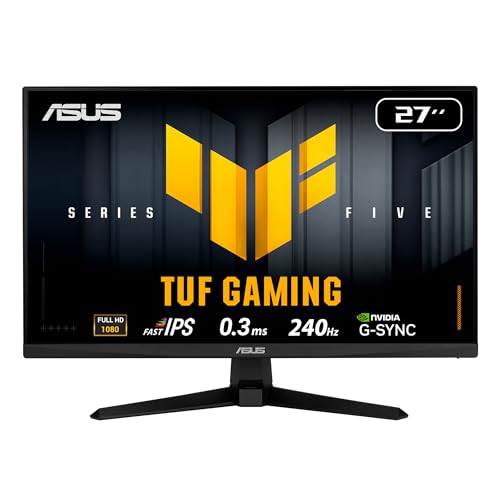
ASUS TUF Gaming 27”1080P Monitor (VG279QM5A) – Full HD (1920 x 1080), 240Hz, 0.3ms, Fast IPS, G-SYNC Compatible, Extreme Low Motion Blur Sync, 99% sRGB, DisplayWidget, Gaming AI, 3 yr Warranty
27” Full HD (1920 x 1080) Fast IPS panel with 240Hz refresh rate for fast paced gameplay
As an affiliate, we earn on qualifying purchases.
As an affiliate, we earn on qualifying purchases.
Frequently Asked Questions
How Does Processing Time Affect In-Game Reaction Speed?
Processing time directly impacts your in-game reaction speed by increasing input lag, which delays your actions. When frame buffering is high, it causes additional lag, making your responses feel sluggish. Faster processing reduces input lag, allowing you to react more quickly to opponents’ moves. As a competitive player, minimizing processing time helps you stay sharp and execute strategies faster, giving you an edge in vital moments.
Can Lower Processing Time Improve Overall Gameplay Consistency?
Lower processing time can definitely improve your overall gameplay consistency. When frame lag and input delay decrease, your actions register faster, making your responses more precise and reliable. This reduces the chance of missed inputs or delayed reactions, giving you a smoother experience. As a result, your ability to execute strategies consistently improves, helping you perform better in competitive settings where quick, accurate responses matter most.
What Hardware Components Influence Processing Time Most?
Think of your hardware as the engine that drives your game. The graphics card and CPU are essential, directly affecting display latency and input lag. A faster GPU reduces image processing delays, while a powerful CPU handles game logic swiftly. These components work together to cut processing time, giving you quicker feedback and smoother gameplay. Upgrading them can turn a sluggish experience into a lightning-fast response, critical for competitive success.
Does Processing Time Impact Multiplayer Experience Differently?
Processing time greatly impacts your multiplayer experience because it affects how quickly your actions are registered and displayed. Faster processing reduces delays caused by graphics optimization and minimizes the effects of network latency, ensuring smoother gameplay. When processing is quick, your inputs feel more responsive, giving you a competitive edge. Conversely, longer processing times can lead to lag, making it harder to coordinate, react, and stay ahead in fast-paced multiplayer matches.
Are Certain Game Genres More Sensitive to Processing Delays?
You’ll find that fast-paced genres like first-person shooters or fighting games are more sensitive to processing delays, with even milliseconds affecting gameplay. A study shows that latency over 50 milliseconds markedly hampers player performance. For these genres, graphics optimization isn’t enough—latency reduction is vital. Quick processing guarantees smooth actions, making it easier to react and compete effectively, highlighting why processing time matters more than resolution in competitive gaming.

ASRock Radeon RX 9070 XT Challenger 16GB OC Graphics Card – AMD RDNA 4 Architecture, 2970 MHz Boost Clock, GDDR6, PCIe 5.0, DisplayPort 2.1a, HDMI 2.1b, Triple Fan Cooling 800W
Next-Gen RDNA 4 Architecture: Features AMD's latest RDNA 4 architecture with 64 compute units, 3rd Gen Ray Tracing…
As an affiliate, we earn on qualifying purchases.
As an affiliate, we earn on qualifying purchases.
Conclusion
Ultimately, paying attention to processing time helps you stay in sync with the game’s rhythm, keeping your focus sharp and your reactions smooth. When delays are minimized, you can flow seamlessly through each move, like a dancer gliding effortlessly across the floor. It’s not just about speed—it’s about creating a fluid experience that lets your skills shine. Embrace the importance of quick processing, and watch your gameplay elevate to a whole new level of mastery.

Skytech Gaming Storm Gaming PC, AMD Ryzen 5 5500 3.6GHz, NVIDIA RTX 5060 Ti 8GB VRAM, 1TB NVMe SSD, 16GB DDR4 RAM 3200, 650W Gold PSU, WI-FI 5, Windows 11, Desktop
AMD Ryzen 5 5500 3.6GHz (4.2GHz Turbo Boost) CPU Processor | 1TB NVMe M.2 SSD – Up to…
As an affiliate, we earn on qualifying purchases.
As an affiliate, we earn on qualifying purchases.

CORSAIR Vengeance LPX DDR4 RAM 32GB (2x16GB) Up to 3200MHz CL16-20-20-38 1.35V Intel XMP AMD EXPO Computer Memory – Black (CMK32GX4M2E3200C16)
Disclaimer: Maximum Speed requires overclocking/PC BIOS adjustments. Maximum speed and performance depend on system components, including motherboard and…
As an affiliate, we earn on qualifying purchases.
As an affiliate, we earn on qualifying purchases.