To connect your projector using DLNA, AirPlay, or Chromecast, guarantee your devices are on the same Wi-Fi network. With DLNA, browse and select media from compatible apps or servers. For AirPlay, use your Apple device to mirror or stream directly if your projector supports it or through an Apple TV. Chromecast lets you cast content from Android devices or Chrome browsers easily. If you want to know more about setting up and optimizing these options, keep exploring.
Key Takeaways
- Ensure your projector supports DLNA, AirPlay, or Chromecast, or use compatible adapters or dongles.
- Connect all devices and the projector to the same stable Wi-Fi network for seamless streaming.
- Use device-specific apps or casting features to mirror or cast content via DLNA, AirPlay, or Chromecast.
- Keep device firmware and streaming app software updated for optimal compatibility and performance.
- Verify network strength and stability to prevent buffering, lag, or connection issues during streaming.
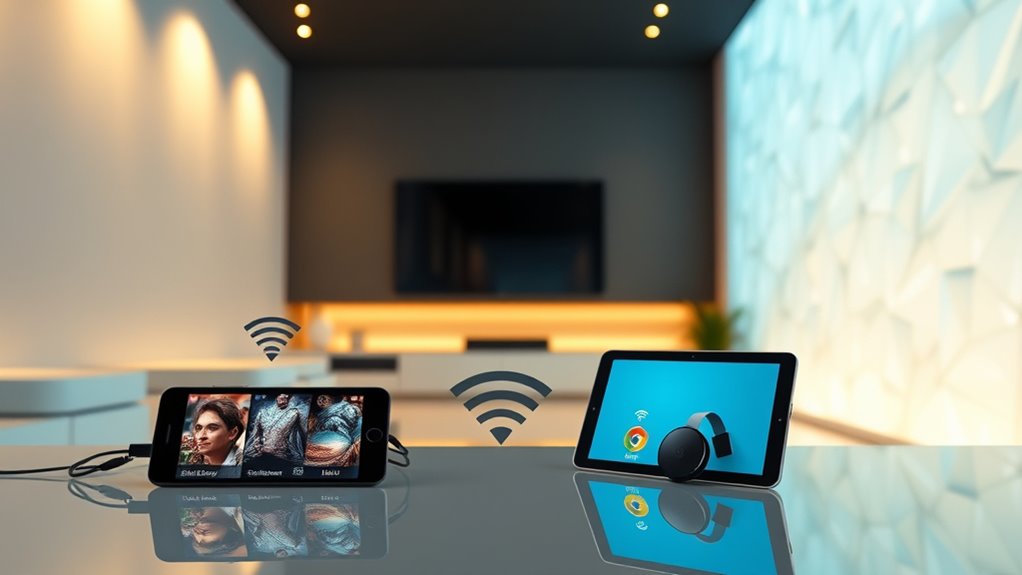
Network streaming has transformed how you access and enjoy digital content by transmitting data directly over the internet in real-time. When you connect your projector to a streaming service or media device, you’re leveraging a wireless protocol that enables seamless, wireless transmission of video and audio. This means you no longer need physical cables or complex setups—just a stable Wi-Fi connection and compatible devices. The key to smooth streaming lies in understanding device compatibility; your projector must support the right protocols, such as DLNA, AirPlay, or Chromecast, to connect effortlessly with your smartphones, tablets, or computers.
Choosing the right wireless protocol is essential because each has its strengths and limitations. For example, AirPlay, developed by Apple, works best within the Apple ecosystem, allowing easy mirroring from iOS and Mac devices. Chromecast, created by Google, offers broad device compatibility, enabling you to cast content from Android devices, Chrome browsers, and even some third-party apps. DLNA, or Digital Living Network Alliance, is a universal standard that supports a wide range of devices, including smart TVs, media servers, and projectors, making it versatile for various setups. When your projector supports these protocols, you can stream directly without needing additional hardware or adapters, simplifying your setup and reducing clutter.
Choosing the right wireless protocol ensures seamless streaming and device compatibility for your projector setup.
Device compatibility is also about ensuring your hardware can communicate effectively. Check if your projector has built-in support for DLNA, AirPlay, or Chromecast. Many modern projectors come with these features integrated, but some older models might require dongles or adapters. If your projector supports Chromecast, you can cast content from your phone or laptop with just a few taps, as long as both devices are on the same Wi-Fi network. Similarly, with AirPlay, you can mirror your Apple device screen directly to the projector if it supports the protocol or through an Apple TV connected to the projector. DLNA works in a similar way but may require you to browse and select media from a compatible app or media server. Additionally, sound quality can significantly impact your streaming experience and should be considered when setting up your system.
Your Wi-Fi network plays a *vital* role in ensuring smooth streaming. A strong, stable connection reduces buffering and lag, providing a better viewing experience. It’s also wise to keep your device firmware and apps updated, as this can improve compatibility and performance. With the right combination of wireless protocol and device compatibility, you can turn your projector into a versatile media hub, effortlessly streaming content from your favorite devices. This seamless integration makes your entertainment setup more flexible, letting you enjoy movies, presentations, and photos without the hassle of wires or complicated configurations.

2027 Upgraded Wireless HDMI Display Dongle Adapter, Receiver Streaming Media Video/Audio/File HDMI Wireless Extender from Smartphone,Laptop to HDTV/Projector/Monitor, Support Airplay DLNA (Grey)
- High-Definition Wireless Streaming: Supports 4K and 1080P/60Hz output
- Easy Plug & Play Setup: No apps, Bluetooth, or WiFi needed
- One-Click Screen Mirroring: Switch between landscape and portrait modes
As an affiliate, we earn on qualifying purchases.
As an affiliate, we earn on qualifying purchases.
Frequently Asked Questions
Can I Stream Content From Mobile Devices to Multiple Projectors Simultaneously?
Yes, you can stream content from your mobile devices to multiple projectors simultaneously, but it’s tricky. You need multi-device synchronization, which isn’t always seamless due to potential wireless interference. To achieve smooth streaming, verify your Wi-Fi network is strong and free from congestion. Use compatible streaming protocols or dedicated apps that support multi-device casting, and consider a wired connection if wireless issues persist for better stability.
What Are the Compatibility Issues Between Different Streaming Protocols and Projectors?
Think of protocols as different languages, and your projectors as travelers trying to communicate. Protocol mismatches often cause device compatibility issues, preventing seamless streaming. Some projectors support only specific protocols like DLNA or AirPlay, making it tricky to connect across various devices. To avoid this, check each projector’s supported protocols beforehand, or use a universal streaming device that translates signals, ensuring your content flows smoothly across all your projectors.
How Secure Is the Streaming Connection When Using DLNA, Airplay, or Chromecast?
Your streaming connection’s security varies depending on the protocol. DLNA often lacks robust encryption, making it vulnerable to interception, while AirPlay and Chromecast usually implement encryption to protect data. However, vulnerabilities in network access can still expose your stream to unauthorized users. To enhance security, guarantee your Wi-Fi network is secured with strong passwords and updated firmware, and disable guest access when streaming sensitive content.
Do I Need a Dedicated Media Server for Seamless Streaming to Projectors?
Think of your media setup like a well-organized library. You don’t need a dedicated media server for seamless streaming; your device or a simple network setup can handle content management efficiently. A media server just acts as a librarian, keeping everything tidy and accessible. If you have many files or want smooth, reliable streaming, a dedicated server makes life easier, but for basic use, your existing devices usually suffice.
What Are the Best Practices for Troubleshooting Streaming Interruptions?
To troubleshoot streaming interruptions, start by checking for signal interference from other wireless devices and relocating your router or projector to a more open area. Manage bandwidth by limiting other device usage during streaming and ensuring your Wi-Fi connection is strong. Restart your router and streaming device to refresh the connection. Updating firmware and reducing network congestion can also improve stability, helping you enjoy smoother streaming.

Wireless HDMI Display Dongle Adapter, 4K Decode & 1080P@60Hz Output Black
- 4K and Full HD Output: Supports 4K decoding and 1080P/60Hz output
- Easy Plug-and-Play Setup: Connects instantly without apps or Wi-Fi setup
- Wireless Compatibility: Supports AirPlay for wireless streaming
As an affiliate, we earn on qualifying purchases.
As an affiliate, we earn on qualifying purchases.
Conclusion
By embracing network streaming technologies like DLNA, AirPlay, and Chromecast, you subtly elevate your projector experience, blending convenience with elegance. These methods gently streamline your entertainment setup, allowing you to enjoy content effortlessly without clutter or complication. As you navigate this refined landscape, you’ll find your viewing moments become more seamless and sophisticated, turning everyday viewing into a quietly luxurious affair. Ultimately, these solutions gently transform your space into a hub of effortless connectivity and refined enjoyment.

4K Wireless HDMI Display Adapter, SOCLLLife Screen Mirroring Dongle for i-Phone, i-Pad, Android, Windows, Laptop to HDTV/Projector/Monitor, Support Airplay, Miracast, DLNA for Casting Video & Audio
- Wireless 4K Casting: Mirror 4K video and audio wirelessly
- Compatible Devices: Works with iPhone, iPad, Android, Windows, MacBook
- Big Screen Streaming: Cast Netflix, YouTube, Hulu, and more
As an affiliate, we earn on qualifying purchases.
As an affiliate, we earn on qualifying purchases.

MpioLife Wireless HDMI Extender 5G – 4K Wireless HDMI/VGA Transmitter Receiver Kit, 164FT/50M Streaming Video for Laptop/Computer to Monitor/Projector/HDTV
- Wireless Range: Up to 164FT/50M without lag
- Plug and Play: No software needed, easy setup
- High-Resolution Support: Supports 4K Ultra HD at 60Hz
As an affiliate, we earn on qualifying purchases.
As an affiliate, we earn on qualifying purchases.