
In just 15 minutes, you can clear up common myths and learn the key facts about EARC and ARC, two essential audio technologies. EARC offers higher-quality, uncompressed sound, while ARC has bandwidth limits that affect audio formats. Many believe upgrading guarantees better sound, but setup and device compatibility matter. If you want a straightforward understanding of their differences, benefits, and troubleshooting tips, explore further—there’s more to discover that can optimize your home audio experience.
Key Takeaways
- EARC transmits higher-quality, uncompressed audio formats like Dolby Atmos, unlike ARC’s bandwidth-limited, compressed audio.
- Upgrading to EARC doesn’t guarantee better sound; proper device support and setup are essential.
- Both EARC and ARC improve audio clarity, reduce lag, and enhance surround sound experiences.
- Compatibility depends on device standards, HDMI cables, and firmware updates; upgrading offers future-proof benefits.
- Myths include that EARC automatically improves sound quality; in reality, content quality and setup determine performance.
![Silkland HDMI eARC/ARC Cable 3.3FT, 8K Certified Ultra High Speed HDMI 2.1 [8K@60Hz, 4K@120Hz] Dolby Atmos Vision, 48Gbps, HDR10, HDCP Compatible for Samsung/Bose/Vizio/SoundBar](https://m.media-amazon.com/images/I/41Ns4mhmH+L._SL500_.jpg)
Silkland HDMI eARC/ARC Cable 3.3FT, 8K Certified Ultra High Speed HDMI 2.1 [8K@60Hz, 4K@120Hz] Dolby Atmos Vision, 48Gbps, HDR10, HDCP Compatible for Samsung/Bose/Vizio/SoundBar
【HDMI 2.1 Certification】Only 1% of HDMI cables on the market have passed HDMI 2.1 certification. Scan with the…
As an affiliate, we earn on qualifying purchases.
As an affiliate, we earn on qualifying purchases.
What Is EARC and How Does It Differ From ARC?

Have you ever wondered how EARC differs from ARC? Both are audio return channel technologies, but EARC (Enhanced Audio Return Channel) offers significant improvements. It transmits a higher-quality audio signal, supporting formats like Dolby Atmos and DTS:X, which ARC struggles with. This means you’ll experience richer sound and better device compatibility. EARC uses a dedicated HDMI Ethernet channel, ensuring a reliable and fast connection for transmitting complex audio signals. In contrast, ARC has bandwidth limitations, which can result in compressed audio and fewer format options. If you want seamless integration between your TV and sound system with top-tier audio quality, EARC is the upgrade you need. Understanding these differences helps you choose the right setup for ideal sound and device compatibility. Additionally, advancements in AI Entertainment are revolutionizing how audio and multimedia content are created and experienced, further enhancing the capabilities of modern audio technologies.

eSynic Professional eARC Audio Extractor-Only Work for HDTV ARC/eARC Ports-192KHZ ARC to Optical Audio Adapter-Easy to Setup-7ft Long-Dolby5.1 & DTS 5.1 Formats-from HDTV to Optical Soundbar-No CEC
[📺eSynic Professional ARC/eARC Audio Extractor]—-:Our eSynic Professional eARC/ARC to Optical Audio Extractor Support eARC/ARC Input to Optical Output…
As an affiliate, we earn on qualifying purchases.
As an affiliate, we earn on qualifying purchases.
Common Misconceptions About EARC and ARC

Many people assume that EARC and ARC are interchangeable or that upgrading to EARC automatically guarantees perfect audio quality. In reality, misconceptions about these technologies often lead to confusion. For example, some believe that EARC always supports every audio format, but compatibility depends on your devices. Others think that EARC enhances sound channels automatically, which isn’t true—proper setup matters. Here are a few common myths:
- EARC supports all audio formats without issues
- Upgrading to EARC instantly improves sound quality
- EARC and ARC handle sound channels the same way
- EARC guarantees flawless audio for all devices
Understanding that sound channels and audio formats vary helps you set realistic expectations and avoid false assumptions about what EARC and ARC can do for your home theater. Additionally, the compatibility of audio formats plays a crucial role in ensuring optimal performance.

Denon AVR-X1700H 7.2 Channel AV Receiver – 80W/Channel, Advanced 8K HDMI Video w/eARC, Dolby Atmos, DTS:X, Built-in HEOS, Amazon Alexa Voice Control
HIGH-PERFORMANCE 7-CHANNEL AMPLIFIER WITH NEXT-GEN MOVIE IMMERSION – Enjoy Denon sound in movies, games, and music with full…
As an affiliate, we earn on qualifying purchases.
As an affiliate, we earn on qualifying purchases.
How EARC and ARC Improve Your Audio Experience
Wondering how EARC and ARC can elevate your audio experience? These technologies streamline audio signals, providing richer sound quality and minimizing lag. By enabling seamless audio calibration, they help your system automatically optimize sound output based on your setup. Proper speaker placement becomes more effective because EARC and ARC transmit high-quality audio signals, allowing you to fine-tune your speakers for the best experience. This results in clearer dialogue, deeper bass, and immersive surround sound. Additionally, both features reduce audio delay, ensuring your audio stays synchronized with on-screen actions. Overall, EARC and ARC simplify setup and enhance your listening experience, making your home entertainment feel more dynamic and true to life without complex adjustments. Understanding contrast ratio can help you choose projectors that deliver better image quality, especially in dark scenes.
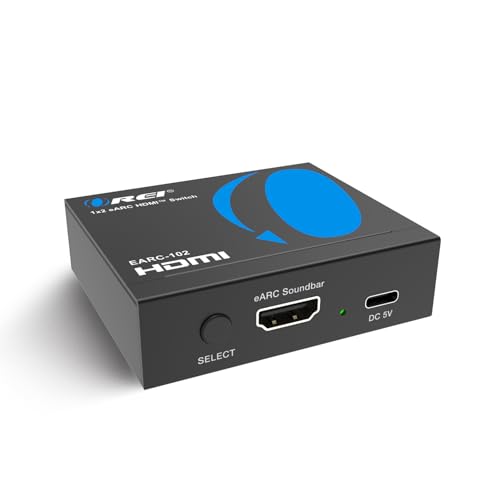
OREI eARC/ARC HDMI 2×1 Audio Switch – Connect One Soundbar/AV Receiver to Two eARC TVs, Supports Dolby Atmos, DTS:X, TrueHD, 32-Channel Audio, Auto/Manual Switching, Heavy-Duty Metal Housing
eARC, & ARC Compatible Switch – Connects one eARC/ARC Soundbar/AVC to two eARC TVs with selectable audio routing….
As an affiliate, we earn on qualifying purchases.
As an affiliate, we earn on qualifying purchases.
Compatibility Requirements for EARC and ARC
To use EARC and ARC effectively, your devices need to meet specific compatibility standards. You’ll also want the right HDMI cables that support these features completely. Don’t forget to keep your firmware and software updated to guarantee smooth operation and compatibility. Regularly assessing and organizing your setup can help ensure all components work seamlessly together.
Device Compatibility Standards
Device compatibility standards guarantee that your audio and video equipment can communicate seamlessly through HDMI connections. To assure smooth operation, your devices must support specific audio formats and maintain proper device interoperability. Without these standards, you might experience issues like no sound or picture disruptions. Compatibility requirements include checking if your devices support HDMI ARC or eARC, and whether they handle the necessary audio formats such as Dolby Atmos or DTS:X. Ensuring that devices are capable of supporting AI-driven automation can further enhance overall performance and future-proof your setup. Meeting these standards guarantees your equipment works together efficiently, delivering high-quality audio and video experiences.
HDMI Cable Specifications
HDMI cable specifications are essential for guaranteeing proper communication between your devices when using ARC or eARC. To support high-quality audio and video, your cable must meet specific standards, especially in HDMI bandwidth. Higher bandwidth cables handle more data, enabling seamless audio transmission and avoiding interruptions. Additionally, cable durability matters—look for well-made cables that resist wear and tear to maintain reliable connections over time. Here’s a quick comparison:
| Feature | Importance |
|---|---|
| HDMI Bandwidth | Supports high-resolution audio and video |
| Cable Durability | Ensures long-lasting, stable connections |
| Version Compatibility | Matches device requirements |
| Certification | Guarantees compliance with standards |
| Length | Affects signal strength and quality |
Choosing the right HDMI cable with adequate bandwidth and durability guarantees ideal ARC/eARC performance. Proper understanding of HDMI standards helps ensure your setup functions optimally.
Firmware and Software Updates
Ensuring your audio system supports eARC and ARC requires keeping firmware and software up to date. Firmware updates often include critical improvements for compatibility, including ideal audio calibration and enhanced communication between devices. Without the latest updates, you might experience issues like audio dropouts or limited features. Regularly check your device manufacturer’s website or settings menu for available updates. Keeping firmware current ensures your system can handle the latest audio formats and provides seamless performance. Additionally, updated software can fix bugs that may interfere with eARC and ARC functionality. Staying on top of firmware updates also helps future-proof your setup, maintaining compatibility as standards evolve. AI-powered updates can optimize device performance and adapt to new standards more efficiently. Don’t overlook this simple step—your system’s performance depends on it.
- Check for firmware updates regularly through your device settings or manufacturer’s website
- Install updates promptly to ensure compatibility with eARC and ARC
- Perform audio calibration after firmware updates for ideal sound quality
- Keep all connected devices’ firmware current for seamless integration
The Benefits of Upgrading Your Home Entertainment System
Upgrading your home entertainment system can ensure your audio and video experience is greatly improved. You’ll enjoy clearer sound, simpler connections, and technology that stays current with future updates. Making this change guarantees you get the most out of your entertainment setup today and tomorrow. Additionally, understanding the importance of continuous learning in technology can help you stay updated on the latest advancements and best practices.
Enhanced Audio Quality
Enhancing your home entertainment system can substantially improve audio clarity and richness, making your movie nights and music sessions far more immersive. Upgrading to eARC or ARC guarantees you experience better sound quality, especially with surround sound setups. It also reduces audio latency, so your audio stays perfectly synchronized with on-screen action. With these features, you’ll notice clearer dialogue, richer bass, and more detailed soundscapes. No more muddled audio or delays disrupting your experience. Implementing audio quality enhancements can maximize your system’s potential and provide a truly cinematic experience at home.
Streamlined Connectivity Options
Streamlined connectivity options make setting up your home entertainment system easier and more reliable. With wireless alternatives like Wi-Fi and Bluetooth, you can reduce cable clutter and enjoy a cleaner look. Upgrading to EARC and ARC allows seamless soundbar integration, simplifying audio connections without sacrificing quality. You no longer need multiple cables or adapters; your devices communicate effortlessly, ensuring minimal setup time. These options also provide more flexibility in device placement, so your TV and sound system can be positioned exactly where you want. By embracing these streamlined connectivity solutions, you boost your system’s reliability and convenience, making it easier to enjoy your favorite content without technical hiccups. It’s a practical upgrade that enhances both performance and aesthetics in your entertainment space.
Future-Proof Technology
As technology continues to evolve rapidly, investing in future-proof features guarantees your home entertainment system remains compatible and up-to-date. Upgrading ensures you can enjoy the latest audio codecs for richer sound quality and seamless wireless integration for clutter-free setup. Future-proof systems support new standards, so you won’t need frequent upgrades as technology advances. This approach not only saves money in the long run but also enhances your viewing and listening experience. Incorporating features like skin benefits can further optimize your overall aesthetic and comfort.
Debunking Myths About Audio Quality and EARC/ARC
Many people believe that switching from traditional HDMI to eARC or ARC automatically improves sound quality, but that’s not entirely true. This is a common misconception in audio mythbusting. While eARC offers higher bandwidth and better audio formats, the actual sound quality depends on your source content and equipment. Upgrading alone won’t necessarily boost your audio experience. Here’s a quick comparison:
| Feature | Traditional HDMI | ARC | eARC |
|---|---|---|---|
| Sound Quality | Standard | Improved over HDMI | High-fidelity, lossless |
| Bandwidth | Limited | Moderate | High |
| Compatibility | Basic | Better for audio | Future-proof |
Setting Up EARC and ARC: Step-by-Step Guide
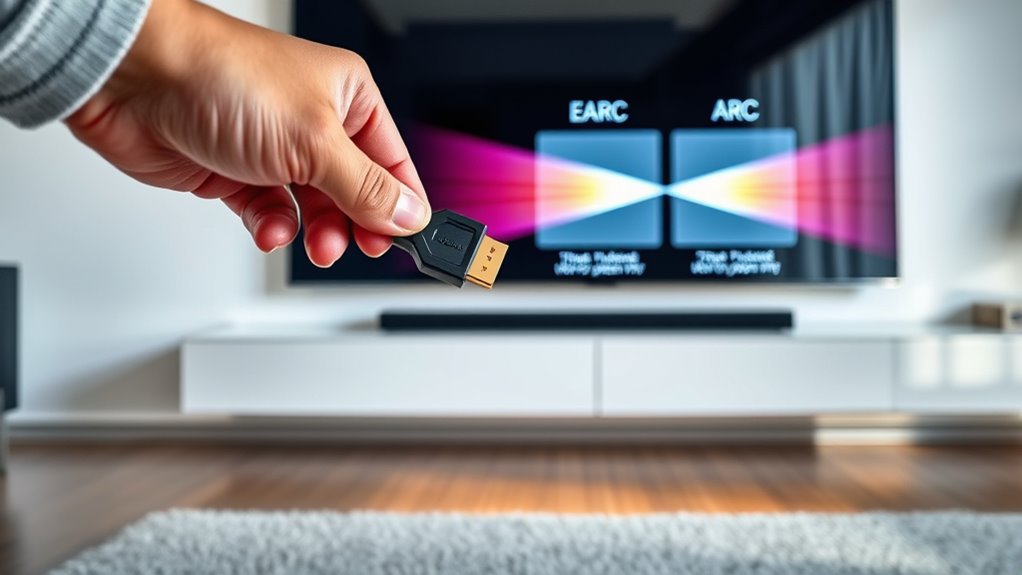
Setting up eARC and ARC correctly guarantees you get the best audio performance from your devices. Start by connecting your TV and sound system with the appropriate HDMI cable—make sure it’s HDMI 2.1 for eARC. Next, access your TV’s audio settings to enable eARC or ARC and select the correct output. Perform audio calibration to enhance sound quality, adjusting speaker placement as needed for clear, balanced audio. Here’s what to do:
- Ensure HDMI connections are secure and support eARC or ARC
- Enable eARC/ARC in your TV’s audio settings
- Perform audio calibration for optimal sound
- Adjust speaker placement to improve audio clarity
Following these steps ensures your setup is optimized for high-quality audio.
When Should You Use EARC Instead of ARC?
You should use eARC instead of ARC when you want to experience the highest audio quality possible, especially with advanced sound formats like Dolby Atmos and DTS:X. eARC supports higher bandwidths and uncompressed audio codecs, ensuring richer sound. If your setup involves complex sound calibration or you’re using premium audio equipment, eARC provides a more reliable connection. Consider eARC when your TV and sound system are compatible, and you aim for immersive audio without compression loss. Use the table below to identify the ideal scenario:
| When to Use eARC | When to Use ARC |
|---|---|
| High-quality audio codecs | Basic stereo sound |
| Dolby Atmos, DTS:X support | Standard sound formats |
| Precise sound calibration | Limited bandwidth capabilities |
Switch to eARC for top-tier audio experiences.
Troubleshooting EARC and ARC Connectivity Issues

Connectivity issues with eARC and ARC can disrupt your audio experience, but most problems are fixable with some troubleshooting. Common issues include audio latency, signal encryption conflicts, or loose connections. To resolve them, start by checking all HDMI cables for secure connections. Ensure your devices support the latest firmware updates, as outdated software can cause compatibility problems. If audio latency persists, try adjusting your TV’s audio settings or resetting the audio output. Sometimes, signal encryption issues block proper communication, so disable and re-enable eARC or ARC features. Also, verify that your soundbar and TV are compatible with eARC or ARC protocols. These simple steps can restore seamless audio transmission and clear up most connectivity problems.
Future Trends in Audio Return Technologies
As audio technology continues to evolve, future trends in audio return methods focus on enhancing speed, compatibility, and user experience. You’ll see advances in audio compression techniques that allow higher quality sound with less bandwidth, making wireless transmission more efficient. Wireless transmission will become more reliable, reducing latency and dropouts when streaming audio from your TV to sound systems. Earc and ARC will integrate smarter, more adaptable protocols to support a wider range of devices and formats seamlessly. Expect increased emphasis on future-proofing, ensuring your setup can handle new formats and higher resolutions. These innovations will simplify connections, improve audio fidelity, and enable smoother, more responsive entertainment experiences, all while maintaining compatibility across diverse hardware ecosystems.
Frequently Asked Questions
Can EARC and ARC Support All Audio Formats and Codecs?
EARC and ARC don’t support all audio formats and codecs. While ARC handles standard formats like Dolby Digital and DTS, eARC supports higher-quality audio formats such as Dolby TrueHD, DTS-HD Master Audio, and Dolby Atmos. However, codec support depends on your devices. You need compatible hardware for the best audio experience, so check your TV, soundbar, or receiver’s specifications for audio format compatibility and codec support before purchasing or connecting.
Do All HDMI Cables Work With EARC and ARC Features?
Not all HDMI cables support eARC and ARC features. While many HDMI cables work for general purposes, some have cable limitations that prevent them from supporting high-bandwidth audio signals. To guarantee compatibility with eARC and ARC, look for HDMI cables labeled as HDMI High-Speed or Ultra High-Speed. Skipping this can lead to audio issues or no audio at all, so always check HDMI compatibility before connecting your devices.
How Do I Determine if My Device Supports EARC or Just ARC?
To determine if your device supports eARC or just ARC, check its HDMI compatibility and device specifications. Look at the HDMI ports for labels like “eARC” or “ARC,” and review the user manual or manufacturer’s website. If your device supports eARC, it will handle higher bandwidth audio, providing better quality. If it only supports ARC, it still transmits audio but with limitations. Confirm these details to verify the best audio experience.
Are There Any Security Concerns With Using EARC or ARC?
While EARC and ARC enhance your audio experience, they do pose potential security vulnerabilities. You might think of them as gateways—on one side, seamless sound, on the other, possible data interception. However, data encryption helps protect your information. To stay safe, keep your firmware updated and use secure connections. It’s a balance between enjoying high-quality audio and maintaining your device’s security.
Will Upgrading My System Guarantee Improved Audio Quality Instantly?
Upgrading your system doesn’t guarantee instant improvements in audio quality. While a system upgrade can enhance your setup and support newer features like eARC and ARC, actual audio quality depends on your devices, cables, and content. To see a noticeable difference, confirm all components are compatible and properly configured. Upgrading helps optimize performance, but achieving better audio quality requires a combination of the right hardware, settings, and high-quality sources.
Conclusion
By understanding EARC and ARC, you unlock a world of crystal-clear sound and seamless entertainment. Whether upgrading or troubleshooting, knowing the myths and facts ensures your home audio system shines brighter than a supernova. Embrace these technologies confidently, and watch your viewing experience transform from good to mind-blowingly epic—like turning on a switch and releasing a symphony of sound that surrounds you completely. Your perfect home theater adventure starts now!