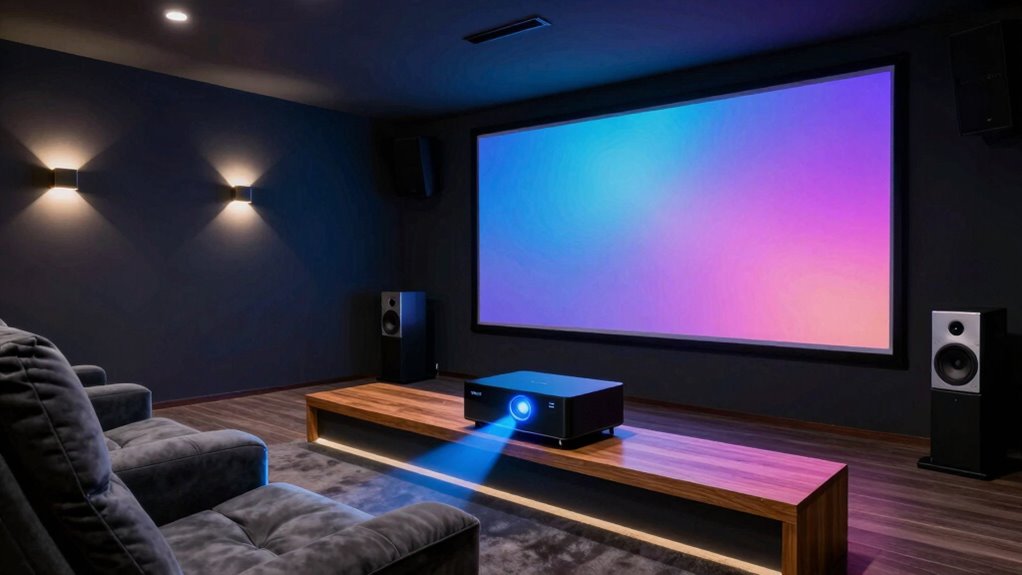

For a 4K projector, the right mini PC depends less on its ability to send a 4K signal and more on what else you want it to do: play local media, handle everyday streaming, multitask, or run demanding applications. My top pick is the Beelink SER9 Pro for its newer Radeon 780M graphics and HDMI 2.1 output; the Getorli Ryzen 7 6800H is a stronger fit if you want 1TB of storage included; and the KAMRUI Pinova P1 keeps the setup small and straightforward for basic playback. All three list 4K display support, but none has a dedicated graphics card, so high-end gaming is not their shared strength.

Get business pricing on your home office setup
- Business-only prices and quantity discounts
- Tax-exempt purchasing
- Multiple users, one account, clear invoices
The key tradeoff is headroom versus simplicity. The Beelink and Getorli offer more processing and graphics capacity for multitasking, while the KAMRUI asks less of a compact theater setup but arrives with just 8GB of RAM and 256GB of storage. I rank these options by their fit for projector use, the flexibility of their display connections, and how well their specifications match different home theater needs—not by assuming that a 4K output label guarantees every desired video format or playback feature.
Complete the kit


Key Takeaways
- Beelink SER9 Pro ranks first for the strongest listed graphics and modern display connections, including HDMI 2.1; it is my pick for a theater PC that may also handle heavier desktop tasks.
- Getorli Ryzen 7 6800H is the best balanced alternative if built-in capacity matters: it has 32GB of LPDDR5 memory and a 1TB SSD, but its graphics are Radeon 680M rather than the Beelink’s Radeon 780M.
- KAMRUI Pinova P1 suits basic 4K playback and a tidy, VESA-mounted installation, though 8GB RAM and 256GB storage leave less room for multitasking and downloaded media.
- Each model lists multiple display outputs, but for a single-projector setup, verify the exact connection and supported refresh rate against the projector’s inputs before buying.
- None includes a dedicated GPU, so I would choose the Beelink or Getorli for light gaming at most—not as a replacement for a gaming PC built for demanding 4K games.
| Beelink SER9 Pro Mini PC, AMD Ryzen 7 H 255, 24GB LPDDR5X, 500GB PCIe 4.0 SSD |  | Best Overall for 4K Projection | Processor: AMD Ryzen 7 H 255, 8 cores/16 threads, up to 4.9GHz | Graphics: AMD Radeon 780M, 12-core | Memory: 24GB LPDDR5X | VIEW ON AMAZON | See Our Full Breakdown |
| Getorli Mini PC AMD Ryzen 7 6800H, 32GB LPDDR5, 1TB NVMe SSD, Triple 4K Display, WiFi 6, Bluetooth 5.3, Dual LAN, Compact Gaming and Office Desktop |  | Best for Built-In Memory and Storage | Processor: AMD Ryzen 7 6800H, 8 cores, up to 4.7GHz | Graphics: Integrated AMD Radeon 680M | Memory: 32GB LPDDR5, 6400MHz | VIEW ON AMAZON | See Our Full Breakdown |
| KAMRUI Pinova P1 Mini PC with Windows 11 Pro, AMD Ryzen 3 Pro 7330U, 8GB RAM, 256GB SSD, 4K HDMI/DP/Type-C, WiFi 5, Bluetooth 4.2, VESA Mount |  | Best Compact Option for Basic Playback | Processor: AMD Ryzen 3 Pro 7330U | Graphics: Integrated graphics; listed 4K at 60Hz | Memory: 8GB | VIEW ON AMAZON | See Our Full Breakdown |
| home theater pcs for 4k projection | Processor | Graphics | Memory | Storage |
|---|---|---|---|---|
| Beelink SER9 Pro Mini PC | AMD Ryzen 7 H 255, 8 cores/16 threads, up to 4.9GHz | AMD Radeon 780M, 12-core | 24GB LPDDR5X | 500GB PCIe 4.0 SSD; dual slots, listed support up to 4TB |
| Getorli Mini PC AMD Ryzen 7 68 | AMD Ryzen 7 6800H, 8 cores, up to 4.7GHz | Integrated AMD Radeon 680M | 32GB LPDDR5, 6400MHz | 1TB NVMe SSD, expandable up to 4TB |
| KAMRUI Pinova P1 Mini PC with | AMD Ryzen 3 Pro 7330U | Integrated graphics; listed 4K at 60Hz | 8GB | 256GB SSD |
More Details on Our Top Picks
Beelink SER9 Pro Mini PC, AMD Ryzen 7 H 255, 24GB LPDDR5X, 500GB PCIe 4.0 SSD
The Beelink SER9 Pro takes the top spot because it pairs the strongest listed integrated graphics in this group, Radeon 780M, with a modern selection of display connections: HDMI 2.1, DisplayPort 2.1, and USB-C 4.0. For a single projector, the practical advantage is connection flexibility. For a room where the PC may also feed another display or connect through an AV setup, the range is more useful than the KAMRUI’s basic 4K-ready promise alone. Its Ryzen 7 H 255, 24GB of LPDDR5X memory, and 8-core/16-thread design also make it the most capable option here for switching among media, browsing, and heavier desktop work.
That headroom has limits. The 500GB SSD is half the Getorli’s included capacity, which matters if you keep a large local film library. Memory is listed as LPDDR5X, and the product information describes upgrade options as limited, so buyers should choose this configuration expecting to use it largely as supplied. Like both rivals, it lacks a dedicated GPU; the Radeon 780M makes it the best of this trio for lighter graphics workloads, not a dependable choice for demanding 4K gaming. The listing also calls out quiet operation, a useful living-room trait, though I would not treat that as a guarantee of silence in every room or workload.
I rank it ahead of the Getorli because its newer graphics and HDMI 2.1 connection make it the most compelling all-around projector PC on the stated specifications. Choose the Getorli instead if a larger drive and 32GB of memory matter more than the Beelink’s graphics and newer listed outputs. The KAMRUI remains the simpler choice for low-demand playback and a compact mounted installation.
Pros:- Radeon 780M is the strongest listed integrated graphics option in this roundup.
- HDMI 2.1, DisplayPort 2.1, and USB-C 4.0 offer flexible display connections.
- Ryzen 7 H 255 and 24GB LPDDR5X suit multitasking and heavier desktop work.
- Quiet operation is a useful feature for a PC placed near a viewing area.
Cons:- The included 500GB SSD is smaller than the Getorli’s 1TB drive.
- No dedicated GPU for high-end gaming or demanding graphics workloads.
- Memory and storage upgrade options are described as limited.
Best for: Buyers who want a compact 4K projector PC with the strongest listed integrated graphics, flexible modern display outputs, and room for productivity beyond media playback.
Not ideal for: People who need a dedicated GPU for demanding games, a large included media-library drive, or generous memory and storage upgrades.
- Processor:AMD Ryzen 7 H 255, 8 cores/16 threads, up to 4.9GHz
- Graphics:AMD Radeon 780M, 12-core
- Memory:24GB LPDDR5X
- Storage:500GB PCIe 4.0 SSD; dual slots, listed support up to 4TB
- Display outputs:HDMI 2.1, DisplayPort 2.1, USB-C 4.0
- Networking:2.5Gbps Ethernet, WiFi 6, Bluetooth 5.2
- Operating system:Windows 11 Pro
- Power consumption:65W
Our verdict“I recommend the Beelink SER9 Pro as the most capable, connection-flexible choice for a 4K projector setup that will also handle everyday computing.”
Getorli Mini PC AMD Ryzen 7 6800H, 32GB LPDDR5, 1TB NVMe SSD, Triple 4K Display, WiFi 6, Bluetooth 5.3, Dual LAN, Compact Gaming and Office Desktop
The Getorli Ryzen 7 6800H is the practical alternative for buyers who want substantial memory and storage without immediately planning an upgrade. Its 32GB LPDDR5 RAM and 1TB NVMe SSD give it the largest listed memory and drive capacity in this roundup, making it a natural fit for downloaded media, a busy desktop, and applications running alongside playback. The Ryzen 7 6800H has eight cores and a listed boost speed up to 4.7GHz, while integrated Radeon 680M graphics provide more capacity than the KAMRUI’s more modest configuration.
Its triple-display support is less important for most projector owners than the ports behind it. The unit lists HDMI, DisplayPort, and Type-C outputs, but only one HDMI port; connecting multiple displays may mean relying on the other outputs and checking compatibility with the projector, receiver, and any adapters. Compared with the Beelink, the Getorli has more memory and twice the included SSD capacity, while the Beelink offers Radeon 780M graphics and newer HDMI 2.1 and DisplayPort 2.1 connections. For straightforward movie playback, that extra graphics performance may be less meaningful than the Getorli’s larger drive.
I would not treat its “compact gaming” positioning as evidence that it can replace a PC with discrete graphics. The listing itself notes that there is no dedicated GPU, and it flags possible thermal challenges under sustained heavy workloads. For ordinary streaming and media use, those limits need not rule it out; for long, intensive gaming or graphics sessions, they deserve attention. It ranks second because its generous included capacity is a strong theater-library advantage, but its older listed graphics and single HDMI port make the Beelink the more rounded projection pick.
Pros:- 32GB LPDDR5 memory is the largest listed memory capacity here.
- 1TB NVMe SSD provides more built-in space than either competitor.
- Radeon 680M graphics and an 8-core Ryzen 7 offer stronger general capacity than the KAMRUI.
- WiFi 6, Bluetooth 5.3, and dual LAN add useful network flexibility.
Cons:- Only one HDMI port; other displays use DisplayPort or Type-C.
- Integrated graphics are not a substitute for a dedicated gaming GPU.
- Thermal management may be challenging during sustained heavy workloads.
Best for: Buyers who want a projector-friendly mini PC with ample built-in memory and a 1TB drive for local media, multitasking, and general desktop use.
Not ideal for: People who need multiple direct HDMI connections, dedicated graphics for demanding games, or a machine intended for sustained heavy workloads without thermal concerns.
- Processor:AMD Ryzen 7 6800H, 8 cores, up to 4.7GHz
- Graphics:Integrated AMD Radeon 680M
- Memory:32GB LPDDR5, 6400MHz
- Storage:1TB NVMe SSD, expandable up to 4TB
- Display outputs:HDMI, DisplayPort, Type-C; listed support for triple 4K displays
- Networking:WiFi 6, Bluetooth 5.3, dual LAN
- Ports:Five USB ports and three display outputs
- Operating system:Windows 11 Pro
Our verdict“I would choose the Getorli over the Beelink when a larger included SSD and more memory matter more than newer graphics and display connections.”
KAMRUI Pinova P1 Mini PC with Windows 11 Pro, AMD Ryzen 3 Pro 7330U, 8GB RAM, 256GB SSD, 4K HDMI/DP/Type-C, WiFi 5, Bluetooth 4.2, VESA Mount
The KAMRUI Pinova P1 is the smallest, simplest fit for a buyer whose main goal is getting a Windows PC into a compact 4K projector setup. Its 3.94-inch-square footprint, light 0.62kg listed weight, and VESA mount make it easy to place behind a screen or attach to compatible mounting hardware. HDMI, DisplayPort, and Type-C are listed, giving it more than one route to a display even though many users will connect a single projector over HDMI. Compared with the Getorli and Beelink, its clearest advantage is installation convenience rather than raw performance.
The tradeoff is the most modest configuration here: 8GB of RAM and a 256GB SSD. That can suit basic media playback and everyday computer tasks, but leaves less room for a large offline film collection or heavy multitasking. Buyers who expect to keep many files locally may need an external drive, and those who keep numerous applications open may prefer the Getorli’s 32GB or Beelink’s 24GB. The Ryzen 3 Pro 7330U and integrated graphics are not designed for high-end games or intensive graphics work; on this lineup, it is the one I would keep focused on straightforward theater and office duties.
Its display specification lists 4K at 60Hz, a useful stated target for a typical movie-oriented projector connection, but buyers should still confirm the supported format and connection behavior with their exact equipment. WiFi 5 and Bluetooth 4.2 are also older standards than the WiFi 6 and newer Bluetooth versions listed on the other two PCs. I rank it third because its space-saving format is appealing, but the limited memory and storage narrow its long-term flexibility. Choose it over the Beelink or Getorli when a mounted, basic-use PC matters more than extra performance and capacity.
Pros:- Small footprint and VESA mounting support suit space-constrained theater installations.
- Lists 4K at 60Hz and HDMI, DisplayPort, and Type-C display outputs.
- Windows 11 Pro and an AMD Ryzen 3 Pro processor cover basic PC tasks.
- Lower listed power consumption than the other two models.
Cons:- 8GB RAM and a 256GB SSD are the smallest capacities in this roundup.
- Integrated graphics are not suited to high-end gaming or intensive graphics work.
- WiFi 5 and Bluetooth 4.2 are older standards than those listed for the Beelink and Getorli.
Best for: Buyers seeking a compact, VESA-mountable Windows mini PC for basic 4K playback, light browsing, and simple living-room use.
Not ideal for: People building a large local media library, running demanding applications, or expecting strong gaming performance and generous multitasking capacity.
- Processor:AMD Ryzen 3 Pro 7330U
- Graphics:Integrated graphics; listed 4K at 60Hz
- Memory:8GB
- Storage:256GB SSD
- Display outputs:HDMI, DisplayPort, Type-C
- Networking:Dual-band WiFi 5, Bluetooth 4.2, Ethernet
- Size and weight:3.94 x 3.94 x 1.18 inches; 0.62kg
- Operating system and mounting:Windows 11 Pro; VESA mount support
Our verdict“I recommend the KAMRUI for a compact, mounted theater PC used mainly for basic playback, not for a demanding or storage-heavy setup.”

How We Picked
I compared these three machines around the job implied by 4K projection: connecting reliably to a projector, playing media, fitting into a living-room setup, and leaving enough computing capacity for the tasks buyers commonly pair with a theater PC. I treated the stated 4K support as a useful baseline, not proof that every model supports every HDR format, refresh rate, codec, or protected-streaming requirement. Those details can depend on the display connection, software, and projector.
The ranking gives extra weight to the graphics and processor combination, since that affects responsiveness and the ability to handle more than simple playback. I also compared the listed display outputs, memory, storage, networking, and physical setup features. The Beelink leads on graphics and HDMI 2.1; the Getorli counters with more memory and included storage; the KAMRUI earns its place for compactness and VESA mounting, not for maximum performance.
I also factored in drawbacks that change the buying decision. None of these models has discrete graphics, so I do not present them as high-end gaming systems. The KAMRUI’s entry-level memory and storage may call for upgrades or external drives, while the Getorli’s limited HDMI count and stated thermal caveat matter for multi-display or sustained heavy use. The Beelink has a smaller included SSD than the Getorli and limited memory upgrade options. I recommend checking the manufacturer’s current connection and format details before planning around a specific projector or AV receiver.
| home theater pcs for 4k projection | Processor | Graphics | Display outputs |
|---|---|---|---|
| Beelink SER9 Pro Mini PC | AMD Ryzen 7 H 255, 8 cores/16 threads, up to 4.9GHz | AMD Radeon 780M, 12-core | HDMI 2.1, DisplayPort 2.1, USB-C 4.0 |
| Getorli Mini PC AMD Ryzen 7 68 | AMD Ryzen 7 6800H, 8 cores, up to 4.7GHz | Integrated AMD Radeon 680M | HDMI, DisplayPort, Type-C; listed support for triple 4K displays |
| KAMRUI Pinova P1 Mini PC with | AMD Ryzen 3 Pro 7330U | Integrated graphics; listed 4K at 60Hz | HDMI, DisplayPort, Type-C |
Factors to Consider When Choosing Home Theater Pcs For 4k Projection
When I choose a PC for 4K projection, I start with the projector connection and intended use, then look at graphics, memory, storage, and placement. These three mini PCs can all serve as compact Windows machines, but their specifications point to different kinds of theater setups.
Match the display connection to your projector
Check which input you plan to use—usually HDMI—and confirm the PC, receiver, and projector all support the resolution and refresh rate you need. The Beelink lists HDMI 2.1, while the KAMRUI lists 4K at 60Hz; the Getorli offers HDMI alongside DisplayPort and Type-C. Those labels do not establish support for every HDR format, copy-protected stream, or signal path. If the PC will connect through an AV receiver, confirm its pass-through capabilities too. For one projector, a single dependable compatible output matters more than a triple-display headline.
Choose graphics for the work you actually do
For video playback and a normal desktop, integrated graphics can be enough, but the three machines do not offer equal headroom. The Beelink’s Radeon 780M is the strongest listed graphics option, followed by the Getorli’s Radeon 680M; the KAMRUI is the basic-use choice. That ranking is about flexibility, not a promise of high-end gaming. None has a dedicated GPU, so buyers planning demanding games should look at a different class of PC rather than assuming a 4K output specification means strong 4K game performance.
Balance RAM and storage against your media habits
If you stream most content, a small internal drive may be acceptable. A local library changes the calculation: the Getorli includes 1TB, compared with the Beelink’s 500GB and KAMRUI’s 256GB. Memory follows a similar pattern: 32GB on Getorli, 24GB on Beelink, and 8GB on KAMRUI. More memory helps keep multiple apps responsive, while storage holds files and applications; one cannot substitute for the other. Check whether the memory is upgradeable before buying, particularly if you expect your use to grow.
Plan placement, cooling, and network access
A mini PC can sit on a shelf, near a receiver, or—in the KAMRUI’s case—on compatible VESA mounting hardware. Make sure there is room for ventilation rather than hiding the unit in a closed cabinet. This matters particularly for the Getorli, whose listing flags possible thermal challenges under sustained heavy loads. For streaming, a wired Ethernet connection can help avoid wireless congestion where practical; the Beelink lists 2.5Gbps Ethernet, and the Getorli has dual LAN. WiFi can be convenient, but check coverage at the planned installation spot.
Check media software and supported formats
A PC’s output resolution is only one part of playback. Your chosen operating system, streaming application, subscription, display chain, and projector all affect which formats and protected content work. Before ordering, verify support for the apps and video formats you use, plus any audio passthrough needs for your receiver or sound system. A compact PC can offer broad flexibility, but it does not automatically replace a dedicated streaming device in every living room. I would confirm those specifics rather than infer them from processor or port names.
Frequently Asked Questions
Can these mini PCs output a 4K signal to a projector?
All three product listings describe 4K display support, and the KAMRUI specifically lists 4K at 60Hz. The connection you use and the other equipment in the signal chain still matter. I would check the exact resolution, refresh rate, and format support for the PC output, any AV receiver, and the projector before purchase, especially if you expect HDR or a particular frame rate.
Which of these PCs is best for watching movies?
For a mixed-use theater setup, I would start with the Beelink SER9 Pro because it combines the strongest listed integrated graphics with HDMI 2.1 and other display outputs. If your movie collection is stored locally, the Getorli’s included 1TB SSD may be a better fit. For basic streaming and a small installation, the KAMRUI can work, but its 256GB drive gives you less room for downloads.
Are these mini PCs suitable for 4K gaming?
None of the three has a dedicated graphics card, so I would not buy any of them for demanding 4K games. The Beelink’s Radeon 780M is the strongest listed integrated graphics choice, with the Getorli’s Radeon 680M behind it, but performance depends on the game and settings. These machines make more sense for media, everyday computing, and possibly lighter games than for a gaming-first 4K projector system.
Is 8GB of RAM enough for a home theater PC?
It may be enough for basic playback and light browsing, which is the role that best fits the KAMRUI’s 8GB configuration. It leaves less room for several applications running at once than the Getorli’s 32GB or Beelink’s 24GB. If you plan to multitask, use more demanding desktop software, or keep the machine for several kinds of work, I would favor one of the higher-memory options and confirm whether its memory can be upgraded.
Should I connect the PC directly to the projector or through an AV receiver?
Either setup can work, but the receiver becomes part of the video chain when you use it between the PC and projector. Confirm that every device supports the resolution, refresh rate, and formats you need, and check that the receiver can pass them through on the selected input. Direct connection can simplify troubleshooting, while routing through a receiver may be more convenient for switching sources and managing audio.
Conclusion
For most buyers who want one compact PC for a 4K projector and everyday computing, I recommend the Beelink SER9 Pro: its Radeon 780M graphics and HDMI 2.1 make it the strongest overall match in this group. Choose the Getorli Ryzen 7 6800H if you keep local media or want the largest included memory and SSD capacity, and can accept its single HDMI port and thermal caveat under heavy loads. Pick the KAMRUI Pinova P1 for basic playback in a small VESA-mounted installation, provided its 8GB of RAM and 256GB of storage fit your needs. If demanding 4K gaming is the main goal, I would skip all three and shop for a PC with a dedicated GPU.
Fall Picks

eufy Security Essential 7-Piece Alarm System
As an affiliate, we earn on qualifying purchases.