To use Bluetooth speakers without audio delay, make sure your devices support Bluetooth 5.0 or higher and use compatible speakers that support low-latency codecs like aptX Low Latency or AAC. Keep your devices close and eliminate obstacles or interference from other electronics. Updating firmware and drivers regularly helps fix lag issues. For better sync, enable audio-video settings or consider wired connections when possible. Keep exploring for more tips to optimize your setup.

Get business pricing on your home office setup
- Business-only prices and quantity discounts
- Tax-exempt purchasing
- Multiple users, one account, clear invoices
Key Takeaways
- Use Bluetooth speakers that support aptX Low Latency or AAC codecs to minimize audio delay.
- Ensure both your device and speaker support Bluetooth 5.0 or higher for better stability and speed.
- Keep devices close and minimize obstacles to reduce signal interference and lag.
- Regularly update device firmware and Bluetooth drivers to improve compatibility and reduce delays.
- When possible, use wired connections for the most lag-free audio experience.
Bluetooth speakers with aptX Low Latency support
As an affiliate, we earn on qualifying purchases.
As an affiliate, we earn on qualifying purchases.
Choose a Bluetooth Version With Low Latency
When selecting a Bluetooth speaker, opting for a device that supports a low-latency Bluetooth version is vital to reduce audio delay. The Bluetooth version you choose determines how quickly data transfers between your device and the speaker. Look for models that support recent Bluetooth versions, like 5.0 or higher, which typically offer improved speed and stability. Additionally, check if the speaker supports low latency codecs, such as aptX Low Latency or AAC, which are designed to minimize audio lag. These codecs work with compatible devices to deliver synchronized sound, especially important for watching videos or gaming. By choosing a speaker with the right Bluetooth version and low latency codecs, you guarantee a smoother audio experience with less delay. Understanding the impact of contrast ratio can also help you select a device that provides clearer sound quality in your environment.
As an affiliate, we earn on qualifying purchases.
Use AptX Low Latency Codec
Using the aptX Low Latency codec can markedly reduce audio delay when streaming Bluetooth speakers. This Bluetooth audio codec is designed specifically for low-latency audio transmission, making it ideal for watching videos or gaming. Not all Bluetooth audio codecs support low latency, so ensure your devices are compatible with aptX Low Latency. When both your source device and speaker support this codec, you’ll experience minimal lag, aligning sound with the on-screen action. To take advantage of this, check your device settings and enable aptX Low Latency if available. Keep in mind, the effectiveness depends on compatibility and connection quality. Choosing devices with aptX Low Latency support can greatly improve your listening experience and eliminate frustrating delays. Embracing sustainable living can also inspire you to choose eco-friendly tech options, promoting sustainability in your audio setup.
low latency Bluetooth headphones
As an affiliate, we earn on qualifying purchases.
As an affiliate, we earn on qualifying purchases.
Keep Your Devices Close and Minimize Obstacles
To maintain the low-latency benefits of the aptX Low Latency codec, keeping your devices close together is key. Proper device placement reduces the chance of signal loss or delay, ensuring seamless audio. Minimize obstacles like walls, furniture, or electronic devices that can interfere with Bluetooth signals. Position your device and speaker in a direct line of sight whenever possible. This setup enhances signal strength and stability, preventing audio lag. Remember, even small objects can disrupt communication, so clear the path between your devices. Good device placement and obstacle reduction are simple steps that notably improve your listening experience. By managing these factors, you’ll enjoy synchronized audio without frustrating delays. Small adjustments now lead to a more enjoyable, delay-free Bluetooth experience. Additionally, understanding Bluetooth signal interference can help you optimize your setup further for the best performance.
wired Bluetooth speaker for minimal delay
As an affiliate, we earn on qualifying purchases.
As an affiliate, we earn on qualifying purchases.
Update Firmware and Bluetooth Drivers Regularly
Updating your firmware and Bluetooth drivers guarantees your devices stay stable and work smoothly together. These updates help fix bugs and improve compatibility, reducing audio delay issues. Make it a habit to check for updates regularly to keep your Bluetooth experience seamless. Additionally, smart marketing strategies can be employed to promote your device’s capabilities and attract more users.
Firmware Updates Improve Stability
Regularly updating your firmware and Bluetooth drivers is essential for maintaining a stable connection and reducing audio delays. Firmware updates often include optimizations that improve device compatibility and reduce audio latency, leading to smoother audio streaming. Keeping your drivers current guarantees your device communicates efficiently with your Bluetooth speakers, preventing disconnects or lag. Updates also fix bugs that might cause audio dropouts or increased latency, enhancing overall stability. To maximize performance, regularly check for updates from your device manufacturer’s website or app. Staying current helps ensure your Bluetooth setup remains responsive and reliable, minimizing audio delay issues. Additionally, understanding AI security vulnerabilities can help you better protect your connected devices from potential threats.
Keep Drivers Compatible
Keeping your Bluetooth drivers and device firmware current guarantees your equipment stays compatible and performs at its best. Regular updates help prevent issues like audio distortion and ensure seamless device compatibility. Outdated drivers can cause lag or audio dropouts, increasing delays and reducing sound quality. To avoid these problems, check for updates often and install them promptly. The following table highlights key benefits of maintaining your drivers up to date:
| Benefit | Impact on Performance | Why It Matters |
|---|---|---|
| Improved Compatibility | Reduces audio distortion and lag | Ensures devices work together smoothly |
| Stability | Prevents connection drops | Maintains consistent playback |
| Audio Quality | Eliminates audio distortions | Enhances listening experience |
| Delays Reduction | Minimizes latency | Keeps audio in sync |
| Regular updates also support remote work setups by reducing connection interruptions.
Enable Audio-Video Sync Settings on Your Devices
To reduce audio delay, you should enable audio-video sync settings on your devices. Adjust the audio delay options to better match your video, ensuring smoother playback. Also, make sure you’re using compatible devices that support these features for ideal results. Being aware of audio delay settings can further enhance synchronization and viewing experience.
Subheading 1: Adjust Audio Delay Settings
Since audio delay can cause noticeable sync issues when using Bluetooth speakers, enabling audio-video sync settings on your devices can help. Adjusting audio delay settings is a key step in effective audio delay troubleshooting and Bluetooth latency reduction. Many devices allow you to fine-tune the sync to match your setup, ensuring audio aligns perfectly with video. Check your device’s settings menu for options like “Audio Delay” or “Sync Adjustment.” You may find these under accessibility, sound, or advanced settings. For ideal results, experiment with small adjustments until the audio matches the visuals seamlessly. Remember, precise synchronization minimizes latency issues and improves your listening experience. Properly calibrated settings can considerably reduce audio delay, making your Bluetooth speaker setup more enjoyable and immersive. Additionally, understanding power consumption insights can help optimize your device settings for better overall performance.
Subheading 2: Use Compatible Devices
Using compatible devices is crucial for minimizing audio delay when connecting Bluetooth speakers. Proper device pairing ensures that your devices communicate efficiently, reducing latency that causes audio lag. Look for devices that support advanced Bluetooth profiles like aptX Low Latency or AAC, which enhance audio synchronization. Once paired, check if your device offers settings to enable or improve audio-video sync; this can markedly decrease delay. Some smartphones and computers allow you to adjust these settings within their Bluetooth or sound options. Using compatible devices with optimized pairing and sync capabilities helps ensure your audio remains in sync with the video or other media, providing a seamless listening experience. Prioritize devices with good compatibility and support for low-latency codecs to achieve the best results. Incorporating vertical storage solutions can also help keep your media devices organized and easily accessible, supporting a smoother setup process.
Use Wired Connections When Possible
Wired connections often provide a more reliable way to enjoy audio without delays. Unlike wireless setups, they eliminate issues caused by wireless latency, ensuring your audio stays in sync with video or other media. Using a wired connection reduces the chance of signal dropouts and interference, giving you consistent, high-quality sound. When possible, opt for cables like AUX, USB, or optical to connect your devices directly. This guarantees minimal delay and maximizes wired reliability. Additionally, selecting high-performance audio components can further enhance sound fidelity and reduce latency in your setup.
Minimize Interference From Other Devices
To guarantee your Bluetooth speakers deliver audio without delay, it’s important to minimize interference from other devices. Interference sources like Wi-Fi routers, microwaves, and cordless phones can disrupt your signal. Proper device placement helps reduce this interference. Keep your Bluetooth device away from potential sources and avoid crowded areas with many gadgets. Use the table below to identify common interference sources and ideal device placement:
| Interference Sources | Placement Tips | Impact |
|---|---|---|
| Wi-Fi routers | Place routers away from Bluetooth | Signal disruption |
| Microwaves | Keep microwave distance from speakers | Audio delay and dropouts |
| Cordless phones | Avoid overlapping frequencies | Reduced connection stability |
| Wireless cameras | Position cameras away from speakers | Minimized interference |
Select Compatible and High-Quality Bluetooth Speakers
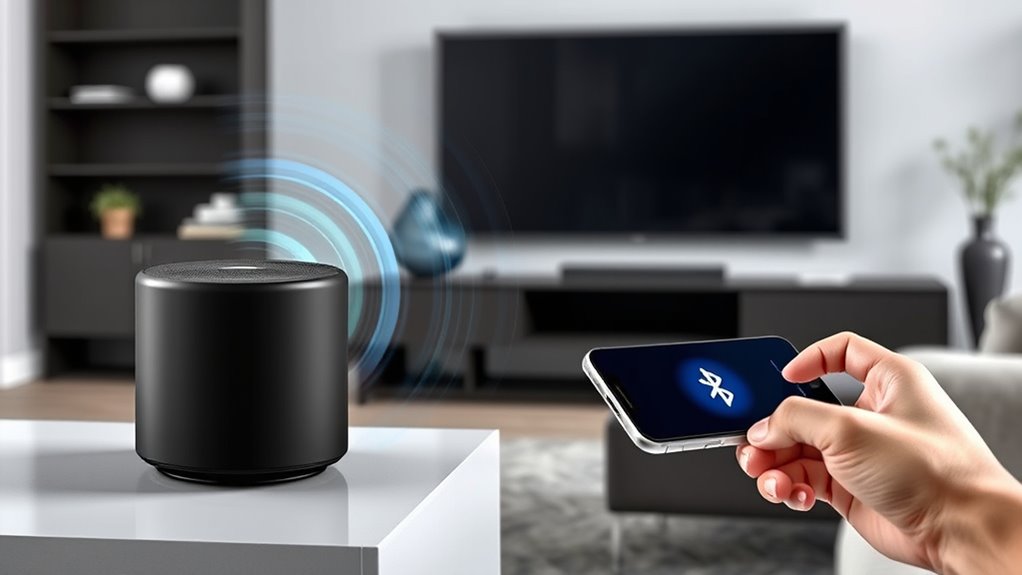
Choosing the right Bluetooth speaker is essential for guaranteeing minimal audio delay and reliable performance. To achieve this, select speakers that are compatible with your devices and offer high-quality audio. Look for models supporting aptX Low Latency or AAC codecs, which help reduce delay. Prioritize wireless multiroom capabilities if you want seamless multi-speaker setups. Also, consider portable durability for on-the-go use, ensuring your speaker can handle daily wear and tear.
Selecting a Bluetooth speaker with aptX Low Latency or AAC ensures minimal audio delay and reliable performance.
- Guarantee compatibility with your device’s Bluetooth version and supported codecs
- Opt for models with wireless multiroom features for synchronized playback
- Choose portable speakers built with durable materials for reliable, on-the-move use
Frequently Asked Questions
Can I Use Bluetooth Speakers With My Smart TV Without Audio Delay?
Yes, you can use Bluetooth speakers with your smart TV without audio delay. To achieve this, guarantee your wireless connection supports aptX Low Latency or AAC codecs, which help improve audio synchronization. Pair your TV and speaker correctly, and consider using a Bluetooth transmitter designed for low latency. This way, you’ll enjoy synchronized sound, making your viewing experience seamless without annoying audio delays.
Do All Bluetooth Devices Support Aptx Low Latency Codec?
Not all Bluetooth devices support the aptX Low Latency codec, which is essential for minimizing audio delay. When you pair your Bluetooth speaker, check if it supports aptX Low Latency during Bluetooth pairing; otherwise, you’ll experience noticeable audio lag. Devices that support this codec use advanced audio compression to deliver synchronized sound, making them ideal for watching videos or gaming. Always verify codec support before purchasing to guarantee minimal audio delay.
How Does Distance Affect Bluetooth Audio Delay?
When you’re close enough, Bluetooth audio delay isn’t a big deal, but as you move farther away, the wireless range weakens, causing more delay. Think of it as pushing your luck—your signal weakens with distance, leading to interference issues that worsen audio sync. To keep things in tune, stay within your device’s ideal wireless range, usually around 10 meters, and avoid obstacles that can interfere with the connection.
Are There Specific Bluetooth Profiles That Reduce Audio Latency?
Yes, certain Bluetooth codecs, like aptX Low Latency and AAC, reduce latency by optimizing audio transmission. These profiles focus on latency optimization, ensuring minimal delay between your device and speaker. When shopping for Bluetooth speakers, look for support for these codecs to enjoy synchronized audio, especially during gaming or watching videos. Choosing devices that prioritize low-latency profiles will give you a better, more seamless listening experience.
What Is the Typical Latency Difference Between Bluetooth Versions?
Bluetooth 5.0 offers lower latency than previous versions, often around 40ms, while Bluetooth 4.2 can reach up to 100ms or more. Your experience depends on Bluetooth profiles and audio codecs; aptX Low Latency and AAC reduce delay effectively. To minimize audio lag, make certain your device and speaker support these profiles and codecs. Upgrading your Bluetooth version and choosing compatible audio codecs will give you a noticeable improvement in sync.
Conclusion
To enjoy seamless audio like a well-choreographed dance, choosing the right Bluetooth setup is key. By selecting low-latency devices, keeping everything updated, and minimizing interference, you’ll create a smooth, synchronized experience. Think of your devices as a team working in harmony—when they’re in sync, there’s no delay to trip you up. Follow these tips, and you’ll be grooving to perfect sound without missing a beat.
Fall Picks
fall essentials
As an affiliate, we earn on qualifying purchases.