TL;DR
The 2026 Philips Hue Play HDMI Sync Box 4K brings Hue screen-synced lighting to a lower price than the 8K flagship, with strong lighting effects and straightforward setup. It supports 4K at 60Hz, but has one HDMI input and does not support HDMI 2.1 or 4K at 120Hz. The review source describes it as a good fit for existing Hue users who prioritize movies and streaming over high-refresh-rate gaming.
Signify’s Philips Hue Play HDMI Sync Box 4K brings screen-synced Hue lighting to a lower price than the company’s 8K flagship, according to a review of the 2026 model. The box reproduces colors from an HDMI video signal on connected Hue lights, but its single HDMI input and lack of 4K at 120Hz mean it is aimed more at movie and streaming setups than at users seeking a full-featured gaming switcher.

Get business pricing on your home office setup
- Business-only prices and quantity discounts
- Tax-exempt purchasing
- Multiple users, one account, clear invoices
The device supports HDMI 2.0, with video passthrough up to 4K at 60Hz and 1440p at 120Hz. Unlike the Hue Play HDMI Sync Box 8K, it does not offer HDMI 2.1 or 4K at 120Hz. The reviewer says those limits are unlikely to matter for people focused on movies and streaming, while gamers with compatible consoles and televisions may value the higher refresh rate available on the flagship.
The new box has a single HDMI input, compared with four on earlier Sync Box models described in the review. That means users who want several sources connected may need to swap cables or add a separate HDMI switch. The reviewer tested it with an Apple TV and an Xbox Series X on an 85-inch Samsung television and says the input limit became apparent during setup.
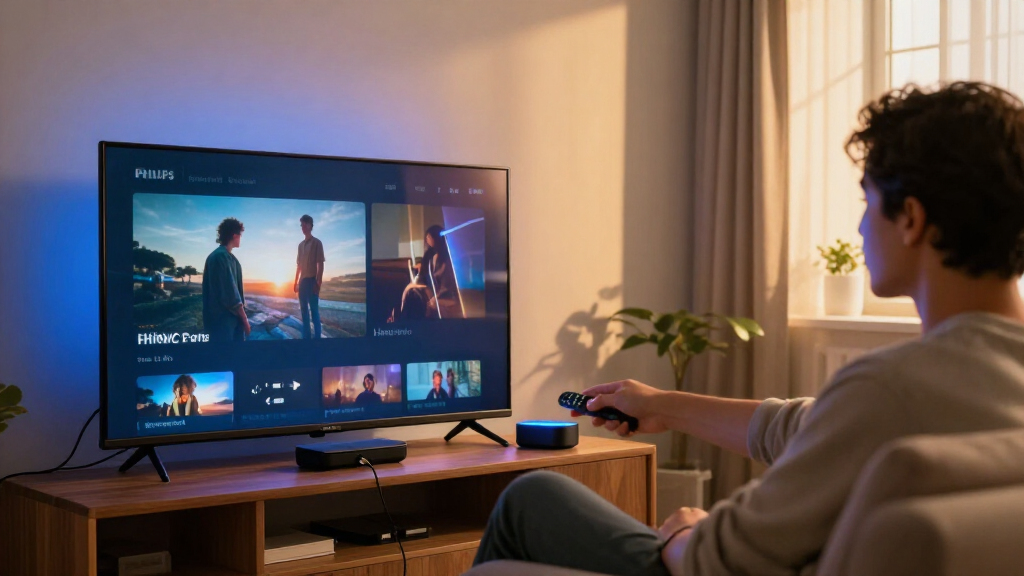
At 117 x 87 x 23 millimeters, the unit is smaller than its predecessors. The package includes a USB-C power adapter and HDMI cable. It sits between an HDMI source and the TV, reading the incoming signal rather than using a camera aimed at the screen. The reviewer reports straightforward installation and says the system can work with a single Bluetooth light without a Hue Bridge; a Bridge is needed to use multiple lights together and access the full feature set.
Hue Sync Box 4K What the 2026 model offers
The lower-cost box brings screen-synced Hue lighting to movie and streaming setups, with limits on HDMI inputs and high-refresh gaming.
Best for films and streaming
The review sees it as a lower-cost way into Hue screen syncing for viewers who do not need flagship video features.
Immersive lighting
It reads colors from an HDMI source and reproduces them on connected Hue lights, without a camera pointed at the TV.
No 4K at 120Hz
It lacks HDMI 2.1, so gamers seeking that refresh rate may prefer the 8K flagship.
One source at a time
The single input can make a multi-device setup less convenient.
- Connect a streaming box or console.
- Setup is reported as straightforward.
- Swap cables between devices.
- Or add a separate HDMI switch.
Choose the right Hue setup
The Bridge requirement depends on how many lights you want to use.
The review says one Bluetooth light can work without a Hue Bridge.
A Hue Bridge is needed to use multiple lights together and access the full feature set.
Check before buying
The review does not give the new model’s exact price or detailed latency and color accuracy measurements.
- Compare local pricing with the 8K Sync Box.
- Confirm that one HDMI input suits your setup.
- Check compatibility with your Hue lights.
A Lower-Cost Route to Hue Sync
The central appeal is lower-cost access to Hue screen syncing for people who already use Philips Hue or want coordinated lighting for films and streaming. The review says the 8K flagship launched at around $350 and describes the new model as costing less than half as much. That positions the 4K box as an option for buyers who do not need the flagship’s faster video support or multiple HDMI inputs.
There is a practical trade-off: the box is not a replacement for a multi-input AV switch. People with a console, streaming box and cable or satellite receiver may find the single connection inconvenient. The review’s positive verdict is therefore specific to users whose main goal is more immersive viewing, not consolidating several sources or maximizing gaming performance.
Because it works from the HDMI signal, the box also avoids placing a camera above or near the television. That may appeal to viewers who prefer not to use a camera-based lighting system, though HDMI-based syncing depends on connecting a compatible external source through the box.
Products Worth Considering

iRobot Roomba 105 Combo Robot Vacuum & Mop with AutoEmpty Dock

Roborock Robot Vacuum and Mop with LiDAR Navigation and Self-Empty Dock

TCL 55 T7 Series 4K 120Hz QLED Smart Google TV (55T7)
As an affiliate, we earn on qualifying purchases.
How the 2026 Box Fits the Range
Philips Hue’s HDMI Sync Box line dates to 2019, according to the review. The original model supported 4K at 60Hz. A 2024 upgrade added HDMI 2.1, support for 4K at 120Hz and resolutions up to 8K, becoming the current flagship discussed in the source material.
The 2026 model takes a different approach: it keeps the 4K-at-60Hz capability associated with ordinary streaming and movie use while simplifying the hardware, most visibly by reducing the number of HDMI inputs to one. Signify also introduced Hue Play Screen Sync at IFA in September 2026. That separate system uses a camera to read the TV’s colors, which can let it work with native smart TV apps and broadcast channels. The HDMI Sync Box instead reads video from a connected source.
The review places the new product alongside lower-priced TV lighting alternatives from Govee and AiDot, while noting Hue’s existing smart-lighting ecosystem as a draw for current users. It does not provide independent comparative test results for those alternatives.
““Low-cost Hue syncing” and “excellent lighting effects.””
— The review’s verdict
Price and Setup Limits
The source says the new box costs less than half the 8K model’s roughly $350 launch price, but it does not provide the new model’s exact price, regional pricing or availability dates. It also does not give detailed measurements for latency, color accuracy or performance across a range of games and video sources, so those aspects cannot be independently assessed from the supplied review material.
The reviewer says one Bluetooth light can be used without a Bridge and that a Hue Bridge is needed for multiple lights, but the supplied material does not specify every compatible product, feature restriction or setup requirement. Users should check compatibility and current product details before buying, particularly if they plan to use existing Hue fixtures or connect several sources.
Check Pricing and Compatibility
For prospective buyers, the next step is to compare the product’s local price with the 8K Sync Box and confirm whether one HDMI input is enough for their setup. Owners who want 4K at 120Hz or several connected sources will need to weigh the flagship or a separate HDMI switch; viewers focused on 4K streaming and Hue lighting may find the 2026 model’s limits acceptable.
Signify’s stated launch at IFA in September 2026 is the timing given in the source. The material does not specify when retail availability begins or report later firmware updates, so those details remain subject to confirmation.
Key Questions
What video formats does the 2026 Hue Sync Box support?
According to the review, it supports HDMI 2.0, up to 4K at 60Hz and 1440p at 120Hz. It does not support HDMI 2.1 or 4K at 120Hz.
How many HDMI devices can be connected at once?
The 2026 model has one HDMI input. The review says users who want to keep multiple sources connected will need to switch cables or use a separate HDMI switcher.
Does the Sync Box need a camera?
No. It reads color information from the incoming HDMI signal and sends it to compatible Hue lights. It does not use a camera pointed at the TV.
Do I need a Hue Bridge?
The review says the box can work with one Bluetooth light without a Bridge. A Hue Bridge is needed to use multiple lights together and access the full feature set.
Who is the 2026 model best suited to?
The review recommends it mainly for existing Hue users and viewers who want screen-synced lighting for movies or streaming without paying flagship prices. People seeking multiple HDMI inputs or 4K at 120Hz may prefer another setup.
Source: the-ambient.com