TL;DR
A 4K projector can give you a cinema-size image, but “4K” may mean native imaging or pixel shifting, and advertised lumens alone do not predict picture quality. Match resolution, brightness, contrast, throw distance, screen, and gaming features to your room, then budget for the mount, audio, and light control too.
A projector can turn a plain wall into a 120-inch movie screen, but the picture can look washed out if sunlight spills across the room or the projector sits too far from the wall. The box may say 4K, yet that label alone won’t tell you how sharp, bright, or immersive the image will look from your couch.

Get business pricing on your home office setup
- Business-only prices and quantity discounts
- Tax-exempt purchasing
- Multiple users, one account, clear invoices
This guide explains what native and pixel-shifted 4K mean, how to match brightness and screen size to your room, and which details matter for HDR and gaming. You’ll also see why a projector’s real cost includes more than the projector itself, so you can plan a setup that fits your space instead of chasing specs you may never notice.
Check whether a 4K projector uses native imaging or pixel shifting, then judge sharpness from your seating distance and screen size.
Match brightness to ambient light and screen size; larger images can look dimmer, and advertised lumens alone do not predict picture quality.
Confirm throw distance, lens range, mount position, and cable routes before installation.
Treat HDR badges as signal support, not a promise of bright HDR; room light, tone mapping, and black levels matter.
Add the screen, mount, cables, sound, light control, and possible lamp replacement to your budget.
Know What “4K” Means Before You Pay More
4K projectors for media rooms use either native 4K imaging or a lower-resolution chip that uses pixel shifting to display a 4K-like image. Native 4K addresses more pixels directly, while pixel-shifted models move pixels rapidly to create extra detail on screen. At a typical couch distance, both approaches can look sharp; the difference is easier to spot on a very large image or when you sit close.
Think of it like drawing a picture with a fine pen versus building it from overlapping, carefully placed strokes. The technique differs, but the result depends on the whole image, including focus, lens quality, source material, and viewing distance. A crisp 4K stream can reveal fine textures in a close-up; a compressed video or soft-focus film won’t suddenly gain detail because the projector has more pixels.
For example, if your seats sit 12 feet from a 100-inch screen, you may value contrast, quiet operation, and accurate focus more than paying extra for native 4K. If you sit closer to a 120-inch image, the added pixel detail may be easier to appreciate. Compare the projector’s actual resolution method, your seating distance, and the content you watch before treating “4K” as a complete quality score.
Price trends have brought pixel-shifted 4K-class models to more budgets, while premium models may pair laser light with advanced contrast controls or wider color coverage. Check the current specifications for the model you’re considering: features change with product generations, and a headline label can hide meaningful differences.
Products Worth Considering

Samsung 65-Inch Class M70H Series 4K Mini LED Smart TV (2026)

Philips Hue Festavia 130-Foot Indoor/Outdoor Smart String Lights, 500 LEDs

iRobot Roomba 105 Combo Robot Vacuum & Mop with AutoEmpty Dock
As an affiliate, we earn on qualifying purchases.
Choose Brightness for Your Screen and Room
4K projectors for media rooms need enough brightness for your screen size and ambient light, but a high lumen rating alone cannot promise a vivid picture. A dark, light-controlled room can often use a less bright projector, while a room with uncovered windows or lamps needs more light or better light control. A larger image spreads the projector’s light across more area, which can make it appear dimmer.
Imagine two setups using the same projector: one makes a 90-inch image in a dim basement, and the other fills a 120-inch screen in a bright family room. The smaller image may look punchier even though the projector hasn’t changed. Closing curtains and dimming ceiling lights can do more for the second setup than buying a screen based on a single specification.
Screen gain also changes the trade-off. A higher-gain screen can direct more light toward viewers, but it may narrow the useful viewing angle or make brightness look uneven across the seats. A low-gain matte screen can give the room a wider, more consistent view. If three people sit spread across a sofa, a screen that looks excellent from the middle may disappoint the person at the end if its viewing angle is too narrow.
Walls and ceilings matter because stray light bounces back toward the screen and lifts dark scenes. Dark paint, rugs, or curtains near the screen can help preserve contrast. In a room with a bright window behind your seating, start by testing curtains and screen placement; for daytime viewing with lights on, a large TV may prove more convenient than projection.
Match the Projector to Your Room Before You Mount It
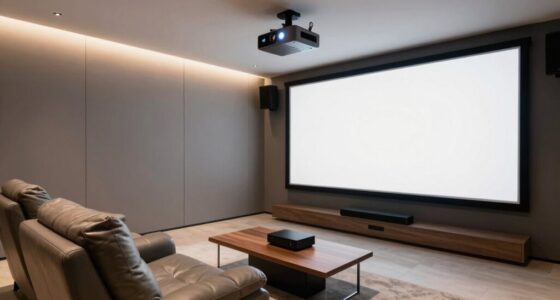
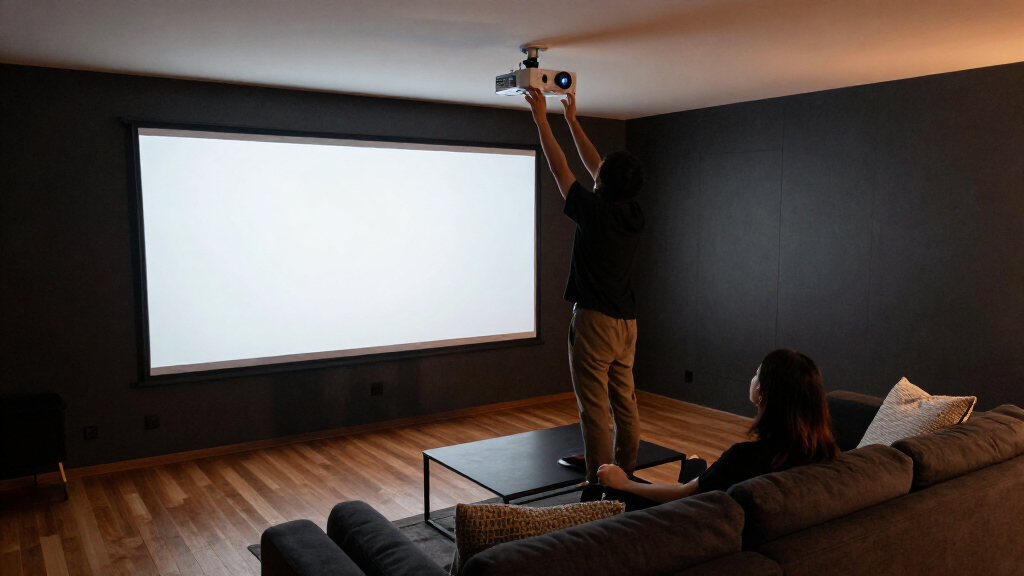
4K projectors for media rooms only fit well when their throw distance, lens range, and image size suit the room. Throw ratio determines how far the projector must sit from the screen to make an image of a given width. Check the maker’s throw calculator before drilling holes; a mount placed just a few feet wrong can force you to shrink the image or move furniture.
For a practical example, say you want a 100-inch diagonal screen and plan to mount the projector behind the seating row. Measure the screen width, then check whether the lens can produce that width at the available distance. Also check ceiling height, zoom range, lens shift, focus behavior, heat, and fan noise. A projector that hums above the couch during a quiet scene can be more irritating than a small difference in sharpness.
Ultra-short-throw (UST) models sit close to the wall and can work when a ceiling mount is awkward. They need a very flat screen surface because even small wall bumps can bend the image. UST placement can be convenient, but it does not automatically make a model brighter or better than a standard-throw projector.
Use this order to plan the installation:
- Measure the room, including screen wall, ceiling, seating, and projector position.
- Pick a screen size that suits your seating distance and the wall’s clear width.
- Check the lens and throw calculator for the exact image width at your planned mount position.
- Confirm connections and cable routes before fixing the mount in place.
Run power and signal cables safely, and avoid blocking ventilation. If the installation requires new wiring or work on electrical circuits, use a licensed professional and follow local code and permit requirements.
Get More From Contrast, HDR, and Color
4K projectors for media rooms create depth through contrast, black levels, and color, not resolution alone. Contrast controls how bright highlights stand out beside dark areas; black levels shape whether a shadow looks deep or gray. Real-world contrast depends on the projector’s imaging system, lens, room surfaces, and how well you control light.
Consider a night scene with a black coat against a dark wall. A projector with weak black levels may flatten both into a gray patch, even if it resolves fine texture elsewhere. Dark walls, ceilings, and flooring near the screen reduce reflected light and can make the same projector appear more dimensional. That room treatment may be a better upgrade than a higher resolution tier.
HDR support does not guarantee a bright, impactful HDR picture. Projectors generally have less peak brightness than many TVs, so tone mapping, color accuracy, screen size, and room conditions all affect the result. A model may accept an HDR signal yet have to compress bright highlights to fit its available light output. Look for reviews that describe actual HDR performance and calibration, not just a badge on the product page.
On a large screen in a dark room, rich color and controlled highlights can make a film feel expansive without burning out faces or snow scenes. If you keep lights on, the dark parts of the picture lose impact first. Test the content you watch most, and remember that a projector can mean native imaging or a resolution chip that uses pixel shifting; either way, the room still sets the stage for contrast and color.
Check Gaming Features and Connections by Signal
4K projectors for media rooms can suit gaming, but you need to check input lag, refresh rate, HDMI bandwidth, and supported formats for the exact input you’ll use. A headline refresh rate may apply only at a lower resolution or through a specific port. Variable refresh rate support and low-latency modes also vary by model.
Suppose you play a fast racing game on a console and stream films through a separate device. You might connect the console to one HDMI port and find that its high refresh mode works only there, while another port handles a different signal. Read the supported resolution and refresh rate for each input, and confirm that your console, cable, and projector all support the same format.
Projectors can add setup choices that TVs hide. A long cable run to a ceiling mount may need a cable rated for the signal bandwidth, and an external streaming device may offer a smoother app experience than built-in software. For movie nights, plan how audio reaches your soundbar or receiver; built-in projector speakers may not fill a large room with clear dialogue or convincing bass.
Think about your actual mix of use. If you mostly watch films and play slower games, a cinema-focused picture may matter more than the lowest possible delay. If competitive play comes first, prioritize measured input lag and the modes you’ll actually use, then confirm the projector can maintain them at your chosen resolution.
Budget for the Whole Media Room Setup
4K projectors for media rooms cost more than their purchase price once you add a screen, mount, cabling, audio, and room light control. A bare projector aimed at a wall can get a movie playing, but the final picture and sound may fall short of what you expected from a dedicated room. Write down the complete setup before comparing model prices.
For example, someone buying a projector for a finished basement might need only a screen, mount, and cable. A family room with afternoon sun could also need curtains or a screen designed for the space, while a long ceiling run may call for more expensive signal cabling. Those extras can change which projector fits the budget.
Light source affects running costs and convenience. Laser and LED projectors often start quickly and offer long service life; lamp models can cost less upfront but need eventual lamp replacement. Advertised lifespans are estimates, and actual life depends on use. Check replacement lamp pricing and service details when comparing an inexpensive lamp model with a laser option.
Use this simple comparison when reviewing the total:
| Cost or feature | What to check |
|---|---|
| Projector | Resolution method, brightness, contrast, gaming support |
| Screen | Size, gain, material, viewing angle |
| Installation | Mount, throw distance, cables, safe power access |
| Room and sound | Curtains, dark surfaces, audio system, streaming device |
| Ongoing use | Lamp replacement or light-source service expectations |
Compare the whole setup, not just the price tag. That makes it easier to choose a projector that will work in your room without leaving the screen or sound system as an afterthought.
Frequently Asked Questions
Is a 4K projector worth it compared with a 4K TV?
A projector is a strong choice when you want a very large image and can control room light. A TV is often easier in a bright room or for all-day use, since sunlight and lamps can wash out projected images. Compare screen size, room conditions, and total setup cost before choosing.
What is the difference between native 4K and pixel-shifted 4K?
Native 4K uses an imaging chip that addresses more pixels directly. Pixel-shifted models rapidly move a lower-resolution image to create a detailed 4K-like picture. Both can look sharp at normal seating distances, but native detail may be easier to see on a large screen from close seating.
How bright should a projector be for a media room?
There is no single lumen number that suits every room. A light-controlled room can work with less brightness, while a larger screen or ambient light calls for more. Screen gain, room surfaces, and curtains affect the result, so compare the full setup rather than choosing by advertised lumens alone.
Can a projector produce a good HDR picture?
Yes, but HDR support does not guarantee the bright highlights you might see on a high-end TV. Projector brightness, tone mapping, color accuracy, screen size, and room light shape the result. Look for real-world performance information for the exact model and screen size.
How far from the screen does the projector need to sit?
The distance depends on the screen width and the projector’s throw ratio and lens range. Use the manufacturer’s throw calculator for your chosen image size and planned mounting position. Check lens shift and zoom too, since they can affect installation flexibility.
Are laser projectors better than lamp-based models?
Laser models often offer quick startup and long service life, while lamp models may cost less upfront but need eventual lamp replacement. Product lifespan figures are estimates that depend on use. Compare purchase price, replacement costs, brightness, and your preferred maintenance routine.
Conclusion
Choose a projector by starting with your room, screen, and seating, then match resolution, brightness, contrast, and connections to that setup. Check the throw distance before you buy, and budget for the screen and sound as carefully as the projector itself.
A well-planned 100-inch image can feel more like a cinema than a brighter, more expensive projector fighting your windows. Make the room work with the light, and the screen will do the rest.