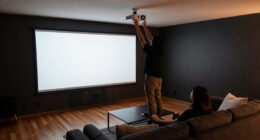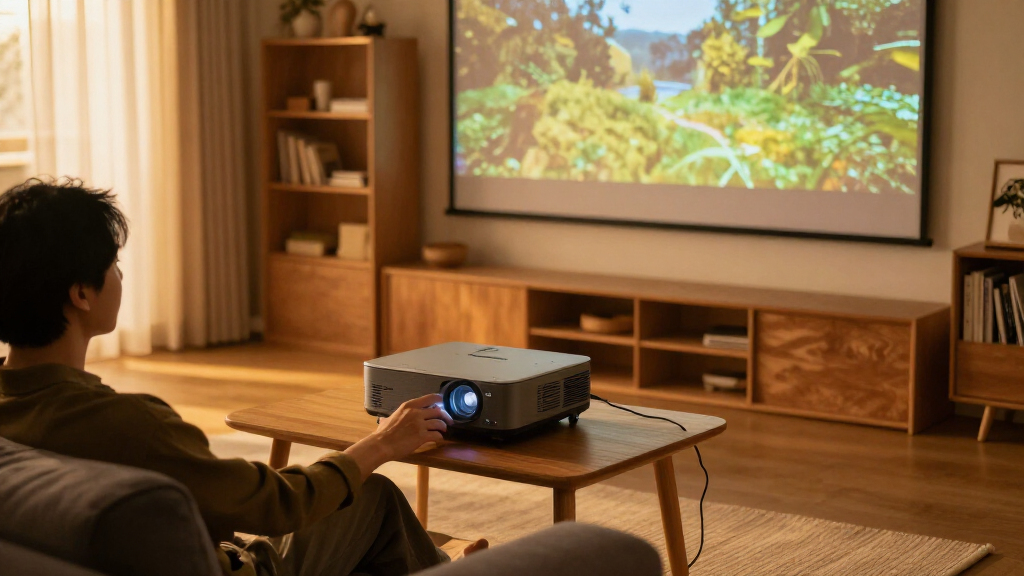
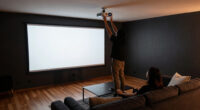
When choosing a 4K projector for a media room, the core decision is whether to pay more for a light source that lasts longer with less upkeep or spend less upfront and accept periodic lamp replacement. Laser and lamp models can both produce detailed large-screen images, but their brightness over time, maintenance, and typical purchase prices differ. Laser is the stronger fit for frequent viewing and buyers who want predictable performance; a lamp model makes more sense for occasional movie nights or a strict budget. The right choice also depends on room lighting, screen size, and how much control you have over the viewing environment.

Get business pricing on your home office setup
- Business-only prices and quantity discounts
- Tax-exempt purchasing
- Multiple users, one account, clear invoices

Optoma UHZ36 4K UHD Laser HDR Home Theater Projector
- ✔ Native resolution: 3840 × 2160
- ✔ Display type: DLP
- ✔ Brightness: 3,500 lumens

ViewSonic LS901-4K 4K UHD Laser Projector
- ✔ Resolution: 3840 × 2160
- ✔ Brightness: 5,500 ANSI lumens
- ✔ HDR: HDR/HLG
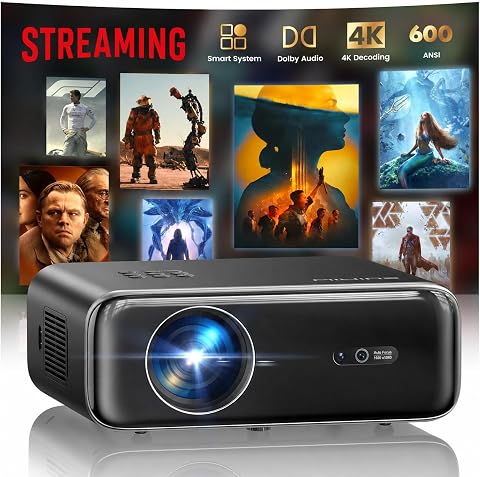
WiMiUS P62 Pro Smart Outdoor Projector, Native 1080p with 4K Support
- ✔ Native resolution: 1920 × 1080
- ✔ 4K support: Yes; displayed at native 1080p
- ✔ Brightness: 600 ANSI lumens
At a Glance
| Criteria | 4K laser projectors | 4K lamp projectors | Winner |
|---|---|---|---|
| Upfront cost | Usually higher, though prices vary widely by model and features | Often the less expensive way into 4K projection | B |
| Light-source lifespan and upkeep | Long-lasting light source with no routine bulb changes | Lamp dims with use and eventually needs replacement | A |
| Brightness over time | Typically holds brightness more steadily as it ages | Brightness falls as the lamp ages, with the pace depending on use and settings | A |
| Picture quality | Can deliver excellent detail and color; contrast depends on the individual model | Can deliver excellent detail and color; contrast depends on the individual model | Tie |
| Room and screen needs | Available in models for dark rooms and brighter rooms; match output to screen and ambient light | Model brightness and throw distance determine how well it suits the room | Depends |
| Operating costs and value | Higher initial spend can pay off for frequent use and reduced maintenance | Lower entry cost, plus future bulb costs and replacement effort | Depends |
Optoma UHZ36 4K UHD Laser HDR Home Theater Projector
For a media room built around movies and a large screen, the Optoma UHZ36 is the clearest fit in this lineup. Its 3840 × 2160 resolution displays native 4K detail, and Filmmaker Mode is intended to preserve the source’s frame rate, color, and aspect ratio. That makes it a more natural first choice for film viewing than the WiMiUS, which accepts 4K video but outputs at 1080p.Its stated 3,500 lumens and HDR support give buyers a capable feature set, though no brightness figure removes the need to consider room lighting and screen conditions. The laser source is rated for up to 30,000 hours, which may suit a room used regularly without the lamp replacement cycle associated with some projector types. The ViewSonic is brighter on paper and offers more placement adjustments, so it may fit a brighter or more complicated room better. Optoma’s appeal is the balance between native resolution and a film-oriented feature set.We would plan on external audio for a proper media room: the built-in speaker is rated at 15 watts, useful as a fallback but unlikely to replace a dedicated sound system. The light source warranty is also limited to one year or 20,000 hours, whichever comes first, despite the longer stated source life. Buyers should check throw distance and screen dimensions before choosing a mounting position.
Pros:
- Native 3840 × 2160 resolution for displayed 4K detail.
- Filmmaker Mode preserves source frame rate, color, and aspect ratio.
- Laser light source rated for up to 30,000 hours.
- Supports tabletop or ceiling mounting.
Cons:
- Built-in speaker is only a 15-watt option for room audio.
- Light source warranty is limited to one year or 20,000 hours.
- Room placement still requires matching the throw distance to the chosen screen.
Best for: Movie-focused media-room owners who want native 4K, HDR, and a film-oriented picture mode.
Not ideal for: Buyers who need maximum stated brightness, extensive lens placement adjustments, or a built-in speaker to serve as their main room audio.
Bottom line: For a movie-first media room, the UHZ36 offers the strongest blend of native 4K, HDR, and film-focused features in this group.
“For a movie-first media room, the UHZ36 offers the strongest blend of native 4K, HDR, and film-focused features in this group.”
ViewSonic LS901-4K 4K UHD Laser Projector
The ViewSonic LS901-4K is the option to consider when room brightness or projector placement is the main constraint. Its stated 5,500 ANSI lumens are the highest in this group, and 1.7× optical zoom, lens shift, and horizontal and vertical keystone adjustment give installers more ways to fit an image to the room. Compared with the Optoma UHZ36, it offers more brightness and placement flexibility; the Optoma makes a more direct case for a film-centered setup.It also provides native 4K UHD, HDR/HLG support, and a 21:9 aspect ratio. The listed 240Hz refresh rate and 4.2ms input lag point toward fast-paced gaming and sports as well as movie nights. That versatility can be useful in a multipurpose media room, but buyers focused only on cinematic viewing may not value those speed features as much as the Optoma’s Filmmaker Mode.Installation planning remains important. The projector is listed for ceiling mounting, and its stated power consumption is 520 watts, so both mounting requirements and operating setup deserve consideration. Its laser source is rated for 20,000 hours, shorter on paper than the Optoma’s 30,000-hour rating. This makes ViewSonic a strong choice when flexibility and brightness lead the brief, with less of an edge for a simple, movie-only setup.
Pros:
- Native 4K UHD with HDR/HLG support.
- Highest stated brightness in this comparison at 5,500 ANSI lumens.
- 1.7× optical zoom, lens shift, and keystone adjustment expand placement options.
- 240Hz refresh rate and 4.2ms input lag suit fast-paced content.
Cons:
- Listed for ceiling mounting, which may call for a compatible mount and installation.
- Laser light source is rated for 20,000 hours, less than the Optoma’s stated rating.
- Its gaming and installation features may add little value in a movie-only room.
Best for: Households with a brighter multipurpose room, a challenging mounting position, or a mix of movies, sports, and gaming.
Not ideal for: Movie purists who prioritize film-specific processing or buyers who want a tabletop setup and minimal installation planning.
Bottom line: Choose the LS901-4K when brightness and installation flexibility matter more than a dedicated film-first feature set.
“Choose the LS901-4K when brightness and installation flexibility matter more than a dedicated film-first feature set.”
WiMiUS P62 Pro Smart Outdoor Projector, Native 1080p with 4K Support
The WiMiUS P62 Pro is the convenience pick, not a true 4K alternative to the other two. It accepts 4K video, but its native resolution is 1920 × 1080, so the image is displayed at 1080p. That limits fine detail on a large media-room screen compared with the Optoma and ViewSonic, both of which provide native 4K UHD.Where WiMiUS has a different advantage is day-to-day setup. Built-in apps, Wi-Fi 6, Bluetooth 5.2, and automatic focus and image correction make it easier to get viewing without assembling a separate streaming setup or adjusting every image setting by hand. The dual HDMI and USB ports add room for connected devices, while its dual 10W speakers offer a more substantial built-in audio option than Optoma’s 15W single speaker specification suggests on paper. For a full media room, though, we would still plan for external sound.The 600 ANSI lumens rating is far below the other projectors here, which makes a darkened room especially important. Its portable convenience and 50–100% zoom may suit casual viewing or a secondary room, but buyers seeking crisp native 4K across a large screen should choose one of the laser models. A carrying case is not included, despite the product’s outdoor positioning.
Pros:
- Built-in streaming apps reduce reliance on a separate streaming device.
- Auto focus, keystone correction, obstacle avoidance, and screen alignment simplify setup.
- Wi-Fi 6, Bluetooth 5.2, two HDMI ports, and two USB ports support varied devices.
- Dual 10W speakers include Dolby Audio and two-way Bluetooth.
Cons:
- 4K video is displayed at native 1080p resolution.
- 600 ANSI lumens makes room darkening important.
- Carrying case is not included.
Best for: Buyers who value built-in streaming, automatic setup aids, and flexible device connections over native 4K detail.
Not ideal for: Dedicated media-room buyers who want native 4K resolution, higher brightness, or a projector designed primarily for large-screen movie viewing.
Bottom line: The P62 Pro is a practical convenience choice for casual viewing, but its 1080p output and lower brightness make it the weakest fit for a dedicated 4K media room.
“The P62 Pro is a practical convenience choice for casual viewing, but its 1080p output and lower brightness make it the weakest fit for a dedicated 4K media room.”
As an Amazon Associate we earn from qualifying purchases.
Key Differences
The most meaningful difference is ownership over time. A lamp projector can save money at checkout, but its bulb loses brightness as it is used and will eventually need replacing. That adds a future expense and a maintenance task, and the image may look less vivid before the bulb reaches the end of its rated life. A laser projector costs more initially, but its light source generally lasts much longer and its output tends to remain more consistent. For a room used several nights a week, that steady performance and reduced upkeep can justify the premium.
Neither light source guarantees a better picture by itself. Resolution, lens quality, contrast, color performance, HDR handling, and calibration all affect what appears on screen. A strong lamp model can outperform a mediocre laser model in picture quality, while a laser model can offer convenience without fixing a poor contrast ratio or unsuitable screen. Room conditions matter too: a dark, controlled room lets buyers prioritize contrast, while ambient light and a large screen may call for more brightness, regardless of light source.
For most buyers who expect frequent use and can afford the higher purchase price, a well-reviewed laser model is the more convenient long-term choice. A lamp model remains a sensible value pick when the budget is tight, viewing is occasional, or the buyer is comfortable budgeting for bulb replacement. Compare specific models on image performance and installation needs before treating laser or lamp as a proxy for picture quality.
Detailed Comparison
Upfront cost (4K lamp projectors wins — moderate)
Lamp projectors generally win on purchase price, making them a more accessible way to get a large 4K image. The gap varies by model, and premium lamp projectors can cost more than entry-level laser options, but buyers on a fixed budget will usually find more low-cost choices among lamps. This is a moderate advantage for lamp: it can leave more money for a screen, sound system, or room blackout.
Light-source lifespan and upkeep (4K laser projectors wins — major)
Laser wins by a major margin in convenience. Its light source is designed for a long service life and does not require routine bulb changes. A lamp projector will need a replacement after extended use, and the owner must account for sourcing and fitting it. Occasional viewers may find that manageable, but frequent viewers get more benefit from the laser’s reduced maintenance.
Brightness over time (4K laser projectors wins — moderate)
Laser has a moderate edge because it generally maintains a more consistent level of brightness as it ages. Lamp output declines with use, which may make the image look less punchy and prompt replacement before the lamp stops working. The difference matters most to buyers who use the projector often or want a stable picture for years; it matters less to someone who watches infrequently.
Picture quality (major difference)
This is a tie between light-source types, with a major caveat: the projector model matters more than whether it uses a lamp or laser. Both can show detailed 4K images, while contrast, lens quality, color accuracy, HDR performance, and image processing vary by product. Compare independent measurements and reviews of the models you are considering. A laser label alone does not justify paying more for a weaker image.
Room and screen needs (major difference)
Neither type wins across all media rooms, so this depends on the installation. Bright rooms and larger screens need enough light output, while a dark room often makes contrast and black levels more noticeable. Throw distance, zoom range, lens shift, screen material, and seating layout can rule out a projector regardless of its light source. Confirm that the specific model fits the room before choosing by technology.
Operating costs and value (moderate difference)
Laser is often better value for frequent use because it avoids periodic bulb purchases and keeps performance steadier. Lamp is often better value when the purchase budget is the main constraint and annual viewing hours are modest. The gap is moderate and depends on the projector’s price, lamp replacement cost, and how often it runs. Estimate ownership costs using the actual models rather than assuming the more expensive projector always wins.
4K laser projectors: Pros and Cons
Pros:
- Long service life with little light-source maintenance
- More consistent brightness as the projector ages
- A strong fit for frequent viewing and regular use
Cons:
- Usually costs more upfront
- Laser does not guarantee superior contrast or overall picture quality
- A poor match on brightness, lens, or placement can still disappoint
4K lamp projectors: Pros and Cons
Pros:
- Often lower purchase price
- Can deliver excellent 4K detail and color when the model is well chosen
- Makes sense for occasional viewing or a tighter initial budget
Cons:
- Lamp brightness declines with use
- Bulb replacement adds cost and maintenance
- Frequent viewers may notice aging performance sooner
Who Should Choose What
Choose 4K laser projectors if:
- You use the media room several nights a week and want less upkeep.
- You value steadier brightness over the years and can absorb the higher upfront cost.
- Replacing a bulb or tracking its condition would be an unwelcome chore.
Choose 4K lamp projectors if:
- You want the lowest practical purchase price for a large-screen 4K setup.
- You watch occasionally and expect to accumulate lamp hours slowly.
- You would rather spend less now and accept future bulb costs when they arise.
Skip both if: Skip both if the room is too bright for projection and cannot be darkened, or if a suitably sized television would better meet your needs for daytime viewing, black levels, and simple setup.
Value for Money
Paying more for laser is worth it for buyers who use the projector regularly, plan to keep it for years, and place value on stable brightness and fewer maintenance tasks. That premium buys convenience and a longer-lasting light source, not automatically a better picture. If the laser model costs substantially more than a lamp model with stronger contrast, better lens flexibility, or a more suitable brightness level, the lamp may deliver more viewing value.
Lamp is the better value when upfront spending matters most and usage is light enough that bulb replacement is a distant concern. Before buying, check the replacement lamp price and the manufacturer’s rated life under the picture mode you expect to use; brighter settings can affect longevity. Compare the total projected ownership cost over your intended years of use, alongside the screen and installation expenses. The best value is the model that fits both the room and the viewing habit, not simply the cheapest projector or the newest light source.
Final Verdict
For a frequently used media room, choose a quality 4K laser projector if its price fits your budget: the longer-lasting light source, steadier brightness, and reduced upkeep are worthwhile for regular viewing. Choose a 4K lamp projector if you want a lower entry price, watch less often, and are comfortable replacing a bulb later. The biggest deciding factor is how much you use the room over the projector’s lifetime. In either case, judge the specific model’s contrast, brightness, lens, and fit for your room before paying a premium for its light source.
Frequently Asked Questions
Does a laser 4K projector always have a better picture than a lamp projector?
No. Both types can produce detailed 4K images. Contrast, lens quality, color accuracy, HDR performance, and processing depend on the individual projector, so compare the exact models.
Is a laser projector worth the higher price for a media room?
Usually, if the room gets frequent use and you value steady brightness and minimal light-source maintenance. For occasional viewing, the lower price of a lamp model may be more valuable than the convenience of laser.
How often will a lamp projector need a new bulb?
It depends on the projector, lamp, settings, and hours of use. Check the manufacturer’s lamp-life estimate and replacement cost for the specific model, and remember that output may dim before the bulb stops working.
Which type is better for a bright room or large screen?
Neither type wins automatically. Compare the actual light output and installation features, and consider how much ambient light reaches the screen. A controlled, darker room improves the experience with either type.
Should I choose a projector over a large television?
A projector suits buyers who want a very large image and can control room light. A television is often the simpler choice for bright daytime use, strong black levels, and straightforward setup.