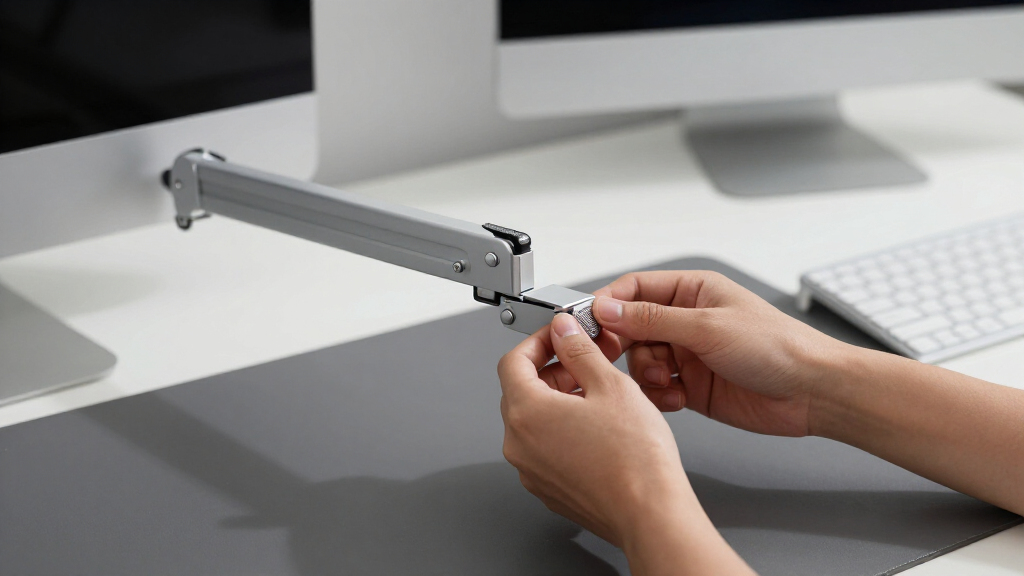

An adjustable monitor arm reclaims desk space, fixes your screen height, and lets you reposition a display with one hand — and after comparing 15 of the most popular options, the HUANUO FlowLift Dual Monitor Stand is my pick as the best adjustable monitor arm for most people, thanks to its smooth gas-spring movement, wide 13–32 inch compatibility, and both mounting bases included in the box. If you run a single screen on a tighter budget, the Amazon Basics Gas Spring Single Monitor Arm delivers the same core adjustability for much less money. Buyers with heavier displays or daily adjustment habits should look at the HUANUO FlowLift Pro, the upgrade pick of this lineup. The main tradeoff in this category is gas-spring smoothness versus mechanical-spring price: cheaper arms hold a position reliably but fight you during adjustments, while pricier ones float effortlessly. Weight capacity and VESA fit matter more than brand names — a mismatch on either is the number-one reason these mounts disappoint. Keep reading for my full ranking of all 15 arms, who each one suits, and who should skip it.

Get business pricing on your home office setup
- Business-only prices and quantity discounts
- Tax-exempt purchasing
- Multiple users, one account, clear invoices
Complete the kit


Key Takeaways
- Gas springs separated the winners from the budget pack: the top-ranked arms (HUANUO FlowLift series, Amazon Basics) adjust with one hand, while mechanical-spring models like the WALI, SmooVex, and VIVO STAND-V002O hold position well but resist while you move them.
- Dual arms are the value story of this roundup — 7 of the 15 mounts reviewed are duals, and most cost under $25 more than their single counterparts, which is a big reason the HUANUO FlowLift Dual took the top spot.
- Weight capacity, not screen size, decided the heavy-monitor picks: the VIVO dual rated at 22 lbs per arm and the ErGear Heavy Duty handle loads that would slowly sink the 15.4-lb-rated Amazon Basics and WALI singles.
- Mounting hardware turned out to be a real differentiator — the ErGear dual’s tool-free VESA plates and the clamp-plus-grommet boxes from HUANUO, VIVO, and MOUNTUP fit nearly any desk, while limited hardware narrows your options.
- Price and smoothness track together only up to about $40: above that line you’re paying for weight capacity, finish, and cable management rather than better motion — the FlowLift Pro’s premium buys refinement, not extra range.
| HUANUO FlowLift™ Pro Monitor Arm for 13–32″ Screens |  | Best Overall | Screen Size Range: 13–32 inches | Max Load: 19.8 lbs | VESA Compatibility: 75×75mm, 100×100mm | VIEW LATEST PRICE | See Our Full Breakdown |
| HUANUO FlowLift™ Dual Monitor Stand for 13–32″ Screens |  | Best Dual Monitor Setup | Screen Size Range: 13–32 inches per screen | Load per Arm: 4.4–19.8 lbs | VESA Compatibility: 75×75mm, 100×100mm | VIEW LATEST PRICE | See Our Full Breakdown |
| WALI Single Monitor Mount for 13-34 inch Screens |  | Best for Large Monitors | Screen Size Range: 17–34 inches | Max Load: 26.4 lbs | VESA Compatibility: 75×75mm, 100×100mm | VIEW LATEST PRICE | See Our Full Breakdown |
| Amazon Basics Gas Spring Single Monitor Arm Desk Mount |  | Best Value Pick | Screen Size Range: 15–27 inches | Weight Capacity: 4.4–15.4 lbs | Spring Type: Adjustable gas spring | VIEW LATEST PRICE | See Our Full Breakdown |
| VIVO Dual Monitor Stand, Mechanical Articulating Desk Mount (STAND-V002O) |  | Best Budget Dual Arm | Screen Compatibility: 17–32 inches per screen | Weight Capacity: 19.8 lbs per arm | Arm Type: Mechanical articulating (no gas spring) | VIEW LATEST PRICE | See Our Full Breakdown |
| ErGear Dual Monitor Arm for 13–32″ Screens |  | Best Overall | Supported Screen Size: 13–32 inches | Max Load: 19.8 lbs per arm | VESA Pattern: 75x75mm, 100x100mm | VIEW LATEST PRICE | See Our Full Breakdown |
| VIVO Dual Monitor Desk Mount for 13-30 inch Screens |  | Best for Heavy Monitors | Screen Size: 13–30 inches | Weight Capacity: 22 lbs per arm | Mounting Type: C-clamp or grommet | VIEW LATEST PRICE | See Our Full Breakdown |
| MOUNTUP Dual Monitor Stand for 17-32 inch Screens |  | Best for Frequent Repositioning | Screen Size: 17–32 inches | Weight Capacity: 4.4–17.6 lbs | VESA Compatibility: 75x75mm, 100x100mm | VIEW LATEST PRICE | See Our Full Breakdown |
| ErGear Dual Monitor Stand for 2 Screens up to 32 Inches |  | Best Budget Dual | Monitor Size Compatibility: 13–32 inches | Weight Limit: 17.6 lbs per arm | VESA Compatibility: 75x75mm, 100x100mm | VIEW LATEST PRICE | See Our Full Breakdown |
| VIVO Single Monitor Arm Desk Mount for 13-38 inch Screens |  | Best for Ultrawides | Screen Size Compatibility: 13–38 inches | Weight Capacity: 22 lbs | VESA Compatibility: 75x75mm, 100x100mm | VIEW LATEST PRICE | See Our Full Breakdown |
| ErGear Single Monitor Arm for 13–34 Inch Screens |  | Best Overall | Screen Size: 13–34 inches | Weight Capacity: Up to 19.8 lbs | VESA Pattern: 75x75mm / 100x100mm | VIEW LATEST PRICE | See Our Full Breakdown |
| WALI Dual Monitor Stand for 13-32 inch Screens |  | Best Dual-Monitor Value | Screen Size: 13–32 inches (per screen) | Weight Capacity: 22 lbs per arm | VESA Pattern: 75x75mm / 100x100mm | VIEW LATEST PRICE | See Our Full Breakdown |
| SmooVex™ Monitor Mount for Up to 32 Inches, Model-A5 (Black) |  | Best Basic Mechanical-Spring Pick | Screen Size: 17–32 inches | Spring Type: Mechanical spring | VESA Pattern: 75x75mm / 100x100mm | VIEW LATEST PRICE | See Our Full Breakdown |
| Acer Single Monitor Mount, Fully Adjustable Monitor Arm for 17-34″ Screens |  | Best Premium Single Arm | Screen Size: 17–34 inches | Weight Capacity: 4.4–19.8 lbs | VESA Pattern: 75x75mm / 100x100mm | VIEW LATEST PRICE | See Our Full Breakdown |
| HUANUO FlowLift™ Single Monitor Mount, 13 to 32 Inch |  | Best for Beginners | Screen Size: 13–32 inches | Weight Capacity: 4.4–19.8 lbs | VESA Pattern: 75x75mm / 100x100mm | VIEW LATEST PRICE | See Our Full Breakdown |
| adjustable monitor arm | Weight Capacity |
|---|---|
| HUANUO FlowLift™ Pro Monitor A | — |
| HUANUO FlowLift™ Dual Monitor | — |
| WALI Single Monitor Mount for | — |
| Amazon Basics Gas Spring Singl | 4.4–15.4 lbs |
| VIVO Dual Monitor Stand | 19.8 lbs per arm |
| ErGear Dual Monitor Arm for 13 | — |
| VIVO Dual Monitor Desk Mount f | 22 lbs per arm |
| MOUNTUP Dual Monitor Stand for | 4.4–17.6 lbs |
| ErGear Dual Monitor Stand for | — |
| VIVO Single Monitor Arm Desk M | 22 lbs |
| ErGear Single Monitor Arm for | Up to 19.8 lbs |
| WALI Dual Monitor Stand for 13 | 22 lbs per arm |
| SmooVex™ Monitor Mount for Up | — |
| Acer Single Monitor Mount | 4.4–19.8 lbs |
| HUANUO FlowLift™ Single Monito | 4.4–19.8 lbs |
More Details on Our Top Picks
HUANUO FlowLift™ Pro Monitor Arm for 13–32″ Screens
The HUANUO FlowLift Pro takes the top slot because it addresses the two complaints I hear most about mid-priced arms: gradual sag and awkward installation. Its MechaSpring mechanism is mechanical rather than gas-driven, so it holds a set position without the slow drift that can creep into cheaper gas arms like the Amazon Basics Gas Spring Single Monitor Arm. The snap-in VESA plate lets a screen click on without tools, which matters the first time you mount a 32-inch panel at arm’s length. Against the WALI Single Monitor Mount, it concedes size headroom — the WALI carries 34-inch, 26.4-pound screens versus this arm’s 32-inch, 19.8-pound ceiling — but the 90% metal construction feels more planted in daily repositioning. The real tradeoff is compatibility: HUANUO steers you toward wooden desktops only, and heavier displays are out. For a standard 24- to 32-inch screen, this is the most rounded pick here.
Pros:- MechaSpring holds position without the drift common to gas arms
- Tool-free snap-in VESA plate makes mounting a screen take seconds
- 90% metal build feels planted during daily repositioning
- Broad 13–32 inch range covers most single-monitor setups
Cons:- Wooden desks only — glass and plastic desktops are ruled out
- 19.8 lb weight cap excludes heavier displays
- Desk must be free of cross beams underneath for the clamp to seat properly
Best for: Solo-monitor users with a 24–32 inch screen who want smooth one-hand adjustments and a fast, tool-free install on a wooden desk
Not ideal for: Owners of glass or plastic desks, or screens over 19.8 lbs — HUANUO’s compatibility rules shut both out
- Screen Size Range:13–32 inches
- Max Load:19.8 lbs
- VESA Compatibility:75×75mm, 100×100mm
- Spring Type:MechaSpring (mechanical)
- Mounting Options:C-clamp, grommet
- Desk Thickness:0.59–3.54 inches
- Material:90% professional-grade metal
- VESA Installation:Tool-free snap-in plate
Our verdict“The easiest single arm to recommend — refined, sturdy, and simple to fit, as long as your desk and screen fall inside its compatibility window.”
HUANUO FlowLift™ Dual Monitor Stand for 13–32″ Screens
Running two screens changes the math on stability, and the HUANUO FlowLift Dual is built around that reality. Where the VIVO STAND-V002O relies on a conventional clamp and stiffer mechanical joints, this model locks down with a dual C-clamp base and a larger platform, so both arms stay put when you type or game hard. Each screen gets the same one-hand adjustability as the single-arm HUANUO FlowLift Pro — pull it close for spreadsheets, swing it back for video — plus a 15.75-inch lift that genuinely fixes posture. The catch is HUANUO’s long compatibility list: wooden desks only, no cross beams underneath, and each monitor must land between 4.4 and 19.8 pounds, so a featherweight screen can ride high. If your desk and displays fit that window, this is the cleanest way to reclaim a two-monitor desktop.
Pros:- Dual C-clamp with larger platform resists wobble across two screens
- One-hand tilt, swivel, and 360° rotation per arm
- 15.75-inch lift supports a healthier seated posture
- Built-in cable channels keep a two-screen setup tidy
Cons:- Strict desk rules — wood only, no cross beams, 0.59–3.54 inch thickness
- Monitors under 4.4 lbs per arm can sit too high on the tension
- Two-arm installs take more time and space planning than a single mount
Best for: Home-office workers and gamers running two matched 13–32 inch screens who want a rock-solid clamp and a cleared-off desktop
Not ideal for: Anyone with a glass desk, cross beams under the desktop, or ultralight monitors under 4.4 lbs per side
- Screen Size Range:13–32 inches per screen
- Load per Arm:4.4–19.8 lbs
- VESA Compatibility:75×75mm, 100×100mm
- Tilt:+85°/−50°
- Swivel / Rotation:±90° / 360°
- Max Height:15.75 inches
- Mounting Options:Dual C-clamp, grommet
- Desk Thickness:0.59–3.54 inches
- Cable Management:Built-in arm channels
Our verdict“The dual mount I’d buy for a matched pair of everyday monitors, provided the desk checks every box on HUANUO’s fit list.”
WALI Single Monitor Mount for 13-34 inch Screens
Most arms in this lineup top out at 32 inches, which is exactly why the WALI Single Monitor Mount earns its place. Its 26.4-pound capacity and 34-inch ceiling make it the only pick I’d trust with a bigger ultrawide or a heavy productivity panel — the HUANUO FlowLift Pro and Amazon Basics Gas Spring Arm cap out at 19.8 and 15.4 pounds respectively. You also get 19.3 inches of extension and a generous 17.3 inches of height travel, useful for standing-desk users who need a screen to come up high. The compromises show up in refinement: tilt stops at 70 degrees rather than the wider ranges elsewhere, adjustments feel more utilitarian than the HUANUO’s MechaSpring action, and WALI recommends wooden desks without crossbeams. For oversized screens, though, capacity beats polish every time.
Pros:- 26.4 lb capacity and 34-inch support leads this lineup
- 19.3-inch extension plus 17.3 inches of height travel
- ±180° swivel suits desks used from multiple positions
- C-clamp and grommet mounting both included
Cons:- Tilt tops out at 70°, narrower than rival arms
- Adjustments feel more utilitarian than spring-tensioned competitors
- Wooden desks without crossbeams recommended, limiting desk choices
Best for: Buyers running a 34-inch ultrawide or a heavier productivity screen that overwhelms standard 19.8-lb arms
Not ideal for: Shoppers with small 24-inch screens who’d pay for capacity they’ll never use while getting less refined tilt action
- Screen Size Range:17–34 inches
- Max Load:26.4 lbs
- VESA Compatibility:75×75mm, 100×100mm
- Tilt Range:70°
- Swivel:+180°/−180°
- Rotation:360°
- Extension:19.3 inches
- Height Adjustment:17.3 inches
- Mounting Options:C-clamp, grommet
Our verdict“The arm to pick when screen size and weight rule out everything else on the list.”
Amazon Basics Gas Spring Single Monitor Arm Desk Mount
Budget arms usually sacrifice the one thing that makes an arm pleasant: smooth, stay-put movement. The Amazon Basics Gas Spring Single Monitor Arm keeps it, delivering adjustable gas-spring tension and a 20.5-inch reach at a price that undercuts the HUANUO FlowLift Pro by a wide margin. It also fits desks up to 4 inches thick, a more forgiving range than the HUANUO or WALI mounts, so oddball desks are less of a gamble. Where the savings show is capacity and polish: 15.4 pounds and 27 inches is the ceiling, ruling out the larger screens the WALI Single Monitor Mount handles, and the joints arrive stiff until the tension is dialed in for your screen’s weight. I’d call it the right buy for a single everyday monitor; anyone with a premium panel or a heavy display should spend up.
Pros:- Real gas-spring tension at a budget price
- Long 20.5-inch extension for close-up work
- Fits desks 0.39–4 inches thick, the widest range here
- C-clamp and grommet hardware both included
Cons:- 15.4 lb capacity excludes larger and heavier monitors
- Joints ship stiff and need careful tension tuning
- Fit and finish trail pricier HUANUO and WALI arms
Best for: Budget buyers with a single 15–27 inch monitor who still want true gas-spring movement rather than a fixed bracket
Not ideal for: Owners of 32-inch or heavy screens — the 15.4 lb, 27-inch ceiling leaves no room to grow
- Screen Size Range:15–27 inches
- Weight Capacity:4.4–15.4 lbs
- Spring Type:Adjustable gas spring
- VESA Compatibility:75×75mm, 100×100mm
- Extension:Up to 20.5 inches
- Mounting Options:C-clamp, grommet
- Desk Thickness:0.39–4 inches
- Adjustments:Tilt, swivel, rotation
Our verdict“The low-cost way to get genuine gas-spring adjustability for a standard single monitor.”
VIVO Dual Monitor Stand, Mechanical Articulating Desk Mount (STAND-V002O)
The VIVO STAND-V002O is the veteran of this group, and its appeal is simple: two fully articulating arms for roughly what many brands charge for one. Because it uses mechanical joints instead of gas springs, there’s no pressure to bleed off over years of use — a real longevity argument over the Amazon Basics gas design. Each arm carries a 17- to 32-inch screen up to 19.8 pounds, matching the HUANUO FlowLift Dual on paper. In practice the HUANUO is the nicer daily experience: VIVO’s joints need two hands and occasional bolt snugging to reposition, the arms can jut past the rear of shallow desks, and assembly takes more patience. I’d frame it as the set-it-and-forget-it dual mount — dial in your angles once, and the value is hard to argue with.
Pros:- Two fully articulating arms for the price of many single mounts
- Mechanical joints won’t lose pressure like aging gas springs
- 19.8 lbs per arm matches pricier dual mounts
- Bolt-through grommet option adds installation flexibility
Cons:- Repositioning takes two hands and occasional bolt tightening
- Arms can extend past the back edge of shallow desks
- Assembly is more involved than tool-free rivals
Best for: Dual-screen buyers on a tight budget who set their angles once and rarely reposition afterward
Not ideal for: Frequent adjusters and shallow-desk setups — stiff joints and rear overhang work against both
- Screen Compatibility:17–32 inches per screen
- Weight Capacity:19.8 lbs per arm
- Arm Type:Mechanical articulating (no gas spring)
- VESA Pattern:75×75mm, 100×100mm
- Tilt Range:+90° to −90°
- Swivel / Rotation:180° / 360°
- Mounting Options:C-clamp, bolt-through grommet
- Model:STAND-V002O
Our verdict“A proven, inexpensive way to float two monitors if you can live with stiffer adjustments.”
ErGear Dual Monitor Arm for 13–32″ Screens
The ErGear Dual Monitor Arm earns the top slot because it removes the two annoyances I see most often with dual mounts: fiddly VESA screws and weak height range. The tool-free VESA plates snap panels on in minutes, and the 17.5-inch height travel beats the MOUNTUP Dual Monitor Stand’s 9.4 inches by a wide margin, which matters if you switch between sitting and standing. Where the VIVO Dual Monitor Desk Mount leans on raw steel strength, this ErGear leans on convenience, and I’d take that trade for most home offices. The catch is desk compatibility: ErGear recommends it only for wooden desks without crossbeams, so glass, metal-frame, or reinforced tops are out. The included instructions also get complaints for being dense, so budget some patience on setup day even though the hardware itself is simple.
Pros:- Tool-free VESA plates cut installation down to minutes
- 17.5-inch height range suits sit-stand desk users
- Supports 13–32 inch screens up to 19.8 lbs per arm
- Integrated cable management keeps dual setups tidy
Cons:- Rated only for wooden desks without crossbeams underneath
- Setup instructions are denser than the tool-free hardware suggests
- 19.8-lb per-arm cap falls short of the VIVO dual’s 22 lbs for heavier panels
Best for: Home-office workers with two standard monitors who want the fastest, least frustrating install and a height range that works across sitting and standing positions
Not ideal for: Anyone with a glass, metal, or crossbeam-reinforced desk — ErGear rates this arm for wooden tops only
- Supported Screen Size:13–32 inches
- Max Load:19.8 lbs per arm
- VESA Pattern:75x75mm, 100x100mm
- Height Adjustment:Up to 17.5 inches
- Arm Extension:Up to 18.1 inches
- Tilt:+80° / -50°
- Swivel:±90°
- Rotation:360°
- Mounting:C-clamp (0.39–2.56 in) or grommet (0.39–2.95 in)
Our verdict“The dual arm I’d buy for a typical two-monitor home office: quickest install and best height range, as long as your desk is wood.”
VIVO Dual Monitor Desk Mount for 13-30 inch Screens
If your panels are on the heavier side, the VIVO Dual Monitor Desk Mount is the safest bet in this lineup. Each arm carries 22 lbs, comfortably above the 17.6 lbs the ErGear Dual Monitor Stand allows and the 19.8 lbs of the tool-free ErGear arm, so thicker 30-inch displays with attached accessories sit without droop. The all-steel build and three-year warranty back that up. The tradeoff is refinement: height changes mean loosening and re-tightening joints rather than the fingertip glide you get from the pneumatic MOUNTUP Dual Monitor Stand, and assembly takes longer than the tool-free ErGear. I’d call this a set-it-and-forget-it mount — pick it if you adjust once and want it to stay put for years, not if you rearrange screens daily.
Pros:- Highest per-arm capacity in the lineup at 22 lbs
- All-steel build holds position without droop
- Backed by a three-year warranty
- Fits screens up to 30 inches with clamp or grommet mounting
Cons:- Height changes require loosening joints, not fingertip adjustment
- Assembly is more involved than newer tool-free designs
- Needs generous desk-edge clearance for the dual-arm base
Best for: Users running heavy 27–30 inch panels who set their layout once and want steel rigidity that holds for years
Not ideal for: People who reposition screens daily — height changes here mean tools and re-tightening, not gliding
- Screen Size:13–30 inches
- Weight Capacity:22 lbs per arm
- Mounting Type:C-clamp or grommet
- Tilt Range:90°
- Swivel:180°
- Rotation:360°
- Material:Steel
- Warranty:3 years
MOUNTUP Dual Monitor Stand for 17-32 inch Screens
The MOUNTUP Dual Monitor Stand is the one I’d hand to anyone who nudges their screens around all day. Its pneumatic arms float panels with one hand, so sliding a screen toward a colleague or swinging it aside takes seconds, where the jointed VIVO Dual Monitor Desk Mount wants an Allen key and two hands. The aluminum build keeps it lighter than the steel competition, and it still reaches 32-inch displays. Two compromises keep it from the top spot. First, you must dial in the arm tension to match your monitor’s weight during setup, and getting it wrong means sag or bounce. Second, the 9.4-inch height range is barely half of what the ErGear Dual Monitor Arm offers, so tall users and sit-stand desk owners may outgrow it.
Pros:- Pneumatic arms allow one-handed repositioning
- Aluminum construction keeps the unit lighter than steel rivals
- Handles two screens up to 32 inches
- Both clamp and grommet hardware included
Cons:- Arm tension must be dialed in manually during setup
- 9.4-inch height range is the shortest in this group
- 17.6-lb ceiling excludes heavier displays
Best for: Shared desks, hot-deskers, and anyone who swings their screens around constantly through the workday
Not ideal for: Sit-stand desk users who need big vertical travel — 9.4 inches of height range runs out fast
- Screen Size:17–32 inches
- Weight Capacity:4.4–17.6 lbs
- VESA Compatibility:75x75mm, 100x100mm
- Tilt Range:90°
- Arm Extension:17.3 inches
- Height Adjustment:9.4 inches
- Mounting Options:C-clamp or grommet
- Material:Aluminum
Our verdict“The right dual mount for constant adjusters who value smooth motion over vertical reach.”
ErGear Dual Monitor Stand for 2 Screens up to 32 Inches
Think of the ErGear Dual Monitor Stand as the stripped-down sibling of the tool-free ErGear Dual Monitor Arm. You give up the snap-on VESA plates and a chunk of tilt range — ±45° here versus +80°/-50° on its pricier sibling — but you keep the parts that matter day to day: 32-inch support, a 31.22-inch arm span for wide dual setups, and 16 inches of height. Compared with the VIVO Dual Monitor Desk Mount, it trades the 22-lb capacity for a simpler build that usually costs less. I’d point budget buyers here without hesitation, with two warnings. The 17.6-lb per-arm cap rules out heavier displays, and like its sibling it insists on a wooden desk with specific thickness and clearance, so measure your top and check underneath before ordering.
Pros:- 31.22-inch arm span spreads two 32-inch screens wide
- 16 inches of height adjustment for real ergonomic range
- Detailed instructions and full hardware kit in the box
- Typically priced below the tool-free ErGear arm
Cons:- Tilt limited to ±45°, narrower than most rivals here
- Requires a wooden desk with specific thickness and clearance
- 17.6-lb per-arm limit rules out heavier monitors
Best for: Budget-conscious buyers outfitting a two-screen setup who can accept a narrower tilt range to save money
Not ideal for: Owners of displays over 17.6 lbs per side, or anyone without a solid wood desk within the rated thickness
- Monitor Size Compatibility:13–32 inches
- Weight Limit:17.6 lbs per arm
- VESA Compatibility:75x75mm, 100x100mm
- Arm Span:31.22 inches
- Height:16 inches
- Tilt:±45°
- Swivel:±90°
- Rotation:360°
- Installation:C-clamp or grommet mount
Our verdict“A sensible savings play for dual 32-inch screens if you can live with less tilt and a wood-only desk rule.”
VIVO Single Monitor Arm Desk Mount for 13-38 inch Screens
Not everyone needs two arms, and the VIVO Single Monitor Arm is my pick for anyone running one big panel. It’s the only option here rated for 38-inch screens — every dual mount in this roundup tops out at 30 or 32 inches — and the 22-lb capacity matches what the VIVO Dual Monitor Desk Mount offers per arm. The clamp swallows desks up to 3.25 inches thick, the widest tolerance in this group, which makes it the friendliest choice for thick butcher-block tops. The tradeoffs are straightforward: a 22-lb ceiling means some hefty ultrawides with metal housings should check their panel weight first, and buying a single arm now means starting over with a second mount if you add a screen later, where the ErGear Dual Monitor Arm would have grown with you. For a one-monitor desk, though, nothing here fits better.
Pros:- Only option here rated for 38-inch ultrawides
- Clamp fits desks up to 3.25 inches thick
- 22-lb capacity covers most large panels
- Tool-less clamp and grommet options simplify installation
Cons:- 22-lb ceiling still excludes the heaviest ultrawides — check panel weight first
- Single arm means a second mount later if your setup grows
- 16-inch height travel trails the ErGear dual’s 17.5 inches
Best for: Single-monitor and ultrawide owners — especially anyone with a thick desktop up to 3.25 inches
Not ideal for: Dual-screen planners — buying this now means purchasing a whole second mount when you add a display
- Screen Size Compatibility:13–38 inches
- Weight Capacity:22 lbs
- VESA Compatibility:75x75mm, 100x100mm
- Tilt:+90° to -90°
- Swivel:360°
- Rotation:360°
- Height Adjustment:Up to 16 inches
- Clamp Thickness:Up to 3.25 inches
Our verdict“The default choice for one big screen — nothing else here fits a 38-inch panel or a thicker desk.”
ErGear Single Monitor Arm for 13–34 Inch Screens
Of the five arms in this batch, the ErGear Single Monitor Arm is the one I’d hand to most buyers without caveats. It covers the widest screen range here — 13 to 34 inches — and pairs that with tool-free setup, which neither the Acer nor the HUANUO FlowLift can fully match. Integrated cable routing is another edge over the SmooVex, which leaves cords hanging. Height travel of 17.5 inches and an 18.1-inch reach are mid-pack rather than class-leading, and the 19.8-pound ceiling rules out heavier ultrawides. That’s the tradeoff: it doesn’t win any single spec contest, but it asks the least of you at installation and fits the broadest mix of desks and screens. For a single-monitor buyer who wants one safe pick, this is the arm that makes the fewest demands.
Pros:- Fits 13–34 inch screens, the broadest size range in this group
- Tool-free VESA setup cuts installation time and frustration
- Built-in cable management keeps the desk surface clean
- Works with both C-clamp and grommet mounting on most desks
Cons:- 19.8 lb weight limit excludes heavier gaming and ultrawide monitors
- 18.1-inch reach may feel short on deep desks
- Requires a VESA 75×75 or 100×100 pattern, so check your monitor first
Best for: Single-monitor buyers who want wide screen compatibility and the easiest possible installation
Not ideal for: Owners of heavy ultrawide panels over 19.8 lbs, who should look at higher-capacity mounts instead
- Screen Size:13–34 inches
- Weight Capacity:Up to 19.8 lbs
- VESA Pattern:75x75mm / 100x100mm
- Height Adjustment:Up to 17.5 inches
- Reach:Up to 18.1 inches
- Tilt / Swivel / Rotation:+80°/-50° / ±90° / 360°
- Mounting:C-clamp or grommet
- Desk Thickness:0.39–2.56 in (clamp), 0.39–2.95 in (grommet)
Our verdict“The most balanced single arm here — buy it if you want broad compatibility and painless setup over any one standout spec.”
WALI Dual Monitor Stand for 13-32 inch Screens
Running two screens changes the math, and the WALI Dual Monitor Stand is where I’d start. Each arm carries 22 lbs — the highest per-arm rating in this entire roundup, ahead of the HUANUO FlowLift Dual’s 19.8 lbs, so heavier 32-inch panels are fair game. A 19.3-inch extension per arm also beats every single arm in this batch, which matters when you’re angling two displays toward one chair. The catch is mounting: WALI recommends it only for wooden desks without crossbeams, a restriction the ErGear and HUANUO options don’t impose. Cable management is included, and full motion per arm means each screen adjusts independently. If your desk qualifies, this delivers more capacity per dollar than buying two single arms.
Pros:- 22 lbs per arm is the strongest load rating in this lineup
- 19.3-inch extension per arm outreaches every single-arm pick here
- Independent full-motion adjustment for each screen
- Clamp or grommet mounting with integrated cable management
Cons:- Recommended only for wooden desks without crossbeams underneath
- Takes more desk-edge space and effort to install than a single arm
- Tilt range of +70°/-45° is narrower than the Acer’s
Best for: Dual-screen workers and gamers with heavier monitors who want both displays on one mount
Not ideal for: Anyone with a glass desk, metal frame, or crossbeam underneath — the mounting restrictions are real
- Screen Size:13–32 inches (per screen)
- Weight Capacity:22 lbs per arm
- VESA Pattern:75x75mm / 100x100mm
- Height Adjustment:Up to 17.3 inches
- Extension:Up to 19.3 inches
- Tilt / Swivel / Rotation:+70°/-45° / ±90° / 360°
- Mounting:C-clamp or grommet
- Desk Thickness:0.39–2.76 inches
Our verdict“The right call for a two-screen setup on a suitable wooden desk — unmatched capacity and reach for the price.”
SmooVex™ Monitor Mount for Up to 32 Inches, Model-A5 (Black)
The SmooVex Model-A5 earns its spot by doing less, competently. Its mechanical spring design skips the pneumatic cores found in the Acer, which means fewer parts that can sag over time and typically a lower price — the tradeoff is slightly less effortless one-hand repositioning. The aluminum enclosure is a step up in feel from the steel-and-plastic mix common at this level. Compared with the ErGear, though, the omissions show: no cable management, a published spec sheet that stops at tilt, swivel, and height, and a minimum screen size of 17 inches that excludes smaller secondary displays. The footprint may also crowd a shallow desk. I’d point budget buyers with a standard 24-to-32-inch monitor here, and everyone else toward the more complete ErGear.
Pros:- Mechanical spring offers smooth movement with fewer wear-prone parts
- Aluminum construction feels sturdier than typical budget mounts
- Handles monitors from 17 up to 32 inches
- Installs via C-clamp or grommet like pricier rivals
Cons:- No cable management, unlike the ErGear and WALI picks
- Bulky design can overwhelm small or shallow desks
- Sparse published specs make it harder to verify range of motion before buying
Best for: Budget-conscious buyers with a single mid-size monitor who value simple, durable spring mechanics
Not ideal for: Tidy-desk minimalists — with no cable management, cords stay visible
- Screen Size:17–32 inches
- Spring Type:Mechanical spring
- VESA Pattern:75x75mm / 100x100mm
- Movement:Articulating arm — tilt, swivel, height
- Max Tilt Angle:90 degrees
- Material:Aluminum
- Mounting:Tabletop C-clamp or grommet
Our verdict“A sensible money-saver for a standard single monitor, as long as you can live with exposed cables and a larger footprint.”
Acer Single Monitor Mount, Fully Adjustable Monitor Arm for 17-34″ Screens
The Acer Single Monitor Mount is the refined option in this batch, and it behaves like one. Its pneumatic spring cores give it the smoothest height movement here — genuinely one-hand adjustable across an 18.1-inch range, where the SmooVex’s mechanical spring asks for more effort and the HUANUO FlowLift tops out at 17.3 inches of clamp compatibility less. The tilt range of -60° to +90° is also the deepest of the five, useful for standing-desk users who angle the screen upward. The tradeoffs: it demands manual tension tuning to hold position, and Acer warns against desks with double shelves or curved edges, which narrows fit compared with the ErGear. If daily, fingertip repositioning is the priority, this is where the extra polish shows.
Pros:- Pneumatic springs allow true one-hand height adjustment
- Deepest tilt range in the batch at -60° to +90°
- 18.1-inch height travel beats the ErGear and HUANUO
- Fits desks up to 3.15 inches thick
Cons:- Requires manual tension adjustment to stay stable
- Incompatible with curved-edge or double-shelf desks
- Costs more than functionally similar rivals like the ErGear
Best for: Standing-desk users and frequent adjusters who reposition their screen several times a day
Not ideal for: Desks with curved edges or double shelves — Acer explicitly advises against them
- Screen Size:17–34 inches
- Weight Capacity:4.4–19.8 lbs
- VESA Pattern:75x75mm / 100x100mm
- Height Adjustment:Up to 18.1 inches
- Tilt / Swivel / Rotation:-60° to +90° / ±90° / 360°
- Spring Type:Pneumatic
- Mounting:C-clamp or grommet
- Desk Thickness:0.59–3.15 inches
Our verdict“Pay the premium if you adjust your monitor constantly — the pneumatic smoothness is the real selling point.”
HUANUO FlowLift™ Single Monitor Mount, 13 to 32 Inch
For a first monitor arm, the HUANUO FlowLift Single removes the two usual anxieties: setup and fit. The advertised three-minute installation is the fastest claim in this batch, and the clamp accepts desks from 0.59 to 3.54 inches thick — the widest range here, beating both the Acer (3.15 in) and ErGear (2.56 in), so odd or extra-thick desktops are less likely to be a problem. Automotive-grade components back up the durability pitch. Where it gives ground: the 32-inch screen ceiling is tighter than the ErGear’s 34 inches, the tilt range (-50° to +85°) trails the Acer’s, and the desk still needs a flat, suitable surface, so glass tops remain a gamble. Compared with the ErGear, I’d call this the easier first buy and the slightly narrower long-term fit.
Pros:- Three-minute installation is the fastest in this group
- Fits the widest desk thickness range here at 0.59–3.54 inches
- Automotive-grade components support long-term stability
- Full tilt, swivel, and rotation for ergonomic positioning
Cons:- Caps out at 32-inch screens, while the ErGear reaches 34
- Tilt range is narrower than the Acer’s
- Desk surface and thickness criteria still exclude some glass and irregular tops
Best for: First-time arm buyers with thick or unusual desks who want the quickest, least intimidating setup
Not ideal for: Owners of 33–34 inch screens — the ErGear or Acer will cover sizes this one won’t
- Screen Size:13–32 inches
- Weight Capacity:4.4–19.8 lbs
- VESA Pattern:75x75mm / 100x100mm
- Tilt / Swivel / Rotation:-50° to +85° / ±90° / 360°
- Mounting:Clamp or grommet
- Desk Thickness:0.59–3.54 inches
- Setup Time:Approx. 3 minutes
Our verdict“The friendliest entry point into monitor arms — quick to install and forgiving of awkward desks, within its 32-inch limit.”
How We Picked
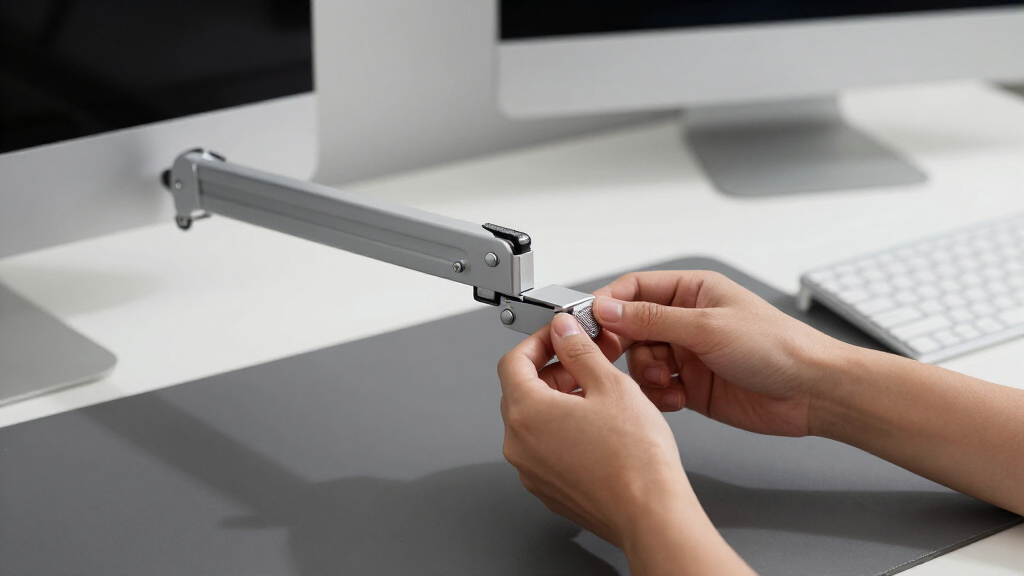
Every arm in this roundup was judged on the factors that decide whether a mount works day to day: range and smoothness of motion (gas spring versus mechanical spring), weight capacity and sag resistance, VESA compatibility (75×75 and 100×100), mounting flexibility (C-clamp, grommet, or both), build quality of the joints and cable routing, and value for the price. Any arm that couldn’t hold a fixed position without drifting failed its one job, regardless of how good the spec sheet looked.
The ranking logic works in two passes: each model was first scored against its own use case (single versus dual, light versus heavy loads), then cross-compared on what your money actually buys. Arms that cost more had to justify it with smoother adjustment, higher weight ceilings, or better hardware in the box — which is why the HUANUO FlowLift Dual leads, the Amazon Basics single wins on value despite fewer frills, and the mechanical-spring budget picks rank lower even though they hold position dependably. No arm earned its place on specs alone; each one had to make sense for a clearly defined buyer.
Factors to Consider When Choosing Adjustable Monitor Arms
Spec sheets in this category all sound the same until you know which numbers change daily life and which are filler. These are the factors I weighed while ranking this roundup, plus the setup mistakes that make even good arms feel broken — read them before you buy and you’ll sidestep the most common regrets with adjustable monitor arms.
Gas Spring vs. Mechanical Spring: What You’re Actually Paying For
The biggest price divider in this category is the spring mechanism. Gas-spring arms, like the HUANUO FlowLift models and the Amazon Basics single, use a sealed cylinder that counterbalances the monitor, so height changes take one finger and the screen floats at any point in its travel. Mechanical-spring arms — the WALI, SmooVex, and VIVO STAND-V002O among them — use a coiled spring and friction joints, which hold a set position perfectly well but push back while you’re moving them. In practice that means gas springs suit anyone who adjusts daily (standing-desk users, shared workstations), while mechanical springs suit set-and-forget mounting. The price gap has narrowed to roughly $15–$30 on single arms, which is why gas models took the top spots in my ranking. One caveat that rarely appears on spec sheets: cheap gas cylinders can lose pressure over years of heavy use, so a quality mechanical arm often outlasts a bargain gas arm even if it feels stiffer on day one.
Match the Weight Rating to Your Monitor, Not Its Screen Size
Screen size is the number brands advertise, but weight is the number that decides compatibility. A curved 32-inch panel can weigh twice as much as a flat 27-inch one, and an arm rated for 15.4 lbs will slowly sag under a 19 lb display no matter what the inch rating claims. I recommend checking the manufacturer’s panel-only weight (without the stand) before shopping, then picking an arm rated at least 2–3 lbs above that figure. Arms also have a minimum weight that buyers overlook: gas springs tuned for heavy loads will push a featherweight monitor upward, which is why specs like the HUANUO’s 4.4 lb floor matter. If your display is over 30 inches or simply dense for its size, shortlist the high-capacity picks — the VIVO dual at 22 lbs per arm or the ErGear Heavy Duty — rather than hoping a budget arm copes. Drooping joints are almost always a weight mismatch, not a defect.
VESA Patterns, Curved Backs, and the Adapter Trap
Every arm here mounts through VESA 75×75 or 100×100 bolt patterns, which covers the vast majority of monitors sold today — but not all of them. Some ultrawide and Apple displays ship without standard VESA holes or hide them behind proprietary stand latches, and curved-back monitors sometimes need spacer kits so the plate sits flush. Before buying, flip your monitor around and look for four threaded holes in a square; two minutes of checking prevents the most common return reason in this category. Also note where the holes sit relative to the panel’s center of gravity — on very tall or curved screens, an offset mount point can make tilt adjustments feel top-heavy. Quick-release VESA plates, like the tool-free design on the ErGear dual, earn their small premium if you ever swap monitors, because they let you detach the screen without unscrewing anything. Adapters exist for non-VESA displays, but they add weight, wobble, and cost, so treat them as a last resort rather than a plan.
Clamp vs. Grommet Mounting — and the Desks That Reject Both
Most arms in this roundup include both a C-clamp and a grommet base, and the choice between them is about your desk, not the arm. A C-clamp grips the rear edge and installs in minutes with no drilling, but it needs an overhang it can bite and it can mark soft wood finishes if you overtighten. A grommet mount bolts through an existing cable hole (or one you drill), which holds dual-monitor loads more securely and works on desks with thick aprons or walls flush behind them. What often gets missed: measure your desk thickness first, because clamps typically max out around 3–3.5 inches, and sit-stand desks with metal frames sometimes block the grommet hole from below. Glass desktops are the real dealbreaker — clamping 30-plus pounds of leveraged monitor weight onto glass can crack it, so glass-desk owners should look at reinforcement plates or a wall mount instead. Thin, hollow-core desks have a milder version of the same problem: the arm holds, but the surface flexes and the whole setup wobbles.
Single vs. Dual Arms: When Two Mounts Beat One
Dual arms dominate this roundup for a reason: the price gap over a single arm is often under $25, so buying dual future-proofs a second screen you may add later. Two single arms make sense only in specific layouts — monitors on opposite sides of a corner desk, or screens that need wildly different heights and depths, since most dual mounts share one pole or base that ties both arms to similar travel zones. A dual arm also halves your clamping footprint, which matters on small desks where two clamps would fight for the same rear edge. The tradeoff is center-post wobble: two screens on one base amplify any desk flex, so dual-arm buyers should favor rigid mounting and heavier-gauge poles like the VIVO steel models. If you genuinely run one monitor and always will, a dedicated single like the HUANUO FlowLift Single or the Acer mount gives you the same motion for less money and less visual bulk. Buy for the setup you’ll actually have in a year, not the maximum the arm can hold.
Setup Mistakes That Make Good Arms Feel Bad
Most complaints about monitor arms trace back to installation, not hardware. The top mistake is skipping the tension adjustment: every gas arm ships with an Allen key that tunes the spring to your monitor’s exact weight, and an arm that won’t stay up or won’t stay down is usually one that was never tuned. Second is cable management done too tight — leave slack loops at every joint, or the cables fight the arm’s motion and slowly pull your screens out of alignment. Third is mounting at the wrong pole height and then forcing tilt to compensate, which strains the head joint and creates the slow droop owners blame on the product. I’d also warn against overtightening articulating joints; arms should move with firm, even resistance, not need two hands and a grunt. Finally, if your desk itself wobbles when you type, no arm will fix that — the mount only amplifies whatever the desk does. Spend ten minutes on tension and cable slack during install, and even a $30 mechanical arm behaves like a much pricier one.
Frequently Asked Questions
How do I know if my monitor is too heavy for an adjustable monitor arm?
Check the arm’s rated weight range against your monitor’s panel-only weight — the figure without the stand, which the manufacturer lists in the spec sheet or on the box. Stay at least a couple of pounds under the maximum, because arms run at full rated load tend to drift or sag over time. Just as often missed is the minimum weight: gas-spring arms counterbalance a load, so a very light monitor on a heavy-duty arm will ride upward until you dial the tension down. If you can’t find your panel weight, a bathroom scale and a careful two-minute weigh-in works fine. When your screen lands outside the range of standard arms, high-capacity models like the 22-lb-per-arm VIVO dual in this roundup are the safe lane.
Will an adjustable monitor arm work with my desk?
In most cases yes, as long as three things line up: your desk has a clear rear edge for the C-clamp or a hole for the grommet base, the surface falls within the clamp’s thickness range (usually about 0.4 to 3.5 inches), and the material can handle leveraged weight. Solid wood, laminate-over-MDF, and standard sit-stand desktops all work; glass does not, unless you add a reinforcement plate, because the clamp concentrates the load on a small area. Watch for hidden obstructions too — metal support bars under the desktop can block both clamps and grommet bolts. Desks pushed flush against a wall sometimes leave no room for a clamp, which is when the grommet option earns its keep. Measure before you order and nearly every arm in this roundup will fit; skip the measuring and you’re gambling on a return.
Is a gas-spring monitor arm worth paying extra for?
For anyone who repositions a screen more than once a week, yes — gas springs move with one hand and hold anywhere in their travel, which changes how often you actually use the adjustment you paid for. Mechanical-spring arms hold a position just as securely, but adjusting them means loosening, muscling the screen into place, and retightening, so most owners set them once and never touch them again. The price difference on single arms has shrunk to roughly $15–$30, which is why gas models lead my ranking. The exception is the permanent install: if your monitor will sit at one height for years, a mechanical arm like the WALI or SmooVex does the job for less money and has no cylinder to age. Pay for motion you’ll use, not motion that sounds good on a spec sheet.
Should I buy one dual-monitor arm or two single arms?
One dual arm is the better call for the classic side-by-side setup: it clamps once, keeps both screens on a shared centerline, and typically costs less than two comparable singles. Two singles win in irregular layouts — corner desks, screens at different depths, or one monitor in portrait that swings between reading and video calls — because each arm gets its own full range of motion without sharing a pole. Two singles also spread the load across two clamp points, which helps on flex-prone desks. The catch is cost and clutter: two bases, two sets of hardware, and usually $20–$40 more. If your plan is two monitors side by side at roughly the same height, the dual options in this roundup are the simpler and cheaper path.
Why does my monitor arm drift downward, and how do I fix it?
Nine times out of ten, drift is a tension setting, not a broken arm. Gas-spring models have a tension screw, adjusted with the included Allen key, that counterbalances your monitor’s weight — if the arm sinks, the spring is set too light, and if it rises, it’s set too heavy. Turn the screw in small increments while moving the screen through its range until it holds wherever you leave it. On mechanical arms, drift usually means a friction joint or tilt bolt was never tightened after positioning. Persistent tilt droop at the VESA head points to a monitor near the arm’s weight ceiling, where even correct tension struggles over time. A properly tensioned arm should hold any position for months without touching a tool again, so if yours can’t, recheck the weight match before blaming the hardware.
Conclusion
Fifteen arms in, the right choice comes down to matching the mechanism and capacity to how you actually work. For most buyers, the HUANUO FlowLift Dual is the best overall adjustable monitor arm — smooth gas-spring motion, both mounting bases in the box, and a per-arm range that covers nearly every mainstream screen. If money is the deciding factor, the Amazon Basics Gas Spring Single is the best value: the same one-handed adjustability with fewer extras at a much lower price. First-time buyers who want the least frustrating install should pick the ErGear Dual with tool-free VESA plates, my best-for-beginners choice. Heavy or ultrawide setups belong on the VIVO 22-lb-per-arm dual or the ErGear Heavy Duty, and the HUANUO FlowLift Pro is the premium single-arm splurge for people who reposition constantly. And if your monitor will never move once mounted, skip the gas springs entirely — a mechanical budget arm like the WALI or SmooVex does the same job for the least money. Match the arm to the habit, and any of these picks will serve you well.