
Audio delay ruins projector gaming more than you expect because it disconnects sound from the visuals, breaking your immersion. When audio isn’t perfectly synchronized, your brain struggles to process scenes properly, making the gameplay feel less realistic and more frustrating. This mismatch can also impair your reaction times and focus, especially in fast-paced games. If you keep going, you’ll discover simple ways to fix this issue and improve your gaming experience overall.

Get business pricing on your home office setup
- Business-only prices and quantity discounts
- Tax-exempt purchasing
- Multiple users, one account, clear invoices
Key Takeaways
- Audio delay creates a noticeable disconnect between projected visuals and sound, disrupting the immersive experience.
- Even slight delays impair reaction times, critically affecting fast-paced projector games like shooters or racers.
- Sound lag increases cognitive effort, causing fatigue and reducing focus during extended gaming sessions.
- Poor audio-visual synchronization diminishes streaming quality and viewer engagement in shared gameplay.
- Technical unoptimized setups exacerbate delays, further ruining the seamless and realistic gaming environment on projectors.
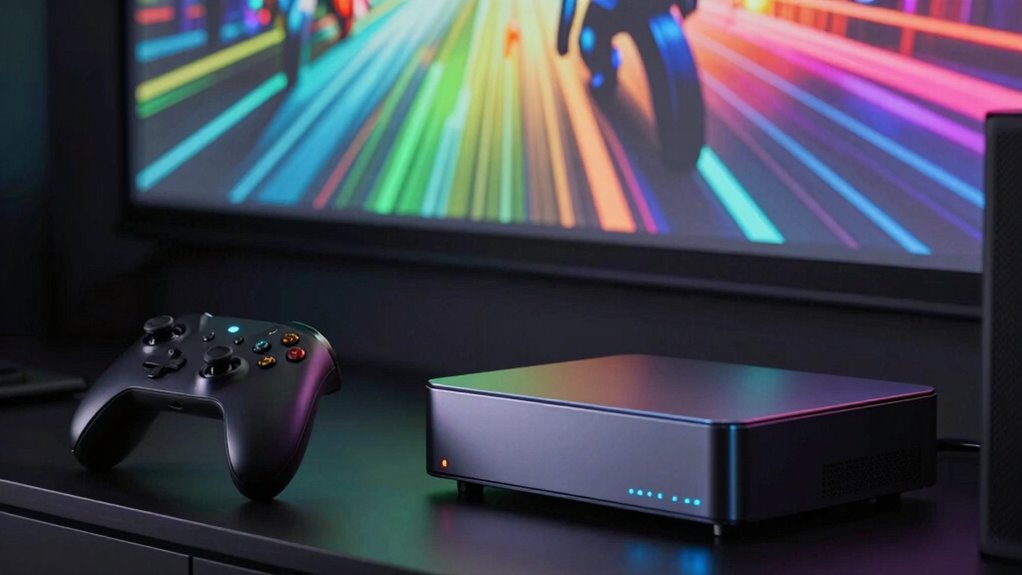
When you’re gaming with a projector, audio delay can disrupt the immersive experience and throw off your timing. Despite the impressive visual clarity that projectors offer, a lagging sound can make gameplay feel disconnected and frustrating. Sound synchronization is crucial because it ensures that what you see matches what you hear, creating a seamless and engaging environment. When audio is delayed, your brain struggles to process the mismatch, leading to confusion and a diminished sense of realism. This disconnect can cause you to miss important cues, react late, or even make mistakes that could have been avoided with perfectly synchronized sound.
Audio delay in projector gaming can cause disorientation, missed cues, and frustration, disrupting immersion and gameplay accuracy.
You might initially overlook audio delay, thinking it’s just a minor annoyance, but it quickly becomes a bigger problem as it hampers your overall performance. No matter how sharp the visual clarity is, if the sound isn’t aligned, the experience feels off. For example, during fast-paced shooter games or racing titles, every millisecond counts. When the audio trails behind the action on-screen, it feels like the game is out of sync, which can throw off your timing and reflexes. This mismatch not only affects your ability to react swiftly but also diminishes the sense of immersion, making the game less enjoyable and more stressful.
Moreover, audio delay can affect your concentration. When the sound doesn’t match the visuals, your brain has to work harder to interpret the scene. This extra effort can lead to fatigue over time, especially during long gaming sessions. If you’re streaming or sharing gameplay, the problem becomes even more noticeable, as viewers expect a smooth, synchronized experience. In such cases, even minor delays can tarnish the overall quality of your content and reduce viewer engagement. Ensuring your audio setup has minimal latency and is properly calibrated can significantly improve synchronization and overall gameplay quality. Adjusting your audio processing settings or investing in dedicated hardware may also help in reducing delay and enhancing the gaming experience. Additionally, understanding the importance of audio-visual synchronization can help you troubleshoot and optimize your setup effectively.
To combat this, you need to consider the technical setup of your projector and audio system. Ensuring your audio output has minimal latency—whether through high-quality speakers, gaming headsets, or direct connections—can drastically improve sound synchronization. Additionally, adjusting audio settings or using dedicated audio processing tools may help reduce delays. Upgrading to high-quality audio equipment can also make a noticeable difference in minimizing latency. Ultimately, the goal is to maintain a balance where both visuals and sound work harmoniously, preserving the clarity of the image and the timing of the audio cues. When you get this right, your gaming sessions become more immersive, responsive, and truly enjoyable, restoring the full power of projector gaming.
audio delay reducer for projectors
As an affiliate, we earn on qualifying purchases.
As an affiliate, we earn on qualifying purchases.
Frequently Asked Questions
How Can I Measure Audio Delay on My Projector?
To measure audio delay on your projector, start by using an audio sync calibration tool or app. Play a video with a visual cue, like a hand clap or a countdown, and observe when the sound hits your ears compared to the visual. Adjust your projector audio settings accordingly until the audio matches the on-screen action perfectly. This guarantees minimal delay and improves your overall gaming or viewing experience.
Does Higher Audio Delay Affect All Types of Games Equally?
Higher audio delay doesn’t affect all games equally. Action or fast-paced games, like shooters or racing, suffer more because precise audio-visual sync is essential for your gaming experience. Meanwhile, slower or story-driven games might be less impacted, as timing isn’t as critical. Ensuring good audio synchronization enhances your overall experience, making every moment more immersive. So, recognize the type of game you’re playing and adjust for ideal sound and visuals.
Can I Fix Audio Delay Without Replacing My Projector?
Yes, you can fix audio delay without replacing your projector. Try some technical troubleshooting steps like adjusting audio sync settings on your projector or audio device. Check if your media player or gaming console offers audio delay adjustments, and use those to improve synchronization. Connecting via HDMI ARC or using an external audio processor can also help. These steps often resolve audio synchronization issues without the need for costly replacements.
What Is an Acceptable Audio Delay Range for Gaming?
An acceptable audio delay range for gaming is generally between 20 to 40 milliseconds, which keeps audio synchronization tight and minimizes sound lag. If the delay exceeds this, you’ll notice a disconnect between visuals and sound, ruining immersion. To avoid this, test your setup with different settings. Keeping audio and video synchronized enhances your gaming experience, making sure sound lag doesn’t interfere with your reactions or enjoyment.
Does Audio Delay Impact Only Audio or Visual Experience Too?
Audio delay impacts both your sound and visual experience. When there’s a delay, it disrupts sound synchronization, making lip sync appear off and causing a disjointed feeling. This mismatch can distract you and reduce immersion in games. You might notice characters’ lip movements don’t match their voices, which hampers your overall enjoyment. Reducing audio delay guarantees sound aligns perfectly with visuals, preserving both sound quality and visual coherence.
As an affiliate, we earn on qualifying purchases.
Conclusion
So, next time you settle in for a gaming session with your projector, remember that audio delay isn’t just a minor hiccup—it’s the silent thief stealing your immersion. It’s like trying to dance to a beat that’s out of sync; the magic simply falls apart. Don’t let poor audio timing be the ghost in your game. Tackle it head-on, and keep your experience as seamless as a perfectly synchronized symphony—where every note hits just right.
projector audio delay correction device
As an affiliate, we earn on qualifying purchases.
As an affiliate, we earn on qualifying purchases.
low latency external sound card for gaming
As an affiliate, we earn on qualifying purchases.
As an affiliate, we earn on qualifying purchases.
Fall Picks
fall essentials
As an affiliate, we earn on qualifying purchases.