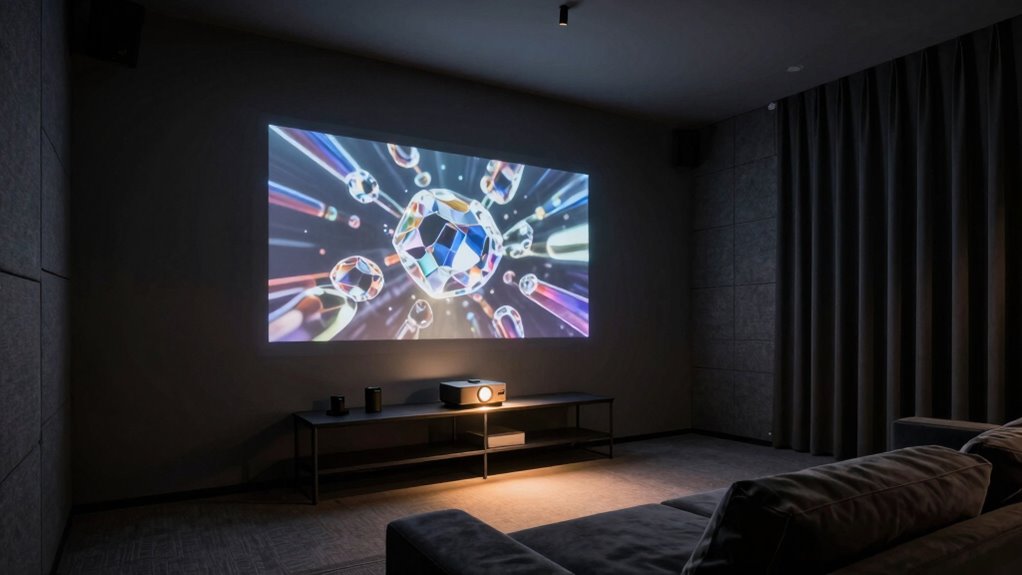
To design a dark room for your projector instead of a TV, focus on controlling light by installing blackout curtains, window films, or shades to block outside glare. Use dark, matte paint on walls and ceilings to absorb light and prevent reflections. Position your projector on a stable surface at the proper distance, and arrange seats to face the screen directly. Keep windows and reflective surfaces away from the projection path. If you want to learn more about creating the ideal home theater, keep exploring these tips.

Get business pricing on your home office setup
- Business-only prices and quantity discounts
- Tax-exempt purchasing
- Multiple users, one account, clear invoices
Key Takeaways
- Use blackout curtains, window films, and shades to control natural light and prevent washout of projector images.
- Paint walls and ceilings in dark, matte colors like deep gray or black to absorb light and reduce reflections.
- Position the projector at the correct throw distance on a stable surface for optimal image clarity and focus.
- Arrange seating directly facing the screen, avoiding obstructions and reflective surfaces that cause glare.
- Incorporate light-absorbing materials and a dedicated projection screen to enhance contrast and picture quality.
Have you ever wondered why your projector images look dim or blurry? The answer often lies in how the room is designed and the lighting conditions inside. To get the best picture quality, you need to create an environment that minimizes unwanted light and maximizes contrast. One of the key factors is managing natural lighting. Daylight streaming through windows can wash out your projector images, so it’s crucial to control it. Use blackout curtains or heavy drapes to block sunlight during viewing times. Installing window films that reduce glare without completely darkening the room can also help. Remember, the goal is to limit outside light as much as possible, especially during the day, to preserve image clarity and color accuracy.
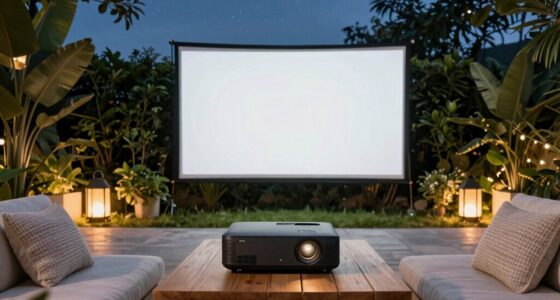
Your room layout plays a essential role in optimizing your projector setup. Positioning your projector correctly ensures that the image is sharp and evenly distributed across the screen. Place it on a stable surface at the right distance from the screen—usually specified by the projector’s throw ratio—so that the image fills the space without distortion. Also, consider the placement of furniture. Arrange seats to face the screen directly, avoiding any obstructions that could cast shadows or cause glare. Keep reflective surfaces, like glass tables or shiny decorations, away from the projection path, as they can bounce light and diminish contrast. A clutter-free, well-organized layout not only enhances viewing comfort but also prevents accidental light interference. Additionally, understanding the impact of ambient light control can significantly improve your viewing experience. Incorporating light-absorbing materials into your room design can further reduce reflections and enhance overall picture quality. Using appropriate room dimensions can also help in optimizing sound and light conditions for an immersive experience.
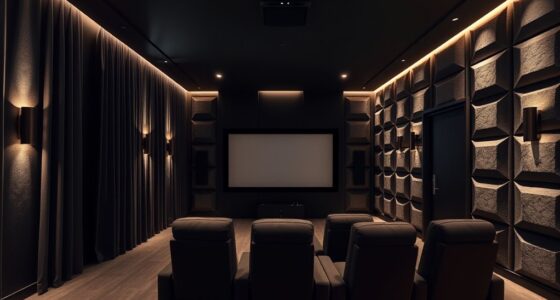
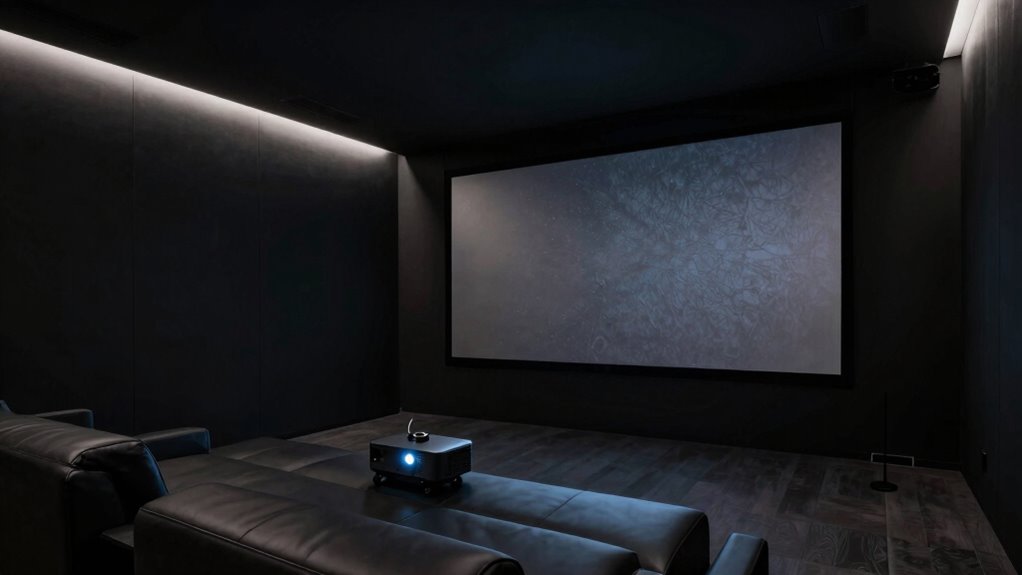
Creating a dark room isn’t just about blocking light; it’s about designing a space that feels immersive and focused. Paint the walls in dark, matte colors like deep gray or black to absorb excess light and prevent reflections. Avoid glossy finishes that reflect light and create glare. The ceiling should also be darkened, since light bouncing off a bright ceiling can interfere with your viewing experience. If you can, install a dedicated projection screen that’s designed to work with ambient light, which can improve picture quality further. Adding blackout blinds or shades to windows, combined with a thoughtful room layout, ensures that natural lighting stays controlled. This way, you’ll enjoy vivid colors, sharp details, and a cinematic experience that rivals a dark theater, all within your own space. Properly managing lighting conditions can make a significant difference in achieving the optimal home cinema environment.
Products Worth Considering

Philips Hue Play Screen Sync and 65-Inch Play Gradient Smart TV Light Strip

Samsung 65-Inch The Frame Pro Neo QLED 4K TV (2026) Bundle with Modern Brown Bezel, HDMI Cables, and Home Theater Guide

Levoit Core 400S-P Smart Air Purifier for Large Rooms (Up to 1,718 sq ft)
As an affiliate, we earn on qualifying purchases.
Frequently Asked Questions
What Is the Ideal Room Size for a Projector Setup?
The ideal room size for a projector setup depends on your screen size and seating distance. You should have enough space to comfortably place furniture without crowding, considering proper furniture placement. A room with at least 10-12 feet ceiling height helps prevent image distortion and allows for better projector mounting. Aim for a room that’s large enough to minimize ambient light and guarantee a high-quality viewing experience, usually around 12×15 feet or bigger.
How Do I Prevent Light Leaks in a Dark Room?
Think of preventing light leaks like sealing a ship’s hull—every crack matters. To do this, choose dark color schemes for walls and curtains, reducing light reflection. Position furniture away from windows or light sources, and add blackout curtains or seals around doors. I once built a home theater where sealing gaps and using heavy drapes kept external light out, transforming the space into a true cinematic escape.
What Type of Projector Screen Is Best for a Dark Room?
You should choose a high-gain, matte white projection screen designed for dark rooms. Look for screens with advanced screen materials that enhance contrast and color accuracy, like ambient light-rejecting or acoustic transparent options. These materials minimize light scatter and improve image clarity. Projection technology benefits from screens that maximize brightness and contrast, making your viewing experience more immersive and vivid in a dark room setting.
How Do I Control Ambient Light in the Room?
To control ambient light, you should focus on effective lighting control and window treatments. Install blackout curtains or shades that block out natural light and minimize reflections on your screen. Use dimmable lights or indirect lighting options to prevent glare, and keep ambient lighting low during viewing. Combining these strategies helps create the ideal dark environment, enhancing your projector’s image quality and providing a better overall viewing experience.
What Are the Best Soundproofing Options for a Projector Room?
Imagine building a fortress for your projector room, shielding it from outside noise. You can do this with acoustic panels lining the walls, acting like a sound-absorbing moat. Additionally, soundproof curtains hang like a heavy, whisper-quiet curtain, blocking sound leakage through windows. These options work together, creating a serene environment where your audio remains crystal clear, and external noise stays outside, enhancing your viewing experience.
Conclusion
Creating a cozy, dark sanctuary for your projector transforms your viewing experience into something truly special. By subtly mastering the art of light control and ambiance, you’ll find your space becomes a haven for relaxation and entertainment. Embrace the gentle nuances of your room’s design, allowing it to softly cradle your movie nights. With a few thoughtful touches, your dedicated space will quietly become the cherished backdrop for countless memorable moments.