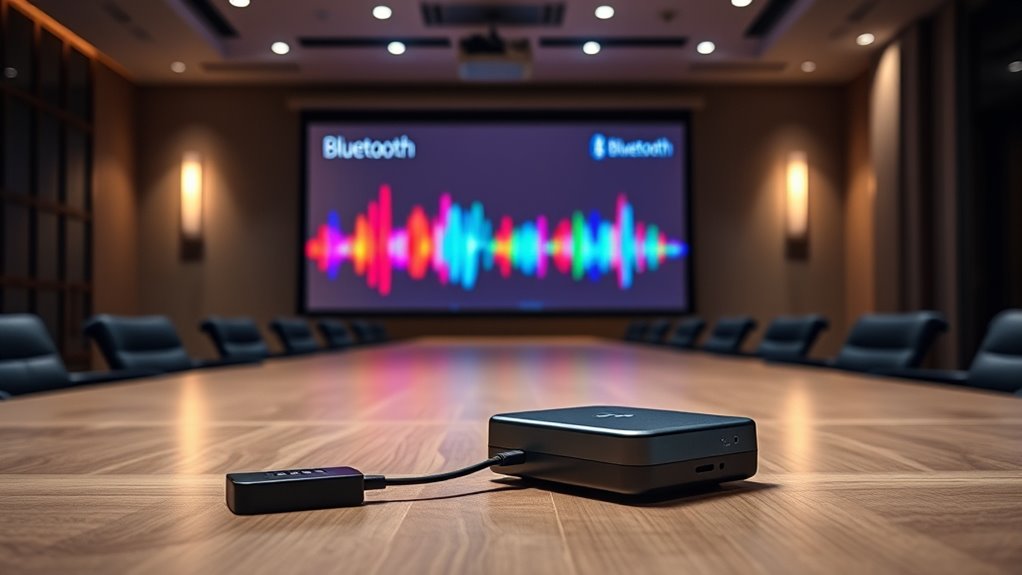

To stream audio wirelessly from your projector, check if it has built-in Bluetooth; if so, just pair it with your Bluetooth speakers or headphones. If not, connect a Bluetooth transmitter to your projector’s audio output, such as a 3.5mm jack or optical port, and pair it with your wireless devices. Using these options, you can enjoy clutter-free audio wherever you like. Keep exploring to discover how to optimize your setup for the best sound experience.
Key Takeaways
- If your projector lacks native Bluetooth, connect a Bluetooth transmitter to its audio output (3.5mm, RCA, or optical).
- Enable pairing mode on the transmitter and your Bluetooth speakers or headphones for wireless audio streaming.
- For projectors with built-in Bluetooth, activate Bluetooth, select your device, and connect for seamless wireless audio.
- Choose Bluetooth transmitters supporting low latency codecs like aptX to ensure audio sync with video content.
- Wireless audio via Bluetooth reduces cable clutter and offers flexible placement of speakers or headphones.

Streaming audio from projectors has become increasingly popular as more models support integrated audio features or wireless connectivity. If you’re looking to enhance your audio experience without the clutter of cables, understanding how to leverage wireless audio and Bluetooth compatibility is essential. Many modern projectors now come with built-in Bluetooth, allowing you to connect easily to Bluetooth speakers, headphones, or transmitters. This wireless approach offers flexibility, letting you enjoy clear sound without the hassle of messy wires or limited cable lengths. To get started, guarantee your projector has Bluetooth capability. If it does, pairing it with your compatible device is straightforward: activate Bluetooth on both devices, select your projector from the list of available devices, and connect. Once paired, your audio streams seamlessly, making it ideal for presentations, movies, or music playback.
However, if your projector lacks native Bluetooth support, you can still enjoy wireless audio by using a Bluetooth transmitter. These small devices connect to your projector’s audio output port—typically a 3.5mm jack, RCA, or optical output—and transmit audio signals wirelessly to your Bluetooth-enabled speakers or headphones. Choosing the right Bluetooth transmitter depends on your setup; look for one that supports aptX or AAC codecs for better audio quality and low latency, especially if you’re streaming video. Once connected, pairing your transmitter with your Bluetooth speakers is simple—just put both devices into pairing mode, and they’ll connect automatically. This setup allows you to enjoy wireless audio even if your projector isn’t equipped with Bluetooth, expanding your options for audio delivery. Additionally, understanding Bluetooth Transmitters or Receivers can help you select the best equipment for your needs, ensuring a reliable and high-quality audio experience.

Ankilo Aux Bluetooth Adapter for Car, Upgraded Bluetooth 5.3 Transmitter Receiver, Portable Wireless Adapter, 2-in-1 Aux Audio Receiver for Laptop, Radio, Headphones, Speakers, TV
Bluetooth 5.3 and Stable Connection: The Aux Bluetooth Adapter for Car can receive Bluetooth signal within 10 meters,…
As an affiliate, we earn on qualifying purchases.
As an affiliate, we earn on qualifying purchases.
Frequently Asked Questions
Can I Connect Multiple Bluetooth Speakers to One Projector Simultaneously?
You can’t directly connect multiple Bluetooth speakers to one projector for a true multi speaker setup. Most Bluetooth pairing only allows one device at a time. However, you can use a Bluetooth transmitter with a multi-device output feature, which enables you to connect multiple speakers. This way, you achieve a multi speaker setup, but guarantee your transmitter supports multiple Bluetooth connections simultaneously for seamless audio sharing.
What Is the Maximum Bluetooth Range for Streaming Audio From Projectors?
The maximum Bluetooth range for streaming audio from projectors is typically around 30 feet (10 meters). However, Bluetooth interference from Wi-Fi or other devices can reduce this distance and affect signal stability. To guarantee smooth audio, keep your Bluetooth transmitter and receiver within this range, and minimize obstacles or interference sources. This helps maintain a reliable connection, especially in larger rooms or complex setups.
Are There Latency Issues When Streaming Audio via Bluetooth From Projectors?
Yes, you might experience latency issues when streaming audio via Bluetooth from projectors. Wireless synchronization depends on audio buffering, which can introduce slight delays. This delay may cause audio to lag behind the video, especially with higher latency Bluetooth devices. To minimize this, choose low-latency Bluetooth transmitters and receivers, and ensure both devices support aptX Low Latency or similar technology for smoother synchronization.
Do All Projectors Support Bluetooth Audio Transmission or Reception?
Imagine you’re setting up a presentation and wonder if your projector supports Bluetooth audio. Not all projectors do; compatibility depends on the model and Bluetooth version. For example, newer projectors with Bluetooth 5.0 are more likely to support audio transmission or reception. Check your projector’s specs for Bluetooth support, but keep in mind that older models might lack this feature, so you may need an external Bluetooth transmitter or receiver.
How Do I Troubleshoot Audio Delay or Dropouts During Streaming?
To troubleshoot audio delay or dropouts, first check your Bluetooth connection for stability. Make sure your devices are close and avoid interference from other wireless gadgets. Adjust the audio synchronization settings if available, and try reconnecting the Bluetooth transmitter or receiver. You can also switch to a wired connection if possible. These steps help mitigate interference and improve audio quality, giving you a smoother streaming experience.
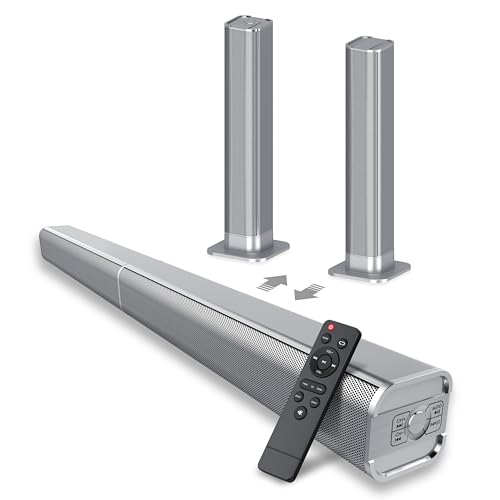
dotn Sound Bar, Bluetooth Soundbar, 2 in 1 Detachable Home Speaker Bass Effect, 80W Sound Bar for Smart TV Home Theater Surround Sound, ARC/Optical/AUX, for TV/PC/Gaming/Projectors, Sliver (Sliver)
2-IN-1 Detachable Sound bar:This sound bar is compatible with TVs, gaming consoles, and home theater systems. It can…
As an affiliate, we earn on qualifying purchases.
As an affiliate, we earn on qualifying purchases.
Conclusion
In summary, whether you choose a Bluetooth transmitter or receiver, streaming audio from your projector is straightforward and enhances your viewing experience. Just like tuning into your favorite radio station on a vintage transistor radio, modern Bluetooth tech makes wireless audio simple and reliable. So, don’t let tangled cords or missed audio moments ruin your movie night—embrace the tech of today, and enjoy seamless sound, just like a true 21st-century cinephile.

1Mii B06TX Bluetooth 5.3 Transmitter for TV to Wireless Headphone/Speaker, Bluetooth Adapter for TV w/Volume Control, AUX/RCA/Optical/Coaxial Audio Inputs, Plug n Play, aptX Low Latency & HD
【Enter Wireless Age w/ Minimal Cost】Upgrade non-smart/non-Bluetooth TV to pair headphones for enhancing your hearing or get an…
As an affiliate, we earn on qualifying purchases.
As an affiliate, we earn on qualifying purchases.

KAIY Bluetooth 5.4 Receiver for Home Stereo, Optical Low Latency & HD Music Audio Bluetooth to RCA Adapter for Stereo/Speakers/Wired Speakers/Home Audio Music Streaming Stereo System, Support AUX/USB
🎶UPGRADE YOUR LEGACY AUDIO SETUP: Bluetooth receiver for home stereo transforms vintage home stereos, car speakers, or old-school…
As an affiliate, we earn on qualifying purchases.
As an affiliate, we earn on qualifying purchases.