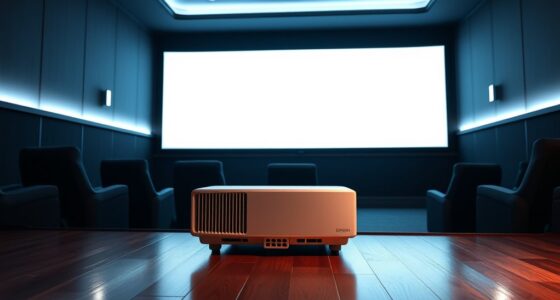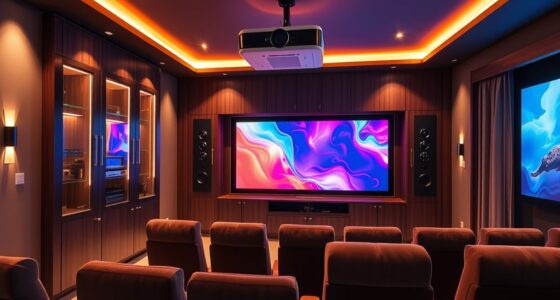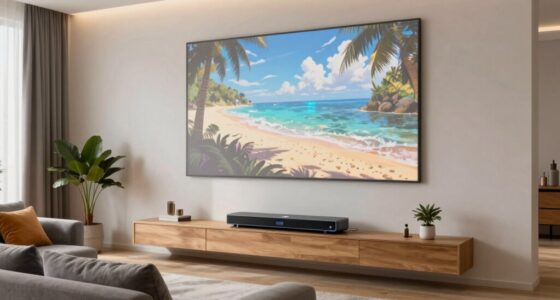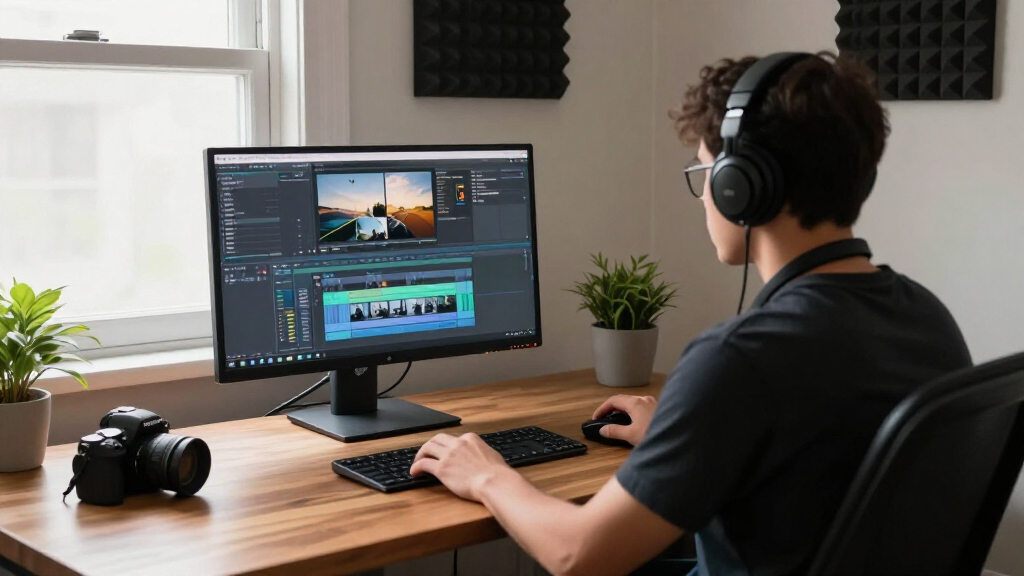

Creating a well-equipped media room or home office requires thoughtful planning and selecting the right gadgets and furniture. Whether you’re upgrading your entertainment setup or optimizing your workspace, this checklist is designed to guide you through the essentials. It covers a variety of categories, from high-quality visual displays to ergonomic furniture, ensuring you don’t miss any critical element.

Get business pricing on your home office setup
- Business-only prices and quantity discounts
- Tax-exempt purchasing
- Multiple users, one account, clear invoices
Each section provides insights into what makes a product stand out, common pitfalls to avoid, and practical advice on sizing, compatibility, and features. Use this guide to compare options, make informed choices, and assemble a space that’s both functional and enjoyable. Remember, the goal is to create a seamless environment tailored to your needs—so focus on what truly enhances your experience.
Feel free to explore each section in detail, consider your space constraints, and prioritize features that matter most to you. With this organized approach, you’ll be well on your way to a media room or home office that truly fits your lifestyle.
4K TVs & Projectors
Choosing the right 4K display is essential for a vibrant, cinematic experience. Whether you prefer a large TV or a projector, look for models that offer true 4K resolution, high dynamic range (HDR), and good color accuracy. The 4K Smart Projector with Google TV stands out for its versatility, allowing easy streaming and connectivity options like WiFi and Bluetooth. Dolby Atmos support enhances audio immersion, making your viewing sessions more engaging. Pay attention to the projector’s throw distance and screen size compatibility to ensure it fits your space.
Many buyers make the mistake of focusing solely on resolution and forgetting about other features like smart capabilities or audio support. When selecting a projector or TV, consider your room’s lighting conditions—brighter rooms benefit from higher lumens. Also, check for compatibility with your existing devices and ensure the size fits your room dimensions. Proper placement and calibration are key to getting the best picture quality. Investing in a model with auto-keystone correction or lens shift can save setup headaches and improve image alignment.
While shopping, verify the connectivity options, including HDMI ports and audio outputs, to match your media sources. Think about future-proofing with support for the latest standards. Remember, the right display device can transform your media space into a true home theater.
What to look for:
- 4K resolution and HDR support
- Smart TV features or streaming compatibility
- Adequate brightness/lumens for room lighting
- Connectivity options like HDMI and Bluetooth
- Size and throw distance suited for your space
4K Smart Projector with Google TV, WiFi, Bluetooth, Dolby Atmos, Auto Focus, Por

The VOPLLS G3 4K smart projector offers a portable, high-quality home and outdoor entertainment experience with Google TV integration, 360° projection, and Dolby Atmos sound. Features include auto focus, auto keystone correction, and compatibility with various streaming platforms, making it ideal for movies, gaming, and outdoor events.
Pros:
- High-quality 4K visuals with HDR10 and Dolby Atmos sound
- Portable design with 360° rotation for outdoor use
- Smart features including Google TV, voice control, and personalized profiles
- Auto focus and keystone correction for quick setup
Cons:
- Complex setup may be overwhelming for some users
- Premium features might come at a higher price point
- Battery life not specified; likely dependent on external power
Best for: Home theater enthusiasts
Not ideal for: Very small rooms or low-light environments
Bottom line: Choose a display that fits your space and viewing needs.
Sound Systems & Speakers
An immersive sound system elevates any media or gaming experience. The Klipsch Reference 5.2 Home Theater System Bundle offers a comprehensive setup with multiple speakers designed to deliver clear dialogue, powerful bass, and wide soundstage. Proper placement of speakers is crucial; front speakers should be aligned with your viewing area, while surround speakers should be positioned for optimal immersion. Consider your room size and acoustics when planning speaker placement to avoid dead spots or echoes.
Many buyers overlook the importance of matching speaker power and sensitivity with their amplifier or receiver. Ensuring compatibility prevents distortion and maximizes sound clarity. Avoid cluttering your space with too many wires—wireless or neatly routed cables can keep your setup tidy. Additionally, test the system with your preferred content to fine-tune speaker positioning and settings. Investing in quality speaker stands or mounts can improve sound dispersion and reduce vibrations.
Remember, a well-matched sound system not only enhances entertainment but also creates an immersive environment for music, podcasts, and gaming. Prioritize models that support your preferred audio formats and connectivity options for seamless integration with your devices.
What to look for:
- Clear dialogue and bass
- Compatibility with existing receiver
- Multiple speakers for surround sound
- Easy wiring or wireless options
- Room size suitability
Klipsch Reference 5.2 Home Theater System Bundle

This Klipsch 5.2 home theater system offers immersive audio with dual 12-inch subwoofers, a dedicated center channel, and Dolby Atmos floorstanding speakers for a realistic sound experience. It is ideal for movie nights, music listening, and home cinema setups, delivering high-quality audio fidelity.
Pros:
- Powerful dual 12-inch subwoofers deliver deep bass
- Immersive Dolby Atmos floorstanding speakers
- High-quality Klipsch audio fidelity
- Complete home theater bundle with receiver
Cons:
- Heavy and large setup requiring space
- Limited wireless connectivity options
- Potentially high price for premium components
Best for: Dedicated home theater setups
Not ideal for: Small or acoustically challenging rooms
Bottom line: Invest in a comprehensive, compatible sound system for immersive audio.
Seating & Furniture
Comfortable seating is a cornerstone of any media or work space. The MediAcous Rechargeable Egg Night Light offers a cozy and functional addition, especially for nurseries or kids’ rooms. For adult media rooms or offices, consider ergonomic chairs and versatile furniture that support long hours of use. Proper seating should promote good posture, reduce fatigue, and fit well within your room’s dimensions. Adjustable features, like height and tilt, enhance comfort and usability.
Many buyers make the mistake of choosing furniture based solely on aesthetics without considering comfort or ergonomics. Always check the weight capacity, adjustability, and material durability. Test chairs for lumbar support and ensure they suit your body type. When selecting furniture, measure your space carefully to avoid overcrowding. Modular or multi-purpose pieces can maximize utility without sacrificing style. For media rooms, consider recliners or bean bags for casual lounging, and for workspaces, prioritize ergonomic office chairs with wheels for mobility.
Quality furniture not only improves your experience but also contributes to your overall health and well-being. Invest in items that combine style, comfort, and durability, and you’ll create a space that invites relaxation and productivity alike.
What to look for:
- Ergonomic design and lumbar support
- Adjustability features
- Suitable size for your room
- Durable and easy-to-clean materials
- Aesthetic complement to your space
Lighting & Ambience
Lighting plays a vital role in setting the mood of your media or work space. The Emergency Call Light System is a practical addition for safety, especially in bathrooms or bedrooms, providing quick illumination during emergencies. For ambient lighting, consider options that can be dimmed or adjusted to match your activity—soft lighting enhances movie nights or focused work sessions.
Many shoppers overlook the importance of proper lighting for eye comfort and atmosphere. Avoid harsh, direct lights that cause glare or discomfort. Instead, opt for layered lighting: task lights for work, ambient lights for relaxation, and accent lights to highlight decor. Smart lighting systems allow you to control brightness and color temperature remotely, adding convenience and versatility. When selecting lighting, ensure compatibility with your existing fixtures and consider energy-efficient options to reduce costs.
Incorporate lighting solutions that adapt to different needs, and always consider placement to prevent shadows or glare on screens. Thoughtful lighting enhances both functionality and ambiance, making your space more inviting and comfortable.
What to look for:
- Adjustable brightness and color temperature
- Layered lighting options
- Compatibility with existing fixtures
- Energy-efficient and long-lasting bulbs
- Safety features like emergency call systems
Emergency Call Light System – Fall Prevention for Bathroom or Bedroom

This emergency call light system helps prevent falls by alerting users in bathrooms or bedrooms. It includes a call light, call button with pull cord, and reset button, with a range of up to 300 feet.
Pros:
- Easy to set up and use
- Long communication range of 300 feet
- Flexible placement options with pull cord
Cons:
- Batteries and power adapter not included
- Requires additional components (not included) for full functionality
Best for: Creating a relaxing or functional environment
Not ideal for: Rooms with poor natural light
Bottom line: Choose adaptable lighting for comfort and safety.
Work Desks & Chairs
A good work desk and chair setup is essential for productivity and comfort. The Steelcase Series 1 Office Chair offers ergonomic support with adjustable features, making it suitable for long hours of work or study. When selecting a desk, consider your workspace dimensions and storage needs—look for models that provide enough surface area and organizational features to keep your environment tidy. Adjustable height desks can add flexibility, allowing you to switch between sitting and standing positions.
Many people overlook the importance of ergonomic design, which can lead to discomfort or long-term health issues. Ensure your chair provides lumbar support, adjustable armrests, and a comfortable seat cushion. For desks, prioritize stability and cable management features. Measure your space carefully to avoid overcrowding and choose a style that complements your room’s decor. Remember, investing in quality furniture can improve your focus and reduce fatigue over time.
Proper setup, including monitor placement and ergonomic chair height, is critical. Take the time to adjust your setup for optimal comfort, and consider accessories like footrests or monitor arms to further enhance ergonomics. Your workspace should promote productivity without sacrificing comfort or health.
What to look for:
- Adjustable height and lumbar support
- Ample surface area
- Cable management features
- Compatibility with accessories
- Sturdy construction
Steelcase Series 1 Office Chair – Ergonomic Work Chair with Wheels for Carpet –

The Steelcase Series 1 office chair offers ergonomic support with customizable features such as adjustable arm support and headrest. It is designed for comfort, durability, and easy assembly without tools, making it ideal for productive work environments.
Pros:
- Ergonomic design with customizable support
- Easy to assemble without tools
- Durable with smooth wheels for carpet
Cons:
- Limited color options (only Malt mentioned)
- May not have extensive adjustability features
- Price not specified
Best for: Long work or study sessions
Not ideal for: Limited space or non-adjustable furniture
Bottom line: Prioritize ergonomics for health and productivity.
Streaming & Media Devices
Modern media streaming devices like the COLASTICK V1 Plus simplify content access and enhance your entertainment options. These devices support WiFi connectivity, allowing you to stream shows, movies, and music seamlessly to your TV or audio system. Compatibility with popular streaming platforms and remote control functionality make setup straightforward and user-friendly. Make sure your device supports the latest wireless standards for smooth performance, especially if you have a busy network or multiple devices connected.
Many buyers forget to check the device’s compatibility with their existing setup or the availability of necessary ports and connections. Consider your current media sources, and choose a device that integrates well with your existing ecosystem. Features like voice control or app support can add convenience. Also, confirm that your WiFi network is robust enough to handle streaming without buffering or interruptions.
Investing in a quality media device ensures quick access to your favorite content and a clutter-free setup. Think about the device’s firmware updates and customer support options, which can extend its lifespan and improve your experience. When choosing, prioritize ease of use, compatibility, and performance to maximize your media enjoyment.
What to look for:
- Supports major streaming platforms
- WiFi connectivity and remote control
- Compatibility with existing devices
- User-friendly interface
- Regular firmware updates
COLASTICK V1 Plus WiFi Network Device with Power Cord and Remote Control

The COLASTICK V1 Plus is a compact Wi-Fi network device suitable for home, travel, and office use. It includes a power cord, remote control, and setup accessories, providing easy wireless connectivity in small spaces.
Pros:
- Compact and portable design for easy setup anywhere
- Supports high-speed wireless connectivity up to 1000 Mbps
- Compatible with multiple operating systems and security protocols
- Includes remote control and setup accessories
Cons:
- Limited information on device durability and build quality
- No detailed specifications on range beyond 300 square centimeters
- Lack of user reviews makes reliability assessment difficult
Best for: Enhancing media access
Not ideal for: Limited network bandwidth or incompatible setup
Bottom line: Choose a device that simplifies your streaming experience.
Building a media room or home office that truly fits your needs is all about prioritizing quality and compatibility. Start with your budget and essential features, then expand as your space and needs grow. Remember, investing in the right gadgets and furniture now can save you time and frustration later.
Stay motivated and enjoy the process of creating your ideal space. With this checklist as your guide, you’ll be well on your way to a functional, comfortable, and enjoyable environment that enhances your entertainment and productivity.