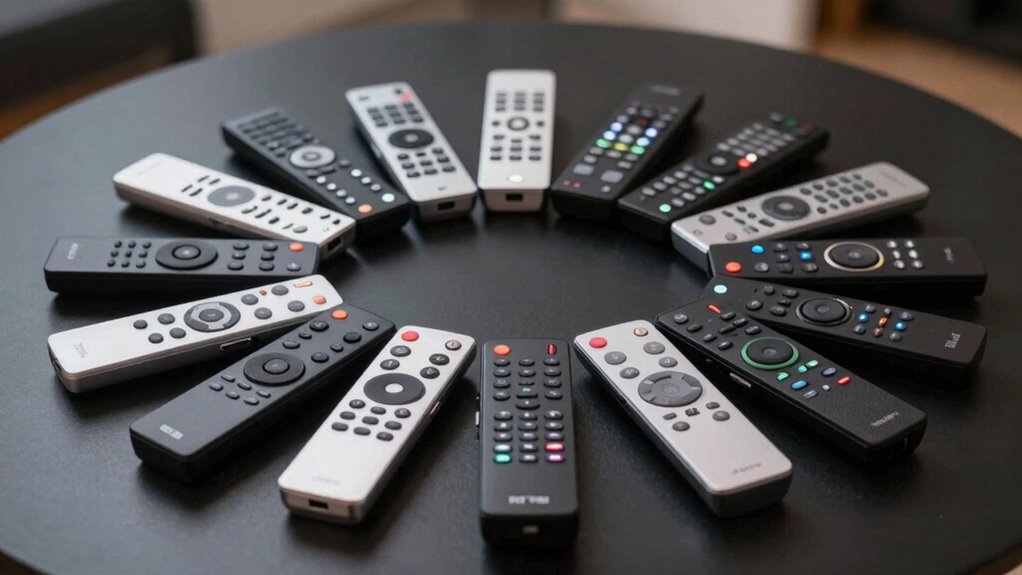

When a projector remote stops working or goes missing, finding a suitable replacement becomes a priority. The best replacement remote controls for projectors offer reliable performance, wide compatibility, and ease of use. The Universal Projector Replacement Remote Control by ALLIMITY stands out as the top overall choice for its broad compatibility and straightforward setup. For those seeking affordability, the Replacement Remote for Mini Projector Magcubic HY300Pro offers a budget-friendly option, though with fewer advanced features. The main tradeoffs include balancing universal compatibility against specific model features and the cost versus added convenience. Keep reading to discover the full list and find the perfect fit for your projector setup.

Get business pricing on your home office setup
- Business-only prices and quantity discounts
- Tax-exempt purchasing
- Multiple users, one account, clear invoices
Complete the kit



Key Takeaways
- Universal remotes generally offer the broadest compatibility but may lack some advanced features of original remotes.
- Model-specific remotes tend to be more reliable and responsive but are limited to particular projector brands or models.
- Price varies significantly, with budget options often missing advanced functions like backlit buttons or programmable features.
- Compatibility with newer projector models often depends on IR signals, so check specifications carefully.
- Ease of setup and user interface can vary, with some remotes requiring programming or code entry, while others are plug-and-play.
| Universal Projector Replacement Remote Control – ALLIMITY for Most Projectors and Home Theater Systems |  | Best Overall | Compatibility: Most projectors and home theater systems | Setup: No programming required, insert batteries | Brand: ALLIMITY | VIEW ON AMAZON | See Our Full Breakdown |
| Replaced for Mini Projector HY300 HY300Pro Remote Control |  | Best for Mini Projectors | Compatibility: Multiple mini projectors including Magcubic HY300Pro | Technology: Infrared 3.0 | Out of Box: No programming needed | VIEW ON AMAZON | See Our Full Breakdown |
| Projector Remote Control Compatible with Epson Projectors |  | Best for Epson Users | Compatibility: Epson Powerlite, Home Cinema, EB, EX, VS, BrightLink, EMP | Batteries: 2 x AA (not included) | Technology: Infrared | VIEW ON AMAZON | See Our Full Breakdown |
| Replacement Remote for Mini Projector Magcubic HY300Pro |  | Best Ergonomic Design | Compatibility: Magcubic HY300Pro and other listed mini projectors | Batteries: 2 AAA (not included) | Design: Ergonomic with smart chip technology | VIEW ON AMAZON | See Our Full Breakdown |
| Projector Remote Control for Epson LCD Home Cinema, Powerlite, EB-, EX, VS, H, BrightLink, EMP-Series |  | Best for Extended Range | Compatibility: Epson LCD Home Cinema, Powerlite, EB-, EX, VS, H, BrightLink, EMP | Batteries: 2 x AA (not included) | VIEW ON AMAZON | See Our Full Breakdown | |
| Remote Compatible with Magcubic, Aubor, Xgody HY300Pro, Maypug P1 Projector |  | Best Budget-Friendly Replacement for Specific Mini Projectors | Compatibility: Magcubic HY300Pro, Aubor HY300Pro, Xgody HY300Pro, Maypug P1, Gimbal 3, Gimbal 5, NT20, GM200, GM300 | Batteries Included: No | Batteries Required: 2 AAA batteries | VIEW ON AMAZON | See Our Full Breakdown |
| Universal Projector Remote Control Compatible with Epson |  | Best Easy-Setup Remote for Epson Projectors | Compatibility: Epson BrightLink, Powerlite, Home Cinema series | Setup: No programming required | Batteries Needed: 2 AAA batteries | VIEW ON AMAZON | See Our Full Breakdown |
| Universal Projector Remote Control |  | Best for Broad Compatibility and Setup Flexibility | Compatibility: Most Epson, Optoma, Samsung, Panasonic, Viewsonic, and others | Setup Required: Yes | Control Range: 0-30 degrees | VIEW ON AMAZON | See Our Full Breakdown |
| Replacement Remote Control for HY320/300Pro Projector & Gimbal 3/5 |  | Best for Precise Compatibility and Durability | Compatibility: HY300Pro, Gimbal 3/5, Magcubic, Xgody, Aubor, Maypug | Range: 8 meters | Connectivity: Infrared | VIEW ON AMAZON | See Our Full Breakdown |
| Replacement Remote Control for HY320/HY300/320mini Projector |  | Best for Heavy-Duty Use and Durability | Compatibility: HY320, HY300, 320mini projectors | Range: 8 meters | Brightness Adjustment: 3 levels | VIEW ON AMAZON | See Our Full Breakdown |
| replacement remote controls for projector | Compatibility | Batteries |
|---|---|---|
| Universal Projector Replacemen | Most projectors and home theater systems | — |
| Replaced for Mini Projector HY | Multiple mini projectors including Magcubic HY300Pro | — |
| Projector Remote Control Compa | Epson Powerlite, Home Cinema, EB, EX, VS, BrightLink, EMP | 2 x AA (not included) |
| Replacement Remote for Mini Pr | Magcubic HY300Pro and other listed mini projectors | 2 AAA (not included) |
| Projector Remote Control for E | Epson LCD Home Cinema, Powerlite, EB-, EX, VS, H, BrightLink, EMP | 2 x AA (not included) |
| Remote Compatible with Magcubi | Magcubic HY300Pro, Aubor HY300Pro, Xgody HY300Pro, Maypug P1, Gimbal 3, Gimbal 5, NT20, GM200, GM300 | — |
| Universal Projector Remote Con | Epson BrightLink, Powerlite, Home Cinema series | — |
| Universal Projector Remote Con | Most Epson, Optoma, Samsung, Panasonic, Viewsonic, and others | 2 AAA batteries (not included) |
| Replacement Remote Control for | HY300Pro, Gimbal 3/5, Magcubic, Xgody, Aubor, Maypug | — |
| Replacement Remote Control for | HY320, HY300, 320mini projectors | 2 AAA batteries (not included) |
More Details on Our Top Picks
Universal Projector Replacement Remote Control – ALLIMITY for Most Projectors and Home Theater Systems
This remote from ALLIMITY stands out for its broad compatibility across most projectors and home theater setups, making it a versatile choice for those who want a one-size-fits-all solution. Unlike the more specialized Epson remotes, it requires no programming—simply insert batteries and use—offering convenience for users replacing a broken remote. Compared with the mini projector remotes, its universal compatibility can save time and reduce clutter. The main tradeoff is that it only provides basic remote functions without extra features or advanced customization, which might matter to tech-savvy users. Overall, this pick makes the most sense for those seeking a straightforward, universal remote that works with multiple devices without fuss.
Pros:- Broad compatibility with a wide range of projectors and home systems
- No programming needed—just insert batteries and go
- Simple setup instructions included
Cons:- Limited to basic remote functions, no extra features
- May require some specific setup steps for certain brands
Best for: Home theater owners or families with multiple projectors needing a simple, universal replacement
Not ideal for: Tech enthusiasts or users who want advanced features like backlit keys or smart integrations
- Compatibility:Most projectors and home theater systems
- Setup:No programming required, insert batteries
- Brand:ALLIMITY
Our verdict“Ideal for users wanting a reliable, universal remote without extra bells and whistles.”
Replaced for Mini Projector HY300 HY300Pro Remote Control
This remote is tailored for specific mini projectors like Magcubic HY300Pro and Xgody HY300Pro, making it a reliable backup for those users. Unlike the ALLIMITY universal remote, it’s limited to a narrower set of models but excels with infrared 3.0 technology that ensures strong, responsive signals, even from a distance. Its out-of-the-box simplicity means no programming or pairing, which is a plus for quick setup, but it’s hampered by the absence of batteries and instructions, so users must supply their own. Compared to the Epson remotes, it’s less versatile but more straightforward for mini projector owners who need a dedicated, no-fuss remote.
Pros:- No programming or pairing required
- Infrared 3.0 technology offers strong, quick response
- Compatible with multiple mini projector models
Cons:- Batteries not included, so additional purchase needed
- Limited to a specific list of projector models
Best for: Mini projector owners seeking a dedicated, easy backup remote for specific models
Not ideal for: Users with projectors outside the listed models or those who prefer remote controls with included batteries and manuals
- Compatibility:Multiple mini projectors including Magcubic HY300Pro
- Technology:Infrared 3.0
- Out of Box:No programming needed
- Batteries Included:No
Our verdict“Best suited for mini projector users needing a reliable, no-fuss backup remote for selected models.”
Projector Remote Control Compatible with Epson Projectors
This remote provides a straightforward solution for Epson projector owners, covering models like Powerlite, Home Cinema, and BrightLink series. Unlike the ALLIMITY remote, it’s designed specifically for Epson, which means it offers a more tailored fit and potentially better compatibility with Epson’s features. Its quick response time of 0.2 seconds and over 100,000 clicks tested suggest durability and fast operation, but it’s limited to Epson models and requires batteries (not included). For users with Epson projectors, this remote minimizes setup hassle compared to generic options, yet it’s not suitable for other brands or multi-brand setups.
Pros:- No setup required—just insert batteries and use
- Compatible with multiple Epson models
- Fast response time and tested durability
Cons:- Limited to Epson series, not a universal remote
- Batteries not included
Best for: Epson projector owners who want a dedicated, reliable remote without programming
Not ideal for: Owners of non-Epson projectors or those seeking a universal remote with broad compatibility
- Compatibility:Epson Powerlite, Home Cinema, EB, EX, VS, BrightLink, EMP
- Batteries:2 x AA (not included)
- Technology:Infrared
- Response Time:0.2 seconds
- Clicks Tested:Over 100,000
Our verdict“Perfect for Epson owners seeking an easy, fast, and durable remote replacement.”
Replacement Remote for Mini Projector Magcubic HY300Pro
This remote, designed specifically for the Magcubic HY300Pro and similar mini projectors, emphasizes ergonomic comfort and smooth operation. Unlike the more technical-specific remotes, it offers plug-and-play convenience with no setup, making it a good choice for users who prioritize comfort and ease of use. While it’s compatible with several mini projectors, it shares the limitation of missing batteries and manual instructions, so users will need to supply these themselves. Compared with the all-in-one universal remote, this model’s ergonomic design provides a more comfortable grip, but it sacrifices broad compatibility for focused use.
Pros:- Compatible with multiple mini projectors, including HY300Pro
- No setup required—plug and play
- Ergonomic design for comfortable handling
Cons:- Batteries not included, additional purchase needed
- Limited to specific projector models
Best for: Mini projector users who value ergonomic handling and straightforward operation
Not ideal for: Owners of projectors outside the listed models or those wanting a remote with detailed instructions included
- Compatibility:Magcubic HY300Pro and other listed mini projectors
- Batteries:2 AAA (not included)
- Design:Ergonomic with smart chip technology
Our verdict“Ideal for mini projector users prioritizing comfort and quick operation over broad compatibility.”
Projector Remote Control for Epson LCD Home Cinema, Powerlite, EB-, EX, VS, H, BrightLink, EMP-Series
This Epson remote offers a stable, extended transmitting distance, making it suitable for large rooms or setups where the projector isn’t close at hand. It covers all functions of the original remote, similar to the dedicated Epson remotes, but adds the benefit of extended range compared to general universal options like the ALLIMITY. However, it does not include batteries, which is a minor inconvenience, and it’s limited to specific Epson models. Compared with the smaller, more compact Epson remotes, its extended range makes it better suited for larger spaces or easier operation from afar.
Pros:- Easy to use with no setup—just insert batteries
- Compatible with multiple Epson series
- Extended transmitting distance for larger spaces
Cons:- Batteries not included, additional purchase required
- Limited to Epson series only
Best for: Epson projector users needing a remote with extended transmitting distance for large rooms
Not ideal for: Users of non-Epson projectors or those preferring compact, lightweight remotes
- Compatibility:Epson LCD Home Cinema, Powerlite, EB-, EX, VS, H, BrightLink, EMP
- Batteries:2 x AA (not included)
Our verdict“Great for Epson users in large or distant setups who value reliable, extended-range operation.”
Remote Compatible with Magcubic, Aubor, Xgody HY300Pro, Maypug P1 Projector
This remote stands out for its affordability and straightforward compatibility with several popular mini projectors like Magcubic HY300Pro and Xgody HY300Pro. Unlike the more advanced Replacement Remote Control for HY320/300Pro Projector & Gimbal 3/5, it offers no backlit buttons or auto-pairing, but it covers essential functions for those on a tight budget. The lack of included batteries and instructions means it’s best for buyers who already have AAA batteries and are comfortable with simple setup. Its limited compatibility and absence of advanced features make it less suitable for users needing multi-device control or enhanced usability.
Pros:- Compatible with multiple mini projector models from popular brands
- Affordable replacement option
- Lightweight and easy to handle
Cons:- Batteries and instructions are not included
- Limited compatibility to listed models only
Best for: Budget-conscious users with compatible mini projectors who want a no-frills replacement.
Not ideal for: Users seeking a remote with backlit buttons, detailed instructions, or multi-device capability.
- Compatibility:Magcubic HY300Pro, Aubor HY300Pro, Xgody HY300Pro, Maypug P1, Gimbal 3, Gimbal 5, NT20, GM200, GM300
- Batteries Included:No
- Batteries Required:2 AAA batteries
- Lightweight:Yes
- Instruction Included:No
- Price Range:Budget
Our verdict“This remote suits buyers who need a simple, inexpensive replacement for specific mini projectors without extra features.”
Universal Projector Remote Control Compatible with Epson
This remote makes the most sense for users with multiple Epson projectors, thanks to its plug-and-play design that requires no programming. Compared to the Universal Projector Remote Control, it is more streamlined for Epson models, but it’s limited to only Epson devices and doesn’t include advanced setup features. The simplicity is ideal for those who value quick, hassle-free operation over broad compatibility. However, it’s less suited for users with non-Epson projectors or those who prefer remote control with extra customization options.
Pros:- Compatible with a wide range of Epson projectors
- No programming needed for setup
- Easy to install and use
Cons:- Limited to Epson models only
- Requires 2 AAA batteries not included
Best for: Epson projector owners who want a straightforward, reliable replacement remote without fuss.
Not ideal for: Owners of non-Epson projectors or users wanting a remote with extensive programming options.
- Compatibility:Epson BrightLink, Powerlite, Home Cinema series
- Setup:No programming required
- Batteries Needed:2 AAA batteries
- Control Range:Standard
- Ease of Use:Simple
Our verdict“This remote is ideal for Epson users seeking quick, reliable control without complexity.”
Universal Projector Remote Control
This remote offers extensive compatibility across brands like Epson, Optoma, Samsung, and others, making it suitable for multi-device households. Unlike the Replacement Remote Control for HY320/300Pro Projector & Gimbal 3/5, it requires setup and instructions, but it compensates with a broader range of supported projectors. Its control range of 0-30 degrees and setup process may be limiting for those needing quick, automatic pairing or operation at larger angles. It’s best for users willing to perform initial setup for versatile control, but less ideal for those who want immediate, plug-and-play operation.
Pros:- Compatible with many projector brands
- Detailed setup instructions provided
- Supports multiple models with one remote
Cons:- Setup required before use
- Limited to a 0-30 degree control range
Best for: Homeowners with multiple projector brands needing a unified remote after initial configuration.
Not ideal for: Users seeking a remote with auto-pairing or for quick replacements without setup.
- Compatibility:Most Epson, Optoma, Samsung, Panasonic, Viewsonic, and others
- Setup Required:Yes
- Control Range:0-30 degrees
- Batteries:2 AAA batteries (not included)
- Additional Features:Setup instructions included
Our verdict“This remote is suited for those prepared to set it up for broad compatibility, rather than immediate use.”
Replacement Remote Control for HY320/300Pro Projector & Gimbal 3/5
This remote is designed specifically for HY300Pro, Gimbal 3/5, and similar models, providing a highly tailored experience. Its auto-pairing feature within three seconds simplifies setup, making it ideal for those who value quick, hassle-free connection. The backlit buttons with adjustable brightness enhance usability in dark environments, and its military-grade shell offers durability that surpasses basic remotes like the Universal Projector Remote Control. However, its limited compatibility means it’s unsuitable for users with different projector brands or multiple devices. It’s a smart choice for owners of these specific models seeking longevity and ease of use.
Pros:- Precise compatibility with specific models
- Backlit buttons with adjustable brightness
- Fast auto-pairing within 3 seconds
- Military-grade durable shell
Cons:- Limited to one device at a time
- Batteries not included
Best for: Owners of HY300Pro or Gimbal 3/5 projectors prioritizing durability and quick setup.
Not ideal for: Users with different projector brands or needing multi-device control features.
- Compatibility:HY300Pro, Gimbal 3/5, Magcubic, Xgody, Aubor, Maypug
- Range:8 meters
- Connectivity:Infrared
- Buttons:Backlit with adjustable brightness
- Durability:Military-grade shell
- Setup:Auto-pairing within 3 seconds
Our verdict“This remote is perfect for dedicated users wanting a durable, easy-to-pair remote for specific projectors.”
Replacement Remote Control for HY320/HY300/320mini Projector
This remote emphasizes durability with a military-grade ABS shell and offers auto-pairing, making it suitable for frequent use and on-the-go replacement. Compared with the Replacement Remote Control for HY320/300Pro Projector & Gimbal 3/5, it provides a similar 8-meter infrared range and adjustable brightness, but it’s tailored for a narrower set of models. Its plug-and-play feature simplifies setup, but the need to purchase batteries separately and limited compatibility restrict its appeal for multi-brand setups. This remote fits users who prioritize toughness and straightforward operation over broad compatibility or advanced features.
Pros:- Military-grade ABS shell for durability
- Auto-pairs within 3 seconds
- Backlit with adjustable brightness
- Includes a 1-year warranty and lifetime support
Cons:- Batteries not included, need separate purchase
- Limited to specific models listed
Best for: Users seeking a durable, easy-to-setup remote for specific projector models, especially in demanding environments.
Not ideal for: Owners of projectors outside the listed models or those wanting extensive customization options.
- Compatibility:HY320, HY300, 320mini projectors
- Range:8 meters
- Brightness Adjustment:3 levels
- Batteries:2 AAA batteries (not included)
- Durability:Military-grade ABS shell
- Setup:Auto-pairs within 3 seconds
Our verdict“This remote appeals to those who need a tough, reliable replacement for selected projectors with straightforward setup.”

How We Picked
These products were evaluated based on their compatibility across various projector brands and models, ease of use, build quality, and overall value. Priority was given to remotes that offered broad universal compatibility and reliable IR performance, as these tend to serve the widest range of users. We also considered user reviews and ratings to gauge real-world reliability and setup simplicity. Cost-performance balance played a key role, with options ranging from budget-friendly to premium. The ranking reflects a combination of versatility, durability, and user-friendliness, ensuring that each pick addresses different needs while maintaining high standards.Factors to Consider When Choosing Replacement Remote Controls For Projectors
Selecting the right replacement remote control involves considering several key factors. Compatibility is paramount—ensure the remote supports your projector brand and model. Ease of setup can save frustration, especially if programming or code entry is required. Build quality influences durability, particularly if the remote will see frequent use. Price often correlates with features like backlit buttons or programmable functions, so decide what’s worth the investment. Lastly, consider the remote’s size and button layout for comfortable daily use and quick access to essential functions.Compatibility and Brand Support
Check whether the remote explicitly supports your projector’s brand and model. Universal remotes typically list compatible brands in their specs, but some models may require additional programming or code input. Model-specific remotes tend to be more reliable since they’re designed for particular devices, but limit your options if you have multiple projectors. Consider future-proofing by choosing a remote compatible with a wide range of brands if you might upgrade or add devices later.
Ease of Setup and Programming
Some remotes come pre-programmed and are ready to use out of the box, which is ideal for quick replacement. Others require code input or learning functions from the original remote, which can be tricky without clear instructions. Look for remotes with simple setup procedures, especially if you’re not tech-savvy. A remote with a clear manual or customer support can save time and frustration during setup.
Build Quality and Durability
A remote made of sturdy materials will withstand daily use better, especially if you handle it frequently. Features like slip-resistant grips, reinforced buttons, and durable housing add to longevity. Cheaper models may feel flimsy or have buttons that wear out quickly, leading to frequent replacements. Consider your usage pattern and environment—if used in a busy classroom or home theater, durability becomes more critical.
Price and Features
Prices vary widely, with budget options often missing features like backlit buttons, programmable functions, or multi-device support. Decide which features matter most for your use case—if you need to operate the projector in the dark, backlit buttons are a worthwhile investment. Conversely, if you only need basic functions, a simpler, cheaper remote might suffice. Balance your budget with the features that will enhance your experience.
Size, Layout, and User-Friendliness
The remote’s size and button layout affect usability, especially during presentations or movie nights. Larger buttons and an intuitive layout help prevent accidental presses. Compact remotes are easier to store and carry but may sacrifice some buttons or comfort. Consider your personal preferences and how you’ll use the remote regularly to choose one that feels natural and easy to operate.
Frequently Asked Questions
Will a universal remote work with my specific projector model?
Most universal remotes are designed to support a wide range of brands and models, but compatibility isn’t guaranteed for every device. It’s important to check the remote’s compatibility list or supported brands before purchasing. In some cases, programming or entering a code may be necessary, which can be straightforward or complex depending on the remote. If your projector is a newer or less common brand, verify compatibility explicitly to avoid disappointment.
Do I need to program a replacement remote, or is it ready to use?
This depends on the remote you choose. Many universal remotes require you to enter a code or use a learning function to sync with your projector. Model-specific remotes often come pre-programmed and are ready to operate immediately. If convenience is a priority, look for remotes advertised as ‘plug-and-play’ or with simple setup instructions, but be prepared for some remote programming in other cases.
How durable are these replacement remotes for daily use?
The durability of replacement remotes varies based on build quality and materials. Budget models may use cheaper plastics and have less robust buttons, leading to quicker wear and tear. Higher-end or specifically designed remotes tend to feature more durable construction and better button resilience. Consider how often you’ll use the remote and in what environment to choose a model that will last through regular use.
Are backlit buttons worth paying extra for?
Backlit buttons significantly improve usability in low-light environments, such as home theaters or dark conference rooms. If you frequently operate your projector in dim settings, investing in a remote with backlit controls can make a noticeable difference. However, for casual or daytime use, a basic remote without backlit buttons might be sufficient and more budget-friendly.
Can I use a remote from a different brand or model as a replacement?
Using a remote from a different brand or model is possible if it’s a universal remote compatible with your projector, but success depends on proper programming and IR signal compatibility. Some remotes can learn commands from your original remote, broadening their utility. Always check the remote’s compatibility list and setup instructions to ensure it can reliably operate your specific projector without issues.
Conclusion
For most users, the Universal Projector Replacement Remote Control by ALLIMITY offers the best overall experience thanks to broad compatibility and straightforward operation, making it ideal for those who want a reliable, no-fuss option. Budget-conscious buyers will appreciate the Replacement Remote for Mini Projector Magcubic HY300Pro, though they should be aware of its limited feature set. If you prefer a premium, feature-rich remote with backlit buttons and enhanced durability, consider investing in a higher-end model or a brand-specific remote. Beginners or infrequent users should prioritize remotes that are easy to set up and use right out of the box, while those with multiple devices or specific brands will benefit from more versatile options. Ultimately, selecting the right remote depends on your usage needs, budget, and whether you value broad compatibility or specific features.