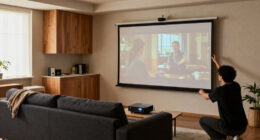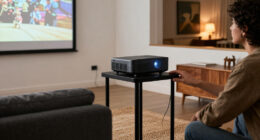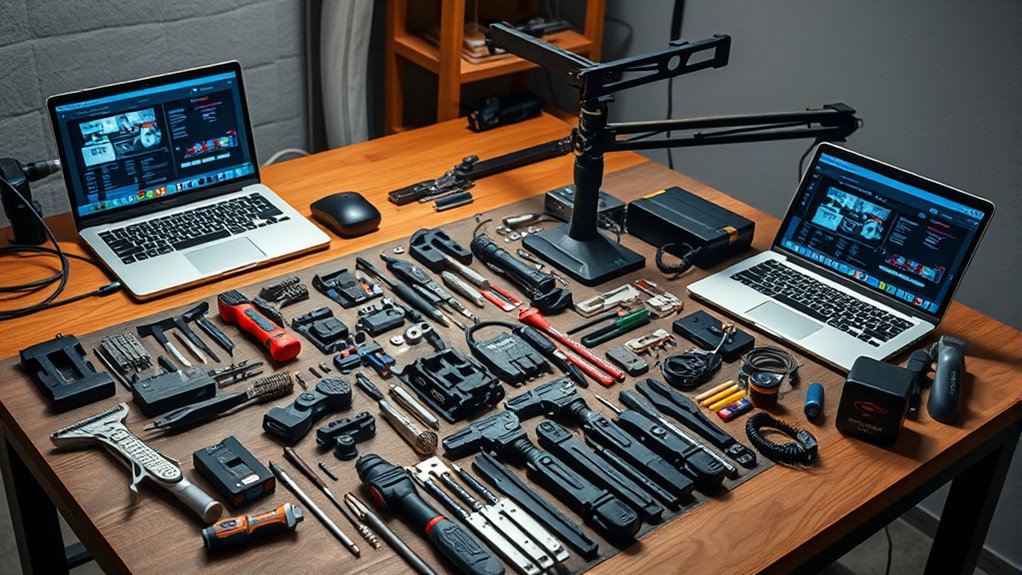
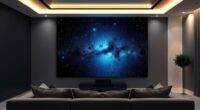
For buyers searching for projector installation tool kits, the first distinction is what the hardware actually mounts: these PUTORSEN options support a projector screen, not a projector itself. Both are six-inch steel L-bracket sets intended for wall or ceiling placement, with an adjustable distance of 1.5 to 5 inches and a stated maximum load of 66 pounds. My leading choice is the PUTORSEN Black L-Brackets for a flexible, broadly compatible setup; the White L-Brackets are the better visual match for pale walls and include a clearly listed mounting hardware kit. The central tradeoff is not performance on paper—the core dimensions and load capacity are similar—but whether the finish, package details, and your screen’s mounting arrangement suit the installation. Neither listing describes a complete projector-mounting tool set, so I would not choose either for attaching a projector to a ceiling.

Get business pricing on your home office setup
- Business-only prices and quantity discounts
- Tax-exempt purchasing
- Multiple users, one account, clear invoices
Complete the kit


Key Takeaways
- Both products are screen-support L-brackets, not mounts for attaching a projector to a ceiling.
- Each option is listed for most manual or spectrum projector screens and carries a maximum load of 66 pounds.
- Both provide a 1.5-to-5-inch adjustment range, helping position a screen away from a wall or ceiling.
- The black version is my general-purpose pick; the white version suits installations where a lighter finish blends in better.
- Check your screen’s mounting points and the wall or ceiling structure before buying; the listings do not establish compatibility with every screen.
| PUTORSEN Universal Projector Screen Ceiling Mount L-Brackets, 6-inch Black |  | Best Overall for a Flexible, Dark-Finish Screen Installation | Compatibility: Most manual or spectrum projector screens | Maximum load: 66 lbs | Material: Alloy steel and plastic | VIEW ON AMAZON | See Our Full Breakdown |
| PUTORSEN Universal Projector Screen Ceiling Mount L-Brackets, 6-inch White |  | Best for Light-Colored Rooms and a Clearly Listed Hardware Package | Compatibility: Most manual or spectrum projector screens | Maximum load: 66 lbs / 30 kg | Material: High-quality steel | VIEW ON AMAZON | See Our Full Breakdown |
| projector installation tool kit | Compatibility | Maximum load | Material | Bracket size |
|---|---|---|---|---|
| PUTORSEN Universal Projector S | Most manual or spectrum projector screens | 66 lbs | Alloy steel and plastic | 6 inches |
| PUTORSEN Universal Projector S | Most manual or spectrum projector screens | 66 lbs / 30 kg | High-quality steel | 6 inches |
More Details on Our Top Picks
PUTORSEN Universal Projector Screen Ceiling Mount L-Brackets, 6-inch Black
I rank the black PUTORSEN L-brackets first as the most straightforward pick for buyers who want a flexible screen-mounting solution without a room-specific finish preference. The listing supports most manual or spectrum projector screens up to 66 pounds, and the brackets can be used for wall or ceiling installation. That versatility matters when the screen casing needs to sit a little forward of the wall or when ceiling placement better suits the room layout.
The listed 1.5-to-5-inch adjustment range gives you some control over the screen’s position rather than locking it flush to a single mounting distance. Compared with the white version, the functional details are very similar, so I would not claim this black set has a higher capacity or wider adjustment. Its advantage is mainly as a simple default: black hardware can visually recede against darker trim, a dark screen casing, or a theater-style room. The product description identifies steel construction, while the specifications also list plastic; buyers should not assume every component is metal.
This is still a bracket kit, not a full projector installation tool kit. It does not mount the projector itself, and the listing does not spell out every included fastener or tool. Alignment and secure fixing matter: the screen’s mounting points must match the bracket arrangement, and the supporting surface must be suitable for the load. The 66-pound ceiling also means this is not a sensible choice for a heavier screen. Compared with the white set, the black model makes the most sense when you care more about a discreet dark finish than a specifically itemized hardware package.
Pros:- Listed for most manual or spectrum projector screens
- Wall and ceiling mounting options give placement flexibility
- Adjusts from 1.5 to 5 inches from the wall
- Steel construction is specified, with a 66-pound maximum load
Cons:- The 66-pound limit rules out heavier screens
- Accurate bracket alignment is needed for a secure, level installation
- The listing does not clearly itemize all included mounting hardware
Best for: Home theater owners mounting a compatible manual or spectrum screen who prefer black hardware and need wall-or-ceiling placement flexibility.
Not ideal for: Buyers mounting a projector rather than a screen, supporting a screen above 66 pounds, or requiring a fully specified tool-and-fastener kit.
- Compatibility:Most manual or spectrum projector screens
- Maximum load:66 lbs
- Material:Alloy steel and plastic
- Mounting type:Wall or ceiling
- Bracket size:6 inches
- Adjustable distance:1.5 to 5 inches from wall
- Color:Black
Our verdict“I would choose the black brackets as the general-purpose screen-mounting option when their capacity and mounting pattern fit the installation.”
PUTORSEN Universal Projector Screen Ceiling Mount L-Brackets, 6-inch White
The white PUTORSEN brackets are the more room-conscious choice when white hardware will blend with a pale wall, ceiling, or screen casing. Their central mounting figures match the black set: six-inch L-brackets, a stated 66-pound capacity, and adjustment from 1.5 to 5 inches. That means the white version is not an upgrade in strength or reach; its strongest differentiators are its finish and the product listing’s clearer account of what the package contains.
The package is described as including two L-brackets, mounting hardware, and a user manual. That is useful when planning the job, though the listing does not identify a complete set of installation tools or describe the individual fasteners in detail. I would still check the package contents and your screen’s mounting arrangement before beginning. The white set is a better fit than the black model when visible hardware would stand out against the room, while the black one is the simpler choice for dark décor or installations where appearance is secondary.
As with its counterpart, this product supports a projector screen—not the projector. It calls for basic installation tools and skills, and the adjustable position does not remove the need to locate sound mounting points, align both brackets, and confirm the screen remains within the load limit. The white finish may also be a mismatch for some rooms, and the 66-pound ceiling leaves no room for a heavier screen. I would pick it for a compatible screen and a light-colored installation where the listed hardware package helps with planning, not for anyone expecting an all-in-one projector installation kit.
Pros:- White finish can blend with light walls and ceilings
- Includes two brackets, mounting hardware, and a user manual according to the listing
- Adjusts from 1.5 to 5 inches for flexible placement
- Listed for most manual or spectrum screens up to 66 pounds
Cons:- The stated load limit excludes heavier screens
- Installation requires basic tools and skills
- White styling may not suit darker rooms or screen casings
Best for: Buyers mounting a compatible screen in a bright room who want white brackets and a listing that specifies the included hardware kit and manual.
Not ideal for: People who need a projector mount, lack basic installation tools or skills, have a screen over 66 pounds, or want black hardware.
- Compatibility:Most manual or spectrum projector screens
- Maximum load:66 lbs / 30 kg
- Material:High-quality steel
- Bracket size:6 inches
- Adjustable distance:1.5 to 5 inches from wall or ceiling
- Mounting options:Wall mount and ceiling mount
- Package includes:Two L-brackets, mounting hardware kit, and user manual
- Color:White
Our verdict“I would choose the white set over the black version when its finish suits the room and the listed package details help you prepare for installation.”

How We Picked
I ranked these two kits by the details that matter for installing a projector screen: stated compatibility, load limit, mounting flexibility, package information, and the likelihood that a buyer can match the finish to the room. Since both listings describe similar six-inch L-brackets with the same 66-pound capacity and 1.5-to-5-inch adjustment, I do not treat one as a stronger or more capable mount without evidence to support that distinction.
The black option takes the overall role because its description emphasizes broad screen compatibility and offers wall or ceiling installation, making it a straightforward default when finish is not the deciding factor. The white option earns the finish-focused role: it lists two brackets, a mounting hardware kit, and a user manual, details that can help a buyer check what arrives before starting. I also weighed limitations. Both require accurate alignment, and the white listing specifically notes the need for basic tools and installation skills. Most of all, I kept the product category clear: these brackets are for supporting a screen, not securing a projector. A buyer seeking a projector ceiling plate, adjustable projector arm, drill, level, or complete installation tool set should shop for those items separately.
| projector installation tool kit | Material | Color |
|---|---|---|
| PUTORSEN Universal Projector S | Alloy steel and plastic | Black |
| PUTORSEN Universal Projector S | High-quality steel | White |
Factors to Consider When Choosing Projector Installation Tool Kits
These two listings are close in core function, so I would choose by installation fit rather than expecting a major performance gap. Start by confirming the screen, mounting surface, and finish you need. Then check whether what you mean by “projector installation tool kit” is a screen bracket set or hardware for mounting the projector itself.
Confirm whether you are mounting a screen or a projector
This distinction should guide the purchase before color or convenience. Both PUTORSEN products are L-brackets for projector screens; they are described for most manual or spectrum screens. They are not projector ceiling mounts, and their specifications do not describe a projector plate, arm, or adjustment mechanism. If your goal is to hang the projector, look for a mount designed around your projector’s mounting points and the ceiling structure. If you are supporting a pull-down screen, these brackets may fit the job, subject to checking the screen’s own mounting instructions.
Match the screen’s weight and mounting arrangement
Both options list a maximum load of 66 pounds. Use the screen’s actual weight—not a guess based on its size—and do not treat the stated limit as proof that every surface or fastener can carry that load. The listings use broad compatibility language, but that does not confirm every screen model or mounting pattern. Compare the screen’s brackets or hanging points with the L-bracket layout, and check that your chosen wall or ceiling can support the installation. If the screen exceeds the limit or the attachment points do not line up, choose a different mounting system.
Use the adjustment range to plan placement
The listed 1.5-to-5-inch adjustment can help create clearance between the screen and its mounting surface. That may be useful when trim, a projection setup, or the screen casing affects where it can sit. It is not a substitute for measuring before drilling: mark the intended position, confirm both brackets will sit evenly, and check that the screen can hang as intended. The black and white options share the same stated adjustment range, so choose between them based on room finish and package details rather than assuming one offers more placement freedom.
Choose a finish that suits the installation
For dark trim, a dark screen housing, or a theater room, the black set is the more natural visual match. In a bright room with white walls or ceiling, the white option may be less conspicuous. This is a practical appearance difference, not a change in the listed load rating. I would also compare the screen casing itself: a bracket that blends into the ceiling may still contrast with a dark casing, and vice versa. If the hardware will be mostly hidden, finish can take a back seat to compatibility and safe mounting.
Check package contents and installation readiness
The white listing specifically names two L-brackets, a mounting hardware kit, and a manual. The black listing does not provide the same level of package detail in the information supplied here. That does not establish that the black set lacks hardware; it means I would verify its current package contents before planning around it. Neither listing promises a drill, level, measuring tools, or a complete professional installation kit. Have the appropriate tools ready, follow the product and screen instructions, and seek qualified help if you are unsure about the mounting surface or safe attachment.
Frequently Asked Questions
Do these PUTORSEN kits mount a projector or a projector screen?
They are described as screen-mounting L-brackets for most manual or spectrum projector screens. They are not projector ceiling mounts. If you need to attach the projector body to a ceiling, shop for a dedicated projector mount that suits its mounting points and the installation surface.
How much weight can either bracket set support?
Both listings state a maximum load of 66 pounds. Check your screen’s weight and mounting instructions before buying, and confirm the wall or ceiling and chosen attachment method can support the installation. Do not use these brackets for a screen that exceeds the stated capacity.
What is the difference between the black and white versions?
The listed capacity, bracket size, and adjustment range are broadly alike. The main clear difference is the finish: black suits darker hardware and rooms, while white can blend with light walls or ceilings. The white listing also itemizes two brackets, a mounting hardware kit, and a manual; package details for the black listing are less specific.
Are these suitable for every projector screen?
No. The descriptions say they fit most manual or spectrum screens, but that wording does not confirm compatibility with every model. Compare your screen’s mounting points and instructions with the bracket arrangement, and check its weight against the 66-pound limit before installation.
Do I need separate installation tools?
Yes, plan on having suitable basic installation tools available. The white listing names a mounting hardware kit and manual, but it does not say that tools such as a drill, level, or measuring equipment are included. The black listing does not detail all package contents here, so check the current listing and instructions before starting.
Conclusion
For a compatible screen and a straightforward default, I would choose the black PUTORSEN brackets, especially when dark hardware suits the room. Buyers fitting a pale wall or ceiling should choose the white version, which also lists its brackets, mounting hardware kit, and manual. If you need to mount the projector itself, carry a screen above 66 pounds, or buy a complete set of tools, neither product matches that job. For both options, verify the screen’s mounting points and the supporting surface before installation.