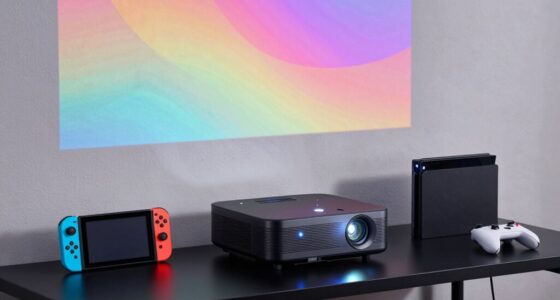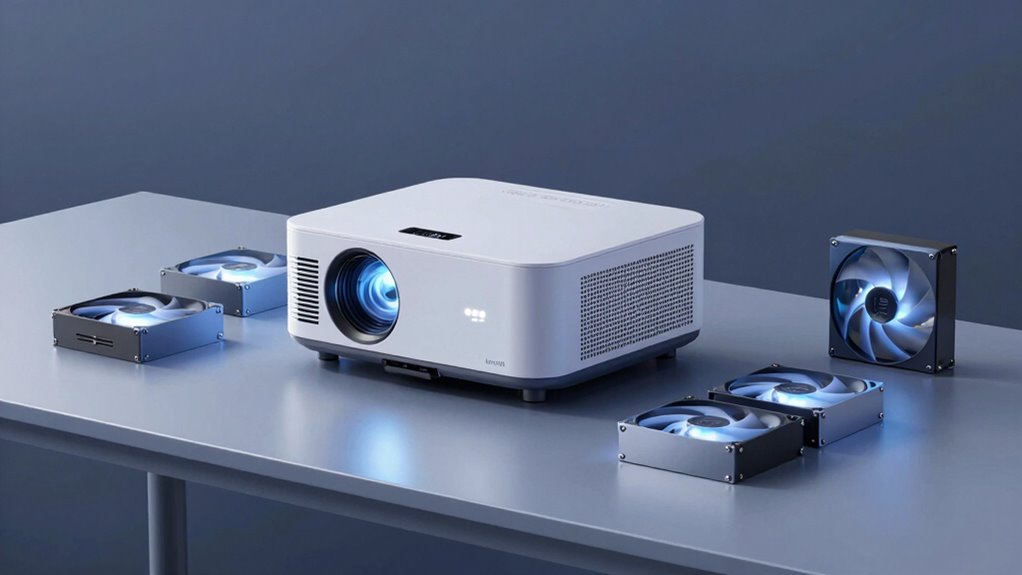

The AC Infinity MULTIFAN S7 is my best overall pick for projector cooling solutions, pairing two 120mm fans with a speed controller for adjustable airflow. For a compact setup, the Quiet 80mm USB Fan is a simpler option, while the X4 Quiet USB Cooling Fan suits buyers who need broader airflow from two large fans. The main tradeoffs are fan size and coverage, noise at higher speeds, and whether your projector can power a USB fan or needs a separate 12V connection. Fit and airflow direction matter as much as fan count: a powerful fan in the wrong position may do little to reduce heat around an intake or exhaust. Read on for the full comparison, selection criteria, and advice for matching a fan to your projector.

Get business pricing on your home office setup
- Business-only prices and quantity discounts
- Tax-exempt purchasing
- Multiple users, one account, clear invoices
Complete the kit


Key Takeaways
- The AC Infinity MULTIFAN S7 stands out for adjustable two-fan cooling: its speed controller gives more control than basic USB fans with fixed operation.
- Fan size shapes the fit: 80mm options suit smaller spaces, while 120mm and 140mm models can cover broader areas but need more room.
- Dual fans are not automatically the right choice: they can spread airflow across a wider area, but need suitable placement and room around the projector.
- Power compatibility is a deciding factor: most picks use USB, while the ECSiNG 90mm fan needs a 12V supply and a compatible 3-pin connection.
- Controls vary more than the basic cooling purpose: speed adjustment appears on several ELUTENG and AC Infinity options, while the 120mm USB fan with an on/off switch keeps operation simpler.

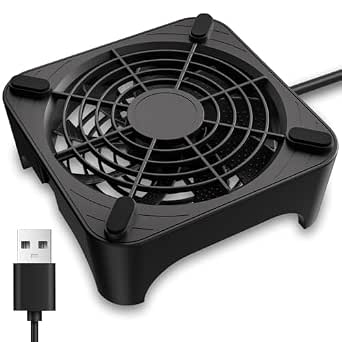


| projector cooling solution | Voltage | Noise level | Fan size | Dimensions |
|---|---|---|---|---|
| Quiet 80mm USB Fan | 5V | 21 dB at low speed | 80mm | 3.64 x 3.64 x 1.81 in. |
| X1 USB Cooling Fan | 5V | 18 dB | 120mm | 5.12 x 5.24 x 1.91 in. |
| ELUTENG Dual USB Fan 80mm | 5V | 25 dB | — | — |
| AC Infinity MULTIFAN S7 | 12V | 19 dBA | — | 4.7 x 4.7 x 1 in. (listed) |
| Wathai Cooling Case Fan for Re | 5V | 23 dBA | — | — |
| X4 Quiet USB Cooling Fan | 5 V | 18 dB | — | 1.6 × 7.5 × 12.8 in |
| ECSiNG DC12V 3-Pin Cooling Fan | DC 12 V | — | — | 90 × 90 × 25 mm |
| 2PCS 120mm x 25mm USB Cooling | 5 V | 37.2 dBA | 120 × 120 × 25 mm | — |
| ELUTENG 120mm USB Computer Fan | 5 V | — | 120 × 120 × 25 mm | 4.72 × 4.72 × 0.98 in |
| ELUTENG Dual Cooling Fan Whisp | 5 V | 32.5 dB | 80 mm | — |
| 120mm USB Cooling Fan with On/ | 5V | 31.5 dB | 120mm | — |
| Quiet 120mm USB Powered Router | 5V DC | 26 dB listed | 120mm | 4.72 × 4.13 × 2.24 inches |
More Details on Our Top Picks
Quiet 80mm USB Fan, 5V Portable Cooling Fan for Electronics and Consoles
For a projector shelf or cabinet where space is tight, this 80mm fan with three speed settings offers more control than the fixed-speed X1 USB Cooling Fan. Its stated 33 CFM airflow is suited to adding ventilation near a small device, while the low-speed noise rating of 21 dB makes it a reasonable fit for a quiet viewing room. USB power keeps setup simple when a compatible port or adapter is nearby, and shockproof pads help limit movement against a surface.
The tradeoff is scale: compared with the AC Infinity MULTIFAN S7, this single, smaller fan moves less air and is less suited to cooling a larger enclosure. Its plastic body and USB-only power also narrow placement and durability options. I’d choose it for targeted airflow around a compact projector, not as a whole-cabinet cooling system.
Pros:- Three speeds let users balance airflow against noise
- 21 dB low-speed rating suits noise-sensitive viewing spaces
- Compact 80mm format fits tighter placements than the 120mm X1
- Shockproof pads and double ball bearings support stable, long-running operation
Cons:- Lower airflow capacity than the dual-fan AC Infinity MULTIFAN S7
- Requires a USB power source and offers limited cable-placement flexibility
- Plastic construction may be less robust than a metal-bodied option
Best for: Owners of compact projectors or small projector cabinets who want adjustable, low-speed airflow without adding much bulk
Not ideal for: Buyers cooling a large cabinet or a projector with substantial heat output, since one 80mm fan and 33 CFM may not provide enough coverage
- Fan size:80mm
- Voltage:5V
- Wattage:1.5W
- Airflow:33 CFM
- Noise level:21 dB at low speed
- Maximum speed:2600 RPM
- Speed control:Three adjustable speeds
- Dimensions:3.64 x 3.64 x 1.81 in.
Our verdict“Choose this fan for targeted, adjustable cooling around a small projector where compact size matters more than maximum airflow.”
X1 USB Cooling Fan, 18dB Ultra Quiet 120mm Computer Fan with Built-in Cable
The X1 is the quiet-first choice here: its 18 dB rating and 120mm fan make it a natural candidate for projector setups where fan noise could intrude during dialogue or quiet scenes. The listed 55.8 CFM airflow exceeds the single 80mm Quiet 80mm USB Fan, while the lower maximum speed of 935 RPM points to a slower-running approach rather than aggressive cooling. It is also explicitly listed as compatible with projectors.
That simplicity has a cost. Unlike the AC Infinity MULTIFAN S7, the X1 has no speed controller, so you cannot trade extra airflow for extra noise when a projector enclosure runs warm. Its airflow also depends on placement and unobstructed intake. I’d pick it for steady, quiet ventilation, but skip it if heat levels vary or you need fine control.
Pros:- Lowest listed noise level in this group at 18 dB
- 120mm fan and 55.8 CFM airflow suit broader coverage than a single 80mm fan
- Projector compatibility is explicitly listed
- Built-in USB cable keeps the connection straightforward
Cons:- No adjustable speed setting to respond to higher projector temperatures
- USB-only power can limit placement in installations without a nearby port or adapter
- Cooling results depend on fan position and clear airflow around the projector
Best for: Home-theater owners seeking steady, low-noise airflow beside a projector in a quiet room
Not ideal for: Buyers who need adjustable cooling for changing heat loads or a fan they can tune to fit a tight ventilation path
- Fan size:120mm
- Voltage:5V
- Airflow:55.8 CFM
- Noise level:18 dB
- Maximum speed:935 RPM
- Dimensions:5.12 x 5.24 x 1.91 in.
- Material:Acrylonitrile butadiene styrene (ABS)
- Bearing lifespan:40,000 hours
Our verdict“Pick the X1 when quiet, steady ventilation matters more than speed control or peak airflow.”
ELUTENG Dual USB Fan 80mm, 3 Speed Adjustable USB Ventilator with 2750RPM
When the useful airflow has to come from a compact footprint, this pair of 80mm fans offers a different advantage from the single-fan Quiet 80mm USB Fan: two fans can cover more of a narrow vent area, while a three-speed controller lets you tune their output. The listed combined airflow of 64 CFM gives it a stronger stated capacity than that single-fan option, and its square form can suit tight cabinet layouts.
The caveat is power discipline. The product warns against USB hubs and supplies above 5V/1A, so it demands more attention to the source than the simpler X1 USB Cooling Fan. At 25 dB, it is also louder on paper than the X1 or the AC Infinity MULTIFAN S7. I’d favor it for a cramped enclosure that needs adjustable airflow, not a silent-room setup.
Pros:- Two 80mm fans provide broader coverage than a single compact fan
- Three speed settings allow airflow and noise adjustments
- Listed 64 CFM airflow is higher than the single 80mm Quiet fan
- Compact square design can fit narrow spaces
Cons:- Power-source requirements rule out some hubs and USB arrangements
- 25 dB rating is higher than the X1 and AC Infinity MULTIFAN S7
- 80mm fans may not cover a broad projector cabinet as evenly as larger fans
Best for: Projector owners with narrow cabinet vents who can provide a suitable 5V/1A USB power source and want two-fan coverage
Not ideal for: Users prioritizing the quietest possible movie-room operation or those relying on an unverified USB hub or higher-voltage supply
- Fan configuration:Dual 80mm fans
- Voltage:5V
- Wattage:5W
- Airflow:64 CFM
- Noise level:25 dB
- Maximum speed:2750 RPM
- Speed control:Three adjustable speeds
- Bearing type:Hydraulic
- Bearing lifespan:68,000 hours
Our verdict“Choose this dual-fan unit for a tight cabinet needing adjustable, localized airflow, provided its USB power limits fit your setup.”
AC Infinity MULTIFAN S7, Ultra-Quiet Dual 120mm USB Fan with Speed Controller
The MULTIFAN S7 earns the broadest-use role by combining two 120mm fans, a speed controller, and flexible flat-or-upright placement. Its stated 104 CFM total airflow is the highest listed in this group, giving it more capacity for a warm cabinet than the single-fan X1 or Wathai. The 19 dBA noise rating is also low for a dual-fan setup, and the controller lets you reduce speed when full airflow is unnecessary.
This is the most capable general-purpose choice, but it is not the smallest or most projector-specific option. Its 12V specification deserves a careful match with the intended power setup rather than an assumption that any USB port will do. Compared with the ELUTENG dual 80mm unit, it takes more room but offers larger fans and greater stated airflow. I’d choose it for enclosed spaces, not compact mounts.
Pros:- Highest listed airflow in this group at 104 CFM total
- Dual 120mm fans suit larger enclosures better than the 80mm options
- Speed controller balances cooling demand with room noise
- Can be placed flat or upright, offering useful installation flexibility
Cons:- Larger footprint may not fit compact projector mounts or narrow shelves
- Listed 12V specification needs to match the power arrangement
- More airflow capacity may be unnecessary for an open, well-ventilated setup
Best for: Owners of projectors housed in a cabinet or shelf enclosure who have room for dual 120mm fans and a compatible power arrangement
Not ideal for: Buyers needing a tiny, simple USB fan or anyone whose setup cannot support the listed 12V power specification
- Fan configuration:Dual 120mm fans
- Dimensions:4.7 x 4.7 x 1 in. (listed)
- Total airflow:104 CFM
- Noise level:19 dBA
- Voltage:12V
- Wattage:5W
- Bearing type:Dual ball
- Bearing lifespan:67,000 hours
- Positioning:Flat or upright
Our verdict“Choose the MULTIFAN S7 for an enclosed projector space that needs stronger, adjustable airflow and has room for a dual-fan unit.”
Wathai Cooling Case Fan for Receiver Xbox TV Box Router 120mm x 25mm 5V USB
The Wathai is a straightforward choice for buyers who want a standard 120mm USB fan without speed controls or a multi-fan assembly. Its listed 56.7 CFM airflow is close to the X1’s 55.8 CFM, but the Wathai runs at a stated 1500 RPM and carries a 23 dBA noise rating. The 55cm cable can help when a projector sits near a USB power point, while the slim 25mm profile is easy to place against a shelf or vent opening.
Unlike the adjustable AC Infinity MULTIFAN S7, this is a fixed-speed solution, so you cannot dial airflow down for quieter viewing or up when the cabinet gets hotter. Its sleeve bearing and stated 35,000-hour life also give it a shorter listed lifespan than the dual-ball alternatives. I’d choose it for basic, low-fuss ventilation, not a setup that needs fine tuning or long cable reach.
Pros:- 120mm format provides broader coverage than the 80mm fans
- USB-powered installation avoids a dedicated fan-control setup
- 55cm cable offers some flexibility near a power source
- 23 dBA noise rating is modest for a fixed-speed fan
Cons:- Fixed 1500 RPM speed cannot be tuned for quieter operation or higher cooling demand
- Sleeve bearing and 35,000-hour stated life trail the listed dual-ball options
- Single fan may not provide enough coverage for a large or enclosed projector cabinet
Best for: Projector owners who need a single 120mm fan for basic cabinet ventilation and have a nearby 5V USB power source
Not ideal for: Buyers who need adjustable fan speed, a longer cable run, or a dual-fan solution for a larger enclosure
- Fan dimensions:120 x 120 x 25mm
- Voltage:5V
- Current:0.2A
- Speed:1500 RPM
- Airflow:56.7 CFM
- Noise level:23 dBA
- Cable length:55cm
- Bearing type:Sleeve
- Life expectancy:35,000 hours
Our verdict“Choose the Wathai for simple, fixed-speed ventilation around a projector when adjustable control is not a priority.”
X4 Quiet USB Cooling Fan, Dual 140mm High-Speed Fan with One-Touch Switch and Stackable Design for PC, Router, Console, and More
The X4 is a strong fit when a projector or nearby AV gear needs broad airflow without adding much fan noise. Its listed 65.8 CFM airflow and 18 dB noise level favor quiet rooms, while the stackable frame gives owners a way to build up cooling around equipment when one layer is not enough. Compared with the 2PCS 120mm USB Cooling Fan, the X4 gives up some listed airflow but is quieter and offers a more expandable setup. That makes it more suitable for a living-room projector than a buyer prioritizing maximum airflow. Its main limitation is placement: it needs USB power, so it cannot directly replace a projector’s internal 12V fan. Check dimensions and airflow direction before placing it near an intake or exhaust.
Pros:- Listed 18 dB noise level suits quiet viewing spaces
- 65.8 CFM airflow provides substantial external ventilation
- Stackable design supports flexible equipment layouts
- Dual USB ports add connection flexibility
Cons:- USB power limits placement to locations near a suitable port or adapter
- Listed airflow is lower than the 92.3 CFM figure for the 2PCS 120mm USB Cooling Fan
- External placement does not substitute for a correctly specified internal projector fan
Best for: Projector and AV owners seeking quiet external airflow, especially those who may want to stack fans around a shelf or equipment enclosure
Not ideal for: People replacing an internal projector fan or needing high airflow from a non-USB power source
- Power connector:USB
- Voltage:5 V
- Cooling method:Fan
- Airflow capacity:65.8 CFM
- Noise level:18 dB
- Maximum rotational speed:935 rpm
- Dimensions:1.6 × 7.5 × 12.8 in
- Weight:16 oz
Our verdict“Choose the X4 for quiet, expandable USB cooling around projector and AV equipment, not for internal fan replacement.”
ECSiNG DC12V 3-Pin Cooling Fan 90x90x25mm for Projectors and Computers
Unlike the USB-powered options in this roundup, the ECSiNG 90mm fan is designed as a DC12V, 3-pin component, making it the most relevant pick here for a compatible internal projector repair. Its standard 90 × 90 × 25 mm size and mounting holes can simplify replacement when they match the original fan, rather than adding an external fan beside the projector. Compared with the X4 Quiet USB Cooling Fan, this is a parts-level solution, not a ready-to-place cooling accessory: buyers need to confirm voltage, connector, dimensions, and fit before ordering. The supplied details do not include airflow or noise figures, so I would not choose it based on cooling output or quietness alone. It is a practical match only when the projector’s existing fan specifications line up.
Pros:- 12V, 3-pin design suits compatible internal fan connections
- 90 × 90 × 25 mm format is clearly specified for fit checks
- Standard mounting-hole design supports replacement installation
- Can serve compatible projector, computer, and electronic equipment
Cons:- Works only with compatible 12V systems and connectors
- No airflow or noise-level figures are provided
- Incorrect size or wiring match can make it unsuitable for a projector
Best for: Owners repairing a projector or electronic device whose original fan is confirmed to be a 90 × 90 × 25 mm, 12V, 3-pin model
Not ideal for: Buyers seeking a plug-and-play external USB fan, or anyone who has not verified the projector’s fan dimensions and electrical requirements
- Model:9AH0912M4D08
- Voltage:DC 12 V
- Current:0.08 A
- Dimensions:90 × 90 × 25 mm
- Connector:3-pin
- Weight:3.52 oz
Our verdict“Pick this fan only when replacing a verified matching 12V projector fan; for external cooling, the USB-powered X4 is a simpler option.”
2PCS 120mm x 25mm USB Cooling Fan 5V Brushless Dual Fan with USB Cable for Receiver, Amplifier, Computer Case, Projector, Router
For external projector ventilation where airflow takes priority, this two-fan 120mm set has the strongest stated output in this group: 92.3 CFM at up to 3000 RPM. Two fans can help move air across a shelf or equipment area more effectively than the compact ELUTENG Dual 80mm USB Fan, whose listed airflow is 31.98 CFM. The tradeoff is noise: the stated 37.2 dBA is notably less suited to a quiet viewing room than the X4’s listed 18 dB. USB power makes setup accessible, but output can vary with the source, and the product data does not establish a dedicated mounting system. I’d favor it for a warm equipment enclosure or well-ventilated setup, while checking fan placement and noise tolerance before using it beside a projector.
Pros:- Two 120 mm fans provide broad external airflow
- Listed 92.3 CFM airflow exceeds the other USB fan figures in this batch
- USB power supports straightforward use with a suitable 5V source
- Brushless design is specified for continuous electronic-device cooling
Cons:- Listed 37.2 dBA noise level may distract in a quiet viewing room
- Fan speed may vary depending on the USB power source
- Product details do not specify additional mounting hardware
Best for: AV owners who need strong external airflow across a projector shelf, receiver, router, or equipment enclosure and can tolerate audible fan noise
Not ideal for: Viewers sensitive to fan noise or anyone needing a quiet, compact cooling solution directly beside a projector
- Fan size:120 × 120 × 25 mm
- Voltage:5 V
- Current:0.45 A
- Airflow:92.3 CFM
- Speed:3000 RPM
- Noise level:37.2 dBA
- Wattage:5.4 W
- Compatible devices:Router, computer, receiver, projector, and AV equipment
Our verdict“Choose this set when external airflow matters more than quiet operation; the X4 is a better fit for noise-sensitive projector rooms.”
ELUTENG 120mm USB Computer Fan with 3 Adjustable Speeds
The ELUTENG 120mm USB fan suits projector owners who want to adjust cooling rather than run a fan at one fixed setting. Its three speeds let buyers trade airflow for a gentler setup, while the included DC-to-USB adapters offer more connection flexibility than the USB-only X4. The listed airflow reaches 53 CFM, below the 2PCS 120mm USB Cooling Fan at 92.3 CFM, but this single-fan design may be easier to position when a projector shelf has limited space. A metal grill adds protection around the blades. The drawback is that the product data gives no noise figure, so buyers cannot compare its sound directly with the X4’s 18 dB specification. It also remains an external USB-powered fan, not a replacement for an internal projector blower.
Pros:- Three speed settings allow airflow to be adjusted for the setup
- 53 CFM listed airflow offers a defined output for a single fan
- DC-to-USB adapters expand connection options
- Metal grill helps shield the fan blades
Cons:- No noise-level specification is provided
- Listed airflow is lower than the two-fan 120mm USB set
- USB-powered external design does not replace a projector’s internal fan
Best for: Projector owners who want a single external 120mm fan with selectable speeds and flexibility to connect through USB or the included adapters
Not ideal for: Buyers who need the highest stated airflow, a documented noise level, or a replacement fan that connects inside a projector
- Fan size:120 × 120 × 25 mm
- Voltage:5 V
- Airflow:53 CFM
- Rotational speed:1000 / 1250 / 1500 RPM
- Material:Metal
- Compatible devices:Desktop, gaming console, projector, and receiver
- Dimensions:4.72 × 4.72 × 0.98 in
- Warranty:Not specified
Our verdict“Pick this ELUTENG model for speed control and flexible connections in a single-fan setup, but choose the 2PCS 120mm set for higher stated airflow.”
ELUTENG Dual Cooling Fan Whisper Quiet 80mm USB Fan with 3 Adjustable Speeds
When there is little room around a projector or its equipment shelf, the ELUTENG dual 80mm fan offers a smaller footprint than the 120mm options. Its two fans provide a listed 31.98 CFM airflow, and three speed settings let owners reduce output when full cooling is unnecessary. That is less airflow than the ELUTENG 120mm USB Computer Fan at 53 CFM, but the dual-fan unit may fit better beside compact gear. The listed 32.5 dB noise level is also higher than the X4’s 18 dB figure, so “whisper quiet” should not be read as silent. USB-only power and the lack of included mounting hardware limit installation choices. I’d choose it for a tight external setup, not for a projector that needs substantial airflow or a direct internal replacement.
Pros:- Compact 80mm dual-fan format can fit tighter spaces than 120mm models
- Three speed settings provide control over cooling output
- 31.98 CFM airflow is specified for comparison
- Three-foot USB cable gives some flexibility in positioning
Cons:- Listed airflow is lower than the 120mm ELUTENG fan and the 2PCS 120mm set
- 32.5 dB noise level is higher than the X4’s listed 18 dB
- USB-only power and no included mounting hardware can restrict placement
Best for: Owners of compact projector shelves or nearby AV gear who need dual-fan external cooling in a smaller format
Not ideal for: Buyers cooling a large, heat-heavy enclosure, seeking the quietest listed operation, or needing mounting hardware
- Fan size:80 mm
- Voltage:5 V
- Wattage:5 W
- Maximum rotational speed:2400 rpm
- Airflow capacity:31.98 CFM
- Noise level:32.5 dB
- Material:Plastic
- Cable length:3 ft / 1 m
Our verdict“Choose this dual 80mm fan for a space-constrained external setup, but step up to a 120mm option when airflow is the main concern.”
120mm USB Cooling Fan with On/Off Switch
This fan suits projector owners who want a straightforward way to move air around a compact setup without adjusting speed settings. Its push-button switch makes it easy to turn cooling on only when the projector or nearby AV gear is running, while rubber feet help keep the unit steady and limit vibration on a shelf. Compared with the Quiet 120mm USB Powered Router Fan with Speed Controller, this model gives up adjustable airflow and lower stated noise in favor of simpler controls. Its 120mm size and 5V USB power are practical for small electronics, but the listed 31.5 dB noise level may be noticeable in a quiet viewing room. It is an auxiliary airflow fan, not a fix for blocked vents or an overheated projector.
Pros:- One-button control makes on-demand cooling simple
- Rubber feet help stabilize the fan and reduce vibration
- USB power works with compatible USB sources
- Protective grille helps shield the fan blades
Cons:- The stated 31.5 dB noise level may distract in a quiet viewing room
- No speed adjustment for balancing airflow and sound
- Best suited to small electronics, not cooling a large projector enclosure
Best for: Projector owners with a small AV shelf who want a basic USB fan they can switch on and off without managing speed settings
Not ideal for: Viewers who need near-silent operation, adjustable airflow, or cooling for a large enclosure rather than small electronics
- Fan size:120mm
- Voltage:5V
- Current:0.3A
- Speed:1500 ±10% RPM
- Noise level:31.5 dB
- Power:1.5 watts
- Cable length:39.37 inches
- Control:Push-button on/off switch
Our verdict“Choose this fan for uncomplicated, switch-controlled airflow around a compact projector setup, but pick the speed-controller model if noise or adjustability matters more.”
Quiet 120mm USB Powered Router Fan with Speed Controller
For a projector shelf in a quiet room, this is the more flexible of the two 120mm options here. Its three-speed controller lets you favor gentler, quieter airflow during a film or increase ventilation when nearby gear runs hot. The product data lists 26 dB noise and up to 53.35 CFM of airflow, though its separate stated noise range varies; treat those figures as guidance rather than a guarantee in every placement. Compared with the 120mm USB Cooling Fan with On/Off Switch, this model offers finer control and dual ball bearings, but it depends on a 5V USB source and its performance can change with positioning. It can improve circulation around compatible equipment, yet it should not obstruct the projector’s own vents or replace manufacturer-recommended clearance.
Pros:- Three speed settings allow airflow and operating noise to be adjusted
- Listed 26 dB noise level is lower than the on/off model’s stated 31.5 dB
- Dual ball bearings are specified for a 50,000-hour lifespan
- USB connection supports common 5V power sources
Cons:- Limited to 5V DC USB power
- Airflow results depend on how the fan is positioned around the device
- Published noise information includes differing figures, so quiet operation may vary by setting and setup
Best for: Projector and AV owners who want to tune airflow and sound on a shared shelf with a compatible 5V USB power source
Not ideal for: Buyers seeking a plug-in mains-powered solution, a purpose-built projector cooling enclosure, or guaranteed airflow regardless of placement
- Fan size:120mm
- Power connector:USB
- Voltage:5V DC
- Maximum speed:1500 rpm
- Airflow capacity:53.35 CFM
- Noise level:26 dB listed
- Dimensions:4.72 × 4.13 × 2.24 inches
- Speed control:3-speed controller
- Bearing life:50,000 hours
Our verdict“Pick this model if adjustable, lower-noise airflow is the priority and your projector shelf can accommodate a USB-powered 120mm fan.”
How We Picked
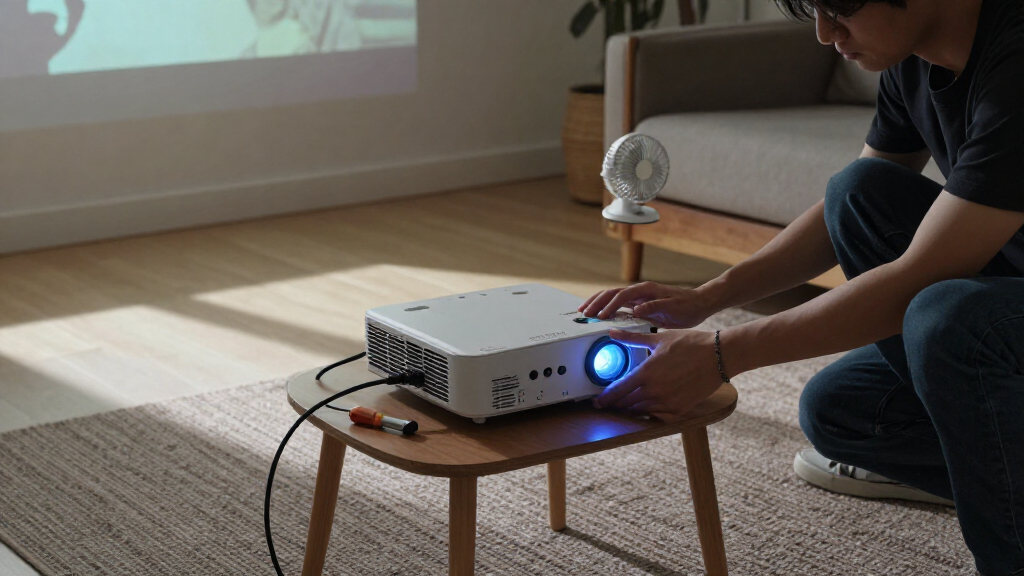
I ranked these options around how well their stated designs fit common projector-cooling needs: directing airflow near a projector, accommodating different spaces, and matching the power connections buyers may have available. I gave more weight to adjustable speed, useful fan coverage, and clear control options than to raw fan count alone. Noise claims and speed specifications can help with comparison, but they do not establish how a fan will sound or cool in every placement.
The order favors adaptable, easy-to-place USB models first, with the AC Infinity MULTIFAN S7 at the top for its dual 120mm layout and speed control. Compact and straightforward choices follow for buyers with less space or simpler needs. Larger dual-fan designs and specialized connection types remain useful, but their fit, power requirements, or less flexible controls narrow their audience. Because these are general-purpose cooling fans rather than projector-specific systems, I also weigh how much setup planning each choice may require.
Factors to Consider When Choosing Projector Cooling Solutions
Choosing a projector fan is not just a matter of selecting the largest model or the one with the most fans. I would start by identifying where the projector takes in air, where it exhausts hot air, and what kind of power source is available nearby. These checks help avoid a common mismatch: buying a fan that runs but cannot move air usefully through the actual setup.
Match airflow to the projector’s vents
First locate the projector’s intake and exhaust vents, then check the manufacturer’s guidance for required clearance. An external fan should support that airflow path rather than push hot exhaust back toward the intake. Avoid placing a fan so close that it blocks a vent or disturbs the projector’s own fan operation. A fan aimed across open space may help move warm air away, while one positioned directly at an intake could create turbulence or dust problems. Make a simple placement plan before buying, especially if the projector sits in a cabinet. The goal is better circulation around the unit, not a substitute for the projector’s built-in cooling system.
Measure the space before choosing fan size
Measure the available area around the projector, including the room needed for cables and ventilation. An 80mm fan may fit a narrow shelf where a 120mm or 140mm model would crowd the equipment. Larger fans can cover more area, but their size alone does not prove they will cool a particular projector more effectively. Dual-fan units may suit wide enclosures, yet they need enough clearance for both fans to move air without obstruction. Check whether the fan can sit securely without touching the projector or vibrating against a shelf. A compact fan placed well can be a better match than a larger unit forced into a poor position.
Check power and connector compatibility
USB-powered fans are convenient when a suitable USB port or adapter is within reach, but confirm that the source can provide the fan’s required power. Do not assume a projector’s USB port is intended to power an external cooling fan; check the projector manual and fan specifications. A 12V, 3-pin model such as the ECSiNG option calls for a compatible supply and connection, making it less plug-and-play than USB choices. Account for cable length and routing so wires do not block vents or create a trip hazard. If the projector must remain portable, a separate power adapter may add bulk that outweighs the fan’s benefits. Match the electrical connection first, then compare fan size and controls.
Balance noise, speed control, and airflow
Higher fan speeds can move more air, but they may also produce more audible noise in a quiet viewing room. Speed controllers let you adjust the balance instead of accepting one fixed setting, which can be useful when the projector’s heat output changes between sessions. A one-touch switch or basic on/off control is simpler, though it offers less fine-tuning. Treat published noise figures as comparison information rather than a guarantee for your room; distance, mounting surface, and nearby reflections affect perceived sound. If the projector sits close to viewers, prioritize controllability and placement before chasing maximum speed. A fan that is easy to run at a tolerable setting is more practical than one that only works well at an intrusive speed.
Plan for dust, cleaning, and access
Extra airflow can also draw more dust toward the projector, particularly in a room with pets, carpets, or open windows. Keep the fan and projector vents accessible so both can be cleaned according to their manufacturers’ instructions. A fan mounted deep inside a cabinet may be difficult to inspect, even if it fits neatly. Avoid improvised covers or filters that restrict airflow unless they are designed for the fan and maintained regularly. Consider how you will reach the projector’s controls, cables, and removable filters after adding a cooling fan. Ease of maintenance is part of the setup, not a detail to solve after installation.
Pay for controls or coverage only when you need them
More fans, larger frames, and speed controls can add flexibility, but they are only useful if the layout calls for them. A single compact fan may be enough to improve circulation around a small, open shelf; a dual-fan unit makes more sense when airflow needs to cover a wider area. Adjustable speed is valuable when noise levels matter or the fan will be used in different conditions. A basic switched fan may suit buyers who want a simple way to turn airflow on and off. Do not treat stackable designs or higher speed claims as automatic advantages if there is no room to use them. Spend attention on the feature that solves your setup’s actual limitation.
Frequently Asked Questions
Can I power a USB cooling fan from my projector?
Only if the projector’s manual and the fan’s power requirements confirm that the USB port can support it. Some projector USB ports are intended for media playback or service tasks and may not provide suitable power for a fan. If the port is not specified for this use, a compatible USB power adapter may be a better source. Check the fan’s voltage and current requirements, and avoid overloading a port. Also confirm that the cable can reach without crossing an intake or exhaust vent.
Should I point an external fan at the projector’s intake or exhaust?
Start with the projector manufacturer’s airflow and clearance instructions rather than aiming a fan at a vent by default. The external fan should help move warm air away and preserve the projector’s intended intake-to-exhaust path. Blowing hot exhaust back toward an intake can work against the built-in cooling system. A fan placed nearby to improve room or cabinet circulation may be more suitable than one pressed against the projector. After setup, check that no vent is blocked and that the projector is operating within its manufacturer’s guidance.
Is a dual-fan model better than a single fan for projector cooling?
Not in every setup. Dual fans can cover a broader area or help circulate air across a wider shelf, but they also need more space and may introduce more noise or cable clutter. A single fan can be easier to place near a specific warm area without crowding the projector. The number of fans does not tell you how much useful airflow will reach the projector’s vents. Choose based on the enclosure size, vent locations, and available clearance rather than fan count alone.
Will an external cooling fan make my projector quieter?
It may help the surrounding air circulate, but it does not directly replace or control the projector’s internal fan. Adding another fan can increase total room noise, particularly at high speed or when mounted against a surface that vibrates. A speed-controlled model gives you more room to balance airflow and sound than a fixed-speed design. Placement and distance from viewers also affect how noticeable the fan is. If the projector itself is unusually loud, consult its maintenance guidance or support information rather than relying on an external fan to solve the cause.
When does a 12V fan make more sense than a USB model?
A 12V fan can be a sensible choice when your setup already has a compatible 12V supply and the required connector. The ECSiNG model uses a 3-pin connection, so it is less convenient if your only available power source is USB. Before choosing it, verify the power supply’s voltage, connector, and wiring arrangement; matching voltage alone is not enough. USB fans are generally simpler to connect when a suitable USB power source is available. Choose the connection that fits your existing setup safely instead of adding adapters without checking compatibility.
Conclusion
For the broadest mix of coverage and control, I recommend the AC Infinity MULTIFAN S7 as best overall. The Quiet 80mm USB Fan is my best value-style choice for compact, straightforward setups, while the X4 Quiet USB Cooling Fan is a stronger fit for buyers who need wider coverage and have room for its dual 140mm fans. Beginners can start with the simple 120mm USB Cooling Fan with On/Off Switch, provided its fixed operation suits their needs. For a setup that already supports a 12V, 3-pin connection, the ECSiNG 90mm fan is the specific-use pick; buyers who need speed adjustment should instead compare the controller-equipped options. My final choice would depend on vent placement, available clearance, and power compatibility—not fan size alone.
Halloween Picks
halloween
As an affiliate, we earn on qualifying purchases.